
LinkedIn Ads Optimisation: A Practical UK Playbook
Table of Contents
LinkedIn advertising gives B2B marketers direct access to decision-makers, procurement teams, and senior professionals that other platforms struggle to reach. The trade-off is cost: CPCs run higher than on Meta or Google, which means every pound of wasted budget is felt more acutely.
The difference between campaigns that justify the spend and those that drain it quietly comes down to how well you optimise. Getting the targeting right, the creative sharp, the bidding disciplined, and the post-click experience consistent: these are the variables that separate a LinkedIn campaign that generates qualified leads from one that accumulates impressions with nothing to show for it.
This guide covers the core disciplines of LinkedIn Ads optimisation for UK-based businesses: from pre-launch foundations through to the cadence of ongoing adjustments that keep performance moving in the right direction.
The Foundation: Getting Set Up to Optimise
LinkedIn Ads optimisation without measurement is guesswork. Before adjusting bids, testing creatives, or expanding targeting, the technical groundwork has to be in place. Skipping this stage means working with incomplete data from the start.
Install the LinkedIn Insight Tag
The Insight Tag is LinkedIn’s site-wide tracking pixel. It records which visitors came from your ads, what pages they viewed, and which conversion events they completed. Without it, Campaign Manager shows you clicks but not what those clicks actually did.
Place the tag in the global header of your site so it fires on every page. Once installed, create conversion events in Campaign Manager for the actions that matter: form submissions, demo bookings, content downloads, or whatever constitutes a lead for your business. Tracking these events is what gives you cost-per-conversion data, which is the only number that makes bid decisions meaningful.
Setting Realistic UK Industry Benchmarks
LinkedIn CPCs in the UK run higher than most other paid channels. As a general benchmark, expect to pay between £5 and £12 per click, depending on the seniority of the audience, the sector, and the ad format. Senior finance and C-suite audiences typically sit at the upper end of that range. All figures in this guide are indicative UK benchmarks and correct at the time of writing; treat them as a reference point rather than fixed quotations.
Click-through rates (CTR) across LinkedIn ads generally fall between 0.44% and 0.65% for most ad types, though well-optimised Sponsored Content campaigns with strong creative can exceed this. If your CTR is significantly below 0.3%, the issue is usually creative or targeting rather than bidding. Understanding these ranges matters because LinkedIn’s optimisation tools can sometimes push you to increase bids when the real problem sits elsewhere.
For businesses targeting professionals across Northern Ireland and the UK, our LinkedIn B2B marketing guide provides a broader context on how the platform fits into a wider demand generation strategy.
Define Your Buyer Persona Before You Spend
LinkedIn’s targeting is only as good as the brief you give it. Before setting up a campaign, write out a specific buyer persona: the job function, seniority level, industry, company size, and the professional problems this person is trying to solve. This is not a box-ticking exercise; it directly determines which targeting dimensions you use and which you leave alone.
Targeting too broadly wastes budget on audiences who will never convert. Targeting too narrowly limits delivery and drives up CPCs as you compete intensely for a tiny pool. The goal is a defined audience large enough to deliver efficiently but specific enough that your message is genuinely relevant to the people seeing it.
Negative Optimisation: Stopping Budget Leaks First
Most LinkedIn Ads optimisation guides focus on what to add or improve. The more immediate gains often come from what you stop doing. LinkedIn’s default campaign settings include several features that look useful on paper but routinely dilute lead quality and push up cost per acquisition.
Disable Audience Expansion and the LinkedIn Audience Network
When creating a campaign, LinkedIn offers two reach-expanding options that are ticked on by default: Audience Expansion and the LinkedIn Audience Network (LAN).
Audience Expansion tells LinkedIn to show your ads to people similar to your defined audience, even if they don’t match your targeting criteria. For awareness campaigns with large budgets, this can make sense. For lead generation campaigns targeting a specific professional profile, it consistently pulls in lower-quality traffic that looks like engagement in the metrics but doesn’t convert.
The LinkedIn Audience Network extends your ads to third-party apps and websites outside of LinkedIn itself. Placement reports frequently show impressions from apps and sites that have no relationship to your industry or audience. Unless you have a specific reason to use it, turn both off. Go to the campaign settings and untick them at the outset, not after you’ve already spent budget finding out they don’t work for your goals.
Audit Your Placement Reports Regularly
If you’ve been running campaigns with the Audience Network enabled, pull the placement report from Campaign Manager to see exactly where your ads have been appearing. Filter by conversion rate and cost per conversion rather than just impressions.
Sites and apps with high impression counts but zero conversions should be added to your exclusion list. This process is less dramatic than overhauling your creative or restructuring your audience, but it can materially reduce wasted spend in campaigns that have been running for several weeks or months.
GDPR and Matched Audiences: The UK-Specific Consideration
LinkedIn’s Matched Audiences feature lets you upload CRM lists, retarget website visitors, or match against company contact lists. For UK and Northern Ireland-based businesses, this comes with a compliance layer that US-focused guides rarely address.
Under the UK GDPR and the Data Protection Act 2018 (administered by the Information Commissioner’s Office), uploading a contact list to LinkedIn for advertising purposes requires a lawful basis. Consent or legitimate interests are the most commonly applicable bases, but the legitimate interests assessment must be documented. Before uploading any list, confirm with your legal or compliance team that the basis is clearly established. LinkedIn’s own data processing agreement counts as a data transfer mechanism, but you should have your own records in order.
Technical Bidding and Budget Decisions
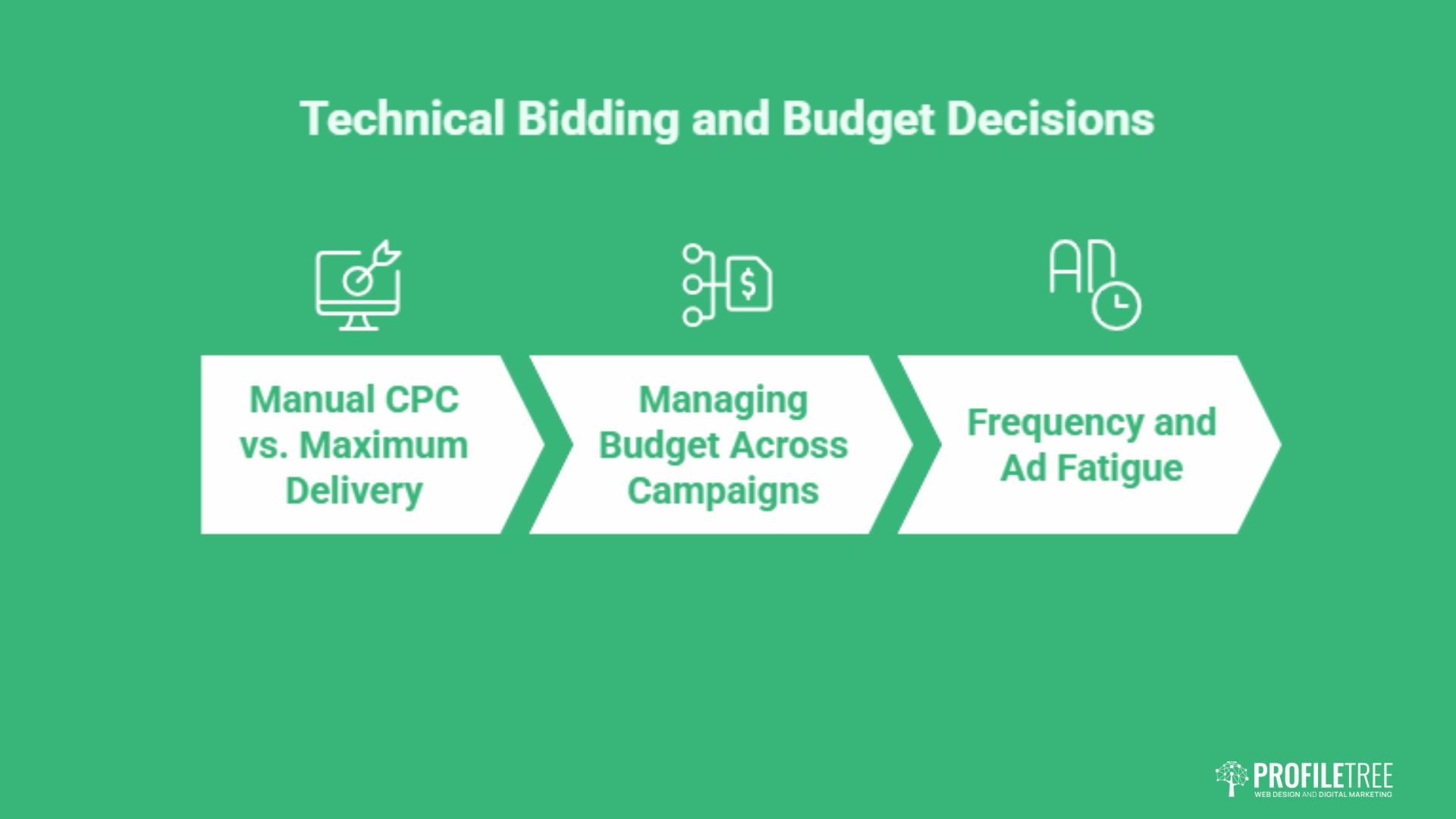
Bidding strategy is where many LinkedIn Ads optimisation campaigns haemorrhage budget quietly. The platform presents several options, each suited to a different stage of campaign maturity and a different objective. Choosing the wrong one early costs money you can’t get back.
Manual CPC vs. Maximum Delivery: When to Switch
LinkedIn offers two core bidding modes for most campaign objectives: Maximum Delivery (automated) and Manual CPC.
Maximum Delivery lets LinkedIn’s algorithm decide how much to bid on each auction. It can be efficient for campaigns that have accumulated enough conversion data for the algorithm to learn from, typically at least 30–50 conversions. Before that threshold, the algorithm has too little signal to optimise intelligently, and it tends to spend the daily budget quickly without improving conversion rates.
Manual CPC gives you direct control over the maximum you’re willing to pay per click. It’s the right choice for new campaigns, small budgets, or highly targeted audiences where you have a clear view of what a click is worth to your business. Start conservatively, review after the first week, and adjust based on actual delivery and conversion data rather than LinkedIn’s suggested bid ranges, which are often higher than necessary.
As Ciaran Connolly, founder of ProfileTree, puts it: “For B2B businesses in Northern Ireland, LinkedIn ads work best when the targeting is tight, and the budget is disciplined. We consistently see better results from a small, well-defined audience than from broad reach, and the data backs that up.”
Managing Budget Across Campaigns
LinkedIn allocates budget at the campaign level, so you need to deliberate about how to split spend across campaigns rather than letting one campaign absorb the lion’s share by default. Run separate campaigns for distinct audience segments or funnel stages, rather than bundling everything into one campaign and relying on LinkedIn to determine distribution.
Set daily budgets with a clear expectation of how many clicks or conversions that budget should produce at your target CPC or CPA. If a campaign consistently underspends, the audience is too narrow or the bids are too low. If it overspends early in the day and then runs out of budget, the bids are too high relative to the competition. Both problems have specific fixes that are easier to identify when each campaign has its own clean budget line.
Our digital strategy services can help structure a paid social approach that allocates budget effectively across the full B2B buyer journey.
Frequency and Ad Fatigue
Because LinkedIn’s professional audience is smaller than consumer platforms, ad fatigue sets in faster. When the same person sees the same ad more than three or four times in a short period, engagement drops and CPCs rise as your relevance score degrades.
Monitor frequency in Campaign Manager. If frequency climbs above four within a two-week window for a small audience, rotate your creative. This is not optional maintenance; high frequency with declining CTR is a direct path to wasted spend.
The Optimisation Cadence: Daily, Weekly, Monthly
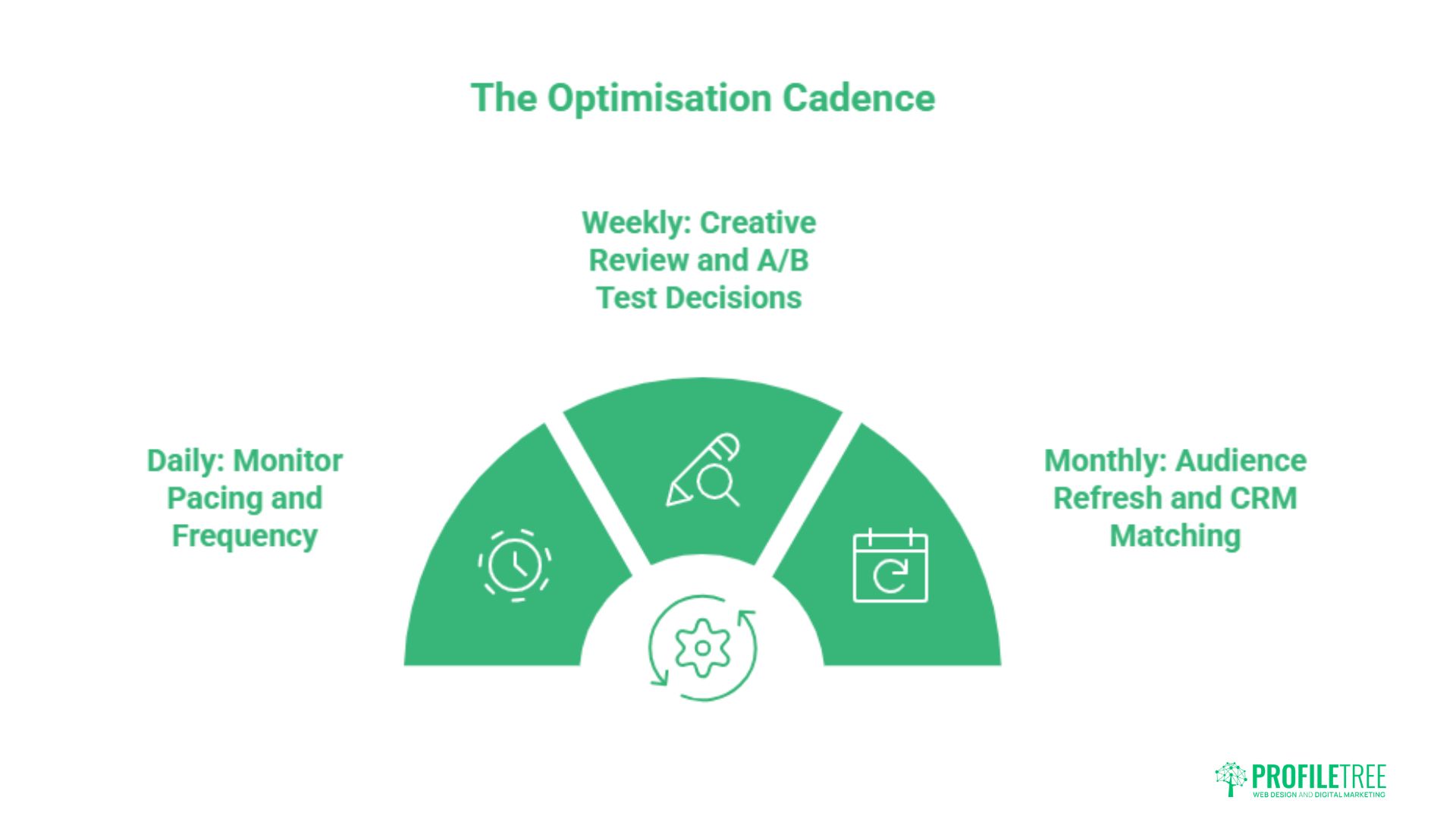
One of the most consistent mistakes in LinkedIn Ads optimisation is working too infrequently or too erratically: making big changes after a bad week, then leaving a campaign alone for a month. Effective optimisation follows a structured cadence tied to the data cycle of each metric.
Daily: Monitor Pacing and Frequency
A daily check should take no more than five minutes and covers three things: is the budget pacing correctly through the day, is frequency climbing faster than expected, and are there any unusual spikes or drops in impressions that might indicate a delivery issue?
You are not making creative or targeting decisions daily. Daily monitoring is about catching anomalies before they become expensive patterns. Set up Campaign Manager email alerts for significant budget depletion or CTR drops so you don’t need to log in manually every morning.
Weekly: Creative Review and A/B Test Decisions
At the weekly stage of any LinkedIn Ads optimisation cadence, seven days of data is usually enough to make a considered creative decision. Look at CTR and conversion rate by individual ad variant. If one variant is consistently outperforming on both metrics, pause the underperformer and introduce a new challenger rather than running the test indefinitely.
A/B testing on LinkedIn requires discipline: test one variable at a time. Changing the headline, the image, and the CTA simultaneously makes it impossible to know which change drove the difference. Common variables worth testing in sequence are: single-image versus video, short headline versus longer benefit-led headline, and a specific CTA such as “Download the guide” versus a general one such as “Learn more”.
For a deeper look at how targeting dimensions interact with creative performance, our guide to LinkedIn ad targeting covers the key audience-building decisions.
Monthly: Audience Refresh and CRM Matching
Monthly LinkedIn Ads optimisation reviews are the right point for structural decisions: revisiting audience definitions, refreshing Matched Audience uploads, reviewing which campaign objectives are still aligned with current business goals, and checking whether a campaign has generated enough conversion data to warrant switching to automated bidding.
If you use contact list uploads, refresh them monthly with new CRM data, bearing in mind the GDPR compliance points covered earlier. Stale lists reduce match rates and can skew your targeting toward contacts who are no longer relevant prospects.
Monthly is also when you should review the LinkedIn Insight Tag’s conversion data against your CRM to check attribution quality. LinkedIn’s attribution window defaults to 30 days post-click and 7 days post-view, which can inflate reported conversions. Cross-referencing against CRM-recorded leads gives a more accurate picture of actual ROI.
Creative, Copy, and Post-Click Optimisation
Even technically sound LinkedIn Ads optimisation work underperforms if the creative does not stop the scroll or the landing page fails to convert the click. These two elements are often treated separately, but they form a single conversion pathway.
What Stops the Scroll in a UK Professional’s Feed
LinkedIn’s feed is primarily text and article content from a user’s professional network. Sponsored content sits within that stream and competes against posts from colleagues, thought leaders, and industry publications.
Creatives that perform well in this context tend to share a few common characteristics. Images or videos that look native to the platform, rather than obviously produced for advertising, generate higher engagement. Data or a specific outcome referenced in the headline (a number, a percentage, a named business problem) outperforms generic benefit statements. Copy that addresses a specific professional audience by job function or business challenge performs better than copy that speaks to everyone.
For UK professional audiences specifically, tone matters. The register that works in US B2B advertising, which tends to be more overtly assertive, can read as promotional rather than useful to UK decision-makers. Leads with a useful observation or a specific problem; earns the pitch rather than opening with it.
Lead Gen Forms vs. Landing Pages
LinkedIn Lead Gen Forms pre-populate with the user’s profile data, removing friction from the submission process. They typically produce higher form completion rates than landing pages for top-of-funnel offers like content downloads or event registrations.
The trade-off is lead quality. Because the process is so frictionless, you often capture contacts who were mildly curious rather than actively interested. For high-value B2B opportunities where lead quality matters more than lead volume, sending traffic to a well-optimised landing page filters out passive clicks and produces a smaller number of more qualified submissions.
The right choice depends on your offer and your sales process. A gated whitepaper or webinar registration suits Lead Gen Forms well. A demo request or consultancy enquiry typically warrants a landing page where the prospect makes a more deliberate decision.
Landing Page Speed and Message Alignment
A LinkedIn ad click costs significantly more than a Google Display click, which makes post-click LinkedIn Ads optimisation worth the attention it rarely gets. Every percentage point of landing page conversion rate is therefore worth more. Two factors consistently undermine conversion rates for LinkedIn-originated traffic in particular: slow load times on mobile and a mismatch between the ad promise and the landing page content.
LinkedIn’s mobile app accounts for a large proportion of professional browsing. If your landing page takes more than three seconds to load on a 4G connection, a measurable proportion of ad clicks will leave before the page renders. Test with Google PageSpeed Insights and prioritise mobile load time as a conversion rate lever, not just a technical nicety.
Message match is equally important. If the ad headline promises a specific outcome or references a particular guide, the landing page headline should echo that language. Arriving at a generic services page after clicking a specific ad creates a disconnect that drives bounces. You can explore how this fits into a broader paid social approach through our social media marketing services.
For further context on how LinkedIn sits within the UK business landscape, including sector-specific trends, see this overview of LinkedIn’s impact on UK business. And if you’re exploring which LinkedIn sectors offer the strongest B2B targeting opportunities, our LinkedIn industries breakdown covers the platform’s professional demographic in detail.
Northern Ireland businesses considering LinkedIn advertising can also find useful regional context in this guide to cities and business hubs across Northern Ireland.
Conclusion
Effective LinkedIn Ads optimisation is not a set-and-forget process. The businesses that get consistent returns from the platform are those that review performance on a defined cadence, cut what isn’t working before it becomes expensive, and treat each campaign as an ongoing experiment rather than a finished product. If you’d like support building a LinkedIn strategy tailored to your audience and budget, get in touch with the ProfileTree team.
FAQs
What is a good CPC for LinkedIn Ads in the UK?
Most UK campaigns see CPCs between £5 and £12, with senior or specialist audiences typically at the higher end. The technology and financial services sectors often pay more due to competition for the same professional profiles. These are indicative ranges; your actual CPC depends on audience size, bid strategy, and the competitiveness of your targeting criteria. Tracking the cost per qualified lead is a more useful benchmark than CPC alone.
Does LinkedIn’s Audience Expansion feature work?
For most lead generation campaigns, no. Audience Expansion extends your reach beyond the professional criteria you’ve set, which dilutes targeting precision. It can assist brand awareness campaigns where broad reach is the goal, but for campaigns optimising toward specific conversions, it consistently reduces lead quality. Turn it off and rely on your own defined audience instead.
How long should I wait before changing an underperforming ad?
A useful working rule is to wait until an ad has received at least 1,000 impressions before drawing conclusions about CTR. For conversion performance, you need enough click data to see meaningful patterns, typically 50–100 clicks minimum. Changing creative after two days based on three clicks produces noise, not insight. On limited budgets where data accumulates slowly, extend the window and focus on the few metrics that matter most for your campaign objective.
How do I stop my ads from showing on low-quality websites?
Disable the LinkedIn Audience Network in your campaign settings. If you have already been running campaigns with it enabled, pull the Placement Report from Campaign Manager and add underperforming domains to your exclusion list. LinkedIn’s Brand Safety settings also allow you to block certain content categories from receiving your ads.
Which is better for B2B lead generation: Lead Gen Forms or landing pages?
Lead Gen Forms produce higher form completion rates but often lower lead quality, because the frictionless experience captures passive interest as well as genuine intent. Landing pages require more deliberate action from the prospect, which filters for stronger intent. For content downloads and event sign-ups, Lead Gen Forms generally work well. For high-value enquiries such as consultancy bookings or product demos, a dedicated landing page tends to produce more qualified leads even if the raw conversion volume is lower.