
Building a Content Strategy: A Practical Step-by-Step Guide
Table of Contents
Most businesses produce content. Far fewer produce content that actually works. The gap between the two almost always comes down to strategy: a clear plan that connects every blog post, video, and social update to a specific business outcome.
This guide walks through a proven framework for building a content strategy from scratch, covering goal-setting, audience research, content audits, channel selection, and measurement. It also addresses the realities of resourcing a strategy with a lean team and adapting that strategy when results stall.
Whether you are starting fresh or fixing a plan that has stopped delivering, the steps below give you a structured approach grounded in how search engines and AI systems actually reward content.
1. Define Goals, KPIs, and the Business Case
A content strategy without defined goals is just a publishing schedule. Before choosing topics, formats, or channels, you need to know what the content is supposed to achieve and how you will know when it has achieved it.
Align Content Goals to Business Objectives
Every content goal should map directly to a commercial outcome. Brand awareness, lead generation, customer retention, and sales support are all legitimate goals — but they require completely different content types, distribution tactics, and success metrics.
A professional services firm generating leads through organic search needs in-depth guides and FAQs that answer specific client questions. A product business focused on retention needs how-to content and email sequences that help existing customers get more value. Starting with the business objective prevents the common mistake of producing content that performs well on vanity metrics but contributes nothing to revenue.
Set SMART Goals with UK Market Context
SMART goals (Specific, Measurable, Achievable, Relevant, Time-bound) are the standard framework for a reason: they force clarity. “Increase organic traffic” is not a goal. “Achieve 500 monthly organic sessions to the services section within six months” is.
For UK and Irish businesses, goal-setting should account for the size of the addressable search market. A regional SME in Belfast targeting Northern Ireland-specific queries operates in a smaller search pool than a national brand. That does not mean lower ambition; it means more precise targeting of the keywords and topics where you can realistically win. ProfileTree’s digital strategy services are built around this kind of market-specific thinking.
Define the KPIs Before You Write Anything
Deciding on KPIs after the content is live is one of the most common strategic errors. Choose your measurement framework at the outset so every piece of content has a clear job to do.
Core KPIs to consider include organic sessions, keyword rankings, pages per session, time on page, lead form completions, and assisted conversions. Not every article needs to convert directly; some pages build topical authority that supports the pages that do convert. Map each content type to the KPI most relevant to its role in the funnel.
“The biggest mistake I see from SMEs is treating content as something separate from their sales process. Every article, every video, every email should be doing a specific job — and you should be able to point to exactly what that job is before you spend a single hour creating it.” — Ciaran Connolly, Founder, ProfileTree
2. Audience Research and Buyer Personas
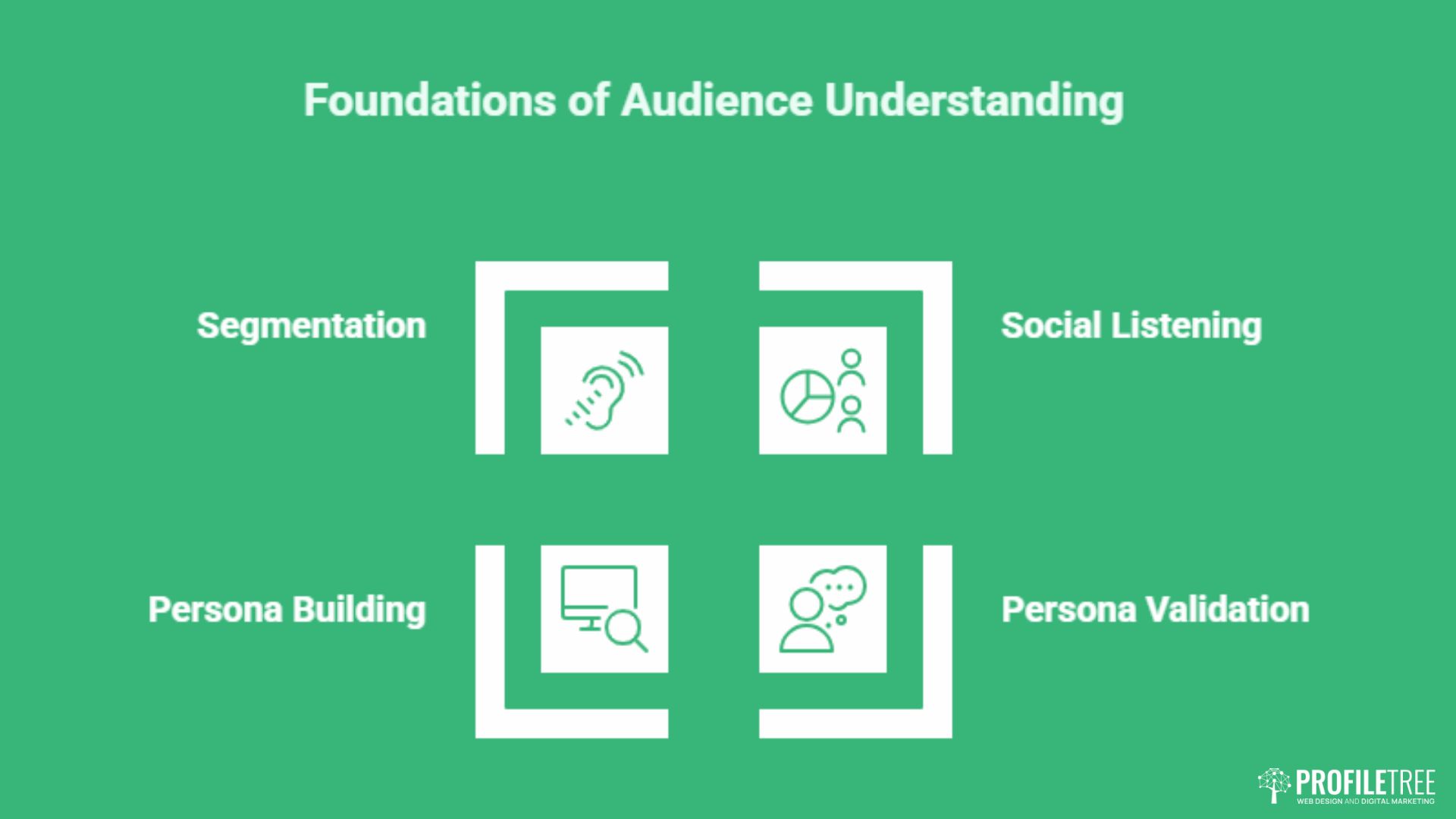
Knowing who you are writing for determines everything: the topics you cover, the language you use, the formats you choose, and the channels you prioritise. Skipping this stage produces content that ranks for nothing and resonates with no one.
Segment Your Audience by Need, Not Just Demographics
Demographics (age, location, job title) are a starting point, not a destination. The more useful segmentation is by need: what problem is this person trying to solve right now, and where are they in the process of solving it?
A marketing manager at a mid-size manufacturer in the East Midlands searching “how to write a content brief” is in a different state of readiness than the same person searching “content marketing agency Belfast.” Both are in your audience, but they need entirely different content. Segmenting by intent stage — awareness, consideration, decision — gives you a content map that mirrors the actual buyer journey.
Build Personas Around Real Data
Buyer personas are most useful when they are built from real data rather than assumptions. Sources worth using include sales call recordings, customer support tickets, live chat transcripts, Google Search Console query reports, and exit surveys.
Each persona should capture the primary question the person is trying to answer, the objections they have before buying, and the language they actually use when searching. That last point matters for SEO: the phrase “content plan for small business” and “content strategy for SMEs” may describe the same thing, but they attract different searchers. Reviewing marketing audit examples can help you understand how existing content maps to audience segments.
Validate Personas With Search Data
Once you have drafted your personas, validate them against Google Search Console query data. If your persona suggests your audience is asking “how to plan content for a year,” but GSC shows nobody is searching that phrase, and thousands are searching “content calendar template,” the persona needs adjusting.
For Northern Ireland and Irish businesses, location-specific content that speaks to local market conditions consistently outperforms generic UK-wide guides on regional queries. Building personas that reflect regional context, local buying behaviour, and proximity to specific services gives smaller agencies a genuine edge over larger national competitors.
Use Social Listening to Identify Emerging Questions
Search data tells you what people are already asking. Social listening tells you what they are starting to ask. Monitoring LinkedIn comments, Reddit threads in your industry, and questions raised in Facebook groups gives you early visibility on topics before they peak in search volume.
This is especially useful for B2B audiences, where buying decisions involve multiple stakeholders and the questions that matter most rarely appear in high-volume keyword data. Feeding social listening insights into your editorial calendar positions your content ahead of demand rather than chasing it.
3. Content Audit and Gap Analysis
Before producing anything new, understand what you already have and what it is doing. A content audit is not housekeeping; it is strategic intelligence. It tells you which pages are earning traffic and authority, which are diluting it, and where the gaps are that competitors are currently filling.
Build Your Content Inventory
Start by cataloguing every published page: blog posts, service pages, landing pages, case studies, and resource downloads. For each URL, record the page title, primary topic, word count, last updated date, and any available performance data (organic sessions, backlinks, rankings).
This can be done manually for smaller sites or with a crawl tool for larger ones. The goal is a single document that gives you a clear picture of what exists and, more importantly, what it is contributing. Many businesses discover at this stage that 20% of their pages are generating 80% of their organic traffic — and the rest is actively diluting topical authority.
Assess Quality and Performance by Page
Once you have the inventory, apply a triage framework to each page. A practical four-category system works well: pages to optimise (strong topic, weak execution), pages to reframe (good content, wrong angle for current search intent), pages to redirect (duplicate or outdated content better consolidated elsewhere), and pages to deprecate (thin content with no traffic or backlink value).
Use Google Search Console to identify which pages have impressions but low click-through rates — these typically have the wrong title tag or meta description for the query they are appearing in. Pages with clicks but declining positions need a content refresh. Pages with neither need a harder decision. ProfileTree’s content marketing services include full content audits as part of strategy development.
Identify Competitor Content Gaps
A content gap analysis compares what your competitors rank for against what you rank for. The overlap tells you where you are competing; the gaps tell you where you are missing opportunities.
For UK and Irish SMEs, the most actionable gaps are often local or sector-specific: guides written for your specific geography, industry, or business size that national competitors have not bothered to produce. A manufacturing company in Northern Ireland searching for “content strategy for industrial businesses UK” is unlikely to find anything relevant from HubSpot or Semrush. That gap is an opportunity for an agency that understands the market. Strong SEO services are built around exactly this kind of gap exploitation.
Map Gaps to Your Content Calendar
The output of your audit and gap analysis should feed directly into your editorial calendar. Prioritise gaps that sit at the intersection of commercial intent and underserved supply: topics your audience is actively searching for, where current results are thin, generic, or dated.
Be realistic about production capacity. A lean team of two cannot produce ten long-form articles per month and maintain quality. Better to produce four well-researched pieces that earn authority than ten thin ones that dilute it. The audit tells you where to focus; your resourcing plan tells you how much you can produce.
4. Content Planning, Channel Selection, and Workflow
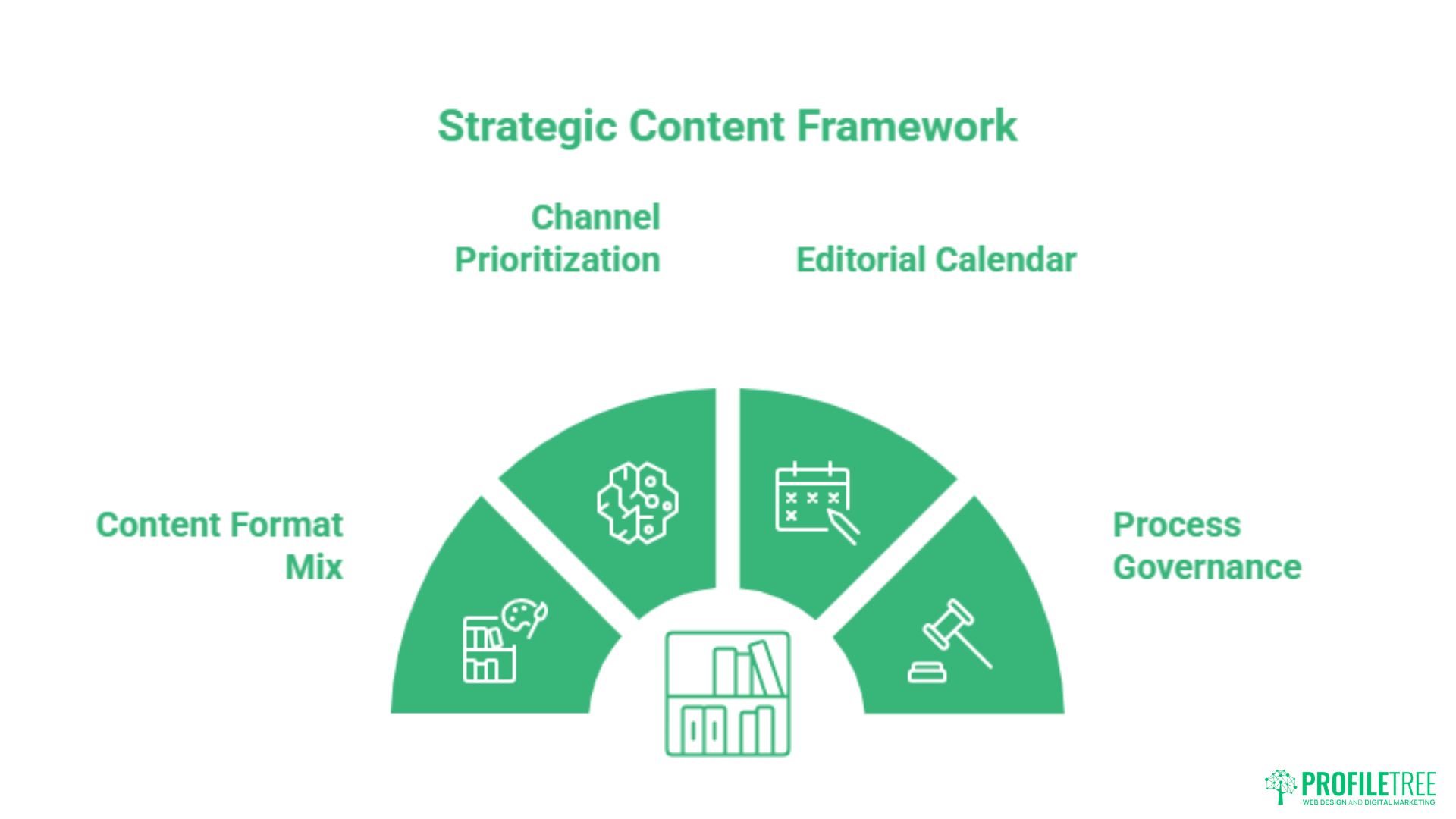
With goals defined, an audience understood, and a gap analysis complete, the planning phase translates strategy into an actionable production system. This is where most strategies either succeed or collapse: the quality of execution depends entirely on how clearly the workflow is structured.
Build a Content Format Mix That Matches Your Audience
Different content formats serve different stages of the buyer journey and different audience preferences. Long-form guides and pillar pages build topical authority and rank for informational queries. Case studies and comparison pages address consideration-stage intent. Service pages and landing pages convert decision-stage traffic.
Video is increasingly important for engagement and retention, particularly for B2B audiences on LinkedIn and YouTube. Short-form video on TikTok and Instagram Reels suits brand awareness for consumer-facing businesses. Email remains the highest-ROI channel for nurturing existing leads and re-engaging dormant customers. ProfileTree’s video marketing and email marketing services integrate directly with content strategy.
| Format | Production Cost | Shelf Life | Primary Goal |
|---|---|---|---|
| Long-form guide (2,000+ words) | Medium | 12-24 months (with updates) | Organic rankings, topical authority |
| Short blog post (<1,000 words) | Low | 3-6 months | News, topical freshness |
| Video (explainer or tutorial) | High | 18-36 months | Engagement, brand awareness, YouTube SEO |
| Email newsletter | Low-Medium | Immediate | Lead nurture, retention, direct revenue |
| Case study | Medium | 12-18 months | Consideration-stage conversion |
| Podcast episode | Medium | Evergreen | Brand authority, audience loyalty |
Prioritise Channels Based on Where Your Audience Actually Is
Channel selection is one area where businesses consistently over-extend. Trying to maintain a presence on every platform spreads production capacity too thin and produces mediocre content everywhere rather than strong content somewhere.
The question is not “which channels should we be on?” but “where does our specific audience go when they have the problem we solve?” For most B2B businesses targeting UK decision-makers, that means organic search and LinkedIn as primary channels, with email as the primary nurture mechanism. Social media — particularly social media marketing — works as amplification, not as the foundation.
Build an Editorial Calendar That Accounts for Real Capacity
An editorial calendar is only useful if it reflects what your team can actually produce. A realistic calendar for a lean team might cover one long-form article per fortnight, two shorter posts per week, and one email newsletter per week. Volume can be scaled up over time as processes improve, but the worst outcome is a calendar that gets abandoned after six weeks because it was never achievable.
Structure the calendar around topic clusters rather than individual articles. Each cluster has one pillar page (broad, comprehensive coverage of a core topic) supported by three to six spoke pages (specific subtopics, how-tos, FAQs, comparison pieces). Every spoke links back to the pillar; the pillar links down to the spokes. This architecture concentrates authority rather than diluting it across disconnected posts. Digital marketing strategy sessions with ProfileTree can help you map out the right cluster structure for your industry.
Govern the Process With Clear Roles and Briefs
Content strategy fails most often not in the planning phase but in the execution phase, and usually because roles are unclear. Who writes the brief? Who writes the content? Who edits? Who approves? Who publishes? Who reviews performance?
In smaller teams, one person may hold several of these roles — but even then, the handoffs need to be documented. A content brief template that captures the target keyword, audience intent, key points to cover, internal links to include, and word count target removes ambiguity and produces more consistent output. Teams looking to use AI tools to speed up production without losing brand voice will find ProfileTree’s AI training and AI transformation programmes specifically address this challenge.
5. Measurement, Iteration, and the Content Pivot
A content strategy is not a document you write once. It is a system you review, test, and adjust continuously based on what the data tells you. The measurement framework you set up at the goal-setting stage now becomes the feedback mechanism that drives every future decision.
Set Up Your Analytics Infrastructure Before You Publish
Google Search Console, Google Analytics 4, and your CRM should be connected and tracking before your first piece of content goes live. GSC shows you which queries are driving impressions and clicks; GA4 shows you what users do after they arrive; your CRM closes the loop between content engagement and actual sales.
Set up goal completions or conversion events in GA4 that correspond to your KPIs: form submissions, phone call clicks, download completions, or e-commerce transactions. Without this infrastructure, you are producing content without any feedback signal. Digital training from ProfileTree covers analytics setup and interpretation for business owners and marketing teams.
Review Performance on a Regular Cycle
Monthly reviews are the minimum cadence for an active content programme. At each review, assess which pages are gaining impressions and clicks, which are declining, and which have stalled. Look for patterns: are certain topics performing consistently better than others? Are certain content formats generating more engagement? Are there seasonal shifts in what your audience is searching for?
Pages with rising impressions but low CTR are often fixable with a title tag update. Pages with decent traffic but high bounce rates may have a mismatch between what the title promises and what the content delivers. Pages with neither impressions nor clicks after six months need a harder assessment: update, redirect, or remove.
How to Pivot a Strategy That Is Not Working
Most content strategy guides address building from zero. Fewer address what to do when a live strategy is not delivering. The answer is almost always the same: the problem is either in the audience definition, the topic selection, or the distribution.
If traffic is flat across all pages, the issue is likely topic selection or keyword targeting — you are producing content nobody is searching for, or you are trying to rank for queries that are dominated by sites with far more authority. The fix is to move down the intent funnel to longer, more specific queries where competition is lower.
If traffic is coming but not converting, the issue is usually the audience definition or the content-to-offer alignment. The people arriving are not the people you need to reach, or the content is not creating enough confidence to prompt action. Revisiting your persona work and tightening the connection between content topics and service pages usually resolves this. ProfileTree’s AI-enhanced marketing uses data analysis to identify exactly where strategies are losing momentum.
Localise Your Strategy for the UK and Irish Market
Most of the content strategy guidance that ranks in Google is produced by US SaaS companies writing for a global audience. It is technically correct, but it ignores the specifics of operating in the UK and Ireland: UK GDPR and ePrivacy obligations around data collection and email marketing, Advertising Standards Authority (ASA) rules on content claims, and the reality that UK consumer search behaviour differs from US patterns in meaningful ways.
For businesses in Northern Ireland and Ireland, local search intent represents a genuine competitive opportunity. Queries like “content strategy for Northern Ireland businesses” or “digital marketing plan for Irish SMEs” are underserved by the big US platforms. Well-researched, locally relevant content on these terms can rank quickly against far weaker competition. Connecting that content to a well-structured content marketing programme is what turns rankings into revenue.
Conclusion
A content strategy that works is grounded in clear goals, a genuine understanding of your audience, and a production system your team can sustain. Start with the audit, define the gaps, build the clusters, and measure relentlessly. If results stall, change the approach rather than increasing volume.
For businesses ready to move from scattered publishing to a structured programme, talk to ProfileTree about putting a strategy in place that connects every piece of content to a commercial outcome.
FAQs
What are the five pillars of a content strategy?
The five core pillars are: Editorial (what topics you cover and why), Brand (the voice, tone, and positioning you maintain), Search (the keyword and intent framework that shapes topic selection), Distribution (the channels you use to reach your audience), and Governance (the processes, roles, and quality standards that keep the strategy running). Most failing strategies are missing governance — the content gets produced, but the system for reviewing, improving, and distributing it breaks down.
What is the first step in building a content strategy?
Goal alignment. Before choosing a single topic or format, identify the specific business problem the content programme is supposed to solve. Without that anchor, every subsequent decision — what to write, where to publish, how often — becomes arbitrary. Define the goal, then build backwards.
What is the difference between content marketing and content strategy?
Content strategy is the internal blueprint: the goals, audience definitions, topic framework, distribution plan, and measurement system. Content marketing is the external execution: the actual articles, videos, emails, and social posts produced and distributed to an audience. Strategy without marketing produces nothing. Marketing without strategy produces content that goes nowhere.
How do I write a content strategy for a small business?
Focus on minimum viable content: one or two primary channels, a small number of topic clusters directly connected to your services, and a production cadence your team can maintain without burning out. For most small businesses, one well-researched long-form article per fortnight plus a consistent email newsletter outperforms a daily publishing schedule of thin posts. Quality and consistency beat volume every time.
How long does it take to see results from a content strategy?
For organic search, expect six to nine months before consistent traffic gains become visible. Brand sentiment and direct engagement through social and email can show movement within one to three months. Patience is not optional here: Google’s trust signals accumulate over time, and sites that stop publishing after two months never find out what the strategy could have achieved.