
How to Do a Social Media Search Across Platforms
Table of Contents
Social media search is not what it was two years ago. The single biggest change is that most platforms now sit behind a login, and several of the free tools people once relied on either closed, went paid, or quietly stopped indexing. So the honest starting point is that no single button finds every public post across X, Instagram, Facebook, TikTok and Reddit at once.
What still works is a small set of methods used together: each platform’s own search, a few free aggregators that pull from Google’s index, and search operators you type by hand. This guide covers how to run a social media search across platforms today, which free tools are actually live, and how to find a specific person without crossing a legal or ethical line.
How Social Media Search Works Now
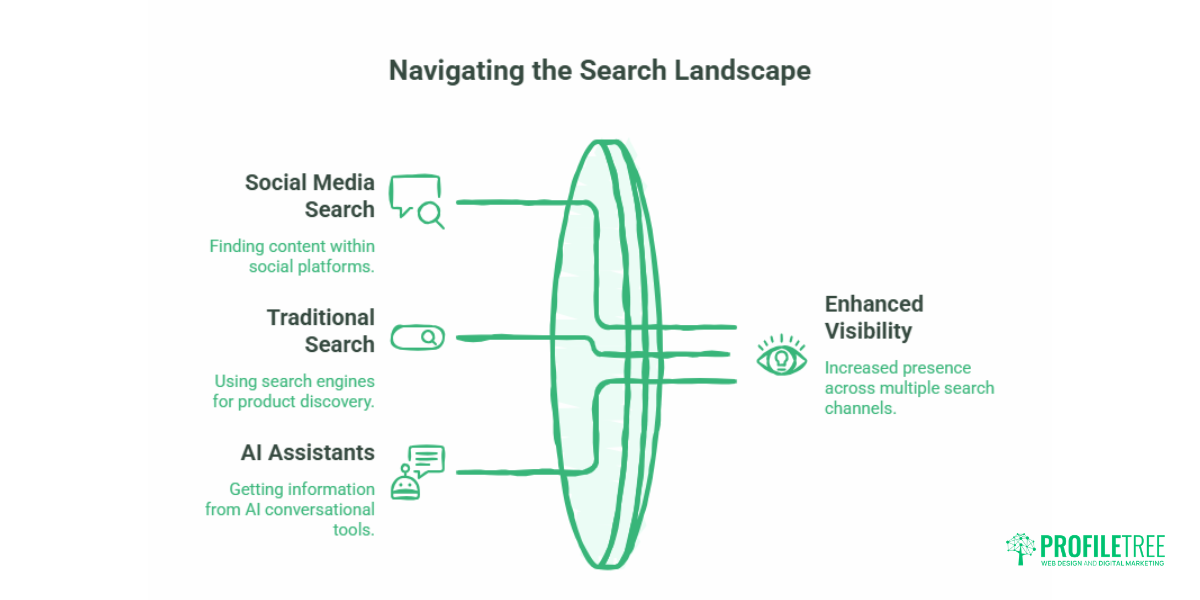
A social media search means finding public posts, profiles and mentions across platforms from one starting point. The reason it feels harder than a normal Google search is that platforms optimise their own search for their own feeds, not for open discovery. They personalise results, favour recent and popular content, and skip private accounts entirely. Google, meanwhile, only indexes a fraction of what gets posted, so a site operator search misses most of it.
That leaves three practical routes, and most real searches use more than one. First, each platform’s own search bar. Second, a free aggregator that queries several networks at once. Third, manual search operators typed into Google or into a platform that still accepts them. Before you pick a route, it helps to know which platforms even matter for your query, so a quick look at the main social media sites is a sensible first step.
One point on intent. If you want a dedicated interface built around live lookups rather than a how-to, the separate search tool page covers that ground. This guide stays on method: how to actually run the search yourself.
Searching across Each Platform
Each network handles search differently, and the gaps matter. What follows is the working reality on each of the main platforms, so you know what a given search will and will not surface.
X (Twitter)
X has the strongest native search of the major platforms, but you have to be signed in. Since 2023, logged-out visitors hit a wall or get partial, rate-limited results. Open the advanced form at x.com/search-advanced, or type operators straight into the search bar. The ones that still work include from:, since:, until:, min_faves: and filter:media. A query like "brand name" min_faves:50 filter:media pulls the posts that actually landed. A few older operators are dead now: near:, geocode:, source: and card_name: return nothing, so drop them from any old guide you are copying.
Instagram works on the opposite principle, which trips people up.
Instagram’s search bar does not do keyword or caption search. Type a phrase and you get matching accounts and hashtags, not the specific post you had in mind. To get close, search the relevant hashtag and sort through recent posts, or use a Google operator like site:instagram.com "your phrase" from a desktop browser. Both are partial. Instagram favours viral and recent content and hides private accounts, so treat any result as a sample rather than the full picture.
Facebook sits somewhere in between.
Facebook still lets you search public posts, but the old granular search is long gone. Type your keyword, open the Posts tab, then filter to Public Posts. Results are personalised against your own activity and connections, the date filter only lets you pick a year rather than a precise range, and there is no minus operator to exclude words. Group and Page search bars are more reliable for community-specific digging. Anything shared to a restricted audience stays out of results, which is a large share of the platform.
Short-form video needs a different habit again.
TikTok
TikTok’s search bar does read content, so keyword search works better here than on Instagram. Type a topic and you get videos, sounds, hashtags and accounts. Results are personalised and lean heavily towards what is trending, so the same query can look different from one account to the next. For anything time-sensitive, sort by recent rather than accepting the default relevance order.
Reddit is the one platform where open search is genuinely good.
Reddit indexes its own content well and Google indexes Reddit even better. Use the on-site search for subreddit-level digging, or run site:reddit.com "your phrase" on Google for a cleaner historical sweep. Because Reddit threads are public and text-heavy, they surface in AI answers and normal search far more than posts locked inside other apps. If Reddit is part of your marketing plan rather than just a research stop, the piece on Reddit marketing goes deeper on that. Professional and video search each work differently again.
LinkedIn folded its old standalone advanced search into a filter bar that sits above any results page. Run a search, pick the People, Posts, Companies or Jobs tab, then open All filters to narrow by connection degree, location, current or past company, industry and school.
Boolean operators work in the main box: AND, OR and NOT in capitals, plus quotation marks for an exact phrase, though wildcards do not. The catch on a free account is the monthly commercial use limit. LinkedIn does not publish the exact number, warns you as you get close, and throttles results until the first of the next month. A Google search using site:linkedin.com reaches public profiles without spending that quota.
Video search needs none of that care, and it is one of the easier platforms to comb through.
YouTube
YouTube has strong keyword search, and Google indexes it heavily on top. Type a topic into the search bar, then use the Filters menu to narrow by upload date, length or type, and to sort by newest or by view count instead of the default relevance order. Titles, descriptions and captions are all public text, so a query like site:youtube.com "your phrase" often surfaces older videos that the in-app search buries.
Across all of these platforms, one free habit ties them together: Google operators. site: restricts to a platform, quotation marks force an exact phrase, and inurl:profile narrows to profile pages. It is free and universal, but it only reaches what Google has already crawled, which is a fraction and often stale.
Free Tools That Work Now
Aggregators save you from running the same search five times. The catch is that free tiers are limited and coverage shifts as platforms tighten access, so the useful question is not which tool is fanciest but which one is live and free today. These are the ones that were working when this guide was checked.
Social Searcher is the most-used free option. It runs a keyword search across X, Facebook, Instagram, YouTube and Reddit from one box, with no account needed and a light sentiment tag on each result. The free tier caps how many searches you can run per day, and paid plans add saved alerts and historical data. SearchAll.net offers a similar free aggregated search. Both are best for a quick “is anyone talking about this right now” check rather than ongoing monitoring.
If your search is really about measuring performance rather than finding posts, that is a different job. A round-up of free analytics tools covers the reporting side, and for competitor or audience work the guide to free market research tools is a better fit than a live search aggregator.
| Tool or method | What it searches | Account needed | Cost | Best for |
|---|---|---|---|---|
| Social Searcher | X, Facebook, Instagram, YouTube, Reddit | No | Free, daily cap | Quick cross-platform keyword check |
| SearchAll.net | Multiple networks, one box | No | Free | Fast one-off lookups |
| X Advanced Search | X (Twitter) only | Yes, since 2023 | Free with account | Precise, filtered post search |
| Google operators | Anything Google has indexed | No | Free | Historical and desktop digging |
| Platform search bars | That platform’s public content | Usually no | Free | Browsing within one network |
The pattern across the whole category is worth stating plainly. Ciaran Connolly, founder of ProfileTree, puts it this way: “The open web used to do this work for you. Now the value is in knowing which method fits the question, because the platforms have made the easy version disappear. For a business tracking its own name, that is a process to run, not a single tool to buy.” tracking its own name, that is a process to run, not a single tool to buy.”
Finding Someone by Name, and the Rules
Searching for a specific person is the hardest version of a social media search, because a name alone is rarely enough. The reliable approach is a cascade: start with the strongest identifier you have and let each result feed the next.
A username is the best anchor. Username-finder services check the same handle across dozens or hundreds of platforms in one pass, which quickly shows where a person is active. An email address is the next best: reverse-email lookups can surface linked accounts, and a tool aimed at professional emails tends to work well for work addresses.
Social Searcher’s own users search runs a name or username against Google’s index and lays the results out cleanly. Platform recovery flows are a quieter trick, since entering an email into a “forgot password” screen can confirm whether an account exists without logging in.
Dedicated people-search sites still exist, but the market has moved. Pipl, once a common free lookup, is now a paid professional service reached through its API rather than a public search box. Consumer sites in the same category run on a freemium model: a basic search is free, the full report is paid. Treat any of these as a lead, not a conclusion.
That last point matters, because a polished report can feel more certain than it is. Two unrelated people share a name and a city more often than you would think, and free results sometimes stitch fragments from different individuals into one profile. Confirm a match with at least two independent signals, such as the same photo showing up in a reverse image search, a repeated link in a bio, or mutual connections, before you act on it.
The Ethics and Legality of People Search
Viewing public information is broadly legal. How you use it is what the law regulates. Under UK GDPR and the wider GDPR, and under California’s CCPA, processing someone’s personal data needs a lawful basis, usually a legitimate purpose such as fraud checks or due diligence, rather than curiosity. The UK’s regulator, the Information Commissioner’s Office, sets out what a lawful basis looks like in practice.
Two limits are worth holding onto. In the United States, the Fair Credit Reporting Act stops you using this kind of search to make hiring, credit or housing decisions, which require a regulated background check instead. And most platforms’ terms forbid automated scraping, so a manual public search is on safer ground than a bot pulling data at scale. If you run searches as part of your work, apply the same care you would to any personal data: collect only what the task needs, keep a clear purpose, and hold results responsibly. The same principles that guide ethical marketing carry over directly: be clear about what you collect, and careful about what you do with it.
Common Mistakes to Avoid
Most failed searches come down to a handful of repeat errors. Knowing them in advance saves more time than any single tool.
- Trusting a single source. Any one platform or aggregator shows a slice of what is public, so cross-check anything that matters against a second method.
- Copying dead operators. Old guides still list X operators such as
near:andgeocode:that stopped working, so a query built on them returns nothing and looks like a fault. - Assuming logged-out search works. On X, results for signed-out visitors have been walled or throttled since 2023, so a free account is the baseline for real searching.
- Reading a people-search report as proof. A polished layout is not verification, and reports often blend details from more than one person who happens to share a name.
- Running scrapers against the terms. Automated collection breaks most platforms’ rules and risks the account doing it, where a manual public search does not.
Steer clear of those five and the methods above do most of the work on their own. of those five and the methods above do most of the work on their own.
Where to Begin
Start with the method that matches your question. For a topic or brand mention, a free aggregator plus X advanced search covers most of it in minutes. For a person, work from a username or email and verify before you trust the result. If tracking mentions across platforms is becoming a regular job rather than a one-off, ProfileTree’s team handles ongoing monitoring as part of its social media marketing work. Get in touch for a look at your current setup.
FAQs
What Is a Social Media Search?
A social media search is any method for finding public posts, profiles or mentions across networks such as X, Instagram, Facebook, TikTok and Reddit. It can mean a keyword search inside one platform, a query run across several at once through a free aggregator, or a search operator typed into Google. No single tool covers every platform completely, so most searches combine a couple of methods.
What Is the Best Free Way to Search Social Media?
For a quick cross-platform check, a free aggregator like Social Searcher searches several networks from one box with no account. For precise work on X, the advanced search form gives you date, account and engagement filters once you are signed in. For historical digging, Google operators such as site:reddit.com "your phrase" reach anything Google has indexed. Which is right depends on whether you need speed, precision or history.
Is Social Searcher Still Free?
Yes. Social Searcher still offers a free keyword search across the main platforms with no account required. The free tier limits how many searches you can run in a day, and paid plans add saved alerts, historical data and more daily searches.
How Do I Search Social Media by Name?
Start with a username if you have one, since a username-finder can check it across many platforms at once. If you only have a name, add a second detail such as a city, employer or photo to narrow the field, then confirm any match with more than one independent signal. A name on its own often points to several different people.
Can You Search X (Twitter) without an Account?
Not properly. Since 2023, X blocks or heavily limits search results for logged-out visitors. To use advanced search with filters for date, account and engagement, you need a free X account and the form at x.com/search-advanced.