
Designing Voice Search-Friendly Web Interfaces for SMEs
Table of Contents
Most websites are built for eyes, not ears. That worked fine when every search began with fingers on a keyboard. It works less well when a potential customer is asking their phone, “Who does web design in Belfast?” while driving to a meeting, or saying “Find a plumber near me” while their hands are full.
Voice search-friendly web interfaces are not a feature reserved for apps or smart speaker developers. For any SME that relies on local footfall, service enquiries, or organic search traffic, the structure of your website determines whether voice assistants can read it, cite it, and send customers your way. The decisions that govern are almost entirely made during the web design and SEO process.
This guide explains what makes a web interface voice search-ready, how the technical and content decisions interact, and what a practical implementation roadmap looks like for a business operating in Northern Ireland, Ireland, or the wider UK.
What Voice-Friendly Design Actually Means
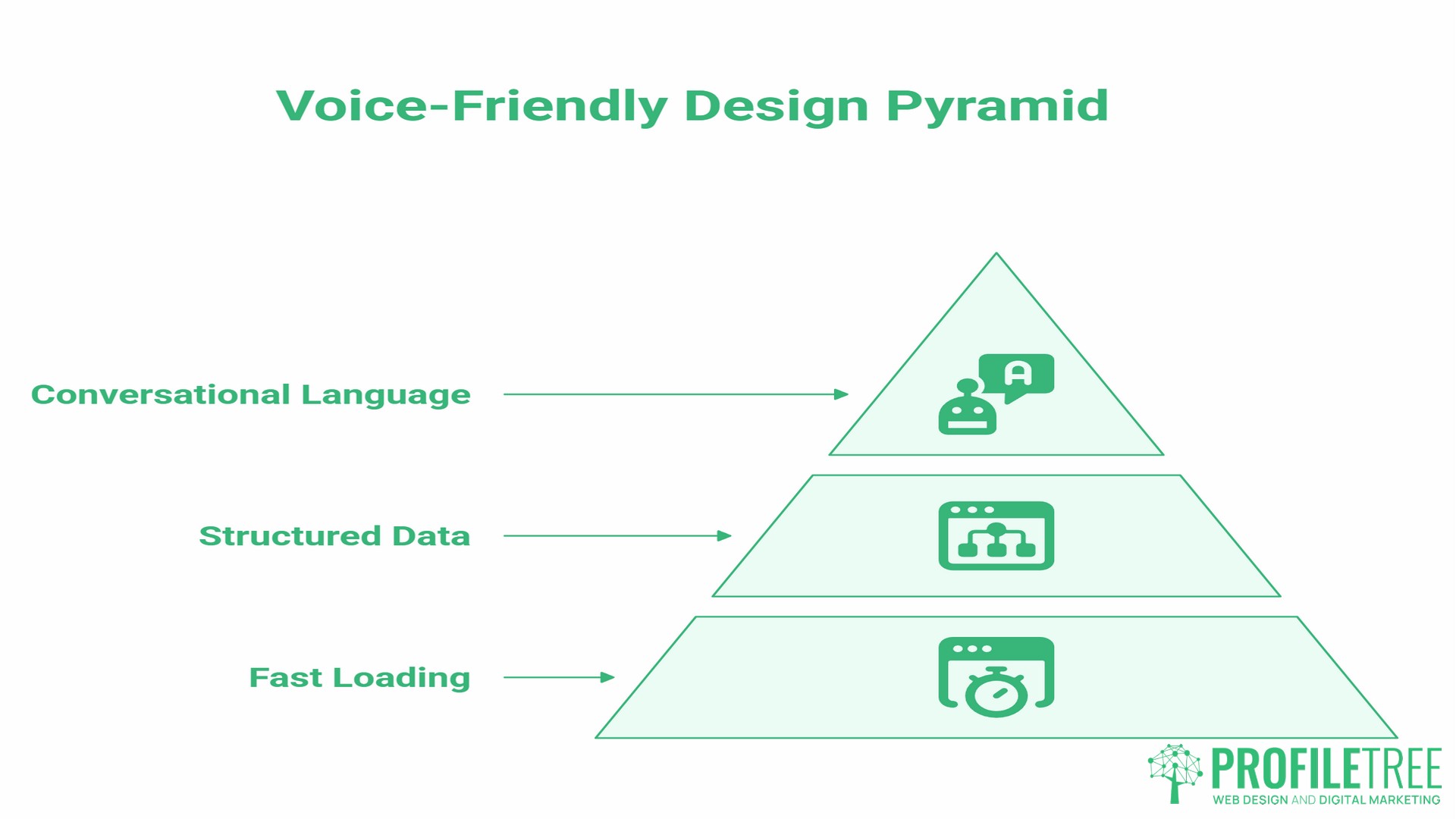
Voice search-friendly web interfaces are pages and site structures built so that voice assistants, including Google Assistant, Siri, and Alexa, can extract a clear, direct answer and deliver it aloud to a user. That requires three things to work together: fast page loading, structured data that tells search engines what your content is about, and content written in plain, conversational language that answers a specific question directly.
None of those three things is exclusive to voice. They are the same principles that improve any page’s chances of ranking in a Featured Snippet or an AI Overview. Voice optimisation and general SEO best practice point in the same direction.
Where voice search-friendly web interfaces diverge from standard web pages is in intent. A typed search might be “web design Belfast.” A voice query for the same intent sounds like “Who is a good web design agency in Belfast?” or “What does a new website cost for a small business?” Voice queries are longer, more conversational, and almost always phrased as questions. Your content needs to be structured to answer those questions directly, not just mention the keyword.
Conversational Intent vs. Text-Based Search
Understanding how voice queries differ from typed ones is the starting point for building voice search-friendly web interfaces.
Typed searches tend to be short and fragmented: “SEO agency Northern Ireland,” “WordPress developer cost,” “local SEO guide.” Voice queries mirror how people actually speak: “What’s the best SEO agency in Northern Ireland for a small business?” or “How much does it cost to hire a WordPress developer?”
The practical implication is keyword strategy. A page optimised only for short-tail typed terms may never surface for voice queries. Voice search rewards content structured around questions, specifically the kind of questions your customers are already asking your sales team.
A few patterns to build into your content planning:
- Who / What / Where queries dominate voice search for local services. “Who does video production in Belfast?” is a realistic voice query that a Belfast business competitor could be winning today.
- “Near me” queries require your site to carry clear location signals: your NAP data (name, address, phone number), your service area, and local-intent content.
- How and why queries tend to surface longer-form educational content. These drive informational traffic that builds authority over time.
The table below clearly illustrates the contrast.
| Typed Query | Voice Query Equivalent |
|---|---|
| web design Belfast | Who is a good web design agency in Belfast? |
| SEO services NI | What does SEO cost for a small business in Northern Ireland? |
| content marketing guide | How does content marketing work for a small business? |
| digital training Belfast | Where can I get digital marketing training in Belfast? |
| AI for small business | How can a small business use AI to save time? |
Technical Foundations for Voice Search-Friendly Web Interfaces
The technical layer of voice search sits at the intersection of SEO and web development. Three areas have the most direct impact.
Site Speed
Voice assistants prioritise fast pages. If your site takes more than three seconds to load on mobile, it is likely invisible to voice search results, regardless of how well your content is written. Page speed is a direct ranking factor for mobile search, and most voice queries originate on mobile devices.
For WordPress-based SMEs, the common culprits are unoptimised images, too many third-party scripts, and shared hosting without caching. A full technical audit will surface these quickly. ProfileTree’s SEO audit checklist covers the core performance signals that affect both standard and voice search rankings.
Schema Markup and Structured Data
Schema markup is the layer of code that tells search engines, in explicit terms, what your content is about. For voice search-friendly web interfaces, the most relevant schema types are:
- The FAQPage schema marks up question-and-answer sections so Google can pull individual answers directly into voice responses and Featured Snippets. For a service business, this means marking up answers to questions like “How much does web design cost?” or “What’s included in your SEO service?”
- LocalBusiness schema carries your business name, address, phone number, service area, and opening hours in a structured format that voice assistants read when responding to “near me” queries. For any business operating locally in Belfast, Derry, Dublin, or across the UK, this is non-negotiable.
- Speakable schema (schema.org/speakable) explicitly flags sections of your page as suitable for audio delivery. Google’s own documentation describes the feature as in beta and directs it primarily at news publishers. For most SME service sites, the FAQPage and LocalBusiness schema deliver more practical impact at this stage.
A JSON-LD snippet for FAQ schema looks like this:
{
  "@context": "https://schema.org",
  "@type": "FAQPage",
  "mainEntity": [
    {
      "@type": "Question",
      "name": "How do I make my website voice search-friendly?",
      "acceptedAnswer": {
        "@type": "Answer",
        "text": "Optimise page speed for mobile, implement FAQPage schema, write content in a conversational question-and-answer format, and ensure your LocalBusiness schema is complete and accurate."
      }
    }
  ]
}
ProfileTree’s web development team implements schema markup as standard on all new builds and as part of technical SEO engagements.
Mobile-First Architecture
The overwhelming majority of voice searches happen on mobile devices. A site that is not built mobile-first is not built for voice. This means responsive design, touch-friendly navigation, readable font sizes without zooming, and a layout that loads the most important content first. Google’s mobile-first indexing means your mobile page is your primary page for all indexing purposes, not the desktop version. ProfileTree’s guide to mobile-first design strategies covers the practical requirements in detail.
UI and UX Principles for Voice-Ready Interfaces
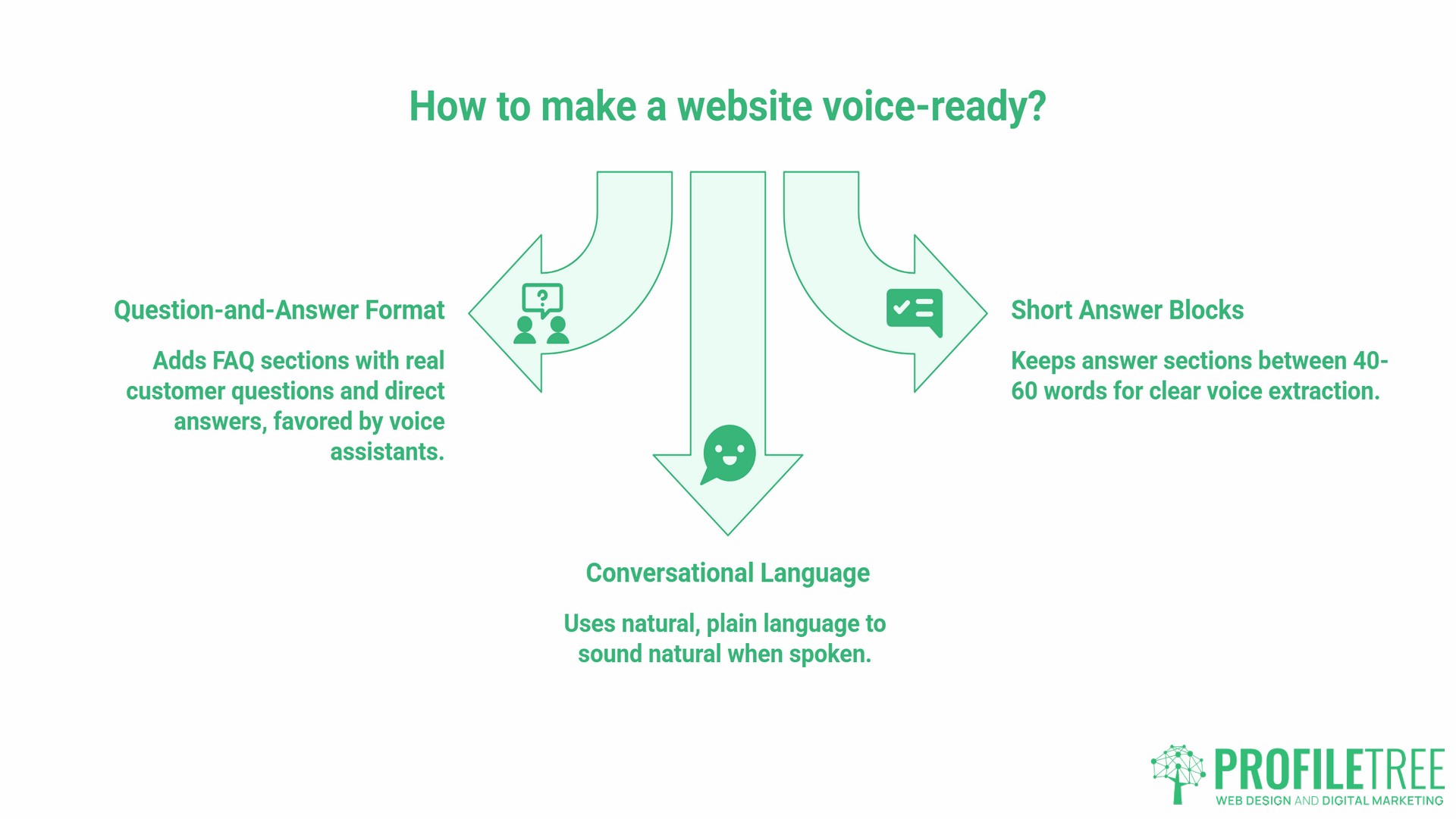
Voice search-friendly web interfaces are not just about the backend. How your pages are structured and written directly affects whether a voice assistant can extract a usable answer.
Write in Question-and-Answer Format
The simplest and most effective change most SME websites can make is adding properly written FAQ sections to service pages, product pages, and key landing pages. Each question should reflect something a real customer would say aloud. Each answer should begin with a direct, complete response in the first sentence, followed by supporting detail. Google’s Featured Snippet algorithm and voice response logic both favour this bottom-line-up-front structure.
“Voice search is not just about processing a query; it’s about understanding the context and delivering the best possible answer,” says Ciaran Connolly, founder of ProfileTree. “For SMEs, that means writing content the way your customers actually talk, not the way you think they search.”
Keep Answer Blocks Short and Self-Contained
The sections of your page most likely to be read aloud are those that sit between 40 and 60 words and answer a single question clearly. Long paragraphs that bury the answer mid-way will not be selected. Structure each major section so the key point appears in the first sentence and the rest of the paragraph supports it.
Micro-Copy and Conversational Language
Voice search-friendly web interfaces depend on language that sounds natural when spoken aloud. Pages written in formal or technical register, dense with jargon, long sentences, and passive constructions, do not translate well to spoken delivery. Write as if explaining something to a client face-to-face. Short sentences. Active voice. Plain vocabulary.
This is not about dumbing down. It is about clarity. A page that explains what SEO does in plain English serves both the voice assistant extracting an answer and the business owner reading it on a laptop.
The UK and Ireland Context: Accents, Dialects, and Local Intent
One area where almost all existing voice search guidance falls short is regional language. The major voice assistants have improved significantly in handling British and Irish accents, but regional vocabulary and colloquialisms still present practical challenges for businesses in Northern Ireland and Ireland. This matters for two reasons.
First, vocabulary differs. Someone in Belfast asks for a “chemist,” not a “pharmacy.” They look for a “solicitor,” not an “attorney.” If your content uses Americanised terminology because a content tool defaulted to it, you may be invisible to the voice queries your actual customers are making.
Second, local colloquialisms and place names present challenges. “The Titanic Quarter,” “the Lisburn Road,” or “near the M1” are the kinds of location qualifiers Northern Irish users include in voice queries. Content that acknowledges and mirrors local geography performs better for local voice intent than generic content that could have been written anywhere.
Practical steps for UK and Irish SMEs:
- Use UK English throughout your site. Optimise, not optimize. Colour, not color. Organise, not organize.
- Name your service areas explicitly in your content and LocalBusiness schema. “Serving businesses across Belfast, Lisburn, Antrim, and Newtownabbey” is more useful to a voice assistant than “serving Northern Ireland.”
- Build FAQ content using the language your customers use in enquiries and phone calls, not the language that feels professional. ProfileTree’s local SEO services include voice-intent keyword research as part of the audit process.
Privacy, GDPR, and Voice Data
Any discussion of voice search-friendly web interfaces needs to acknowledge the privacy context, particularly for UK and Irish businesses operating under UK GDPR and the Irish Data Protection Act 2018.
If your website or application collects voice input directly, through a built-in microphone feature or a voice-activated form field, you are collecting personal data. That triggers specific obligations: a lawful basis for processing, a clear privacy notice, data minimisation, and user rights including access and deletion.
For most SMEs, the practical question is narrower. Your website is not collecting voice data; the voice assistant is. Your obligation is transparency about any data your site collects from the visitor once they arrive via voice. Cookie consent, analytics, and form data follow the same GDPR requirements regardless of how the user arrived at your site.
Where the privacy question becomes more pointed is in deploying chatbots or AI assistants on your site that incorporate voice input. If you are considering that as part of a customer experience improvement, ProfileTree’s AI implementation services include a compliance review as part of the scoping process.
SME Implementation Roadmap
Building voice search-friendly web interfaces does not require a separate project. For most SMEs, it sits inside the web design or SEO workflow and involves a series of targeted decisions rather than a ground-up rebuild.
- Phase 1: Content audit and FAQ build Review your existing service pages. Identify the five to ten questions customers most commonly ask before buying. Write a 50-to-80-word direct answer to each. Add FAQPage schema. This is the single highest-impact action for voice search visibility and takes a skilled copywriter one to two days.Phase 2: Technical performance review Run your site through Google PageSpeed Insights. Target a mobile score above 70. Address the highest-impact issues: image compression, render-blocking scripts, caching. For sites on shared WordPress hosting, a move to managed hosting with a caching layer typically produces the largest gains. ProfileTree’s on-page SEO work covers both the content and technical signals that feed voice search ranking.
- Phase 3: LocalBusiness schema and NAP consistency Audit your business name, address, and phone number across your website, Google Business Profile, and any directory listings. Inconsistencies confuse search engines and degrade local voice search performance. Implement LocalBusiness schema on your homepage and contact page.
- Phase 4: Conversational content layer Identify the voice-intent queries relevant to your business, those five-to-ten-word question phrases your customers would say aloud. Build content that answers them directly. This is where content marketing and SEO strategy overlap. For SMEs who want to build this capability internally, ProfileTree’s digital training programmes cover voice search content as part of the broader SEO curriculum.
- Phase 5: Monitoring and iteration Voice search performance is not directly reportable in Google Search Console in the way that typed queries are. Monitor Featured Snippet ownership for your target questions, track local pack visibility, and review AI Overview appearances for your priority queries. These are the proxies for voice search success.
VUI Prototyping Tools: A Brief Overview
For businesses or developers building bespoke voice interfaces, such as a voice-activated customer service assistant or an in-app voice feature, a small number of tools are worth knowing.
Voiceflow is a visual workflow builder for designing conversational experiences without needing to write code for the dialogue logic. It is widely used for prototyping before committing to a full development build. Dialogflow, Google’s NLP platform, handles the language processing layer and has a testing console that simulates how different phrasings map to the same intent. For developers building voice recognition directly into web applications, the Web Speech API is the browser-native option, with broad support across Chrome and Edge.
These tools serve a different purpose to the schema and content optimisation covered earlier. They are relevant to businesses building a custom voice interface, not to the majority of SMEs whose voice search opportunity lies in how their standard website content is structured and found.
Making Voice Search a Competitive Advantage
The businesses that will benefit most from voice search are those operating locally and those providing services where the customer’s first question is “who does this near me?” For SMEs in Belfast, Dublin, and across the UK, that covers a wide range of sectors: tradespeople, professional services, hospitality, healthcare, and retail.
The advantage is not complex to build. It sits inside the web design decisions, the content structure, and the schema implementation that a good agency builds into every site as standard. The gap between a voice-invisible website and a voice-ready one is usually a handful of technical changes and a content strategy built around the questions customers actually ask.
Frequently Asked Questions
How do I make my website voice search-friendly?
Focus on four areas: mobile page speed, FAQPage schema on your key service pages, LocalBusiness schema with accurate NAP data, and content written in a conversational question-and-answer format. These changes improve both voice search visibility and general organic rankings because the underlying signals overlap.
What is the difference between VUI and GUI design?
A graphical user interface (GUI) is designed for visual interaction: buttons, menus, forms, and screens. A voice user interface (VUI) is designed for spoken interaction, where the user speaks a command and receives an audio response. Most modern voice search experiences combine both: a user speaks a query, the device responds aloud, and a screen may simultaneously display a visual result.
Does voice search affect SEO rankings?
Voice search and organic text search share the same underlying ranking signals: page authority, relevance, and technical performance. Pages that rank well in Featured Snippets are most likely to be read aloud in voice responses. Improving your voice search readiness through FAQ schema and conversational content structure will also improve your standard rankings.
What is Speakable schema and do I need it?
Speakable schema (schema.org/speakable) marks specific sections of a page as appropriate for audio delivery. Google’s documentation describes the feature as in beta and directs it primarily at news publishers. For most SME service websites, FAQPage and LocalBusiness schema are the higher-priority implementations. Speakable schema becomes relevant if your site publishes regular news or editorial content that you want surfaced in audio news briefings.
How do regional accents affect voice search in Northern Ireland and Ireland?
The major voice assistants handle British and Irish accents well in general, and have improved considerably over recent years. The more practical issue for local SMEs is vocabulary: content that uses Americanised terminology or ignores local place names and colloquialisms may not match the voice queries your actual customers are making. Writing in UK English, naming your service areas explicitly, and building FAQ content using the language your customers use in enquiries are the most effective mitigations.
Is voice search optimisation expensive for a small business?
For most SMEs, the core changes involve content and schema work rather than infrastructure investment. Adding FAQ sections, implementing schema markup, and auditing page speed are tasks that sit within a standard SEO or web development engagement. The larger cost is often the content strategy required to identify and answer the right voice-intent questions. ProfileTree’s digital training programmes allow in-house teams to build and maintain this capability themselves.