
Google Search Console: The Complete Toolkit for Search Performance
Table of Contents
Google Search Console remains one of the most potent yet underutilised resources available to businesses seeking genuine organic growth. As a direct communication channel from Google, it provides invaluable data on how your website performs in search results, identifies technical issues that require attention, and highlights opportunities to capture more traffic. For UK businesses competing in crowded digital markets, understanding and actively managing Search Console isn’t optional—it’s fundamental to maintaining and scaling online visibility.
Many marketing managers and business owners struggle to extract meaningful value from Search Console, treating it as merely a diagnostic tool rather than the strategic asset it truly is. At ProfileTree, we’ve seen firsthand how proper Search Console implementation and ongoing management can transform organic performance. This guide explores everything you need to know about Google Search Console, from initial setup through advanced optimisation strategies, with practical insights tailored for businesses serious about improving their search rankings.
What Google Search Console Actually Does
Google Search Console serves as your website’s health monitoring system, performance analyst, and direct line to Google’s indexing systems. Unlike third-party analytics platforms that estimate data, Search Console provides accurate information straight from Google about how your site appears in search results, which pages get indexed, and what technical barriers prevent better performance.
The platform consolidates several critical functions into a single interface. It tracks your organic search performance, showing exactly which queries bring visitors to your site and how your pages rank for different terms. It monitors technical health, alerting you to indexing problems, mobile usability issues, and security threats. It provides diagnostic tools that let you inspect individual URLs, test structured data implementation, and understand how Google’s crawlers view your pages.
For businesses investing in web design, SEO services, or content marketing, Search Console data becomes the foundation for informed decision-making. Rather than guessing which content resonates with search engines or which technical changes improve performance, you gain concrete evidence of what works.
Core Search Console Capabilities
Performance Monitoring
The Performance report reveals how your website appears in organic search results. You can analyse which search queries trigger your pages, how many times they appear in results (impressions), how often users click through, and your average ranking position. This data helps identify content opportunities, understand seasonal trends, and measure the impact of SEO changes.
Business owners often focus solely on clicks, but impression data proves equally valuable. High impressions with low click-through rates indicate that your titles and meta descriptions require improvement. High impressions with poor rankings indicate opportunities to optimise existing content rather than creating new pages.
Indexing and Coverage
Search Console’s Index Coverage report shows which pages Google has discovered, indexed, and excluded from search results. This is crucial for identifying technical issues that prevent pages from ranking. Common problems include pages blocked by robots.txt, URLs marked with noindex tags, server errors, and redirect chains.
Many businesses discover significant indexing problems only after conducting thorough Search Console audits. A Manchester-based retailer recently found that 40% of their product pages weren’t indexed due to incorrect canonical tag implementation—a problem that would have remained invisible without Search Console data.
Technical Diagnostics
Core Web Vitals reports measure actual user experience metrics: loading performance (Largest Contentful Paint), interactivity (First Input Delay), and visual stability (Cumulative Layout Shift). These metrics directly influence rankings, particularly on mobile devices where user expectations for speed and functionality remain high.
Mobile Usability reports identify pages with issues such as text that is too small to read, clickable elements that are too close together, or content that is wider than the screen. For UK businesses where mobile traffic often exceeds 60% of total visits, these issues directly impact both rankings and conversion rates.
Security and Manual Actions
Search Console alerts you immediately to security issues, including hacked content, malware, and phishing attempts. It also notifies you of manual actions—penalties applied by Google’s human reviewers for violations like unnatural links, thin content, or cloaking.
Responding quickly to these alerts prevents catastrophic traffic losses. Websites hit with manual actions can lose 90% or more of organic traffic within days. Search Console provides the only reliable way to learn about these issues and request reconsideration after fixing problems.
How Search Console Data Informs Strategy
Understanding your current search performance is crucial for shaping an effective digital marketing strategy. Search Console data reveals which content topics attract searches, which pages convert visitors into customers, and which technical issues prevent better results.
At ProfileTree, we integrate Search Console data into every web design and SEO project. When building new websites, we analyse existing Search Console data to preserve ranking pages and redirect traffic appropriately. For ongoing SEO work, we track keyword performance, identify declining rankings early, and measure the impact of content updates to ensure optimal results.
“Most businesses sit on a goldmine of search data without realising it,” notes Ciaran Connolly, ProfileTree Director. Search Console shows exactly what people search for before landing on your site—information that should drive your entire content strategy, not just inform it.
Setting Up Search Console Properly
The correct Search Console configuration determines the quality and completeness of the data you receive. Many businesses rush through the setup process, missing crucial steps that can cause ongoing reporting problems or incomplete data collection.
Property Types and Verification
Search Console offers two property types: Domain properties and URL-prefix properties. Domain properties collect data for all subdomains and protocols (HTTP, HTTPS, WWW, and non-WWW) under one umbrella, providing simplified reporting. URL-prefix properties track specific protocols and subdomains separately, offering more granular control but requiring separate setup for each variant.
For most UK businesses, Domain properties work best, consolidating all website data into a single view. However, companies with distinct subdomains serving different purposes—such as blog.example.com hosting content while shop.example.com runs an ecommerce store—might prefer separate URL-prefix properties for more precise segmentation.
Verification confirms you own or control the website. Options include uploading an HTML file to your server, adding a meta tag to your homepage, connecting through Google Analytics, using Google Tag Manager, or adding a DNS TXT record. DNS verification works best for Domain properties and provides the most robust long-term solution, as it isn’t affected by website redesigns or CMS migrations.
Sitemap Submission
XML sitemaps help Google discover and prioritise your content. Submit sitemaps through Search Console to guide crawlers toward your most important pages and receive reports on indexing status.
Generate comprehensive sitemaps that include all indexable pages whilst excluding those intentionally blocked from search. For WordPress sites, plugins like Yoast SEO or Rank Math automatically create sitemaps. Custom-built sites require manual sitemap creation or server-side generation scripts.
Monitor sitemap status regularly. Search Console reports the number of URLs submitted versus indexed, highlighting potential issues. If submitted URLs significantly exceed indexed URLs, investigate why Google rejects certain pages.
User Access and Permissions
Grant appropriate access levels to team members and external agencies. Search Console offers three permission levels: Owner (full control, including the ability to add other users), Full User (access to all data and most tools), and Restricted User (view-only access).
Business owners should maintain Owner access themselves whilst granting Full User permission to SEO agencies or web developers who need to submit sitemaps, fix indexing issues, or request reconsideration. Marketing team members typically receive Restricted User access for monitoring performance without risking accidental configuration changes.
Integration with Analytics
Connect Search Console to Google Analytics 4 for combined reporting that shows search behaviour alongside on-site actions. This integration reveals which search queries lead to conversions, helping prioritise SEO efforts around commercially valuable keywords.
Within GA4, navigate to Admin > Data Collection and Modification > Search Console Links to establish the connection. Data flows automatically afterwards, appearing in GA4’s Acquisition reports under Organic Search traffic sources.
Reading Search Console Performance Data
The Performance report contains the most actionable data for improving organic visibility. Understanding how to interpret this information separates businesses that simply monitor rankings from those that actively optimise for better results.
Key Metrics Explained
Clicks measure how many times users clicked through from search results to your website. This represents actual traffic generated by organic search and serves as the primary success metric for most businesses.
Impressions count how many times your pages appeared in search results, regardless of whether users clicked. High impressions indicate good visibility for specific queries, whilst low click-through rates suggest opportunities to improve titles and descriptions.
Click-through rate (CTR) calculates the percentage of impressions that result in clicks. Average CTRs vary by position—first position typically achieves 30-40% CTR, whilst tenth position drops to 2-5%. If your CTR falls below these benchmarks, optimise your title tags and meta descriptions to make your listings more compelling.
Average Position shows where your pages typically rank for tracked queries. Position 1.0 means consistently ranking first, whilst position 10.5 suggests bouncing between the bottom of page one and the top of page two. Track position trends over time rather than fixating on specific numbers—steady improvements indicate successful optimisation.
Filtering and Segmenting Data
Search Console provides powerful filtering options that reveal patterns that are invisible in aggregate data. Filter by date range to compare performance across different periods, identifying seasonal trends or measuring the impact of specific changes.
Query filtering shows performance for individual keywords or groups of terms. Use this to track priority keywords, identify new ranking opportunities, or troubleshoot declining rankings. Combine query filters with page filters to see which pages rank for specific terms.
Device filtering (mobile, desktop, tablet) reveals how user experience varies across platforms. Many UK businesses discover mobile rankings lag behind desktop, indicating technical issues affecting mobile usability or page speed.
Country filtering proves valuable for businesses targeting multiple regions. A UK company expanding to Ireland might compare organic performance across both markets, identifying where localised content or technical optimisation could improve results.
Identifying Optimisation Opportunities
Scan for queries with high impressions but low CTR—these represent pages ranking well but failing to attract clicks. Often, simply rewriting title tags to match search intent better can double or triple traffic without improving rankings.
Look for pages ranking in positions 4-10 for valuable keywords. These sit just below the high-traffic positions but typically prove easier to improve than breaking into the top three from position 20. Analyse what top-ranking competitors offer that your content lacks, then enhance your pages accordingly.
Monitor brand queries to understand how users search for your company. Declining brand search volume might indicate reputation issues or increased competition, whilst growing brand queries suggest successful awareness campaigns.
Diagnosing and Fixing Technical Issues
Technical problems prevent even excellent content from ranking. Search Console’s diagnostic reports identify these issues, but understanding their implications and fixes separates casual monitoring from effective website management.
Index Coverage Problems
The Index Coverage report categorises URLs into four states: Error (page not indexed due to a problem), Valid with Warnings (indexed but with potential issues), Valid (indexed successfully), and Excluded (intentionally not indexed or blocked).
Common errors include server errors (5xx responses), redirect errors (chains or loops), and pages blocked by the robots.txt file. These prevent indexing entirely and require immediate attention. Check server logs to diagnose 5xx errors, simplify redirect chains to single-hop redirects, and review robots.txt to ensure critical pages aren’t accidentally blocked.
Warnings often relate to pages indexed despite having ‘noindex’ tags (creating indexing uncertainty) or indexed via redirects (which is suboptimal for performance). Fix these by ensuring directives match intentions—either allow indexing or properly block it.
Excluded URLs aren’t necessarily problems. Pages marked as duplicates, intentionally blocked by robots.txt, or soft 404s may not require indexing. However, review excluded pages carefully to ensure important content hasn’t been accidentally blocked.
Core Web Vitals Optimisation
Core Web Vitals measure real-world user experience through three metrics. Largest Contentful Paint (LCP) should occur within 2.5 seconds, measuring the speed at which the main content loads. The First Input Delay (FID) should remain under 100 milliseconds, measuring how quickly pages respond to user interactions. Cumulative Layout Shift (CLS) should remain below 0.1, preventing unexpected content movement that can frustrate users.
Poor Core Web Vitals directly impact rankings on mobile searches. Google explicitly considers these metrics when determining page experience, giving preference to pages that load quickly and function smoothly.
Improve LCP by optimising images (compression, modern formats like WebP, lazy loading), implementing efficient caching, and minimising render-blocking JavaScript. Many WordPress sites benefit from image optimisation plugins and caching solutions that address LCP issues without custom development.
Reduce FID by minimising JavaScript execution time, breaking up long tasks, and using web workers for heavy processing. For business websites built on WordPress or similar platforms, excessive plugins often cause high FID—audit installed plugins and remove those providing minimal value.
Prevent CLS by specifying image and video dimensions in HTML, avoiding the insertion of content above existing content after page load, and using transform animations rather than changing element properties. Header bidding and ad implementations frequently cause CLS issues on content sites.
Mobile Usability Issues
Search Console’s Mobile Usability report identifies pages with mobile-specific problems. Common issues include text too small to read (typically caused by missing viewport meta tags), clickable elements too close together (inadequate spacing between links or buttons), content wider than screen (horizontal scrolling required), and viewport not set (page doesn’t adapt to screen size).
Most mobile usability problems stem from outdated web design approaches or failures in responsive implementation. Modern web design prioritises mobile-first development, designing for small screens initially, then adapting for larger displays. This approach prevents most usability issues from occurring.
For existing websites with mobile compatibility issues, responsive design frameworks or themes typically resolve problems more effectively than patchwork fixes. At ProfileTree, our web design process begins with mobile layouts, ensuring that content remains accessible and functional across all devices.
Security and Manual Actions
Security Issues alerts appear when Google detects hacked content, malware, or phishing attempts on your site. These warnings cause immediate traffic drops as Google displays warning messages to users before allowing them to visit your site.
If you receive security alerts, immediately scan your website for malware, review recent changes to identify when the compromise occurred, remove malicious code, and submit a security review request through Search Console. Don’t delay—every hour your site displays security warnings, it costs traffic and damages your reputation.
Manual Actions result from human reviewers finding policy violations. Common causes include unnatural link patterns (such as buying links or participating in link schemes), thin content with little value, cloaking or sneaky redirects, and keyword stuffing. Manual actions appear as notifications in Search Console and severely impact rankings.
Recover from manual actions by genuinely fixing the underlying problem, not just making cosmetic changes. For unnatural links, identify and remove or disavow problematic backlinks. For thin content, improve page quality substantially or remove low-value pages. Once fixed, submit a reconsideration request explaining what was wrong and how you’ve addressed it.
Leveraging Search Console for Content Strategy
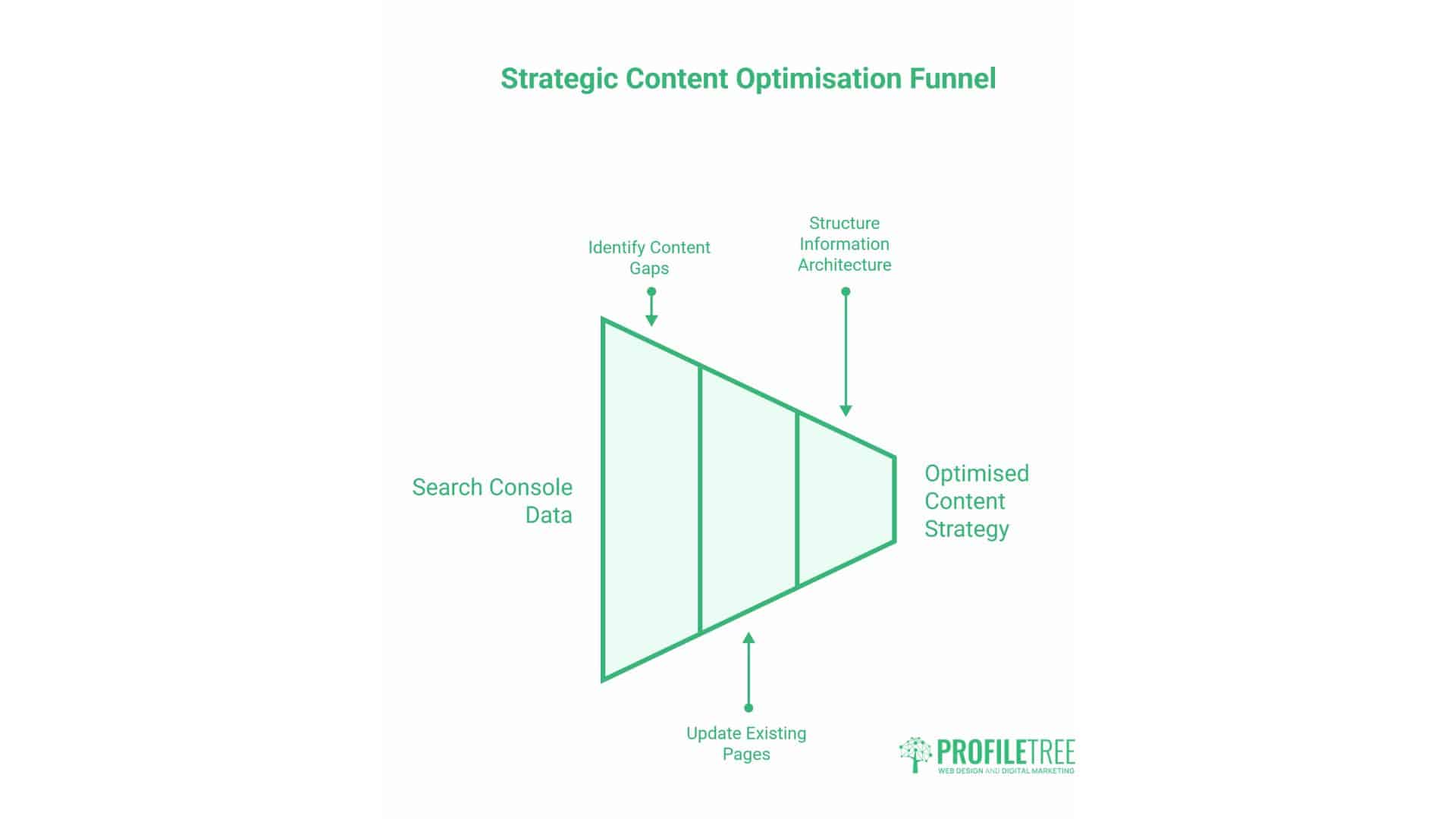
Search Console data should directly inform what content you create, which existing pages need updates, and how you structure information architecture. Businesses that treat Search Console as merely a diagnostic tool miss its strategic value entirely.
Identifying Content Gaps
Query data reveals what people search for when finding your site—and by extension, what they search for that doesn’t bring them to your site. Look for search queries with impressions but low rankings (positions 11-30) where you currently have no strong content.
These queries represent content opportunities. If searches about “AI training for small businesses” show impressions but poor rankings, creating comprehensive content targeting that exact topic could capture traffic currently going to competitors.
Analyse which existing pages rank for multiple related queries. Often, a single page ranks for dozens of semantically related searches. Identify your strongest pages, then consider what additional questions those topics raise that warrant dedicated content.
Updating Existing Content
Pages ranking in positions 4-10 for valuable keywords often benefit more from content updates than from creating new pages. Review the information that top-ranking competitors provide that your page lacks, and then enhance your content accordingly.
Search Console shows which queries already send traffic to specific pages. Use this data to ensure your content directly addresses those search intents. A page ranking well for “WordPress security best practices” should comprehensively cover that topic rather than tangentially mentioning security within a broader article.
Monitor pages with declining click-through rates. Often, competitors update their content or change how they present it in search results, making your listing appear less relevant. Refresh titles, update publication dates, and enhance content to recapture lost traffic.
Understanding Search Intent
Click-through rates reveal how well your content matches search intent. Queries with high impressions but low CTR suggest your title and description don’t align with what searchers actually want.
Categorise queries by intent: informational (learning about topics), navigational (finding specific pages), commercial (researching purchases), and transactional (ready to buy). Each intent type requires a different approach to content and conversion strategies.
Informational queries require comprehensive, well-structured content that provides thorough answers to questions. Commercial queries benefit from comparison content, reviews, and detailed product information. Transactional queries require clear pathways to purchase or contact forms.
At ProfileTree, we analyse search intent patterns when developing content marketing strategies. Understanding whether your audience primarily seeks information or wants to make an immediate purchase shapes everything from page structure to calls-to-action.
Tracking Content Performance
Measure content success through Search Console metrics rather than just sessions in Analytics. A page generating 1,000 impressions with 5% CTR delivers 50 clicks—but if you improve CTR to 10% through better optimisation, you double traffic without enhancing rankings.
Compare content performance over time to identify what sustains traffic versus what loses relevance. Evergreen content should maintain steady impressions and clicks, whilst trending topics might spike then decline. This informs content maintenance priorities and resource allocation.
Advanced Search Console Features
Beyond basic performance monitoring and technical diagnostics, Search Console offers specialised tools that provide deeper insights for experienced SEO practitioners.
URL Inspection Tool
The URL Inspection tool provides detailed information about how Google sees individual pages. Enter any URL from your property to see its indexing status, last crawl date, mobile usability evaluation, structured data detection, and any issues preventing indexing.
This tool proves invaluable for troubleshooting specific pages that won’t index or rank. You can see precisely when Google last crawled the page, whether the crawl was successful, and any rendering issues that occurred. The tool even displays a screenshot of how Googlebot rendered the page, revealing problems that are invisible in standard browsers.
Use URL Inspection to request immediate indexing of new or updated pages. While Google crawls sites regularly, manually requesting indexing ensures important content gets processed quickly—particularly valuable for time-sensitive news or seasonal product launches.
Enhancement Reports
Enhancement reports cover the implementation of structured data, including FAQ schema, product markup, recipe data, and other rich result types. These reports show which pages successfully implement structured data, which have errors, and which aren’t eligible for rich results.
Rich results significantly improve click-through rates by making your listings more prominent and informative, enhancing their visibility and relevance. FAQ snippets can expand your search listing to occupy more screen space. Product markup displays prices, availability, and ratings directly in results. The recipe schema displays cooking times, ratings, and images.
Common structured data errors include missing required fields, incorrect data types, or markup not accessible to Google. Fix these issues by validating your markup using the Schema.org documentation and testing with Google’s Rich Results Test before implementing them on your site.
Links Report
The Links report shows both external sites linking to your website and internal linking patterns within your site. External links reveal your backlink profile, helping you identify link-building opportunities and potentially harmful links that require disavowal.
Review top linking sites to understand which content attracts natural backlinks. If specific articles consistently earn links whilst others don’t, analyse what makes the successful content linkable—often comprehensive data, unique research, or practical tools.
The internal links report reveals how your site’s architecture distributes authority. Pages with many internal links typically rank better because they’re perceived as more important. Ensure your most valuable pages receive strong internal linking support.
Search Appearance Reports
Search Appearance reports break down how your listings appear in various search result types, including standard web results, image search, video search, news results, and Discover. Each type offers unique opportunities for visibility.
Image search generates significant traffic for visual products, particularly in sectors like fashion, home décor, and food. Optimise images with descriptive filenames, alt text, and surrounding context to improve image search visibility.
Video thumbnails in standard search results drive higher engagement than text-only listings. Implement VideoObject schema markup and upload videos to platforms like YouTube or Vimeo to enable video-rich results.
Sitemaps Report
The Sitemaps report shows indexing status for URLs submitted via XML sitemaps. This indicates whether Google successfully processed your sitemap and how many of the submitted URLs were indexed.
Discrepancies between submitted and indexed URLs indicate problems worth investigating. If you submit 1,000 URLs but only 400 get indexed, review why Google rejects the remaining 600—often duplicate content, thin pages, or technical errors.
Segment large sites into multiple targeted sitemaps rather than one massive file. Create separate sitemaps for different content types (posts, pages, products) or sections (blog, shop, resources) to better understand indexing patterns and prioritise crawling.
Integrating Search Console with Broader Digital Strategy
Search Console data becomes exponentially more valuable when combined with other analytics platforms and integrated into the overall marketing strategy.
Search Console and Google Analytics 4
Connecting Search Console to GA4 combines search performance data with on-site behaviour metrics. This integration reveals which search queries lead to conversions, helping prioritise SEO efforts around commercially valuable keywords rather than just traffic volume.
Within GA4, navigate to Reports > Acquisition > Traffic Acquisition, then adjust the dimension to include Search Console data. You’ll see organic search queries alongside standard traffic sources, showing which terms drive not just visits but actual conversions.
Analyse conversion rates by landing page to identify which content effectively moves visitors toward business goals. Pages with high traffic but low conversion rates might need better calls-to-action, whilst low-traffic pages with strong conversion rates warrant more SEO investment to increase visibility.
Combining Search Console with Web Design
Search Console data should inform web design decisions from initial planning through ongoing optimisation. At ProfileTree, we review existing Search Console data before starting web design projects, ensuring that new sites preserve ranking pages and redirect traffic properly.
Core Web Vitals reports reveal performance problems that design choices can address. Heavy images, excessive animations, or poor code structure all impact page speed metrics, which are visible in Search Console. Addressing these during design rather than afterwards prevents technical debt.
Mobile usability data shapes responsive design implementation. Understanding which pages currently struggle on mobile devices helps prioritise fixes and ensures new designs avoid similar problems.
Video Production and Search Visibility
YouTube videos embedded on your site can appear in video-enhanced search results, significantly improving click-through rates. Google’s Search Console Video Indexing report shows which videos Google has discovered and any errors that prevent video-rich results.
For businesses investing in video production, the proper implementation of VideoObject schema markup ensures videos appear prominently in search results. This includes specifying video title, description, thumbnail URL, upload date, and duration in structured data.
Analyse which video content attracts organic searches through Search Console. This reveals what topics resonate with audiences, informing future video production priorities and helping maximise return on video marketing investments.
Content Marketing Integration
Search Console transforms content marketing from guesswork into an evidence-based strategy. Rather than creating content based on assumptions about what audiences want, query data shows exactly what people search for related to your business.
Prioritise content creation around queries with high impressions but positions 11-30—these represent topics where demand exists but your current content doesn’t satisfy it. Creating comprehensive resources that target these queries often yields quick improvements in ranking.
Track how new content performs in Search Console within weeks of publication. Unlike traditional analytics, which can take months to show results, Search Console reveals whether pages attract impressions and start ranking almost immediately.
Search Console for Different Business Types
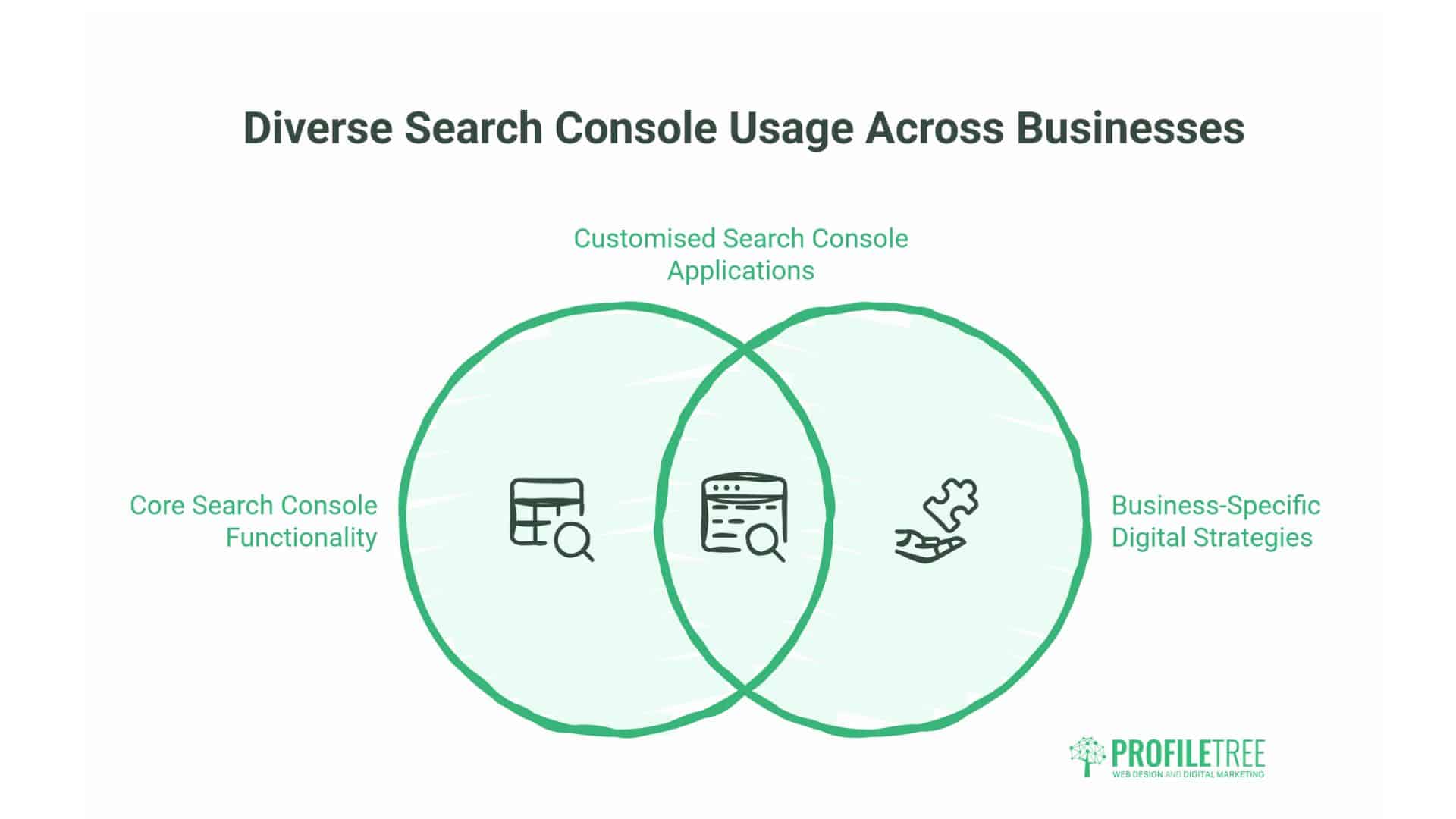
While core Search Console functionality remains consistent, how different businesses leverage the platform varies significantly based on their digital presence and objectives.
E-commerce Sites
E-commerce businesses face unique challenges in managing thousands of product pages, seasonal inventory changes, and intense competition for commercial keywords. Search Console helps identify which products rank well, which generate impressions without clicks, and which technical issues prevent product pages from indexing.
Monitor product page indexing closely through the Index Coverage report. Products that go out of stock or are discontinued shouldn’t remain indexed, as this wastes crawl budget and disappoints potential customers. Implement proper 301 redirects to alternative products or 410 status codes for permanently removed items.
Analyse query data to understand how customers search for products. Generic terms like “blue shoes” differ significantly from specific searches, such as “Nike Air Max 90 blue size 10.” Tailor product descriptions and titles to match actual search patterns rather than internal naming conventions.
Local Service Businesses
Local businesses benefit particularly from Search Console’s geographical filtering. Compare organic performance across different regions to identify where visibility lags, then implement targeted local SEO improvements.
Track branded searches through Search Console to monitor local awareness. Growing brand search volume indicates successful offline marketing or word-of-mouth recommendations. Declining brand searches may signal competitive pressures or concerns about service quality.
Monitor rankings for location-specific keywords, such as “plumber Belfast” or “web design Manchester.” These commercially valuable searches often convert better than generic terms because they indicate immediate local intent.
Content Publishers
Media sites and content publishers generate vast amounts of organic data in Search Console. Focus on identifying high-performing content types and topics that consistently attract searches and engagement.
Track how long articles maintain traffic. Declining performance may indicate that the content is becoming outdated or that competitors are publishing more comprehensive resources. Regular content audits guided by Search Console data help maintain long-term organic visibility.
Analyse which content formats generate the most impressions. If list articles consistently rank well whilst opinion pieces struggle, adjust content strategy accordingly. Let data guide editorial decisions rather than relying solely on editorial judgment.
SaaS and B2B Companies
B2B companies typically operate in narrower niches with lower search volumes but higher conversion values. Search Console helps identify which features or use cases generate the most interest, informing both product development and marketing priorities.
Monitor how rankings for competitor comparison queries perform. Searches like “Alternative to [Competitor]” or “[Your Product] vs [Competitor]” indicate high purchase intent. Ensure comparison pages rank well for these valuable terms.
Track educational content performance separately from product pages. B2B sales cycles involve significant research phases, during which potential customers seek information before making decisions. Content ranking well for educational queries supports the broader sales process, even if it doesn’t immediately result in a conversion.
Common Search Console Mistakes to Avoid
Even businesses that regularly check Search Console often make fundamental mistakes that limit the platform’s effectiveness.
Focusing Only on Clicks
Whilst clicks represent actual traffic, focusing exclusively on this metric ignores valuable optimisation opportunities. Impressions reveal visibility potential, CTR shows listing effectiveness, and position tracks competitive standing. Monitor all metrics to gain a comprehensive understanding of complete performance.
Ignoring Excluded Pages
The Excluded category in Index Coverage is often overlooked because it doesn’t display errors. However, valuable pages sometimes end up excluded due to misconfigured canonicals, inadvertent noindex tags, or being classified as duplicates. Review excluded pages regularly to ensure nothing important is missing from the index.
Not Acting on Alerts
Search Console sends email notifications for critical issues, including security problems, manual actions, and significant indexing errors. These require immediate attention, yet many businesses let them sit in inboxes for days or weeks. Configure alerts correctly and establish clear protocols for responding urgently.
Treating Data as Historical Only
Search Console shows past performance, but its real value lies in guiding future actions. Use query data to plan content, technical issues to prioritise fixes, and performance trends to measure success. Transform reactive monitoring into proactive optimisation.
Comparing Incompatible Metrics
Average position means little without the context of impressions and CTR. A page ranking position 1 for a query with 10 monthly impressions matters far less than position 5 for a query with 10,000 impressions. Continually evaluate metrics together rather than in isolation.
Taking Action with Search Console
Understanding Search Console proves meaningless without translating insights into concrete improvements. Establish a weekly review routine: check for new alerts or errors, review top queries for optimisation opportunities, identify pages with declining performance, and measure the impact of recent changes.
Set measurable goals based on Search Console metrics. Rather than vague objectives like “improve SEO,” target specific outcomes such as “increase average CTR from 3.2% to 4.5%” or “reduce excluded pages from 200 to under 50.” Concrete metrics enable progress tracking and demonstrate value.
Integrate Search Console reviews into broader digital marketing meetings. When discussing content strategy, web design projects, or SEO campaigns, reference actual Search Console data rather than assumptions. This grounds decisions in evidence and prevents wasted effort on low-impact activities.
For businesses without in-house SEO expertise, Search Console data proves invaluable when working with agencies or consultants. You can verify their recommendations align with your actual performance data and hold them accountable for measurable improvements.