
Get Verified on X: A Guide for UK and Irish Business Accounts
Table of Contents
Yes, you can get verified on Twitter (now X) as a UK or Irish business account, but only with a paid X Premium subscription. The old system, based on fame or public notability, closed in 2023 and has not returned. The blue checkmark still carries real weight. It signals that an account is authentic, cuts the risk of impersonation, and gives your brand more credibility with the audience you are trying to reach on the platform.
Verification now runs through a subscription rather than an application, and the eligibility rules are more transparent than the old notability system ever was. Whether you’re running a growing business in Belfast, managing a professional brand in Dublin, or operating a services firm anywhere across the UK, this guide covers exactly what to check before you spend a penny on X Premium.
One thing worth flagging early: getting verified on X is a five-minute process once your account meets the criteria. Building the wider presence that makes the badge do useful work takes longer, and a badge on a quiet, inconsistent account will not move your results on its own. Pairing verification with a structured plan through ProfileTree’s social media marketing services is usually what makes the monthly fee pay for itself.
What Does Getting Verified on Twitter Mean?
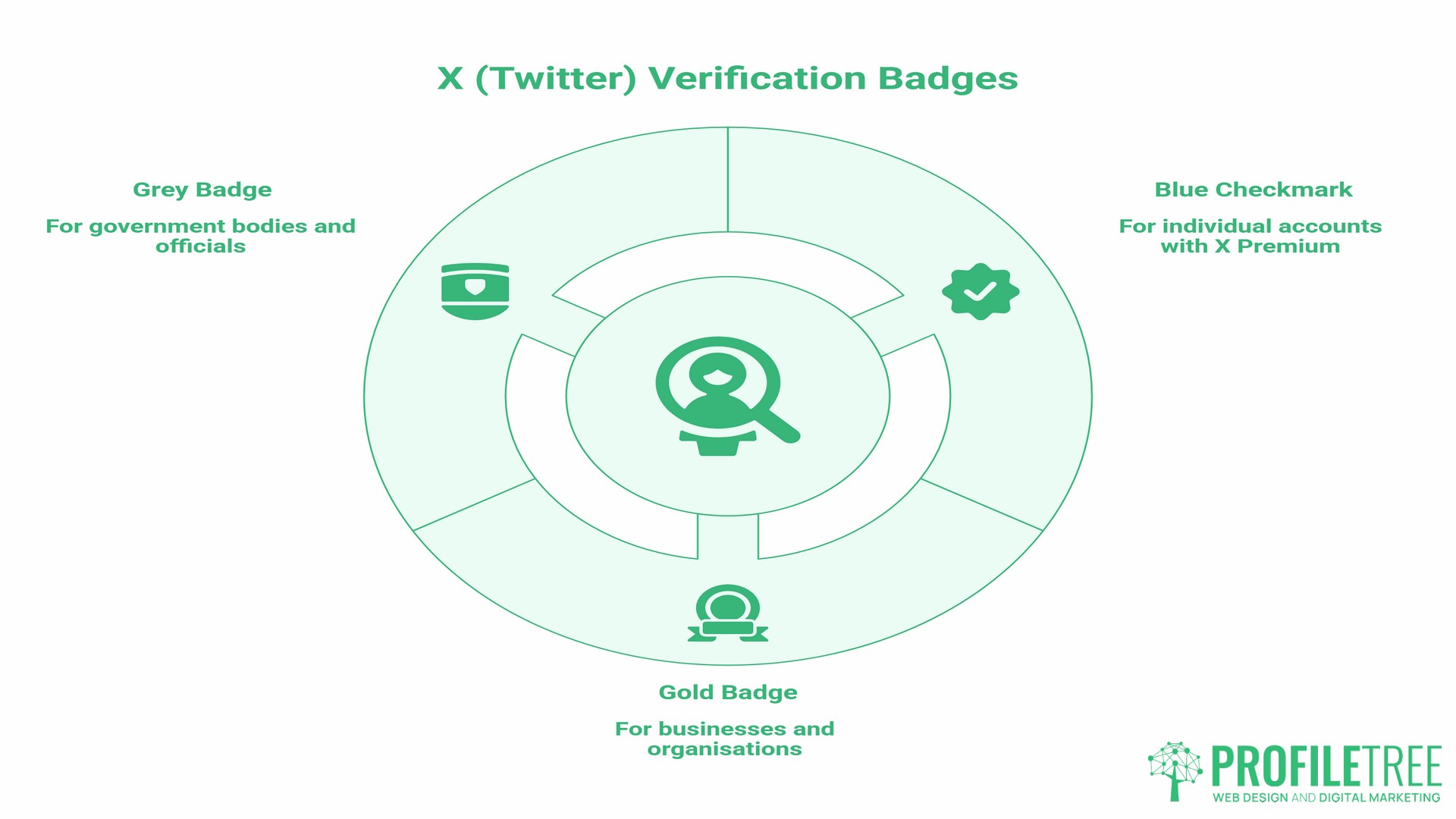
Getting verified on Twitter (now X) means the platform has confirmed your account holds an active, eligible subscription and meets its review criteria. A badge appears next to your display name to signal to other users that the account is who it claims to be. In the UK and Ireland, most people still call this the “blue tick.” In US-influenced material, it is more often the “blue checkmark.” Both terms describe the same badge on the same subscription tier.
X currently uses three types of verification badges:
| Badge | Colour | Who It Is For |
|---|---|---|
| Blue checkmark | Blue | Individual accounts with an active X Premium subscription |
| Verified Organisation | Gold | Businesses and organisations on the Verified Orgs programme |
| Government | Grey | Government bodies and official elected officials |
For most businesses and professionals, the blue checkmark via X Premium is the relevant route. The gold badge is a separate programme aimed at organisations and costs considerably more.
The Benefits of Getting Verified on Twitter
Before committing to a monthly subscription, it’s worth being specific about what verification actually delivers.
Protection From Impersonation
Fake accounts remain a persistent problem on X, particularly for businesses. When someone copies your profile and starts posting under your name, your audience has very little way to tell which account is real, and they can’t check it themselves. A verified badge removes that ambiguity.
Trust Signals for Your Audience
Most users don’t examine follower counts or account history in detail. They see a blue checkmark and register it as a sign that the account is legitimate. For a business building thought leadership or promoting services, that instant credibility signal matters.
Priority in Direct Messages
X Premium gives verified accounts priority placement in the DM requests of other Premium subscribers. For sales outreach and partnership conversations, this is one of the more practical day-to-day benefits of getting verified on Twitter.
Access to Additional Platform Features
Subscribers can edit posts after publishing, use longer post formats, upload higher-quality videos, and see less advertising in their feed. These platform utilities are worth weighing alongside the badge itself.
Reach Prioritisation
X states that Premium accounts receive prioritised reach for their posts. According to X’s own Premium documentation, the Premium tier offers higher reply prioritisation, and Premium+ offers the highest reply prioritisation (X Help Centre, 2026).
As Ciaran Connolly, founder of ProfileTree, notes: “Verification is a starting point, not a strategy. The businesses we see getting real traction on X are the ones who treat it as part of a wider content plan, not as a standalone purchase.”
X Premium Pricing for UK Users
Most guides discussing how to get verified on Twitter don’t bother listing UK pricing at all, sticking to US dollars only. Here is what UK users actually pay.
According to Tech Advisor, X Premium costs £9.60 per month when subscribed via the web and £11 per month when subscribed through iOS or Android due to App Store fees. The most cost-effective way to subscribe is through a desktop browser at x.com.
X offers three tiers:
| Tier | What It Includes | Blue Checkmark? |
|---|---|---|
| Basic | Reduced ads; some extended features | No |
| Premium | Blue checkmark, edit posts, longer posts, reduced ads, reply prioritisation | Yes |
| Premium+ | All Premium features, no ads, highest reply prioritisation, advanced tools | Yes |
The Basic tier doesn’t include the blue checkmark. You need at least the standard Premium subscription to get verified on Twitter under the current system.
Annual subscriptions work out cheaper per month than monthly billing. X’s own Help Centre confirms that the lowest prices are available when subscribing through the web rather than through the iOS or Android apps.
For the Verified Organisations gold badge programme, pricing is significantly higher and varies by country. A third-party pricing tracker (Getsby, 2026) puts the UK cost at roughly £1,000 or more per month for full access, though X doesn’t publish a single fixed public rate. Check the Verified Organisations page at verified.x.com for current pricing.
VAT note for UK businesses: X Premium subscriptions are subject to VAT. UK VAT-registered businesses can treat the subscription as a deductible business expense. X provides invoices through your account settings under the subscriptions section.
X Premium+ Pricing: What Changed and Whether It Is Worth It
Premium+ is the tier most guides skip past, and it’s the one whose price has moved the most. X’s own Premium page states that web pricing for Premium+ starts at $40 per month in the US, up from $16 per month, following a series of increases through 2025 (X Help Centre). UK pricing followed the same pattern, with TechCrunch reporting the monthly UK rate at £35 after the February 2025 rise, up from £17 previously.
That gap between Premium and Premium+ is wide enough that most UK SMEs do not need it. Premium+ adds a fully ad-free timeline, the largest reply prioritisation on the platform, and higher usage limits on X’s Grok AI tools. None of those extras affect whether your account carries the blue checkmark; that’s what comes with the standard Premium tier. Unless a marketing manager or founder is publishing at high volume and relying on Grok or ad-free browsing daily, the standard Premium tier covers what most business accounts actually need.
Eligibility Requirements: Is Your Account Ready?
Subscribing to X Premium doesn’t automatically give you the blue checkmark. X’s review team assesses accounts after you subscribe. Meeting the criteria before you pay avoids a wasted payment. Follower count plays no part in this. Neither does fame. Accounts with 40 followers and 40,000 go through the same review.
According to X’s Help Centre, your account must:
Have an active X Premium subscription (Basic does not qualify). Display a full profile name and a profile photo. Show account activity within the past 30 days. Have a confirmed phone number linked to the account. Have no recent history of rule violations or deceptive practices. Not have changed its profile photo, display name, or @handle in the past 3 days.
A newer, more specific rule has firmed up since the platform first launched paid verification: current guidance confirms accounts need to be at least 90 days old before the blue checkmark will appear, even though the Premium subscription itself goes through straight away. If your account is younger than that, you can still subscribe, but the checkmark won’t arrive until the 90-day mark passes.
That three-day profile rule catches many applicants. X’s own documentation explicitly states that accounts which have changed their profile photo, display name, or username within the previous three days may be unable to sign up for Premium or receive the checkmark. If you’ve recently updated your profile, wait at least three days before subscribing.
The ID verification option. X Premium also includes access to an optional ID verification feature. This adds an “ID verified” label to your profile for users who submit a government-issued ID through the platform. It is separate from the standard blue checkmark and voluntary. It is particularly useful for professionals in sectors where trust is a primary concern, such as legal, financial, or healthcare services.
A practical pre-application checklist:
Profile photo is professional and has not changed in the past three days. Display name is consistent with your brand or legal name. Bio clearly describes who you are or what your business does. Phone number confirmed on the account. No policy violations in recent account history. Account has been active in the past 30 days and is at least 90 days old. @handle has not changed in the past three days.
How to Get Verified on Twitter: Step by Step
The steps to get verified on Twitter (now X) are straightforward once your account meets the criteria.
- Step 1: Open X on your desktop browser. Subscribing online gives you the lowest monthly price. Go to x.com and log in to your account.
- Step 2: Go to Premium. Select “Premium” from the left-hand menu. You’ll see the available tiers and their pricing for your region.
- Step 3: Choose your plan and subscribe. Select the Premium tier and complete the payment process. You’ll be prompted to confirm your phone number if you have not already done so.
- Step 4: Wait for the review. After subscribing, X’s team reviews your account against the eligibility criteria. According to X’s Help Centre, the blue checkmark appears on eligible profiles after review. Most accounts see the badge within a few days, though some take longer. There’s no notification when the badge appears; you’ll simply see it next to your name.
- Step 5: Avoid profile changes after subscribing. Once you’ve subscribed and are awaiting review, don’t change your profile photo, display name, or @handle. Any of these changes can temporarily remove the checkmark while a new review takes place.
How to Keep Your Verification Once You Have It
Getting the badge is the easy part. Keeping it depends on a handful of ordinary account habits, and it’s worth knowing what puts it at risk before it happens rather than after.
The badge disappears if your subscription lapses. Cancel, or let a payment fail, and the checkmark comes off at the end of the current billing period. It’s tied to the subscription, not to the account’s history.
Changing your handle, display name, or profile photo triggers a fresh review. The checkmark drops temporarily while X re-checks the account, then reappears once the review clears. This is the same three-day rule that applies before you first apply, just running in reverse.
Breaking the X Rules can cost you the badge outright, regardless of any billing issues. A clean account history matters as much after verification as before it.
The simplest way to hold onto the badge is the least exciting one: keep the subscription active, keep the profile stable, and keep posting. Accounts that sit untouched for long stretches are more likely to be flagged for review than accounts with steady, ordinary activity.
Why Applications Get Delayed or Rejected
Understanding why applications are rejected can help if you’re trying to get verified on Twitter for the first time.
- Profile changes before applying. Changing your photo, name, or @handle within 3 days of subscribing is one of the most common reasons accounts experience delays, and X’s own documentation explicitly flags this.
- Account appears automated or spammy. Unusual posting patterns, aggressive follow-unfollow activity, or a history of bulk actions can flag an account as potentially inauthentic. Review your activity before applying.
- The account is too new. X now applies a 90-day minimum age before the checkmark appears, so accounts younger than that will see a longer wait regardless of how complete the profile looks.
- Recent policy violations. Any content that violated X’s rules in the recent past may affect your eligibility, even if it was removed.
If X returns a message saying your account is not eligible for Premium at this time, that is a generic rejection rather than a specific reason. Run back through the checklist above before reapplying. What to do if your review takes more than seven days: go to Settings, select Premium, and check your account status. If the review’s still pending, contact X Support through the Help Centre.
X Verification Badges Explained
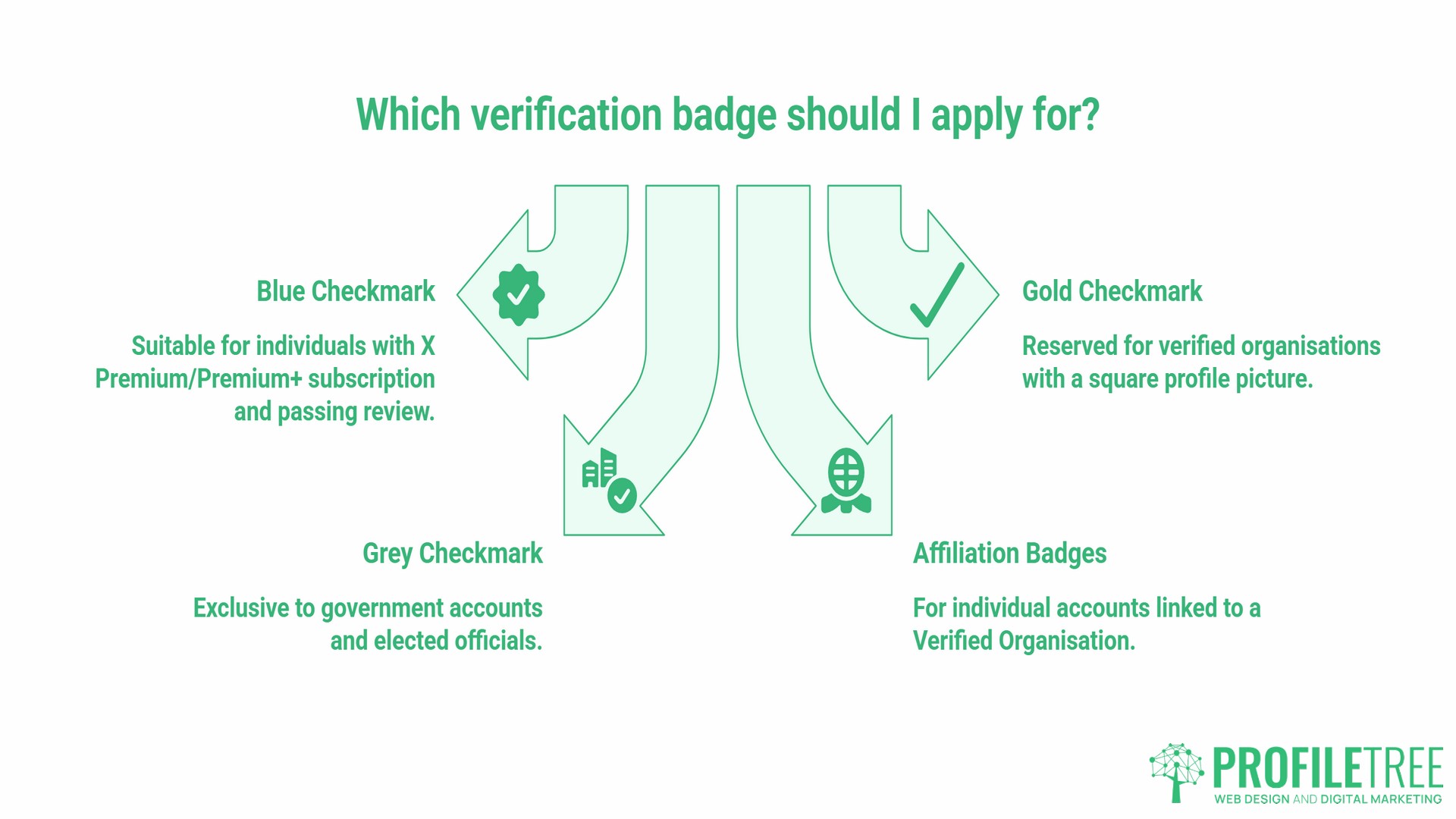
Getting verified on Twitter means understanding which badge type applies to your situation. X uses four main types of account indicators.
Blue Checkmark
Awarded to individual accounts with an active X Premium or Premium+ subscription that pass the platform’s review. This is the standard route for professionals, business owners, content creators, and individuals.
Gold Checkmark and Square Profile Picture
Reserved for organisations verified through X’s Verified Organisations programme. These accounts display a square profile picture, distinguishing them from individual accounts. Affiliated team members can be linked to the parent organisation and display an affiliation badge on their own profiles.
Grey Checkmark
Exclusive to government accounts and elected officials at the national and local levels. Not available for private individuals or businesses.
Affiliation Badges
Individual accounts associated with a Verified Organisation can display a badge linking them to that organisation. Useful for larger teams where multiple people post under their own accounts on behalf of a brand.
Automated Account Labels: A Different Signal to Verification
Business accounts that schedule posts or run automated updates need to know about a separate label that has nothing to do with the blue checkmark. X’s automation rules require any account that posts through the API without a person actively driving each post to carry an “automated” label under its profile name, and X has been rolling this out more widely on profiles and posts. The label exists purely for transparency; it tells other users an account is not human-run and links it back to whoever manages it.
This matters specifically for verified business accounts. A blue checkmark confirms a paid, reviewed subscription, but it doesn’t indicate whether posts come from a person or a scheduling tool. If your team uses automation for routine updates such as stock alerts, opening hours, or scheduled announcements, correctly labelling that account keeps you within X’s automation rules and prevents the account from being flagged during a periodic bot sweep. Mixing manual replies and automated posting on the same unlabelled account is one of the more common ways genuine business accounts get caught up in these reviews.
Paid Verification vs Legacy Free Verification
Many people searching for how to get verified on Twitter are still thinking of the older notability-based system. That system is closed. Here is how the two compare:
| Factor | Current X Premium (Blue) | Legacy Free Verification |
|---|---|---|
| Cost | From roughly £9.60/month on web (UK) | Free |
| Availability | Anyone meeting the criteria | Government, major brands, celebrities, journalists |
| Requirements | Active subscription, complete profile, phone number, 90-day account age | Notability, public interest confirmation |
| Time to receive | A few days (per X Help Centre) | Weeks to months |
| Can be revoked | Yes, for rule violations or profile changes | Yes, but historically harder to lose |
As of April 2023, the old notability-based verification is no longer available. Accounts that held legacy verification and chose not to subscribe to X Premium have had their checkmarks removed. Fame, follower count, and public profile play no part in today’s system; it is a subscription plus a basic eligibility check, nothing more.
A Note for EU and EEA Readers
If you manage an account for readers or customers in the European Economic Area, the wording you see may differ slightly from what’s described above. Following a European Commission decision of 5 December 2025 under the Digital Services Act, which included a €120 million fine, X stopped describing blue-checkmark accounts as “verified” for EEA users and now labels them “Premium” instead. The Commission found that calling a paid subscription “verification” could mislead users about whether an account’s identity had actually been verified.
X is appealing the decision, and the case is still working through the courts. In practice, the process for UK and Irish businesses is unaffected; the requirements, pricing, and steps above apply regardless of the label. The difference is cosmetic: EEA users see “Premium” where everyone else sees “verified,” which refers to the same badge and the same underlying subscription.
Beyond the Blue Tick: Building the Brand That Makes Verification Worth It
Getting verified on Twitter is a relatively quick administrative step. What takes consistent effort is building the kind of digital presence that actually makes the badge meaningful, and that’s not a five-minute job.
Content Strategy Determines What Verification Amplifies
Posting regularly, with a clear editorial approach and a consistent brand voice on X, turns a verified badge into tangible results. A digital marketing strategy that connects your X activity to your wider content plan produces far better outcomes than operating each channel in isolation. ProfileTree’s content marketing services help businesses move from ad-hoc posting to a structured content programme.
Video Content Builds an Audience That Justifies the Badge
X rewards accounts that publish native video with stronger organic reach. Short-form video production is one of the more effective ways to build an engaged following that makes verification visible to a wider audience. ProfileTree’s video marketing services work with SMEs across the UK and Ireland to produce social-ready video content.
Training Your In-House Team
For businesses where a marketing manager or team member handles social media, getting the most from a verified account takes practical skills as well as the subscription fee, and that’s often the part teams overlook. Structured digital training for the team managing the account tends to matter more than the badge itself over time.
Is Getting Verified on Twitter Worth It for UK SMEs?
For most small and medium-sized businesses, the individual X Premium subscription is worth considering if X is already an active channel. At £9.60 per month via the web, it represents a modest cost if it delivers impersonation protection and DM prioritisation for sales or partnership outreach.
It’s not worth paying for if you are not currently active on X. A verified badge on an inactive account provides no commercial return. If your audience is primarily on LinkedIn, Instagram, or TikTok, our full guide to social media platforms can help you decide where to invest first, then return to X when the time and resources are right.
The gold badge Verified Organisations route isn’t the same calculation at all. At approximately £1,000 per month (Getsby, 2026), it is a significant commitment suited to larger brands with dedicated social teams and an established X strategy.
Frequently Asked Questions
How much does X verification cost in the UK?
Getting verified on Twitter (now X) requires an X Premium subscription, which costs £9.60 per month via the web or £11 per month through iOS or Android (Tech Advisor). The Basic tier does not include the blue checkmark. Check your account settings for the current regional price, as X adjusts pricing periodically.
Can you get verified on Twitter for free?
No. The legacy free verification system, based on notability and public interest, closed in April 2023. Getting verified on Twitter now requires a paid X Premium subscription, and the blue checkmark is only available to paying Premium or Premium+ subscribers who pass the account review.
Do you need a certain number of followers to get verified on Twitter?
No. Follower count isn’t part of X’s eligibility criteria for the blue checkmark. What matters is an active Premium subscription, a complete profile, a confirmed phone number, an account at least 90 days old, and a clean recent history.
How long does it take to get verified on Twitter?
After subscribing and meeting the eligibility criteria, X reviews the account, and the blue checkmark typically appears within a few days, according to X’s Help Centre. Accounts that recently changed their profile photo, display name, or handle may see a longer review.
Is getting verified on Twitter worth it for small businesses?
It depends on how actively the business uses X. An active channel benefits from the impersonation protection and prioritised DMs that come with the blue checkmark, while an inactive account gets little practical return from the subscription until activity increases.