
What Is Google Analytics? How to Gain a Better View of Your Users
Table of Contents
When it comes to running a website, data is power. The more you know about who accesses your site and how they behave, the more you can make decisions that benefit your business. Yet despite its widespread use, many business owners and marketing managers struggle with a fundamental question: what is Google Analytics, and how can it actually help my business grow?
What is Google Analytics? It’s a web analytics platform that tracks and reports how people find and use your website. The platform answers fundamental questions every business owner needs to know: How many visitors are you getting? Where do they come from? What pages do they view? Which marketing campaigns actually drive sales or enquiries? Google Analytics collects this data through a small piece of code installed on your website, monitoring visitor behaviour and organising the information into reports you can use to improve performance and marketing effectiveness.
For businesses across Northern Ireland, Ireland, and the UK, Google Analytics has become as essential as having a business bank account. It’s the difference between making marketing decisions based on hunches versus data that shows exactly what’s working and what’s wasting money. Since July 2023, all businesses use Google Analytics 4 (GA4), which replaced the older Universal Analytics. This newer version tracks user behaviour across multiple devices and sessions, providing a more complete picture of how people interact with your business online, while including privacy features designed to comply with UK GDPR requirements.
The real power of Google Analytics lies not in collecting data, but in revealing patterns that inform better decisions. You might discover that visitors from LinkedIn convert three times better than those from Facebook, suggesting where to focus your social media efforts. You could find that mobile users abandon your contact form at a specific field, indicating a technical problem that’s costing you leads. Or you might realise that a blog post you wrote six months ago generates more qualified traffic than your paid advertising campaigns, pointing to content opportunities you’re missing.
This guide cuts through the complexity that makes Google Analytics intimidating for many business owners. We’ll show you how the platform actually works, how to set it up correctly (including UK privacy compliance that most guides ignore), which metrics matter for your specific business type, and how to turn analytics data into actionable improvements. You’ll learn how to gain insights about where your visitors come from, how they interact with your site, and how much profit your campaigns bring in—without needing a degree in statistics.
Whether you’re a marketing manager tracking campaign performance, a business owner wondering if your website investment pays off, or a decision-maker trying to understand your digital presence, this guide provides the practical knowledge you need to use Google Analytics effectively and turn your website data into actionable insights for business growth.
Understanding Google Analytics
Google Analytics is a free web analytics platform that tracks and reports website traffic, user behaviour, and conversion data. For business owners and marketing managers, it answers critical questions: where do visitors come from, which pages drive engagement, and what actions lead to sales or enquiries.
The platform has evolved significantly. Google Analytics 4 (GA4) replaced Universal Analytics in July 2023, introducing an event-based tracking model in place of the previous session-based approach. This shift better reflects how users interact with websites across multiple devices and sessions.
What Google Analytics Measures
GA4 provides three core data streams that inform your digital strategy:
Acquisition data shows how users discover your website—through organic search, paid advertising, social media, email campaigns, or direct visits. Understanding these channels helps you allocate marketing budget effectively.
Audience data reveals who visits your site, including demographics like age, gender, location, and device type. This information shapes everything from content strategy to user experience design.
Behaviour data tracks what users do once they arrive—which pages they view, how long they stay, what content engages them, and where they exit. These patterns reveal both opportunities and challenges in your website’s structure.
For ProfileTree’s clients across Northern Ireland, Ireland, and the UK, we’ve seen businesses transform their digital performance by acting on these insights rather than relying on assumptions.
How Google Analytics Works
GA4 operates through a small piece of JavaScript code embedded in your website. When someone visits your site, this tracking code communicates with Google’s servers, collecting anonymised data about the session.
The system records events—specific interactions, such as page views, button clicks, form submissions, or video plays. These events build a picture of user behaviour without storing personally identifiable information, such as names or precise locations.
“Understanding your website data isn’t about collecting every possible metric,” notes Ciaran Connolly, Director of ProfileTree. “It’s about identifying which user behaviours actually drive business outcomes, then optimising your site to encourage more of those actions.”
The platform utilises machine learning to fill data gaps, which is particularly important since increased privacy regulations and cookie restrictions have limited traditional tracking methods. GA4’s predictive analytics can estimate the likelihood of conversion and potential revenue for specific user segments.
The Evolution from Universal Analytics to GA4
Universal Analytics focused on sessions and pageviews—counting visits as the primary metric. GA4 switched to an event-driven model that better captures modern web behaviour, especially on mobile devices, where users might browse in short bursts across different times.
This change matters for several reasons. First, it provides more accurate cross-device tracking, recognising that someone might research on their phone during lunch, then purchase from their laptop that evening. Second, it offers better integration with Google Ads for measuring campaign performance. Third, it prepares businesses for a privacy-focused future where cookie-based tracking becomes increasingly restricted.
The transition initially confused many business owners. The interface looks different, familiar metrics have new names, and reports require different interpretation. However, GA4 offers more actionable insights once you understand what to track.
Setting Up GA4 for Your Business
Getting Google Analytics to work properly requires more than just pasting a code snippet into your website. The setup process determines what data you collect and how accurately it reflects real user behaviour.
Creating Your Google Analytics Property
Start by visiting analytics.google.com and signing in with your Google account. Click “Start measuring” to create a new account and property.
Your account name typically matches your business name—this is just for organisation if you manage multiple websites. The property represents your actual website or app being tracked.
During property setup, select your reporting time zone (Europe/London for UK businesses) and currency (GBP). These settings affect when daily reports reset and how monetary values display. Getting this wrong means your daily reports won’t align with your actual business hours.
Choose your industry category and business size. While these don’t affect data collection, they influence the templates and suggestions Google provides in your reports.
Installing the Tracking Code
The installation method depends on your website platform. Modern content management systems offer more straightforward integration than manually editing code.
For WordPress sites, install the Google Site Kit plugin. This official tool connects your Google account, automatically places tracking code in the correct location, and handles tag management. Navigate to Site Kit settings, connect Analytics, and select your property. The plugin manages code placement across all pages without theme file modifications.
For Shopify stores, the integration is native and particularly powerful for e-commerce. Go to Online Store > Preferences, scroll to the Google Analytics section, and click “Manage pixel.” Enter your GA4 measurement ID (starts with G-). Shopify then automatically tracks standard e-commerce events—such as product views, add-to-cart actions, and purchases—without requiring additional configuration.
For Wix websites, navigate to Marketing & SEO > Marketing Integrations. Click “Connect” under Google Analytics and paste your measurement ID. Wix handles the technical implementation across your site.
For Squarespace sites, go to Settings > Analytics > External Services. Select Google Analytics and enter your measurement ID. Squarespace will inject the tracking code across the entire site.
If you’re using a custom-built website or a different platform, you’ll need to add the tracking code manually to your site’s header section, just before the closing </head> tag.
Verifying Your Installation
Never assume tracking works without testing. Open your website in a private browsing window to simulate a new visitor. Leave this window open while you navigate to your GA4 property.
Go to Reports > Realtime. This shows current activity on your site as it happens. You should see your test visit appear within seconds—look for your location, device type, and the pages you’re viewing.
If nothing appears after a few minutes, check that your tracking code is installed correctly. Use your browser’s developer tools (press F12) to search for JavaScript errors. GA4’s DebugView (Admin > Data Display > DebugView) provides detailed technical information about what events are firing.
Essential Configuration Steps
Raw GA4 data includes noise that skews your reports. Three configuration steps improve data quality:
Exclude internal traffic to prevent your own staff from browsing the website and inflating visitor numbers. Go to Admin > Data Streams > select your stream > Configure tag settings > Show more > Define internal traffic. Add your office IP address. Then navigate to Admin > Data Settings > Data Filters and activate the internal traffic filter.
Adjust the session timeout settings if your business model involves more extended consideration periods. The default 30-minute timeout might mark someone as a new visitor when they’re actually the same person taking a coffee break. For content-heavy sites or complex services, extending this to 60 minutes often provides more accurate session data.
Enable Google signals (Admin > Data Settings > Data Collection) to improve demographic data and enable cross-device tracking for users signed into Google services. This requires updating your privacy policy to mention Google’s advertising features.
Key Metrics and What They Actually Mean
Google Analytics presents dozens of metrics, but most business owners only need to track a handful that directly relate to their goals. Understanding what these numbers actually represent helps you make better decisions.
Users, Sessions, and Pageviews
Users represent the total number of unique individuals who visited your website during a specific period. GA4 identifies users through browser cookies and, when available, Google account sign-ins. This metric answers “How many different people found my site?”
Sessions measure distinct visits to your website. A single user might generate multiple sessions if they visit on different days, or even the same day if enough time passes between visits. Sessions typically last for 30 minutes of inactivity. This metric answers “How many separate times did people visit?”
Pageviews count the total number of pages loaded during all sessions. If someone views five pages during their visit, that’s five pageviews but only one session. This metric reveals content consumption volume.
Views per session (calculated by dividing page views by sessions) indicate the depth of engagement. Higher numbers suggest that people are more likely to explore your content rather than leave immediately. For service businesses, 2-4 views per session is typical. For content sites or e-commerce, you’d expect higher numbers.
Engagement Metrics That Matter
GA4 replaced “bounce rate” with more meaningful engagement measurements:
Engaged sessions count visits lasting longer than 10 seconds, viewing multiple pages, or triggering a conversion event. This better reflects meaningful interaction than the old bounce rate, which marked any single-page visit as a “bounce” even if someone spent 10 minutes reading your content.
The engagement rate indicates the percentage of sessions that qualify as engaged. Higher is better—it means visitors find value in your content. Rates vary by industry, but a 60-80% content-market fit is considered good.
Average engagement time measures how long users actively interact with your site, excluding time when the tab sits idle in the background. This metric provides a more accurate picture of attention than old “session duration” measurements.
Event count tracks specific interactions you’ve configured—button clicks, video plays, form submissions, downloads, or scroll depth. These reveal how users interact with particular features, rather than simply browsing pages.
Conversion Tracking
Conversions represent actions that matter to your business—purchases, form submissions, phone calls, newsletter signups, or content downloads. In GA4, these are referred to as “key events.”
Setting up conversion tracking requires identifying what actions demonstrate business value. For a service business, this might be a contact form submission or a “call now” button click. For e-commerce, it’s completed purchases. For content sites, it might be newsletter subscriptions or affiliate link clicks.
Navigate to Admin > Events to see all events being tracked. Click “Mark as key event” next to actions that represent business value. GA4 will then report these prominently in your conversions reports.
The conversion rate divides total conversions by total sessions, indicating the percentage of visits that result in desired actions. A conversion rate of 2-5% is typical for lead generation websites. E-commerce sites vary widely based on product type, price point, and traffic source.
Traffic Source Attribution
Understanding where conversions originate determines where to allocate marketing resources. GA4’s acquisition reports break down traffic by:
Organic search represents unpaid visitors from search engines. High organic traffic indicates strong SEO performance. For ProfileTree’s clients, organic search typically becomes the primary traffic source after 6-12 months of consistent content and technical optimisation.
Paid search refers to traffic generated from Google Ads and other search advertising platforms. Compare the cost of these campaigns against the conversions they generate to calculate return on ad spend.
Social traffic originates from platforms such as Facebook, LinkedIn, Twitter, or Instagram. Low conversion rates from social traffic are standard—people browse social media differently than they do when searching. However, social media can build awareness that leads to later direct visits.
Referral traffic originates from links on other websites, including industry directories, news mentions, partner sites, and blog features. Quality referrals from relevant sites often convert well because they carry implicit endorsement.
Direct traffic represents users who typed your URL directly, clicked a bookmark, or arrived through untracked channels. While some truly is direct brand awareness, this category also captures broken tracking from email clients, messaging apps, and improperly tagged campaigns.
Email traffic arrives from campaigns you send to your mailing list. This typically converts well since subscribers already know your business.
E-commerce Metrics for Online Retailers
If you sell products online, GA4 automatically tracks crucial e-commerce metrics once properly configured:
Purchase revenue shows total sales generated through your website—filter by product, category, or traffic source to identify what drives revenue.
The average order value is calculated by dividing total revenue by the number of transactions. Strategies to increase this metric—such as product bundling, upselling, or setting free shipping thresholds—directly boost profitability without requiring more traffic.
The cart abandonment rateindicates the percentage of people who add products to their cart but fail to complete a purchase. Rates of 60-80% are standard. High abandonment rates might indicate unexpected shipping costs, a complicated checkout process, security concerns, or comparison shopping.
Product performance data reveals which items sell most frequently, generate the highest revenue, or are commonly added to the cart but rarely purchased. This informs inventory decisions and identifies underperforming products.
Privacy, GDPR, and UK Data Compliance
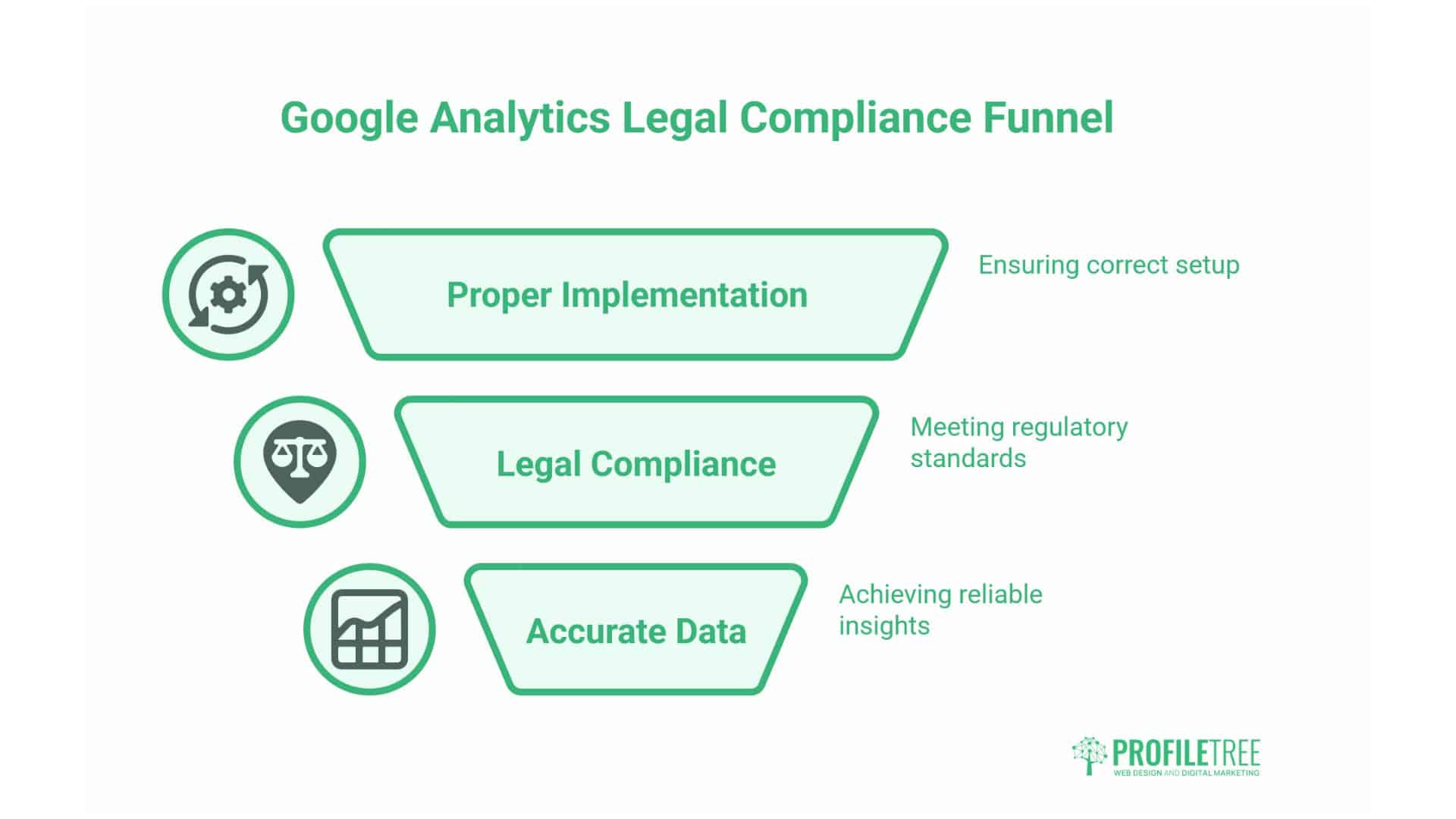
Using Google Analytics legally in the UK requires understanding data protection regulations. Incorrect implementation doesn’t just risk fines—it produces inaccurate data that undermines decision-making.
Is Google Analytics Legal in the UK?
Google Analytics itself is legal, but how you implement it must comply with UK GDPR (the UK’s version of the EU regulation) and PECR (Privacy and Electronic Communications Regulations).
The core requirement: obtain explicit consent before placing non-essential cookies on a visitor’s device. Analytics cookies are considered non-essential because they benefit your business rather than being necessary for the website to function.
This means GA4 cannot start tracking until someone actively agrees through your cookie banner. The “just browsing means you consent” approach doesn’t meet UK legal standards.
Implementing Proper Cookie Consent
A legally compliant cookie banner must:
- Appear before any non-essential cookies are set
- Clearly explain what cookies you use and why
- Offer a genuine choice with “Accept” and “Reject” options equally prominent
- Do not use pre-ticked boxes or assume consent
- Allow users to change their choice later
- Work properly, so declining actually blocks GA4
Many business websites fail this last point. The banner appears, but GA4 loads regardless of the user’s choice. Browser developer tools easily reveal this: if GA4 shows 100% of visitors agreed to cookies, your banner isn’t working.
Solutions include:
- Consent Management Platforms like Cookiebot, OneTrust, or Cookie Information handle the technical implementation, blocking scripts until consent is granted
- WordPress plugins such as Complianz or CookieYes integrate with Site Kit to control when GA4 loads
- Manual implementation using Google Tag Manager’s consent mode, though this requires technical knowledge
Google Consent Mode v2
Google introduced Consent Mode v2 in 2024 as a framework that bridges cookie banners and Google services. This is no longer optional if you use Google Ads—it’s now required for advertising in the UK and Europe.
Consent Mode works in two states:
When users accept cookies, GA4 operates normally with full tracking capability.
When users decline, GA4 switches to “cookieless pings” that record basic information (page view, rough location, device type) without using cookies or identifiers. Google’s machine learning then models overall traffic patterns to fill reporting gaps.
This means declining users aren’t completely invisible in your reports, but you see aggregated behaviour rather than individual journeys. Your traffic numbers may be lower than actual, but the proportions remain accurate for informed decision-making.
Updating Your Privacy Policy
Your website needs a clear privacy policy that specifically mentions:
- That you use Google Analytics
- What data it collects (pages visited, device type, approximate location, etc.)
- Why do you collect this data (to improve the website and services)
- How users can opt out (through cookie preferences or browser settings)
- That data is shared with Google
- How long is data retained
The ICO (Information Commissioner’s Office) provides templates, but generic policies rarely cover everything. For ProfileTree’s clients, we recommend having a solicitor review your privacy policy if you process significant customer data or handle sensitive information.
ICO Registration
Most UK businesses that process personal data must register with the ICO and pay an annual data protection fee (currently £40-60, depending on business size). This applies even if you only use Google Analytics.
Registration is straightforward through the ICO website. Failing to register while processing personal data can result in fines, though enforcement typically targets more serious violations.
Using Google Analytics to Improve Your Business
Collecting data serves no purpose unless you act on the insights gained. The businesses that benefit most from Google Analytics establish regular review processes and use findings to guide specific changes.
The Monthly Analytics Review
Rather than logging in randomly, schedule a monthly analytics review to spot trends and opportunities. This 15-minute process should answer key questions:
Are visitors increasing or declining? Look at the past 30 days compared to the previous 30. Downward trends demand investigation—has something broken, have search rankings dropped, or has a major traffic source dried up? Upward trends deserve analysis too—which channels are growing, and can you double down on what’s working?
Where are visitors coming from? Check your top traffic sources. Are they what you expect based on your marketing efforts? If you’re investing in SEO but seeing no organic growth, something needs to be fixed. If paid ads generate traffic but no conversions, you’re burning money.
What content performs best? Identify your top landing pages and most viewed content. These pages demonstrate the topics that interest your audience. Create more content on similar themes. Update high-performing pages to maintain rankings.
Where do people exit? Pages with high exit rates might have problems—poor content, broken functionality, or unclear next steps. If many visitors leave from your pricing page, the price might be an obstacle, or perhaps the page needs a better explanation of value.
Are conversions trending up? Track your conversion rate over time, rather than focusing on absolute numbers. The conversion rate removes the variable of traffic volume, showing whether your site improves or worsens at converting visitors into customers.
Identifying Technical Problems
Analytics data reveals technical issues that hurt user experience:
An unexpected drop in traffic often indicates abroken tracking code, particularly if it coincides with website updates. Check if GA4 is still loading on all pages.
High bounce rates on specific pages may indicate slow loading times, mobile display issues, or content that fails to match what the search results promised. Tools like Google PageSpeed Insights help diagnose performance issues.
Sudden traffic spikes from strange locations could indicate bot activity or referral spam. Create filters to exclude this junk data.
Zero conversions from mobile despite high mobile traffic suggest broken forms, poor mobile UX, or technical implementation problems with mobile event tracking.
Optimising for Different User Segments
Demographics and behaviour data reveal distinct user groups that might need different approaches:
Location-based insights help businesses with physical locations or region-specific services. If analytics shows significant traffic from areas you don’t serve, your website content might mislead visitors. If you serve multiple regions, consider location-specific pages that rank for “service + location” searches.
Device type patterns inform design priorities. If 70% of traffic comes from mobile, but the conversion rate is much lower on mobile than on desktop, your mobile experience needs improvement. If desktop dominates, mobile-first design might be less urgent.
New vs. returning visitors reveal brand strength and marketing efficiency. High percentages of new visitors suggest effective acquisition marketing but potentially weak retention. Many returning visitors indicate strong product-market fit but possibly insufficient new customer acquisition.
Time-based patterns show when users are most active. B2B businesses often see traffic spikes during working hours, with drops in evenings and weekends. Consumer businesses might see the opposite. This informs when to publish content, send emails, or run advertising campaigns.
Improving SEO with Analytics Data
Google Analytics integrates with Google Search Console to provide powerful SEO insights:
Connect Search Console (Admin > Property Settings > Search Console Links) to see which search queries bring organic traffic. This reveals what people actually search for versus what you think they search for. Create content around high-impression, low-click queries where you rank on page two or three—these represent quick wins.
Landing page performance shows which pages rank well and generate organic traffic. Update these regularly to maintain rankings. Add internal links from high-traffic pages to essential pages that receive less visibility.
Organic search conversion rate determines whether SEO traffic actually drives business results. Low conversion from organic traffic may indicate that you are ranking for informational queries when you want commercial intent, or attracting visitors who are not a good fit.
Traffic by query helps identify content gaps. If you rank for many variations of one topic but nothing related to another service you offer, you need content in that area.
Measuring Campaign Effectiveness
For businesses running marketing campaigns, GA4 attribution shows which efforts drive results:
Use UTM parameters on all campaign links, including social media posts, email campaigns, display ads, and influencer partnerships. These tags (campaign source, medium, campaign name) let GA4 separate campaigns that would otherwise blend into generic “social” or “referral” traffic.
Google Ads integration (Admin > Product Links > Google Ads Links) connects advertising spend to website behaviour and conversions. See which ads, keywords, and campaigns generate not just clicks but actual business outcomes.
Multi-channel funnels illustrate how various channels collaborate. Someone might discover you through social media, conduct research via organic search, and then convert after receiving an email campaign. Single-channel attribution misses this complexity.
Campaign ROI calculation compares the cost of acquiring traffic against the value generated by that traffic. If a £500 Google Ads campaign generates five leads that typically convert to £5,000 in revenue, that’s a strong return. If it generates 100 visits but no conversions, it’s a waste of time.
Content Strategy Based on User Behaviour
Analytics reveals what content works and what doesn’t:
The engagement rate by content type indicates whether users prefer videos, long-form articles, case studies, or quick tips. Double down on formats that resonate.
Internal search queries (if site search is enabled) reveal what visitors look for but struggle to find. These represent opportunities for content enhancement or navigation improvements.
Scroll depth (if configured as an event) indicates the distance users scroll down the page. If most visitors don’t reach your call-to-action because it sits at the bottom of a 3,000-word article, move it higher.
Reading time vs. content length indicates whether your articles are too long, too short, or just right for your audience. If the average time on page is 45 seconds for a 2,000-word article, people scan rather than read—you might need to add more subheadings, bullet points, or summary sections.
Advanced Google Analytics Features
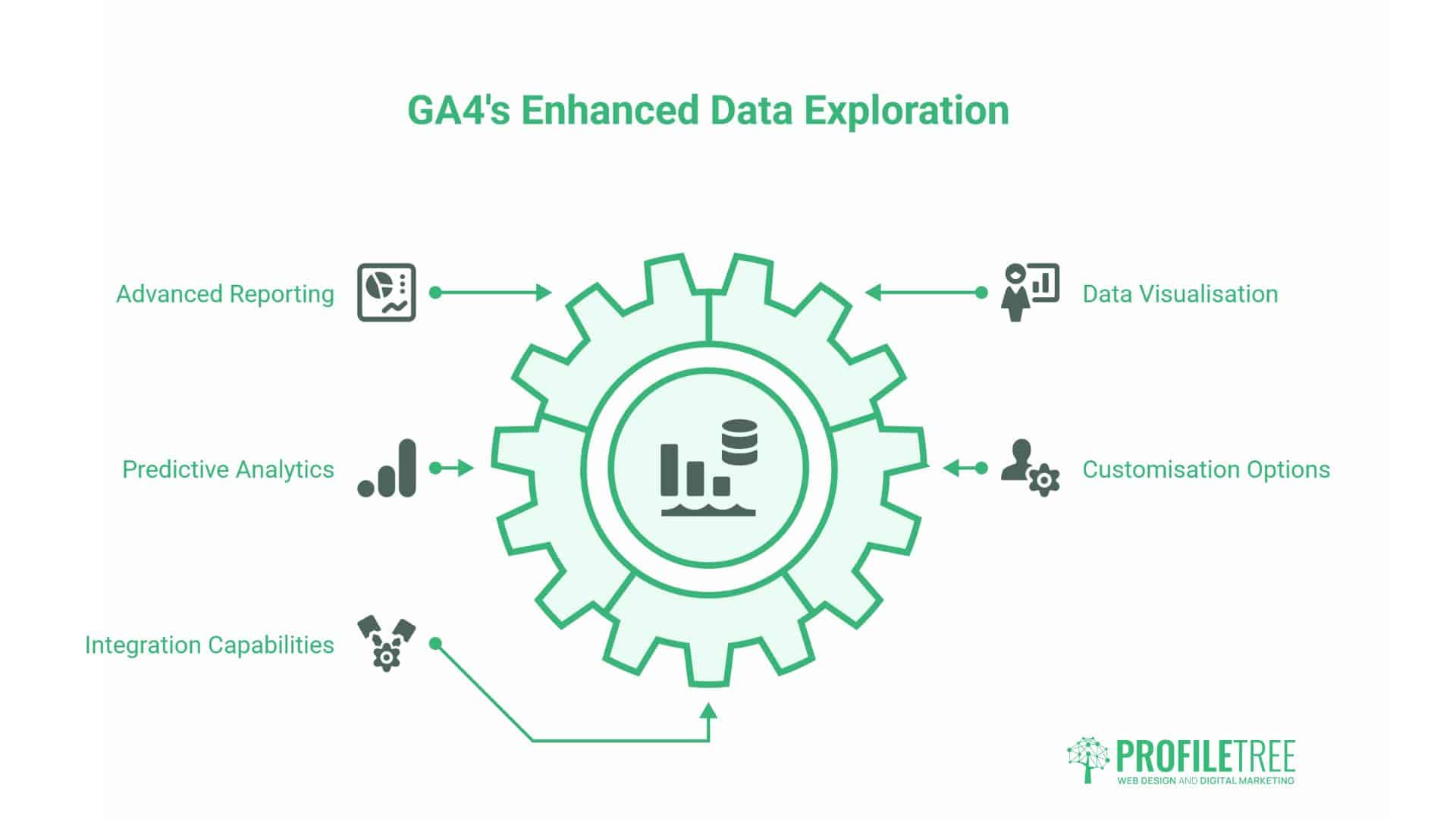
Beyond basic reporting, GA4 offers advanced capabilities that benefit businesses ready to dig deeper into their data.
Google Tag Manager Integration
Google Tag Manager (GTM) is a free tool that manages tracking codes without requiring edits to the website code. For businesses that track multiple tools—such as GA4, Facebook Pixel, LinkedIn Insight Tag, and conversion tracking—GTM simplifies implementation and maintenance.
Rather than installing individual scripts, you install GTM once. All other tools are then configured through GTM’s interface as “tags” with “triggers” that define when they fire.
Benefits include version control (you can revert changes if something breaks), easier team collaboration (marketers can add tags without developer help), and testing modes that preview changes before publishing them live.
Custom Events and Conversions
While GA4 automatically tracks basic events (page views, scrolls, clicks on outbound links), custom events track specific actions unique to your business:
- “Compare products” button clicks
- Video watch completion (25%, 50%, 75%, 100%)
- Scroll depth on specific landing pages
- Form field interactions (started form, completed specific sections)
- Live chat initiations
- Document downloads
- Pricing calculator usage
These custom events reveal engagement beyond pageviews. For example, if your landing page has 1,000 visitors but only 50 scroll past the first section, your headline or hero image needs work.
Custom events require either a GTM configuration or adding code to specific elements. Digital agencies typically implement a core set of 5-10 custom events that match their conversion funnel.
Audience Segmentation and Remarketing
GA4 creates audiences based on user behaviour, which can be used for remarketing campaigns or report filtering:
- Users who visited specific pages but didn’t convert
- Users who spent over 3 minutes on the site
- Users who visited more than 5 times in the past 30 days
- Users from particular locations or device types
- Users who abandoned shopping carts
These audiences sync with Google Ads for remarketing campaigns that target people based on their website behaviour. Someone who viewed your pricing page but didn’t contact you might respond to an ad offering a consultation.
Predictive Metrics
GA4 uses machine learning to predict future user behaviour:
Purchase probability estimates the likelihood that a user will make a purchase in the next 7 days based on their behaviour patterns compared to users who did convert.
Churn probability predicts which users are unlikely to return, enabling you to identify at-risk customers for targeted retention campaigns.
Revenue prediction estimates potential revenue from specific user segments based on historical patterns.
These predictions require sufficient data volume—typically several hundred conversions. Smaller websites may not have enough data for accurate predictions, but growing businesses should monitor when they reach these thresholds.
Looker Studio Dashboards
Looker Studio (formerly Google Data Studio) is a free reporting tool that connects to GA4 and enables the creation of visual dashboards. Rather than navigating GA4’s complex interface, create a dashboard that shows only the 5-10 metrics most relevant to your business.
Digital agencies provide custom Looker Studio templates for clients that display:
- Traffic overview (users, sessions, conversions)
- Top traffic sources
- Top landing pages
- Device breakdown
- Goal completion rates
- Month-over-month trends
These dashboards update automatically and can be viewed without logging into GA4. You can share view-only access with team members who need to see results without risk of them accidentally changing account settings.
Cross-Domain Tracking
Businesses that use separate domains for different purposes need cross-domain tracking to connect user journeys across these properties.
Without proper configuration, GA4 treats each domain as a separate session. Someone who browses your leading site then clicks through to your booking system appears as two different users, breaking attribution and inflating visitor counts.
Cross-domain tracking requires adding all domains to your GA4 configuration and adjusting the tracking code to pass user identifiers between domains. This ensures seamless reporting across your entire web presence.
Common Google Analytics Mistakes to Avoid
Even experienced users frequently make errors that corrupt data or lead to wrong conclusions:
Not Filtering Internal Traffic
The most common mistake is tracking your own team’s website usage as customer traffic. If staff regularly browse your site during work, this inflates visitor counts and skews behaviour data—your team interacts with the site differently than customers do.
Set up internal traffic filters immediately. If your team works remotely or from dynamic IP addresses, consider using Chrome extensions that block GA4 tracking for specific users, or create exclusion filters based on hostname.
Ignoring Bot and Spam Traffic
GA4 includes some bot filtering, but it’s not perfect. Check your traffic sources for suspicious patterns—sudden spikes from unusual countries, referral traffic from gambling or pharmaceutical sites, or visitors who view hundreds of pages in seconds.
Create filters to exclude obvious spam. Regularly review your traffic sources to identify and filter new sources of junk data.
Setting Up Goals Incorrectly
Goals that trigger on the wrong events or pages produce misleading conversion data. Common errors include:
- Counting contact page views as conversions instead of form submissions
- Triggering purchase conversions before payment is completed
- Not accounting for different user paths (some people call instead of filling forms)
Test every conversion goal thoroughly. Submit test forms, make test purchases, and verify that GA4 accurately records these.
Comparing Incompatible Date Ranges
Year-over-year comparisons that don’t account for the day of the week produce skewed results. Comparing “January 1-7” (which might include a weekend) to “February 1-7” (which might be all weekdays) mixes different user behaviour patterns.
Utilise GA4’s comparison features, which automatically align comparable periods or account for day-of-week differences.
Obsessing Over Vanity Metrics
Pageviews and sessions aren’t business outcomes. High traffic with zero conversions represents failure, not success. Focus on metrics that correlate with revenue—leads generated, sales completed, qualified traffic from target demographics.
If you’re proud that traffic increased 50% but can’t point to corresponding business growth, the traffic isn’t valuable.
Not Documenting Changes
When you adjust tracking, create new goals, or modify your website, note this in GA4’s annotations or an external log. Six months later, when you see a sudden change in metrics, you’ll know whether it reflects actual business changes or implementation modifications.
Sampling Data Without Understanding
GA4 uses data sampling when analysing enormous datasets to speed up reporting. Sampled reports might not perfectly represent all your data. The interface indicates when sampling occurs—look for the green/yellow/red shield icon.
For critical business decisions, use smaller data ranges or simpler reports that avoid sampling, or export raw data for analysis.
Alternatives and Complementary Tools
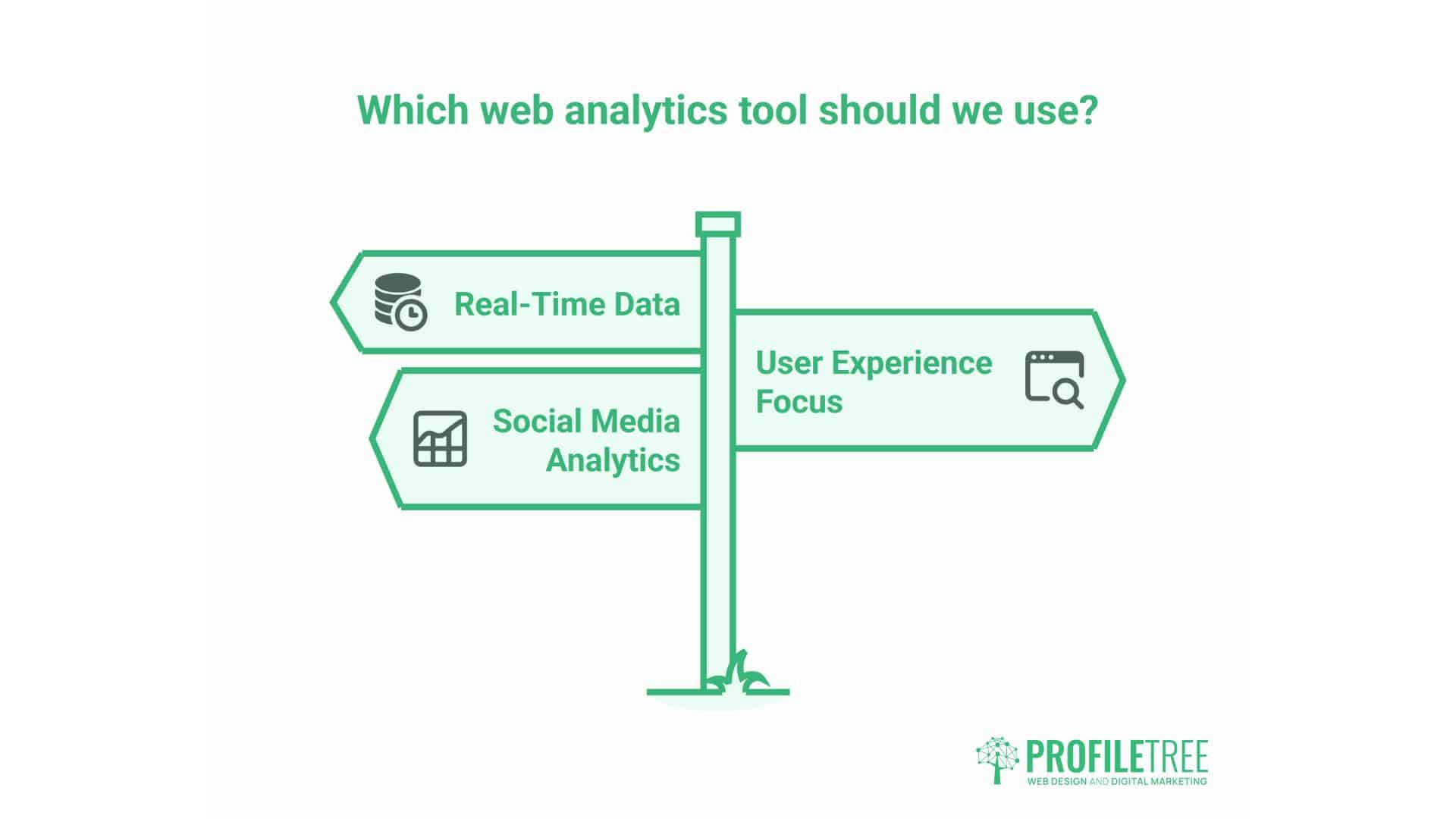
While Google Analytics dominates web analytics, other tools offer different perspectives or capabilities:
Privacy-Focused Alternatives
European businesses increasingly adopt privacy-first analytics that don’t require cookie consent:
Plausible and Fathom offer simpler dashboards with basic metrics (visitors, page views, referrers, top pages) that do not require cookies or personal data collection. These comply with GDPR without consent banners but offer far less depth than GA4.
Matomo (formerly Piwik) is an open-source platform that can be self-hosted for complete data ownership. It offers similar features to GA4 but gives you control over where data is stored and who can access it.
These alternatives work well for businesses that prioritise privacy or simplicity over comprehensive data, but they lack GA4’s integration with Google Ads, predictive analytics, and advanced reporting.
Heatmapping and Session Recording
Hotjar, Microsoft Clarity, and Crazy Egg demonstrate how users interact with specific pages through heatmaps (which show where people click and how far they scroll), session recordings (actual videos of user sessions), and funnel analysis.
These complement GA4 by showing qualitative behaviour that explains quantitative patterns. Suppose GA4 shows high bounce rates on a specific page. In that case, heatmaps reveal whether people aren’t clicking your call-to-action because they don’t see it, or whether they’re clicking on non-clickable elements expecting interaction.
Conversion Optimisation Platforms
Google Optimise (being phased out), VWO, and Optimizely enable A/B testing—showing different versions of pages to other visitors to determine which performs better.
GA4 reports current performance; optimisation platforms help improve it through systematic testing of headlines, layouts, call-to-action buttons, or entire page designs.
SEO-Specific Analytics
Google Search Console is essential alongside GA4 for SEO insights. While GA4 shows what happens after people land on your site, Search Console reveals:
- Search queries that trigger your pages in results
- Your average ranking position for each query
- Click-through rates from search results
- Mobile usability issues
- Core Web Vitals performance
Ahrefs and Semrush extend this with competitor analysis, keyword research, backlink tracking, and rank monitoring. These tools inform content strategy while GA4 measures the results.
E-commerce-Specific Platforms
Shopify’s native analytics, WooCommerce reports, and Adobe Analytics offer ecommerce-focused features that integrate more tightly with your store’s backend data.
GA4 tracks the customer journey and acquisition channels, while platform analytics provide detailed product performance, inventory impacts, and customer lifetime value, calculated using your actual sales data.
The Future of Web Analytics
Several trends are reshaping how businesses track and use web data:
Cookie Deprecation
Google Chrome’s planned removal of third-party cookies (delayed multiple times but still coming) will limit traditional tracking methods. GA4’s design anticipates this, using first-party cookies and machine learning to model user behaviour with less granular data.
Businesses should prepare by ensuring GA4 implementation is up to date, focusing on first-party data collection (such as email lists, account creation, and loyalty programs), and accepting that some tracking will become less precise.
Server-Side Tracking
Traditional analytics relies on browser-based JavaScript that users can block with ad blockers or privacy tools. Server-side tracking moves data collection to your web server, making it unblockable but requiring more technical implementation.
GA4 supports server-side tracking through Google Tag Manager Server-Side. This approach will become increasingly crucial as browser privacy restrictions tighten.
Privacy Regulations
GDPR set a baseline that other regions are following. California’s CCPA, Brazil’s LGPD, and potential US federal privacy law all affect how businesses can collect and use web data.
Expect consent requirements to expand, retention limits to tighten, and penalties for violations to increase. Businesses that establish privacy-first practices now will adapt more easily than those forced to scramble when new regulations arrive.
AI-Powered Insights
GA4 already uses machine learning for predictions and anomaly detection. Future versions will likely offer more automated insights—proactively alerting you to opportunities or problems rather than requiring you to analyse data yourself.
This democratises analytics by making insights accessible to business owners who lack data science expertise. However, it also risks overreliance on algorithmic recommendations without a thorough understanding of the underlying data.
Getting Professional Help
Most business owners lack the time to become an expert in analytics. Professional support often provides better ROI than struggling alone:
When to Hire an Analytics Expert
Consider professional help if:
- You’ve installed GA4 but rarely use it because the interface is confusing
- You’re making significant marketing investments without measuring return
- Your analytics show concerning patterns you don’t understand
- You need custom tracking for complex user journeys
- Data from different tools contradict each other
- You’re planning a website redesign or significant changes and want to establish baseline measurements
What Professional Analytics Services Include
Digital agencies typically offer analytics support:
Basic implementation covers installing GA4 correctly, setting up essential goals, connecting Search Console, and configuring privacy-compliant cookie consent. This establishes accurate data collection.
Strategic reporting provides monthly or quarterly analysis with actionable recommendations. Rather than raw data, you receive interpreted insights: “Organic traffic from ‘video production Belfast’ queries increased 40%, but these visitors have a 15% conversion rate vs. 8% site average—we should create more video production content and optimise conversion paths for these high-intent visitors.
Custom tracking implements advanced event tracking, custom dashboards, cross-domain measurement, or integration with CRM systems. This provides visibility into metrics unique to your business model.
Optimisation consulting combines analytics data with UX research, A/B testing, and conversion rate optimisation to systematically improve website performance.
Training Your Team
An alternative to ongoing services is training your team to handle analytics internally. Digital training workshops can teach business owners and marketing managers to:
- Navigate GA4’s interface confidently
- Identify the metrics that matter for their specific business
- Create simple reports and dashboards
- Use data to guide content and marketing decisions
- Recognise when something is wrong and needs expert attention
This approach works well for businesses with the internal capacity to manage analytics once they understand the fundamentals.
FAQs
How much does Google Analytics cost?
GA4 is free for most businesses. Google offers a premium version called Analytics 360 starting around £150,000 annually, intended for enterprise organisations processing tens of millions of hits per month. The free version provides comprehensive features suitable for businesses that generate up to 10 million hits monthly.
Do I need technical skills to use Google Analytics?
Basic reporting requires no technical skills—you can view traffic numbers, top pages, and referral sources through GA4’s standard reports. Setting up custom events, configuring advanced tracking, or troubleshooting implementation problems requires some technical knowledge or professional help.
How accurate is Google Analytics?
GA4’s accuracy depends on proper implementation and user behaviour. With correct setup and privacy-compliant tracking, data is approximately 85-95% accurate. Factors that reduce accuracy include ad blockers (used by 25-40% of users), Safari’s Intelligent Tracking Prevention, users who decline cookie consent, and bot traffic. No analytics platform provides perfect accuracy.
What’s the difference between GA4 and Universal Analytics?
Universal Analytics (retired as of July 2023) employed a session-based model, focusing on page views. GA4 utilises an event-based model that more accurately tracks modern web behaviour across devices. GA4 also offers improved privacy features, machine learning insights, and integration with Google’s advertising platforms. All businesses must now use GA4, as Universal Analytics no longer collects data.
Taking Action: What Is Google Analytics?
Data without action wastes opportunity. If you’ve read this far, you understand what Google Analytics offers—now it’s time to use it.
Start by verifying your current setup is both accurate and legally compliant. Many businesses assume their analytics work correctly when, in fact, they miss traffic or violate GDPR requirements. Check tracking code installation, test conversions, review privacy policies, and audit your cookie consent mechanism.
Next, identify the three metrics that most directly relate to your business goals. For a service business, this might be contact form submissions, phone clicks, and organic search traffic. For e-commerce, key metrics may include revenue, average order value, and cart abandonment rate. For content sites, maybe newsletter signups, engagement rate, and traffic from target demographics. Focus on these rather than trying to monitor everything at once.
Schedule monthly analytics reviews and actually attend them. Block 30 minutes on your calendar to review last month’s data, identify trends, and decide on one or two actions based on what you learned. If a page generates high traffic but few conversions, improve it. If a traffic source sends engaged visitors, invest more there. If mobile users behave differently from desktop users, optimise for their needs.
Analytics serves business growth only when insights drive decisions. The businesses that ProfileTree works with, which see the strongest results, share a common trait: they consistently review data, test changes based on findings, and adjust their strategy when evidence points to better approaches.
Your website generates data every day, whether you look at it or not. The question is whether you’ll use that information to make better decisions, or let it sit idle while competitors who do use their data pull ahead. Google Analytics transforms from an intimidating dashboard into a competitive advantage when you know which questions to ask and how to interpret the answers.