
Fun websites to try when you are bored
Table of Contents
Fun websites are free sites built for play: small games, music toys, drawing tools, and odd experiments that run in your browser with no download or sign-up. This list from ProfileTree groups more than thirty long-running fun websites by what you feel like doing, from a two-minute word puzzle to a live radio broadcast from the other side of the world.
Each entry says what the site does and what to try first. If you arrived here looking at web design Belfast agencies, the later section on what these sites can teach a company website is written for you, because the same thinking goes into interactive features on client sites.
Quick games for a short break
The best sites for a coffee break load in seconds and finish before the kettle has cooled. None of the games below asks for an account to start playing.
Wordle
Wordle gives everyone the same five-letter word each day and six guesses to find it. Coloured tiles show which letters are in the word and which are in the right place, so each guess narrows the field. The game now sits on the New York Times Games site and is still free to play.
Find the Invisible Cow
Find the Invisible Cow hides a cow somewhere on a blank screen. As your cursor moves closer, a voice saying “cow” gets louder, and you click when you think you are on top of it. Turn your sound on before you start, because the whole game depends on it.
Agar.io
Agar.io puts you in charge of a small cell in a dish shared with other players online. You grow by eating smaller cells and lose the round when a larger one eats you. Rounds are short, which makes it easy to play one game and stop.
GeoGuessr
GeoGuessr drops you into a Google Street View scene somewhere in the world and asks you to mark the spot on a map. Road signs and the side of the road people drive on are the most useful clues. The free version is limited, and full access needs a paid subscription.
Sites that turn the world into something to explore

Several of the most absorbing ones use live data or real places in place of a game board. They suit the moments when you want to look at something new without having to win anything.
MapCrunch
MapCrunch shows a random Street View location each time you press Go. You can limit it to particular countries or leave it fully random, and an auto mode moves on to a new place every few seconds. It works well as a free warm-up for anyone who enjoys GeoGuessr.
Radio Garden
Radio Garden is a spinning globe covered in green dots, and each dot is a radio station you can listen to live. Drag the globe to a city and the station starts playing within a second or two. Late at night, it is a good way to hear what breakfast radio sounds like on another continent.
Flightradar24
Flightradar24 shows aircraft in the air across the globe on a live map. Clicking a plane brings up its route and altitude, and the basic map costs nothing. It is worth opening when you hear a plane overhead and wonder where it is going.
Window Swap
Window Swap plays short videos filmed from people’s windows in different countries. Each press of the button opens a new window, with the street sounds or birdsong recorded at the time. It is one of the calmest sites here and works well on a second screen.
Music and sound toys anyone can play
The music sites below need no training, because the site handles the timing and the harmony. You choose the sounds and they take care of keeping them in time.
Patatap
Patatap turns your keyboard into a set of sounds, each paired with a burst of colour on screen. Press the space bar to change the palette and the sound set. A few minutes of random typing usually turns into something close to a rhythm.
Incredibox
Incredibox gives you a row of beatboxing characters and a set of icons to drag onto them. Each icon adds a sound, and the characters stay in time with each other. A free demo runs in the browser, and the full versions are paid apps.
Typedrummer
Typedrummer converts whatever you type into a drum pattern, with each letter mapped to a percussion sound. Typing your own name is a good first test. The loop keeps playing until you change the text.
Online Sequencer
Online Sequencer is a simple piano roll (a grid where each row is a note and each column is a moment in time) that runs in the browser. You can build a tune note by note, save it and share the link, and other users publish their own songs to remix. It sits between a toy and a real composition tool.
Blob Opera
Blob Opera is a Google Arts and Culture experiment with four singing blobs. Drag a blob up or down to change its pitch, and the other three adjust to harmonise, using a model trained on recordings of opera singers. It takes no musical knowledge to make something that sounds rehearsed.
Gnoosic
Gnoosic asks for three bands or artists you like and then suggests one you may not know. Each suggestion comes with buttons to say whether you like it, and the next recommendation adjusts to your answer. Keep a note open, because a good run can fill an afternoon’s listening.
Drawing, typing and creative toys
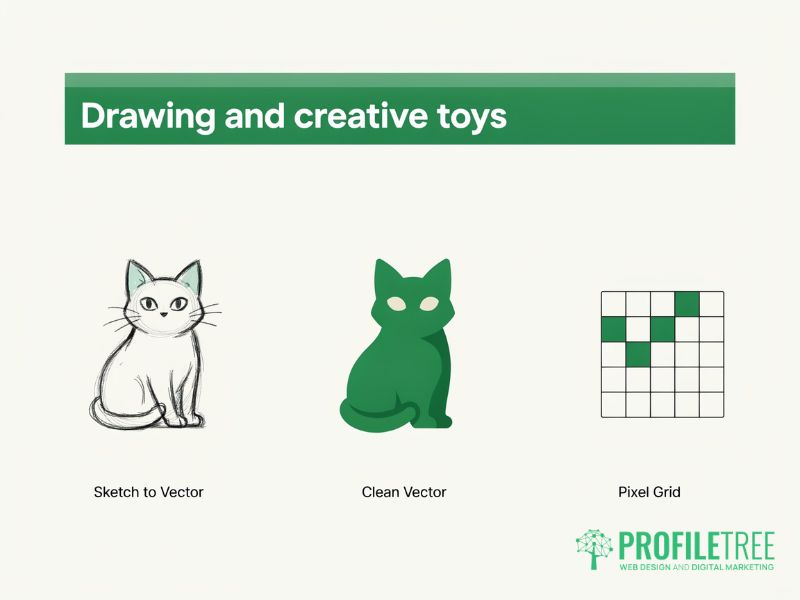
These sites give you a simple input and turn it into something better than you could produce alone. They are a good choice for anyone who likes making things more than playing games.
AutoDraw
AutoDraw is a Google drawing tool that watches your rough sketch and offers cleaner drawings that match it. Pick a suggestion and your scribble is replaced with a tidy illustration. It is useful for quick icons as well as for fun.
Quick, Draw!
Quick, Draw! gives you a word to draw in 20 seconds while a neural network (software trained on millions of examples) tries to guess what it is. Watching it guess out loud while you draw is the entertaining part. Google publishes the collected drawings as an open dataset for researchers.
Pixel Art Maker
Pixel Art Maker offers a grid and a colour palette, and you fill squares one at a time. The tight limits make it easier to produce something that looks finished, even with no drawing skill. You can save the result as an image.
Hacker Typer
Hacker Typer fills the screen with convincing computer code whatever keys you press. It looks like a scene from a heist film, which is the whole joke. People sometimes use it as a harmless prank on a colleague’s screen.
Scream Into The Void
Scream Into The Void has a box to type a complaint into and a button to send it away. The words drift off into a dark background and are gone. It is a small, private way to let off steam without sending a message you would later regret.
Strange and surprising one-idea sites
Some of the best-loved sites on the web do one odd thing and do it well. The appeal is the surprise, so it is better to try each one before reading too much about it.
Pointer Pointer
Pointer Pointer waits until you stop moving your mouse and then shows a photograph of a person pointing at exactly where your cursor is. The collection of photos is large enough that it rarely misses. Try parking the cursor in a corner to test it.
Paper Toilet
Paper Toilet shows a single toilet roll that unrolls as you scroll or drag it. There is nothing else to do, and that is why it is oddly satisfying. It needs nothing more than a scroll wheel or a finger.
Staggering Beauty
Staggering Beauty shows a black worm that follows your mouse. Shake the mouse quickly, and the screen begins to flash in bright colours, so avoid it if you are sensitive to flashing lights. Moving slowly, the worm makes a calm little animation.
The Useless Web and BoredButton
The Useless Web is a single button that sends you to a random pointless website from its collection. BoredButton works the same way with its own set of games and toys. Both are good when you cannot decide what to try next.
Library of Babel
The Library of Babel is based on a short story by Jorge Luis Borges about a library holding every possible book. The site generates every possible page of 3,200 characters, so any sentence you search for already exists on some page in it. Most pages are nonsense, which is part of the point.
Not Always Right
Not Always Right publishes short stories sent in by people who work with the public, mostly about difficult customers. The stories are grouped by job, so retail and hospitality staff can each find their own. It is easy to read for ten minutes and recognise someone you have served.
Giphy
Giphy is a search engine for GIFs (short looping animations) and stickers. It is the quickest way to find a reaction for a group chat. Browsing the trending page shows what the internet is laughing at that day.
Websites like neal.fun that teach you something
Neal.fun is the site people most often ask about when they search for fun websites, and the sites in this section share its habit of teaching you something while you play. They are worth bookmarking for slow evenings.
Neal.fun
Neal.fun is a collection of interactive projects by the developer Neal Agarwal. Spend Bill Gates’ Money lets you buy yachts and stadiums until you sense the size of a fortune, and The Deep Sea scrolls down through the ocean past the creatures found at each depth. New projects appear a few times a year.
Gapminder
Gapminder is a foundation that publishes interactive charts and quizzes about health and wealth around the world. Its quizzes show how far common assumptions about global development are out of date. Dollar Street, another of its projects, shows photographs of homes in many countries, sorted by household income.
Astronomy Picture of the Day
Astronomy Picture of the Day, run with NASA, has published one space image every day since June 1995. Each picture comes with a short explanation written by a professional astronomer. The archive goes back to the first day and rewards an hour of browsing.
The Wayback Machine
The Wayback Machine from the Internet Archive stores copies of web pages going back to 1996, and the archive passed one trillion saved pages in October 2025. Type in the address of a website you know and you can see how it looked years ago. Old versions of big news and shopping sites show how much web design has changed.
What a business website can borrow from fun websites
Most of these sites do one thing, explain it in a line, and let the visitor act straight away, and that is the lesson for any commercial site. A visitor who understands what to do within a few seconds stays longer, and that holds for a sales page as much as for a game.
ProfileTree is a Belfast web design and digital marketing agency, founded in 2011 and based at the McSweeney Centre. When we plan something interactive for a client, we start with the job it does for the business and only then choose the mechanic. The table below maps the ideas behind some of the sites above to features that suit a company site.
| Fun website | The idea behind it | How a business can use the idea |
|---|---|---|
| Neal.fun (Spend Bill Gates’ Money) | Makes a big number easy to grasp by letting you act on it | A cost or savings calculator that shows a visitor their own figures |
| Gnoosic | Asks a few questions and gives one answer | A short product or service finder that points to the right page |
| Radio Garden | Uses a map as the main way to move around | A map of locations, branches or service areas |
| Wordle | Gives people a reason to come back each day | Regular, dated content such as a weekly tip or a seasonal guide |
| Pointer Pointer | Responds instantly to what the visitor does | Clear feedback on buttons and forms, so visitors know an action worked |
| Blob Opera | Lets anyone produce a good result with no skill | A configurator that keeps every option a customer picks valid |
Two cautions apply to all of these. Interactive features cost time to build and can slow a page, so each one has to earn its place against page speed and accessibility, and a feature that only works with a mouse leaves out phone users and people who rely on a keyboard. Our guide to interactive web design elements covers the common options in more detail, and our round-up of websites that inspire business design shows the ideas applied to commercial sites.
Ciaran Connolly, founder of ProfileTree, says: “A website is a business tool before it is anything else, and the playful sites people love prove the point, because every interaction on them has a purpose. At ProfileTree, we start any web design brief in Belfast with what the website has to do for the business and who has to find it, and an interactive feature only goes in if it helps that customer do what they came to do.”
That approach applies whether a business is planning a full website redesign in Belfast or adding one calculator to an existing site. In both cases, the brief comes first, and the feature follows from it.
Planning an interactive feature for your own website
If one of these sites has given you an idea for your own website, the next step is to decide what the feature should do for your customers and whether it is worth the build time. ProfileTree’s website design service covers the planning and the build, with new websites starting from £4,000 plus VAT. Tell us what you want visitors to do, and we will tell you which kind of feature, if any, fits.
FAQs
1. Do these sites cost anything to use?
Most of the sites here are free in a browser with no account. A few, such as GeoGuessr and Incredibox, offer a limited free version and charge for full access, and Flightradar24 adds paid features to its free map. The entries above note where that applies.
2. Which websites are like neal.fun?
Gapminder and Quick, Draw! are the closest to neal.fun, because each one teaches you something while you play. The Library of Babel shares its habit of making a huge idea feel concrete. For the random, one-idea side of neal.fun, try The Useless Web or BoredButton.
3. Are these sites safe to use?
The sites listed here are long-running and well known, and none of them needs personal details to play. Use an up-to-date browser, and leave any site that asks for a password or payment details you did not expect to give. Staggering Beauty flashes bright colours, so skip it if flashing lights affect you.
4. Do these websites work on a phone?
Most of them work on a phone, though sites built around a mouse or keyboard are better on a computer. Radio Garden and Wordle both work well on a touchscreen. Patatap and Hacker Typer need a physical keyboard to work as intended.
5. Can a company website use the same ideas?
Yes, provided each feature serves a business goal. A calculator or a product finder uses the same thinking as the sites on this list and gives visitors something useful to do. The table above sets out the matches.