
DigitalOcean Hosting for UK Agencies: Is It Right for You?
Table of Contents
DigitalOcean hosting puts raw cloud infrastructure directly in your hands. For agencies managing multiple client sites, that is either the most exciting thing you’ll read today or the most alarming, depending on how much Linux you know.
This guide is not a neutral product overview. It is written from the perspective of a digital agency that has tested, migrated to, and actively manages client sites on DigitalOcean hosting. The platform is capable, cost-effective for technically confident teams, and particularly well-suited to UK agencies that need London-based data residency. The goal here is to give agency owners and marketing managers in the UK and Ireland an honest picture of what it delivers, what it costs you in actual money and actual time, and when it makes sense to bring in specialist help rather than going it alone.
What DigitalOcean Hosting Actually Is
DigitalOcean is a cloud infrastructure provider founded in 2011. It serves over 700,000 customers from data centres across Europe, North America, and Asia. Unlike traditional shared hosting providers, DigitalOcean gives you virtual private servers, called Droplets, with dedicated CPU, RAM, and SSD storage allocated to your account.
The practical difference from shared hosting is significant. On a shared platform, your site competes with hundreds of others for the same physical resources. On a DigitalOcean Droplet, you get what you pay for, consistently, without neighbouring sites affecting your performance during traffic spikes.
What DigitalOcean does not give you is hand-holding. There is no cPanel, no one-click WordPress installer built into the core platform, and no phone support. The platform is built for developers and technical teams. Agencies without that in-house capability need either a managed intermediary or a technical partner.
Droplet Types Explained
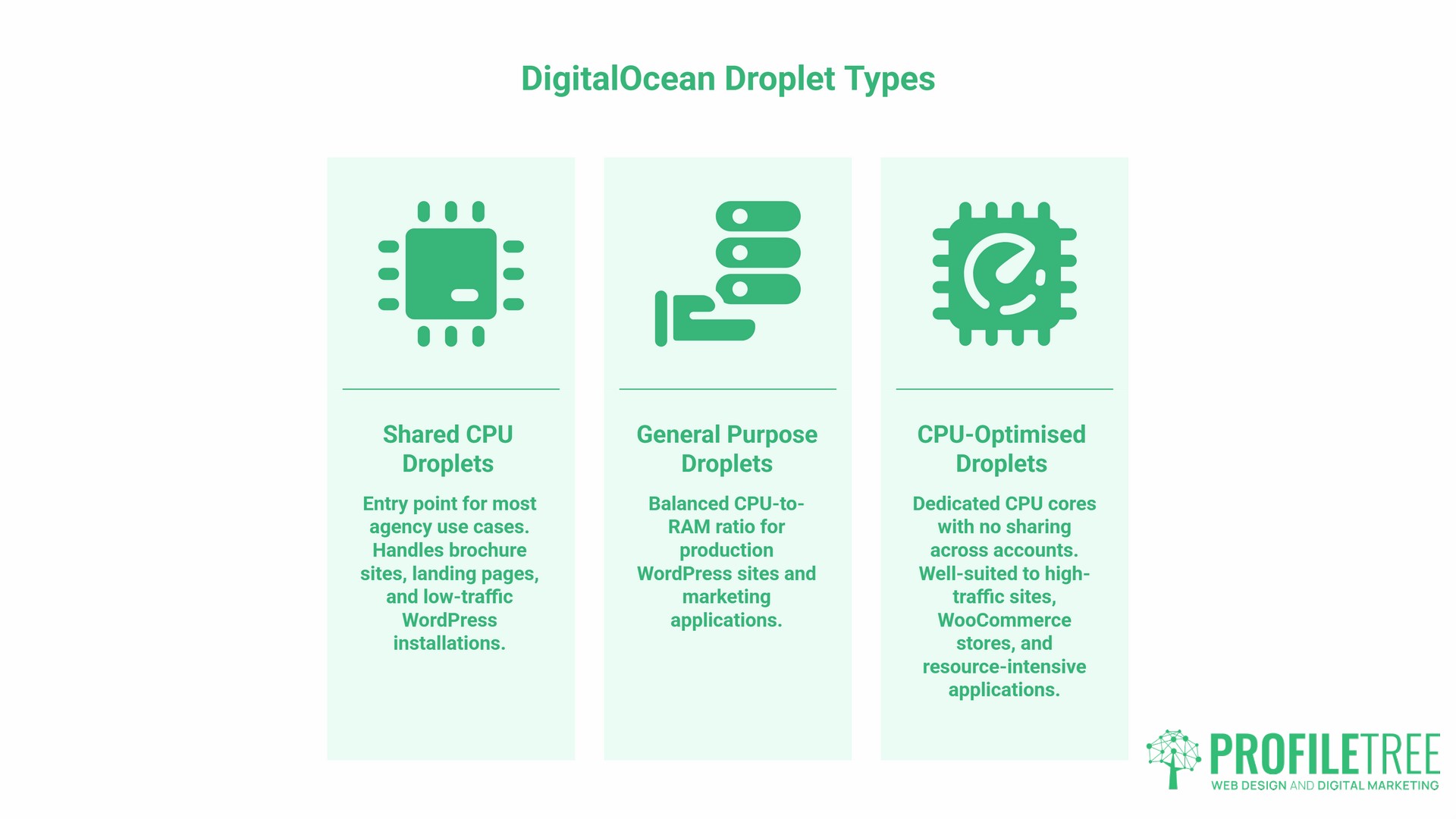
DigitalOcean offers three main Droplet categories, each suited to different workloads:
- Shared CPU Droplets are the entry point for most agency use cases. Starting at around £3.20 monthly for 1GB RAM and 25GB SSD storage, these handle brochure sites, landing pages, and low-traffic WordPress installations without issue.
- General Purpose Droplets offer a balanced CPU-to-RAM ratio for production WordPress sites and marketing applications. The 2 vCPU / 4GB RAM configuration at around £19.20 monthly is the most common choice for agencies running single-site or small multi-site setups.
- CPU-Optimised Droplets allocate dedicated CPU cores with no sharing across accounts. Starting at around £32 per month for 2GB of RAM, these are well-suited to high-traffic sites, WooCommerce stores, and resource-intensive applications where consistent processing power matters.
Performance: What ProfileTree’s Testing Found
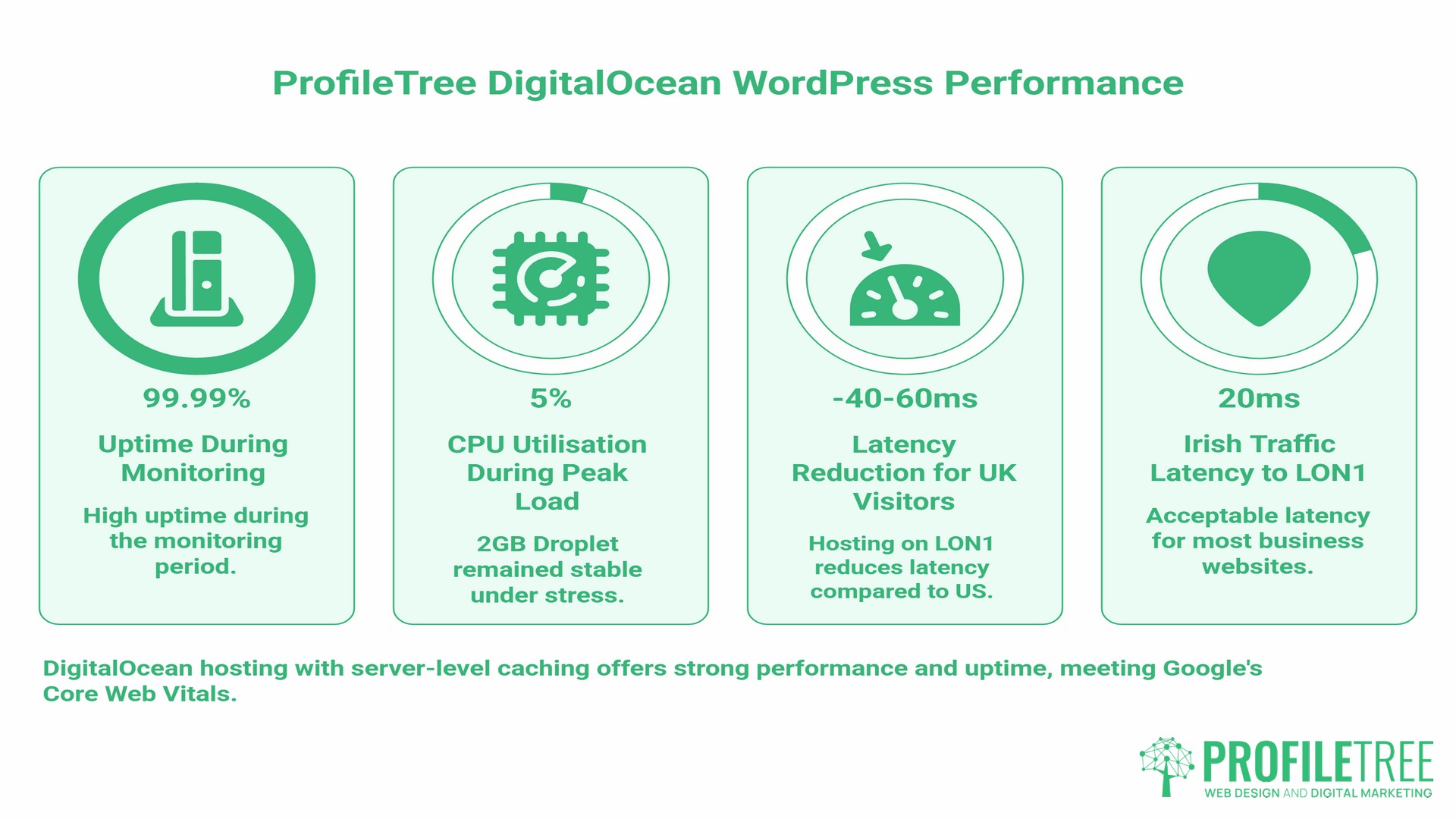
ProfileTree tested DigitalOcean hosting on WordPress sites running on 2GB Shared CPU Droplets with server-level caching configured. The results from UK locations using the London data centre:
- Average uncached page load: 670ms
- Cached page load: under 500ms consistently
- Time to First Byte (TTFB): 120ms average
- Largest Contentful Paint (LCP): 1.2 seconds average
- Ping latency from the UK: 35ms to the LON1 data centre
- Uptime during the monitoring period: 99.99%
Stress testing simulated 50 concurrent users on resource-intensive pages. The 2GB Droplet held stable with CPU utilisation below 5% during peak load, with no timeouts or performance degradation over 48 hours.
For context, those LCP and TTFB numbers put a well-configured DigitalOcean Droplet comfortably inside Google’s Core Web Vitals thresholds. That matters directly for SEO. If your clients’ sites are failing Core Web Vitals on shared hosting, the server itself is often the constraint, and switching to DigitalOcean with proper caching configuration will move the needle.
The London (LON1) Data Centre for UK and Irish Traffic
For agencies serving UK and Irish clients, the LON1 data centre is the relevant choice. Hosting on LON1 rather than a US-based server typically reduces latency by 40-60ms for UK visitors. That improvement shows up in TTFB, which affects both user experience and search rankings for location-specific queries.
Irish clients are worth addressing directly: DigitalOcean does not have a data centre in Ireland. LON1 serves Irish traffic with sub-20ms latency in testing, which is acceptable for most business websites. For data residency under Irish GDPR, you are still hosting data within the UK, not the EU, which requires consideration post-Brexit. If your client specifically needs EU data residency, Amsterdam (AMS3) is the nearest alternative and adds around 15 to 20ms latency for Irish users.
The True Cost of DigitalOcean Hosting for UK Agencies
DigitalOcean’s pricing is transparent on the Droplet itself. Where agencies get caught out is the full picture.
Droplet Pricing in GBP
DigitalOcean prices in USD. The GBP equivalents below use approximate current rates and will shift with exchange rate movement. Budget for a 10 to 15% buffer.
| Configuration | Monthly (est. GBP) | RAM | Storage | Bandwidth | Best For |
|---|---|---|---|---|---|
| Basic Shared (1 vCPU) | ~£3.20 | 1GB | 25GB SSD | 1TB | Dev environments, landing pages |
| Basic Shared (2 vCPU) | ~£9.60 | 2GB | 60GB SSD | 3TB | Small WordPress sites |
| General Purpose (2 vCPU) | ~£19.20 | 4GB | 80GB SSD | 4TB | Production WordPress, WooCommerce |
| CPU-Optimised (2 vCPU) | ~£32.00 | 4GB | 25GB NVMe | 4TB | High-traffic sites, custom apps |
| Agency Standard (4 vCPU) | ~£57.60 | 8GB | 160GB SSD | 5TB | Multi-site, resource-heavy projects |
The Hidden Costs
These are not hidden in any deceptive sense; they are simply line items that do not appear in the headline pricing but will appear on your monthly bill:
- Automated backups: £1.60 per month per Droplet for weekly snapshots. For an agency running 20 client Droplets, that is £32 monthly before anything else
- Load balancers: £9.60 monthly. Required if you want high-availability failover for critical client sites
- Managed databases: from £12.00 monthly for MySQL or PostgreSQL. Running the database on the same Droplet as your app is cheaper but creates single points of failure
- Block storage: £0.08 per GB monthly for additional SSD volumes
- Outbound data transfer: included up to the bandwidth limit per Droplet. Exceeding it costs extra. Most agency sites stay well within limits, but video-heavy or media-rich sites need monitoring
- Server management platform: RunCloud, Ploi, or ServerPilot cost £15 to £30 monthly but make managing multiple Droplets practical for non-command-line users
Annual Cost Projection: 20-Client Agency
| Line Item | Annual Cost |
|---|---|
| Hosting infrastructure (20 Droplets, General Purpose) | ~£4,608 |
| Automated backups (20 Droplets) | ~£384 |
| Server management platform (RunCloud) | ~£360 |
| Load balancer (2 critical sites) | ~£230 |
| Total estimated annual spend | ~£5,582 |
Compare that to managed WordPress hosting at £25 per site per month: £6,000 annually for 20 sites. The gap is real but smaller than the headline suggests once you account for the full stack.
The more significant difference is developer time. Managed hosting absorbs the maintenance overhead. DigitalOcean does not. Factor in the cost of whoever on your team handles OS security patches, WordPress core updates, SSL renewals, and incident response. For smaller agencies without a dedicated developer, that overhead often outweighs the hosting savings.
Managed vs Unmanaged: The Agency Resource Trap
This is the section most DigitalOcean reviews skip past, and it is where agencies most commonly make expensive mistakes.
DigitalOcean provides infrastructure. When your Droplet’s hardware fails, DigitalOcean fixes it. When your WordPress site gets compromised, when your database fills up, when an OS security patch breaks something, when your PHP version hits end-of-life: that is your problem. You fix it.
“The learning curve with DigitalOcean is real, but it’s an investment that pays dividends,” says Ciaran Connolly, founder of ProfileTree. “Once you have the platform properly configured with automated security, monitoring, and backups, you can deliver hosting performance that costs clients significantly more elsewhere. But you have to build that configuration first, and it takes genuine technical expertise to get right.”
What You Are Responsible For on an Unmanaged Droplet
- Operating system security patches and kernel updates
- Web server configuration (Nginx or Apache)
- PHP version management and compatibility
- Database optimisation and maintenance
- SSL certificate provisioning and renewal
- Firewall rule management
- Malware scanning and WordPress hardening
- Monitoring and uptime alerting
- Incident response when things go wrong
None of this is difficult for an experienced developer. All of it is time-consuming and, if missed, consequential. A single unpatched vulnerability on a client site is a business-level problem, not just a technical one.
When DigitalOcean Makes Sense Without a Managed Layer
If your agency has a developer who is comfortable with Linux administration and server security, DigitalOcean is an excellent choice. The control it gives you over caching, security configuration, and performance optimisation is genuinely superior to managed platforms.
If your agency does not have that capability in-house, you have two options: use a managed hosting intermediary (which adds cost and reduces the pricing advantage), or bring in a technical partner to manage the infrastructure on your behalf.
ProfileTree’s web development services include server infrastructure management for agencies that want the performance and cost benefits of cloud hosting without the maintenance overhead. It is worth understanding what that arrangement looks like before committing to a DIY approach.
DigitalOcean vs Traditional Agency Hosting
| Provider | Monthly Cost (est. per site) | CPU | RAM | Storage | Management |
|---|---|---|---|---|---|
| DigitalOcean (Shared) | ~£3.20 | 1 vCPU | 1GB | 25GB SSD | Self-managed |
| SiteGround (StartUp) | ~£12.99 | Shared | Unspecified | 10GB | Fully managed |
| WP Engine (Startup) | ~£25.00 | Shared | Unspecified | 10GB | Fully managed |
| Cloudways (DO-backed) | ~£8.00 | 1 vCPU | 1GB | 25GB SSD | Managed layer |
The Cloudways row is worth dwelling on. Cloudways runs on top of DigitalOcean infrastructure, adding a managed application layer. You get most of the performance benefits with significantly less maintenance overhead, at roughly 2.5x the raw Droplet cost. For agencies that want cloud performance without full server responsibility, that trade-off often makes commercial sense.
Key Differences in Practice
- Customisation: Managed platforms restrict server configuration. On DigitalOcean, you control everything: caching architecture, security headers, PHP configuration, and database tuning. For performance-focused web development, control matters.
- Scalability: Upgrading on a managed platform usually means changing plan tiers with potential downtime and support tickets. DigitalOcean allows vertical scaling (more CPU and RAM) and horizontal scaling (additional Droplets behind a load balancer) with minimal disruption.
- Support scope: Managed hosts support your application. DigitalOcean supports only the infrastructure. This distinction becomes relevant at 2 am when a client’s site goes down, and you are determining whose responsibility it is to fix it.
GDPR and Data Residency for UK and Irish Agencies
UK agencies handling client data need to consider where that data physically resides. DigitalOcean’s LON1 data centre supports UK data residency requirements under the UK GDPR following the EU withdrawal.
DigitalOcean provides Data Processing Addendum (DPA) agreements and holds ISO 27001 certification. The platform also maintains SOC 2 Type II certification, covering security, availability, and confidentiality controls. These are the baseline compliance credentials you should verify with any infrastructure provider handling client data.
What the platform does not do is configure data residency for you. If you provision a Droplet in a US region by default, your data is in the US. Deliberate region selection at the account and project level is required. This sounds obvious, but it is a step that gets missed during rushed project setups.
For agencies serving Irish clients specifically, the post-Brexit position means UK hosting is no longer within the EU. If a client’s data protection policy requires EU data residency, LON1 does not satisfy that requirement. The Amsterdam region is the nearest EU alternative, and some agencies use a hybrid approach: LON1 for UK clients and AMS3 for Irish and EU clients.
ProfileTree’s Migration Framework: Moving Clients to the Cloud
Moving client sites to DigitalOcean hosting requires a structured process. The phases below reflect how ProfileTree approaches multi-site migrations.
Phase 1: Infrastructure Setup (Week 1)
Before migrating any client site, build and validate the environment it will land in.
- Create a the DigitalOcean account, configure billing alerts, and select the LON1 region as the default
- Provision initial Droplets at conservative sizes, scaling up once real usage data exists
- Install and configure the server management platform (RunCloud or Ploi suit most agency setups)
- Configure automated backups, monitoring alerts, and firewall rules
- Test with a non-critical internal site before touching any client
Phase 2: Pilot Migration (Week 2)
Select three to five client sites with the following profile for initial migration:
- Lower traffic volumes (easier to validate without business-critical risk)
- Standard WordPress setups without custom server dependencies
- Clients who have agreed to a planned maintenance window
For each site: create a full backup, build an identical staging environment on the Droplet, validate all functionality, then execute the DNS cutover during low-traffic hours. TTL reduction to 300 seconds, 24 hours before the cutover, minimises propagation delay.
Phase 3: Full Migration (Weeks 3 to 6)
Migrate remaining sites in planned batches, working through:
- Full site backup and database export
- Droplet provisioning with SSL, caching, and security configuration
- DNS update and propagation monitoring
- Post-migration validation: forms, checkout flows, third-party integrations, Core Web Vitals scores
- Configuration documentation for ongoing management
Risk Mitigation
Keep the original hosting active for a minimum of two weeks post-migration. This gives you a clean rollback path if anything surfaces. DigitalOcean’s snapshot feature lets you capture a point-in-time image of each Droplet before any significant change, which is worth doing before every WordPress core or plugin update.
DigitalOcean vs AWS and Google Cloud for UK Agencies
Most agencies considering DigitalOcean are coming from shared hosting, not from AWS or Google Cloud. But the comparison matters because both platforms are often suggested as alternatives.
AWS and Google Cloud offer far broader service catalogues than DigitalOcean: managed Kubernetes, serverless compute, machine learning infrastructure, global CDN with deep customisation, and more. For large enterprise projects, that breadth has value.
For the majority of agency workloads, specifically WordPress sites, WooCommerce stores, landing pages, and marketing applications, that breadth is mostly irrelevant. AWS and GCP are also significantly more complex to configure and more expensive at equivalent specification levels. DigitalOcean’s advantage is deliberate simplicity: a Droplet is straightforward to understand, price, and manage.
The one genuine advantage AWS offers is the Lightsail product, which provides a managed-ish layer over EC2 instances at pricing comparable to DigitalOcean. It is worth considering if your agency already operates within the AWS ecosystem for other services.
For most Northern Ireland and Irish agencies without a dedicated DevOps function, DigitalOcean’s documentation quality and community support also offer a practical advantage. The platform’s tutorial library is genuinely one of the best in the industry for common agency scenarios.
How Hosting Infrastructure Connects to Your Digital Marketing Results
The connection between hosting performance and marketing outcomes is often treated as a technical footnote. It should not be. The choice of DigitalOcean hosting, or any cloud infrastructure, has direct consequences for every marketing channel running on top of it.
Google’s Core Web Vitals, which include LCP, First Input Delay (FID), and Cumulative Layout Shift (CLS), are ranking signals. A site consistently failing LCP above 2.5 seconds is being penalised in organic search, regardless of how good the content or backlinks are. The server TTFB is a direct upstream cause of LCP failure on otherwise well-built sites.
For PPC campaigns, Google’s Quality Score calculation includes landing page experience. Slow pages reduce Quality Scores, which increases cost per click and reduces ad frequency. If you are running campaigns for clients on shared hosting that cannot sustain peak traffic, every campaign’s success undermines itself by driving people to a slow destination.
DigitalOcean hosting, properly configured, removes the server as a bottleneck. The performance numbers from ProfileTree’s testing put optimised Droplets inside the thresholds where hosting stops being the constraint and content, UX, and conversion strategy become the variables that actually matter.
ProfileTree’s SEO services regularly identify hosting-related Core Web Vitals failures as a priority fix during technical audits. Resolving those at the server level often produces faster ranking improvement than content changes alone.
Security: What DigitalOcean Provides and What You Must Add
DigitalOcean’s infrastructure security covers the physical and network layers. Data centres include 24/7 monitoring, biometric access controls, and redundant power. At the platform level, you get:
- Network firewalls with configurable inbound and outbound rules
- Private networking between Droplets within the same project
- Virtual Private Cloud (VPC) support for network segmentation across client projects
- DDoS mitigation at the network level
- AES-256 encryption at rest for all SSD storage
- SOC 2 Type II and ISO 27001 certification
What the platform does not provide is application-level security. WordPress hardening, plugin management, malware scanning, and web application firewall configuration are your responsibility. For agencies, this means either building those processes into your server provisioning workflow or using a tool like Cloudflare’s WAF to handle application-layer threats without server-side configuration.
The practical recommendation for most agency setups: run Cloudflare in front of all client Droplets. This gives you DDoS protection, a WAF, SSL termination, and CDN caching without needing to configure each individually at the server level. Cloudflare’s free tier covers the security layer; the paid tier adds more granular rules for higher-risk clients.
Is DigitalOcean Hosting Right for Your Agency?
DigitalOcean hosting is genuinely one of the best-value cloud infrastructure options available to UK digital agencies. The performance is solid, the pricing is transparent, the London data centre makes UK GDPR compliance straightforward, and the control it gives technically competent teams over configuration and optimisation is a real advantage.
The platform asks something in return: technical capability. Agencies with in-house developers who understand server administration can run DigitalOcean cost-effectively and extract significant performance benefits for clients. Agencies without that capability need either a managed layer or a specialist partner to realise those benefits without taking on unmanageable maintenance risk.
ProfileTree works with Northern Ireland, Irish, and UK agencies at both levels: direct infrastructure management for agencies building out their technical capability, and ongoing managed support for teams that want the performance benefits without the overhead. If you are evaluating whether DigitalOcean hosting is the right move for your client portfolio, speak with our team about what a managed migration would look like for your specific situation.
Contact ProfileTree: hello@profiletree.com or 028 9568 0364.
Frequently Asked Questions
Does DigitalOcean have a data centre in Ireland?
No. The nearest data centres to Ireland are London (LON1) and Amsterdam (AMS3). LON1 delivers sub-20ms latency for most Irish locations, which is adequate for business websites. If EU data residency is a hard requirement for your client, AMS3 is the correct choice.
Is DigitalOcean good for beginners?
Not without a managed layer or technical support. The raw platform assumes server administration competence. For agencies without an in-house developer, a managed intermediary or a technical partner removes most of the day-to-day complexity while retaining the performance and cost benefits.
Can I host multiple WordPress sites on one Droplet?
Yes, technically. A 4GB or 8GB Droplet running Nginx with proper caching can handle five to ten low-to-medium traffic WordPress sites. The risk is that a problem with one site, a plugin conflict that consumes CPU, a database error that maxes out connections, affects all sites on the same Droplet. Agencies generally separate higher-traffic or business-critical client sites onto dedicated Droplets.
How does DigitalOcean pricing compare to AWS for UK SMEs?
At equivalent specification levels, DigitalOcean is typically 30 to 50% cheaper than AWS EC2. The more significant difference is complexity: AWS configuration requires substantially more time investment. AWS Lightsail closes some of that gap with simplified pricing, but DigitalOcean’s documentation and community support are generally better suited to agency workflows.
Is DigitalOcean GDPR-compliant?
DigitalOcean provides the compliance infrastructure: DPA agreements, ISO 27001 certification, and UK-based data residency via LON1. GDPR compliance under UK law requires you to select LON1 deliberately and configure data handling appropriately within your applications. The platform does not enforce data residency automatically.
What happens if my Droplet goes down?
DigitalOcean resolves hardware failures. If the physical host fails, they restore the Droplet to running state. If your application crashes, your database runs out of connections, or your WordPress site goes down due to a plugin conflict, that is your team’s responsibility to resolve. This is the core distinction of unmanaged infrastructure.
How does DigitalOcean hosting affect SEO results?
Server TTFB directly affects Largest Contentful Paint (LCP), which is a Core Web Vitals ranking signal. A properly configured DigitalOcean Droplet with server-level caching typically achieves a TTFB below 200ms from UK locations, removing the server as a constraint on LCP scores. For clients currently failing Core Web Vitals on shared hosting, a migration to DigitalOcean hosting frequently yields measurable improvements in both Core Web Vitals scores and organic search positions within four to eight weeks.