
What Is WordPress? A Guide to the World’s Most Popular Site Builder
Table of Contents
Having a strong online presence is essential, whether you’re a business, a blogger, or just someone looking to share your ideas with the world. But when it comes to building a website, the options can be overwhelming.
Enter WordPress – the world’s most popular website builder. Powering over 43% of all websites on the internet, WordPress has become the go-to platform for creating everything from simple blogs to complex e-commerce sites. But what exactly is WordPress, and why has it captured the hearts of millions of users globally?
In this guide, we’ll answer the question, what is WordPress? We’ll explore everything you need to know about WordPress: its history, its features, and how you can use it to bring your online vision to life, whether you’re a beginner or an experienced developer.
What is WordPress?
WordPress is the world’s most popular content management system (CMS). It’s a piece of open-source software that allows you to build and manage a website without needing to write a single line of code. This free platform powers everything from personal blogs to major corporate websites, making it the foundation for millions of successful online presences.
At its core, WordPress is software that runs on a web server and uses PHP and MySQL to manage your website content. But you don’t need to understand these technical details to use WordPress effectively. The platform provides a user-friendly interface where you can create pages, publish posts, add images, and manage your entire website through a visual dashboard.
Think of WordPress as the operating system for your website. Just as Windows or macOS provides the interface and functionality for your computer, WordPress provides the framework and tools for managing your website content. You focus on your message and content while WordPress handles the technical complexity behind the scenes.
History of WordPress
Understanding WordPress’s origins helps explain its current dominance and community-driven development model.
As the story goes, the users and developers of b2/cafelog introduced WordPress because their primary blogging software was discontinuing development. Matt Mullenweg and Mike Little created WordPress in 2003 as a fork of b2/cafelog, designing a new platform that would continue serving the blogging community.
The initial WordPress release featured minimal editing options and basic functionality. However, Mullenweg and Little were committed to continuous improvement. They worked steadily on the project, releasing new versions with enhanced features, better security, and improved usability.
Gradually, WordPress evolved from a simple blogging tool into a comprehensive content management system. Each upgrade brought more secure coding, XHTML compliant templates, better taxonomies, contextual help, and numerous features to support sophisticated content management.
The introduction of plugins and themes opened WordPress to community development. Thousands of developers worldwide began contributing extensions, creating an ecosystem that no single company could match. This collaborative model produces robust, battle-tested software that serves businesses reliably.
WordPress continues evolving with regular updates that improve performance, security, and usability. The platform’s open-source nature means development responds to real user needs rather than corporate priorities alone—a key reason it remains the dominant CMS globally.
At the same time, the platform’s popularity has led to two distinctive versions now being available, which can be confusing for newcomers. So, before you start building your site, it’s important to understand the structural differences within the WordPress ecosystem.
WordPress.com vs WordPress.org

Basically, WordPress has two platforms: WordPress.com and WordPress.org. While they share the same name and underlying technology, they offer very different experiences and capabilities for website owners. Understanding the differences between these two platforms is critical for making the right choice for your business.
WordPress.com: A Hosted WordPress Solution
WordPress.com is a hosted WordPress solution that provides a user-friendly platform for creating and managing a WordPress website without the technical complexities of self-hosting. With WordPress.com, users can choose from a variety of plans, each offering different features and storage capacities. WordPress.com manages the underlying server infrastructure, including security updates and maintenance, allowing users to focus on creating and managing their website content.
However, this convenience comes with significant limitations. Free and lower-tier plans don’t allow plugins, restrict customisation, and include WordPress.com branding and advertisements on your site. For businesses, these restrictions typically make WordPress.com unsuitable despite its ease of setup.
WordPress.org: Self-Hosted WordPress
On the other hand, WordPress.org is the open-source version of WordPress, offering users complete control over their website’s hosting and configuration. Self-hosting WordPress requires technical expertise, as users are responsible for setting up and managing their own server environment, handling security updates, and performing maintenance tasks. However, self-hosting offers greater flexibility and customisation options compared to WordPress.com.
At ProfileTree, we build all client websites on self-hosted WordPress.org because it provides the flexibility and ownership our clients need for long-term growth. Whether we’re creating a simple business website or a complex platform with AI-powered features, WordPress.org gives us the tools to deliver results.
Managed WordPress Hosting: The Middle Ground
A third option bridges these approaches: managed WordPress hosting. Companies like WP Engine, Kinsta, and UK-based providers offer hosting specifically optimised for WordPress.
Managed WordPress hosting handles security updates, backups, and performance optimisation while preserving the complete flexibility of self-hosted WordPress.org. This hybrid approach costs more than basic shared hosting (£20-50 monthly rather than £5-10), but provides enterprise-grade performance and security—particularly important for businesses running content marketing strategies or e-commerce operations.
Choosing the Right WordPress Offering
The choice between WordPress.com, self-hosted WordPress, and managed WordPress hosting depends on the user’s technical expertise, budget, and website requirements:
- WordPress.com: Ideal for beginners or those who want a simple, user-friendly solution without the technical burden of self-hosting. Best for personal blogs with no business objectives.
- Self-hosted WordPress: Suitable for businesses who require complete control over their website’s hosting and configuration. The right choice for professional websites, e-commerce, and companies treating their website as a core business asset.
- Managed WordPress Hosting: A good option for users who want the ease of use of WordPress.com with the control and flexibility of self-hosting. Worth the premium for businesses running high-traffic sites or complex digital operations.
What Kinds of Websites Can WordPress Support?
WordPress’s versatility makes it suitable for virtually any website type. Its easy installation wizard and extensive customisation options mean that creating either a personal page or a professional business website is straightforward. This accessibility explains why WordPress attracts such diverse users.
During WordPress’s early years, bloggers primarily used the platform to create personal blogs. However, modern WordPress has evolved into a sophisticated system with thousands of plugin, theme, and widget options, all of which make the creation of any type of website you can imagine technically simple:
- Business webpages: Professional service firms, consultancies, and companies across Belfast, Northern Ireland, Ireland, and the UK use WordPress to present their services, showcase expertise, and capture leads. The platform excels for content-rich sites where regular updates and search engine visibility drive business growth. ProfileTree specialises in building WordPress business sites that focus on ranking, traffic, leads, and sales rather than just aesthetics.
- E-commerce stores: WooCommerce transforms WordPress into a complete online shop. Sell physical products, digital downloads, subscriptions, or services. The system handles payment processing, inventory management, shipping calculations, and customer accounts without requiring separate e-commerce software.
- Personal blogs: Content publishing remains a core strength of WordPress. The editorial workflow, media management, and content organisation tools make regular blogging straightforward—essential for businesses committed to content marketing strategies.
- Social networks: Community plugins enable forum functionality, member profiles, private messaging, and social feeds. Build niche communities around your brand or interests.
- Membership websites: Restrict premium content to paying members. Create online courses with lesson progression and quizzes. Build subscription-based businesses with WordPress membership plugins. This is particularly valuable for businesses offering digital training or educational content.
- Portfolio sites: Photographers, designers, video production companies, and creative professionals showcase their work through WordPress. Gallery plugins and portfolio themes make visual presentation compelling while maintaining fast loading speeds.
- Directory and listing sites: Create business directories, job boards, or property listings. WordPress can power complex database-driven sites with search functionality and user submissions.
Benefits of WordPress over other CMS
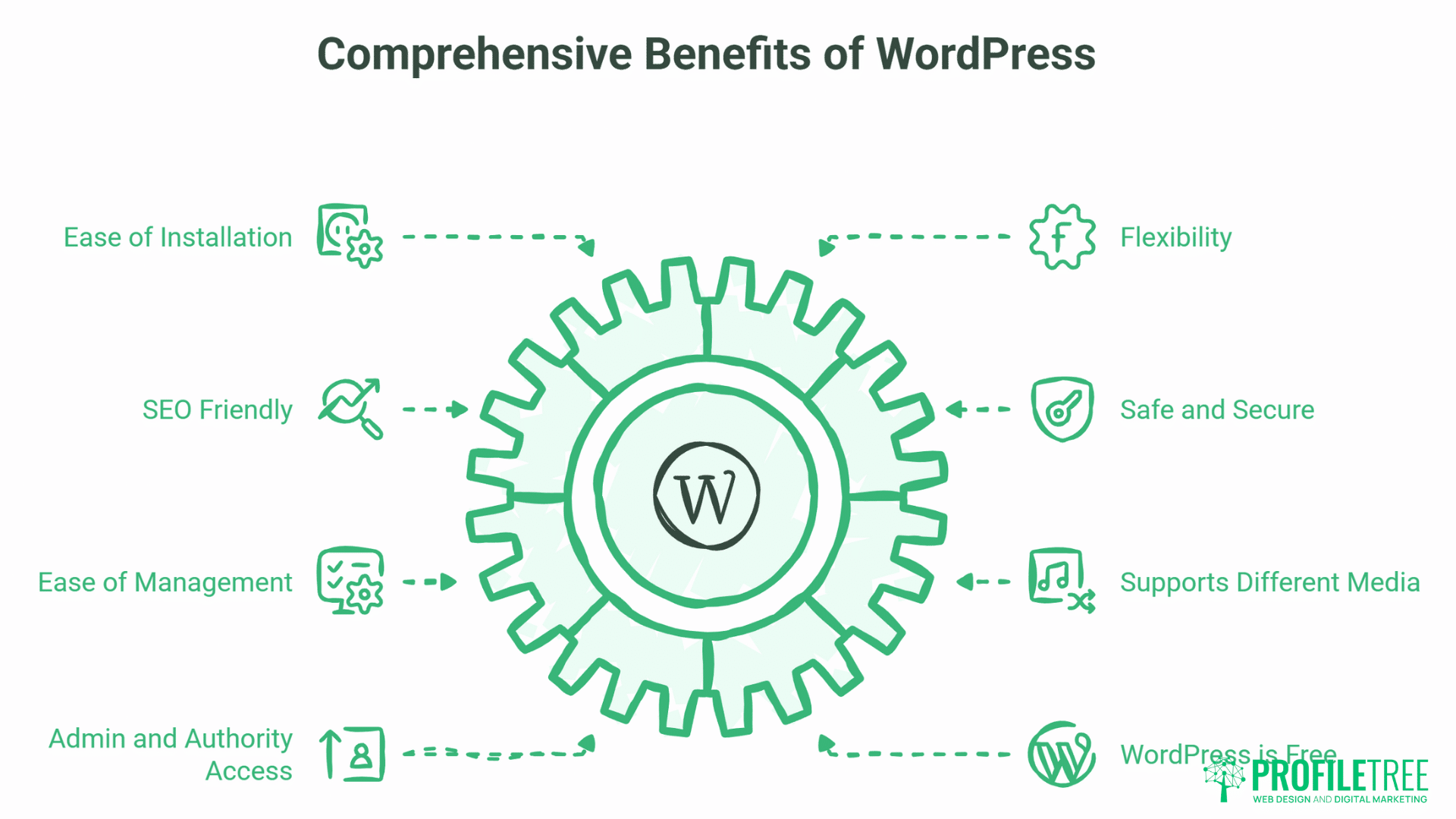
WordPress offers numerous advantages that explain its dominant market position. Understanding these benefits helps business owners make informed platform decisions—particularly when considering how your website supports broader digital marketing objectives.
Here are some benefits to WordPress over other content management systems:
Easy installation
If the idea of creating a website in three easy steps interests you, the WordPress content management system is a great choice for you.
Just after you choose your hosting company, you can use the beginner-friendly WordPress builder to create a website for your business, blog or hobby site. Most hosting companies now offer one-click WordPress installation through their control panels, making the process accessible even for beginners.
This ease of installation removes technical barriers that once made website creation intimidating. You can have a functional WordPress site running within minutes, then focus on the strategic work of creating compelling content and implementing effective digital marketing strategies.
WordPress offers flexibility
Whether you are creating a WordPress website for your community college or for your online store, this CMS platform offers a flexible website building option with tons of themes and plugin choices.
Add an e-commerce store to your webpage or create a custom social sharing tab with WordPress’s flexible options. This flexibility extends to visual design—change your site’s appearance by switching themes, modify layouts using the block editor, and adjust colours, fonts, and spacing through theme customisation options.
For businesses, this flexibility is invaluable. As your company grows and your digital strategy evolves, WordPress grows with you. Add video marketing capabilities, implement AI-powered chatbots, integrate with your CRM system, or build a learning management system for digital training—all possible through WordPress’s extensible architecture.
SEO Friendly
WordPress is designed with high-quality codes to produce semantic markup language that most search engines like.
Plus, the platform offers users an option to download and add plugins such as WordPress SEO plugins to improve your website’s SEO ranking with auto-targeting keywords, adding meta description and eliminating no-follow links.
For instance, you can target a custom keyword such as “What WordPress theme is this” just by specifying it within your post and optimising through your SEO plugin. WordPress’s clean permalink structure, proper heading hierarchy, and XML sitemap generation (through plugins) follow SEO best practices that help your content rank.
At ProfileTree, SEO is fundamental to our web design approach. We build WordPress sites with optimised architecture from the ground up, then provide SEO services and training to help clients maintain and improve their search visibility over time. Our approach combines technical SEO, content strategy, and ongoing optimisation that turns your WordPress site into a lead-generation engine.
Safe and Secure
Each version of WordPress adds another level of security to your website.
Security WordPress plugins also make your website safe, secure and block unauthorised logins on your website. Tools like Wordfence and Sucuri provide firewall protection that blocks malicious traffic, malware scanning that detects compromised files, and login security, including two-factor authentication.
Major corporations, government agencies, and financial institutions use WordPress—proof that the platform can meet rigorous security requirements when properly configured. Website security requires ongoing attention regardless of the platform. WordPress makes security management accessible through plugins rather than requiring server-level expertise.
Ease of Management
The admin dashboard of a WordPress site offers a convenient choice to each user for selecting plugins, making changes in the theme, adding widgets or customising the website sidebars.
The built-in updater always ensures that your WordPress site and plugins are always up-to-date. Content management is particularly straightforward—creating a new page or post takes just a few clicks. The block editor provides a clean writing environment without distracting technical elements.
For business owners, this ease of management means you can update your website yourself rather than depending on developers for every small change. This independence saves money and enables faster content updates—critical for businesses running active content marketing campaigns. ProfileTree provides training that empowers clients to manage their own content confidently while we handle technical aspects like performance optimisation and security.
Supports for Different Media
Unlike many other CMS platforms, WordPress supports a variety of media, making it easy for user to add photos, videos, and audio to their post.
WordPress websites come with built-in file support options. Users can select any file downloaded onto their media tab and upload the file to their website. With the newest oEmbed feature, you can easily link your YouTube or Instagram videos and any audio files in your WordPress post. Just copy, paste and update the post with the links, and the media files will appear on your post.
This media flexibility is particularly valuable for businesses implementing video marketing strategies. At ProfileTree, we help clients leverage WordPress’s media capabilities through our video production services to create engaging content that captures audience attention. Whether you’re building a YouTube channel strategy or embedding video testimonials on your site, WordPress handles multimedia content seamlessly.
Admin and Authority Access
WordPress is a secure CMS and offers a variable level of access options for its users. Website admin can make use of the admin access and enable user access by assigning desired access login option to contributors, site editors and writers too.
WordPress user roles include Administrator (full control), Editor (can publish and manage content), Author (can publish their own posts), Contributor (can write but not publish), and Subscriber (can only manage their profile). Because of this flexibility of access, WordPress sites are more secure.
For businesses with content teams or multiple stakeholders, this role system enables secure collaboration. Your marketing team can create content without accessing sensitive site settings. Guest contributors can submit posts for editorial review. Each person has exactly the access they need—nothing more.
WordPress is Free
WordPress, as you already know, is free CMS software that can be downloaded and used to create any kind of website.
If choosing a self-hosted plan, then hosting fee is the only cost that you need to bear. With more than 5,000+ theme options, you don’t have to spend a penny to create a beautiful website. Apart from plugins and themes, WordPress has a community forum that offers free support to beginners looking for technical help.
The total cost of ownership for WordPress remains dramatically lower than proprietary alternatives charging monthly subscription fees. Over three years, self-hosted WordPress typically costs 50-70% less than comparable hosted website builders while providing superior functionality and true ownership of your digital assets.
WordPress Plugins, Themes, and Widgets
WordPress’s customisation ecosystem is what transforms it from basic software into a platform that can build virtually any website. Understanding plugins, themes, and widgets is essential for using WordPress effectively.
Plugins
Plugins are pieces of software that extend WordPress functionality. They add features and capabilities beyond what WordPress core provides.
WordPress offers hundreds of plugin options to make tasks easier and add sophisticated features to your website. Users can download plugins to make their site run faster, perform specific tasks, such as managing on-page SEO, monitor traffic, add contact forms, or integrate with business tools. Even those with minimal technical knowledge can easily manage and modify their website with the help of plugins. Such accessibility democratises sophisticated website functionality that once required custom development.
Some of the top WordPress plugins are Yoast for SEO, JetPack, Google Analytics, Contact form, and eCommerce tools to create a safe getaway for a payment system. For businesses serious about digital marketing, SEO plugins are non-negotiable—they help you optimise content, generate XML sitemaps, and implement schema markup that improves search visibility.
Currently, the WordPress directory has over 60,000 free plugins available for download, with thousands more premium plugins offering advanced features. At ProfileTree, we carefully select and configure plugins that align with each client’s business objectives, whether that’s lead generation, e-commerce, or content marketing performance.
Themes
Themes are pre-designed templates with tabs, individual pages and custom headers that primarily change the look of a website. Like with plugins, WordPress offers a number of custom themes that are free to download and use. In addition, all self-hosted WordPress websites have the option to choose custom themes from third-party companies to create a professional and desired look for their website.
Currently, the WordPress theme directory has approximately 12,000 to 13,000 free themes available for download.
WordPress separates content from presentation. You can switch themes without affecting your actual content, though some theme-specific features may need adjustment. This separation means you can completely redesign your website’s appearance without touching your text, images, or pages.
When selecting a theme, consider mobile responsiveness, loading speed, and SEO-friendliness. ProfileTree often combines premium themes with custom modifications to deliver the perfect balance between development efficiency and unique branding that reflects each business’s identity.
Widgets
A widget is your one-place control panel for giving a custom look to your WordPress website.
Some of the common widgets are posts, menu, tag cloud, search and recent posts. Many plugins have their own widgets that allow users to customise and improve their website as per their needs and interests.
While Full Site Editing has reduced reliance on traditional widgets in modern WordPress, they remain useful for quickly adding functionality to designated areas of your site without complex configuration.
Step-by-Step Walkthrough for Key Beginner Tasks
Understanding the practical process of creating a WordPress website demystifies what can initially seem complex. Whether you’re building your first site or helping your team understand the platform, these steps provide a clear roadmap.
Step 1: Set Up Hosting
- Choose a Hosting Provider: Select a reputable hosting provider that offers WordPress hosting plans. Popular options include Bluehost, SiteGround, and Hostinger.
- Create a Hosting Account: Once you’ve chosen a hosting provider, sign up for a hosting account and select a WordPress-specific plan. This will provide you with the necessary resources to run your WordPress website.
- Domain Name Registration: Register a domain name that represents your website. You can typically purchase a domain name through your hosting provider or a separate domain registrar.
- Name Servers Configuration: Update your domain name’s name servers to point to the nameservers provided by your hosting provider. This will connect your domain name to your WordPress hosting account.
Step 2: Install WordPress
- Access cPanel: Log in to your hosting account and access your cPanel, which is the control panel for managing your hosting environment.
- Install WordPress Auto-Installer: Locate the WordPress auto-installer tool, typically found within the “Softaculous Apps Installer” or “Website Installers” section.
- Initiate WordPress Installation: Select the WordPress option and follow the prompts to provide installation details, such as username, password, and site title.
- Complete Installation: Once the installation process is complete, you will be provided with login credentials for accessing your WordPress dashboard.
Step 3: Choose a Theme
- Access WordPress Dashboard: Log in to your WordPress dashboard using the credentials provided during the installation process.
- Browse Themes: Navigate to the “Appearance” > “Themes” section in your dashboard. Here, you can browse thousands of free and premium WordPress themes.
- Preview Themes: Use the preview functionality to see how each theme looks on your website. Consider factors like design, layout, and compatibility with your website’s content.
- Install and Activate Theme: Once you’ve found a suitable theme, click the “Install” and “Activate” buttons to activate it as your website’s theme.
Step 4: Install Plugins
- Identify Essential Plugins: Research and identify plugins that address your website’s specific needs, such as security, SEO optimisation, performance enhancement, and spam protection.
- Access Plugins Page: Navigate to the “Plugins” section in your dashboard.
- Add New Plugin: Click the “Add New” button to search for plugins by keyword or browse the plugin directory.
- Install and Activate Plugin: Once you’ve found a suitable plugin, click the “Install Now” and “Activate” buttons to install and activate it on your website.
Additional Tips
- Start with a few essential plugins and add more as needed.
- Ensure plugins are regularly updated to maintain compatibility and security.
- Test plugins thoroughly to avoid conflicts or performance issues.
WordPress for Modern Digital Marketing
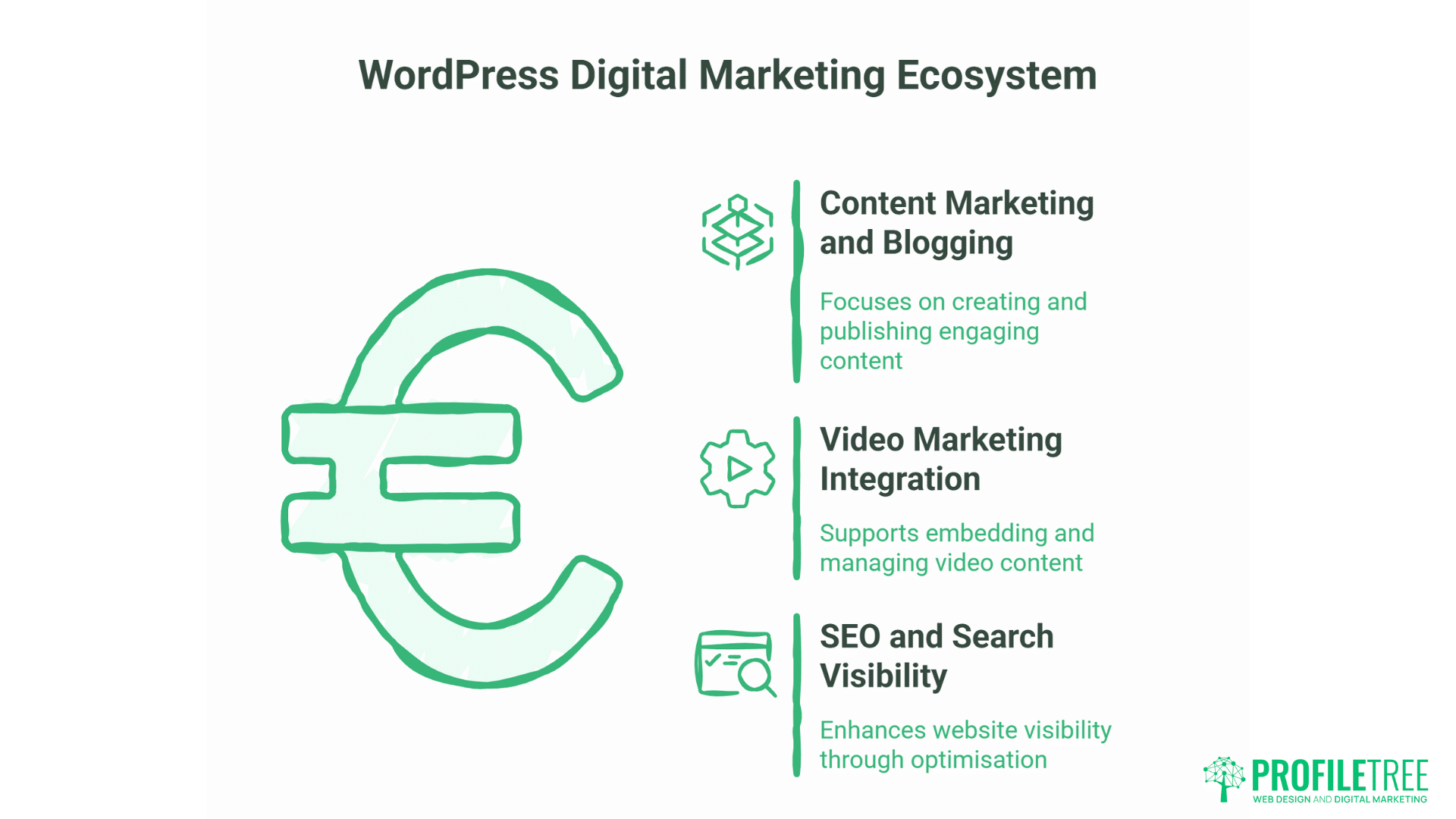
WordPress excels as a foundation for comprehensive digital marketing strategies. Its flexibility and extensive integration capabilities make it ideal for businesses implementing multi-channel approaches.
Content Marketing and Blogging
WordPress began as a blogging platform, and content publishing remains its core strength. The editorial workflow supports content teams, with features for drafting, scheduling, categorising, and tagging content for easy discovery.
For businesses committed to content marketing, WordPress removes technical barriers to regular publishing. The built-in media library organises images and videos efficiently, while the block editor makes creating rich, engaging content straightforward.
At ProfileTree, we provide content marketing services and content writing that help businesses use WordPress strategically. We teach clients how to write SEO-optimised content, structure articles effectively, and publish consistently to build online authority and drive organic traffic.
Video Marketing Integration
Video content drives engagement and conversions far beyond text alone. WordPress provides excellent support for video marketing strategies through its oEmbed feature and media handling capabilities.
Paste YouTube or Vimeo URLs directly into content and WordPress handles embedding automatically. Upload video files directly to WordPress for complete control. Modern themes support video backgrounds that create compelling visual experiences.
ProfileTree offers video production services and YouTube strategy that help businesses create compelling video content, then integrate it into WordPress websites to maximise impact and reach. Our clients benefit from professional video creation combined with strategic WordPress implementation that turns video into a lead-generation tool.
SEO and Search Visibility
Search engine optimisation is critical for businesses wanting to be found online. WordPress provides the foundation for effective SEO strategy with clean code, proper URL structure, and heading hierarchy that search engines parse easily.
Add Yoast SEO or Rank Math plugins and you gain sophisticated optimisation tools: content analysis that evaluates quality, meta description management, XML sitemap generation, and schema markup support that enhances search result appearance.
ProfileTree’s SEO services combine WordPress optimisation with broader strategies including technical SEO, content strategy, and link building. We build WordPress sites with SEO-friendly architecture, then help clients maintain and improve their search visibility over time—particularly important for businesses in competitive markets across Belfast, Northern Ireland, and the broader UK.
Conclusion
Setting up and managing a WordPress website can be a straightforward process, even for beginners. By following these step-by-step walkthroughs, you can easily get your website up and running, choose a suitable theme, and install essential plugins to enhance your website’s functionality and security.
With its user-friendly interface and extensive resources, WordPress empowers individuals and businesses of all levels to create and manage their online presence effectively.
FAQs
What are the minimum requirements for setting up a WordPress website?
The minimum requirements for setting up a WordPress website are a domain name, a web hosting account with PHP and MySQL support, and the WordPress installation files.
What is the difference between free and premium WordPress themes?
Free WordPress themes offer basic functionality and customisation options, while premium themes typically provide more advanced features, better design options, and dedicated support from the theme developer.
What are some essential plugins for a WordPress website?
Essential plugins for a WordPress website include security plugins, SEO optimisation plugins, performance enhancement plugins, and spam protection plugins.
How do I keep my WordPress website up to date?
To keep your WordPress website up to date, you should regularly check for updates to your WordPress core, themes, and plugins. You can enable automatic updates for plugins and themes from the “Plugins” and “Themes” sections in your dashboard.
At ProfileTree, we help businesses across Northern Ireland, Ireland, and the UK build WordPress websites that drive genuine business results. Based in Belfast, our digital agency combines professional web design and development with strategic SEO implementation, content marketing, and comprehensive digital training that gives you complete control over your online presence.
Our approach is different: we build your WordPress website with SEO-friendly architecture from day one, then empower your team through training to manage content confidently while we handle the technical complexities. This partnership model means you maintain control and independence while benefiting from professional expertise when you need it.
Ready to build your WordPress website? Contact ProfileTree today to discuss how professional web design and development can accelerate your digital presence and business growth. Your digital success starts with the right foundation—WordPress provides that foundation, and ProfileTree provides the expertise to make it work for your business.