
The Best Free Video Editing Software for UK Businesses in 2026
Table of Contents
Video content drives business results. According to research from Wyzowl, 91% of businesses now use video as a marketing tool, with 87% reporting positive ROI. Yet many business owners hesitate to create video content due to perceived costs and technical complexity. The reality is that professional-grade video editing software is now available at no cost, offering capabilities that rival those of expensive alternatives.
This guide evaluates the leading free video editing software options available to businesses in the UK. We’ve tested each programme for export quality, system requirements, and hidden limitations. Whether you’re producing social media content, client testimonials, or training materials, you’ll find a solution that fits your business needs without compromising on quality or adding watermarks to your final output.
Understanding Free Video Editing Software Options
The video editing software market has undergone significant evolution. What was once the domain of expensive professional suites is now accessible through legitimate free programmes that don’t compromise on core functionality.
Free video editing software falls into three categories: fully open-source solutions supported by developer communities, freemium models where basic features remain free indefinitely, and professional tools offering free versions with most features unlocked. Each serves different business requirements.
The key distinction is permanence. Some programmes offer free trials that expire, while others provide genuinely free versions with no time limits. For business use, the latter category proves more practical for ongoing content creation needs.
“Video content is no longer optional for businesses – it’s the primary way customers engage with brands online. The barrier to entry has never been lower, but the quality expectations have never been higher,” says Ciaran Connolly, Director at ProfileTree.
What Constitutes Truly Free Software
A genuinely free video editor should allow unlimited exports without watermarks, support standard video formats, and not artificially restrict resolution. Some programmes market themselves as “free” whilst limiting exports to 720p or adding branding to your content.
The programmes reviewed here meet three criteria: no mandatory watermarks on exports, no artificial resolution caps below 1080p, and no forced expiration of the free version. These standards are essential for business applications where branded output undermines professionalism.
Time limitations also matter. A “free trial” that expires after 30 days isn’t truly free. Businesses need reliable tools for ongoing content production, not temporary solutions that require constant software switching.
DaVinci Resolve: Professional Standard Without the Cost
DaVinci Resolve by Blackmagic Design represents the highest tier of free video editing software. This isn’t a stripped-down consumer tool – it’s the same software used in Hollywood film production, with the free version containing approximately 90% of the professional feature set.
The programme excels in three areas: colour grading capabilities that match industry standards, integrated audio editing through the Fairlight page, and motion graphics via the Fusion compositor. Most free alternatives sacrifice one or more of these functions.
For business applications, this translates to complete control over brand colours, professional audio mixing for corporate videos, and the ability to create animated graphics without additional software. A single programme handles the entire video production workflow.
Export Capabilities and Limitations
The free version exports up to 4K Ultra HD at 60 frames per second with no watermarks. This specification exceeds the requirements for most business video applications, including YouTube uploads, social media content, and website integration.
Format support includes all standard options: H.264 for web delivery, H.265 for smaller file sizes, and ProRes for archival quality. The software doesn’t artificially restrict codec options based on licensing tier, unlike some competitors.
The practical limitation concerns collaborative features rather than the quality of the output. The free version restricts multi-user collaboration tools, which are designed for large production teams. For small businesses and solo operators, this limitation is generally irrelevant to their daily operations.
System Requirements and Performance Reality
DaVinci Resolve demands substantial computing resources. The minimum specification lists 16GB RAM and a dedicated graphics card with at least 2GB VRAM. Attempting to run this software on basic business laptops results in frequent crashes and unusable performance.
Our testing on a system with 16GB RAM and an NVIDIA GTX 1650 showed smooth 1080p playback and timeline editing. The same system struggled with 4K footage, requiring proxy workflows for acceptable performance. This hardware dependency is the programme’s primary limitation for business users.
Export times vary significantly based on hardware. A five-minute 1080p video encoded to H.264 took approximately two minutes on our test system. The same export on an 8GB system with integrated graphics required over eight minutes and caused system instability.
When Businesses Should Choose DaVinci Resolve
This software is ideal for businesses that produce high-quality marketing content, client presentations, or branded video series. The colour grading capabilities prove particularly valuable for maintaining consistent brand aesthetics across multiple videos.
Companies with existing IT infrastructure and capable workstations gain maximum value. The investment in adequate hardware pays dividends through professional output quality that would otherwise require expensive software licenses.
Smaller operations running basic laptops should consider lighter alternatives. The system requirements aren’t arbitrary – they reflect the programme’s professional-grade processing demands. Attempting to circumvent these specifications leads to frustration rather than productivity.
CapCut Desktop: Social Media Optimised Production
CapCut, developed by ByteDance, brings mobile video editing capabilities to desktop systems. The software targets social media content creators with AI-powered features designed explicitly for platforms like TikTok, Instagram Reels, and YouTube Shorts.
The programme’s strength lies in automation. AI-generated captions appear with impressive accuracy, automatically synchronised to speech. Background removal operates without green screens. Audio enhancement normalises sound levels without manual adjustment. These features accelerate production significantly.
For businesses producing regular social media content, these automation tools translate to substantial time savings. A video that might require 30 minutes of manual editing can often be completed in under 10 minutes using CapCut’s automated features.
AI Features and Business Applications
The automatic caption generator proves particularly valuable for accessibility and engagement. Captions increase video completion rates by 80%, according to research from Verizon Media and Publicis Media; however, manual caption creation proves to be time-consuming.
CapCut’s text-to-speech function enables voiceover creation without the need for recording equipment. Whilst the synthetic voices aren’t suitable for all content types, they work well for instructional videos, product demonstrations, and internal communications.
The background removal tool enables clean overlay effects and simple compositing. Businesses can place talking head footage over branded backgrounds or product images without investing in physical green screen setups.
The Watermark Question
CapCut’s approach to watermarks differs from traditional free software models. The programme allows watermark-free exports, but requires a free account login. This trade-off proves acceptable for most business users already managing multiple platform accounts.
The account requirement does raise data privacy considerations. ByteDance collects usage data and video metadata. For businesses handling sensitive information or operating in regulated industries, this data collection may pose challenges. The terms of service warrant review before committing business content to the platform.
Export quality matches input quality, supporting 4K resolution. The programme doesn’t artificially compress or degrade footage quality in the free version, unlike some competitors that reserve high-quality exports for paid tiers.
Ideal Business Use Cases
CapCut excels for businesses prioritising social media marketing and regular content output over cinematographic quality. Marketing teams producing daily or weekly social content gain maximum efficiency from the automation features.
The software suits businesses without a dedicated video production staff. The AI assistance reduces the technical knowledge required for acceptable results, allowing marketing generalists to produce content without specialist training.
Companies that require strict data privacy or work with confidential material should consider alternatives. The cloud-based processing and account requirements may conflict with data protection policies or client confidentiality agreements.
Shotcut: The Reliable Open-Source Alternative
Shotcut represents pure open-source video editing – community-developed, continuously updated, and completely free without account requirements or data collection. The software runs on Windows, macOS, and Linux without platform-specific limitations.
The interface adheres to traditional nonlinear editing conventions. Users familiar with Adobe Premiere Pro or Final Cut Pro adapt quickly to Shotcut’s timeline-based workflow. The learning curve proves gentler than DaVinci Resolve, while offering more control than simplified consumer tools.
For business applications, Shotcut’s stability and predictability are more important than its cutting-edge features. The software performs consistently across different systems, with behaviour that remains stable between updates. This reliability proves valuable for businesses requiring dependable tools rather than experimental features.
Technical Capabilities and Business Relevance
Shotcut handles standard video editing tasks competently: trimming, splitting, transitions, colour correction, and audio mixing. The filter library includes practical effects for business content – text overlays, logos, colour grading, and noise reduction.
The programme supports 4K editing on capable systems and exports without watermarks or restrictions. Format support proves comprehensive, handling everything from smartphone footage to professional camera files without transcoding requirements.
Processing happens locally on your system with no cloud dependencies. For businesses with data security requirements or unreliable internet connections, this architecture proves advantageous. Your video content never leaves your control.
System Requirements and Performance
Shotcut’s minimum specification of 4GB RAM makes it accessible to basic business laptops. Our testing on an entry-level system with 8GB RAM and integrated graphics showed acceptable performance for 1080p editing; however, 4K footage required the use of proxy files.
The software utilises available system resources efficiently, rather than requiring specific hardware configurations. A modest desktop handles Shotcut more gracefully than it handles DaVinci Resolve, making this option practical for businesses without dedicated editing workstations.
Export times prove reasonable relative to hardware capabilities. The same five-minute 1080p export that took two minutes in DaVinci Resolve required approximately four minutes in Shotcut on identical hardware. This difference reflects the programmes’ different processing approaches rather than any significant efficiency gap.
When Shotcut Makes Business Sense
Businesses requiring straightforward video editing without complex effects or colour grading needs find Shotcut sufficient. The software handles corporate interviews, product demonstrations, training videos, and event documentation competently.
The open-source nature appeals to businesses preferring community-supported tools over corporate-controlled platforms. Updates arrive regularly without license negotiations or subscription renewals. The software continues working regardless of the vendor’s business decisions.
Companies seeking advanced colour grading, complex compositing, or collaborative workflows should consider alternatives. Shotcut excels at fundamental editing tasks but doesn’t attempt to match professional suite capabilities in specialised areas.
OpenShot: Beginner-Friendly Editing
OpenShot prioritises accessibility over advanced features. The interface uses clear labels and intuitive drag-and-drop operations rather than technical terminology. This approach makes video editing accessible to business users without a production background.
The software runs on Windows, macOS, and Linux with consistent behaviour across platforms. Installation proves straightforward with no complex configuration required. Within minutes of downloading, users can begin editing footage.
For businesses where video editing represents an occasional task rather than a core activity, OpenShot’s simplicity proves more valuable than feature depth. Marketing managers can produce basic content without delegating to specialists or waiting for external resources.
Core Features for Business Content
OpenShot includes essential editing tools, such as unlimited video and audio tracks, transitions between clips, title creation, and basic effects. These capabilities cover typical business video requirements – combining multiple clips, adding company branding, and creating polished outputs from raw footage.
The green screen functionality enables background replacement without the need for expensive equipment. Businesses can film interviews or presentations against green backgrounds and composite them over branded visuals or relevant imagery.
Video stabilisation helps salvage handheld footage, particularly useful for businesses creating content with smartphones rather than professional camera equipment. The algorithm reduces shake whilst maintaining natural motion.
Performance Considerations
OpenShot operates on modest hardware but occasionally experiences stability issues. Our testing encountered crashes during complex timeline operations, particularly when applying multiple effects simultaneously. These instabilities improve with each release but haven’t been eliminated.
The programme sometimes exhibits slow preview rendering, creating lag between actions and visible results. This delay proves frustrating during precise editing work, but doesn’t affect final export quality.
Export times exceed those of DaVinci Resolve and Shotcut for equivalent projects. The same test export required approximately seven minutes in OpenShot compared to two minutes in DaVinci Resolve. For occasional use, this difference proves acceptable. For regular content production, the time penalty accumulates.
Appropriate Business Applications
OpenShot suits businesses that produce occasional video content, where editing speed matters less than ease of use. Internal communications, basic social media posts, and simple product demonstrations work well within OpenShot’s capabilities.
The software is ideal for businesses that delegate video editing to staff members without production experience. The gentle learning curve and forgiving interface reduce training requirements and allow quick productivity.
Companies that produce daily content or require consistent professional quality should investigate alternatives with better stability and performance. OpenShot’s accessibility comes at the cost of reliability and processing speed, which matter more in regular production environments.
iMovie: The macOS Standard
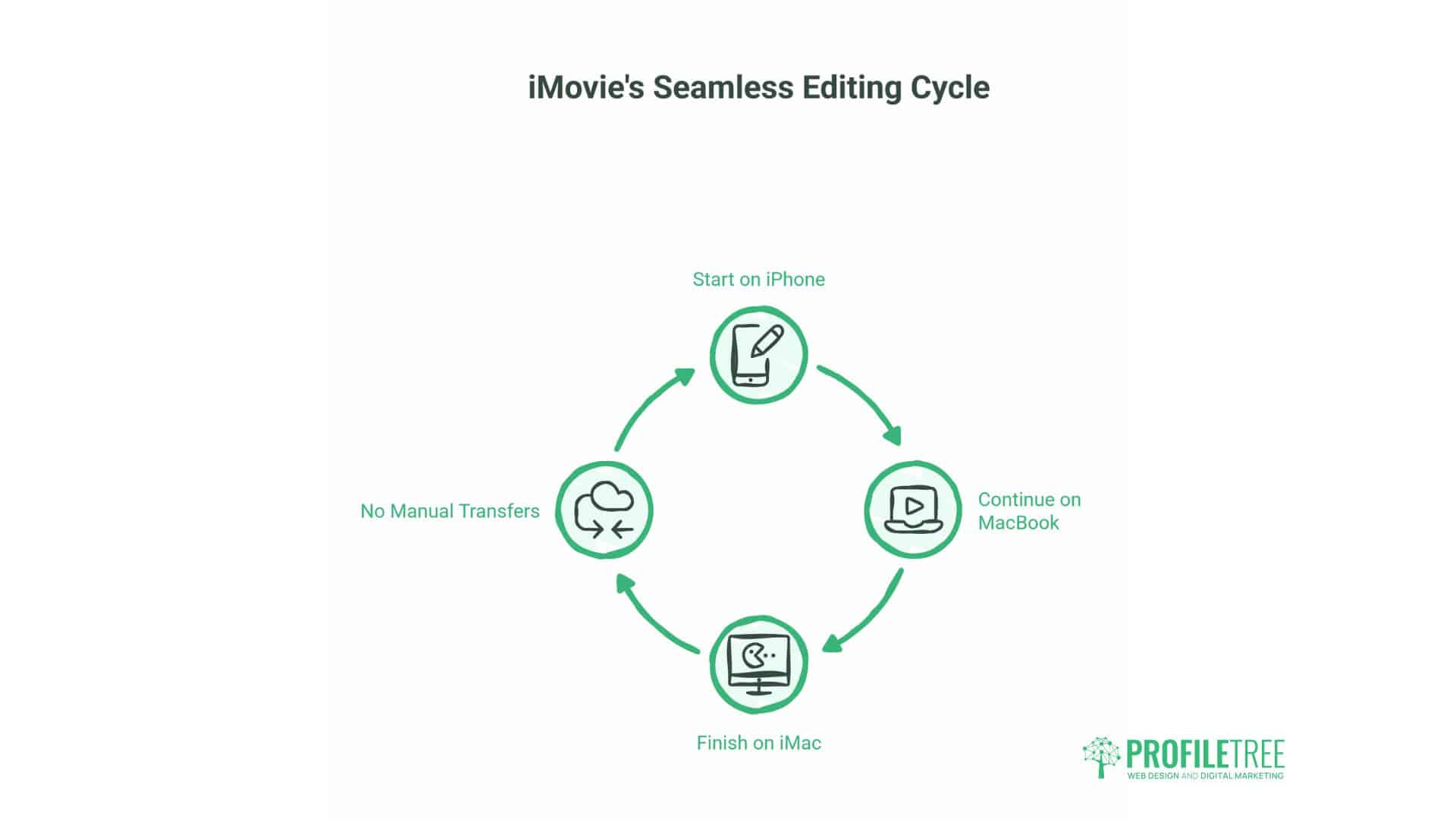
Apple’s iMovie comes pre-installed on macOS and iOS devices, creating a seamless editing environment for businesses operating within the Apple ecosystem. Projects begin on an iPhone, continue on a MacBook, and finish on an iMac without manual file transfers.
The software embodies Apple’s design philosophy, characterised by polished interfaces, intuitive interactions, and feature sets that strike a balance between capability and simplicity. Business users adapt quickly to iMovie’s logic, often editing competently within hours of first use.
For businesses already invested in Apple hardware, iMovie offers a zero-additional-cost solution with professional-quality output. The integration with other Apple services and applications enables efficient workflows that are not possible with third-party alternatives.
Platform Integration Benefits
iMovie connects directly to Photos, allowing immediate access to existing media libraries. Marketing materials, product images, and archived footage seamlessly integrate into projects without requiring additional import steps. This connection proves particularly valuable for businesses maintaining extensive visual libraries.
The software exports directly to YouTube, Vimeo, and other platforms with optimised settings pre-configured. For businesses publishing content across multiple channels, these integrations eliminate the need for manual export configuration and reduce technical errors.
Audio integration with Apple Music and the Mac’s music library simplifies soundtrack selection for business videos. Whilst copyright considerations still apply, the technical workflow proves streamlined compared to managing audio files manually.
Technical Limitations
iMovie restricts advanced colour grading and lacks professional-grade audio mixing tools. Businesses requiring precise colour control for brand consistency or complex audio adjustments find these limitations restrictive.
The software caps playback speed adjustments at 2x, preventing some creative effects possible in other editors. This limitation is of little consequence for standard business content but has a significant impact on specific creative applications.
The programme consumes significant storage space, particularly on smaller MacBook Air and iPhone models. A single project with multiple clips and effects can occupy several gigabytes, requiring regular archive management to maintain available space.
When iMovie Serves Business Needs
iMovie works well for businesses producing standard marketing content, client testimonials, and event coverage on Apple hardware. The software competently handles typical requirements while maintaining Apple’s quality standards.
Companies with mobile video capture workflows benefit from the iOS integration. Content filmed on iPhones edits seamlessly on MacBooks without conversion steps or quality loss.
Businesses that require Windows compatibility or advanced post-production capabilities should consider cross-platform alternatives. iMovie’s macOS restrictions and feature limitations become apparent when projects demand professional-grade control.
VSDC Free Video Editor: Windows-Specific Capability
VSDC provides Windows users with non-linear editing capabilities and surprisingly advanced features for free software. The programme includes options rarely found in zero-cost alternatives: 3D effects, motion tracking, and advanced colour correction.
The interface proves more technical than consumer-focused alternatives, requiring some initial learning investment. Business users with previous editing experience adapt quickly, whilst beginners face a steeper learning curve than with OpenShot or iMovie.
For Windows-based businesses seeking capabilities beyond basic editing without licensing costs, VSDC offers a middle ground between simplified consumer tools and professional-grade suites.
Advanced Features in Free Software
The motion tracking capability allows objects, text, or effects to follow moving elements in video. Businesses can blur faces for privacy, track product demonstrations, or create dynamic text that follows specific elements.
Chroma key implementation (also known as green screen) operates with multiple layers and edge refinement controls. Businesses can create professional-looking composites without relying on simplified automatic processing, which often produces unconvincing results.
The colour correction tools include curves, levels, and HSL adjustments that provide precise control over footage appearance. Whilst not matching DaVinci Resolve’s legendary colour capabilities, VSDC’s tools exceed those in most free alternatives.
The Complexity Trade-Off
VSDC’s advanced features require understanding video production concepts. The programme doesn’t simplify or automate complex processes; it provides tools that require knowledge to use effectively.
Business users benefit from exploring YouTube tutorials before attempting advanced features. The learning investment pays dividends through capabilities that would otherwise require expensive software, but the initial time cost proves significant.
Export options are comprehensive, supporting multiple formats and quality settings. The free version doesn’t artificially restrict output quality or impose watermarks, making professional results achievable with sufficient skill investment.
Suitable Business Contexts
VSDC suits businesses with staff members possessing some video production knowledge or a willingness to learn. The software rewards technical understanding with capabilities approaching professional standards.
Companies requiring specific advanced features, such as motion tracking or detailed colour work, without a budget for Adobe Creative Cloud subscriptions, find VSDC’s free offering valuable.
Businesses seeking plug-and-play simplicity should consider alternatives. VSDC’s power comes with complexity that proves counterproductive when editing needs remain basic or when production speed takes precedence over feature depth.
Kdenlive: Linux-Compatible Professional Editing
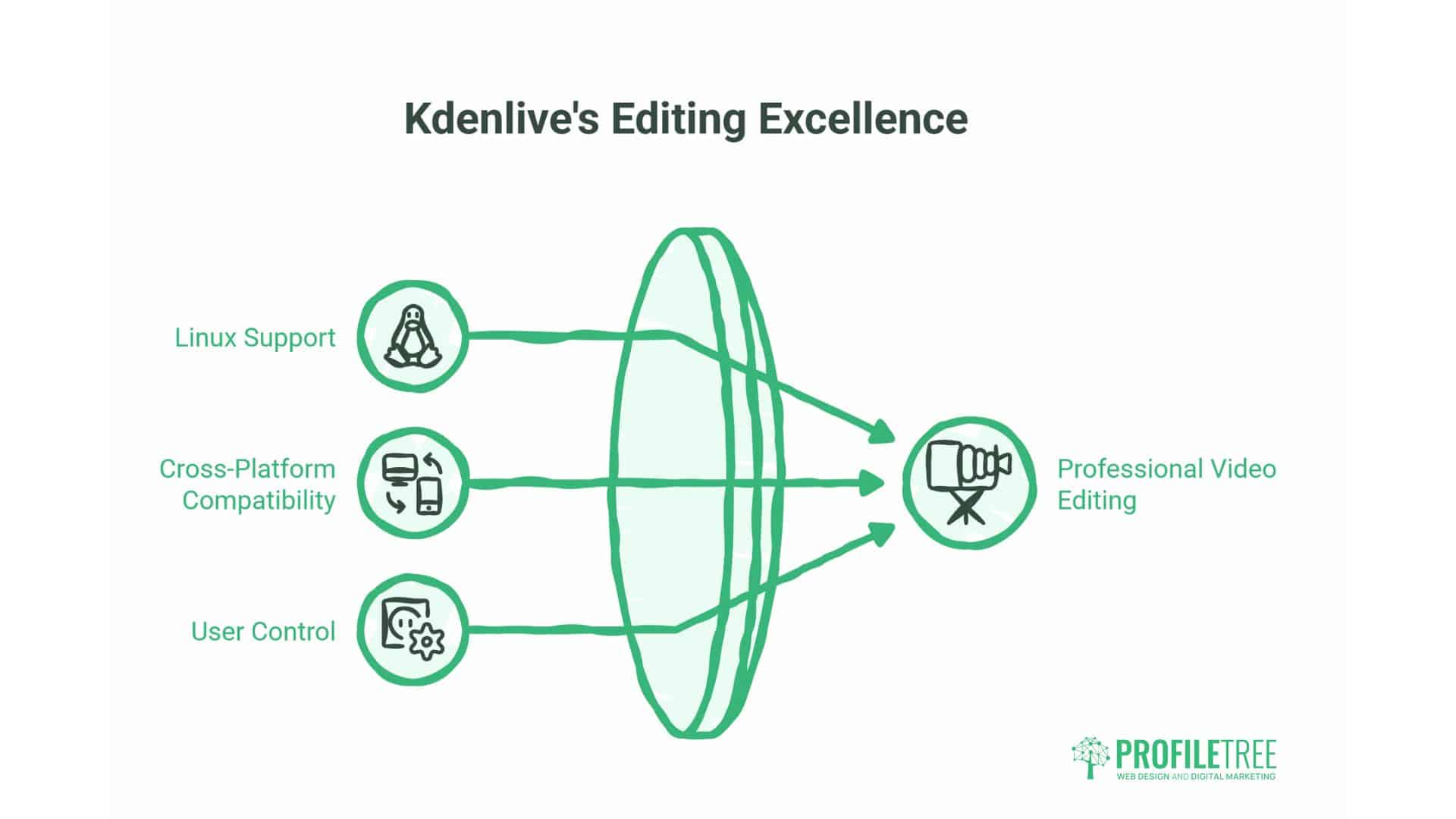
Kdenlive serves as the premier free video editor for Linux systems, while also supporting Windows and macOS. The programme provides professional editing capabilities with an interface that respects user control and configuration preferences.
For businesses operating Linux infrastructure or preferring open-source toolchains, Kdenlive delivers video editing capabilities without compromising on operating system choices. The software development follows community-driven priorities rather than corporate roadmaps.
The programme’s stability and performance on Linux systems often exceeds its behaviour on Windows or macOS, making it particularly attractive for businesses standardised on Linux desktops or servers.
Professional Workflow Support
Kdenlive implements proxy editing workflows that allow smooth editing of high-resolution footage on modest hardware. The programme creates lower-resolution copies for editing purposes whilst maintaining full quality for final exports.
Multi-cam editing synchronises footage from multiple cameras, which is valuable for businesses producing event coverage, interviews, or product demonstrations from numerous angles simultaneously. The feature typically requires professional-grade software, but operates smoothly in Kdenlive.
The keyframe system allows precise animation of effects, position, and opacity over time. Businesses can create professional motion graphics and complex visual effects without additional software or plugins.
Linux-Specific Advantages
Kdenlive integrates efficiently with Linux audio and video subsystems, often demonstrating better performance on Linux than competing software on other operating systems. For businesses running Linux workstations, this native optimisation proves advantageous.
The programme respects Linux file system conventions and permissions structures, integrating smoothly into existing workflows and storage management systems. This consideration is significant for businesses with established IT infrastructures.
Command-line rendering options allow batch processing and server-based exports. Businesses with technical staff can automate video production tasks that exceed the capabilities of GUI-based alternatives.
Business Implementation Scenarios
Kdenlive serves businesses operating on Linux infrastructure or those seeking professional editing capabilities without dependencies on Windows or macOS. The software proves particularly relevant in technical environments where Linux systems already dominate.
Companies requiring multi-cam editing or proxy workflows without professional software budgets find Kdenlive’s features valuable. The programme handles complex projects that exceed the capabilities of simpler, free alternatives.
Businesses standardised on Windows or macOS with non-technical staff should consider alternatives with stronger platform integration. Whilst Kdenlive runs on these systems, it feels most natural in its native Linux environment.
Hardware Requirements: Matching Software to Systems
Video editing demands significant computing resources. Understanding realistic system requirements prevents frustration and allows informed software selection based on available hardware.
The specifications listed on software websites represent minimum configurations that technically run the programme. Practical editing requires substantially more resources than these minimums suggest. A system meeting minimum requirements often delivers unusable performance.
Businesses should evaluate available hardware before selecting editing software. Attempting to use professional-grade tools on inadequate systems creates more problems than solutions, regardless of how impressive the software’s feature list appears.
CPU and RAM Considerations
Video editing taxes processors heavily. Modern multi-core CPUs handle editing tasks better than older high-frequency single-core designs. A current six-core processor performs editing tasks more smoothly than an older eight-core design.
RAM requirements vary dramatically between programmes. OpenShot operates acceptably with 8GB, while DaVinci Resolve requires a minimum of 16GB and prefers 32GB or more. Insufficient RAM causes system instability and frequent crashes rather than merely slow performance.
Our testing identified 16GB as the practical minimum for reliable 1080p editing across multiple programmes. 32GB proves more comfortable for 4K work or complex projects with many effects layers. 8GB systems should stick to OpenShot, Shotcut, or CapCut.
Graphics Card Impact
Dedicated graphics cards significantly accelerate video processing. DaVinci Resolve, in particular, relies heavily on GPU acceleration for both preview and rendering. Systems with integrated graphics often struggle with this software, regardless of their CPU or RAM specifications.
Even modest dedicated graphics cards can noticeably improve performance. An entry-level NVIDIA GTX 1650 or AMD RX 5500 provides sufficient acceleration for smooth 1080p editing in most programmes. Higher-end cards become necessary for smooth 4K workflows.
Integrated graphics solutions, such as Intel UHD or AMD Vega, limit software choices to lighter alternatives. OpenShot, Shotcut, and iMovie operate acceptably on integrated graphics. DaVinci Resolve and VSDC’s advanced features prove impractical without dedicated GPUs.
Storage Speed and Capacity
Video files consume storage rapidly. A one-hour 1080p recording typically occupies 10-15GB, depending on the encoding used. Businesses producing regular video content require substantial storage capacity and should implement systematic archival procedures.
SSD storage dramatically improves the editing experience compared to traditional hard drives. Timeline scrubbing, effect previews, and renders all benefit from faster storage speeds. Businesses serious about video production should prioritise SSD investment.
Network-attached storage works for archival purposes but proves too slow for active editing. Video projects require local storage on the editing workstation for acceptable performance. Completed projects can then move to network storage for long-term retention.
Performance Testing Results
We conducted identical editing tasks across programmes using consistent test hardware: Intel Core i7 processor, 16GB RAM, NVIDIA GTX 1650 graphics, and SSD storage.
DaVinci Resolve demonstrated the smoothest 1080p timeline performance and fastest renders, completing our standard export in two minutes. The same system struggled with 4K footage requiring proxy files.
Shotcut demonstrated acceptable performance, albeit with slightly longer render times, averaging around four minutes. CapCut performed similarly to Shotcut. OpenShot exhibited occasional lag and required seven minutes for the same export.
VSDC’s advanced features taxed the system more heavily than its basic editing capabilities. Complex projects with multiple effect layers caused preview stuttering. Rendering times approached OpenShot’s performance.
These results demonstrate that adequate hardware matters more than software selection for editing performance. All programmes proved usable on our test system, with differences in render speed mattering more for production volume than capability.
The Hidden Costs: Understanding Software Restrictions
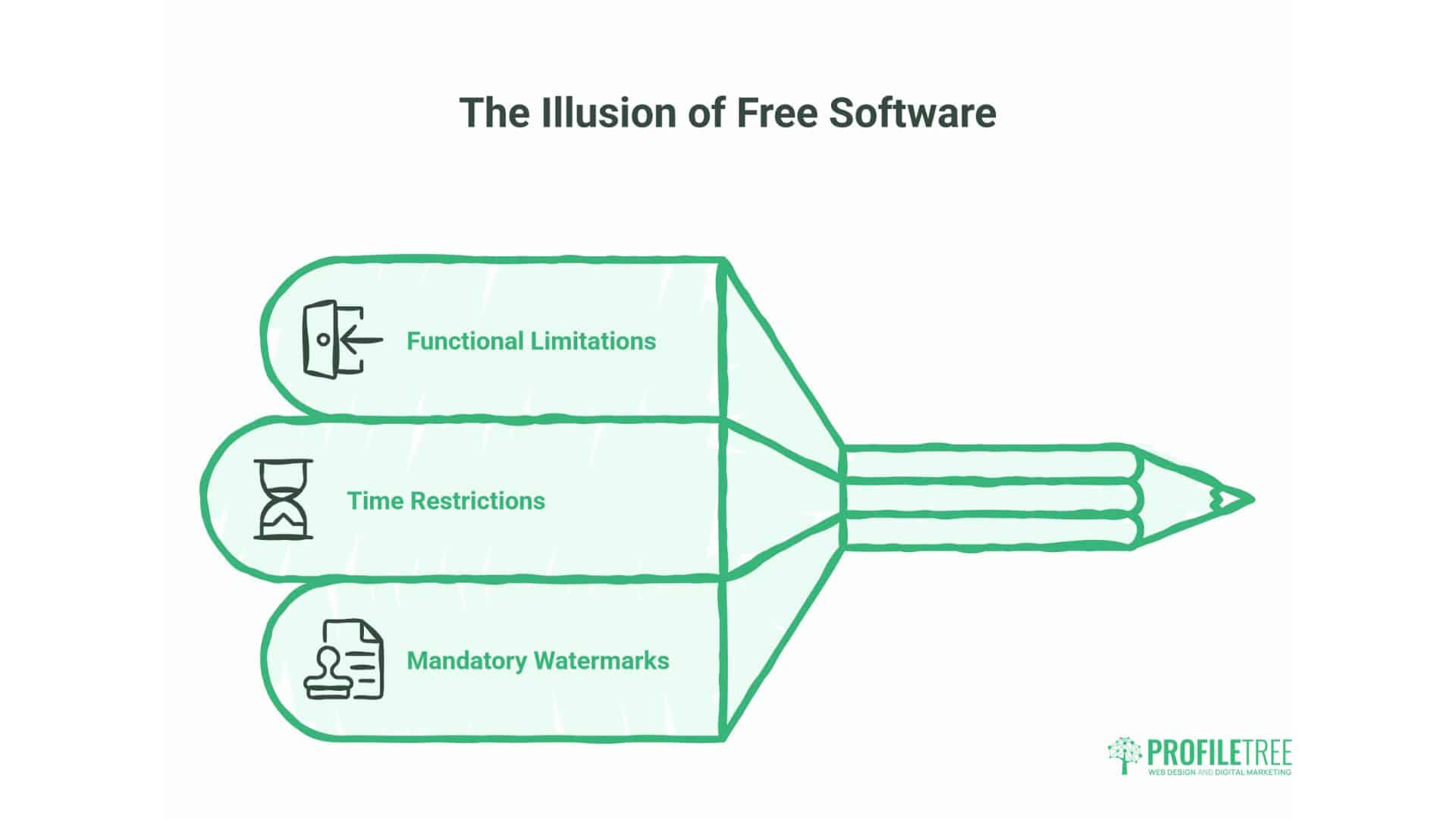
Truly free software should operate without functional limitations, time restrictions, or mandatory watermarks. Many programmes marketed as “free” impose restrictions that make them impractical for business use.
Understanding these limitations before investing time in learning software prevents frustration and wasted effort. Some restrictions appear only during export or when attempting specific features, catching users unprepared after hours of editing work.
Businesses should verify the export capabilities, resolution limitations, and watermark policies of any editing software before committing to it. The programmes reviewed here passed scrutiny, but the broader market contains numerous problematic offerings.
Watermark Policies Explained
DaVinci Resolve, Shotcut, OpenShot, Kdenlive, and iMovie do not impose watermarks on exports from their free versions. Your content remains your content without forced branding.
CapCut technically allows watermark-free exports but requires account creation and login. This represents a data trade rather than pure cost freedom. For most businesses, this proves acceptable.
VSDC’s free version does not add watermarks to standard exports. The pro version offers additional features, but isn’t required for clean output.
Many competing programmes not reviewed here add prominent watermarks or restrict watermark removal to paid tiers. These limitations render the software impractical for client-facing business content that requires professionalism.
Resolution and Format Restrictions
All reviewed programmes support at least 1080p export in their free versions. DaVinci Resolve, CapCut, Shotcut, and VSDC extend to 4K. These specifications cover practically all business requirements.
Some market alternatives restrict free users to 720p or lower resolutions. By 2025, 720p will appear outdated and unprofessional for most business applications. Such restrictions effectively force upgrades for practical use.
Format support varies, but all reviewed programmes export to standard web formats (H.264/H.265) and maintain compatibility with major platforms. Proprietary or limited format support creates workflow complications and delivery problems.
Feature Limitations and Upgrade Paths
DaVinci Resolve reserves specific high-end features for its Studio version: Neural Engine AI tools, stereoscopic 3D, and collaborative workflows. The free version contains sufficient functionality for most business applications.
CapCut operates entirely free with no account requirements. ByteDance monetises through platform engagement rather than software sales, making forced upgrades unlikely.
OpenShot, Shotcut, and Kdenlive do not offer paid tiers. These open-source projects operate on community support and donations. All features remain free permanently.
iMovie includes all features in the free installation. Apple uses iMovie to reinforce platform loyalty rather than as a direct revenue source.
Understanding these models helps predict software evolution and the pressure for upgrades. Open-source solutions and Apple’s platform tend to prove most stable in the long term, whereas corporate offerings may adjust their policies based on business priorities.
Video Production for Different Business Purposes
Business video requirements vary substantially by application. Social media content demands different characteristics than client presentations or internal training materials. Selecting software and workflows appropriate to the intended use improves efficiency and output quality.
Understanding these differences prevents over-engineering straightforward content whilst avoiding inadequate tools for demanding projects. The same business might employ different software for different content types, rather than forcing a single solution to meet all requirements.
Social Media and Marketing Content
Social media videos prioritise consistency and production volume over cinematic quality. Businesses that publish daily or weekly content benefit from tools that emphasise speed and template-based workflows.
CapCut excels in this context through automation features and social media optimisation. AI captions, automated enhancement, and direct platform export streamline production significantly.
OpenShot’s simplicity also serves regular social content production well. The programme enables the quick assembly of clips with basic branding, without requiring extensive production knowledge.
DaVinci Resolve proves excessive for routine social content. The programme’s power is best suited for major campaigns or flagship content where production values justify the additional effort and hardware requirements.
Client-Facing Corporate Videos
Client presentations, testimonials, and case studies demand professional polish. These videos represent business quality and professionalism directly to potential customers.
DaVinci Resolve’s colour grading and professional output quality suit this application. The ability to maintain precise brand colours and create cinematic results justifies the investment in learning.
iMovie serves businesses creating professional content within the Apple ecosystem. The software produces polished results with less complexity than DaVinci Resolve, while maintaining quality standards.
Budget and hardware permitting, client-facing content warrants the most capable tools available. These videos have a direct impact on business reputation and customer perception.
Internal Training and Communications
Internal videos serve functional purposes where information clarity matters more than production values. These projects often involve lengthy content with straightforward editing requirements.
Shotcut handles internal content efficiently without unnecessary complexity. The programme edits hour-long training sessions as comfortably as short marketing clips.
Kdenlive suits businesses producing extensive internal video libraries. The professional features and multi-cam capabilities serve interview recordings, conference captures, and structured training content.
Internal content represents the ideal proving ground for learning video editing. The forgiving audience and functional focus allow skills development without high-stakes pressure.
ProfileTree’s Approach to Business Video Production
We assist businesses throughout their video content development. From initial strategy through production and optimisation, our team helps organisations implement effective video marketing regardless of their current capabilities.
Many businesses approach video with either excessive caution or unrealistic expectations. The reality lies between these extremes – video content requires commitment and consistency but doesn’t demand Hollywood budgets or professional production crews.
Our production work spans promotional videos, explainer content, client testimonials, and training materials. We’ve learned which tools serve different requirements and how businesses can develop sustainable video capabilities.
Strategic Content Planning
Video succeeds when integrated into broader content strategies rather than treated as isolated projects. We help businesses identify which messages benefit from video treatment and which work better in other formats.
Not every topic deserves video production. Some concepts communicate more effectively through written content, infographics, or interactive tools. Video production serves specific purposes within comprehensive content strategies.
We assist businesses in developing content calendars that balance video production loads with available resources. Sustainable production schedules prove more valuable than ambitious plans that collapse under the pressure of execution.
Production Training and Support
Many businesses possess latent video production capabilities but lack the confidence or expertise to utilise them effectively. Modern smartphones record broadcast-quality video. Free software provides professional editing capabilities. The remaining gap is often due to skills and processes rather than technology or budget.
We provide training that demystifies video production and builds practical capabilities. This includes software selection guidance, filming technique workshops, and editing workflow development customised to business contexts.
The goal isn’t transforming every employee into a professional videographer. Instead, we develop sufficient capability for businesses to produce acceptable content independently, escalating to professional services only when projects warrant that investment.
Technical Implementation Services
For businesses that lack internal resources or require professional-quality video production, we offer comprehensive services. This spans concept development through filming, editing, and delivery optimisation.
Our production approach emphasises business outcomes over artistic expression. Videos should drive specific results – whether increased engagement, improved understanding, or customer conversion. We design content with measurable objectives and track performance against those goals.
Technical quality serves business purposes rather than existing for its own sake. We match production values to content context, avoiding both inadequate quality that undermines credibility and excessive polish that proves inefficient.
Implementing Video Marketing Workflows
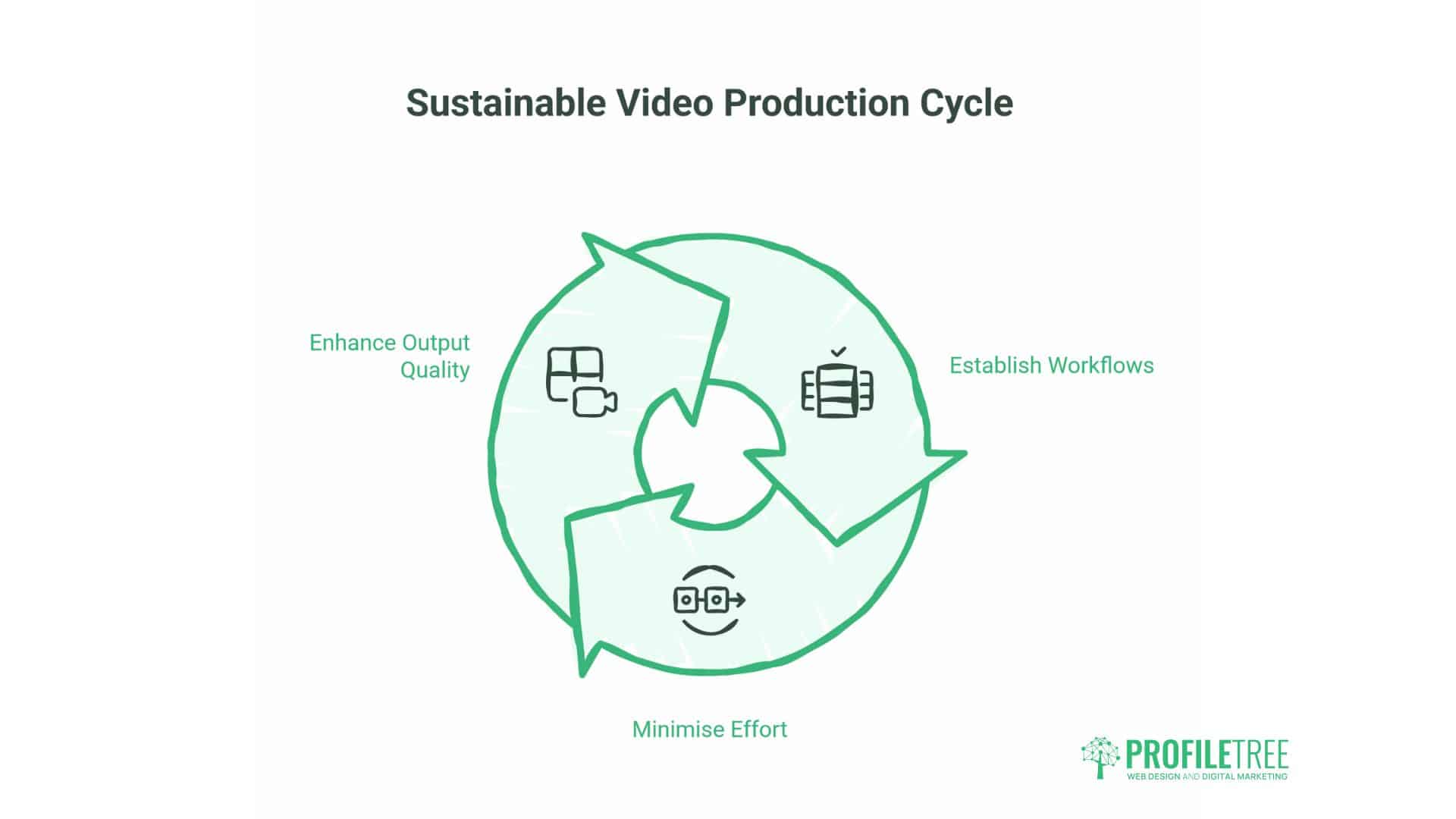
Sustainable video production requires systematic workflows rather than one-off heroic efforts. Businesses producing consistent video content develop processes that reduce effort and improve output quality over time.
These workflows encompass the entire production cycle, including planning, filming, editing, review, publication, and performance analysis. Weak points in any stage compromise overall effectiveness regardless of how well other stages perform.
Pre-Production and Content Planning
Effective videos begin with clear objectives. What should viewers understand, feel, or do after watching? This clarity guides all subsequent production decisions.
Script development or outline creation prevents meandering content and keeps videos focused. Even informal content benefits from structured planning that identifies key messages and appropriate sequencing.
Technical preparation matters equally. Location scouting, equipment testing, and schedule coordination prevent production delays and quality problems. Ten minutes of preparation saves hours of editing compensation.
Filming Best Practices
Audio quality determines video watchability more than visual quality. Viewers tolerate imperfect visuals but abandon videos with poor audio. Invest in basic microphones before upgrading cameras.
Lighting transforms amateur footage into professional-looking content. Natural window light works well for many applications. Dedicated lighting equipment proves worthwhile for frequent production.
Multiple takes provide editing options and insurance against unexpected problems. Recording more footage than needed proves more efficient than attempting to salvage insufficient coverage during the editing process.
Editing Efficiency Techniques
Template-based workflows accelerate production for recurring content types. Develop reusable project templates with pre-configured brand elements, intro sequences, and standard effects.
Keyboard shortcuts and editing optimisation dramatically improve efficiency. Time invested in learning software thoroughly pays dividends through faster editing and reduced frustration.
Review processes should involve stakeholders before making an extensive investment in editing. Creating polished videos that miss strategic objectives wastes more time than rough cuts reviewed early.
Publication and Distribution
Different platforms demand different technical specifications and content optimisations. YouTube prefers certain formats and resolutions. Instagram requires specific aspect ratios. Plan for multiple versions during production, rather than creating a single master that doesn’t perfectly suit any platform.
Metadata and descriptions significantly influence discoverability, just as much as content quality. Descriptive titles, keyword-rich descriptions, and accurate tags help target audiences find content.
Consistent publication schedules matter more than sporadic excellence. Audiences engage with reliable content sources. Develop sustainable production capabilities rather than pursuing unsustainable quality peaks.
Performance Measurement
Video analytics reveal which content resonates and which falls flat. Watch time, completion rates, and engagement metrics guide future production priorities.
Different metrics matter for other content types. Brand awareness videos require view counts. Educational content demands completion rates. Lead generation videos need click-through tracking.
We help businesses establish meaningful measurement frameworks that inform strategic decisions rather than generating meaningless vanity metrics.
FAQs
Can free video editing software produce professional quality?
Yes. Programmes like DaVinci Resolve deliver professional broadcast quality from their free versions. The software used in Hollywood productions is available at no cost with minimal functional restrictions. Quality limitations stem from skills and hardware rather than software licensing.
Do I need expensive equipment to create business videos?
Modern smartphones record excellent video quality suitable for most business applications. A basic external microphone (£30-50) improves audio significantly. Good lighting can be achieved with natural window light or inexpensive LED panels. Professional results don’t require professional budgets.
Which free editor works best for beginners?
OpenShot and iMovie offer the gentlest learning curves with intuitive interfaces and forgiving workflows. CapCut provides excellent automation for social media content specifically. These programmes allow productive work within hours rather than days of learning.
Will free software add watermarks to my videos?
The programmes reviewed here don’t add mandatory watermarks: DaVinci Resolve, Shotcut, OpenShot, Kdenlive, and iMovie export clean videos. CapCut requires a free account but then allows watermark-free exports. Always verify watermark policies before investing time in learning any editing software.
Moving Forward With Video Content
Video content will only grow more central to business communication. Search engines prioritise video results. Social platforms favour video content algorithmically. Customers engage more readily with video than with text or static images.
Businesses that develop video capabilities now position themselves advantageously as competition intensifies. The technical barriers have collapsed. Free software provides professional tools. Smartphones record broadcast-quality footage. Distribution platforms reach global audiences at no cost.
The remaining requirements are commitment and consistency. Effective video marketing demands regular production, strategic planning, and a willingness to learn and improve. Technology and budgets no longer present obstacles – execution and persistence matter most.
Start with available tools and current capabilities. OpenShot or CapCut allow immediate productivity. Develop skills through practice on lower-stakes internal content. Expand to client-facing materials as confidence grows. Graduate to more capable software as requirements and hardware permit.
Video production proves less difficult than most businesses anticipate. The perfectionism and technical mystique surrounding video creation prove more intimidating than the actual work. Acceptable business content doesn’t require cinematic perfection. Clear messaging, decent audio, and adequate lighting produce effective results.
Don’t let technical concerns delay video implementation. The free software reviewed here eliminates cost barriers. Modern hardware handles editing requirements. Skills develop through practice rather than coursework. The primary obstacle is typically decision paralysis rather than genuine capability gaps.
We’re available to assist businesses at any stage of their video content development. Whether you need strategic guidance, technical training, or complete production services, we help organisations implement video marketing effectively. Contact ProfileTree to discuss how video content can advance your business objectives.
The opportunity exists now for businesses to establish video capabilities while competition remains limited in many markets. As video adoption accelerates, early movers gain audience attention and platform visibility that becomes harder to achieve as spaces become crowded. Begin producing video content today using the free tools available, and refine your approach through consistent practice and performance measurement.