
Mobile Optimisation for Online Stores: A Practical Guide
Table of Contents
Mobile optimisation is no longer a nice-to-have for online stores; it is the difference between a sale and an abandoned basket. More than 70% of UK e-commerce traffic now comes from smartphones and tablets, yet most stores still deliver an experience designed for desktop screens. Poor mobile optimisation means slow load times, awkward navigation, and checkout processes that frustrate shoppers before they reach payment. The result is predictable: lost revenue and weaker search rankings.
ProfileTree, a Belfast-based web design and digital marketing agency, has spent over a decade helping businesses across Northern Ireland, Ireland and the UK improve their mobile performance. The pattern is consistent: stores that treat mobile optimisation as a technical checkbox miss the bigger picture. It is a commercial strategy, and done properly, it drives measurable gains in traffic, dwell time and conversions.
This guide covers the practical foundations of mobile optimisation for online stores, from responsive design and page speed through to platform-specific fixes, UK connectivity realities and AI search visibility. Whether a store runs on WooCommerce in Belfast or Shopify serving customers right across the UK, the principles below apply directly.
Understanding Mobile Shopper Behaviour
Before improving mobile optimisation, it helps to understand what mobile shoppers actually do. They behave differently from desktop users, shaping how a store should be built and structured.
Mobile shoppers tend to browse in short, focused sessions. They’re often multitasking, commuting, or shopping during a brief break, and patience for a slow or confusing interface is scarce. Mobile users typically abandon a page that takes more than three seconds to load, and the abandonment rate climbs steeply with every additional second.
For UK stores, mobile search intent is increasingly local and high-urgency. Queries like “order online Belfast” or “same-day delivery Northern Ireland” spike on mobile and carry immediate purchase intent. A well-considered digital strategy for an online store should map these micro-moment behaviours and position pages to capture customers at the exact moment they’re ready to buy.
Adapting to Different Screen Sizes and Devices
The range of devices accessing a store is wider than ever. A responsive design that stretches a desktop layout onto a phone is not the same as a store built for mobile from the ground up. Mobile optimisation requires that every element, including buttons, images, menus and product cards, adapts to the device the customer is actually using.
Modern responsive design uses CSS container queries and fluid grids rather than fixed breakpoints. A product card should adjust its layout based on the space it occupies, not just the screen width. This matters most for stores where product listings appear in sidebars, category grids and full-width slots on the same site. A developer building mobile-first design strategies from scratch tends to produce a far more stable, better-performing result than retrofitting an existing desktop template.
The Technical Core: Speed, Stability and Service
The technical foundations of mobile optimisation aren’t glamorous, but they’re the most direct levers available for improving both user experience and search visibility. Google’s mobile-first indexing means the mobile version of a store determines its rankings, regardless of how the desktop site performs. Google’s own documentation on Core Web Vitals outlines the three metrics that underpin this.
Page Load Speed and Core Web Vitals
Page speed is the single most impactful technical factor in mobile optimisation. Slow pages lose users and rankings. The Core Web Vitals framework gives specific, measurable targets: Largest Contentful Paint (LCP) under 2.5 seconds, Cumulative Layout Shift (CLS) below 0.1, and Interaction to Next Paint (INP) under 200 milliseconds.
INP replaced First Input Delay in 2024 and measures the responsiveness of every interaction across a page visit, not just the first tap. On UK 4G and 5G networks, where connection quality varies by postcode as much as by provider, a poor INP score means a customer taps “Add to Basket”, and nothing happens for a full second. That’s a conversion killer. Reducing INP means breaking up long JavaScript tasks, optimising event handlers, and making sure visual feedback appears within 200ms of any user action.
| Metric | Good Score | Impact on Mobile Stores |
|---|---|---|
| LCP (Largest Contentful Paint) | Under 2.5 seconds | Hero image and product load speed |
| INP (Interaction to Next Paint) | Under 200 milliseconds | Button responsiveness and tap feedback |
| CLS (Cumulative Layout Shift) | Below 0.1 | Page stability during product browsing |
Responsive, Adaptive or PWA: Which Suits an Online Store?
Not every store needs the same technical approach, and this is a decision worth making deliberately rather than by default. Responsive design uses a single URL and codebase that reflows to fit any screen; it’s the standard choice for most SME stores because it’s simpler to maintain. Adaptive design uses separate, device-specific templates; it can deliver a more tailored mobile experience but doubles the development and maintenance workload. A Progressive Web App (PWA) behaves like an app within the browser, with offline access and home-screen installation, and suits stores with high repeat-purchase behaviour and a development budget to match.
| Approach | Development Cost | SEO Impact | Loading Speed | Typical Fit |
|---|---|---|---|---|
| Responsive | Lower | Straightforward, single URL to rank | Good with proper optimisation | Most SME stores |
| Adaptive | Higher | More complex to maintain consistently | Can be very fast per device | Larger catalogues with distinct device journeys |
| PWA | Highest | Requires careful indexing setup | Very fast after first load | High-frequency, repeat-purchase stores |
For most SMEs in Northern Ireland and Ireland, responsive design paired with proper mobile-responsive design practices is usually the sensible starting point; a PWA is worth exploring later, once the fundamentals are solid.
Image and Video Optimisation
Images and videos are the largest files on most product pages, and they’re the first place to look when page speed suffers. The priority is serving the right image at the right size for the device. A 2,000-pixel hero image scaled down to a 400-pixel phone screen wastes bandwidth and slows loading with no visual benefit.
The AVIF format offers stronger compression than WebP at a similar visual quality, making it a sensible current choice for product photography on mobile devices. Pair this with lazy loading, which defers images until they enter the viewport, and initial page weight drops considerably. Stores producing their own product video content benefit from planning mobile-first video content alongside optimised delivery formats, since strong footage delivered slowly still loses customers.
Browser Caching and Code Streamlining
Browser caching stores static assets locally on a visitor’s device so they don’t need to be re-downloaded on each visit. Setting sensible cache expiry times for stylesheets, scripts, and images noticeably reduces load time for returning customers, who are often the most valuable segment for any online store.
Minifying CSS, JavaScript and HTML removes unnecessary characters and whitespace without changing functionality. Combining scripts into fewer files reduces the number of requests a browser has to make. On WordPress-built stores, these improvements are usually handled as part of a wider website development and performance programme rather than one-off fixes, because the underlying build quality determines how well caching and minification work in practice.
The Thumb-Zone Blueprint: Mobile UX and Design
Mobile optimisation demands a genuine mobile-first approach, not a desktop design squeezed onto a smaller screen. As smartphone screens have grown larger, the area comfortably reachable by a user’s thumb has shrunk relative to the display, and that has direct implications for where controls sit.
Primary navigation placed at the top of a 6.5-inch screen sits in the hardest-to-reach zone for most users. Shifting key actions, including the basket, search, and account menu, to a bottom navigation bar noticeably reduces friction. All touch targets should be at least 44 by 44 pixels; this meets both Google’s recommendation and the WCAG 2.2 accessibility standard, which is increasingly relevant for UK businesses under the Equality Act. A site built for mobile-friendly websites with these thresholds in mind tends to feel built for real users rather than for a benchmark score.
The Privacy Paradox: Cookie Banners and Layout Shift
UK cookie consent banners are a legal requirement under ICO guidance, and they’re also one of the most common causes of poor mobile CLS scores. A banner that slides in after the page has already rendered pushes content down and counts against layout stability, and a full-screen takeover blocks the page entirely, something Google specifically penalises on mobile.
The fix is a footer-docked strip that reserves its own space in the layout from the first paint, rather than being injected on top of content later. It should be dismissible with a single tap and should never cause the page beneath it to jump. Getting this right is a genuine mobile optimisation win that most UK stores still overlook, because it sits at the intersection of legal compliance and technical performance rather than belonging cleanly to either team.
Checkout and Conversion: Where Mobile Optimisation Pays Off
The checkout process is where mobile optimisation has the most direct impact on revenue. A store can have excellent product pages and fast loading times and still lose sales if the checkout flow isn’t built for mobile screens.
Streamlining the Mobile Checkout Process
A multi-step checkout is one of the most common reasons mobile shoppers abandon a purchase. Each additional screen is an opportunity to lose them. A single-page checkout, where payment details, delivery address and order summary are all visible without switching between steps, reduces this friction considerably. Guest checkout options remove another barrier, forcing account creation before purchase, particularly irritating mobile users mid-session.
For UK stores, offering Apple Pay and Google Pay alongside standard card entry is now expected by a significant share of mobile shoppers. These methods complete in two taps and remove the need to type card details on a small screen. Pairing a streamlined checkout with SEO services that drive qualified mobile traffic means a well-optimised funnel is doing the work, rather than sending high-intent visitors to a checkout that loses them at the final step. Tracking the improvement is straightforward once a store understands how the conversion rate is calculated and benchmarks against its own baseline rather than industry averages.
Effective Call-to-Action Design on Mobile
On a desktop, a call-to-action button competes with relatively little surrounding content. On mobile, every element fights for a narrow strip of screen space. Mobile optimisation of CTAs means making them large, clearly labelled and positioned within the thumb-friendly zone of the display.
Action-oriented labels such as “Add to Basket” or “Buy Now” consistently outperform vague labels like “Proceed” in mobile conversion testing. Contrasting colours that make the button visible against the product image or background matter just as much. Placing the primary CTA above the fold on a product page, visible without scrolling, is a basic requirement that many stores still get wrong.
Facilitating Product Search on Mobile
The search bar is the most important navigation tool for mobile shoppers who know what they want. It needs to be immediately accessible, pinned to a visible location rather than hidden behind a menu. Predictive search that surfaces results as the user types removes the need to finish spelling a product name on a small touchscreen keyboard.
Personalised search results, weighted on previous browsing or purchase history, further improve the experience for returning customers. This isn’t a feature exclusive to large retailers; WooCommerce and Shopify both support plugin-based search personalisation that’s accessible to SMEs.
Platform-Specific Fixes: WooCommerce, Shopify and Wix
General advice only goes so far, because the platform underneath a store shapes what’s actually possible.
WooCommerce stores are only as fast as their hosting and plugin stack. The most common mobile problems are bloated page builders, unoptimised product images uploaded at full resolution, and too many active plugins competing for the same JavaScript thread. A focused website development pass, removing unused plugins and setting up proper image handling, usually resolves the worst of it.
Shopify stores are generally faster out of the box, but heavy theme customisation and third-party apps for reviews, upsells, and pop-ups are the usual culprits behind slow mobile load times. Auditing installed apps and removing anything not actively earning its keep is often the single highest-impact fix available.
Wix stores built with drag-and-drop editors can accumulate hidden elements and oversized background media that aren’t apparent in the desktop editing view but load in full on mobile, regardless of their visible size. Checking the mobile preview separately from the desktop editor, rather than assuming the automatic mobile view is optimised, catches most of these issues.
Across all three platforms, a proper web design review before launch, rather than after traffic has already dropped off, saves considerably more than it costs.
Mobile SEO and AI Search Visibility
Mobile optimisation and SEO are inseparable. Google’s mobile-first indexing means the mobile experience is the search engine performance. The landscape has shifted further still: AI-powered search results now occupy a significant portion of the mobile screen, changing how organic rankings translate into clicks.
Mobile SEO Best Practices for Online Stores
Responsive design is the technical foundation of mobile SEO. A single URL that serves an adapted layout across all devices is simpler to maintain and easier for Google to index than separate mobile and desktop URLs. Structured data markup, including Product schema with price, availability and review data, helps Google understand product pages and can produce rich results in mobile search that improve click-through rates. Ongoing mobile SEO optimisation work should track this alongside standard ranking metrics.
Local SEO matters more for mobile than for any other channel. Mobile searches with local intent, including queries like “web design Belfast” or “digital marketing Northern Ireland,” carry high purchase intent and are growing steadily. A physical or defined service area listed accurately on a free business listing site alongside a Google Business Profile strengthens this, and a considered content marketing approach that targets locally relevant queries remains one of the most cost-effective ways to build mobile search visibility over time.
Avoid intrusive pop-ups and interstitials on mobile. Google penalises pages using full-screen overlays that block content on mobile devices, which is the same underlying issue as the cookie banner problem covered earlier.
AI Overviews and Mobile Search Visibility
AI Overviews in Google Search now occupy the majority of the initial mobile viewport on many queries. On a smartphone screen, the AI-generated response can fill 80% of the screen before a user scrolls. This changes the calculus for mobile optimisation: ranking well organically is valuable, but getting content cited within an AI Overview matters just as much.
Pages cited in AI Overviews almost always rank in the top 20 organic results for that query. AI systems also favour content structured for extraction: clear question-and-answer patterns, self-contained sections that make sense out of context, and front-loaded answers that deliver the key point in the first sentence.
As Ciaran Connolly, founder of ProfileTree, puts it: “The stores that win mobile search over the next three years are the ones that write for both people and AI parsers. Short paragraphs, direct answers, structured data and fast loading times serve both audiences at once.”
Voice Search and Conversational Queries
Voice search is a mobile-native behaviour, and it continues to grow across the UK. Voice queries tend to be longer and more conversational than typed searches. A mobile user might type “running shoes Belfast” but ask their phone, “Where can I buy running shoes near me in Belfast?” Mobile optimisation for voice search means including question-based content, FAQ sections with direct answers, and natural language phrasing that matches how people actually speak.
The UK Connectivity Gap: Optimising for Rural and Low-Bandwidth Areas
Most mobile optimisation advice assumes fast, consistent connectivity, which doesn’t reflect the reality for a large share of the UK. Rural parts of Northern Ireland, the Highlands, and stretches of Wales and the west of Ireland still deal with patchy 3G and inconsistent 4G, particularly indoors or in valleys. A store optimised only for a fast urban connection will still feel slow to a meaningful portion of its customer base.
Practical fixes here overlap heavily with the general speed work already covered, but a few deserve specific attention for lower-bandwidth users: serving genuinely compressed images rather than relying on device-based scaling alone, deferring non-essential scripts such as chat widgets and marketing pixels until after the main content has loaded, and testing on a throttled connection rather than assuming office wifi speeds reflect the customer experience. A store serving a wide UK and Ireland customer base, rather than a single city, would gain more from this work than a purely urban retailer.
Testing and Continuously Improving Mobile Optimisation
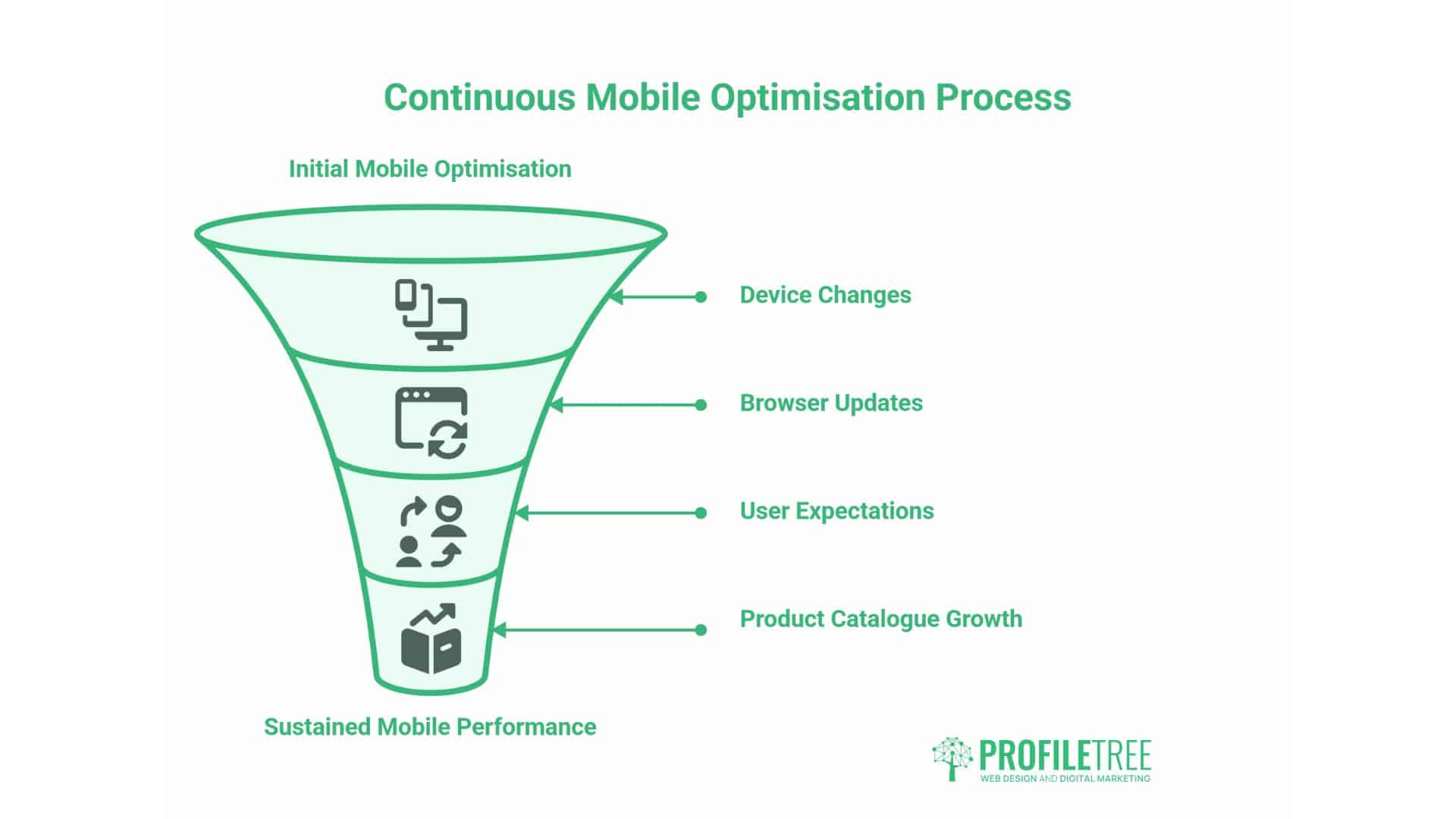
Mobile optimisation isn’t a project that gets completed and left alone. Devices change, browsers update, user expectations shift, and product catalogues grow. Stores that maintain strong mobile performance over time are the ones that build a habit of testing and iteration.
A/B Testing on Mobile
A/B testing compares two versions of a page element to see which performs better against a defined goal, such as reducing bounce rate or increasing add-to-basket clicks. For mobile optimisation, effective tests are focused and specific: test one change at a time, whether that’s CTA position, product image size, checkout step count, or navigation layout.
Run tests long enough to gather statistical significance before drawing conclusions. A test run over a single weekend may not reflect typical weekday behaviour, and UK public holidays can skew results. Aim for at least two weeks and a reasonable minimum number of sessions per variant before declaring a winner.
Using Real User Data to Improve Mobile Experience
Analytics tools, including Google Search Console, Google Analytics 4 and Hotjar, give direct insight into how mobile users interact with a store. Search Console shows which queries bring mobile users to the site and at what position. Heatmaps and session recordings show exactly where users tap, scroll and drop off, and this granular behavioural data connects naturally to the wider use of data in marketing, which most SMEs are only beginning to tap into. Teams that want to interpret this data confidently in-house can build the skills through practical, business-focused digital training.
User feedback through post-purchase surveys and on-site feedback forms adds qualitative context to the quantitative data. When analytics shows high drop-off on the payment screen, a simple survey question can surface the specific friction point the numbers alone can’t identify.
Social Media Integration and the Mobile Shopping Journey
Social media and mobile commerce are closely linked. A significant share of product discovery happens on social platforms, and the journey from discovery to purchase is often completed entirely on a mobile device. Mobile optimisation needs to account for this pathway rather than treat it as separate from the store itself.
Social sharing buttons on product pages let customers share items with their networks, serving as free word-of-mouth marketing, and the underlying online community statistics consistently show how much purchase influence happens inside these networks before a customer ever reaches a product page. Social login options remove friction from account creation. User-generated content, including customer photos and reviews, builds trust and can be surfaced on product pages to support purchasing decisions. A well-executed social media marketing strategy that drives traffic from social platforms into a well-optimised mobile store creates a genuinely seamless journey from discovery to purchase.
For UK businesses investing in video content, embedding it on product pages can meaningfully extend dwell time and improve mobile conversion rates. Short-form product demonstrations and customer testimonials, produced through proper video marketing planning, serve both the mobile shopper and the AI search visibility goals covered earlier. Customers who want to revisit or share this content on the go benefit from stores that make saving and sharing videos on mobile straightforward, not an afterthought.
Mobile Optimisation Audit Checklist
Use this checklist as a starting point for auditing an online store’s mobile performance. It covers the areas discussed throughout this guide.
Technical Performance
- LCP below 2.5 seconds on mobile (test with PageSpeed Insights)
- INP below 200 milliseconds across all interactive elements
- CLS below 0.1, with no layout jumps when the page loads or a cookie banner appears
- Images served in AVIF or WebP format at appropriate responsive sizes
- Browser caching configured for static assets
- CSS and JavaScript minified; unused scripts and plugins removed
Design and UX
- All touch targets at least 44 by 44 pixels with adequate spacing
- Primary navigation accessible without scrolling
- Search bar visible and accessible from all pages
- CTAs above the fold on product pages
- Text is readable without zooming at the default screen size
Checkout and Conversion
- Guest checkout option available
- Apple Pay and Google Pay are enabled
- Checkout steps minimised to a single page where possible
- Form fields use correct input types
Platform-Specific
- WooCommerce: unused plugins removed, images optimised at upload
- Shopify: installed apps audited for load-time impact
- Wix: mobile preview checked separately from the desktop editor
SEO and AI Visibility
- Product and FAQ page structured data implemented and validated
- Google Business Profile is complete and accurate
- No intrusive interstitials; cookie banner is footer-docked and doesn’t shift layout
- Key content is front-loaded in the first paragraph of each section
- The FAQ section presents a direct question-and-answer format
What to Do Next
Mobile optimisation for online stores is a continuous commercial priority, not a one-time technical task. Start with the audit checklist above. Run the top five product pages and the checkout page through Google PageSpeed Insights, check Core Web Vitals scores in Search Console, and test the checkout flow on an actual mobile device rather than a browser emulator. The gap between what a mobile experience is assumed to look like and what a customer actually encounters is often significant.
ProfileTree works with e-commerce businesses across Northern Ireland, Ireland and the UK on web design, mobile optimisation, SEO and digital marketing strategy. A store needing a structured improvement programme can have its current mobile performance audited and a prioritised plan built around it.
FAQs
What is the most important first step in mobile optimisation for an online store?
Run the top product pages and the checkout page through Google PageSpeed Insights. It gives a baseline Core Web Vitals score and highlights the specific issues causing the most damage. For most stores, image optimisation and unused JavaScript are the two biggest quick wins.
How does mobile optimisation affect search engine rankings?
Google uses the mobile version of a site for indexing and ranking. If the mobile experience is slower or harder to navigate than the desktop version, rankings reflect that. Poor Core Web Vitals scores are a direct ranking signal.
What mobile payment options should UK online stores offer?
At minimum, Apple Pay and Google Pay, alongside standard debit and credit card entry. The priority is reducing the number of taps required to complete a purchase; every additional form field is a potential exit point.
How do I optimise a Shopify or Wix store specifically for mobile?
On Shopify, audit installed apps first, since third-party scripts for reviews, upsells, and pop-ups are the most common cause of slow mobile pages. On Wix, check the mobile preview separately from the desktop editor rather than relying on the automatic mobile view, since hidden elements and oversized media often load in full regardless of their visible size.