
How to Use Hashtags: The Complete Guide for UK and Irish Businesses
Table of Contents
Using hashtags well means picking three to five specific tags that describe what the post is actually about, then writing a caption in the words your audience would type into a search box. Platform limits are now tight and enforced: Instagram caps posts and Reels at five, TikTok and YouTube work best at three to five, LinkedIn at one to three, X at one or two, and Threads allows a single tag.
Those numbers are the easy part. The harder shift is that hashtags stopped working as reach amplifiers and became classification signals, which is why so much of the advice still circulating produces nothing. This guide covers how they work now, how to check a tag before you commit to it, how to use them on each platform, and what changes for businesses selling into the UK and Ireland.
Three things to take away:
- Hashtags now classify your content rather than amplify it. Three to five precise tags beat thirty generic ones on every major platform.
- Research the tag before you use it. A restricted or dormant hashtag can suppress a post rather than help it.
- UK and Irish businesses win on regional and sector tags, not global ones, and UK ad disclosure rules are stricter than most US-focused guides acknowledge.
ProfileTree, a Belfast-based digital marketing agency, works with SMEs across Northern Ireland, Ireland, and the UK on social media strategies that reflect how platforms actually work today, not how they worked five years ago.
What Is a Hashtag and How Does It Work?
A hashtag is a word or phrase preceded by the # symbol, with no spaces, that functions as a metadata label on social media platforms. When you add #DigitalMarketing to a post, you are filing that post into a live index of content around that topic. Anyone searching that term can find your post. Following a hashtag is no longer an option on Instagram, which withdrew the feature in December 2024, so search and algorithmic classification now do the work that follower feeds once did.
That is the simple version. The more accurate version is that hashtags now serve a different purpose than they did when Chris Messina first proposed them on Twitter in 2007. The first widely used hashtag, #sandiegofire, spread information about California wildfires in real time because it grouped related content that users could search and follow. That original function, categorisation through tagging, still holds today, but the role has shifted substantially.
What a Hashtag Actually Does to Your Post
Four things happen at once when you add a hashtag:
- Categorisation: the post is filed in a category the platform recognises and indexes, telling the algorithm what your content is about.
- Search: the content becomes findable to anyone searching that term, reaching people well beyond your followers.
- Algorithm signalling: platforms read hashtags alongside caption text, audio and image recognition to judge relevance and decide who sees the post.
- Community: hashtags create visible groupings around a topic, brand, or campaign.
Only the first three are within your control on any given post. The fourth builds slowly, through consistent use of the same branded or community hashtag over months.
Hashtags Versus Keywords
Business owners often treat these as the same thing. They are not, and the distinction matters for planning.
Keywords support search engine optimisation. They target the queries people type into Google, tend to be longer phrases matching search intent, and sit in page titles, headings and body copy. “Web design services Belfast” is a keyword.
Hashtags work inside social platforms to categorise and surface content. They are shorter, built for discovery within one specific platform, and written as a single unbroken string: #WebDesignUK, #DigitalStrategy. Strong digital marketing uses both, with SEO services covering the website and hashtags covering social discovery.
The Shift from Viral Amplifier to Contextual Signal
For a long time, marketers treated hashtags as a reach mechanism: add the right ones, reach a bigger audience. That logic worked when platform algorithms used them as primary discovery signals. It no longer works the same way.
Instagram and TikTok now use natural language processing to parse caption text, on-screen text, audio transcripts, and visual content. Hashtags remain useful, but they function as contextual anchors that help the algorithm categorise your content rather than as standalone reach drivers. The caption keyword “small business Belfast” tells Instagram’s algorithm about your content. The hashtag #SmallBusiness confirms it.
Types of Hashtags: A Quick Reference
Understanding the categories helps you build a balanced set rather than defaulting to the obvious terms.
- Branded: unique to your business, as #ProfileTree is to ProfileTree. Builds community, tracks mentions, creates a searchable archive of your content. Use it consistently.
- Campaign: created for one promotion or event. Temporary by nature, so keep it short and memorable, and track it while the campaign runs.
- Community: connects you with niche groups. #BelfastBusiness or #NorthernIrelandSME put your content in front of a specific local audience in a way that a broad #Business tag never will.
- Content: describes the subject of the post. #WebDesign, #SEOTips, #ContentMarketing. These are the workhorse tags that do the categorisation work.
- Location: #Belfast, #NorthernIreland, #IrishBusiness. Underused by most businesses, and particularly valuable if you serve a defined area.
Do Hashtags Still Work?
Yes, but not the way they used to. The more useful question is what they are actually doing for your content.
The old playbook of cramming 25 to 30 hashtags into an Instagram post has been obsolete since at least 2021, and on Instagram it is now impossible: the platform capped posts and Reels at five in December 2025. TikTok’s For You Page algorithm prioritises engagement, watch time, and caption relevance over hashtag volume. LinkedIn’s algorithm favours posts with three or fewer.
What has changed is that social platforms increasingly work as search engines in their own right. Instagram’s in-app search returns results based on caption keywords, not just hashtags, and TikTok’s search bar has become a genuine discovery route for younger audiences, a pattern visible in the UK TikTok usage data. Writing keyword-rich captions now matters at least as much as hashtag selection.
Why Fewer, Sharper Hashtags Win Now
Every hashtag you add is a claim about what the post is about. Add ten broad ones and you dilute that claim across ten weak categories. Add three precise ones and you give the model a clean signal it can act on. Tag-stuffing does not spread reach. It blurs classification.
There is a second reason to trim. A tight, relevant set attracts people with genuine interest, and their saves and shares are the engagement that pushes a post further. A bloated set pulls in scrollers who bounce, and low-quality engagement tells the algorithm the post underperformed.
Ciaran Connolly, founder of ProfileTree, puts it plainly: “The businesses we work with that get the most from social media aren’t the ones using the most hashtags. They’re the ones writing captions that actually explain what they do and who they do it for. The tags come second.”
Treat hashtags as filing labels. Choose them because they accurately describe your content and connect it to the right audience, not because they have high search volume.
How to Look Up Hashtags Before You Use Them
Most guides tell you which hashtags to use. Far fewer explain how to check whether one is active, oversaturated, restricted, or relevant to an audience in the UK or Ireland rather than the US. For a business owner in Belfast, Dublin, or Birmingham, posting the same hashtags as a lifestyle influencer in Los Angeles will disappoint regardless of how good the content is.
Instagram: Mobile App and Desktop Search
On mobile, tap the search icon, select the Tags tab, and type the hashtag without the # symbol. Instagram returns the tag with its total post count and, often, related tags. On desktop, use the search icon in the left-hand menu at instagram.com and filter by “Tags” rather than accounts or audio.
Two things matter most. First, the post count: under 10,000 is niche enough to give your content a realistic chance; 50 million is so saturated that new posts vanish within seconds. Second, the recency of the top posts. If the last one was three weeks ago, the hashtag is dormant. For the mechanics behind the platform’s discovery system, Instagram algorithm guide covers how content gets surfaced.
TikTok: Native Search and the Creative Centre
Tap the Discover or Search icon and enter your hashtag. TikTok shows total view count rather than post count, which is a better signal for potential reach here.
For granular data, TikTok’s Creative Centre is free, web-based, and needs no paid account. It shows trending hashtags by country, including the UK and Ireland, with 7-day and 30-day trend data. This is the most reliable free way to spot seasonal or event-driven spikes in advance rather than reacting after they have peaked, and its UK data beats anything in a free third-party tool.
LinkedIn: Searching Professional Hashtags
Type the hashtag into the LinkedIn search bar and read the posts using it rather than the headline numbers. LinkedIn has wound down hashtag following, so a follower count on a tag page is no longer a dependable proxy for professional reach. The better test is whether people in your sector are posting under that tag this month and whether those posts are drawing replies.
One quirk to allow for: results are filtered by your network and privacy settings, so you may see fewer posts than actually exist under a tag. Do not read that as low activity. Browsing the most active LinkedIn industries is a quick way to see which sector communities are worth targeting.
X (Twitter): Explore Tab with a UK Location Filter
Go to Explore, click the Settings cog near the search bar, and select United Kingdom as the Explore location. That gives you trending hashtags for a UK audience rather than a US-dominated global feed, which matters if your customers are in Belfast or Bristol rather than Boston.
To check a specific hashtag, search it and select “Latest” rather than “Top”. Top results are weighted toward high-follower accounts; Latest shows real-time activity, which is the better test of whether a tag is alive. If you are aiming for reach on a specific hashtag, the guide to trending on X walks through the timing.
How to Look Up Hashtags Without an Account
Researching a hashtag without logging in is genuinely useful, either for initial client research or to check activity without your own account history skewing the results.
Display Purposes remains the quickest free starting point: enter a hashtag and it returns related tags, a relevance score, and a visual map of how they cluster. The basic search runs in a browser, though its newer analytics features now sit behind an account. All Hashtag covers volume checks and related tags with no login at all. Hashtagify, which older guides still recommend for cross-platform work, has been discontinued, so any guide pointing you there is out of date. Navigating to instagram.com/explore/tags/[hashtag]/ in a browser sometimes shows the tag page without a logged-in session, though Instagram has progressively tightened this and results vary.
How to Spot Restricted or Broken Hashtags
Instagram regularly restricts hashtags associated with spam, inappropriate content, or mass automation. A restricted hashtag gives you nothing, and in some cases it suppresses the post across the platform’s discovery systems.
Search the hashtag using the Tags tab. The dependable signal is an explicit message saying recent posts for that tag are hidden or limited. If you see that, do not use it. The older test of looking for a missing “Recent posts” section no longer holds, because Instagram has withdrawn the Recent tab from hashtag pages for many accounts, so its absence tells you nothing on its own. Judge the tag instead on whether the top posts are recent and whether the content under it matches your subject.
The restriction is driven by the behaviour of accounts using the hashtag rather than its meaning, which is why it catches people off guard: ordinary everyday words get restricted because spam accounts have colonised them. Check before using any tag, particularly in fitness, food, and lifestyle categories where spam is most common.
A Quick Health Check Before Using Any Hashtag
For any hashtag you plan to use regularly, run through these questions before adding it to your content plan:
- Is the most recent post from within the last 24 hours? If not, the hashtag may be dormant.
- Does the tag page carry a warning that recent posts are hidden or limited? That message, rather than a missing “Recent” tab, is the restriction signal.
- Is the content under the hashtag aligned with your industry? If a tag has been co-opted by an unrelated community, your posts will appear next to irrelevant content.
- Is the total post volume above 50 million? If so, treat it as a brand awareness signal rather than a discovery tool. New posts disappear too quickly for it to drive meaningful reach for smaller accounts.
- Do the top posts look visually similar to yours? Platforms use image recognition to test whether a hashtag fits the content, and a mismatch reads as an attempt to game the system.
Tools for Looking Up and Analysing Hashtags
Native search tells you whether a hashtag exists and roughly how active it is. For anything beyond that, a third-party tool helps.
RiteTag is the most useful free option for day-to-day posting: it integrates with your browser and colour-codes suggestions live as you compose, marking hashtags green for good current engagement, blue for slow-building reach, red for overused and grey for dormant. Display Purposes and All Hashtag both handle related-tag discovery and quick volume checks without a login. On the paid side, Keyhole tracks a single hashtag over time, which suits campaign and branded tags, while Brandwatch analyses sentiment and geographic spread around a topic across the UK and Ireland. If you already use a scheduling tool such as Sprout Social, check whether tag reporting is included before paying separately for a standalone product.
| Tool | Free tier | Login required | Best for | UK data |
| RiteTag | Limited | Yes | Real-time post composition | Good |
| TikTok Creative Centre | Full | No | TikTok trend research | Excellent |
| Display Purposes | Full | No | Related tag discovery | Moderate |
| All Hashtag | Full | No | Quick volume checks | Moderate |
| Hashtagify | Limited | No | Cross-platform research | Moderate |
| Keyhole | Trial only | Yes | Campaign tag tracking | Good |
| Brandwatch | No | Yes | Social listening and sentiment | Excellent |
A Three-Tier Framework for Choosing Tags
Vague advice like “mix popular and niche hashtags” leaves you guessing. A tiered model removes the guesswork by giving every hashtag a defined job. Adjust the proportions to your account size and how competitive your sector is, but keep the three layers.
| Tier | What it does | Typical volume | Share of your hashtags | Example |
| Tier 1: Foundation | Broad category signal to the algorithm | 1m to 5m posts | 10 to 20% | #DigitalMarketing |
| Tier 2: Community | Sustained visibility and top-posts placement | 50k to 500k posts | 50 to 60% | #MarketingAgencyUK |
| Tier 3: Niche | High-intent connections and local reach | Under 50k posts | 20 to 30% | #BelfastWebDesign |
Foundation hashtags tell the platform the broad subject of your post. Think #SmallBusiness or #ContentCreation. They move fast and give little lasting visibility, so use them sparingly. Newer accounts should lean on these least, because established pages with strong engagement dominate the crowded spaces.
Community hashtags are where most of your set should sit. These have active audiences but are not so saturated that your post vanishes. The tactic is to win early engagement so the post reaches the top section of the tag and stays visible. Open the top posts to judge whether that is realistic: if the leading content has engagement close to yours, you have a chance; if everything there runs at ten times your numbers, pick a smaller tag.
Niche and branded hashtags carry the highest intent. Someone browsing #NIStartups is looking for something specific, often a supplier or a collaborator. Volume is low, relevance is high. Every business should run one branded hashtag, kept short and distinctive, to build a searchable archive and support user-generated content.
How to Use Hashtags on Each Platform
Every platform handles hashtags differently. What works on LinkedIn can actively harm your Instagram performance. Here is the current picture across each channel.
Instagram capped posts and Reels at five hashtags in December 2025 and has moved decisively away from tag-driven discovery. Three to five specific hashtags in the caption is the working approach, with the cap applying to caption and first comment combined. A post about social media training for Belfast businesses is better served by #SocialMediaTraining and #BelfastBusiness than by #Marketing and #Business.
Because the rules here are now materially different from everywhere else, the detail sits on its own page: the Instagram hashtag guide covers the five-tag cap, Reels, placement, localised tags, and how to read the reach-from-hashtags figure in Instagram Insights.
TikTok
TikTok’s For You Page prioritises watch time, completion rate, and engagement. Tags categorise your content and help reach users who search within the app. Use three to five: one broad category tag, two or three niche tags, and one community or challenge tag where relevant. Avoid stacking #fyp or #viral; they carry no categorisation signal and are oversaturated.
The rule most guides miss is that TikTok leans heavily on audio transcription, so your tags should match the keywords you actually speak in the clip. Say “small business bookkeeping” on camera, tag that, and the audio and the tags agree. Front-load your key tags before the “more” cut-off. For a wider view of the format, short-form video covers how the clips themselves are built.
LinkedIn is where overuse does the most visible damage. The algorithm treats large tag blocks as spam signals.
Use one to three per post, choosing industry-specific terms that match a professional audience: #DigitalMarketing, #WebDesign, #SMEGrowth. Generic tags like #Business or #Entrepreneur face too much competition and reach too diffuse an audience. Company pages can assign featured tags connecting the page to relevant topics, which is worth setting once and leaving in place.
YouTube
Hashtags appear above the video title and function as clickable category links, and they feed search indexing within the platform. Add three to five in the description; YouTube pulls the first three to display above the title.
One trap worth knowing: YouTube’s own documentation states that if a video carries more than 15 hashtags, the platform ignores all of them. Overloading the description does not dilute the effect, it removes it. For Shorts, apply the TikTok principles: specific, relevant, limited.
X (Formerly Twitter)
X remains the platform most closely associated with hashtag culture, and where real-time trending topics carry the most commercial weight. One to two tags per post is the standard; more reduces engagement. For live events, launches, or campaigns, create a specific branded tag, use it consistently, and track it through X’s analytics.
Facebook and Threads
Facebook’s hashtag utility is the weakest of the major platforms. The algorithm does not treat tags as strong signals and users rarely search by tag. Two or three per post is enough, and they are more useful for cross-platform campaign consistency than Facebook-native discovery. Inside groups, tags do genuine work organising posts.
Threads takes the most restrictive approach of any Meta platform, allowing one tag per post. Treat it as a topic label rather than a discovery lever.
Platform Reference Table
| Platform | Working count | Primary function | Best placement | Worth knowing |
| 3 to 5 | Classification and search | Caption | Five is a platform cap, not a target | |
| TikTok | 3 to 5 | FYP categorisation, in-app search | Caption, front-loaded | Match tags to spoken and on-screen words |
| 1 to 3 | Professional indexing | Caption or end of post | Large blocks read as spam | |
| YouTube | 3 to 5 | Search and category navigation | Description | More than 15 and all tags are ignored |
| X | 1 to 2 | Real-time and trending | Inline | More than two lowers engagement |
| 2 to 3 | Cross-platform consistency | End of post | Weak native discovery | |
| Threads | 1 | Topic labelling | Inline | One tag per post is the platform limit |
Trimming a Legacy Hashtag Library from 30 Tags to Five
If you have years of posts built on 30-hashtag blocks, do not delete everything and start over. Prune in place.
Pull your last 20 to 30 posts and note the hashtags on each. Keep the ones that repeatedly appear on your best-performing posts, since those carry your existing categorisation. Cut the broad, high-volume tags that never drove saves or shares. Rebuild what is left into three or four themed sets following the tier model above, so you can rotate by content type rather than repeating one block.
Test the new sets over four weeks before retiring the old habit. Four weeks is long enough to see whether reach holds and short enough that you are not carrying a broken approach through a whole quarter. This is the single highest-return job in most SME social accounts, and it takes an afternoon.
Digital Accessibility: Why CamelCase Is Non-Negotiable
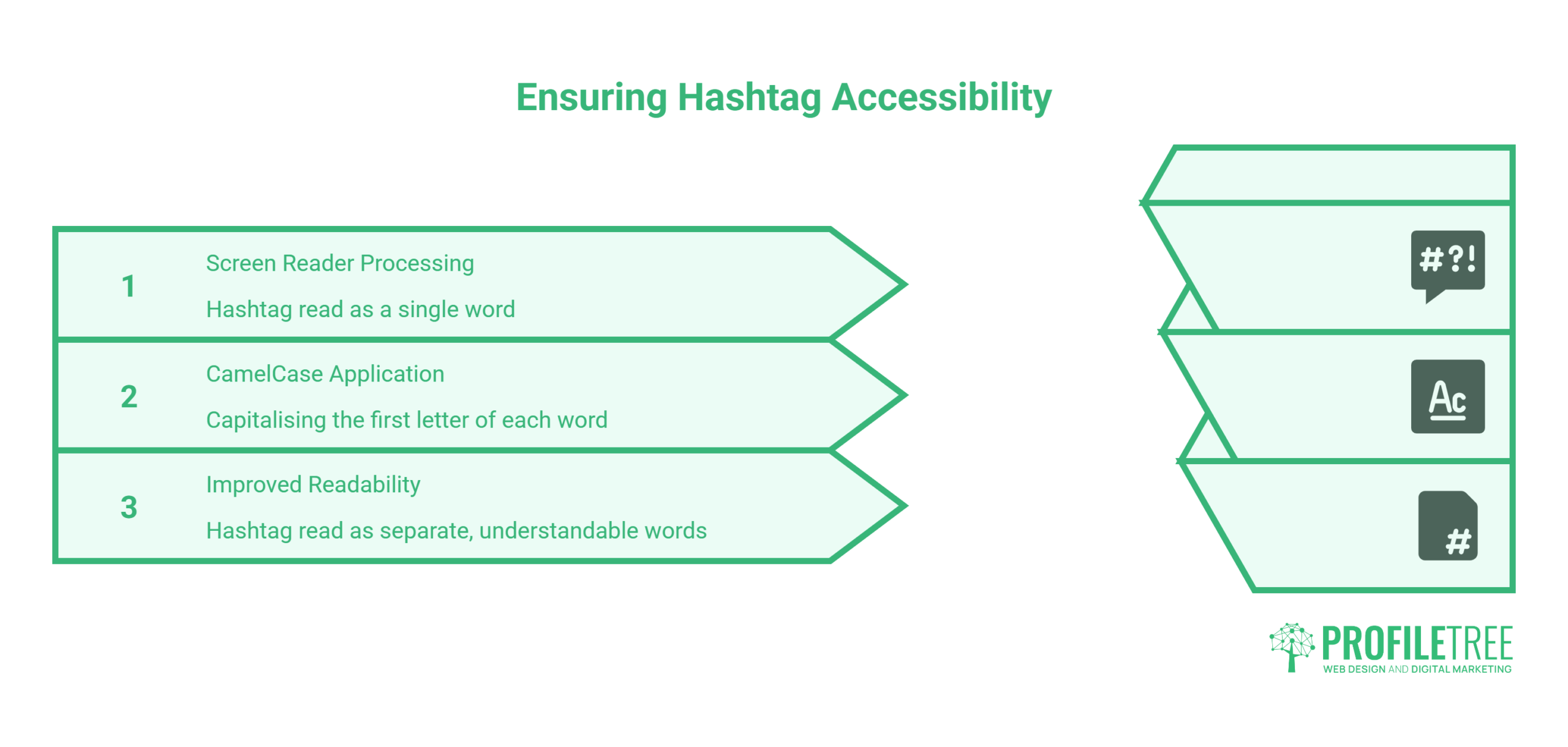
This is the section most guides skip, and skipping it creates a genuine problem for part of your audience.
Screen readers, the assistive technology used by people with visual impairments, process hashtags as single words. #socialmediamarketing is read aloud as one unintelligible string. #SocialMediaMarketing is read correctly as three separate words.
| Lowercase tag | How a screen reader handles it | CamelCase tag | How a screen reader handles it |
| #togetherwecan | One run-on string, hard to parse | #TogetherWeCan | Three clear words |
| #northernirelandbusiness | Garbled, frequently misread | #NorthernIrelandBusiness | Read correctly |
CamelCase formatting, capitalising the first letter of each word, is a basic accessibility standard that makes your content usable by everyone. The Web Content Accessibility Guidelines do not explicitly address tagging, but the principle of text readability applies, and many public sector and corporate clients now require WCAG conformance from suppliers.
The practical rule: always use CamelCase for multi-word hashtags. #DigitalMarketing, not #digitalmarketing. It takes two seconds, removes a real barrier, and costs nothing in performance, since capitalisation does not affect how platforms index the tag.
Legal Compliance: Sponsored Hashtags and UK and Irish Disclosure Rules
Formatting your hashtags correctly protects your readers. Getting the legal side right protects your business, and the UK and Irish rules are stricter than most US-focused guides acknowledge.
In the UK, the Advertising Standards Authority and the Committee of Advertising Practice require that any commercial relationship, including paid sponsorships, gifted products, loaned items, or contra arrangements, is clearly disclosed. The disclosure must be prominent and immediate. The Competition and Markets Authority can take enforcement action under the Digital Markets, Competition and Consumers Act 2024. In Ireland, the Competition and Consumer Protection Commission enforces equivalent requirements.
What This Means in Practice
The label #AD or #Advert must appear at the beginning of the caption, not buried in a cloud of hashtags at the end. Placing #ad as the twelfth tag does not constitute adequate disclosure. On video, the label needs to be overlaid on the visual content or sit at the start of the caption, not appear midway through.
Terms such as #spon, #collab, #gifted, and #affiliate are not adequate standalone disclosure in the UK. #AD is the required label, and that holds for gifted items too: receiving a product free rather than being paid for a post does not change the requirement.
This applies to brands posting on their own channels, not just to influencers. If a business receives a benefit in exchange for content, or is promoting its own products and services, disclosure is required. Platform tools such as Instagram’s paid partnership banner can help, but regulators have warned they may not be sufficient alone. Each post needs its own label, including Stories and Reels.
The safe habit: put the ad label first, leave a line break, then your strategic hashtags. The ASA and CMA influencer guide sets out the full detail with worked examples and a flowchart for deciding whether a post needs one.
| Jurisdiction | Regulator | Required label | Placement | Insufficient labels |
| UK | ASA / CAP / CMA | #AD or #Advert | Start of caption | #spon, #collab, #gifted alone |
| Ireland | CCPC | #AD or #Advert | Start of caption | #spon, #gifted alone |
| US | FTC | #ad, #sponsored | Clear and conspicuous | #sp, #collab |
If you manage influencer campaigns or work with brand partners, build disclosure compliance into your posting process as a sign-off step. ProfileTree’s social media management includes compliance review as part of content sign-off.
Regional Hashtags for UK and Irish Businesses
Most hashtag guides are written from a US perspective, and the communities they recommend produce weaker results for businesses targeting customers in Northern Ireland, Ireland, and the wider UK. A Belfast accountant and a Chicago accountant are both small businesses, but their relevant tag communities are entirely different.
National and international tags put you against brands with far bigger budgets. Regional tags reach people close enough to buy. A joiner in Belfast gets more from #NIBusiness or #BelfastTrades than from #Construction, because the audience is smaller but local and ready to act.
- Northern Ireland: #NIBusiness, #BelfastBusiness, #InvestNI, #MadeInNI, #NITech, #SupportLocalNI
- Ireland: #IrishBusiness, #IrishSME, #MadeInIreland, #StartupIreland, #SupportLocalIreland
- UK-wide: #UKSmallBiz, #SmallBusinessUK, #UKStartup, #SupportSmallBusiness
- Sector-specific B2B: #DigitalMarketing, #WebDesign, #ContentMarketing, #SEO, #UKManufacturing, #AccountancyUK
A useful exercise is checking which of these your existing customers already use on their own accounts. Those tags are demonstrably reaching your actual audience.
Hour-Based Communities on X
Hashtag hour communities are a distinctly UK and Irish phenomenon with no direct American equivalent: regular, scheduled conversations where people post using a specific tag at an agreed time each week, creating a concentrated burst of engagement inside a defined community. #YorkshireHour, #ScotlandHour and #IrishBizParty are the established examples. Search the tag on X and check the timestamps on recent posts to confirm it is still running.
Seasonal Tags and British Spelling
UK and Irish seasonal events generate predictable spikes worth planning around: bank holidays, fixtures such as the Six Nations, and #SmallBizSaturdayUK each December. TikTok’s Creative Centre UK trend data is the most reliable free way to spot these early rather than reacting once they have passed.
Spelling filters your audience too. British variants such as #Optimisation or #Jewellery reach a UK audience where #Optimization and #Jewelry skew American. Build a short regional set for each area you serve: a city tag, a county or nation tag, and a sector-plus-place tag such as #CardiffMarketing or #GalwayFood. Rotate these through your Tier 3 slots so every post carries at least one local signal.
Fitting Hashtags Into Your Wider Marketing
A tag set that sits apart from everything else you publish will always underperform one that reinforces your other content. Two connections do most of the work.
Industry-Specific Hashtag Sets
Different sectors need different sets. These are starting points for the industries ProfileTree works with across the UK and Ireland, not finished lists.
- Web design and development: #WebDesign, #WebDevelopment, #UXDesign, #WebAccessibility, with audience tags such as #SmallBusinessWebsite and location tags such as #BelfastWebDesign.
- Video production and content creation: #VideoProduction, #BrandVideo, #ShortFormVideo, paired with platform tags such as #ReelsForBusiness.
- Digital marketing and SEO: #DigitalMarketing, #SEO, #SocialMediaMarketing, with specialist tags such as #LocalSEO and #TechnicalSEO.
- AI and digital training: #AIForBusiness, #DigitalTransformation, #AITraining, #DigitalSkills.
Pairing a service tag with a location tag creates focused visibility. A Belfast agency might combine #DigitalMarketingBelfast, #NIBusiness and #NorthernIrelandTech. Cross-border businesses often balance a UK tag and an Irish tag on the same post to reach both markets.
How Hashtags Connect to Your SEO Strategy
Hashtags are not a Google ranking factor. The connection runs the other way, and it is one of the most underused signals available to a small marketing team.
The hashtags that generate consistent engagement on your social posts are direct evidence of what your audience is interested in. A B2B business that regularly gets reach from #LinkedInMarketing and #ContentStrategy has data pointing toward topics worth building blog content around. A post that performs on LinkedIn validates a content gap worth covering in long form.
The reverse also applies. Search engines index plenty of public social content, so a well-chosen hashtag on a public post can help that post surface in ordinary search results. Your hashtags should therefore map to phrases people type into a search box rather than platform-native jargon, and if you already run keyword research for the website, reuse that shortlist here.
For SMEs with limited content budgets, this loop is the practical gain: getting more from content you have already produced by making sure it is categorised correctly in both search and social.
Hashtag Best Practices and Common Mistakes
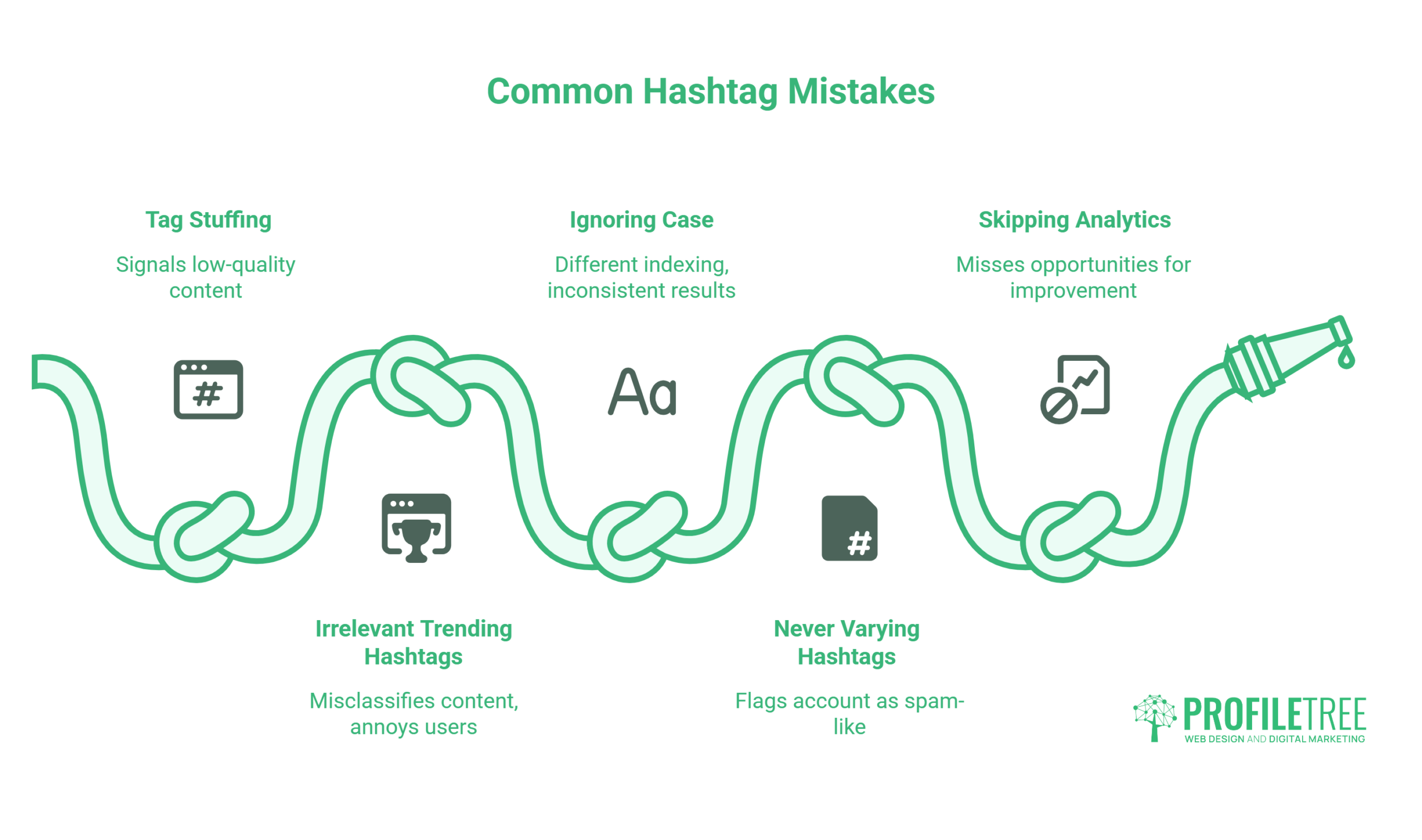
Knowing the recommended count for each platform is the starting point. The numbers only matter if the tags you choose are doing the right job.
What Works
- Match tags to content, not to volume. A tag with 500,000 posts is not better than one with 50,000 if the smaller one connects your content to exactly the right audience. Niche consistently beats broad on engagement.
- Research before you post. Check what is currently performing under each tag in the in-app search. If the top posts look nothing like yours, that tag will not serve you regardless of its size.
- Build a branded tag for campaigns. Short, memorable, unique. Check it is not already in use, and check it cannot be misread. The #SusanAlbumParty incident from 2012 remains the instructive example of what happens when you skip that step.
- Write the caption first. Write it as if hashtags did not exist, saying what the content is about in plain language, then add a small selection of tags to reinforce those keywords.
Common Mistakes
- Tag stuffing. Twenty to thirty tags on every post signals low quality to algorithms and readers alike. On Instagram it is no longer even possible.
- Chasing irrelevant trending tags. Attaching #WorldCup to a post about web design tells the algorithm your content is misclassified, and it annoys the people following that tag.
- Inconsistent capitalisation. Beyond the accessibility argument below, consistent CamelCase makes tags readable at a glance in a busy feed.
- Never varying your set. Identical tags on every post can flag an account as spam-like. Build a bank of 20 to 30 and rotate themed sets.
- Copying competitor tags without checking. That assumes their audience matches yours and that their approach is working. Neither may be true.
- Skipping the data. Most platforms report tag performance natively. Check monthly and drop anything returning zero reach.
Measuring Hashtag Performance
Most businesses check their follower count and call it analytics. Knowing which specific tags drive discovery is a different exercise, and a more useful one. Track four things on a fixed monthly cycle.
Reach from tags. Instagram Insights shows impressions from hashtags per post. TikTok Analytics shows what share of views came from search, a proxy for how well your tagging and captions are working. A healthy share suggests the selection is working; a tiny share points to weak tags or a restriction.
Engagement by set. Compare similar posts that used different sets. Engagement rate, calculated as likes, comments, saves and shares divided by reach, reflects relevance far better than raw totals.
Follower quality. New followers should engage at a rate close to your existing audience. A wide gap means the tags are pulling the wrong people.
Conversion. Add UTM parameters to your bio and campaign links so social traffic shows up clearly in Google Analytics, then track whether tag-driven visits turn into enquiries.
Native analytics cover most of this, and a range of free social media analytics tools handle the rest without a subscription. For cross-account tracking, a simple spreadsheet logging tags against results often reveals patterns the built-in tools miss.
Every 30 days, keep your ten best tags in rotation, drop the dead weight, test two or three new candidates, and confirm none of your regulars has been restricted since last month. As engagement climbs, you can shift more of the mix into busier community tags, because stronger signals let you compete in tighter spaces.
Building a Hashtag Strategy That Holds
A hashtag strategy is not a static list you set and forget. Platforms update their algorithms, trending topics shift, and what works for your audience changes as your account grows. Five steps cover the build for any account:
- Define the audience and the outcome, so hashtags serve a goal rather than habit.
- Research candidates at all three tiers, checking top posts for realistic competition and visual fit.
- Build four or five themed sets so you can rotate by content type rather than repeating one block.
- Map each set to the platform rules above, adjusting count and placement per network.
- Add the ad label rule to your publishing checklist so paid posts are compliant by default.
Hashtags work best inside a wider plan. When you publish a blog post or a video, build the social posts and their hashtags at the same time. If you manage several channels, keep a hashtag bank: a structured document grouping tags by platform, content category, and audience segment, so you are not starting from scratch every time.
For businesses building this capability in-house, digital training covers practical social media management alongside SEO and content creation. For those who would rather have it handled, ProfileTree’s team runs strategy, content production and performance tracking across all major platforms, and the mechanics of how that feeds a pipeline are covered in social media and sales growth.
FAQs
What does a hashtag actually mean?
A hashtag is a word or phrase written as one unbroken string after a # symbol. It acts as a metadata label that files your post into a searchable public index on that platform. Any space, comma or full stop breaks the link and ends the tag early.
Do hashtags still work for reach on social media?
They work, but not as direct reach amplifiers. They function as contextual labels that help platform algorithms categorise your content correctly. Combined with keyword-rich captions and strong engagement, they contribute to content reaching the right audience, but they will not compensate for weak content.
Which was the first hashtag ever used on social media?
Chris Messina proposed using the # symbol to group conversations on Twitter in 2007. #sandiegofire, used during the California wildfires later that year, is generally recognised as the first hashtag to see widespread real-time use.
How do I search for or look up a hashtag?
Every major platform has native hashtag search. On Instagram, tap the search icon and select the Tags tab. On TikTok, use the Discover icon, or the Creative Centre for country-level trend data. On LinkedIn and X, type the hashtag straight into the main search bar. For research without logging in, Display Purposes and Hashtagify both work in a browser without an account.
How can I tell if a hashtag is banned or restricted?
Search it on the platform. On Instagram, look for an explicit message saying recent posts for that tag are hidden or limited. That is the dependable test now, because Instagram has withdrawn the Recent tab from hashtag pages for many accounts, so a missing Recent section no longer proves anything on its own. Avoid any hashtag showing a restriction message, because posting to one can suppress the post rather than help it.
How many hashtags should I use?
It depends on the platform. Instagram caps posts and Reels at five. TikTok and YouTube work well at three to five. LinkedIn performs best at one to three, X at one or two. Facebook needs two or three at most, and Threads allows only one.
Can you own or trademark a hashtag?
No platform lets you buy, register or reserve a hashtag; they are open by design and anyone can use any tag. You can register a trademark covering the words themselves, which gives you grounds to act against misuse in a commercial context, but it does not stop the hashtag being used on social platforms. In practice, businesses “own” a branded hashtag by using it consistently until it becomes associated with them.
How do I create a good hashtag for my business?
Keep it short, distinctive, and easy to spell. Search it on every platform you use to confirm it is not already attached to an unrelated community. Read it as one lowercase string to check it cannot be misread. Then use it on every relevant post so it builds a searchable archive over time.
Should hashtags go in the caption or the comments?
Captions are more reliable for indexing, because the algorithm scans caption text and hashtags together. Comment placement keeps the post visually cleaner but can lag before the tags are associated with the post, and on Instagram it creates no extra slots since the five-tag cap covers both locations combined.
Do hashtags help my content rank on Google?
Only indirectly. Hashtags are not a Google ranking factor. Search engines do index the text of public social posts, so they act as secondary keywords within that text, and choosing hashtags that match real search queries raises the chance of a public post surfacing. The stronger effect is that hashtag performance data tells you which topics your audience cares about, which then informs your keyword and blog planning.
Do I need to use #AD for gifted items in the UK?
Yes. Under ASA and CAP Code rules, any commercial relationship including free gifts, loaned products, or paid partnerships must be clearly disclosed. #AD must appear prominently at the start of the caption. Burying it at the end of a hashtag list does not meet the standard, and #gifted alone is not adequate. The same applies in Ireland under CCPC guidelines.
Does capitalising each word in a hashtag matter?
Capitalisation does not affect indexing, so #BelfastBusiness and #belfastbusiness reach the same page. It matters for accessibility: screen readers announce a lowercase run-on string as one garbled word, where CamelCase lets them read each word clearly.
How often should I review my hashtag strategy?
Monthly at a minimum. Check which hashtags drove reach, retire the ones returning nothing, test two or three new candidates, and confirm none of your regulars has been restricted. Rebuild your themed sets quarterly, since tag communities shift over time.