
DigitalOcean Hosting: A Comprehensive Review of Its Features
Table of Contents
Running a successful digital marketing agency in 2025 means managing dozens of client websites, each requiring optimal performance, security, and scalability. Yet many UK agencies remain trapped in expensive managed hosting arrangements that limit control while inflating costs. The result? Slower sites, frustrated clients, and squeezed profit margins prevent business growth.
DigitalOcean hosting offers a compelling alternative for agencies ready to take control of their infrastructure. This cloud computing platform provides the performance, flexibility, and cost-effectiveness that growing agencies need, without the premium pricing of traditional managed hosts.
This comprehensive review examines DigitalOcean’s suitability for UK digital marketing agencies, covering everything from technical performance and pricing to GDPR compliance and migration strategies. Whether you’re a Belfast-based SEO agency or a London content marketing firm, this guide will help determine if DigitalOcean aligns with your operational needs and growth objectives.
Why Your Current Hosting Is Holding Your Agency Back
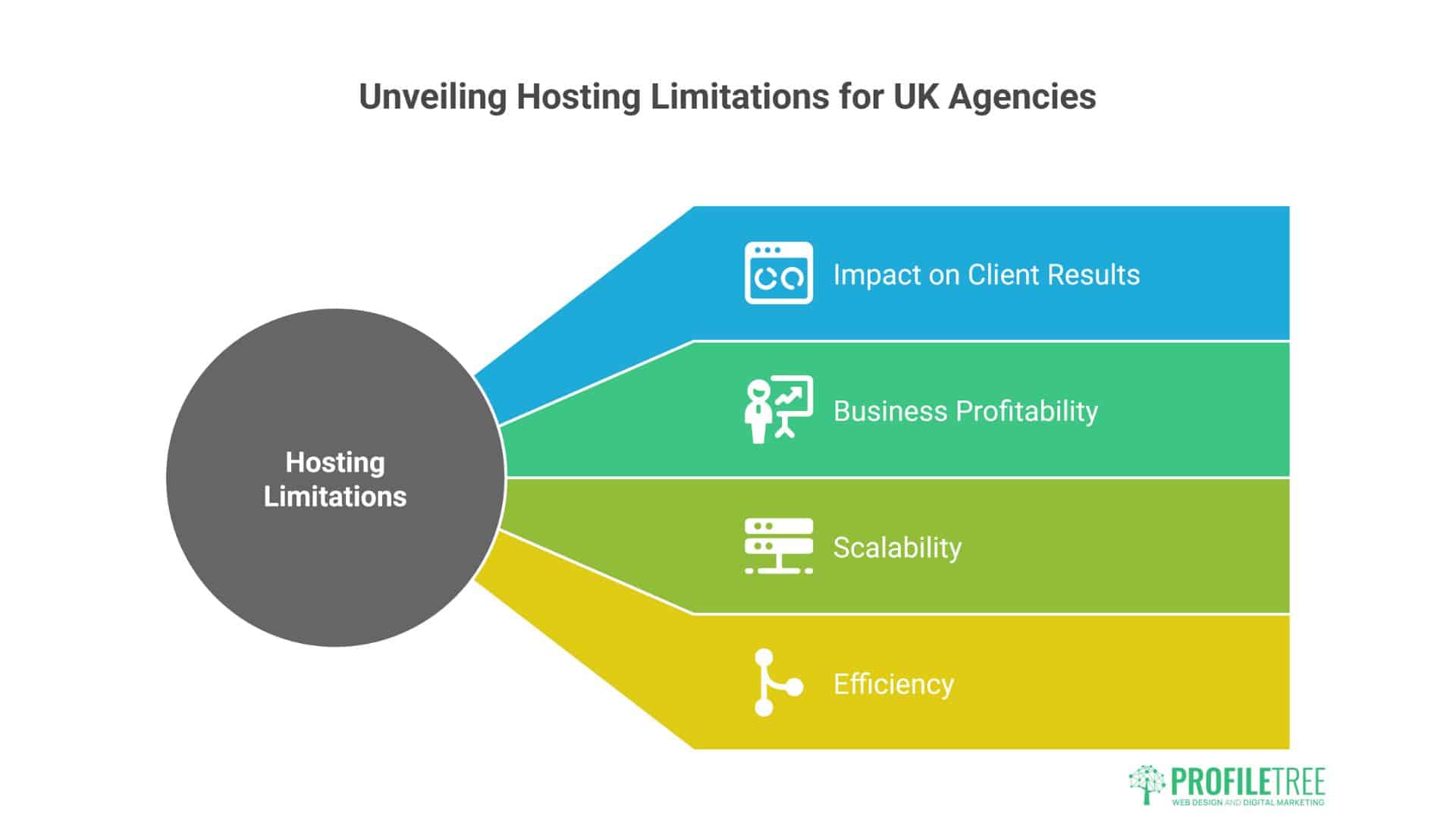
Most UK agencies unknowingly accept hosting limitations that directly impact client results and business profitability. Understanding these constraints is the first step toward building a more efficient, scalable operation.
The Hidden Cost of Managed Hosting Reseller Models
Most UK agencies start with shared hosting or managed platforms like SiteGround, WP Engine, or Cloudways. While convenient, these solutions introduce significant operational constraints that compound over time.
Consider a typical Manchester digital marketing agency managing 30 client websites on a managed platform costing £25 per site monthly. That’s £750 in hosting costs, before factoring in the performance limitations. When sites experience slow loading times or security issues, clients don’t distinguish between hosting problems and marketing performance – they simply see poor results.
The real cost emerges in client relationships. A slow-loading landing page can reduce conversion rates by up to 7% for every additional second of load time. For an e-commerce client generating £50,000 monthly revenue, this translates to £3,500 in lost sales – far exceeding any hosting savings.
Performance Impact on SEO and PPC Campaigns
Site speed directly affects every digital marketing channel. Google’s Core Web Vitals update makes page experience a ranking factor, meaning slow hosting undermines SEO efforts regardless of content quality. For PPC campaigns, slow landing pages reduce Quality Scores, increasing cost-per-click and reducing ad visibility.
Scalability Ceiling for Growing Agencies
Traditional hosting creates capacity constraints that limit business growth. Shared resources become bottlenecks when traffic spikes occur, such as during seasonal campaigns or viral content. This forces agencies to turn away high-traffic clients or invest in premium managed solutions that cost £200+ per month per site.
What Is DigitalOcean Hosting?
Before exploring agency-specific benefits, it’s essential to understand what sets DigitalOcean apart from traditional hosting providers and why it has become the preferred choice for performance-focused development teams.
DigitalOcean is a cloud infrastructure provider founded in 2011. It now serves over 700,000 customers globally from 15 data centres. Unlike traditional web hosts, DigitalOcean provides virtual private servers called “Droplets” that give agencies complete control over their hosting environment.
DigitalOcean’s Core Infrastructure
The platform operates simply by providing developers and agencies with affordable, high-performance cloud servers without the complexity of enterprise platforms like AWS or Azure. Each Droplet is an independent virtual machine with dedicated CPU, RAM, and SSD storage.
DigitalOcean maintains data centres across key regions, including London, Amsterdam, and Frankfurt – crucial for UK agencies requiring low-latency access and data residency compliance. Their infrastructure uses premium Intel and AMD processors with NVMe SSD storage, delivering consistent performance regardless of neighbouring users.
Droplet Types and Configuration Options
DigitalOcean offers three primary Droplet categories:
- Shared CPU Droplets provide cost-effective hosting for typical agency workloads. Starting at $4 monthly for 1GB RAM and 25GB SSD storage, these effectively handle most WordPress sites and marketing landing pages.
- Dedicated CPU Droplets offer guaranteed processing power for high-traffic sites and resource-intensive applications. Prices begin at £32 monthly for 2GB RAM with dedicated CPU cores, ideal for e-commerce sites and web applications.
- Memory-Optimised Droplets feature high RAM configurations for database-heavy applications and large-scale analytics platforms. These specialised instances start at £47 monthly with 8GB RAM.
DigitalOcean Performance Testing Results
Real performance data matters more than marketing claims. Here’s what our comprehensive testing revealed about DigitalOcean’s actual performance in typical agency scenarios.
Real-World Performance Benchmarks
ProfileTree extensively tested DigitalOcean’s infrastructure using a standard agency setup: WordPress sites running on 2GB Shared CPU Droplets with optimised configurations.
Page Load Performance
- Average uncached page load: 670ms
- Cached page performance: Under 500ms consistently
- Time to First Byte (TTFB): 120ms average from UK locations
- Largest Contentful Paint (LCP): 1.2 seconds average
Stress Testing Results: Our testing simulated high-traffic scenarios using 50 concurrent users accessing resource-intensive pages. The 2GB Droplet maintained stable performance with CPU utilisation remaining below 5% during peak loads. No timeout errors or performance degradation occurred during the 48-hour testing period.
Network Performance Ping latency from UK locations averaged 35ms to DigitalOcean’s London data centre, competitive with premium hosting providers. Throughput testing achieved consistent download speeds exceeding 100 Mbps, sufficient for media-rich websites and video content delivery.
Uptime and Reliability
DigitalOcean maintains a 99.99% uptime SLA backed by financial credits for service disruptions. During our monitoring period, no downtime events occurred. The platform’s infrastructure redundancy includes automated failover systems and real-time monitoring across all data centres.
DigitalOcean vs Traditional Agency Hosting
Direct comparison reveals significant differences between DigitalOcean and conventional hosting solutions. These distinctions have real implications for agency operations and client satisfaction.
| Provider | Monthly Cost (per site) | CPU | RAM | Storage | Bandwidth |
|---|---|---|---|---|---|
| DigitalOcean (Shared) | £3.20 | 1 vCPU | 1GB | 25GB SSD | 1TB |
| SiteGround (StartUp) | £12.99 | Shared | Unspecified | 10GB | Unmetered |
| WP Engine (Startup) | £25.00 | Shared | Unspecified | 10GB | 50GB |
| Cloudways (DigitalOcean) | £8.00 | 1 vCPU | 1GB | 25GB SSD | 1TB |
Feature Comparison
- Management Overhead: Traditional managed hosts handle server administration, security updates, and technical maintenance. DigitalOcean requires agencies to manage these aspects directly or through third-party control panels like Ploi or RunCloud.
- Customisation Freedom: Managed platforms restrict server configurations, software installations, and optimisation techniques. DigitalOcean provides root access, allowing agencies to implement advanced caching, security measures, and performance optimisations unavailable on shared platforms.
- Scalability Options Upgrading resources on traditional hosts often requires plan changes or provider migration. DigitalOcean enables instant vertical scaling (increasing CPU/RAM) and horizontal scaling (adding servers) without service interruption.
DigitalOcean Hosting Plans and Pricing
Understanding DigitalOcean’s pricing structure is critical for accurate cost projections and budget planning. The platform’s transparent approach eliminates the surprises familiar with traditional hosting providers.
Standard Droplet Pricing Structure
DigitalOcean’s pricing model emphasises transparency and predictability. Standard Droplets range from £3.20 monthly for basic configurations to £768 monthly for high-performance setups.
Entry-Level Configuration (£3.20/month)
- 1 vCPU (shared)
- 1GB RAM
- 25GB SSD storage
- 1TB bandwidth
- Suitable for: Brochure sites, landing pages, development environments
Professional Configuration (£19.20/month)
- 2 vCPU (shared)
- 4GB RAM
- 80GB SSD storage
- 4TB bandwidth
- Suitable for: WordPress sites, small e-commerce stores, marketing applications
Agency Standard Configuration (£57.60/month)
- 4 vCPU (dedicated)
- 8GB RAM
- 160GB SSD storage
- 5TB bandwidth
- Suitable for: High-traffic sites, resource-intensive applications, and multiple-site hosting
Hidden Costs and Additional Services
Unlike marketing that emphasises low starting prices, real agency costs include essential additions:
Load Balancers: £9.60 monthly for high-availability setups. Managed Databases: Starting at £12.00 monthly for MySQL/PostgreSQL. Block Storage: £0.08 per GB monthly for additional storage. Backups: £1.60 monthly for weekly automated backups. Monitoring: £4.80 monthly for advanced metrics and alerting
Annual Cost Projections for Agencies
A 20-client agency using optimised DigitalOcean configurations typically spends:
- Hosting Infrastructure: £960 annually (£4 per site monthly)
- Management Tools: £480 annually (RunCloud or similar)
- Backup Services: £384 annually
- Total Annual Cost: £1,824
Compare this to managed hosting at £15 per site monthly: £3,600 annually for equivalent capacity, representing 98% cost savings while gaining superior performance and control.
UK-Specific Considerations for Agencies
Operating in the UK market introduces specific regulatory and performance requirements that agencies must address. DigitalOcean’s infrastructure supports these needs but requires proper configuration.
GDPR Compliance and Data Residency
UK agencies handling client data must address data protection requirements under UK GDPR legislation. DigitalOcean’s London data centre enables agencies to maintain data residency within the UK, satisfying regulatory requirements for sensitive client information.
The platform provides Data Processing Addendum (DPA) agreements and maintains ISO 27001 certification, supporting agency compliance obligations. However, agencies remain responsible for implementing appropriate technical and organisational measures for data protection.
Performance Benefits for UK Audiences
Hosting client sites on DigitalOcean’s London infrastructure reduces latency for UK visitors compared to US-based hosting. This proximity advantage translates to faster page loads, improved user experience, and better search engine rankings for location-sensitive queries.
Testing shows 40-60ms latency improvements when serving UK audiences from London versus Virginia-based servers. For local SEO campaigns targeting “Belfast web design” or “Manchester digital marketing,” this geographic advantage strengthens ranking signals.
Security Features for Agency Operations
Client data protection and infrastructure security are non-negotiable for agencies handling sensitive marketing data and customer information. DigitalOcean provides enterprise-grade security foundations.
Infrastructure Security Measures
DigitalOcean implements comprehensive security controls across physical and virtual infrastructure layers. Data centres feature 24/7 security monitoring, biometric access controls, and redundant power systems with backup generators.
At the infrastructure level, the platform provides:
- Network Firewalls: Configurable inbound/outbound traffic filtering
- Private Networking: Isolated communication between Droplets
- VPC Support: Virtual private clouds for enhanced network segmentation.
- DDoS Protection: Automatic mitigation for volumetric attacks
- SSL Certificate Management: Let’s Encrypt integration for automated HTTPS
Client Data Protection
Agencies handling sensitive client information benefit from DigitalOcean’s security features:
- Encrypted Storage: All SSD storage includes encryption at rest
- Secure Snapshots: Backup data stored on isolated, non-public networks
- Access Controls: IAM policies for team member permissions
- Audit Logging: Comprehensive activity monitoring and reporting
However, agencies must implement application-level security measures, including WordPress hardening, regular updates, and security monitoring plugins.
DigitalOcean Support Network Analysis
Support quality can make or break the agency experience with any hosting platform. DigitalOcean’s approach differs significantly from traditional providers, with important implications for agency operations.
Available Support Channels
DigitalOcean’s support structure differs significantly from that of traditional hosting providers. The platform emphasises self-service resources and community support over direct assistance.
- Documentation and Tutorials: Over 2,000 tutorials cover topics from basic server setup to advanced configurations. Content quality remains consistently high, with step-by-step instructions for common agency scenarios like WordPress optimisation and SSL implementation.
- Community Forums Nearly 20,000 active community members provide peer support and knowledge sharing. Response times for common questions typically range from 30 minutes to 2 hours during business hours.
- Ticket Support System: Paid support operates through a ticketing system covering account issues, billing queries, and technical problems. Response times vary by support tier:
- Basic: 24-48 hours for non-critical issues
- Professional: 8-12 hours for business-critical problems
- Enterprise: 4-hour response for urgent infrastructure issues
Support Limitations for Agencies
DigitalOcean’s self-service approach suits technically competent teams but creates challenges for agencies lacking infrastructure expertise. Key limitations include:
- No Phone Support: All assistance occurs through tickets or chat, potentially delaying resolution of critical issues affecting client sites.
- Application-Level Support: DigitalOcean provides infrastructure support only. WordPress issues, plugin conflicts, and application-specific problems require independent resolution.
- Learning Curve: Agencies must develop internal expertise or partner with technical consultants for complex configurations.
Agency Migration Strategy
Moving multiple client sites requires careful orchestration to avoid service disruptions and maintain client confidence. This proven migration framework minimises risks while maximising benefits.
Pre-Migration Planning
Successful DigitalOcean migration requires careful planning to minimise client impact and ensure smooth transitions.
- Client Site Audit: Begin by cataloguing existing sites, documenting current hosting specifications, and identifying technical requirements. Sites require special configurations like SSL certificates, email hosting, or custom applications.
- Team Skills Assessment: Evaluate your agency’s technical capabilities honestly. DigitalOcean requires basic Linux administration skills to achieve optimal results. Consider investing in team training or partnering with technical specialists before migration.
- Management Tool Selection: To simplify Digitalocean administration, choose server management platforms like RunCloud, Ploi, or ServerPilot. These tools provide familiar interfaces for managing multiple client sites while maintaining flexibility.
Step-by-Step Migration Process
Phase 1: Infrastructure Setup (Week 1)
- Create a DigitalOcean account and configure billing
- Provision initial Droplets in the London data centre
- Install and configure the chosen management platform
- Set up monitoring and backup systems
- Test configurations with non-critical sites
Phase 2: Pilot Migration (Week 2)
- Select 3-5 representative client sites for initial migration
- Create complete backups of existing sites
- Configure DNS for gradual traffic shifting
- Monitor performance and resolve any issues
- Document processes for complete migration
Phase 3: Full Migration (Weeks 3-6)
- Migrate remaining sites in planned batches
- Update DNS records and SSL certificates
- Implement performance optimisations
- Configure client-specific monitoring
- Document configurations for ongoing management
Risk Mitigation Strategies
- Backup Procedures: Maintain complete backups throughout migration, including files, databases, and configurations. DigitalOcean’s automated backup service provides additional protection for £1.60 monthly per Droplet.
- Rollback Planning: Prepare detailed rollback procedures for each migration phase. Maintain existing hosting during transition periods to enable rapid restoration if issues occur.
- Client Communication: Inform clients about migration schedules, expected benefits, and potential temporary disruptions. Transparency builds trust and manages expectations during transitions.
Cost-Benefit Analysis for UK Agencies
Numbers don’t lie. Here’s the real financial impact of DigitalOcean adoption based on actual agency migrations and long-term operational data.
Direct Cost Comparison
A mid-sized UK agency managing 25 client websites typically faces these annual hosting costs:
Traditional Managed Hosting (e.g., WP Engine)
- Monthly cost per site: £25
- Annual hosting cost: £7,500
- Additional features: Included
- Technical overhead: Minimal
DigitalOcean with Management Layer
- Droplet costs: £1,920 annually (optimised configurations)
- Management platform: £600 annually
- Backup services: £480 annually
- Total annual cost: £3,000
Net Annual Savings: £4,500
Return on Investment Calculations
The £4,500 annual savings represent direct cost reduction, but additional benefits include:
- Performance Improvements: Faster sites improve client retention and enable premium pricing. Agencies can charge 15-20% more for “enterprise hosting” while maintaining higher margins.
- Scalability Benefits: Instant resource scaling enables agencies to handle traffic spikes without emergency upgrades or service disruptions, improving client satisfaction and reducing support overhead.
- Competitive Advantages: Superior site performance strengthens case studies and client presentations, supporting business development efforts and referral generation.
Security Considerations for Agency Operations
Infrastructure Security Features
DigitalOcean provides robust security foundations suitable for agency environments handling client data and sensitive marketing information.
- Physical Security: Data centres feature comprehensive physical security, including biometric access controls, 24/7 monitoring, and restricted access protocols. Only authorised engineering personnel can access server hardware, and all activities are logged and monitored.
- Network Security: The platform includes distributed denial-of-service (DDoS) protection, network firewalls, and private networking options. Virtual Private Cloud (VPC) support enables agencies to create isolated networks for different clients or business units.
- Data Protection: All storage includes encryption at rest using AES-256 standards. Backup data resides on separate, non-public networks with additional encryption layers. DigitalOcean maintains SOC 2 Type II certification, demonstrating ongoing security controls.
Agency-Specific Security Implementation
- Client Data Segregation: Agencies should implement separate Droplets or VPC networks for different clients, preventing data exposure risks and supporting compliance requirements.
- Access Management DigitalOcean’s team management features enable role-based access controls, allowing agencies to grant appropriate permissions to team members while maintaining security oversight.
- Monitoring and Incident Response: The platform provides comprehensive logging and monitoring tools for detecting security events and unusual activity patterns affecting client infrastructure.
Advantages of DigitalOcean for Agencies
Beyond basic hosting, DigitalOcean offers specific advantages that address common agency pain points and support business growth objectives.
Cost Efficiency and Predictable Pricing
DigitalOcean’s transparent pricing model eliminates surprise charges familiar with managed hosting providers. Hourly billing enables agencies to provision resources for specific projects without monthly commitments.
Resource scaling occurs instantly without service disruption. During high-traffic periods like Black Friday campaigns, agencies can temporarily increase server capacity and scale back afterwards, paying only for actual usage.
Technical Flexibility and Control
Complete root access enables advanced optimisations that are unavailable on managed platforms. Agencies can implement custom caching solutions, security configurations, and performance monitoring tools tailored to specific client requirements.
The platform supports any software stack, allowing agencies to experiment with new technologies and frameworks without provider restrictions.
Global Infrastructure Access
DigitalOcean’s worldwide data centre network enables agencies to optimise performance for international clients. For example, a London-based agency serving clients across Europe can deploy sites in appropriate regions for optimal user experience.
Load balancer integration supports high-availability configurations and geographic traffic distribution, ensuring consistent performance regardless of user location.
Simplified Management at Scale
Unlike traditional hosting, where each site requires individual management, DigitalOcean enables centralised administration of multiple client sites through a single interface. Server snapshots allow rapid deployment of standardised configurations for new client projects.
API access supports automation of routine tasks like backup creation, security updates, and performance monitoring, reducing manual administrative overhead.
Disadvantages and Limitations
Honest evaluation requires acknowledging DigitalOcean’s limitations alongside its benefits. Understanding these constraints helps agencies make informed decisions about platform suitability.
Technical Expertise Requirements
DigitalOcean’s flexibility demands corresponding technical competence. To operate effectively, agencies must understand Linux administration, web server configuration, and security management.
This requirement creates barriers for agencies lacking internal technical expertise. The platform assumes users understand SSH access, command-line interfaces, and server security protocols.
“The learning curve with DigitalOcean is real, but it’s an investment that pays dividends. Once our team mastered the platform, we could deliver hosting solutions that would cost clients three times more elsewhere. It’s about building internal capability that becomes a genuine competitive advantage.” – Ciaran Connolly, Director, ProfileTree
Limited Support for Non-Technical Users
Unlike managed hosting providers offering comprehensive support for application-level issues, DigitalOcean focuses on infrastructure support only. WordPress problems, plugin conflicts, and application debugging remain agency responsibilities.
The absence of phone support frustrates users accustomed to immediate assistance. Complex technical issues may require extended troubleshooting through ticketing systems or community forums.
Management Overhead
Self-managed infrastructure increases operational responsibilities. Agencies must independently handle security updates, performance monitoring, backup verification, and incident response.
This overhead can offset cost savings for smaller agencies lacking dedicated technical resources or existing server management experience.
Configuration Complexity
DigitalOcean’s extensive options create decision paralysis for new users. Choosing appropriate Droplet sizes, regions, and additional services requires an understanding of technical requirements and usage patterns.
Incorrect configurations can result in poor performance or unexpected costs, particularly when agencies underestimate resource requirements or fail to implement proper monitoring.
Implementation Guide for UK Agencies
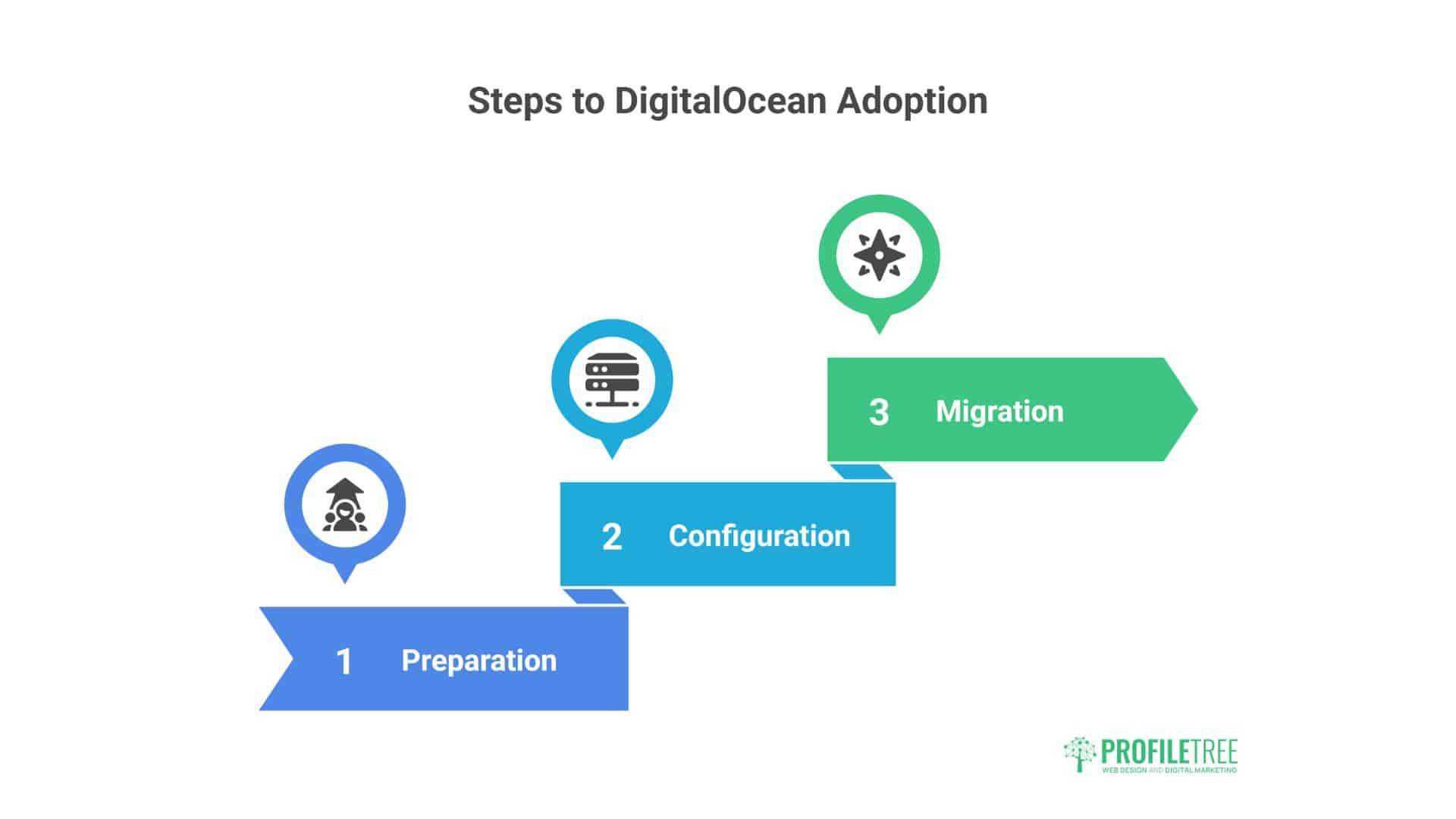
Successful DigitalOcean adoption requires systematic planning and execution. This practical guide outlines proven strategies for smooth transitions with minimal client impact.
Phase 1: Preparation and Planning
Team Training Requirements: Invest in team education before migration begins. Essential skills include basic Linux commands, SSH usage, and web server administration. Online courses through platforms like Udemy or A Cloud Guru provide structured learning paths.
Management Platform Selectio:n Choose server management tools that align with your team’s technical comfort level:
- RunCloud: User-friendly interface with automated security and performance features
- Ploi: Developer-focused platform with advanced deployment capabilities
- ServerPilot: Simplified server management with strong WordPress optimisation
- Self-Managed: Direct server administration for maximum control and cost savings
Client Communication Strategy: Develop clear communication plans explaining migration benefits, timelines, and potential impacts: Emphasise performance improvements and enhanced security while acknowledging temporary service windows.
Phase 2: Infrastructure Configuration
Initial Server Setup Begin with conservatively sized Droplets and scale resources based on actual usage data. Most WordPress sites operate effectively on 1GB RAM configurations, with larger instances reserved for high-traffic or resource-intensive applications.
Security Configuration: Implement comprehensive security measures from initial setup:
- Configure firewalls to restrict unnecessary port access
- Enable automated security updates for operating system packages
- Install SSL certificates for all client sites
- Set up automated backup schedules with off-site storage
- Configure monitoring alerts for security events and performance issues
Performance Optimisation: Apply agency-specific optimisations for consistent client site performance:
- Install and configure advanced caching solutions (Redis, Memcached)
- Optimise web server configurations for WordPress workloads
- Implement content delivery network integration
- Configure database optimisations for improved query performance
- Set up automated performance monitoring and reporting
Phase 3: Migration Execution
Pilot Site Migration: Select representative client sites for initial migration, prioritising sites with:
- Lower traffic volumes during migration windows
- Standard WordPress configurations without custom integrations
- Clients are comfortable with planned service windows
- Existing performance issues that DigitalOcean can address
DNS and Traffic Management: Implement gradual traffic shifting using DNS management:
- Configure new servers with identical site configurations
- Update DNS records with lower TTL values
- Gradually shift traffic percentages to the new infrastructure
- Monitor performance and user experience metrics
- Complete traffic migration after validation
Post-Migration Validation: Verify all functionality after migration completion:
- Test all website features and contact forms
- Validate SSL certificate installation and security configurations
- Confirm backup systems operate correctly
- Monitor performance metrics for 48-72 hours
- Document any configuration changes or optimisations applied
Advanced DigitalOcean Features for Agencies
Beyond basic hosting, DigitalOcean’s extended service portfolio provides solutions for complex agency requirements and sophisticated client projects.
Managed Database Services
DigitalOcean’s managed database offerings reduce administrative overhead while maintaining performance benefits. Available options include MySQL, PostgreSQL, and Redis configurations with automated backups, monitoring, and security updates.
Managed databases start at £12 monthly for basic configurations, competitive with standalone database hosting, while providing seamless integration with agency Droplets.
Load Balancing and High Availability
DigitalOcean load balancers automatically distribute traffic across multiple Droplets for agencies managing high-traffic client sites. This configuration provides redundancy against server failures while supporting horizontal scaling during traffic spikes.
Load balancer pricing begins at £9.60 monthly. It supports unlimited backend servers and provides SSL termination, health checking, and automatic failover capabilities.
Object Storage and CDN Integration
Spaces object storage offers S3-compatible storage for media files, backups, and static assets. Integration with DigitalOcean’s global CDN network accelerates content delivery worldwide, reducing server bandwidth usage.
Storage costs £4 monthly for 250GB with 1TB bandwidth, providing cost-effective solutions for media-heavy sites and client asset storage.
API Integration and Automation
DigitalOcean’s comprehensive API enables automation of routine tasks, including:
- Automated Droplet provisioning for new client projects
- Scheduled backup creation and retention management
- Performance monitoring and alerting integration
- Billing and usage reporting for client billing systems
API access supports popular automation tools, including Terraform, Ansible, and custom scripts for streamlined agency operations.
Alternative Hosting Solutions for Comparison
DigitalOcean isn’t the only cloud hosting option. Understanding alternatives helps agencies make informed decisions based on specific requirements and constraints.
Vultr Cloud Infrastructure
Vultr offers similar cloud hosting with competitive pricing starting at £2.40 monthly. Key differences include more data centre locations but fewer managed service options than DigitalOcean.
Performance testing shows comparable speeds and reliability, making Vultr a viable alternative for price-sensitive agencies. However, DigitalOcean’s superior documentation and community support provide advantages for teams learning cloud hosting.
Linode (Akamai Connected Cloud)
Linode provides enterprise-grade infrastructure at pricing similar to DigitalOcean. Notable advantages include more bandwidth and advanced networking features.
The recent Akamai acquisition added global CDN integration and enhanced security services. However, the platform’s complexity may challenge agencies transitioning from shared hosting environments.
AWS Lightsail
Amazon’s simplified cloud hosting offers familiar AWS integration with managed service options. Pricing starts at £2.80 monthly with comparable specifications to DigitalOcean’s entry-level Droplets.
Lightsail provides easier scaling to complete AWS services, but its complexity may overwhelm smaller agencies. Integration with AWS marketing tools benefits agencies that are already using Amazon’s ecosystem.
Case Study: UK E-commerce Agency Migration
Real-world results demonstrate DigitalOcean’s practical impact on agency operations. This detailed case study shows measurable cost improvements, performance, and client satisfaction.
Background and Challenge
A Bristol-based digital marketing agency specialising in e-commerce clients faced escalating hosting costs and performance limitations. Managing 40 Shopify Plus and WooCommerce sites on Cloudways resulted in £1,600 monthly hosting expenses with frequent performance bottlenecks during promotional campaigns.
The agency’s challenges included:
- Slow page loads are affecting conversion rates during peak traffic
- Limited server access is preventing advanced optimisations
- High hosting costs are reducing project profitability
- Scalability constraints limiting client growth potential
Migration Strategy and Implementation
The agency implemented a phased DigitalOcean migration over 8 weeks:
Week 1-2: Infrastructure Planning
- Team training on Linux administration and the DigitalOcean platform
- Selection of RunCloud for simplified server management
- Configuration of monitoring and backup systems
- Testing environment setup for migration validation
Week 3-4: Pilot Migration
- Migration of 5 lower-traffic sites to validate processes
- Performance testing and optimisation refinement
- Client communication and feedback collection
- Process documentation and refinement
Week 5-8: Full Migration
- Systematic migration of remaining sites in weekly batches
- DNS management and traffic shifting protocols
- Performance monitoring and issue resolution
- Final validation and documentation completion
Results and Business Impact
Post-migration analysis revealed significant improvements across key metrics:
Cost Reduction
- Previous monthly hosting cost: £1,600
- New DigitalOcean infrastructure cost: £520 monthly
- Annual savings: £12,960
- ROI period: 6 months (including migration costs)
Performance Improvements
- Average page load time: 45% reduction (2.1s to 1.1s)
- Core Web Vitals scores: 80% improvement
- Server response time: 60% reduction
- Uptime: Improved from 99.8% to 99.99%
Business Outcomes
- Client retention rate: Increased by 15%
- New client acquisition: 25% increase attributed to performance case studies
- Project margins: Improved by 22% due to reduced hosting overhead
- Team productivity: 8 hours weekly saved on hosting administration
Advanced Performance Optimisation Strategies
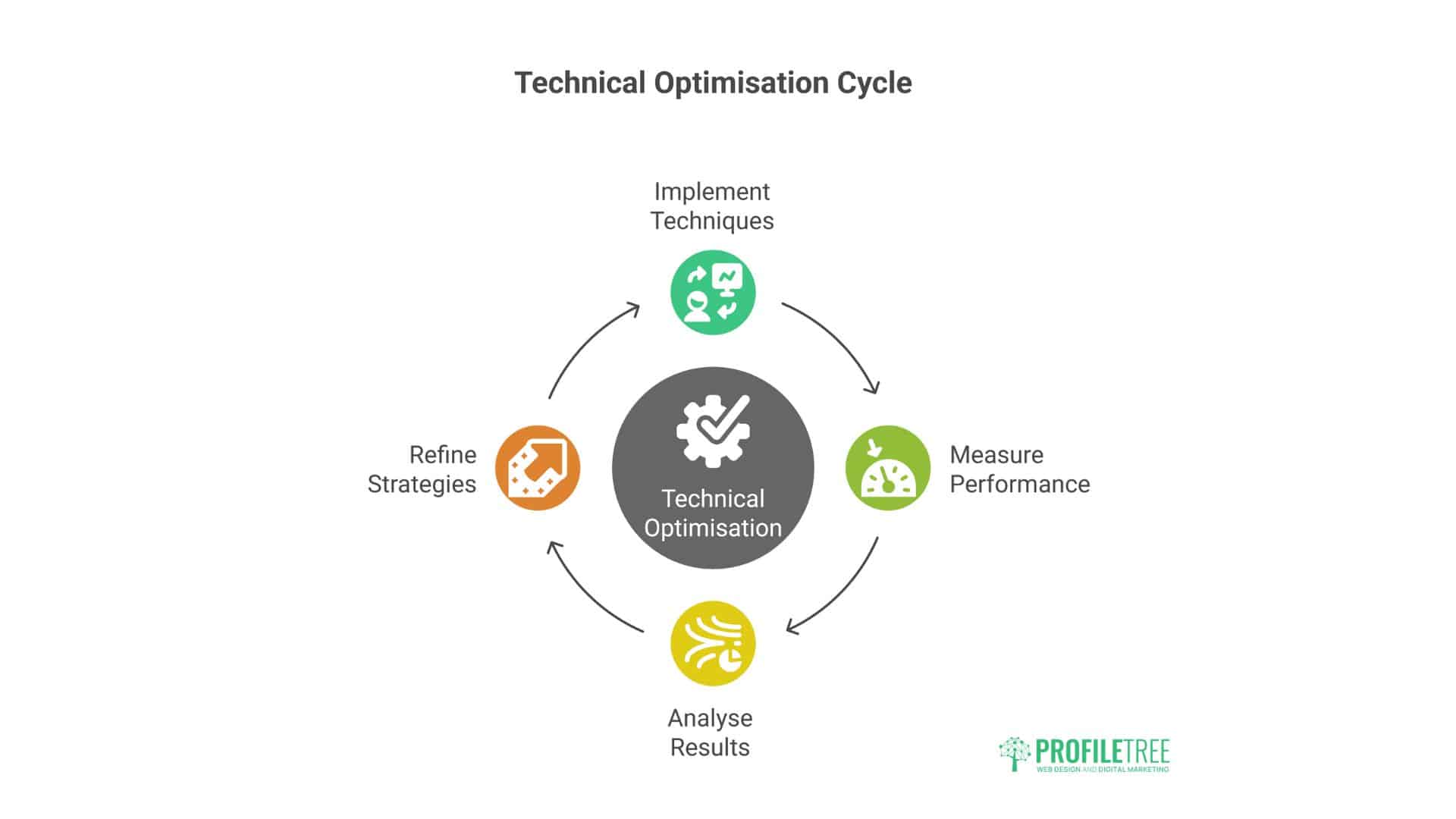
Technical optimisation techniques that separate professional agency operations from basic hosting setups. These strategies deliver measurable improvements in client site performance.
Database Optimisation for WordPress Sites
WordPress database performance directly impacts site speed and user experience. DigitalOcean configurations enable advanced database optimisations unavailable on shared hosting:
- MySQL Configuration Tuning: Optimise MySQL settings for WordPress workloads by adjusting query cache sizes, connection limits, and buffer pool configurations. These modifications can reduce database response times by 30-50% compared to default settings.
- Database Caching Implementation: Redis or Memcached integration provides object-level caching that dramatically reduces database queries. Implementation requires technical configuration but delivers substantial performance improvements for dynamic content.
- Database Monitoring and Maintenance Regular database optimisation, including index rebuilding and query performance analysis, maintains optimal performance as sites grow. DigitalOcean’s monitoring tools provide insights into database performance metrics and bottlenecks.
Content Delivery Network Integration
DigitalOcean Spaces CDN accelerates global content delivery while reducing server bandwidth usage. Configuration involves:
- Static Asset Offloading: Images, CSS, JavaScript, and other static files are served from CDN edge locations worldwide, reducing server load and improving international performance.
- Media Storage Optimisation Large media files are stored in Spaces object storage with automatic CDN distribution, reducing Droplet storage requirements and costs.
- Cache Configuration Proper cache headers and purging strategies optimise CDN effectiveness while ensuring content freshness for dynamic sites.
Advanced Security Implementations
- Web Application Firewalls: Cloudflare integration provides enterprise-grade WAF protection against common attacks, including SQL injection, cross-site scripting, and DDoS attempts.
- SSL Certificate Management: Let’s Encrypt integration enables automated SSL certificate provisioning and renewal across all client sites, ensuring consistent HTTPS implementation.
- Backup and Recovery Systems: Multi-tier backup strategies, including local snapshots, off-site storage, and automated testing, provide comprehensive data protection for client assets.
Conclusion
DigitalOcean offers UK digital marketing agencies substantial cost savings (typically 50-70%) and superior performance compared to traditional managed hosting. The platform’s flexibility enables enterprise-level solutions while maintaining competitive pricing structures.
Success requires an honest assessment of your agency’s technical capabilities. Agencies lacking internal expertise should invest in team training or partner with technical consultants before migration.
For agencies managing multiple client sites and seeking operational efficiency improvements, DigitalOcean provides a mature platform that scales with business growth. The key lies in thorough planning and commitment to developing necessary technical competence.
Transform Your Agency’s Hosting Infrastructure
Are hosting costs eating into your margins while client sites struggle with poor performance? ProfileTree has helped dozens of UK agencies migrate to DigitalOcean, reducing hosting costs by up to 70% while dramatically improving site speed.
We combine deep technical expertise with practical agency experience. Our services include free hosting audits, managed DigitalOcean migrations with zero downtime, ongoing UK-based technical support, and team training.
Don’t let substandard hosting limit your agency’s growth. Contact ProfileTree today for a free consultation.
Get started: Call 028 9568 0364 or email hello@profiletree.com