
WP Engine and Premium Hosting: Unlocking Business Growth for UK Firms
Table of Contents
Is your website’s hosting holding back your business growth? When your online presence has a direct impact on revenue, choosing the right managed WordPress hosting becomes critical. WP Engine has emerged as one of the leading managed hosting platforms since its 2010 launch, now serving over 1.5 million sites across 150+ countries. This comprehensive guide examines WP Engine’s hosting plans, performance capabilities, pricing structure, and whether it represents the right investment for your UK business.
For businesses operating WordPress sites—from e-commerce stores to high-traffic blogs—WP Engine offers specialised infrastructure optimised specifically for WordPress performance, security, and scalability. However, premium managed hosting comes at a higher price point than basic shared hosting. Understanding what you gain for that investment makes the difference between choosing the right platform and overpaying for features you don’t need.
This review draws on industry benchmarks, detailed analysis of WP Engine’s current offerings, and real-world performance testing to provide UK business owners and marketing managers with the insights needed to make an informed hosting decision.
Premium Hosting Fundamentals: Why Standard Solutions Fall Short
WordPress powers approximately 40% of all websites, but not all hosting solutions provide equal support for the platform. Understanding the distinction between basic hosting and premium managed solutions helps clarify where WP Engine fits within the hosting landscape.
Beyond Basic Shared Hosting
Many businesses start with shared hosting due to its low entry cost—often under £5 monthly. However, shared hosting environments pool resources from hundreds or thousands of websites onto a single server. When one site experiences a traffic surge, all other sites on that server can slow down considerably.
Security presents another vulnerability. If one website on a shared server becomes compromised, it creates potential pathways for attackers to access other sites, including yours. With GDPR regulations in the UK imposing strict data protection requirements, this “neighbourhood effect” poses significant compliance risks.
Shared hosting typically offers fixed resources—limited CPU, RAM, and disk space. As your business grows and your website attracts more visitors or adds more functionality, you quickly outgrow these constraints. Scaling usually requires migrating to an entirely new server, creating disruption during the transition.
Support for shared hosting tends to be basic as well. When critical issues arise during peak business periods, you might wait hours or days for resolution. This reactive approach doesn’t suit businesses that depend on their website for revenue generation.
What Defines Premium Managed Hosting
Premium managed hosting platforms like WP Engine address these limitations through several key characteristics. They provide dedicated resources allocated specifically to your website, ensuring consistent performance regardless of other sites’ activity.
Advanced security architecture includes proactive monitoring, robust firewalls, DDoS protection, and regular vulnerability scanning—acting as vigilant guardians of your digital assets. Expert support teams specialise in WordPress, offering 24/7/365 assistance from professionals who understand the platform intimately.
Built-in scalability handles traffic spikes seamlessly, whether from viral social media posts or seasonal sales events. The hosting environment is optimised specifically for WordPress, with servers fine-tuned for maximum speed and efficiency.
“The difference between basic shared hosting and premium managed hosting mirrors the difference between basic tools and professional-grade equipment,” notes Ciaran Connolly, Director of ProfileTree. When your website directly generates revenue, premium hosting isn’t an expense—it’s an investment in reliability, security, and performance that pays for itself through improved conversion rates and reduced downtime costs.
For UK businesses where the website serves as a primary sales channel, customer engagement platform, or brand representation, premium hosting provides the foundation for sustainable digital growth.
Understanding WP Engine’s Platform and Capabilities
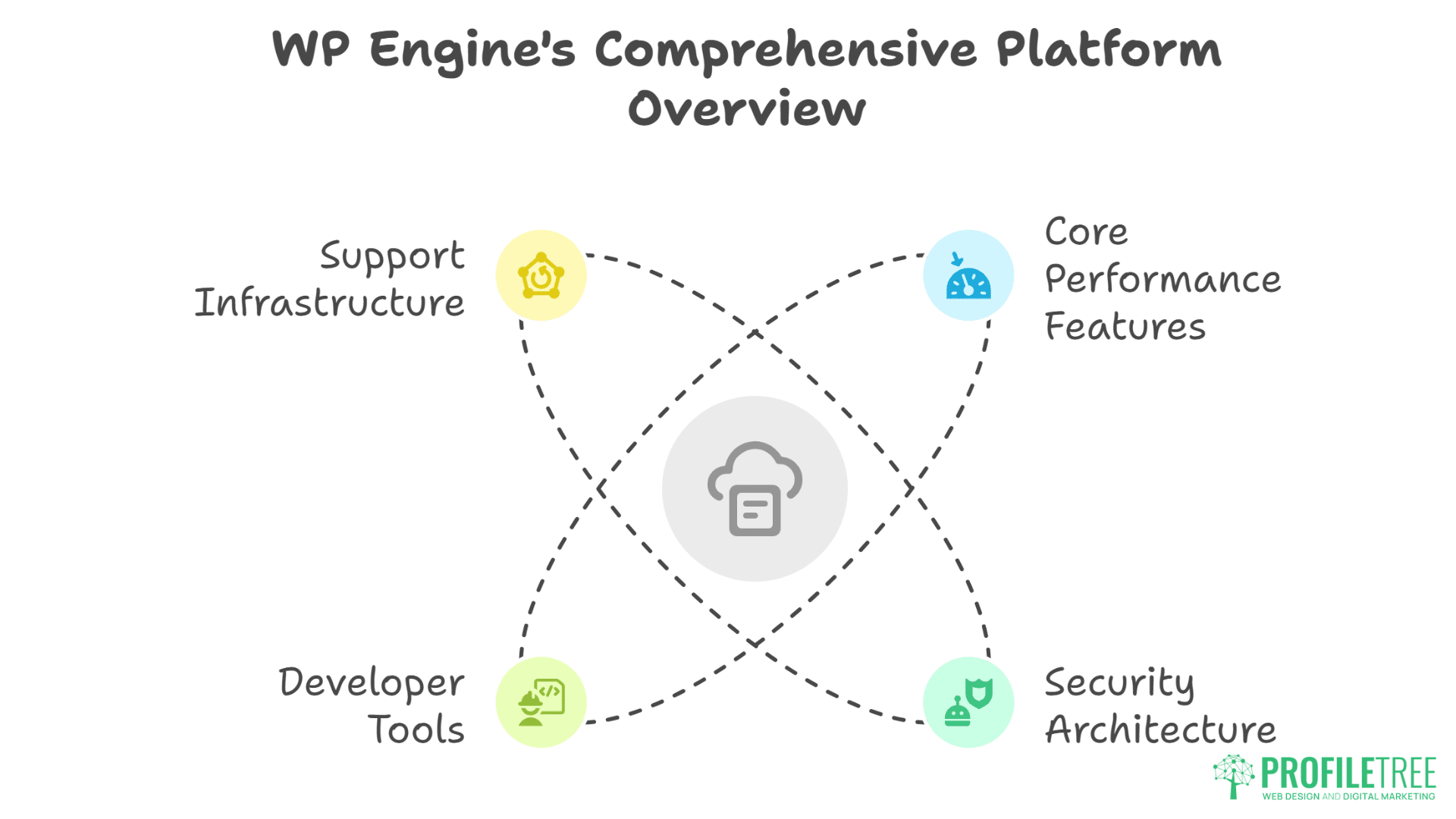
WP Engine distinguishes itself from basic hosting through WordPress-specific optimisations, proprietary technology, and infrastructure designed for business-critical websites. Understanding these features helps determine whether the platform aligns with your business requirements.
WP Engine vs WordPress.org: Clarifying the Distinction
A critical clarification: WP Engine is not WordPress itself. WordPress.org provides the free, open-source content management system (CMS) that powers millions of websites. WP Engine is an independent managed hosting company that hosts WordPress sites—they are separate entities with no official affiliation to WordPress or Automattic (WordPress’s parent company).
Think of it this way: WordPress.org provides the free software you use to create and manage your website content. WP Engine is a third-party commercial hosting provider that runs that software on their servers, handles technical maintenance, and provides infrastructure. You still use the WordPress CMS to build and manage your site—WP Engine simply provides the commercial hosting environment where that site lives.
This distinction matters because WP Engine takes responsibility for WordPress core updates, PHP version management, security patching, and infrastructure optimisation. You focus on your content and business goals whilst WP Engine handles the technical hosting aspects through their commercial service.
Core Performance Features
WP Engine’s infrastructure centres on several proprietary technologies and architectural decisions that deliver measurable performance improvements.
EverCache Technology: WP Engine’s custom caching system detects the difference between static and dynamic content, creating optimised cached versions that reduce server load. Unlike generic caching plugins, EverCache updates automatically when content changes, confirming visitors always see current information whilst benefiting from cache speed. This technology typically delivers 40%+ page speed improvements post-migration according to WP Engine’s internal data.
Global CDN Integration: Every WP Engine plan includes a content delivery network powered by Cloudflare. The CDN caches and serves your website’s static files (images, CSS, JavaScript) from data centres closest to each visitor. A customer in London retrieves assets from UK servers, and someone in New York accesses the same content from US servers. This geographical distribution significantly reduces load times for international audiences.
Scalable Architecture: WP Engine’s infrastructure automatically scales to handle traffic spikes. Sites hosted on the platform have successfully managed sudden viral traffic surges without crashing or slowing down—scenarios that would overwhelm most shared hosting environments.
Performance benchmarks demonstrate these capabilities. In independent testing by Bitcatcha, WP Engine-hosted sites achieved average page load times of 573ms, significantly faster than competitors like Kinsta (991ms) and Bluehost (1.59s). Google PageSpeed Insights scores average over 90/100 for WP Engine-hosted sites, indicating excellent Core Web Vitals performance.
Security Architecture
WP Engine implements multiple security layers designed to prevent, detect, and respond to threats targeting WordPress sites.
Daily automated backups run every night, capturing your complete site, including themes, plugins, posts, pages, and database content. These backups remain accessible for up to 60 days, allowing quick restoration if anything goes wrong. You can also trigger manual backups before making significant changes.
Free SSL certificates automatically renew, confirming secure, encrypted connections between your site and visitors. Layer 3 and 4 DDoS protection comes standard on all plans; higher-tier plans offer advanced DDoS mitigation and managed web application firewalls (WAF).
Security patching for WordPress core happens automatically, keeping your site protected against known vulnerabilities. WP Engine also scans plugins for known security risks, alerting you to potential issues before they become problems.
One notable security consideration: WP Engine restricts certain plugins that can conflict with their optimised environment or introduce security vulnerabilities. This includes some caching and backup plugins, as WP Engine’s built-in systems provide these functions. This approach confirms stability and security but does limit flexibility compared to self-managed hosting.
Developer Tools and Workflow Features
For agencies and businesses with development teams, WP Engine provides tools that streamline the website development and deployment process.
Staging Environments: Create identical copies of your live site with one click, allowing you to test theme updates, plugin changes, or new features without affecting your production site. Once testing is complete, push changes to your live site with another click. This staging capability proves invaluable for maintaining site stability during improvements.
Git Integration: WP Engine integrates natively with Git-based version control systems, including GitHub and Bitbucket. Developers can push code changes directly to production environments, enabling smooth CI/CD workflows. GitHub Actions integration allows automated deployments based on repository changes.
SSH Access: Advanced users get SSH access to their hosting environment, enabling command-line management, custom configurations, and direct database access when needed.
Local Development Tool: WP Engine provides Local, a free desktop application for creating local WordPress development environments. Developers can build and test sites on their own computers before deploying to WP Engine’s platform.
These developer-focused features explain why agencies and technical teams often prefer WP Engine over more basic managed hosting options.
Support Infrastructure
WP Engine’s support distinguishes itself through WordPress expertise and availability. All plans include 24/7/365 support via chat, with phone support available on Professional plans and above. Chat-only support on the Startup plan still provides access to WordPress specialists, though without the direct phone option.
Support teams comprise WordPress experts who can troubleshoot complex issues specific to the platform—plugin conflicts, theme problems, performance optimisation, and security concerns. According to WP Engine’s data, 90% of support issues are resolved in the first interaction, indicating effective problem-solving capabilities.
Higher-tier Core and Enterprise plans include priority support with senior experts, proactive performance monitoring, and dedicated account managers who provide ongoing guidance. For businesses where website downtime directly impacts revenue, this level of support provides significant value.
The knowledge base includes thousands of articles, video tutorials, and documentation covering common issues and advanced configurations. This self-service resource allows you to find answers without contacting support for routine questions.
WP Engine Pricing Plans: Investment Analysis for UK Businesses
WP Engine’s pricing positions it firmly in the premium segment of managed WordPress hosting. Understanding what each plan includes and how pricing scales helps determine which tier matches your business requirements and budget.
Current Pricing Structure (2025 UK Pricing)
WP Engine offers several pricing tiers, with UK pricing based on annual billing in GBP:
| Plan | Monthly Cost | Sites | Visits/Month | Storage | Bandwidth | CDN |
|---|---|---|---|---|---|---|
| Startup | £20 | 1 | 25,000 | 10 GB | 75 GB | ✓ |
| Professional | £40 | 3 | 75,000 | 15 GB | 150 GB | ✓ |
| Growth | £75 | 10 | 100,000 | 20 GB | 240 GB | ✓ |
| Scale | £190 | 30 | 400,000 | 50 GB | 550 GB | ✓ |
| Core | £312+ | Custom | Custom | Custom | Custom | ✓ |
| Enterprise | Custom | Custom | Custom | Custom | Custom | ✓ |
*ALL PLANS AND PACKAGES MADE BY WP ENGINE ARE SUBJECT TO CHANGE BY WP ENGINE ITSELF.
All plans require annual billing. First-year promotional pricing may be available for new customers on Startup through Scale plans, though standard pricing applies at renewal.
Understanding Visit Limits and Overage Charges
WP Engine’s pricing tiers are primarily determined by monthly visit allowances. A “visit” counts each time a person accesses your website, with multiple page views during a single session counting as one visit. This differs from pageviews (total pages viewed) or unique visitors (distinct individuals).
If your site exceeds your plan’s monthly visit limit, WP Engine charges £1 per 1,000 additional visits. For example, if your Professional plan (75,000 visits) receives 85,000 visits in a month, you’d incur a £10 overage charge. For sites with predictable traffic, this makes budgeting straightforward. However, businesses experiencing rapid growth or seasonal spikes should monitor usage carefully to avoid surprise charges.
Dynamic websites with logged-in users, frequent content updates, or personalised experiences may consume visits more quickly than static content sites. If you’re uncertain about expected traffic patterns, WP Engine’s sales team can help estimate appropriate plan levels based on your website characteristics.
Optional Add-ons and Extensions
WP Engine offers several add-ons that extend platform capabilities:
Automated Plugin Updates (£3/month per site): Automatically updates plugins with visual regression testing and automatic rollback if updates cause issues. This reduces maintenance burden during maintaining site security.
Page Speed Boost (£13/month per site): Powered by NitroPack OneClick, this add-on automatically optimises images, code, and site loading for improved page speed scores. Core plans include one licence; other plans can add it for additional sites.
Extra Layer of Security (£20/month per site): Enterprise-grade managed web application firewall, DDoS mitigation beyond standard protection, and SOC 2-level security compliance.
eCommerce Package (£10/month): Performance optimisations specifically for WooCommerce, Stripe Connect hosted checkout, and automated plugin updates. Designed for online stores requiring enhanced transaction reliability.
Application Performance Monitoring: Advanced monitoring showing performance of specific plugins and themes, allowing targeted optimisation. Available as an add-on purchase.
For businesses requiring these capabilities, bundled pricing in higher tiers often provides better value than adding multiple extensions to lower-tier plans.
Who Each Plan Serves Best
Startup Plan (£20/month): Suitable for personal blogs, small business websites, or portfolios with modest traffic. The single-site limitation and 25,000 monthly visit cap make this inappropriate for growing businesses or anyone managing multiple properties. Consider this an entry point for testing WP Engine’s platform before committing to higher tiers.
Professional Plan (£40/month): The most popular tier for small to medium businesses. Three site installs allow hosting your main business site plus a couple of additional properties (perhaps a separate landing page domain or a development site). With 75,000 monthly visits, this accommodates most small business traffic levels during providing phone support access.
Growth Plan (£75/month): Designed for growing businesses approaching 100,000 monthly visits across up to 10 sites. The expanded storage (20 GB) and bandwidth (240 GB) support more content-rich websites. This tier suits businesses in active growth phases or agencies managing multiple client sites.
Scale Plan (£190/month): For established businesses with high-traffic websites or agencies managing numerous client properties. Thirty site installs and 400,000 monthly visits provide substantial capacity. The 50 GB storage accommodates media-heavy sites, including video content.
Core Plan (£312+/month): Offers isolated resources (not shared infrastructure), 99.99% uptime SLA, priority support from senior experts, and AI-powered automated updates. The isolated resource model confirms consistent performance regardless of other sites’ activity. Businesses where website downtime directly impacts revenue find this tier’s enhanced reliability worth the investment.
Enterprise Plan (Custom pricing): For organisations requiring high-availability infrastructure, dedicated expert teams, advanced DDoS protection with managed WAF, and collaborative event preparation. This tier includes consultative business development and custom resource allocations. Typically serves enterprise organisations, major e-commerce operations, or high-profile media properties.
Total Cost of Ownership Considerations
When evaluating WP Engine’s pricing, consider costs beyond the monthly hosting fee:
Time Savings: Automated updates, security monitoring, and expert support reduce the time your team spends on hosting management. For a business paying a developer £50/hour, saving just two hours monthly on hosting management offsets a significant portion of the premium hosting cost.
Downtime Prevention: If your website generates £10,000 in monthly revenue, even one hour of downtime costs approximately £14 in lost business (assuming equal distribution across the month). WP Engine’s 99.99% uptime SLA on Core plans and proven infrastructure reliability prevents these losses.
Security Breach Costs: The average cost of a data breach for small businesses in the UK exceeds £3,000 when accounting for notification costs, investigation, reputation damage, and potential GDPR fines. WP Engine’s security architecture provides protection worth far more than its cost.
Performance Impact on Conversions: A one-second improvement in page load speed can increase conversions by 7%. For an e-commerce site generating £100,000 annually, this represents £7,000 in additional revenue—easily justifying premium hosting costs.
Developer Efficiency: Staging environments, Git integration, and reliable infrastructure allow developers to work more efficiently. If these tools save your development team 10 hours monthly at £50/hour, that’s £500 in monthly value.
When viewing hosting through a total cost of ownership lens rather than just monthly fees, premium platforms often provide better value than their base pricing suggests—particularly for businesses where the website directly generates revenue.
WP Engine: Performance Benchmarks and Real-World Testing
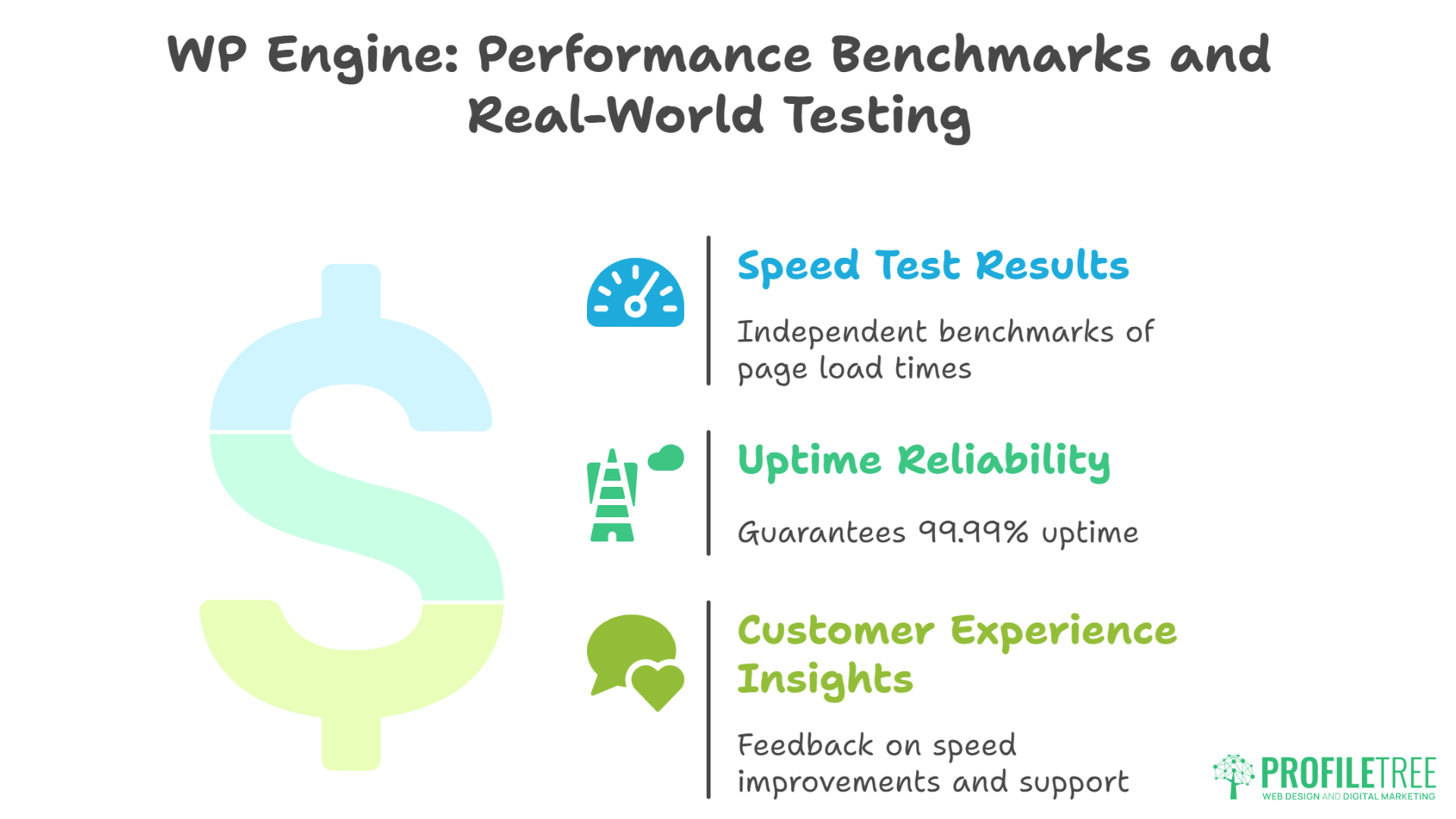
Claims about speed and reliability require validation through actual testing and user experiences. Multiple independent benchmarks provide insights into WP Engine’s real-world performance.
Speed Test Results
Independent testing by Bitcatcha measured average page load times across major managed WordPress hosts. WP Engine achieved 573ms total page load time, outperforming Kinsta (991ms) and significantly faster than Bluehost (1.59s). These tests use geographically distributed servers to simulate real user experiences from various locations.
Google PageSpeed Insights scores for WP Engine-hosted sites average over 90/100, indicating excellent Core Web Vitals performance. Core Web Vitals measure loading performance (Largest Contentful Paint), interactivity (First Input Delay), and visual stability (Cumulative Layout Shift)—factors that directly impact both user experience and search engine rankings.
Time to First Byte (TTFB) benchmarks show WP Engine sites averaging under 600ms globally. TTFB measures how quickly a web server responds to requests—a critical factor in overall page speed. WP Engine’s TTFB performance exceeds industry standards, with EverCache caching reducing server response times by over 150ms compared to uncached configurations.
Internal tracking data from WP Engine indicates customers see an average 62% improvement in TTFB speed compared to their previous hosting, with 40%+ improvements in total page load times post-migration. Independent testing broadly validates these performance improvements.
Uptime Reliability
WP Engine guarantees 99.99% uptime on Core and Enterprise plans—translating to a maximum of approximately 4.3 minutes of acceptable downtime monthly. The platform’s architecture and redundancy systems consistently meet or exceed this commitment according to third-party monitoring services.
The platform’s auto-scaling capabilities handle traffic spikes without degradation, maintaining consistent performance even during unexpected surges. This reliability proves particularly valuable for e-commerce sites during high-traffic events like Black Friday or major product launches.
Customer Experience Insights
Customer feedback consistently highlights several key themes. Site owners frequently report dramatic speed improvements after migrating to WP Engine, with many noting increased conversion rate following the transition. The staging environment receives particular praise from users who value the ability to test changes safely before deploying to production.
Support quality emerges as a recurring positive theme, with customers appreciating the WordPress-specific expertise available 24/7. The automated backup system provides peace of mind, particularly for businesses that previously experienced data loss issues on other platforms.
Agency users consistently mention workflow improvements from features like client site transfers and multi-site management capabilities. The infrastructure reliability during traffic spikes proves especially valuable for sites that experience sudden viral attention or seasonal traffic patterns.
These experiences align with WP Engine’s advertised capabilities, suggesting the platform delivers on its performance and reliability promises for business-critical websites.
WP Engine: Security Features and Business Protection

For UK businesses handling customer data, security isn’t optional—it’s mandatory under GDPR and essential for maintaining customer trust. WP Engine’s security architecture addresses common WordPress vulnerabilities while providing business-grade protection.
Multi-Layered Security Approach
WP Engine implements security at multiple levels:
Automated Daily Backups: Every night, WP Engine creates complete backups of your site, including database, themes, plugins, and uploaded files. These backups remain accessible for 40 days through the user portal. One-click restoration allows quick recovery from any issues, whether caused by bad updates, security incidents, or accidental deletions.
Proactive Threat Monitoring: WP Engine’s security team monitors for threats 24/7, identifying and blocking malicious traffic before it reaches your website. This proactive approach prevents attacks rather than merely responding after damage occurs.
Automatic Security Patching: When WordPress core security updates are released, WP Engine applies them automatically to all hosted sites. This eliminates the window of vulnerability that exists when site owners delay updates. WP Engine also scans plugins for known security issues, alerting you to potential risks.
DDoS Protection: Distributed denial-of-service attacks overwhelm websites with fake traffic. WP Engine includes Layer 3 and 4 DDoS protection on all plans, filtering malicious traffic before it reaches your site. Core and Enterprise plans add advanced DDoS mitigation and managed web application firewalls (WAF) that protect against sophisticated application-layer attacks.
SSL/TLS Encryption: Free SSL certificates automatically renew, confirming encrypted connections between your site and visitors. This protects sensitive data in transit and satisfies search engine requirements for HTTPS.
WordPress Hardening: WP Engine’s platform includes configurations that harden WordPress security beyond default settings, reducing attack surfaces and limiting potential exploit vectors.
Plugin Restrictions for Security and Performance
WP Engine restricts certain plugins that can introduce security vulnerabilities or conflict with their optimised environment. Disallowed plugins typically include:
- Caching plugins (WP Super Cache, W3 Total Cache) – unnecessary given EverCache
- Backup plugins – redundant given WP Engine’s automated backups
- Certain security plugins that conflict with platform-level security
- Plugins known to cause performance issues or security risks
This restriction confirms platform stability and security but limits flexibility compared to self-managed hosting. For most businesses, the trade-off proves worthwhile—WP Engine’s built-in systems provide these functions more effectively than plugins. However, businesses requiring specific plugins should verify compatibility before migrating.
GDPR and UK Data Protection Compliance
UK businesses must comply with GDPR data protection regulations. WP Engine supports compliance through:
- Secure Data Handling: Customer data remains encrypted both in transit and at rest. WP Engine maintains SOC 2 and ISO 27001 certifications, demonstrating adherence to strict security standards.
- Data Processing Agreements: WP Engine provides Data Processing Addenda (DPA) for customers requiring documented GDPR compliance arrangements.
- Data Centre Considerations: Understanding data residency requirements helps confirm compliance with regulations requiring UK data storage. Businesses with specific data sovereignty needs should discuss these requirements with WP Engine’s sales team.
- Access Controls: Advanced user permission systems allow you to control who can access different aspects of your WordPress admin, reducing the risk of unauthorised data access.
The platform’s security architecture, combined with compliance documentation, helps UK businesses meet their GDPR obligations while protecting customer data.
WP Engine for Specific Business Types
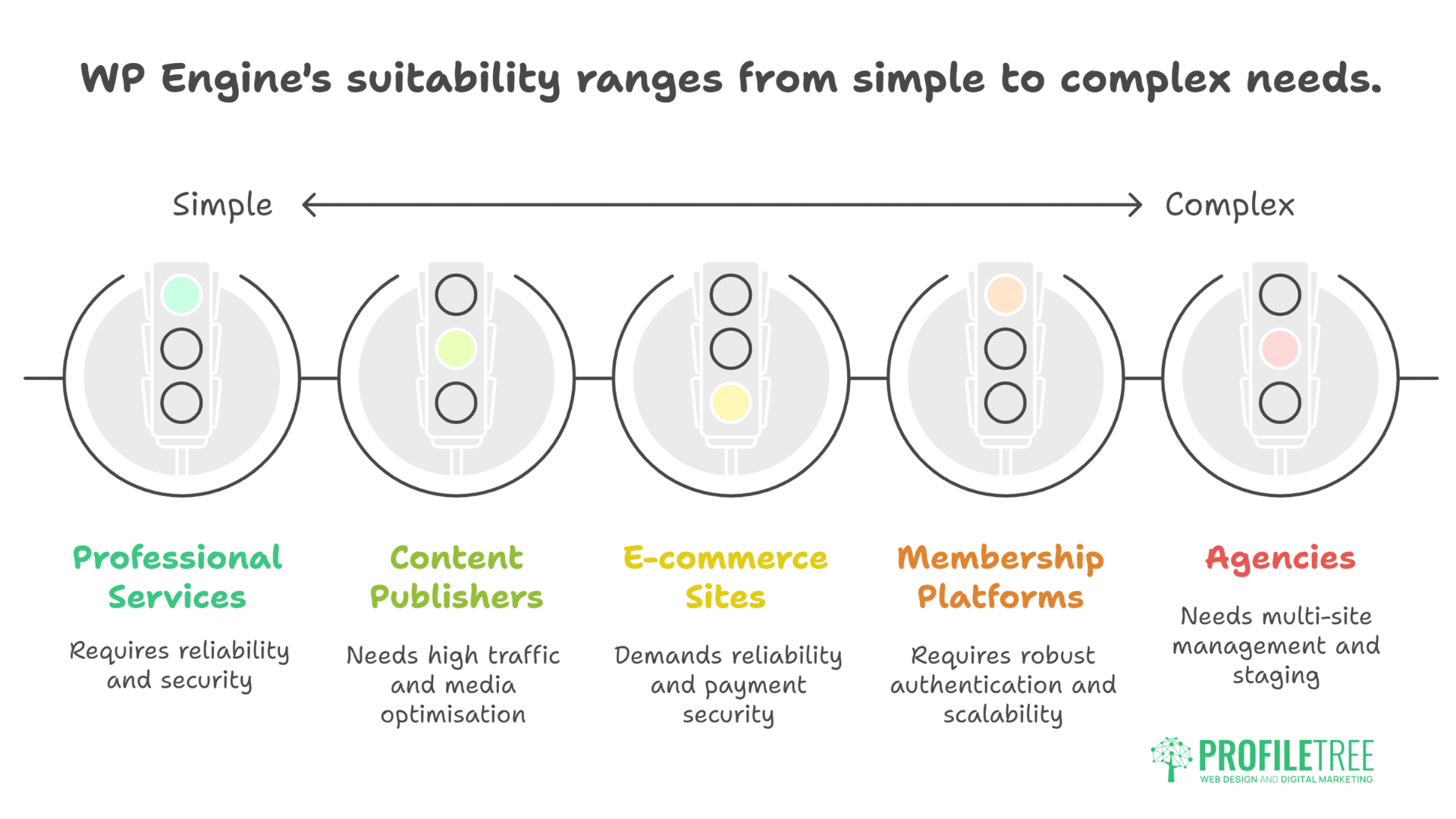
Different business models and industries have unique hosting requirements. Understanding how WP Engine serves specific use cases helps determine fit for your organisation.
E-commerce and WooCommerce Sites
Online stores require absolute reliability during checkout processes and the ability to handle traffic spikes during sales events. WP Engine’s e-commerce capabilities include:
WooCommerce Optimisation: The optional eCommerce package (£10/month) provides performance optimisations specifically for WooCommerce stores, including database query optimisation and checkout flow enhancements.
High-Traffic Handling: Auto-scaling infrastructure manages sudden traffic surges during flash sales or promotional campaigns without slowdowns. WP Engine customers report successfully handling significant traffic volume increases during major sale events.
Payment Security: PCI compliance requirements for processing payments demand robust security. WP Engine’s security architecture, combined with proper payment gateway integration, supports secure transaction processing.
For UK e-commerce businesses where a slow or crashed website during peak periods directly costs sales, WP Engine’s reliability and scalability prove essential.
Agencies and Developer Teams
Digital agencies managing multiple client websites benefit from WP Engine’s agency-specific features:
Multi-Site Management: Higher-tier plans allow managing numerous client sites from a single account. The Scale plan accommodates up to 30 sites; Enterprise plans support even more.
Transferable Sites: Build client websites under your account, then transfer them to the client’s own WP Engine account upon project completion. This streamlines the handoff process and confirms clients receive properly configured hosting.
Staging Workflows: Create staging environments for each client site, enabling safe testing of updates and new features before deploying to production. This professional workflow prevents client site issues from careless changes.
White-Label Options: Some WP Engine plans support white-labelling, allowing agencies to present the hosting under their own brand.
Recurring Revenue: Agencies can mark up WP Engine hosting costs, creating recurring revenue streams beyond one-time development fees.
ProfileTree works with agencies requiring digital strategy consultation, SEO services, and content marketing alongside hosting. For agencies focused primarily on WordPress development and site management, WP Engine’s specialised tools provide significant workflow advantages.
Membership and SaaS Platforms
Sites built around user memberships or software-as-a-service models require robust authentication, database performance, and consistent uptime:
- Database Optimisation: WP Engine’s infrastructure handles database-intensive operations required for membership sites with thousands of users.
- Secure Authentication: SSL encryption and secure login systems protect user credentials and personal information.
- Content Restriction: Support for membership plugins that gate content behind logins, confirming paying members’ access to exclusive areas while keeping non-members restricted.
- Scalable User Management: Infrastructure handles large user bases without performance degradation as membership grows.
Content Publishers and Media Sites
High-traffic blogs, news sites, and media publishers require infrastructure that delivers content quickly to large audiences:
- Media Optimisation: WP Engine handles image-heavy sites efficiently, with CDN integration confirming fast delivery of visual content globally.
- High Concurrent Users: Infrastructure supports thousands of simultaneous visitors reading different articles without slowdowns.
- Ad Revenue Support: Fast page loads and stable performance maximise ad impressions and revenue for sites monetised through advertising.
- Large Content Libraries: The platform handles sites with thousands of posts and extensive media libraries without performance issues.
Professional Services and Corporate Websites
Law firms, consultancies, financial services, and corporate websites require professional presentation, reliability, and security:
- Professional Appearance: Fast load times and consistent availability maintain a professional image and client confidence.
- Security for Sensitive Information: Robust security protects confidential client information and corporate data.
- Compliance Support: Security features and documentation support compliance with industry-specific regulations (legal professional privilege, financial services regulations, healthcare data protection).
- Low Maintenance: Automated updates and managed security reduce IT overhead for organisations without dedicated technical teams.
Comparing WP Engine with Alternative Hosting Solutions
Understanding how WP Engine compares with alternatives helps determine whether its premium pricing and feature set match your business requirements better than competing platforms.
WordPress.com Hosting: Automattic’s Official Platform
WordPress.com offers managed WordPress hosting directly from Automattic, the parent company of WordPress. This represents the “official” managed WordPress hosting solution, with key differences from third-party providers like WP Engine.
Both platforms provide managed WordPress hosting with automatic updates, security features, staging environments, and WordPress-specialised support.
WordPress.com is ideal for businesses seeking official WordPress hosting with unlimited bandwidth, integrated security, and direct support from WordPress experts. It suits users wanting the authenticity of hosting with WordPress’s parent company rather than independent commercial providers.
Kinsta: Performance-Focused Alternative
Kinsta offers managed WordPress hosting with similar performance targets to WP Engine. Both platforms use premium infrastructure with built-in CDN, staging environments, automatic backups, and WordPress-specialised support. Kinsta’s performance benchmarks compete closely with WP Engine.
Kinsta offers slightly lower entry-level pricing (starting around £22.33/month for their Starter plan), though some features require add-ons or higher tiers. Kinsta’s control panel differs from industry-standard cPanel, requiring some learning.
Kinsta suits businesses seeking performance similar to WP Engine with potentially lower starting costs, and are comfortable with Kinsta’s custom management interface.
Flywheel: Designer and Agency Focus
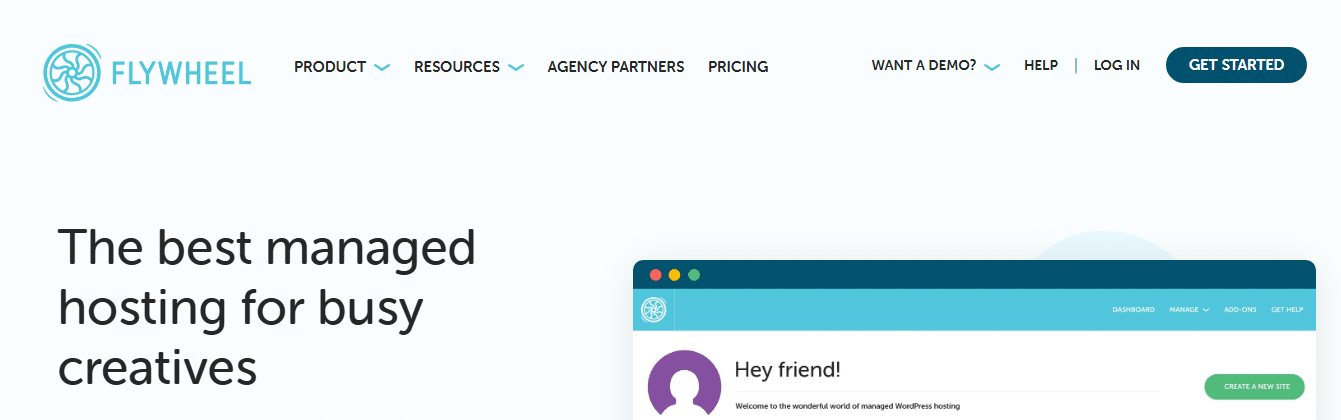
Flywheel (now owned by WP Engine) targets designers, freelancers, and agencies. The platform offers managed WordPress hosting, staging sites, a local development tool (Local), and reliable performance.
Flywheel emphasises ease of use for non-technical users with streamlined interfaces. Customer reviews generally report positive support responsiveness. Pricing falls between the budget and premium tiers.
Flywheel serves designers and creative agencies prioritising user experience over technical features, and smaller sites not requiring enterprise infrastructure.
SiteGround: Value with Strong Support
SiteGround provides managed WordPress hosting at more accessible price points. The platform offers WordPress-optimised hosting, automatic updates, staging, and generally positive support reviews.
Significantly lower pricing (starting at £2.22/month promotional, £13.38/month standard) makes SiteGround accessible. However, lower-tiered users utilise shared hosting infrastructure. The platform lacks the enterprise-scale infrastructure and advanced developer tools WP Engine provides.
SiteGround suits small businesses and startups that prioritise cost over premium performance, particularly for sites with modest traffic levels.
Bluehost: Budget-Friendly Entry Point
Bluehost offers affordable WordPress hosting with an official WordPress.org recommendation. The platform provides WordPress installation, basic security, and beginner-friendly interfaces.
Significantly cheaper pricing (starting around £2.97/month promotional) attracts budget-conscious users. Shared hosting infrastructure leads to slower performance compared to WP Engine. Basic support is less specialised than WP Engine’s WordPress experts. Limited scaling capabilities restrict growth.
Bluehost serves beginners launching their first websites, personal blogs, and small sites where performance isn’t critical to business success.
Cloudways: Flexible Cloud Hosting
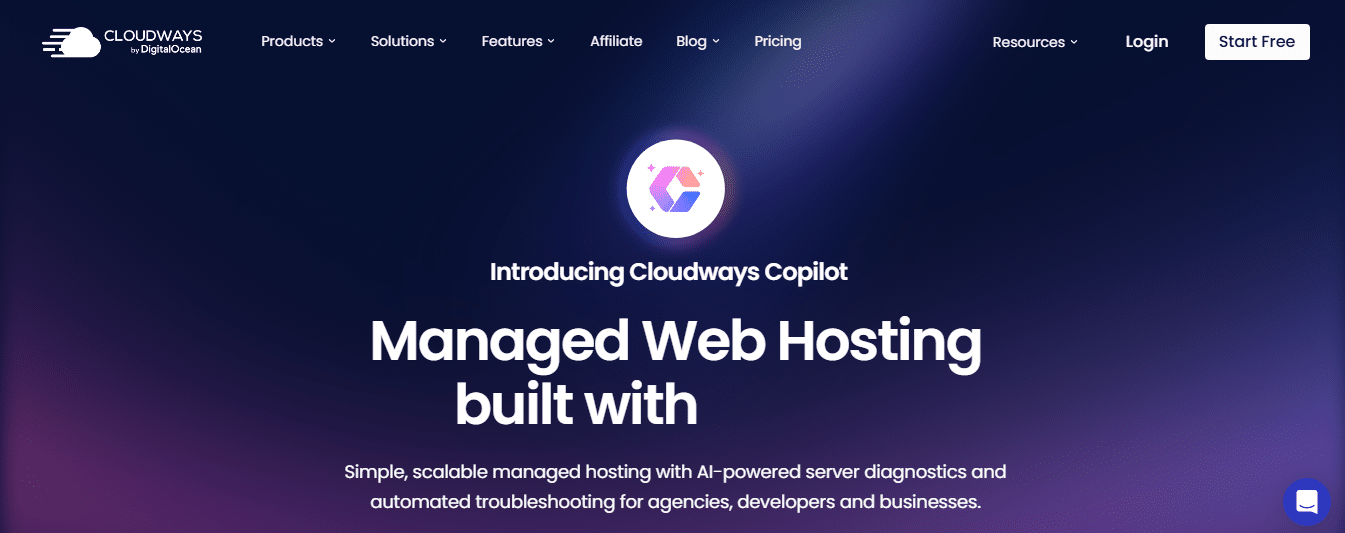
Cloudways provides managed cloud hosting across multiple infrastructure providers. The platform offers scalable cloud infrastructure, staging environments, and performance optimisation.
Cloudways is platform-agnostic (not WordPress-specific), requiring more technical knowledge. The platform offers flexibility to choose the underlying infrastructure (AWS, Google Cloud, DigitalOcean). Pricing varies based on the chosen infrastructure.
Cloudways suits technically proficient users managing diverse sites, businesses wanting infrastructure choice and flexibility.
ProfileTree WordPress Hosting: Local UK Alternative
ProfileTree offers WordPress hosting at £35 monthly with a focus on UK businesses. The platform provides a WordPress-optimised environment, UK-based support, and SEO-focused infrastructure.
ProfileTree integrates with broader digital marketing services, including SEO, content marketing, video production, and AI implementation. Emphasis on Belfast and UK market expertise distinguishes the offering. Personal service model suits businesses seeking a comprehensive digital strategy beyond hosting alone.
ProfileTree serves UK businesses, particularly in Northern Ireland and Ireland, seeking hosting integrated with ongoing digital marketing support and local expertise.
WP Engine vs Alternative Hosting Solutions
This detailed comparison examines key factors, including pricing, performance, support, and unique features.
| Feature | WP Engine | WordPress.com | Kinsta | SiteGround | Bluehost | ProfileTree |
|---|---|---|---|---|---|---|
| Starting Price | £20/month | £2.98/month | £22.33/month | £2.22/month promo (£13.38 standard) | £2.97/month promo (£7.43 standard) | £35/month |
| Monthly Visits | 25,000 (Startup) | Unlimited | 35,000 | 10,000 | 40,000 | Custom |
| Storage | 10 GB | 6 GB | 10 GB | 10 GB | 10 GB | Custom |
| Bandwidth | 75 GB | Unmetered | 20 GB | 10 GB | Unmetered | Unmetered |
| Sites Included | 1 | 1 | 1 | 1 | 1 | Custom |
| CDN | ✓ | ✓ (28+ locations) | ✓ | ✓ | ✓ | ✓ |
| Staging | ✓ | ✓ | ✓ | ✓ | Limited | ✓ |
| 24/7 Support | Chat only (Startup) | Priority support | 24/7 | 24/7 | 24/7 | UK business hours |
| Phone Support | Professional+ plans | ✓ | ✓ | ✓ | ✓ | ✓ |
| Free SSL | ✓ | ✓ | ✓ | ✓ | ✓ | ✓ |
| Automated Backups | Daily (40-60 days) | Daily or real-time | Daily | Monthly (shared) | Weekly | Weekly or daily |
| Git Integration | ✓ | ✓ | ✓ | Limited | ✗ | ✓ |
| SSH Access | ✓ | ✓ | ✓ | ✓ | Limited | ✓ |
| DDoS Protection | Basic (Advanced +£19/month) | Included | Included | Included | Basic | Included |
| Best For | Enterprise sites needing dev tools | Official WordPress hosting seekers | Performance-focused businesses | Budget-conscious small businesses | Beginners | UK businesses needing integrated marketing |
Making the Comparison Decision
When evaluating alternatives, consider these factors:
- Traffic Levels: Sites under 25,000 monthly visits can often succeed on more affordable platforms. Sites exceeding 100,000 monthly visits benefit from WP Engine’s infrastructure.
- Revenue Dependency: If website downtime directly costs sales, premium reliability justifies a higher investment. Informational sites tolerate occasional issues better.
- Technical Resources: Businesses with in-house developers may prefer platforms offering more control. Non-technical teams benefit from WP Engine’s managed approach.
- Growth Trajectory: Rapidly growing businesses should choose platforms that scale seamlessly. WP Engine’s architecture handles growth without migration disruption.
- Budget Reality: Premium features require premium investment. Businesses must honestly assess whether their website generates sufficient value to justify costs.
For many UK businesses, the decision depends less on features alone and more on the total value equation—balancing cost against performance, reliability, support quality, and time savings.
Migration Process: Moving Your Site to WP Engine
Understanding the migration process reduces anxiety around switching hosting providers and helps prepare for a smooth transition.
WP Engine’s Automated Migration Plugin
WP Engine provides a free automated migration plugin designed to simplify the transfer process. Install the migration plugin on your current WordPress site, enter your WP Engine account details, and initiate the transfer. The plugin copies your entire site—content, themes, plugins, media files, and database—to WP Engine’s servers.
Nearly everything transfers automatically, including posts, pages, custom post types, media library, plugins, themes, and settings. The process typically completes in a few hours, depending on site size. The plugin maintains all internal links unchanged, preventing broken links or SEO issues from URL structure changes.
Some server-specific configurations or custom setups may require manual adjustment post-migration. Sites with extremely large databases or unusual configurations might need professional migration assistance.
Professional Migration Services
For complex sites or businesses preferring hands-off migration, WP Engine offers managed migration services. Startup plans include one free professional migration, Professional plans include three migrations, and Growth plans include five migrations. This allows migrating multiple sites or attempting migrations for particularly complex configurations.
WP Engine’s migration team handles the entire process, including pre-migration consultation, actual transfer, and post-migration verification. They manage complex configurations, custom setups, and troubleshooting. Professional migrations are typically scheduled within a few days, with actual migration occurring during low-traffic periods to minimise disruption.
Pre-Migration Preparation
Before migrating, businesses should complete several preparatory steps:
- Backup Current Site: Create a complete backup of your existing site before beginning migration. WP Engine’s process is reliable, but backups provide safety nets.
- Document Custom Configurations: Note any custom server configurations, .htaccess rules, or special setups that may need recreation on WP Engine.
- Review Plugin Compatibility: Check whether your current plugins are compatible with WP Engine. Identify alternatives for any disallowed plugins.
- Plan DNS Changes: Understand your domain registrar’s DNS management, as you’ll need to update DNS settings to point your domain to WP Engine after successful migration.
- Communicate with Stakeholders: Inform team members about migration timing and potential brief disruptions during DNS propagation.
Post-Migration Checklist
After migration completes, verify these aspects:
- Functionality Testing: Click through major pages, test forms, verify e-commerce checkout processes, and confirm everything works correctly.
- Performance Validation: Run speed tests to confirm performance improvements. Google PageSpeed Insights and GTmetrix provide baseline metrics.
- SEO Verification: Use Google Search Console to verify site accessibility and check for crawl errors. Confirm that search engines can still access and index your site properly.
- SSL Configuration: Verify that HTTPS works correctly across all pages. WP Engine provides SSL certificates, but you may need to update internal links from HTTP to HTTPS.
- Email Testing: If your site sends emails (contact forms, e-commerce notifications), test these functions to confirm delivery works.
- Analytics Continuity: Verify that Google Analytics or other tracking continues collecting data properly after migration.
- Backup Verification: Confirm that WP Engine’s automatic backups begin running successfully for your newly migrated site.
Common Migration Challenges
Several issues occasionally arise during migrations:
- Email Hosting Confusion: WP Engine doesn’t provide email hosting. If your current host provides both website and email, you’ll need separate email hosting (through Google Workspace, Microsoft 365, or your domain registrar). Configure email DNS records separately from website hosting.
- Plugin Conflicts: Disallowed plugins require finding alternatives. The WP Engine support team can recommend compatible replacements.
- Custom Configurations: Unusual server configurations may not transfer automatically. These require manual recreation, sometimes with support team assistance.
- DNS Propagation Delays: After updating DNS settings, propagation typically takes 24-48 hours for full global updates. During this period, some visitors may see your old site while others see the new WP Engine-hosted version.
Planning for these potential challenges and allowing buffer time for resolution confirms a smooth migration experience.
Is WP Engine Right for Your UK Business?
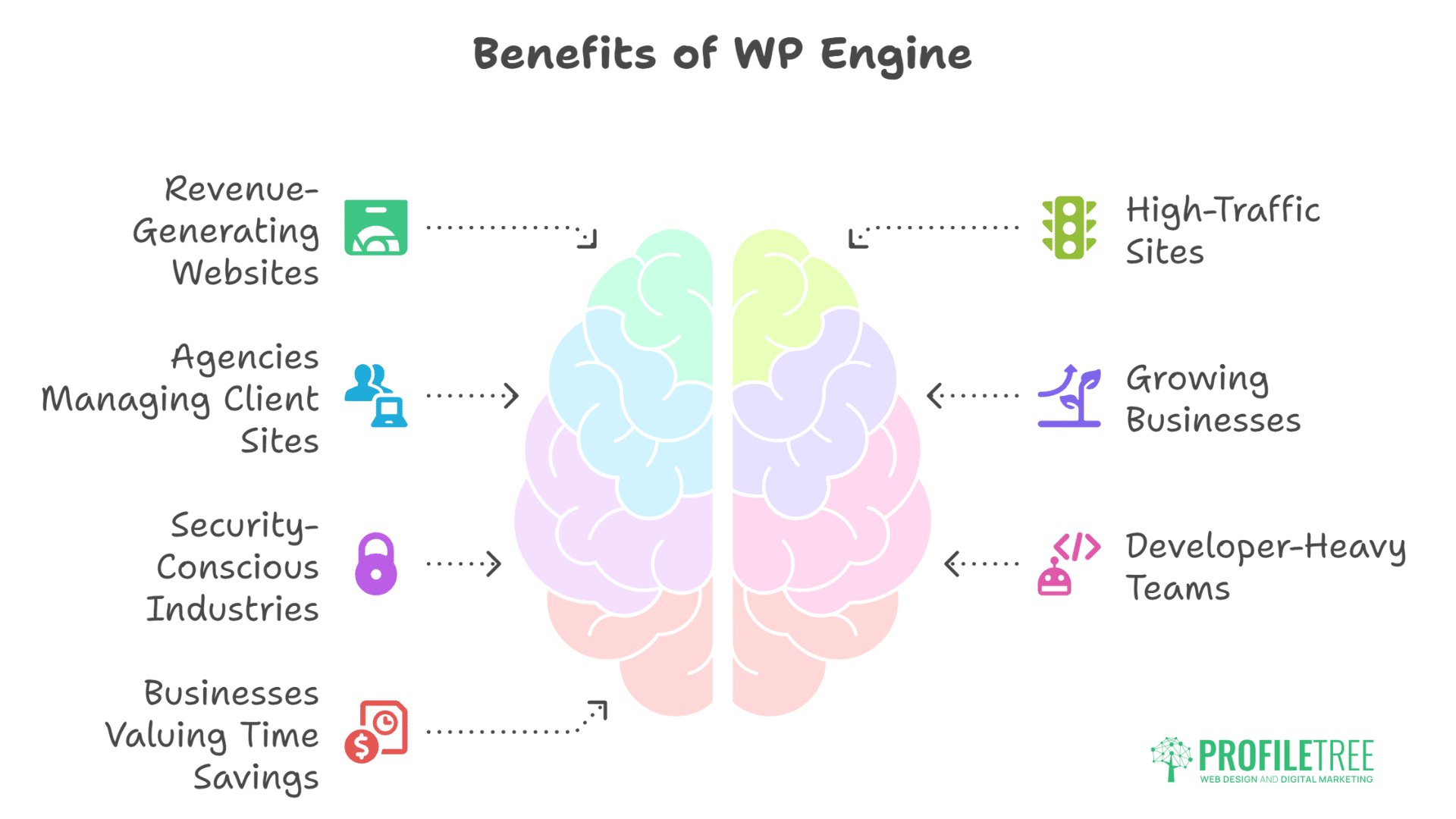
Determining whether WP Engine’s premium hosting justifies the investment depends on your specific business circumstances, technical requirements, and growth stage.
WP Engine Makes Sense For
- Revenue-Generating Websites: E-commerce stores, SaaS platforms, or lead generation sites where downtime directly costs money benefit from WP Engine’s reliability.
- High-Traffic Sites: Websites consistently exceeding 50,000-100,000 monthly visits require infrastructure that handles traffic without degradation.
- Agencies Managing Client Sites: Digital agencies managing multiple WordPress sites benefit from WP Engine’s multi-site features, staging environments, and client handoff capabilities.
- Growing Businesses: Companies experiencing rapid growth need hosting that scales seamlessly without requiring disruptive migrations.
- Security-Conscious Industries: Businesses handling sensitive customer data (legal, financial, healthcare) require robust security and compliance documentation.
- Developer-Heavy Teams: Organisations with in-house development teams benefit from Git integration, SSH access, and advanced workflow tools.
- Businesses Valuing Time Savings: Companies wanting to eliminate hosting management overhead while focusing on core business activities find managed hosting worthwhile.
Consider Alternatives If
- Budget-Constrained Startups: Very early-stage businesses with minimal revenue may find WP Engine’s pricing prohibitive. Starting with more affordable hosting and upgrading later makes financial sense.
- Low-Traffic Informational Sites: Personal blogs, small portfolio sites, or informational pages with under 10,000 monthly visits rarely need premium hosting capabilities.
- Technical Teams Preferring Control: Developers wanting complete server control and customisation flexibility may prefer VPS or dedicated server hosting.
- Static Sites: Websites with infrequent updates and static content don’t benefit from WordPress-specific optimisations and managed services.
- Non-WordPress Platforms: Businesses using Wix, Shopify, or custom platforms need different hosting solutions.
Questions to Ask Before Deciding
- What are our current hosting pain points? If you’re experiencing slow speeds, frequent downtime, or security concerns, premium hosting likely provides value. If the current hosting works fine, upgrading may not be necessary.
- How much revenue does our website generate? Calculate the cost of even one hour of downtime. If it exceeds WP Engine’s monthly cost, the investment makes financial sense.
- How much time do we spend on hosting management? Value your team’s time honestly. If developers or IT staff spend several hours monthly on hosting issues, managed hosting frees that time for revenue-generating activities.
- What are our growth projections? If you anticipate significant traffic growth, starting on scalable infrastructure prevents disruptive migrations later.
- What are our security requirements?GDPR compliance, customer data protection, and reputation considerations may demand premium security features.
- Do we need developer tools? Staging environments, Git integration, and SSH access significantly improve development workflows for technical teams.
FAQs About WP Engine
Does WP Engine provide domain registration?
No. Purchase domains through registrars like Namecheap, GoDaddy, or Google Domains, then point DNS settings to WP Engine. This separation gives you flexibility and prevents vendor lock-in.
Can I migrate from WP Engine to another host later?
Yes. You maintain full ownership of your WordPress site and can export everything. WP Engine doesn’t lock you in technically, though migrating away means losing their specific optimisations and managed services.
Does WP Engine provide staging environments?
Yes, all plans include staging environments where you can test changes before deploying to your live site. This feature is included at no extra cost and represents one of WP Engine’s key advantages over basic hosting.
What support does WP Engine offer?
All plans include 24/7/365 WordPress-specific support. Startup plans have chat support only; Professional and higher plans include chat and phone support.
Can I use WP Engine for WooCommerce stores?
Yes. WP Engine supports WooCommerce, and their optional eCommerce package provides specific WooCommerce optimisations. Many successful online stores run on WP Engine’s platform, benefiting from its reliability during high-traffic sales events.
Does WP Engine back up my site automatically?
Yes. Daily automated backups run every night, with backups accessible for up to 40 days. You can also trigger manual backups at any time before making significant changes.
Conclusion: Making Your Hosting Decision
WP Engine represents a premium managed WordPress hosting platform designed specifically for businesses where website performance, security, and reliability directly impact success. The platform delivers measurable benefits through WordPress-optimised infrastructure, proprietary caching technology, robust security architecture, and expert support.
For e-commerce stores processing thousands of pounds in daily sales, agencies managing multiple client sites, or growing businesses requiring scalable infrastructure, WP Engine’s capabilities justify its premium pricing through reduced downtime, improved conversion rates, and time savings from automated management.
However, premium hosting isn’t universally necessary. Small businesses with modest traffic, informational sites where performance isn’t revenue-critical, or very early-stage startups with tight budgets may find better value in more affordable hosting solutions initially, upgrading as their needs grow.
The decision depends on your specific business context—your traffic levels, revenue dependency on your website, available technical resources, security requirements, and growth trajectory.
For UK businesses seeking locally-focused digital solutions integrating hosting with a broader marketing strategy, ProfileTree offers WordPress hosting at £35 monthly, combined with SEO services, content marketing, video production, and AI implementation support specifically tailored to Northern Ireland, Irish, and UK markets. This integrated approach suits businesses viewing their website as one component of a comprehensive digital strategy rather than an isolated technical asset.
Whether you choose WP Engine, ProfileTree, or another hosting solution, the critical factor is selecting a platform that aligns with your business requirements and growth plans. Assess your current hosting pain points, calculate the value of improved performance and reliability to your specific business, consider your technical team’s capabilities and preferences, and make an informed decision based on your circumstances rather than marketing claims alone.
The right hosting platform provides the foundation for your digital presence. Choose wisely, and your infrastructure will support rather than limit your business growth.
To find out more about WP Engine and what it offers, check out WP Engine.
Check out other hosting reviews;WordPress Hosting | GoDaddy | HostGator | iPage | DigitalOcean | DreamHost |InMotion | NameCheap | 1&1 | Site5 | 123Reg | A2 | Liquid Web
ProfileTree provides WordPress hosting, web design, SEO services, content marketing, and AI implementation for UK businesses. Contact us at 028 9568 0364 or hello@profiletree.com to discuss hosting solutions tailored to your business needs.