
How to Block a Website on Chrome: 7 Unstoppable Steps
Table of Contents
Digital distractions cost UK businesses billions annually, yet most organisations lack effective strategies to combat workplace productivity loss. Learning how to block a website on Chrome has become essential for business leaders serious about maintaining a competitive advantage in an attention-deficit economy.
Every notification, social media check, and unplanned browsing session fragments team focus, requiring up to 23 minutes to regain full concentration. For Belfast startups, Dublin SMEs, and UK enterprises alike, this cognitive switching penalty directly threatens innovation, quality output, and business growth.
In this guide, we will demonstrate how to block a Chrome website using individual extensions and enterprise-grade solutions. Whether you need simple personal productivity tools or sophisticated business-wide policies, we’ll show you practical methods that create focused digital workplaces without stifling creativity or collaboration.
Why Business Website Blocking Matters
Digital distractions aren’t just minor annoyances—they’re profit killers. Understanding the actual cost of unfocused work is the first step towards building a more productive organisation.
The Hidden Cost of Digital Distractions
Research consistently shows that workplace distractions cost UK businesses billions annually. Every notification, every “quick check” of social media, every unplanned browsing session fragments attention and requires up to 23 minutes to regain complete focus. This cognitive switching penalty represents a significant competitive disadvantage for businesses competing in today’s market.
Protecting Deep Work Capabilities
The concept of “deep work”—sustained periods of focused, high-value cognitive activity—has become increasingly rare yet more valuable. Website blocking creates digital boundaries that protect these precious periods of concentration, allowing teams to produce higher-quality output in less time.
Security and Compliance Benefits
Beyond productivity, website restrictions reduce security risks associated with shadow IT and unauthorised web applications. Controlled web access becomes a crucial security layer for businesses handling sensitive data or operating under regulatory requirements.
“From our experience working with Belfast and Dublin-based businesses, we’ve found that companies implementing strategic website blocking see a 40% reduction in time lost to digital distractions, plus significant improvements in data security posture. The key is treating it as part of a holistic digital strategy rather than just another restriction.” – Ciaran Connolly, Director, ProfileTree
Chrome Website Blocking Methods
Multiple approaches exist to controlling web access, from simple browser extensions to enterprise-grade solutions. Choose the best method for your organisation’s size, technical requirements, and management style.
Method 1: Chrome Extensions for Individual Users
Chrome extensions offer the most accessible approach to website blocking, providing immediate results with minimal technical setup.
Step-by-Step Chrome Extension Setup:
- Access Chrome Web Store
- Open Google Chrome and navigate to chrome://extensions/
- Alternatively, click the three-dot menu → Extensions → Visit Chrome Web Store
- Search for Website Blocking Extensions
- Use search terms like “website blocker,” “productivity,” or “focus”
- Filter results by ratings and user reviews for quality assurance
- Install Your Chosen Extension
- Click “Add to Chrome” for your selected extension
- Confirm installation and grant necessary permissions
- Configure Blocking Rules
- Access extension settings through the Chrome toolbar
- Add specific URLs or use wildcard patterns for broader blocking
- Set time-based rules and scheduling options
- Test and Refine
- Attempt to visit blocked sites to verify functionality
- Adjust settings based on usage patterns and business needs
Method 2: Advanced Browser Controls
For more sophisticated blocking requirements, Chrome’s built-in site settings provide granular control options:
- Navigate to chrome://settings/content
- Configure site permissions for notifications, pop-ups, and cookies
- Use supervised user profiles for team management
- Implement policy-based controls through Chrome Enterprise
Best Chrome Extensions Comparison
Not all website blockers are created equal. We’ve tested the leading solutions to identify which tools deliver the best results for different business scenarios and team structures.
StayFocusd: The Time-Limited Approach
Best for: Individual professionals requiring flexible time management
StayFocusd allows users to allocate specific time budgets for potentially distracting websites. Once the daily allowance is exhausted, sites become inaccessible until the next day.
Key Features:
- Customisable time limits per site
- “Nuclear Option” for complete blocking
- Active monitoring and reporting
- Free with robust functionality
Business Applications: Ideal for freelancers, consultants, and individual contributors who need personal accountability without administrative overhead.
BlockSite: Comprehensive Blocking Solution
Best for: Small to medium businesses requiring scheduled blocking
BlockSite provides sophisticated scheduling features, allowing businesses to block recreational sites during work hours while maintaining access during breaks.
Key Features:
- Time-based blocking schedules
- Adult content filtering
- Focus mode with Pomodoro timer integration
- Password protection for settings
Business Applications: Perfect for creative agencies, marketing teams, and professional services firms requiring flexible yet structured web access policies.
Cold Turkey Blocker: Enterprise-Grade Control
Best for: Organisations requiring robust, tamper-proof blocking
Cold Turkey offers the most comprehensive blocking capabilities, extending beyond web browsers to desktop applications and system-level restrictions.
Key Features:
- Multi-application blocking
- Scheduled sessions with break management
- Advanced bypass prevention
- Detailed usage analytics
Business Applications: Suitable for enterprises, educational institutions, and businesses with strict productivity or compliance requirements.
Website Blocker (Beta): Simple and Effective
Best for: Teams wanting a straightforward implementation
This extension focuses on core blocking functionality without complex configuration requirements.
Key Features:
- Quick URL blocking
- Simple whitelist management
- Minimal system resource usage
- Clean, intuitive interface
Business Applications: Ideal for startups, small offices, and teams prioritising ease of use over advanced features.
Implementation Strategy for Businesses
Successfully deploying website blocking requires more than just installing software. This strategic framework helps you plan, deploy, and optimise your approach for maximum business impact.
Phase 1: Assessment and Planning
Before implementing website blocking, conduct a thorough assessment of your organisation’s digital habits and productivity challenges:
Digital Audit Process:
- Survey team members about their most common distractions
- Identify peak productivity hours and optimal blocking windows
- Assess current technology infrastructure and compatibility
- Review existing IT policies and compliance requirements
Policy Development: Create clear guidelines addressing:
- Approved and restricted website categories
- Acceptable use during different work periods
- Procedures for requesting site access
- Consequences for policy violations
Phase 2: Tool Selection and Configuration
Choose blocking solutions based on your organisation’s specific needs:
For Small Businesses (1-20 employees):
- Individual browser extensions with shared policy guidelines
- Regular team check-ins to assess effectiveness
- Flexible implementation allowing for business-specific requirements
For Medium Enterprises (21-100 employees):
- Centralised blocking solutions with remote management
- Department-specific policies reflecting different roles
- Integration with existing IT infrastructure
For Large Organisations (100+ employees):
- Enterprise-grade solutions with comprehensive reporting
- Automated policy enforcement and exception management
- Integration with identity management and security systems
Phase 3: Rollout and Training
Successful implementation requires careful change management:
Communication Strategy:
- Explain the business rationale behind blocking policies
- Highlight benefits for individual productivity and team performance
- Provide clear instructions for using approved blocking tools
“Effective website blocking isn’t about restricting freedom—it’s about creating an environment where deep work can flourish. When implemented thoughtfully, these tools become enablers of productivity rather than barriers to creativity.” – Ciaran Connolly
“Effective website blocking isn’t about restricting freedom—it’s about creating an environment where deep work can flourish. When implemented thoughtfully, these tools become enablers of productivity rather than barriers to creativity.” – Ciaran Connolly
Phase 4: Monitoring and Optimisation
Regular assessment and refinement improve long-term success:
Performance Metrics:
- Productivity measurements before and after implementation
- Employee feedback and satisfaction surveys
- Technical performance and system integration issues
Continuous Improvement:
- Regular policy reviews based on changing business needs
- Updates to blocking lists reflecting new distractions or business requirements
- Technology upgrades and feature enhancements
Advanced Digital Solutions
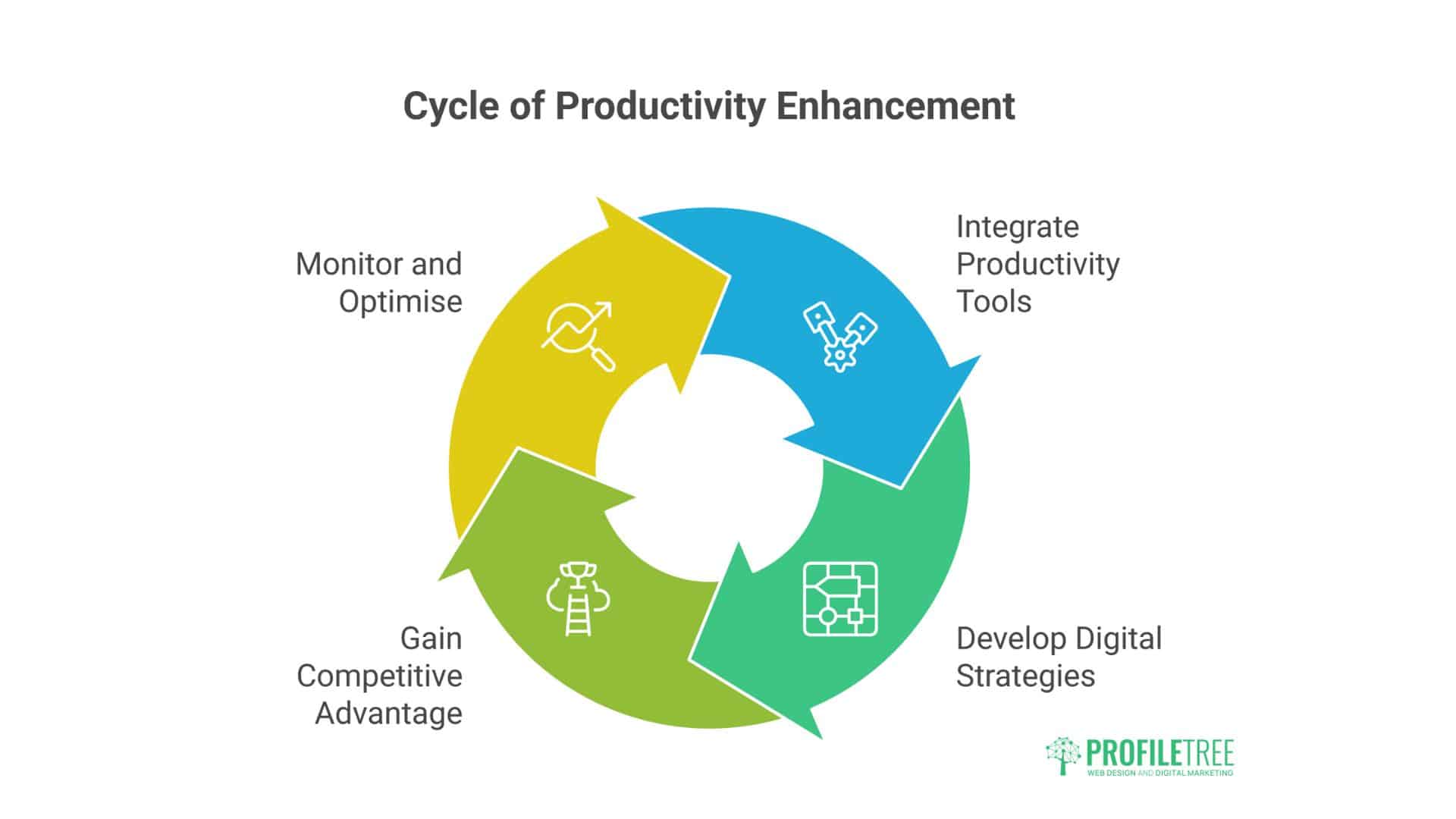
Website blocking is just the beginning. Discover how sophisticated businesses integrate productivity tools with broader digital strategies to create competitive advantages.
Integration with Digital Marketing Strategy
Website blocking represents just one component of a comprehensive digital workplace strategy. For businesses serious about optimising productivity, consider how blocking policies integrate with broader digital initiatives:
Content Management Integration:
- Coordinate blocking policies with content creation schedules
- Allow access to research sites during specific content development periods
- Block social media during deep writing or design work
SEO and Analytics Considerations:
- Maintain access to essential analytics platforms and SEO tools
- Block distracting elements of necessary sites (e.g., social media feeds within business platforms)
- Create focused work sessions for digital marketing activities
Custom Enterprise Solutions
Businesses with unique requirements may benefit from custom digital solutions that extend beyond standard Chrome extensions:
Bespoke Development Options:
- Custom browser applications tailored to specific workflows
- Integration with existing business systems and databases
- Advanced reporting and analytics for management oversight
Professional Implementation Services: Many UK businesses benefit from professional guidance when implementing comprehensive digital productivity strategies. Digital agencies can provide:
- Detailed productivity audits and recommendations
- Custom policy development aligned with business objectives
- Technical implementation and ongoing support
- Training programmes for management and staff
Network-Level Solutions
For comprehensive control, consider network-level blocking that operates independently of individual browser settings:
DNS-Based Filtering:
- Organisation-wide blocking policies
- Centrally managed whitelist and blacklist systems
- Mobile device and remote worker coverage
Firewall Integration:
- Granular control over different user groups and departments
- Advanced threat protection combined with productivity blocking
- Detailed logging and compliance reporting
Advanced Chrome Features for Business Productivity
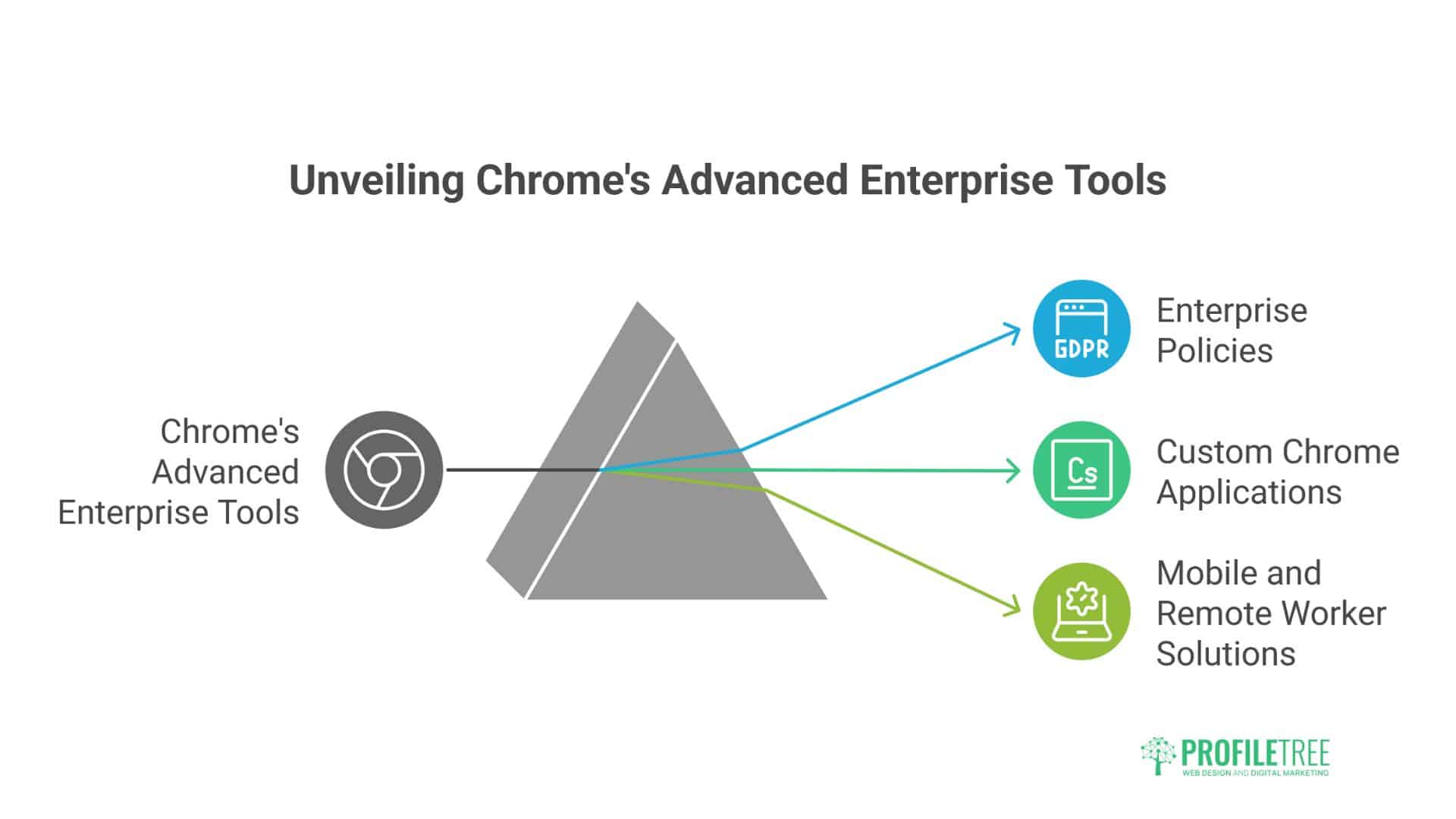
Beyond basic blocking, Chrome offers sophisticated enterprise tools that most businesses overlook. These advanced features can transform your entire digital workplace strategy.
Chrome Enterprise Policies
For businesses requiring centralised management, Chrome Enterprise provides robust policy-based controls:
Policy Configuration Options:
- URL blacklists and whitelists managed from the Google Admin Console
- Extension management preventing unauthorised installations
- Bookmark management ensures consistent access to approved sites
- Incognito mode restrictions preventing policy circumvention
Deployment Strategies:
- Group-based policies reflecting different departmental needs
- Temporary policy exceptions for specific projects or timeframes
- Automated policy updates based on threat intelligence
- Integration with the existing Active Directory infrastructure
Custom Chrome Applications
Businesses with specific workflow requirements can benefit from custom Chrome applications that combine necessary functionality with built-in productivity features:
Development Considerations:
- Integration with existing business systems and databases
- Customised user interfaces optimised for specific workflows
- Built-in blocking and productivity features tailored to business processes
- Comprehensive analytics and reporting capabilities
Mobile and Remote Worker Solutions
Modern blocking strategies must account for increasingly mobile and distributed workforces:
Mobile Device Management:
- Chrome browser policies applied to mobile devices
- VPN-based blocking that operates across all devices
- Application-level controls for company-issued devices
- Bring-your-own-device (BYOD) policy integration
Remote Worker Considerations:
- Cloud-based blocking solutions that operate independently of office networks
- Time zone and schedule considerations for global teams
- Secure access to approved sites through VPN or proxy services
- Regular policy updates reflecting changing work patterns
Conclusion: How to Block a Website on Chrome
The right website blocking strategy can transform your business, but only when implemented as part of a comprehensive digital workplace approach. Implementing effective website blocking on Chrome represents a strategic investment in your organisation’s productivity and competitive advantage. Success lies in thoughtful implementation that creates an environment where focused work can flourish whilst maintaining the flexibility needed for innovation.
Whether you’re a Belfast-based startup implementing your first productivity policies or an established enterprise seeking to refine existing controls, website blocking should be viewed as one component of a comprehensive digital strategy. When combined with proper training and clear policies, these tools can dramatically improve team performance while reducing security risks.
The most effective blocking strategies empower rather than restrict, creating digital boundaries that enable your team to perform at their highest level while maintaining the agility needed for business growth.
FAQs
Will website blocking damage our company culture or employee trust?
The opposite is typically true when implemented correctly. Rather than creating a restrictive environment, strategic website blocking demonstrates your investment in employee success and well-being. Most team members appreciate having digital boundaries that help them stay focused and reduce the stress of constant online distractions. The key is transparent communication about the benefits and involving employees in developing fair, practical policies.
Can staff efficiently bypass Chrome website blockers?
Tech-savvy users can circumvent basic Chrome extensions through incognito mode, alternative browsers, or disabling extensions. However, professional implementation addresses these concerns through network-level controls, administrative policies that prevent extension tampering, and monitoring systems that detect unusual browsing patterns. The goal isn’t to create an impenetrable system but to remove casual temptations whilst maintaining reasonable flexibility.
What are my legal obligations when blocking websites in UK workplaces?
UK employment law gives employers substantial rights to manage internet usage, but requires a balanced approach. You must provide clear written policies, apply rules consistently across all staff levels, and focus on legitimate business needs rather than excessive monitoring. GDPR compliance is essential for any logging or tracking activities. Most importantly, communicate the business rationale and benefits rather than simply imposing restrictions.
Will blocking affect our essential business applications and tools?
Modern blocking solutions excel at granular control, allowing full access to business-critical applications while restricting recreational sites. These include cloud platforms, professional development resources, industry publications, and communication tools. Quality blocking software can distinguish between productive and distracting elements within the same website, allowing access to LinkedIn’s professional features while blocking the news feed.
Ready to Transform Your Business Productivity?
Don’t let another day pass with digital distractions costing your business valuable time and opportunities. Here’s how ProfileTree can help you create a focused, high-performing digital workplace.
Website blocking is just the beginning. ProfileTree helps UK businesses create comprehensive digital strategies that drive real results—from productivity optimisation and web development to AI implementation and digital marketing excellence.
Why choose ProfileTree?
- Local expertise for British and Irish businesses
- Complete solutions, not just one-off implementations
- Ongoing support from our Belfast and Monaghan teams
Get your free productivity audit:
- 30-minute consultation to assess your digital workplace challenges
- Customised recommendations for your business needs
- No-obligation proposal for comprehensive solutions
Call 028 9568 0364 or email hello@profiletree.com to schedule your free consultation.