
What Is an SEO Title? Definition, Length Rules, and How to Write One
Table of Contents
What is an SEO title? It is the single HTML line that determines whether someone clicks your result or scrolls past it to a competitor. Officially called the title tag, it sits in the <head> of a page’s code, and it is one of the few on-page elements that search engines, AI answer engines, and human searchers all read at the same time.
For businesses across Belfast, Northern Ireland, Ireland, and the wider UK, getting this small piece of code right often makes the difference between being found and being invisible. It sits alongside the wider work of digital marketing strategy and ongoing SEO services, but unlike most of that work, a title tag can be fixed in minutes rather than months. This guide covers what an SEO title is, how it differs from an H1, the length rules that actually matter in 2026, why Google sometimes rewrites titles altogether, and a practical framework for writing titles that earn clicks on WordPress, Shopify, Wix, and Squarespace.
What Is an SEO Title?
An SEO title, also called a title tag or page title, is the clickable headline that appears in search engine results pages and in browser tabs. It lives inside a simple piece of HTML: <title>Your Page Title Here</title>.
Search engines use the SEO title as a primary signal for understanding what a page is about. When someone types “what is an SEO title” or searches for a related term, Google and Bing both compare the query against the words in that tag, among many other ranking signals. A title tag that clearly states the topic makes it easier for search engines and gives searchers a faster answer.
A title tag is not the same thing as a page title in the sense of the visible headline on the page itself, and it is not the meta description either. All three sit close together conceptually, but each does a distinct job. The next section untangles the one that causes the most confusion: the SEO title versus the H1.
SEO Title vs. H1: Why the Distinction Matters
The SEO title and the H1 heading often get treated as interchangeable, and on a badly built site they might even be identical. They shouldn’t be.
The table below sets out the practical differences.
| Element | Where it appears | Main purpose | Length limit |
|---|---|---|---|
| SEO title (title tag) | Search results, browser tab, social shares | Earn the click | Roughly 50 to 60 characters, governed by pixel width |
| H1 heading | On the page itself | Confirm the visitor is in the right place, guide reading | No hard limit, but usually under 70 characters for clarity |
| Meta description | Search results, beneath the title | Persuade and add context | 150 to 160 characters |
A title tag for a service page might read “Web Design Belfast: WordPress Sites Built to Convert.” The H1 on that same page can be longer and more descriptive: “Web Design in Belfast: Custom WordPress Websites for Growing SMEs.” The title chases the click; the H1 confirms the promise once the visitor has arrived. Never duplicate the two exactly. Doing so wastes an opportunity to reinforce a secondary keyword and signals to both users and search engines that the page hasn’t been properly optimised.
This distinction becomes especially important once you start asking why some pages rank but never get clicked, which is exactly where CTR comes into the picture.
Why SEO Titles Matter for Rankings and Click-Through Rate
Title tags influence three things that matter to any business: visibility, traffic, and the leads that follow. A well-written title does not directly force Google to rank a page higher. It influences click-through rate, and a strong CTR at a given position is one of the signals search engines use to judge whether a result satisfies searchers.
Consider a hypothetical example that illustrates the maths rather than reporting real client data: a page ranking in position 5 with 1,000 monthly impressions and a 2% CTR earns roughly 20 clicks a month. Lift that CTR to 4% through a better title, and the same ranking position now delivers double the traffic, with no change to the underlying content or backlink profile. This is why title tag work is one of the cheapest wins in SEO. It requires no new content, no outreach, and no development time, just a better sentence in a text field, which makes it a good starting point before committing budget to a bigger content marketing push.
“A title tag is often the first thing a searcher reads about your business, before they’ve seen a single word of your actual content,” says Ciaran Connolly, founder of ProfileTree. “Getting it right is usually a five-minute job with a bigger payoff than most people expect.”
CTR is not the whole story, though. Position matters too, and title length has a direct bearing on whether your title even displays in full. That is the next problem to solve.
The Golden Rules of SEO Title Length: Characters vs. Pixels
Most advice on SEO title length still repeats the “keep it under 60 characters” rule, which is a rough guide at best. Google actually truncates titles based on pixel width, not character count, with a practical limit of around 600 pixels on desktop.
The reason this matters is that letters are not uniform in width. A capital “W” takes up roughly three times the horizontal space of a lowercase “i”. Two titles with an identical character count can display completely differently: one might fit comfortably, the other might get cut off mid-word with an ellipsis, often right where the value proposition or brand name sits.
Practical takeaways for anyone writing an SEO title or page title:
- Aim for 50 to 60 characters as a starting point, then check the pixel width using a SERP preview tool before publishing.
- Front-load the primary keyword and the most persuasive word within the first 40 characters, since mobile search results truncate sooner than desktop.
- Avoid title-casing every single word if it pushes the width over the limit; sentence case can save valuable pixels without harming readability.
- Test on both mobile and desktop previews. Mobile displays roughly 50 to 55 characters before truncation, and most local searches for services like web design in Belfast now happen on a phone.
Getting the length right solves one problem. It does nothing to stop Google from deciding your title isn’t the best fit and swapping in its own, which is a separate and increasingly common frustration.
Why Google Rewrites Your Titles (And How to Reduce It)
Google does not always display the SEO title exactly as written. Google’s own documentation on title links explains that the process is fully automated and draws on more than just the title element itself, including on-page headings, prominent visible text, and how other sites link to a page. In practice, this means a well-written title tag is strong guidance rather than a guarantee of what appears in the search result.
Rewrites tend to happen for a handful of predictable reasons: the title is too long and gets truncated awkwardly, it stuffs in too many keywords and reads as spam, it is misleading relative to the page content, it is missing entirely, or the page has multiple headings that better match the specific query than the title itself does.
To reduce the chance of a rewrite:
- Write one title per page that accurately reflects that single page’s content, never a generic template copied across dozens of URLs.
- Keep the H1 and title consistent in topic, even though the wording should differ.
- Avoid keyword stuffing formats like “SEO Title SEO Titles What Is An SEO Title Definition,” which read as spam to both algorithms and humans.
- Match the title to genuine search intent. A title promising a definition should lead to a definition, not a sales pitch.
If Google is consistently rewriting a title, that is a signal worth acting on rather than ignoring, since it usually indicates a mismatch between what the page promises and what a searcher actually wants. The next section turns this into a repeatable framework you can apply to any page.
How to Write an SEO Title: A Step-by-Step Framework
The rules above matter, but they don’t tell you where to start typing. The three steps below cover keyword placement, brand positioning, and the wording that actually earns a click, roughly in the order you’d tackle them for a new page.
Keyword Placement for UK Search Intent
Start with the primary keyword and place it as close to the beginning of the title as natural phrasing allows. Search engines give extra weight to terms that appear early, and searchers scanning results decide within a second whether a title matches their query.
Finding the right term to lead with usually starts with proper keyword research rather than guesswork. For a UK audience, this often means blending a service keyword with a location. “SEO Services Belfast: Local Search Strategy for SMEs” front-loads both the service and the place, which matters for anyone comparing a national agency against a specialist SEO services provider closer to home. A national query and a local one behave differently in the SERP, so decide up front whether a given page is targeting Belfast specifically, Northern Ireland more broadly, or the UK and Ireland as a whole, and keep that scope consistent across the title, the H1, and the body copy. Businesses that struggle to keep this consistent across dozens of pages often benefit from working with an SEO copywriting rather than handling every title in isolation.
The Brand-Last Rule (With Exceptions)
Convention places the brand name at the end of the title, separated by a pipe or a hyphen, so the keyword gets prime position: “Video Production Belfast | Corporate & Marketing Films – ProfileTree.” This works well for unbranded, top-of-funnel searches where the searcher doesn’t yet know which agency they want.
The exception is branded search. If someone is already searching for your business name directly, leading with the brand can perform better, since it instantly confirms recognition. Test both patterns across different page types rather than assuming a single rule applies to every page on the site.
Creating Click-Worthy Hooks Without Overpromising
A title that is accurate but flat rarely wins the click over a competitor’s more specific, more useful-sounding alternative. Numbers, direct questions, and benefit-led phrasing all increase click-through rate when used honestly. “14 SEO Title Tips That Actually Improve CTR” tells a searcher exactly what they’ll get and why it’s worth their time, without resorting to inflated claims that the content can’t back up.
Power words such as “Proven,” “Practical,” or “Expert” add perceived value at no extra character cost, but they only work if the content genuinely delivers on the promise. A title that oversells and underdelivers drives bounces, and bounces are a worse outcome than a slightly lower CTR on an honest title. The same honesty principle applies to titles for embedded video marketing content, where a mismatched title and thumbnail cost views just as quickly as a misleading page title costs clicks.
Writing a strong title is only half the job on most modern websites. The other half is knowing where in your CMS to actually set it, which varies more than most guides admit.
Platform-Specific Guides: WordPress, Shopify, Wix, and Squarespace
WordPress. This remains the most common platform for UK SMEs, and WordPress web design projects account for the majority of client builds. SEO plugins such as Yoast SEO and Rank Math add a dedicated “SEO title” field in the post or page editor, separate from the visible page title. Enter the optimised title there, check the on-screen SERP preview, and publish; the plugin handles the HTML output. Template variables like %%title%% | ProfileTree Blog keep formatting consistent across dozens of posts without manual repetition.
Shopify. Product and collection pages have a “Page title” field under the “Search engine listing” section, accessed from the product or collection editor. Shopify defaults to using the product name, which is rarely optimised on its own, so this field should always be edited manually for anything with meaningful search volume.
Wix. The SEO settings appear under each page’s “SEO (Google)” panel, with a separate field for the page title, distinct from the page name shown in the navigation. Wix also offers an SEO Wiz tool that suggests a starting title based on the target keyword, though it should be treated as a first draft rather than a finished version.
Squarespace. Page-level SEO titles are set under Page Settings, in the “SEO” tab. Squarespace allows a separate “Social Title” for shared links, which is worth setting independently, since social platforms sometimes display that field instead of the SEO title, and it’s a detail that matters more than most businesses running social media marketing realise.
Across all four platforms, the same principle holds: never leave the default. A default WordPress “Home,” a Shopify product name copied verbatim, or a blank Wix field all waste an opportunity that costs nothing to fix.
Common SEO Title Mistakes to Avoid
Even experienced marketers repeat a handful of avoidable errors.
Keyword stuffing is the most common. Cramming “Web Design Belfast Web Designer Website Development Belfast Web Design Agency” into a single title reads like spam and can trigger a Google rewrite. One well-placed primary keyword in natural language outperforms five awkward repetitions.
Duplicate titles across multiple pages confuse search engines about which page should rank for a given query, a problem sometimes called cannibalisation. Every page needs a distinct SEO title, even on large sites with hundreds of similar service or product pages.
Ignoring search intent results in titles that technically include the right keyword but answer the wrong question. A title built for an informational query like “what is a title tag” should lead with a definition, not a transactional pitch, while a title for “hire an SEO agency Belfast” should do the opposite.
Forgetting location entirely is a common miss for local businesses. A page competing nationally for “web design” with no location signal is competing against agencies across the whole of the UK, whereas a page correctly scoped to “web design Belfast” competes in a much more winnable local field. For a broader look at correctly scoping location intent, see this guide to local SEO.
Fixing these five mistakes across an existing site is often faster than writing new content, and it’s worth measuring the impact once the changes are live. A full technical SEO audit will usually surface title-tag problems alongside other crawl and indexing issues in a single pass, which is a faster approach than checking pages one by one.
Measuring and Improving Title Performance Over Time
Google Search Console remains the most direct way to see how a title tag is actually performing. The Performance report breaks down impressions, clicks, CTR, and average position for every indexed page, and cross-referencing these four numbers points to different fixes.
A page with high impressions and low CTR is ranking but not earning clicks, which usually means the title itself needs work rather than the content underneath it. A page with a strong CTR but very few impressions is likely ranking too low or too inconsistently to be seen at all, which points toward content depth, internal linking, or technical issues rather than the title.
Filter by device type where possible. Mobile searchers often respond to shorter, more direct titles, while desktop searchers are more patient with longer, more descriptive titles. Change one variable at a time (the position of the location keyword, the presence of a number, or a swapped power word) and give it several weeks before judging the result, since ranking positions can be noisy in the short term.
Summary and Quick Checklist
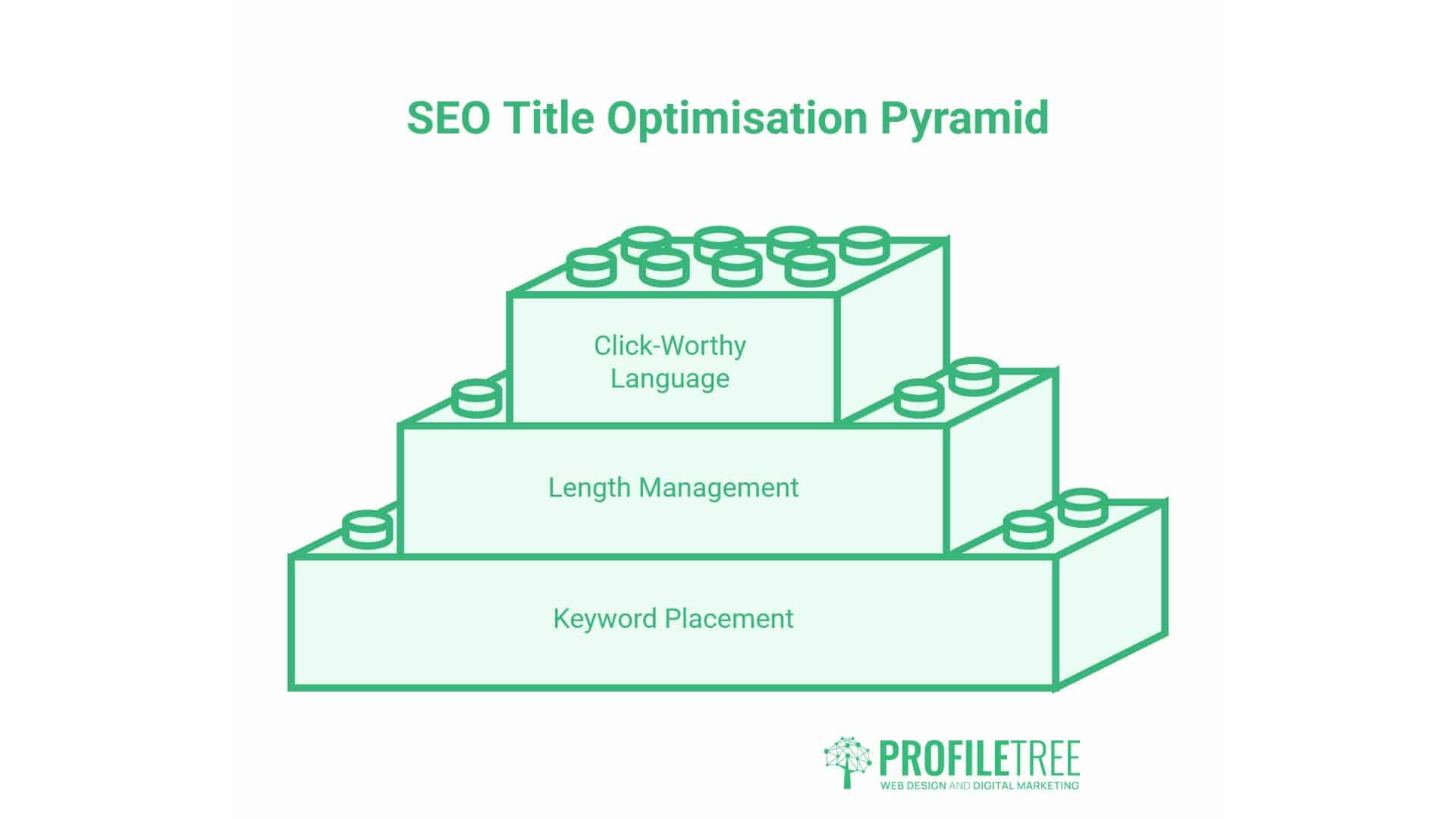
An SEO title is a small piece of HTML with an outsized effect on traffic. Getting it right means balancing keyword placement, honest length management measured in pixels rather than characters, and language that earns a click without overpromising.
Before publishing any page, check the following:
- Primary keyword appears near the start of the title
- Title fits within roughly 50 to 60 characters and has been checked in a pixel-based preview tool
- The title is unique across the entire site, with no duplicates
- Title matches the actual search intent and content of the page
- Brand name is included, positioned appropriately for the query type
- The title differs meaningfully from the H1 rather than repeating it word for word
For a deeper look at how title tags fit into a wider content strategy, this guide to building a topic cluster model explains how individual pages, including title tags, work together across a site.
Conclusion
An SEO title is a single line of text that determines whether a Google result gets clicked or scrolled past. Most of the fixes here need no developer, just Search Console, a pixel preview tool, and a rewritten sentence.
Start with pages that have high impressions and low clicks. That’s where a sharper title pays off fastest. Check pixel width, keep the title distinct from the H1, and match the wording to what the searcher wants.
FAQs
Does an SEO title affect rankings directly?
Not directly. It is not a primary ranking signal like backlinks or content quality, but it strongly influences click-through rate, which search engines use as a secondary signal of how well a result satisfies a query.
What is the best SEO title length in 2026?
Aim for 50 to 60 characters as a starting point, then confirm the actual pixel width in a preview tool, since Google’s practical limit is around 600 pixels on desktop rather than a fixed character count.
Why did Google change my title in search results?
Google sometimes generates its own title link when the original is too long, keyword-stuffed, missing, or judged a poor match for the specific query. Writing a single, accurate, well-formatted title per page reduces the frequency of this happening.
Can I use the same SEO title on multiple pages?
No. Duplicate titles confuse search engines about which page should rank for a shared keyword and typically suppress both pages rather than boosting either one.