
Multimedia SEO: Optimising Images, Video and Audio for Search
Table of Contents
A business can spend thousands on photography and video, publish all of it, and get nothing back in search. Multimedia SEO is the discipline that closes that gap.
It covers how image files are named and compressed, how video gets indexed on YouTube and in Google’s web results, how audio earns discovery through supporting text, and how structured data explains each asset to a crawler that cannot see or hear it.
What follows works through image formats and crawlability, video hosting and transcripts, audio and schema markup, then the performance, accessibility and privacy rules that decide whether any of it survives contact with a live page.
What Multimedia SEO Covers and Why It Pays Back
Multimedia SEO sits between three disciplines that most businesses run separately: technical SEO, content production and user experience. Treated as one job, multimedia SEO turns a dormant media library into a working search asset. Treating them as one job is what turns a media library into a traffic source. The three subsections below explain how crawlers handle non-text files, why multimedia keywords carry commercial weight, and where smaller sites give away the most ground without realising it.
How Search Engines Actually Read Non-Text Files
A crawler cannot watch a video or look at a photograph. It reads the file name, the alt attribute, the surrounding paragraph, the caption, the transcript and the schema markup, then builds a guess about what the asset contains.
That guess is the whole game, and every multimedia SEO decision either sharpens it or leaves it blank. An image published IMG_4872.jpg with an empty alt attribute gives a search engine nothing to work with, no matter how good the photograph is. The same picture, named belfast-office-web-design-review.jpg, sitting under a relevant heading with a written description, gives four separate signals.
This is why technical SEO work on media assets tends to produce faster gains than new content. The material already exists. It is simply invisible.
The Commercial Case for Multimedia Keywords
Multimedia keywords behave differently from standard informational terms, which is why multimedia services SEO work is usually scoped separately from a text content plan. Someone searching for a product image, a how-to video or a podcast episode is usually further along in a decision than someone reading a definition, which is why image and video results convert at higher rates than their impression volumes suggest.
Chasing surface numbers here is a trap. Plenty of businesses still track metrics that stopped meaning anything years ago, in the same way they once tracked domain popularity scores that no longer exist. Impressions on an image carousel matter far less than whether the click lands on a page that sells something.
The useful measure is straightforward: which media assets appear in search, on which surface, and what happens after the click.
Where SME Sites Lose the Most Ground
The gap in most multimedia SEO work is rarely technical sophistication. It is consistent across volumes.
A site with 400 blog images will typically have alt text on perhaps 60 of them, descriptive file names on almost none, and no image sitemap at all. The same businesses that never claimed their free business listings across UK and Ireland directories also tend to leave every media field blank, because both jobs are boring and neither produces a visible result on the day.
Podcast pages published without transcripts and product galleries loaded through JavaScript sliders round out the pattern. None of these is a difficult fix. They are simply unglamorous ones.
Image SEO: Formats, File Names and Crawlability
Images offer the fastest available return in most multimedia SEO programmes, partly because the problems are so widespread and partly because the fixes are mechanical. Format choice, naming, responsive delivery and sitemap coverage each contribute independently, and the four subsections below take them in the order a site build would.
Picking Between JPEG, PNG, WebP and AVIF
Format decides both visual quality and load time, and load time feeds directly into page experience scoring, which makes it the first multimedia SEO lever worth pulling.
| Format | Best suited to | Transparency | Relative file size |
|---|---|---|---|
| JPEG | Photographs, wide tonal range | No | Baseline |
| PNG | Logos, sharp edges, screenshots | Yes | Larger than JPEG |
| WebP | General web default | Yes | Roughly 25 to 35% smaller than JPEG |
| AVIF | Large hero and background images | Yes | Smaller again than WebP |
| GIF | Simple animation only | Limited | Inefficient at scale |
WebP is now the sensible default output for any image pipeline, with AVIF worth the extra encoding time on large hero images. Whichever route a site takes, licensing needs settling before publication, and the practical options for sourcing images that are genuinely free to use commercially are narrower than most teams assume.
File Names, Alt Text and Surrounding Copy
Three text fields carry an image in search, and each does a different job in image multimedia SEO.
The file name is a permanent, indexable signal. Lower case, hyphens between words, five or six descriptive terms. The alt attribute serves screen reader users first and crawlers second, which is convenient because writing it properly for one audience satisfies the other. “A developer reviewing a WordPress speed test result on a laptop” works. Repeating a service keyword four times does not.
Surrounding copy supplies the context that ties the image to the page topic. This is also where visual consistency starts paying back, because design decisions across a content library shape how coherent a brand looks to both readers and machine extraction.
Responsive Delivery and srcset
Serving one 2400-pixel image to every device wastes bandwidth on the phones that make up most traffic.
The srcset An attribute lets a browser pick the right resolution for the screen it is rendering on, and sizes tells it how much space the image will occupy in the layout. Together, they cut the transferred bytes on mobile substantially without any visible quality loss on desktop.
Getting this right belongs at the build stage rather than as a retrofit, which is why development work on client sites sets image handling rules before any content is migrated. Retrofitting responsive images across a live catalogue of several thousand products is considerably more expensive than specifying it once.
Image Sitemaps and Indexing Gaps
Images injected by JavaScript, loaded inside sliders, or served through a lazy-loading script are not always discovered reliably.
An image sitemap submitted to Google Search Console and Bing Webmaster Tools closes that gap. For portfolio sites and product catalogues, it is one of the highest-value technical actions available, and it needs regenerating whenever image-heavy content is published rather than once at launch.
On WordPress, this ties back to how content is structured in the first place. Understanding how pages and posts differ and when to use each affects which templates render images, which in turn affects whether they reach the sitemap at all.
Video SEO: Hosting, Metadata and Transcripts
Video is the format businesses most consistently underestimate in multimedia SEO terms. Production budgets get approved, filming happens, files get uploaded, and then nobody optimises anything. The four subsections here cover the hosting decision, the metadata that drives clicks, the text layer that makes speech indexable, and how to tell whether any of it worked.
Embedded Platforms Versus Self-Hosted Files
Self-hosting video on a standard web server is almost always the wrong call for an SME.
It consumes bandwidth, complicates caching, and delivers none of the discovery benefit that comes from a platform running its own search infrastructure. A YouTube or Vimeo embed hands off the delivery problem and adds a second surface where the same asset can be found.
The trade-off is a third-party script on the page, which matters for both speed and consent. Planning that properly is part of how video production for businesses across Northern Ireland and the UK gets scoped: the distribution plan is agreed before the shoot, not after the edit lands. https://www.youtube-nocookie.com/embed/Tv_GSreYhBU
Titles, Descriptions and Thumbnails That Earn Clicks
A video title has to do two jobs at once: match the search phrase and give someone a reason to press play.
“How to Speed Up a WordPress Site: 8 Fixes Used on Client Projects” carries a keyword, a number and a promise. “Website Speed” carries none of those. Descriptions deserve the same care as a written page, with 150 to 200 words covering the topics discussed and links to related resources.
Thumbnails carry more weight than most teams credit. Google accepts BMP, GIF, JPEG, PNG, WebP, SVG and AVIF thumbnails at a minimum of 60 by 30 pixels, though considerably larger is better. The mechanics of ranking inside the platform itself are covered in more depth in this guide to YouTube SEO fundamentals.
Transcripts, Captions and VideoObject Markup
A transcript converts spoken content into indexed text, which is the only way most of what is said in a video becomes searchable at all. Skipping it removes the largest single input to SEO multimedia content on the page.
Upload captions directly rather than relying on auto-generated versions, which carry enough transcription errors to weaken their value. Then add VideoObject schema to the embedding page: name, description, thumbnailUrl, uploadDate and contentUrl as the working minimum. Google’s own video SEO best practices documentation confirms that structured data, video sitemaps and Open Graph tags are all supported routes for supplying this metadata, and that key moments can be defined through Clip or SeekToAction markup.
Watch time and retention still decide platform ranking, and the relationship between short clips and longer content is explored in this breakdown of how the YouTube algorithm weighs engagement.
Measuring What Video Contributes
Without measurement, multimedia SEO becomes guesswork dressed up as strategy.
The questions worth answering are narrow. Which videos hold viewers past the thirty-second mark? Which embedded pages show longer engaged sessions than their text-only equivalents? Which video results appear in Search Console’s video indexing report, and which were excluded?
Setting that reporting up properly is the same discipline covered in this walkthrough of using Google Analytics to measure content performance. Reviewing it quarterly turns multimedia SEO from a launch task into a programme.
Audio, Podcasts and Structured Data
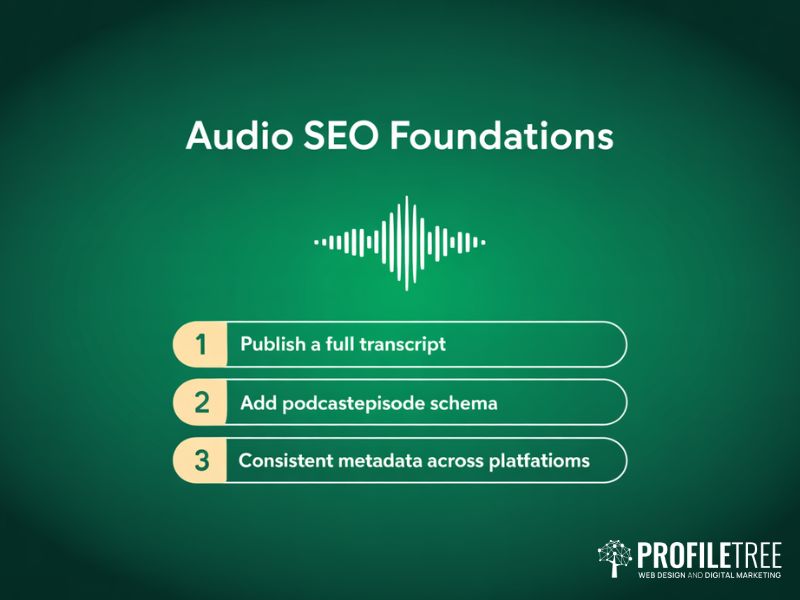
Audio is the hardest format for a search engine to process, which makes its supporting text more important rather than less. Structured data then does the same job for every media type at once, telling crawlers what each file is instead of leaving them to infer it. These four subsections cover transcripts, episode metadata, the schema types worth building, and how all of it feeds AI citation.
Why a Transcript Is the Whole Audio Strategy
An audio file cannot be indexed for the words spoken inside it. That single fact drives everything else in audio multimedia SEO.
A full transcript creates a text asset that ranks independently, gives the episode page enough substance to compete, and serves the sizeable share of listeners who would rather skim than commit to forty-five minutes. Publish it as visible text with speaker labels, not folded inside a collapsed accordion.
Business audio has grown into a serious channel, and the figures behind that shift are set out in this look at podcast growth and listener statistics.
Episode Metadata and Feed Hygiene
Each episode needs a unique title written around a real search phrase, plus a description covering its actual topics rather than three lines of filler.
MP3 remains the safe default for compatibility. AAC delivers better quality per megabyte but drops support on older devices. Consistency across directories matters more than either choice, since show title, episode title, description and tags all feed platform discovery.
Episodes also repurpose well. Pulling a strong two-minute exchange into a clip extends reach considerably, and the case for that approach is laid out in this piece on how short-form video changed audience behaviour.
Schema Types Worth the Development Time
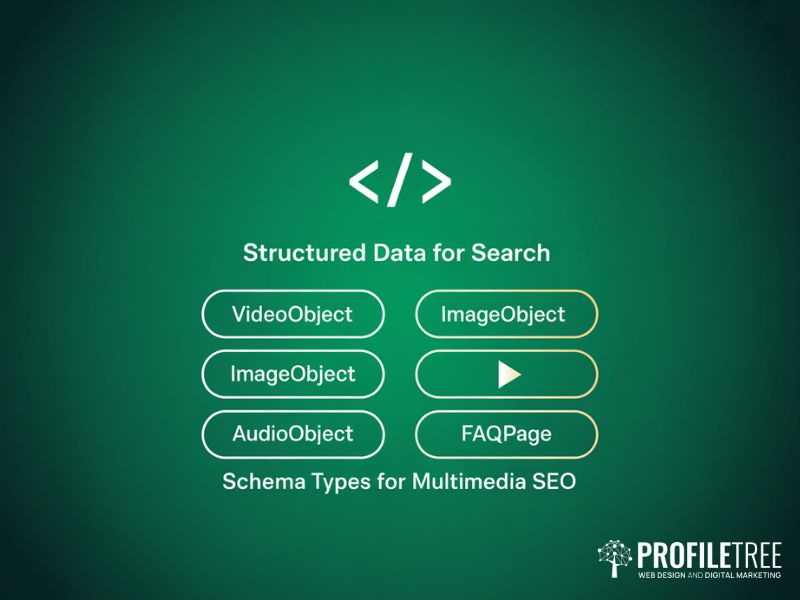
Four schema types carry most of the value in multimedia SEO: VideoObject for video, ImageObject for standalone images and galleries, AudioObject for audio files, and PodcastEpisode for individual episodes.
FAQPage Markup is worth adding alongside them. It is not a media type, but the question-and-answer structure mirrors how AI systems extract and present answers, which raises the odds of citation.
Most SMEs can maintain this in-house once someone has been shown how. That is often more practical than an ongoing retainer, and it is a common request within digital marketing training sessions for teams managing their own sites.
How Structured Media Earns AI Citations
AI answer engines pull from pages that already rank, but they favour a particular shape of content: front-loaded answers, self-contained sections, numbered processes and clearly labelled media.
A page where every image carries descriptive alt text, every video has a transcript, and every asset is defined in schema extracts cleanly. A page where the same information sits buried in long, unbroken paragraphs does not, regardless of how accurate it is.
Working out which existing pages are close to that standard is a scoping exercise, and this content audit framework for SMEs sets out how to run it against Search Console and analytics data rather than by instinct.
Performance, Accessibility and UK Compliance
This is the section most guides written for a US audience skip entirely, and it is where UK and Irish businesses face requirements their American counterparts do not. Speed, accessibility law and privacy law all shape what can actually be published, and the four subsections below deal with each in turn before covering how the same assets behave when shared socially.
Media Weight and Core Web Vitals
Large uncompressed images remain the most common cause of poor Largest Contentful Paint scores, and they are the point where multimedia SEO and page speed work become the same task.
Target the smallest file that still looks acceptable, which usually means JPEG quality between 70 and 85 or the equivalent WebP setting. Reserve layout space for images and embeds so nothing jumps as the page loads. Use a facade for third-party video players, loading a static thumbnail first and pulling in the player script only when someone clicks.
A content delivery network with strong European coverage cuts asset load times for a Belfast business serving UK and Irish customers. Performance work of this kind spans build, hosting and content, which is why it rarely sits neatly inside one line item on a digital agency service list.
WCAG 2.2 and Inclusive Media
Accessible media and optimised media are the same media, which is the most useful thing to understand about multimedia SEO as a whole.
Alt text serves screen readers and crawlers. Captions serve deaf viewers and indexing systems. Audio descriptions serve blind users and add another text layer. WCAG 2.2 carries legal weight in the UK through the Equality Act 2010, so this is not optional for businesses selling to the public.
Custom media controls need particular attention within any multimedia SEO programme, since bespoke players and modal video windows often announce nothing useful to a screen reader without help. The correct approach is set out in this guide to using ARIA attributes to improve accessibility. The same principle applies well beyond commercial sites: education publishers have found that captioned educational videos support comprehension for learners who process written text more easily than speech.
Cookie Consent, GDPR and Third-Party Embeds
A standard YouTube embed sets cookies before anyone presses play, which puts it squarely inside UK GDPR consent obligations.
Two fixes work together. Serve the embed from the youtube-nocookie.com domain, and load it behind a click-to-play facade so no third-party request fires until a visitor chooses. Neither harms indexing, because the video is still declared through schema and the video sitemap.
The wider set of obligations that applies to trading sites is covered in this guide to UK digital compliance for e-commerce websites, and the consent mechanics carry across to any page collecting data, as set out in this walkthrough of designing GDPR-compliant web forms.
Social Previews and Open Graph
The same assets optimised through multimedia SEO also determine how a page looks when someone shares it.
Open Graph and Twitter Card tags control the preview image, title and description on social platforms. Without them, a shared link often renders as a blank card, which drags down click-through on exactly the traffic a business worked hardest to earn.
Specify a dedicated 1200 by 630 pixel share image rather than letting the platform pick the first thing it finds. Formats built for social behave differently again, and the platform-specific considerations are covered in this piece on building a short-form video content strategy.
As Ciaran Connolly, founder of ProfileTree, puts it: “The businesses that treat multimedia SEO as a box-ticking exercise, slapping alt text on images and calling it done, miss the real opportunity. When you treat every image, every video and every audio file as a content asset that deserves the same strategic attention as a written article, the results follow. We see it consistently across client projects.”
Where to Start With Multimedia SEO
Start any multimedia SEO project with the audit rather than the theory. Count how many images lack alt text, how many videos lack transcripts, and whether an image sitemap exists at all. Those three numbers usually explain most of the shortfall. Fix them in that order, then add schema.
If that work needs a team behind it, get in touch with ProfileTree to talk through what your media library is currently costing you in missed search visibility.
FAQs
What is multimedia SEO?
Multimedia SEO is the practice of optimising non-text assets, meaning images, video and audio, so search engines can find, understand and rank them. It covers file naming, compression, alt text, transcripts, captions, structured data and sitemap coverage.
Does adding video to a page improve its SEO?
Indirectly, yes. Video increases time on page and gives crawlers more material to work with, but only when it is embedded with VideoObject schema, surrounded by relevant text and supported by a transcript. An unmarked embed adds weight without adding signal.
How does multimedia SEO differ for B2B and B2C?
B2C leans on product imagery, shopping results and short social video. B2B leans on explainer videos, webinar recordings and podcast transcripts that demonstrate expertise. The technical work is identical; the asset mix and the search intent behind it are not.
Do I still need alt text if the image has a visible caption?
Yes. Captions are read by everyone; alt text is read by screen readers and image crawlers. They serve different functions, and Google Images indexes the alt attribute specifically, so removing it costs both accessibility and visibility.
Do cookie consent banners stop videos from being indexed?
No, provided the video is declared through structured data or a video sitemap. A click-to-load facade keeps the page compliant with UK GDPR while still allowing Google to discover the video through its metadata rather than the embed itself.