
What Is UX Design: Creating Exceptional User Experiences
Table of Contents
The success of any digital product—whether a website, mobile application, or online platform—depends on one critical factor: how people experience it. User experience design, commonly known as UX design, has emerged as a fundamental discipline that shapes how businesses connect with their audiences online. Yet many business owners and marketing managers struggle to understand what UX design involves and why it matters for their commercial objectives.
At its core, UX design is the process of creating digital products that are intuitive, efficient, and satisfying to use. This goes far beyond making websites look attractive. UX design addresses the complete journey someone takes when engaging with your digital presence—from the moment they land on your homepage to the point where they complete a purchase, submit a contact form, or achieve whatever goal brought them to your site.
For businesses across Northern Ireland, Ireland, and the UK, strong user experience design directly impacts commercial success. When visitors find information quickly, navigate effortlessly, and complete desired actions without frustration, conversion rates improve, and customer loyalty strengthens. Research from Deloitte found that organisations excelling at UX design outperformed competitors by nearly 80% across key performance indicators, including customer satisfaction scores, conversion and renewal rates.
The stakes are high. Studies show that 71% of consumers feel frustrated after two negative interactions with a digital product. These frustrations translate into abandoned shopping carts, higher bounce rates, and lost revenue. Meanwhile, 88% of online consumers won’t return to a website after a bad experience—meaning poor UX doesn’t just cost you one sale, it costs you the entire lifetime value of that customer.
This comprehensive guide explores the fundamentals of UX design, from core principles and processes to practical implementation strategies. You’ll learn what separates good user experiences from poor ones, how to measure UX success, which tools professionals use, and how UX design integrates with other digital services like SEO, content marketing, and AI implementation. Whether building a new website, redesigning an existing platform, or optimising digital marketing campaigns, understanding UX design principles will help you create experiences that satisfy both users and business objectives.
What Is UX Design
User experience encompasses every aspect of how someone interacts with your digital product. This includes loading speeds, navigation structure, content clarity, visual design, and the emotional response these elements create. Web users visit sites with specific goals—finding information, purchasing products, or accessing services. UX design makes these goals achievable with minimal effort.
The difference between user experience and user interface design often confuses. User interface (UI) design handles the visual and interactive elements—buttons, colours, typography, and layouts. User experience design takes a broader view, considering the entire user journey from landing on a page to completing key actions and beyond.
Why User Experience Matters for Business
User experience directly influences your bottom line. Poor user experience carries high costs—71% of consumers report feeling frustrated after just two negative interactions with a digital product. These frustrations translate into abandoned carts, higher bounce rates, and lost revenue.
“Business owners often underestimate how user experience influences their commercial outcomes,” says Ciaran Connolly, Director of ProfileTree. “We’ve seen clients increase their conversion rates by 40-50% through strategic UX improvements—changes that paid for themselves within weeks.”
Consider the two primary ways businesses grow online revenue:
- Acquiring more traffic through marketing, advertising, and SEO
- Improving conversion rates from existing visitors
Customer acquisition costs vary dramatically across industries, ranging from £50 to £500+ per customer. Given these costs, maximising value from existing traffic through superior user experience becomes financially critical.
User Experience and SEO
Search engines prioritise user experience when ranking websites. Google’s Core Web Vitals explicitly measure UX factors, including page loading speed, interactivity, and visual stability. Sites delivering poor user experiences rank lower, regardless of content quality.
Strong UX design supports SEO in several ways:
- Reduced bounce rates: Engaging experiences keep visitors on site longer, signalling quality to search engines
- Improved dwell time: When users find value quickly, they spend more time engaging with content
- Better mobile performance: Mobile-first design meets both user expectations and search engine requirements
- Enhanced accessibility: Sites that work for everyone, including those using assistive technologies, rank higher
ProfileTree’s approach to web design prioritises both user experience and search visibility. We build websites optimised for rankings, traffic, leads, and sales—recognising that these goals interconnect rather than compete.
UX Design in Digital Marketing
User experience design and digital marketing work together to guide potential customers through the buying journey. Every marketing touchpoint—from social media posts to email campaigns—relies on UX principles to succeed.
Consider a typical customer journey: a social media advertisement captures attention, the user clicks through to a landing page, straightforward navigation and compelling content maintain interest, an intuitive form collects information without friction, and follow-up emails continue the conversation. Poor user experience at any stage breaks this chain, wasting marketing investment. Strong UX design amplifies marketing effectiveness by removing barriers between interest and action.
Essential UX Elements
The elements of user experience design work together to create cohesive, effective digital products. Understanding these components helps businesses identify improvement opportunities and communicate effectively with design teams.
Information Architecture
Information architecture (IA) organises and structures content so users find what they need efficiently. This involves creating logical hierarchies, clear categories, and intuitive navigation systems.
Strong information architecture answers three fundamental questions:
- Where am I? (Clear current location indicators)
- What’s here? (Descriptive labels and categories)
- Where can I go? (Obvious navigation paths)
When building websites for clients across Belfast, Dublin, and beyond, ProfileTree conducts content inventories to understand what information exists, how users search for it, and how to structure it logically. This research-driven approach prevents the common mistake of organising content based on internal business structure rather than user needs.
Navigation Design
Navigation systems guide users through digital experiences. Effective navigation balances comprehensiveness with simplicity—providing access to all critical areas without overwhelming visitors.
Key navigation principles include:
- Consistency: Navigation should appear in the exact location and function identically across all pages
- Clarity: Labels must use language your audience understands, avoiding internal jargon
- Feedback: Visual indicators show the current location and available options
- Accessibility: Navigation works with keyboards, screen readers, and other assistive technologies
Many businesses underestimate navigation’s impact on conversion rates. When users struggle to find product information or contact details, they leave. Clear, intuitive navigation removes these barriers.
Responsiveness and Mobile Experience
Mobile devices account for over 60% of web traffic in most industries. Responsive design adapts layouts, images, and functionality across all screen sizes and devices.
Mobile-first UX design considers:
- Touch targets: Buttons and links sized appropriately for fingers, not mouse cursors
- Simplified navigation: Streamlined menus that work on smaller screens
- Optimised images: Fast-loading visuals that maintain quality across devices
- Readable text: Font sizes and line spacing that work without zooming
ProfileTree builds all websites with mobile-first principles, recognising that mobile performance influences user satisfaction and search rankings.
Accessibility
Accessible design creates experiences usable by everyone, including people with visual, auditory, motor, or cognitive disabilities. This isn’t just ethical—it’s practical business sense. Approximately 20% of the UK population has some form of disability.
Accessibility considerations include:
- Semantic HTML structure for screen reader compatibility
- Sufficient colour contrast for visibility
- Keyboard navigation support
- Alternative text for images
- Captions for video content
- Clear, simple language
Many accessibility improvements benefit all users, not just those with disabilities. Captions help people watch videos in noisy environments, and clear language aids non-native speakers and time-pressed executives alike.
Page Speed and Performance
Users expect fast-loading websites. Research shows that 53% of mobile users abandon sites that load over three seconds, and every additional second of loading time reduces conversions.
Performance optimisation involves:
- Compressed images and media files
- Minimised code (CSS, JavaScript)
- Browser caching strategies
- Content delivery networks for global audiences
- Server response time optimisation
ProfileTree’s web development process includes performance testing across devices and connection speeds. We build sites that load quickly, even on slower mobile networks common in rural areas across Northern Ireland and Ireland.
Visual Hierarchy and Design
Visual hierarchy guides users’ attention to the most critical elements first. This involves strategically using size, colour, contrast, spacing, and positioning.
Effective visual hierarchy:
- Highlights primary calls-to-action prominently
- Groups related information together
- Uses white space to reduce cognitive load
- Maintains consistent styling for similar elements
- Directs eye movement through intentional design
Good visual design supports rather than distracts from user goals. Overly complex layouts, excessive animation, or conflicting colour schemes create confusion rather than engagement.
The UX Design Process
Professional UX design follows systematic processes that balance user needs with business objectives. This structured approach produces better outcomes than relying on assumptions or personal preferences.
Research and Discovery
UX design begins with understanding who will use the product and what they need to accomplish. This research phase gathers both quantitative and qualitative data about target audiences.
Research methods include:
- User surveys: Collecting feedback about current experiences, pain points, and expectations
- Analytics review: Examining existing data on user behaviour, popular pages, and drop-off points
- Competitor analysis: Identifying what works well in similar products and where opportunities exist
- Stakeholder interviews: Understanding business goals and constraints
For ProfileTree’s clients, we often supplement formal research with pragmatic analysis of existing customer interactions, support queries, and sales conversations. These sources reveal real user needs in their own words.
User Personas and Journey Mapping
Based on research findings, user personas represent archetypal users. These fictional characters embody real user segments’ goals, behaviours, and pain points.
A typical persona includes:
- Demographics and background
- Goals and motivations
- Technical proficiency
- Pain points and frustrations
- Preferred channels and devices
Journey mapping visualises the steps users take to accomplish goals. These maps identify opportunities to improve experiences and remove friction points. A customer journey might progress from initial awareness through research, comparison, purchase, and ongoing engagement.
Design Thinking Approach
Design thinking provides a framework for solving complex UX challenges through iterative experimentation. This approach emphasises empathy, creativity, and rapid testing.
The design thinking process includes five stages:
- Empathise: Deeply understand user needs and contexts
- Define: Clearly articulate the problem being solved
- Ideate: Generate multiple potential solutions
- Prototype: Create low-fidelity versions for testing
- Test: Gather feedback and refine approaches
This methodology prevents teams from falling in love with initial ideas that may not serve user needs. By testing early and often, resources focus on solutions that actually work.
Wireframing and Prototyping
Wireframes are basic visual guides showing page structure without detailed design elements. These low-fidelity sketches communicate layout, content hierarchy, and functionality before investing in full design.
Wireframes serve several purposes:
- Clarify information architecture decisions
- Facilitate stakeholder discussions about structure
- Enable quick iterations without design overhead
- Provide blueprints for visual designers
Prototypes add interactivity to wireframes, allowing users to experience navigation and functionality. Interactive prototypes help identify usability issues before development begins, when changes cost less.
ProfileTree uses tools to create interactive prototypes that clients can test on actual devices. This hands-on experience helps stakeholders understand proposed experiences better than static presentations.
Usability Testing
Usability testing observes real users attempting to complete tasks with the product. These sessions reveal where designs succeed and where users struggle.
Effective usability testing:
- Tests with representative users from target segments
- Assigns realistic tasks aligned with actual use cases
- Observes without intervening or leading participants
- Records sessions for detailed analysis
- Identifies patterns across multiple participants
Testing need not be elaborate. Even informal sessions with five users typically uncover 85% of usability problems. Regular testing throughout the design process catches issues early when they’re easier to fix.
Implementation and Iteration
Designers must communicate decisions clearly to development teams. This involves detailed specifications, interactive prototypes, and often ongoing collaboration during building.
ProfileTree’s integrated approach, offering design and development services, streamlines this handoff. Our designers and developers collaborate throughout projects, reducing miscommunication and implementation errors.
User experience design continues after launch. Analytics, user feedback, and testing reveal opportunities for ongoing improvement through A/B testing, heatmap analysis, session recordings, and analytics review. This data-driven approach replaces opinions with evidence about what works for your audience.
Key UX Design Tools
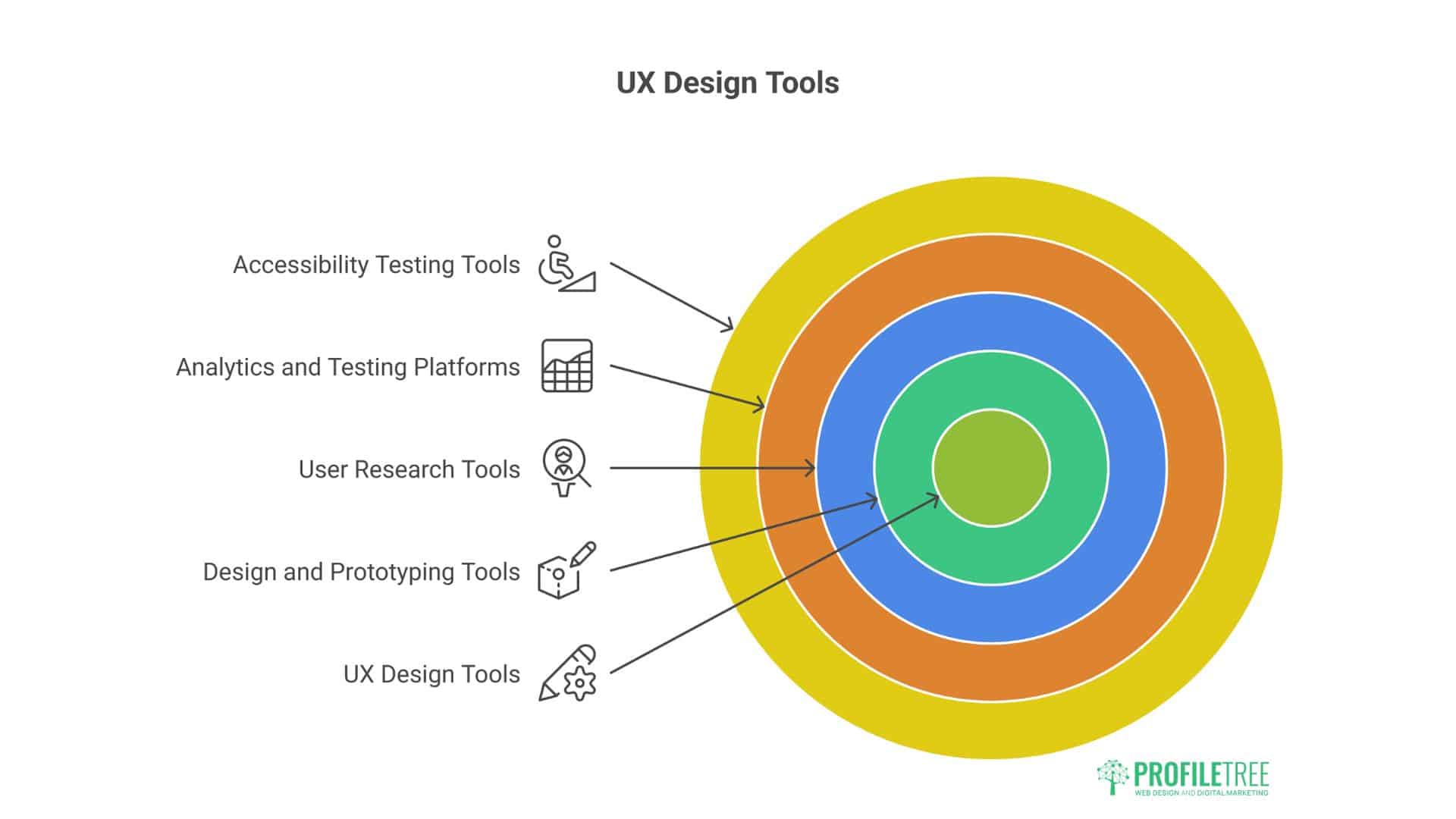
Professional UX designers rely on specialised tools throughout the design process. Understanding these tools helps businesses evaluate design partners and appreciate the work involved.
Design and Prototyping Tools
Modern design tools combine visual design capabilities with prototyping functionality, allowing designers to create interactive experiences that simulate final products.
Figma has become the industry standard for web and application design. This browser-based platform supports real-time collaboration, making it ideal for teams working remotely or across locations. Figma’s component system promotes consistency while its prototyping features enable interactive demonstrations.
Sketch remains popular, particularly for Mac-based design teams. This application offers powerful vector editing tools and an extensive plugin ecosystem for specialised tasks.
Adobe XD integrates with other Adobe Creative Cloud applications, appealing to teams already invested in that ecosystem. Its prototyping capabilities support complex interactions and animated transitions.
ProfileTree primarily uses Figma for client projects. It values its collaborative features, which let stakeholders review designs in real time and provide feedback directly on screens.
User Research Tools
Understanding user behaviour requires both quantitative analytics and qualitative research tools.
Google Analytics provides comprehensive data about visitor behaviour, traffic sources, and conversion paths. This free tool offers insights into what’s working and where users struggle.
Hotjar combines heatmaps, session recordings, and user surveys in one platform. Watching how real users navigate sites often reveals issues that analytics data alone wouldn’t expose.
UserTesting facilitates remote usability testing with participants matching target demographics. This service provides video recordings of users completing tasks while verbalising their thoughts.
Analytics and Testing Platforms
Continuous improvement requires tools that measure performance and test variations systematically.
Google Optimise enables A/B testing and multivariate experiments to compare design variations. This tool integrates seamlessly with Google Analytics for comprehensive performance tracking.
Crazy Egg offers heatmaps, scroll maps, and A/B testing in one platform, making it accessible for smaller businesses new to optimisation.
Mouseflow provides session replay, heatmaps, and form analytics, with particular strength in identifying where users abandon forms.
Accessibility Testing Tools
Creating accessible experiences requires specialised tools that identify potential barriers for users with disabilities.
- WAVE (Web Accessibility Evaluation Tool) analyses pages for accessibility issues, highlighting problems and suggesting fixes.
- Axe DevTools integrates with browsers to test accessibility during development, catching issues before launch.
- Screen readers like JAWS, NVDA, and VoiceOver allow designers to experience sites as visually impaired users do, revealing navigation and structure issues.
Measuring UX Success
Measuring user experience requires tracking metrics that reflect user satisfaction and business outcomes. These key performance indicators (KPIs) guide design decisions and demonstrate UX value.
User Engagement Metrics
Engagement metrics indicate how users interact with content and whether they find value.
Time on page measures how long visitors spend engaging with content. Longer sessions typically indicate valuable, engaging content, though context matters—some pages should facilitate quick task completion.
Pages per session shows how many pages users visit during a single visit. Higher numbers suggest users explore content and find navigation intuitive.
Bounce rate reveals the percentage of visitors who leave after viewing only one page. High bounce rates often indicate poor UX, irrelevant content, or misleading traffic sources.
The return visitor rate indicates whether users find enough value to return. High return rates suggest positive experiences and valuable content.
Conversion Metrics
Conversion metrics directly tie UX design to business outcomes.
Conversion rate measures the percentage of visitors completing desired actions—purchases, form submissions, downloads, or registrations. UX improvements often dramatically impact this metric.
The task completion rate tracks the percentage of users who complete specific tasks. Low completion rates signal UX problems that require attention.
Form abandonment rate shows how many users start but don’t complete forms. High abandonment suggests forms are too long, request unnecessary information, or lack clear value propositions.
The cart abandonment rate for e-commerce sites reveals friction in the checkout process. Industry averages hover around 70%, leaving substantial improvement opportunities.
ProfileTree’s web design projects typically target specific conversion goals established during discovery. We measure baseline performance before changes, then track improvements after implementing UX enhancements. Clients regularly see conversion rate increases of 30-50% through strategic UX improvements.
Technical Performance Metrics
Technical metrics reflect the quality of the underlying technology supporting user experiences.
Page load time directly impacts user satisfaction and search rankings. Google recommends pages load in under three seconds on mobile devices.
Core Web Vitals include three specific metrics Google uses for ranking:
- Largest Contentful Paint (LCP): Measures loading performance (should occur within 2.5 seconds)
- First Input Delay (FID): Measures interactivity (should be less than 100 milliseconds)
- Cumulative Layout Shift (CLS): Measures visual stability (should be less than 0.1)
Error rates track broken links, 404 pages, and functionality failures. These technical problems severely damage user experience.
Business Impact Metrics
Ultimate UX success ties to commercial outcomes.
Customer lifetime value measures the total revenue from customer relationships over time. Superior user experiences increase lifetime value by improving retention and encouraging repeat purchases.
Customer acquisition cost decreases when a better UX improves conversion rates. Converting 4% rather than 2% of visitors effectively halves acquisition costs.
Support ticket volume often decreases after UX improvements. When interfaces become more intuitive, users contact support less frequently, reducing costs while improving satisfaction.
Revenue per visitor directly connects UX to business outcomes. Minor improvements in conversion rates or average order values compound into significant revenue increases.
UX Design Best Practices
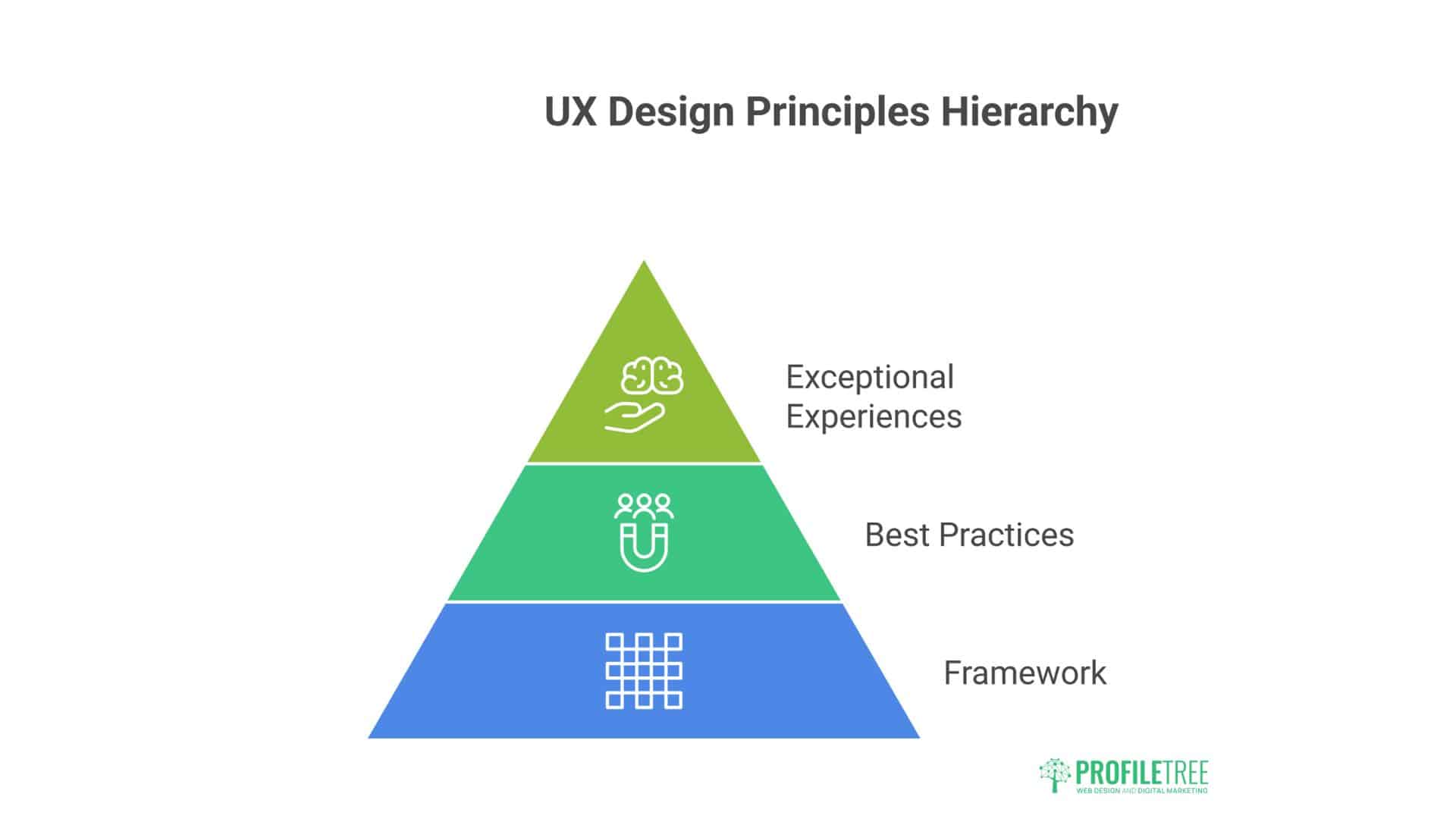
Professional UX design follows established principles that consistently produce superior experiences. These best practices guide decision-making throughout design processes.
User-Centred Design Principles
User-centred design places actual user needs, not assumptions, at the core of design decisions.
Test with real users: Designers and stakeholders become too familiar with products to evaluate them objectively. Regular testing with representative users reveals issues that internal teams overlook.
Prioritise user goals: Business goals matter, but user goals must come first. Users visit sites to accomplish their objectives, not yours. Align business goals with helping users succeed.
Embrace simplicity: Every additional option, feature, or element increases cognitive load. Simplify ruthlessly, keeping only what serves user or business objectives.
Maintain consistency: Consistent patterns reduce learning curves. When buttons look and behave similarly throughout an interface, users develop mental models that accelerate task completion.
Provide feedback: Users need confirmation that actions succeeded. Loading indicators, success messages, and error notifications communicate system status and guide next steps.
Mobile-First Design
Mobile devices dominate web traffic across most industries. Mobile-first design approaches projects by designing for small screens first, then progressively enhancing for larger screens.
Mobile-first benefits:
Forced prioritisation: Limited mobile screen space requires identifying essential content and features. This discipline also improves desktop experiences.
Performance focus: Mobile networks are often slower than wired connections. Designing for mobile enforces performance optimisation that benefits all users.
Touch-first interactions: Designing for touch input creates interfaces accessible to all interaction methods, including emerging voice and gesture controls.
Broader reach: Mobile-first approaches make products accessible to users whose primary or only internet access comes through smartphones—increasingly common globally.
ProfileTree builds all websites mobile-first, recognising that mobile performance influences search rankings and that many clients’ customers access sites primarily through mobile devices.
Error Prevention and Recovery
Good UX design prevents errors when possible and handles inevitable errors gracefully.
Error prevention strategies:
- Clear labels and instructions
- Input validation and constraints
- Confirmation for destructive actions
- Defaults for common selections
- Examples showing correct input formats
Error recovery strategies:
- Clear, specific error messages explaining problems
- Guidance on correcting errors
- Preserving user input when errors occur
- Contextual help prevents repeated mistakes
Too many forms display cryptic error messages like “Invalid input” without explaining what’s invalid or how to fix it. Effective error messages might say, “Password must contain at least 8 characters, including one number and one special character.”
Integrating UX Design with Digital Services
User experience design doesn’t exist in isolation. It intersects with and amplifies other digital services and marketing activities.
UX and SEO Integration
User experience and search engine optimisation support each other. Search engines aim to surface pages delivering superior user experiences, making UX a ranking factor.
Technical SEO and UX alignment:
- Fast loading speeds benefit both users and rankings
- Mobile optimisation serves mobile users and search algorithms
- Secure connections (HTTPS) protect users and influence rankings
- Clean URL structures aid both navigation and crawling
Content strategy connections:
- Well-structured content with clear headings improves readability and SEO
- Internal linking aids navigation and distributes ranking authority
- Comprehensive content satisfying search intent ranks well and engages users
ProfileTree’s approach integrates SEO from project inception, ensuring technical architecture, content structure, and user experience design work together toward visibility and conversion goals.
UX in Content Marketing
Content marketing aims to attract and engage target audiences through valuable content. User experience determines whether that content successfully engages.
Content presentation: Outstanding content poorly presented underperforms mediocre content presented well. Typography, spacing, visual hierarchy, and media integration affect content consumption.
Content discovery: Users need to find relevant content easily. Effective site search, related content recommendations, and intuitive categorisation improve content marketing ROI.
Video UX: Video increasingly dominates content strategies. UX considerations include player controls, caption availability, loading performance, and mobile optimisation.
ProfileTree produces video content and animation for clients across various industries. We integrate these assets seamlessly into websites with appropriate controls, accessibility features, and performance optimisation.
UX for AI Implementation
Artificial intelligence increasingly powers digital experiences through chatbots, personalisation, recommendations, and automation. Effective AI implementation requires thoughtful UX design.
AI interaction design:
- Conversational interfaces: Chatbots and virtual assistants need clear language, appropriate personality, and graceful handling of unexpected inputs
- Transparency: Users should understand when they’re interacting with AI and what capabilities and limitations exist
- Human escalation: Clear paths to human support when AI can’t address needs
ProfileTree specialises in AI training and implementation for SMEs across Northern Ireland and Ireland. We help businesses identify practical AI applications that improve user experiences without introducing unnecessary complexity or privacy concerns.
UX in Digital Training
Digital training platforms and educational content have specific UX requirements supporting learning outcomes.
Learning-focused UX principles:
- Progressive complexity: Introducing concepts incrementally prevents overwhelming learners
- Active learning: Interactive exercises and practical applications improve retention over passive consumption
- Progress tracking: Clear indicators of completion and achievement motivate continued engagement
- Flexible pacing: Learners should control speed, with options to skip familiar content or review challenging material
ProfileTree delivers digital training and workshops on SEO, accessibility, and AI adoption. Our training materials apply UX principles that make learning engaging and effective, whether delivered in-person or through digital platforms.
Conclusion: Building Better Digital Experiences
User experience design represents investment, not cost. Well-designed digital products and services generate measurable returns through improved conversion rates, increased customer lifetime value, and reduced support costs.
The fundamentals remain constant: understand your users, test regularly, iterate based on data, and prioritise user needs alongside business objectives. However, tools, techniques, and user expectations continue evolving. Successful organisations treat UX as an ongoing discipline, not a one-time project.
Superior user experience provides a competitive advantage for businesses in Belfast, Northern Ireland, Ireland, and the broader UK market. As digital channels increasingly dominate customer interactions, the quality of those interactions directly influences commercial success.
Whether building new digital products, redesigning existing websites, or optimising conversion funnels, UX design principles guide decisions toward outcomes that satisfy users and business objectives. Investing in user research, testing, and iterative improvement consistently delivers returns exceeding costs.