
X Pro Guide for UK Businesses: Features, Pricing & Setup
Table of Contents
X Pro is the professional social media management dashboard that replaced TweetDeck in 2023, now available exclusively through X Premium+ subscriptions. For UK businesses managing X accounts at scale, it offers multi-column monitoring, advanced search capabilities and team collaboration features. Whether X Pro represents value for money depends on your business size, social media volume, and how well you integrate it with your broader digital marketing strategy, including your website, SEO and content marketing efforts.
What is X Pro? Understanding the Evolution from TweetDeck
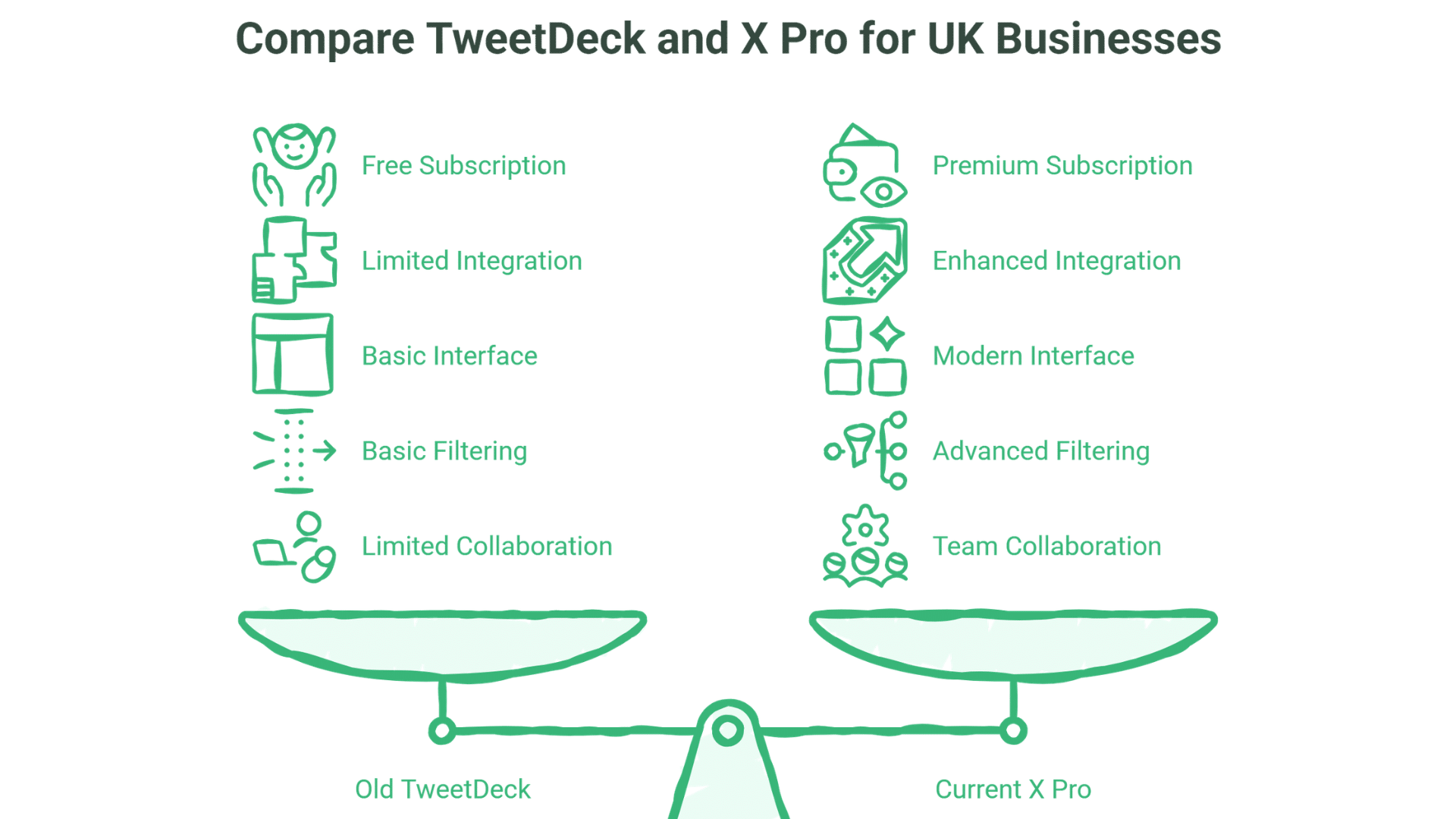
X Pro is the premium, column-based social media management dashboard that replaced TweetDeck following Elon Musk’s acquisition of Twitter (now X). While it maintains the familiar multi-column layout that made TweetDeck popular, X Pro now exists exclusively as part of the X Premium+ subscription offering, bringing both enhanced features and a subscription cost.
The transition from free TweetDeck to paid X Pro happened in August 2023, frustrating many long-term users who had relied on the free tool for years. For businesses, the key question isn’t whether the rebrand was fair; it’s whether the current tool justifies the ongoing cost within your digital marketing budget.
Key Differences Between Old TweetDeck and Current X Pro
- Subscription Requirement: Unlike the free TweetDeck of the past, X Pro requires an X Premium+ subscription at £2.20/month in the UK
- Enhanced Integration: Deeper integration with X’s premium features and analytics
- Modernised Interface: Sleeker design with improved navigation and customisation options
- Advanced Filtering: More sophisticated filters for tracking specific content and conversations
- Team Collaboration: Improved capabilities for multi-user management (depending on subscription level)
For Belfast and Northern Ireland businesses, X Pro can be particularly valuable for monitoring local conversations, tracking regional hashtags like #BelfastHour and #NIBusiness, and engaging with the tight-knit business community across the region.
“At ProfileTree, we’ve found X Pro invaluable for monitoring conversations relevant to our clients across Northern Ireland and the UK,” notes Ciaran Connolly, founder of ProfileTree. “The ability to track industry-specific keywords, engage with potential customers, and schedule strategic content has transformed how businesses approach X as a platform, but only when it’s integrated properly with their website and content strategy.”
Core Features: Why UK Professionals Use X Pro
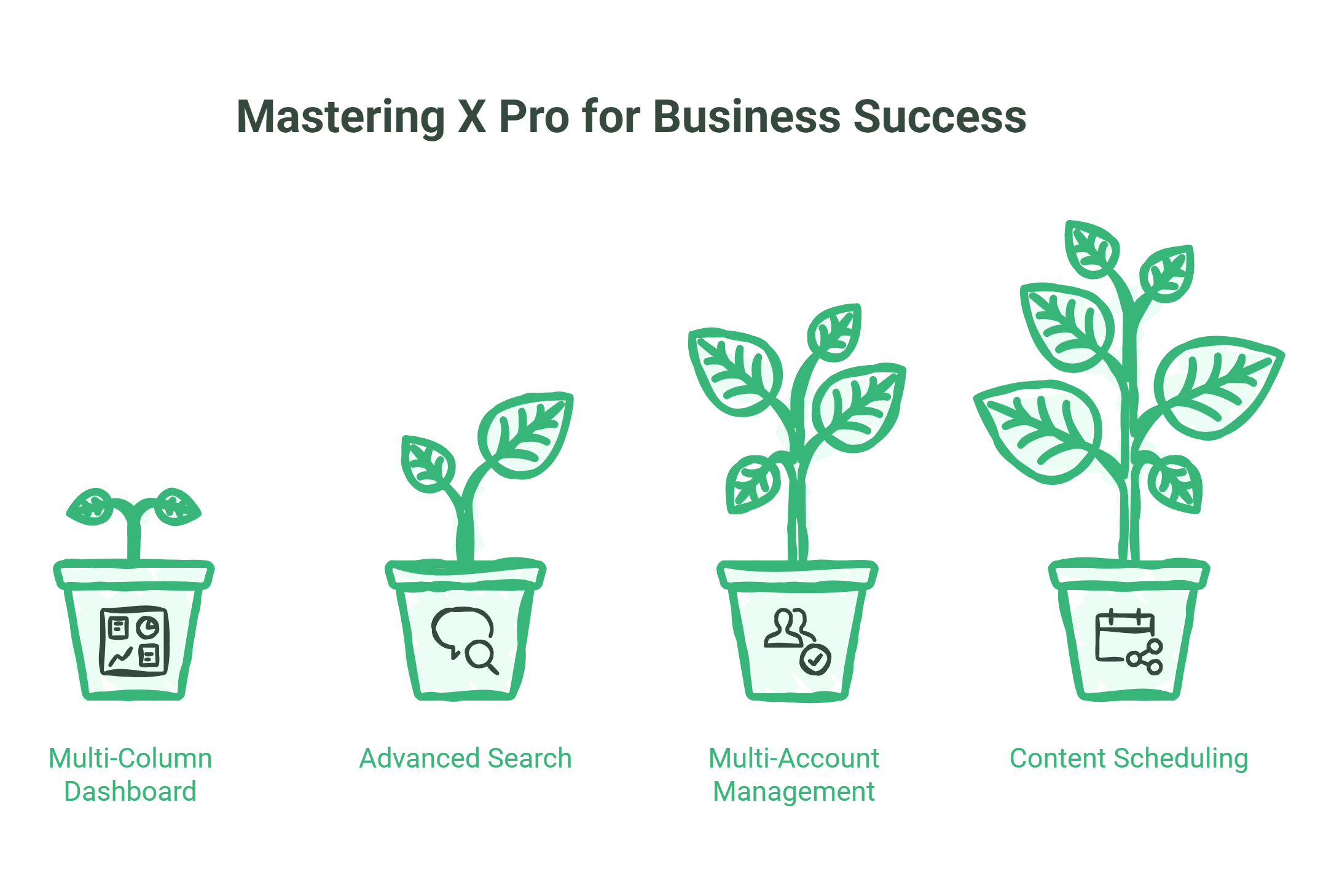
Understanding X Pro’s core capabilities helps you determine which features will actually deliver value for your business. Rather than treating it as a simple posting tool, successful users configure X Pro as an intelligence-gathering system that monitors conversations, identifies opportunities, and streamlines engagement across multiple accounts.
Multi-Column Dashboard Layout
The defining feature of X Pro is its customisable column interface, which allows you to monitor multiple information streams simultaneously without switching between tabs or refreshing feeds.
Column types and their business applications:
Home Timeline
- What it shows: Posts from accounts you follow
- Business use: Monitor industry news and partner content
- Setup tip: Filter to show only verified accounts or posts with media
Notifications
- What it shows: Mentions, replies, and interactions with your account
- Business use: Customer service and engagement monitoring
- Setup tip: Create separate columns for different notification types
Messages
- What it shows: Direct messages to your account
- Business use: Private customer inquiries and partnership discussions
- Setup tip: Filter by unread messages first
Lists
- What it shows: Curated groups of accounts you’ve organised
- Business use: Monitor competitors, industry influencers, or potential leads
- Setup tip: Create industry-specific lists for focused monitoring
Search
- What it shows: Results for specific search terms or hashtags
- Business use: Track brand mentions, industry terms, or local conversations
- Setup tip: Use Boolean operators (AND, OR, NOT) for precise results
Scheduled Posts
- What it shows: Upcoming posts you’ve scheduled
- Business use: Content calendar management
- Setup tip: Colour-code by campaign or theme
Collections
- What it shows: Saved posts organised by topic
- Business use: Content curation and research
- Setup tip: Use for gathering testimonials or industry insights
Advanced Search and Filtering
Beyond basic column monitoring, X Pro’s search system transforms how you discover business opportunities. The real power emerges when you combine search operators to create highly targeted queries that surface exactly the conversations you need to see.
Boolean search operators you can combine:
- AND: Requires both terms (default when using space)
- OR: Either term can match
- – (minus): Excludes terms
- “quotes”: Searches for exact phrases
- (): Groups terms together
Example for a Belfast digital agency:
("Belfast business" OR "Northern Ireland company") (hiring OR recruiting) -internshipThis searches for Belfast businesses or NI companies that are hiring, excluding internship posts – useful for spotting potential clients experiencing growth.
Location-based monitoring for UK businesses:
- Use location tags:
near:Belfast within:20mi - Monitor local hashtags:
#BelfastHour #NIBusiness - Track local events:
#BelfastFestival filter:images
Multi-Account Management
For agencies or businesses with separate brand accounts, X Pro allows management of up to 10 accounts from a single dashboard. This capability alone often justifies the subscription cost for agencies managing client accounts or businesses operating multiple brands.
Account management best practices:
- Colour Coding: Assign different colours to each account for visual differentiation
- Account Grouping: Organise columns by account rather than mixing them
- Permission Management: Control which team members have posting access to which accounts
- Activity Logs: Regularly review activity logs for each account
Critical Warning: Always verify which account is active before posting. Many social media managers have horror stories of posting personal content to business accounts or vice versa.
Content Scheduling Capabilities
Planning content in advance transforms reactive social media management into strategic communication. X Pro’s scheduling system integrates directly with your dashboard, letting you visualise your upcoming content alongside real-time monitoring columns.
Advanced scheduling strategies:
Content Batching: Create and schedule a week or a month’s worth of content in a single session. Prepare your content themes in advance, set aside dedicated time for creation, and schedule posts at strategic intervals.
Optimal timing: X Pro provides analytics that help identify when your audience is most active. Review engagement patterns from previous posts, schedule important content during peak engagement times, and test posting at different times to identify optimal windows.
Content mix planning: Maintain a balanced content strategy using a ratio like 4:3:2:1; four parts industry insights, three parts shared content from others, two parts company updates, one part behind-the-scenes content.
X Pro UK Pricing: What You Actually Pay
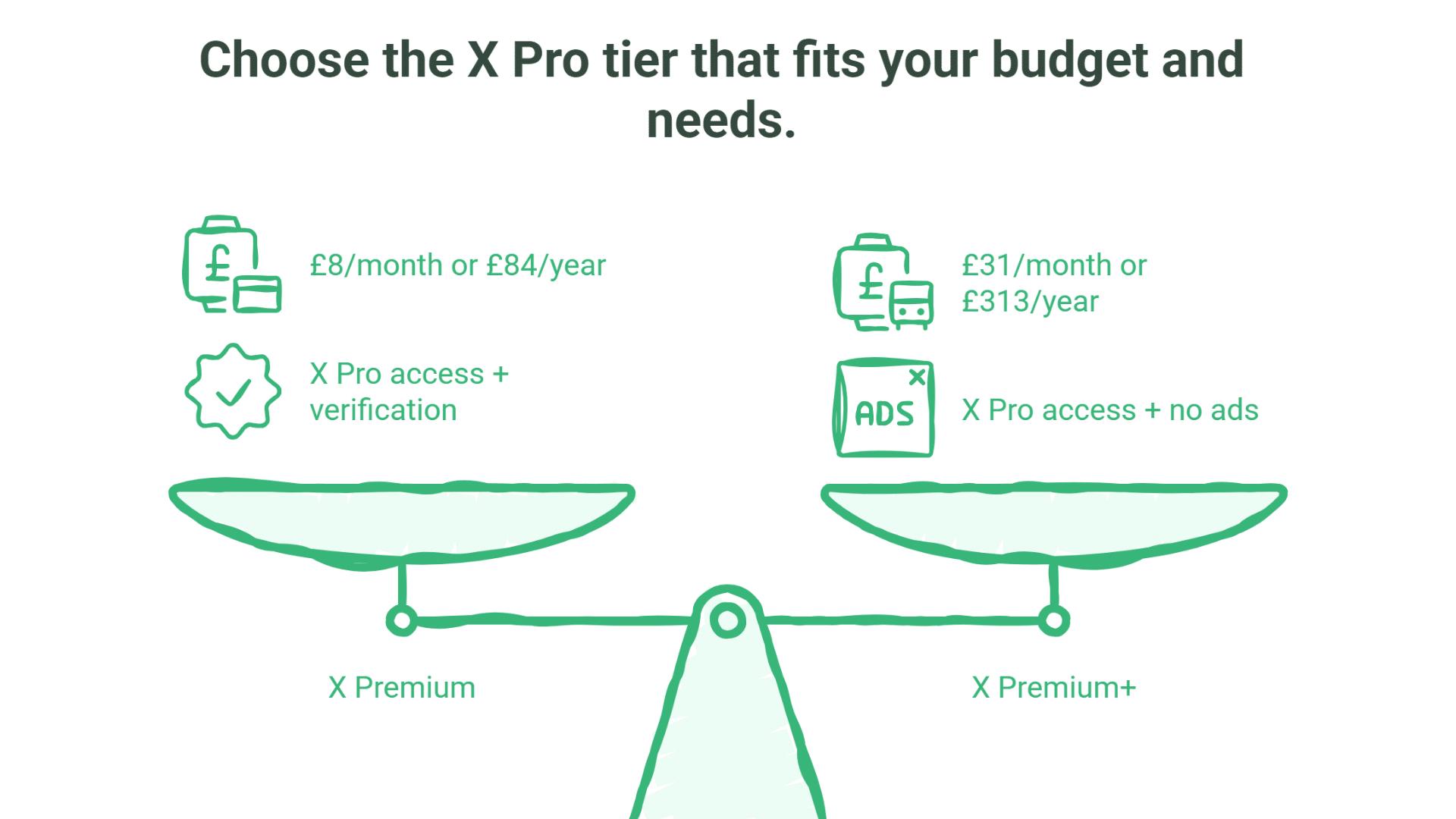
The pricing structure for X Pro often confuses UK businesses because it’s bundled within X’s broader Premium subscription tiers. Understanding exactly what you’re paying for, and what tier you actually need, prevents overspending on features you won’t use.
The Real Cost for British Businesses
X Pro is available through both the X Premium and X Premium+ tiers. Most businesses will find the Premium tier sufficient for X Pro access:
X Premium (includes X Pro):
- £8 per month (monthly billing)
- £84 per year (annual billing, saving £12 compared to monthly)
X Premium+ (includes X Pro plus additional features):
- £31 per month (monthly billing)
- £313 per year (annual billing, saving £59 compared to monthly)
This pricing includes UK VAT. For most UK businesses, the Premium tier at £8/month provides full X Pro access, making it significantly more affordable than many assume.
Important clarification on X Premium tiers:
| Tier | Monthly Price | Annual Price | Includes X Pro? | Key Differences |
|---|---|---|---|---|
| X Basic | £3 | £32 | ❌ No | Basic features only |
| X Premium | £8 | £84 | ✅ Yes | X Pro + verification + reduced ads |
| X Premium+ | £31 | £313 | ✅ Yes | X Pro + no ads + higher limits |
What’s included in X Premium (£8/month tier with X Pro):
- X Pro dashboard access (multi-column management)
- Verification badge (blue tick)
- Longer posts (up to 25,000 characters)
- Edit post feature
- Approximately 50% fewer ads in timeline
- Longer video uploads
- Priority ranking in conversations
- Bookmark folders and text formatting
What Premium+ adds (£31/month) beyond Premium:
- Ad-free experience across most of X (vs 50% fewer ads)
- Higher usage limits on Grok (X’s AI assistant)
- Radar Search feature
- Largest reply prioritisation
- Articles publishing capability
For most businesses using X Pro, the Premium tier at £8/month provides everything needed. Premium+ is primarily valuable if you want the completely ad-free experience or need higher Grok usage limits.
Cost Comparison for UK SMEs
| Business Type | Monthly Social Media Time | Annual X Pro Cost | Value Assessment |
|---|---|---|---|
| Solo entrepreneur | 2-5 hours | £84-96 | Good value for regular X users |
| Small agency (2-5 staff) | 20-40 hours | £84-96 per user | Strong value—efficient monitoring |
| Medium business (6-20 staff) | 40+ hours | £84-96 per user | Excellent—clear time savings |
| Digital agency | 60+ hours across clients | £84-96 per user | Essential tool for X management |
Is X Pro Worth £31/Month for Your Business? A Strategic Assessment
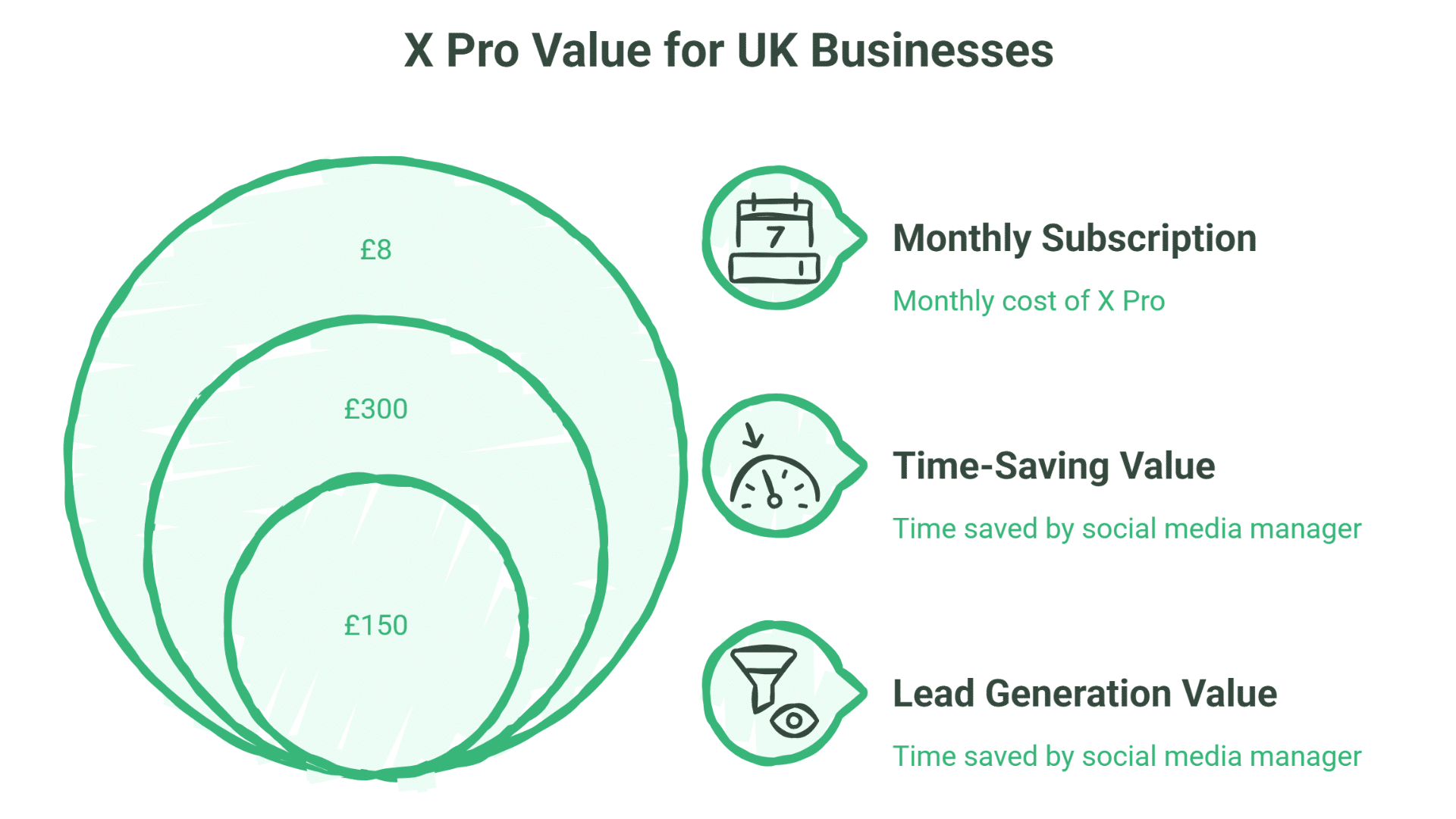
Cost justification shouldn’t rely on vague benefits like “better social media presence.” Instead, evaluate X Pro against specific, measurable outcomes: time saved, leads generated, customer service improvements, or competitive intelligence gained. The £96 annual investment either delivers tangible returns or it doesn’t.
Time-Saving Value Calculation
If X Pro’s multi-column interface saves your social media manager 30 minutes per day through efficient monitoring and scheduling, that’s 10 hours per month. At a £30/hour cost for a marketing professional, that’s £300 in time value, significantly more than the £8 monthly subscription cost.
However, this calculation only works if:
- You’re currently spending 5+ hours per week on X-related tasks
- The multi-column interface genuinely saves time over the standard X interface
- Your social media manager is sufficiently busy that saved time translates to productive work elsewhere, rather than just creating empty time
Reality Check: Even if X Pro only saves 15 minutes per day, that’s 5 hours monthly; worth £150 in professional time, still far exceeding the £8/month cost.
Lead Generation Value
If your business uses X for lead generation and X Pro’s advanced search helps you identify and engage with just two qualified leads per month that you wouldn’t have found otherwise, and the tool has likely paid for itself many times over.
This works particularly well for:
- B2B service businesses monitoring industry-specific conversations
- Local businesses tracking geographical terms and buying intent signals
- Agencies identifying businesses seeking services they provide
Belfast Business Example: A Northern Ireland web design agency monitoring searches like ("Belfast" OR "Northern Ireland") ("need a website" OR "looking for web developer") might identify 3-5 genuine leads per month through X Pro’s advanced search columns; leads they would have missed using the standard X interface.
When X Pro Clearly IS Worth £96/Year
X Pro offers excellent value if:
- You post 5+ times per week on X
- You manage 2+ X accounts regularly
- You spend 5+ hours per week on X for business purposes
- Customer service inquiries come through X
- You’re actively using X for B2B lead generation
- You previously relied on TweetDeck and miss the column interface
- Real-time monitoring matters for your industry
- You’re a solo entrepreneur or small business wanting professional tools on a limited budget
When X Pro Might Not Be Worth It
Skip X Pro if:
- Your business posts fewer than 3 times per week
- You spend less than 2 hours per week on X
- X isn’t generating leads or driving website traffic
- You’re comfortable with the standard X interface
- Your X account is primarily personal rather than business-focused
- Your total marketing budget is under £500/year (X Pro would represent >15% of the budget)
The “Former TweetDeck User” Decision
If you’re a former TweetDeck user deciding whether to pay £8/month for X Pro, here’s a practical framework:
You should definitely subscribe if:
- You were using TweetDeck daily for business purposes
- You managed multiple accounts or monitored specific searches/lists
- You miss the column layout and find the standard X app limiting £96/year is easily justifiable within your marketing budget
- You calculated TweetDeck saved you 30+ minutes per day
You might skip it if:
- You were using TweetDeck casually
- You’ve adapted well to the standard X app
- You need multi-platform management more than X-specific features
- You’re looking to reduce time spent on social media
At £8/month, X Pro is significantly more accessible than many businesses assume, making it worthwhile for most active X users.
Strategic Implementation: Integrating X Pro into Your Marketing Stack
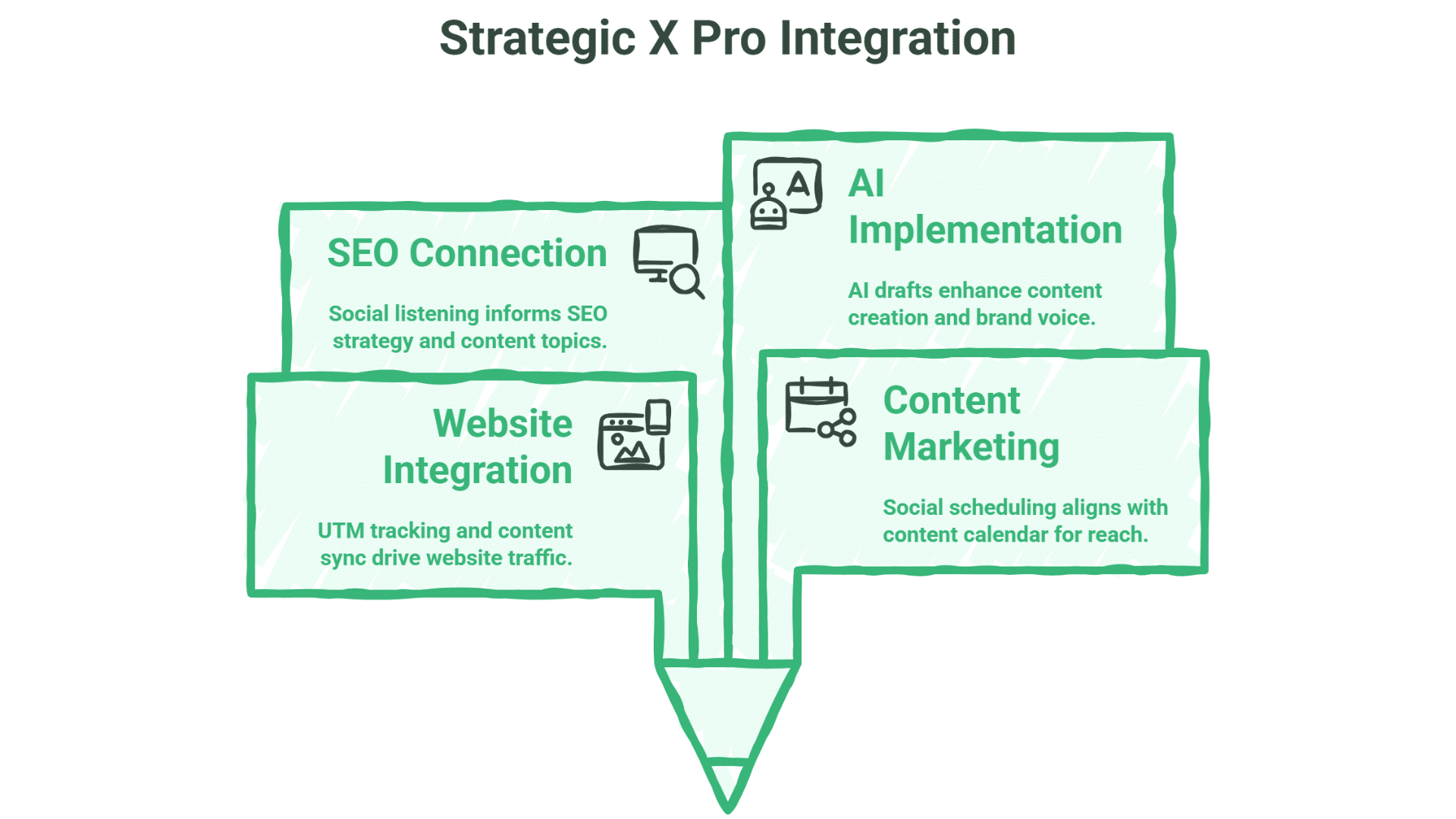
X Pro delivers maximum value when it functions as one component of an integrated digital marketing system rather than a standalone social media tool. The businesses getting genuine ROI from their £8/month investment connect their social listening and engagement directly to their website strategy, content production, and lead generation processes.
Website and X Pro Integration
Traffic tracking: Monitor which X posts drive traffic to your website using UTM parameters. Set up Google Analytics to track conversions from X traffic, identifying which types of social content convert visitors into leads or customers.
Content synchronisation: When you publish a new blog post, video or case study on your website, use X Pro’s scheduling to plan a series of promotional posts. Rather than posting once, schedule 4-5 variations of the announcement over the following week to maximise reach.
Lead capture: Use X Pro to monitor conversations indicating purchase intent, then direct those potential customers to relevant landing pages on your website. A Belfast manufacturing firm might monitor searches for “Belfast CNC machining” and engage with posts from businesses seeking local suppliers.
ProfileTree’s web design services include setting up proper analytics tracking for social traffic, ensuring you can measure which social efforts (including X Pro activity) actually drive website conversions rather than just vanity metrics like likes and shares.
Content Marketing Synchronisation
X Pro works best when your social scheduling aligns with a broader content calendar covering blog posts, email newsletters and video production.
SEO and Social Listening Connection
One of X Pro’s underutilised applications is using real-time social listening to inform your SEO and content strategy.
How it works: Monitor industry-specific searches in X Pro to identify trending topics, common questions, and pain points in your market. When you spot recurring themes in social conversations, these become high-value topics for blog posts, guides, or FAQ content on your website.
Example for a Belfast digital agency:
Set up X Pro columns monitoring:
- “need help with SEO Northern Ireland”
- “website redesign Belfast”
- “digital marketing training UK”
When you see multiple conversations around a specific challenge (for instance, several Belfast businesses asking about GA4 migration), that’s a clear signal to create detailed content addressing that topic. This content then ranks for related searches, driving organic traffic from people who have the same question but are searching Google rather than posting on X.
ProfileTree’s SEO services incorporate social listening insights to identify content opportunities that competitors miss, because we’re monitoring real conversations happening in real-time rather than just looking at historical keyword data.
AI Implementation for Social Content
Many UK businesses now use AI tools like ChatGPT or Claude to generate social media content drafts, then schedule them through X Pro. However, most approach this the wrong way; they use AI to generate generic content that sounds like everyone else’s posts.
ProfileTree’s AI training programmes teach Belfast businesses how to use AI tools effectively for social content:
- Creating custom GPT instructions that maintain your brand voice
- Using AI to analyse high-performing past posts and generate similar content
- Automating repetitive tasks (reformatting blog posts into social threads) while maintaining quality
- Integrating AI-generated drafts with human review before scheduling in X Pro
This bridges the gap between AI efficiency and strategic platform management. You save time on content creation whilst ensuring output remains genuinely valuable rather than generic corporate waffle.
X Pro vs. Competitors: A UK Business Comparison
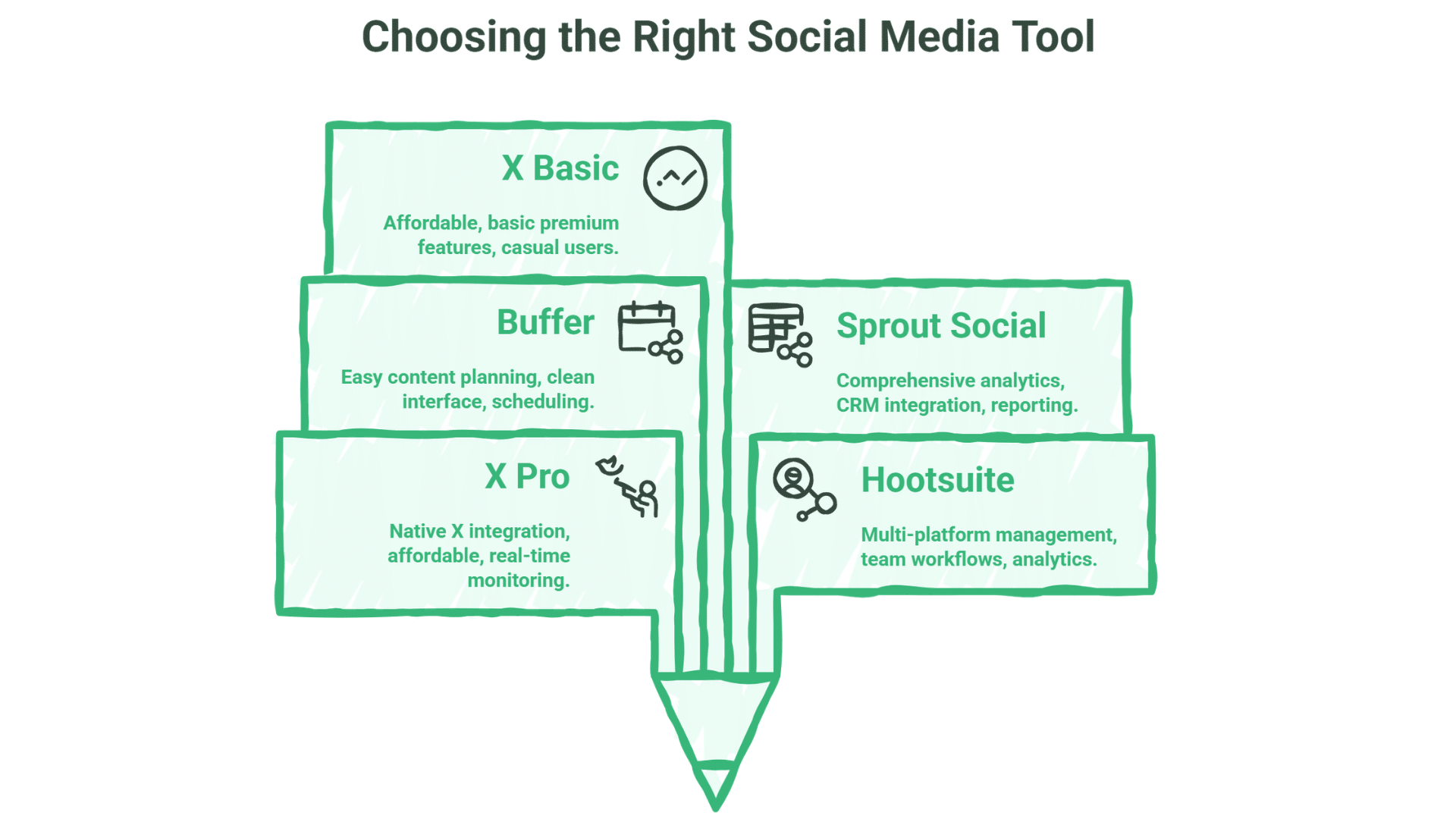
The £8/month price point positions X Pro uniquely in the social media management tool market, more affordable than enterprise platforms but more sophisticated than basic scheduling apps. Understanding where X Pro fits helps you decide whether it’s the right tool or if your needs align better with alternatives.
| Tool | Strengths | Weaknesses | Best For | UK Pricing (2026) |
|---|---|---|---|---|
| X Pro | Native X integration, real-time monitoring, advanced search, affordable, includes verification | X-only, still includes some ads (Premium tier) | Businesses heavily invested in X, budget-conscious agencies, real-time monitoring needs | £8/month (£84/year) |
| Hootsuite | Multi-platform management, team workflows, comprehensive analytics | Higher cost, less X-specific features, interface complexity | Agencies and larger businesses managing multiple platforms | From £182.40/month |
| Buffer | Ease of use, clean interface, good content planning | Limited monitoring capabilities, basic analytics | Small businesses focused on scheduling across platforms | From £14.65/month per channel |
| Sprout Social | Comprehensive analytics, CRM integration, excellent reporting | Premium pricing, overkill for small businesses | Data-driven marketing teams, mid-market businesses | From £145.78/user/month |
| X Basic | Very affordable, some premium features | No X Pro dashboard, limited features | Casual users wanting basic premium features | £3/month |
When to Choose Each Option
Choose X Pro (Premium tier at £8/month) if:
- X is a primary or important marketing channel for your business
- You manage multiple X accounts or moderate to high post volume
- Real-time monitoring adds value (customer service, lead generation, trend tracking)
- You need advanced search and filtering for business intelligence
- Budget is limited but you want professional X management tools
- You’re a former TweetDeck user who misses the column interface
- You want verification (blue tick) alongside the professional dashboard
Choose X Premium+ (£31/month) instead of Premium if:
- The ad-free experience is important to you (Premium has ~50% fewer ads)
- You need higher Grok AI usage limits
- You want Radar Search features
- You’re publishing long-form Articles regularly
- Budget allows for the premium tier
Choose Hootsuite or Sprout Social if:
- You manage multiple social platforms (Facebook, Instagram, LinkedIn, X)
- You need robust team collaboration with approval workflows
- Deep analytics and reporting are business-critical
- You have budget for professional-tier social media management (£100-250+/month)
- You need one unified tool for all social platforms
Choose Buffer if:
- Your primary need is content scheduling across multiple platforms
- You manage 2-4 social accounts across different platforms
- Budget is very constrained
- Your social media volume is moderate (fewer than 15 posts per week total)
- You don’t need real-time monitoring or advanced search capabilities
Choose X Basic (£3/month) if:
- You want some premium features at minimal cost
- You don’t need the X Pro dashboard or advanced monitoring
- You’re a casual X user wanting longer posts and edit features
- Verification isn’t important to you
Cost Efficiency Analysis
For businesses primarily focused on X:
- X Pro at £8/month is exceptional value compared to multi-platform alternatives
- Hootsuite Team (£249/month) is 31× more expensive than X Premium
- Even Buffer at £6/channel ends up similar in price but with less X-specific functionality
For businesses managing multiple platforms:
- If you need Facebook + Instagram + LinkedIn + X management, Buffer (approximately £24/month for 4 channels) or Hootsuite become more cost-effective than separate platform-specific subscriptions
- X Pro + separate Facebook/Instagram tools likely costs more than an integrated solution
Getting Started: X Pro Setup for UK Businesses
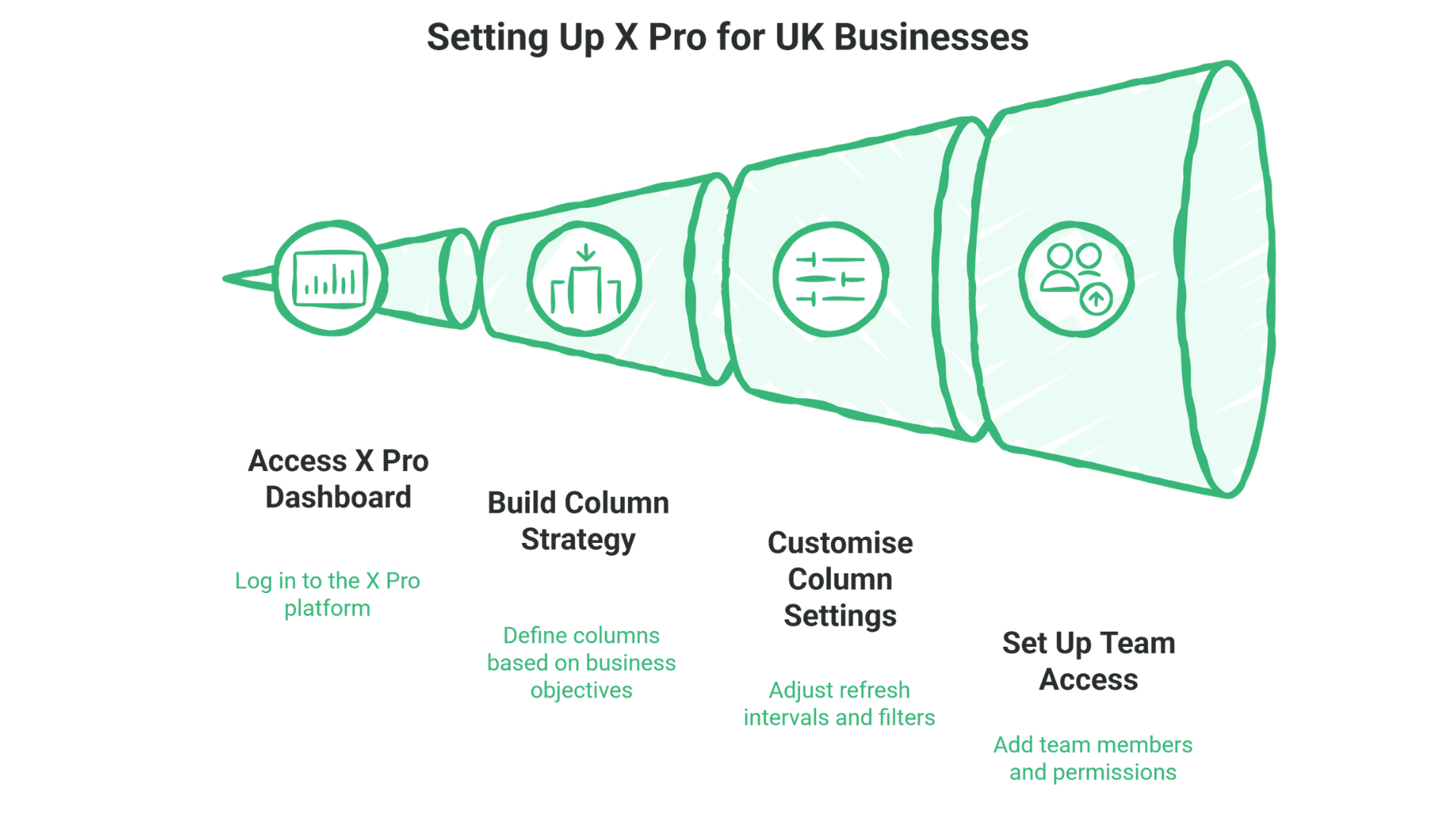
Subscribing to X Pro takes minutes, but configuring it strategically requires thoughtful planning. Your initial dashboard setup determines whether X Pro becomes a valuable business tool or just another unused subscription draining your budget.
1. Subscribe to X Premium
To access X Pro, you need at a minimum an X Premium subscription:
- Log into your X account
- Navigate to Settings and privacy > Account > X Premium
- Select your preferred billing cycle (monthly at £8 or annual at £84)
- Complete the payment process
The annual option saves you £12 compared to monthly billing, a free month and a half.
2. Access X Pro Dashboard
Once subscribed:
- Visit pro.x.com in your desktop browser
- Log in with your X Premium+ account credentials
- You’ll be presented with a default dashboard layout
Important: X Pro is primarily designed for desktop use. Whilst some functionality is available on mobile devices, the full dashboard experience requires a desktop or laptop browser.
3. Build Your Column Strategy
Rather than adding columns randomly, start with a strategic framework based on your business objectives:
For customer service monitoring:
- Messages column (filtered to unread)
- Notifications column (mentions and replies)
- Search column tracking your brand name and common misspellings
- Search column tracking service-related keywords (“can’t access” OR “help with” OR “problem with”)
For local business opportunity tracking (Northern Ireland example):
- Search column:
("Belfast" OR "Northern Ireland" OR "NI") ("looking for" OR "need") ("web design" OR "SEO" OR "digital marketing") - List column: Local business influencers and networking groups
- Hashtag monitoring: #BelfastHour, #NIBusiness, #BelfastNetworking
For content management:
- Scheduled Posts column showing upcoming content
- Home Timeline (filtered to media posts for inspiration)
- Collections column for saving content ideas
For competitor intelligence:
- List column containing major competitors
- Search column tracking competitor brand names and products
- Industry hashtag monitoring
4. Customise Column Settings
Each column has specific settings worth configuring:
- Refresh intervals: Set how often columns update (balance between real-time data and rate limiting)
- Content filters: Filter by content type (text-only, links, images, videos), engagement thresholds (minimum likes/shares), verification status, or whether you follow the account
- Column width: Adjust to balance visibility across your screen; typically 3-4 columns fit comfortably on standard desktop monitors
5. Set Up Team Access (If Applicable)
For businesses with multiple team members managing social media:
- Navigate to Settings > Team
- Add team members with appropriate permission levels
- Configure whether team members can post directly or require approval
- Set up activity tracking to monitor who handles which interactions
Important cost consideration: Each team member accessing X Pro needs their own X Premium+ subscription at £31/month. Unlike some social media management tools where you pay for “seats” within one subscription, X Pro requires individual Premium+ accounts. For a team of 3 people managing X, that’s £93/month or £939/year, making alternatives like Hootsuite potentially more cost-effective for team scenarios.
Advanced Column Setup for Business Needs
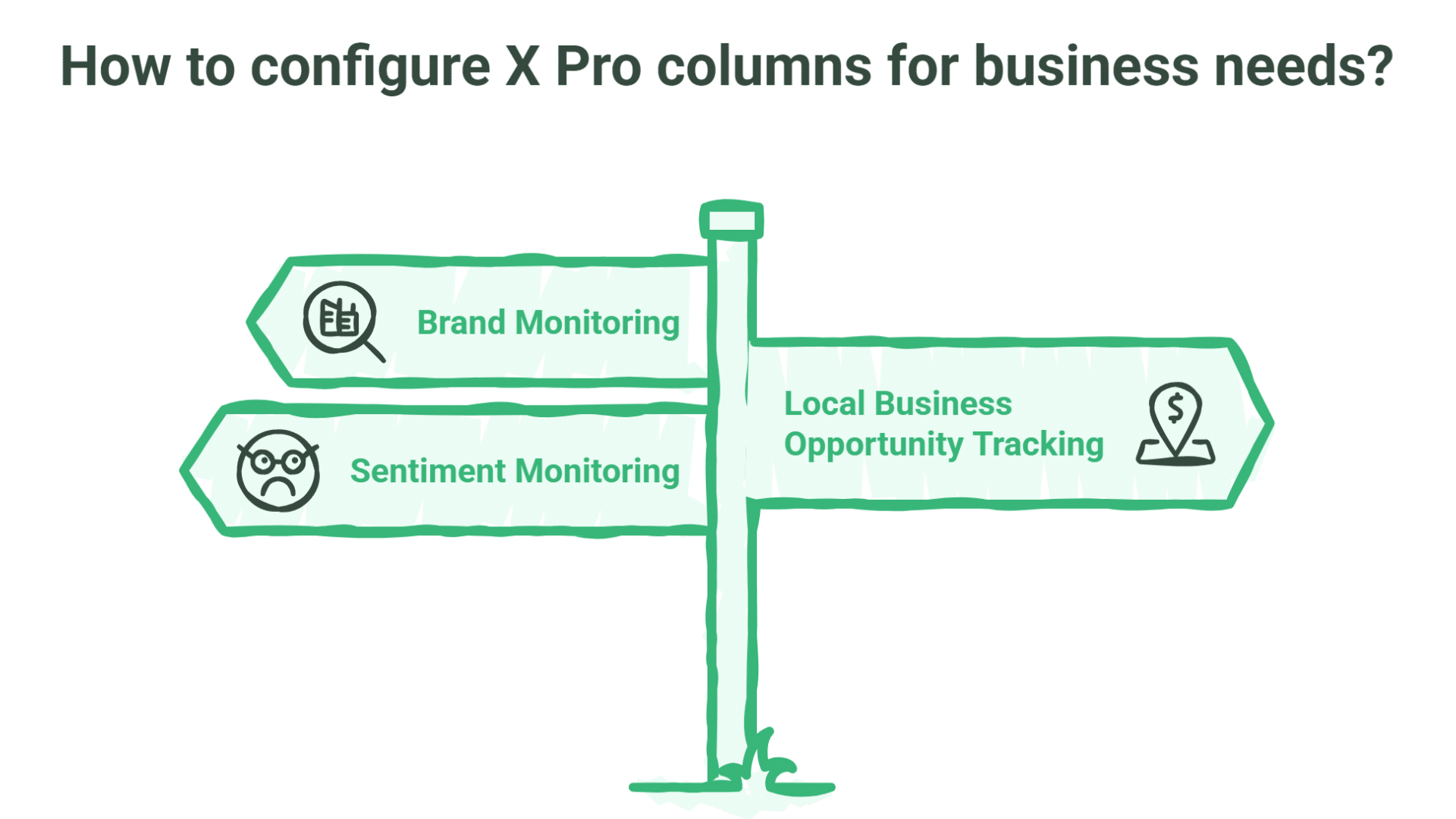
Once you’ve mastered basic column configuration, these advanced setups unlock X Pro’s full potential for competitive intelligence, local opportunity identification, and brand reputation management.
Brand Monitoring Configuration
To track all mentions of your brand, even when you’re not directly tagged:
Add a new Search column with terms including:
- Your brand name and common misspellings
- Your product names
- Your company hashtags
- Your website URL (domain.com)
Example for ProfileTree:
ProfileTree OR "Profile Tree" OR ProfileTreeNI OR profiletree.com -from:ProfileTreeThe -from: operator excludes posts from your own account, showing only external mentions.
Local Business Opportunity Tracking
For Northern Ireland businesses looking for local opportunities, create search columns with geographical terms and phrases indicating buying intent:
("Belfast" OR "Northern Ireland" OR "NI") ("looking for recommendations" OR "can anyone suggest" OR "need help with") ("web design" OR "digital marketing" OR "SEO services")This identifies local businesses actively seeking services you offer – high-intent leads you can engage with directly.
Sentiment Monitoring
Create side-by-side columns comparing positive and negative sentiment mentions to quickly gauge brand perception:
Positive sentiment column:
"your brand" (amazing OR excellent OR love OR great OR fantastic OR brilliant)Negative sentiment column:
"your brand" (disappointing OR problem OR issue OR fail OR terrible OR poor)This allows you to celebrate wins and address problems before they escalate.
X Pro Keyboard Shortcuts and Productivity
Efficiency separates users who extract genuine value from their £8/month subscription from those who never fully adopt the tool. These shortcuts and workflows help you maximise your investment:
Essential Shortcuts
- n: New post
- ⇧ + n: New direct message
- j/k: Navigate down/up between posts
- Enter: Expand selected post
- r: Reply to selected post
- t: Repost selected post
- l: Like selected post
- ⌘/Ctrl + Enter: Send post
- ⌘/Ctrl + s: Save draft
- ⌘/Ctrl + 1-9: Navigate to columns 1-9
Time-saving Workflow Tips
- Text Expansion: Create saved responses for common customer queries. If you answer the same question 10 times per week, having a pre-written (but personalised) response saves hours monthly.
- Image Libraries: Maintain a folder of pre-approved brand images for quick access. Sorting through your entire photo library every time you post is a massive time drain.
- Batch Processing: Dedicate specific times to engagement, scheduling, and monitoring rather than constantly checking social media. Two focused 30-minute sessions often accomplish more than five interrupted 10-minute checks.
- Template Posts: Create templates for recurring content types (product announcements, blog post promotions, event reminders) that maintain consistent branding whilst allowing customisation.
Troubleshooting Common X Pro Issues
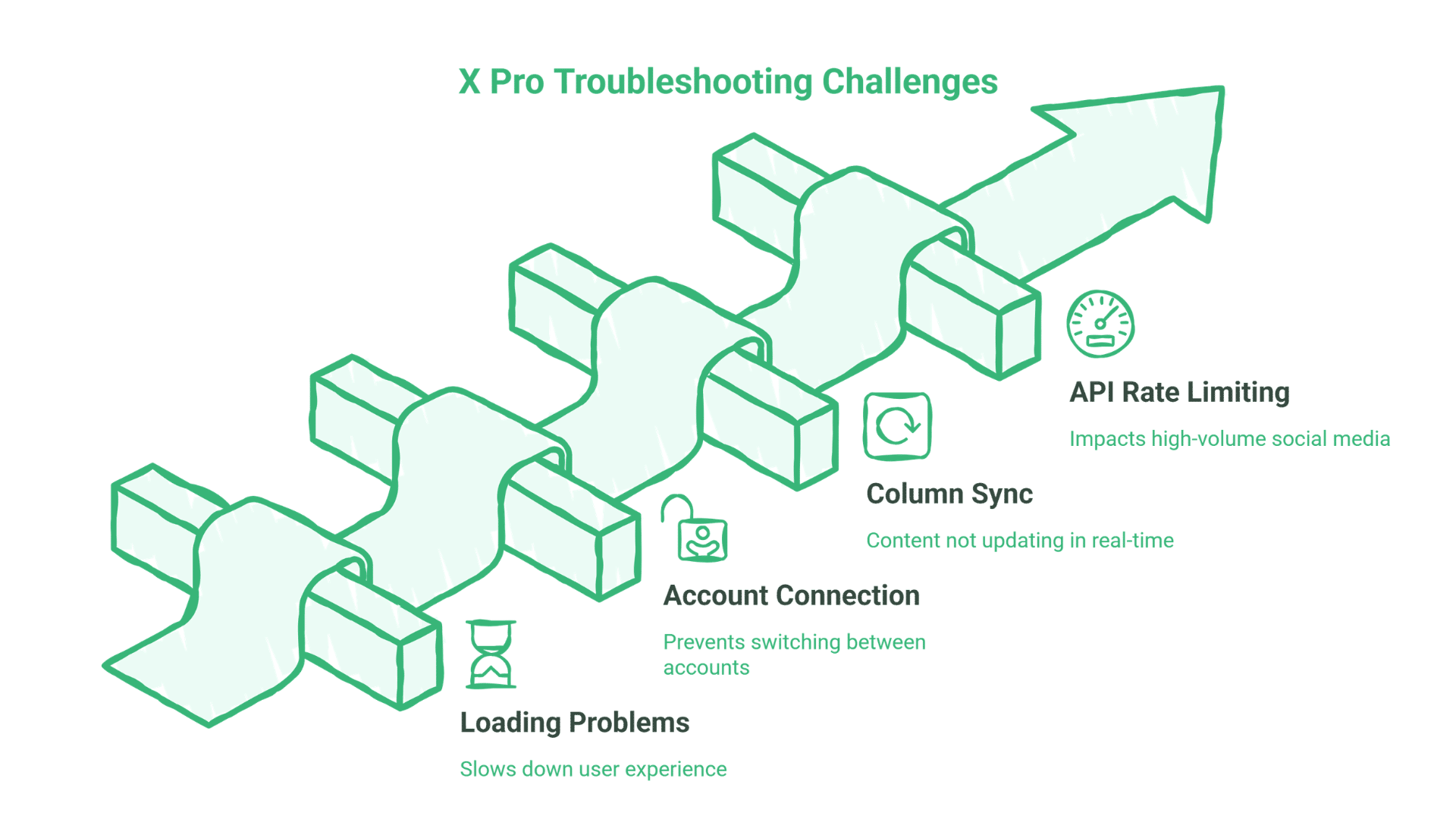
Even reliable tools occasionally encounter problems. These solutions address the most frequent issues UK businesses report when using X Pro:
Loading and Performance Problems
If X Pro is running slowly or not loading properly:
- Clear your browser cache and cookies
- Disable browser extensions that might interfere (ad blockers sometimes conflict)
- Try an alternative browser (Chrome, Firefox, Safari, Edge)
- Check your internet connection stability
- Reduce the number of active columns if your system resources are limited
Account Connection Issues
If you’re having trouble connecting or switching between accounts:
- Verify you’re logged in with the correct X Premium+ account
- Check that your subscription is active (payment issues can suspend access)
- Log out completely and log back in
- Ensure you haven’t reached the maximum account limit (10 accounts per Premium+ subscription)
- Check for any account restrictions or limitations
Column Synchronisation Problems
If columns aren’t updating or showing the latest content:
- Click the refresh button at the top of the column
- Check your column refresh settings (may be set to manual rather than automatic)
- Verify your internet connection is stable
- Close and reopen X Pro
- Adjust the column’s filter settings which might be blocking new content
API Rate Limiting
X Pro is subject to X’s API rate limits. If you’re experiencing “rate limit exceeded” errors:
- Reduce the number of actions performed in quick succession
- Increase the time interval between scheduled posts
- Limit rapid column refreshes
- Consider spreading activities across multiple sessions throughout the day
For businesses with high-volume social media activity, rate limiting can significantly impact operations. ProfileTree helps develop strategies to work within these constraints whilst maintaining an effective social media presence, often by combining automated scheduling with strategic manual engagement rather than trying to do everything in real-time.
ProfileTree’s X Pro Management Services
For Belfast and Northern Ireland businesses that recognise X Pro’s value but lack the time or expertise to manage it effectively, ProfileTree offers comprehensive social media management that includes professional tool access without requiring individual subscriptions.
Our Strategic Approach
We don’t just use X Pro; we integrate it within broader digital marketing strategies that connect social media monitoring and engagement with website traffic, SEO performance, and measurable business outcomes.
Custom Dashboard Configuration: We set up X Pro columns aligned with your specific business goals; not generic templates, but configurations designed around how your business actually uses social media.
Content Calendar Development:Strategic planning of content themes and posting schedules that align with your broader marketing calendar, product launches, and seasonal business patterns.
Engagement Management: Professional monitoring and response to customer interactions, ensuring timely engagement without requiring your constant attention.
Analytics and Reporting: Regular performance reports with actionable insights; not just vanity metrics, but data showing how social media activity connects to website traffic, leads and business outcomes.
Cross-platform Integration: Seamless coordination between X Pro management and your other marketing channels, including your website, email marketing, content production, and SEO strategy.
Why Choose ProfileTree for Social Media Management
Several factors make ProfileTree’s approach more cost-effective than managing X Pro internally:
Local market knowledge: Deep understanding of the Northern Ireland and UK business landscape, including regional hashtags, local networking opportunities and Belfast-specific business culture.
Cost efficiency: Our team already has X Pro access and expertise. For many businesses, paying for our management services costs less than the internal time investment required to use X Pro effectively, even at £8/month.
AI-enhanced approach: We use proprietary AI tools for content optimisation and performance analysis, but always with human oversight, ensuring authenticity and strategic alignment.
Integrated services: Coordination with website development, SEO strategy, and content marketing means your social media efforts support and enhance your other digital activities rather than existing in isolation.
Measurable results: Focus on business outcomes (lead generation, website traffic, customer engagement); not just social metrics like follower counts and likes.
Service Levels Available
Setup & Training: One-time configuration and team training for businesses that want to manage X Pro in-house but need expert initial setup and education. Includes a 2-hour training session and a custom dashboard configuration.
Periodic Consultation: Regular strategy sessions with ongoing self-management, ideal for businesses with internal marketing staff who want strategic guidance without day-to-day outsourcing. Monthly or quarterly review calls.
Partial Management: Collaborative approach with shared responsibilities – we handle scheduling and monitoring, you handle direct engagement, or vice versa. Flexible arrangements based on your team’s capacity.
Comprehensive Management: Complete handling of your X presence, from content creation and scheduling to monitoring, engagement and reporting. Monthly strategy reviews and performance reports included.
“Our X Pro management services don’t just save you time, they transform your social media from a marketing checkbox into a strategic business asset,” notes Ciaran Connolly. “We combine the technical capabilities of X Pro with strategic insight and local market knowledge to deliver measurable business results for Northern Ireland businesses, often at lower total cost than subscribing to Premium+ for multiple team members.”
The ProfileTree Verdict: Who Should (and Shouldn’t) Use X Pro at £31/Month
After extensive testing with Belfast and Northern Ireland business clients, here’s our straightforward assessment of whether X Pro justifies its £96 annual cost. The decision ultimately hinges on how actively you use X and whether professional monitoring tools will genuinely improve your business outcomes.
X Pro is an excellent value at £8/month for:
Active X users managing business accounts: If you’re posting 5+ times per week and actively monitoring your X presence, X Pro offers professional tools at an accessible price point.
Agencies managing multiple client accounts: If you’re managing 3+ X accounts for clients, the efficiency of monitoring multiple brands from a single dashboard justifies the cost many times over.
Businesses using X for customer service: If customers reach out to your business on X with questions or support requests, X Pro’s real-time monitoring capabilities ensure you respond quickly rather than missing important interactions.
Companies tracking industry trends and opportunities: For businesses where being aware of industry conversations and identifying leads through social listening matters, X Pro’s advanced search provides a competitive advantage worth far more than £8/month.
Former TweetDeck users: If you relied on TweetDeck’s column interface for business workflows and found the standard X app limiting, X Pro at £8/month is a straightforward decision.
Budget-conscious businesses wanting professional tools: At £8/month, X Pro is one of the most affordable professional social media management tools available, making it accessible to solo entrepreneurs and small businesses.
X Pro may not be necessary for:
Very light X users: If you post 1-2 times per week with minimal monitoring needs, the standard X app is sufficient. However, at £8/month, even light users might find value in the verification badge and other Premium features.
Businesses not actively using X strategically: If X isn’t generating leads, driving website traffic, or supporting customer relationships, focus your budget on channels that are working.
Teams needing extensive multi-platform management: If you manage Facebook, Instagram, LinkedIn and X together, and need unified analytics across all platforms, Hootsuite or Sprout Social might provide better value despite higher costs.
The Cost-Benefit Reality at £8/Month
At £96 annually (or £84 paid annually), X Pro represents exceptional value for most active X users:
- Time savings: Even 15 minutes saved daily equals 5 hours monthly—worth £150+ in professional time
- Lead generation: Just 1-2 additional leads per month from advanced search likely exceeds the monthly cost
- Professional appearance: Verification badge plus professional management tools at consumer-friendly pricing
- Risk-free trial period: At £8/month, businesses can test X Pro for 2-3 months with minimal financial risk
The question isn’t really “Is X Pro worth £8/month?” but rather “Are you using X actively enough to benefit from professional management tools?”
For most businesses posting regularly on X, monitoring conversations, or using the platform for lead generation, the answer is yes.
FAQs: X Pro Questions from UK Businesses
Is X Pro available on mobile devices?
X Pro is primarily designed for desktop use. Whilst limited functionality is available when accessing pro.x.com through mobile browsers, the full dashboard experience with multiple columns requires a desktop or laptop computer. The standard X mobile app offers some Premium features but not the complete X Pro interface. For businesses needing mobile access, Buffer or Hootsuite offer better mobile experiences.
How many accounts can I manage with X Pro?
As of February 2026, X Premium subscribers can connect up to 10 accounts in X Pro. This is suitable for most small businesses and agencies. If you need to manage more than 10 accounts, you’ll need multiple Premium subscriptions or should consider enterprise-level alternatives like Hootsuite or Sprout Social.
Can multiple team members use the same X Pro account?
X Pro offers team collaboration features, but there’s an important cost consideration: each team member accessing X Pro needs their own X Premium subscription at £8/month. You cannot share a single login across multiple users simultaneously. For a team of 3 people, that’s £24/month (£252/year) for X Pro access – still significantly more affordable than enterprise alternatives like Sprout Social at £99/user/month.
How does X Pro handle scheduled posts if my subscription lapses?
If your X Premium subscription expires, previously scheduled posts will not publish as planned. X Pro access is tied to an active subscription. We recommend maintaining your subscription during important campaign periods or rescheduling posts through an alternative platform if you plan to discontinue your subscription.
Can X Pro help me target posts to specific audiences?
X Pro excels at content scheduling and monitoring but does not include advanced audience targeting features. Audience targeting (by location, interests, demographics) is handled through X’s advertising platform rather than X Pro directly. For businesses interested in targeted advertising alongside X Pro management, ProfileTree offers comprehensive paid social media services that combine organic and paid strategies.
Does X Pro offer analytics for competitor accounts?
X Pro allows you to monitor competitor accounts and content but provides limited analytics for accounts you don’t own. You can track what competitors post, when they post, and general engagement levels, but detailed analytics (follower demographics, detailed performance metrics) are only available for accounts you manage. For comprehensive competitor analysis, ProfileTree combines X Pro monitoring with additional competitive intelligence tools.
How frequently does X Pro receive updates and new features?
X Pro typically receives updates quarterly, with minor enhancements more frequently. As a Premium+ subscriber, you’ll have access to new features as they’re released. However, given the tool’s relatively high cost, some users feel the feature development pace doesn’t justify the premium pricing. ProfileTree keeps clients informed about significant updates and how to leverage new capabilities for business benefit.
Is X Pro worth it for small businesses with under 1,000 followers?
Absolutely. X Pro’s value isn’t determined by follower count but by how you use X. A small business using X for customer service monitoring, local opportunity identification, or B2B lead generation may find X Pro invaluable regardless of follower count. At £8/month, it’s affordable enough that even businesses with small followings can justify the investment if they’re actively using X strategically.
What happened to the free version of TweetDeck?
TweetDeck was discontinued as a free service in August 2023 when X rebranded it as X Pro and made it part of the Premium subscription tiers. There is no free version of X Pro available. Former TweetDeck users must either pay for X Premium (£8/month minimum) to access X Pro, use the standard X website/app, or switch to alternative social media management tools like Buffer.
Should I choose Premium or Premium+ for X Pro?
For most businesses, X Premium at £8/month is the right choice. You get full X Pro access, verification, and approximately 50% fewer ads. Premium+ at £31/month is only necessary if you want the completely ad-free experience, need higher Grok AI usage limits, or regularly publish long-form Articles. The X Pro dashboard functionality is identical in both tiers.
Conclusion: Making the Right Choice for Your Business
X Pro represents a significant evolution from the free TweetDeck of the past to a professional social media management platform with accessible pricing. At £8/month for the Premium tier, it’s one of the most affordable professional-grade social media tools available, making it accessible to businesses of all sizes.
For businesses actively using X, X Pro offers:
- Multi-column monitoring that saves time and improves awareness
- Advanced search capabilities for lead generation and competitor intelligence
- Professional scheduling tools for consistent content delivery
- Verification and other premium features that enhance credibility
- Exceptional value compared to multi-platform alternatives
The key to maximising your X Pro investment lies in strategic setup, integration with your broader digital marketing strategy, and consistent engagement. When combined with ProfileTree’s web design, SEO, and content marketing services, X Pro becomes one component of an integrated digital ecosystem that drives measurable business results.
Whether you choose to manage X Pro in-house at £8/month per user or partner with ProfileTree for expert management that includes the tools and strategic expertise, this accessible platform can help your business build a more effective, efficient, and impactful presence on X.
Ready to determine whether X Pro is right for your business, or whether a strategic agency partnership makes more sense for your situation and budget? Contact ProfileTree today for a personalised assessment of your social media needs and how they fit within your overall digital strategy.