
Exploring 5 Different Types of CAD Software
Table of Contents
Choosing the right CAD software can feel overwhelming. The market offers everything from simple 2D drafting tools to sophisticated 3D modelling platforms, each claiming to be essential for your business. For most Belfast SMEs and UK businesses, the question isn’t which CAD software is most powerful—it’s which type matches your actual needs.
The confusion stems from how “types of CAD” is used to describe different things. Sometimes it refers to dimensions (2D versus 3D). Other times, it means the geometric approach (wireframe, surface, or solid modelling). Industry specialists talk about parametric versus direct modelling, while file format distinctions (native versus neutral) matter when collaborating with suppliers.
This guide cuts through that complexity. We’ll explain the main types of CAD software, what distinguishes them, and which approaches suit different business applications. Rather than focusing solely on engineering applications, we’ll explore how CAD capabilities support web design, e-commerce, digital marketing, and video production—areas where Northern Ireland businesses increasingly need design tools without requiring full engineering qualifications.
Whether you’re creating product visualisations for a Shopify site, generating technical diagrams for marketing content, or producing 3D animations for YouTube, understanding CAD types helps you choose tools that deliver results without overspending on features you’ll never use.
What is CAD Software?
CAD, an acronym for Computer-Aided Design, is a powerful digital tool used by engineers and designers to create meticulous 2D drawings and intricate 3D models. In essence, CAD is a virtual drafting board that transforms how designs are conceived and brought to life.
For Belfast businesses and UK SMEs, CAD software has practical applications beyond traditional engineering. Web design agencies use CAD principles to create scalable vector graphics for websites. Product-based businesses use 3D CAD to generate photorealistic images for e-commerce sites without expensive photography shoots. Marketing teams create infographics and technical diagrams using 2D CAD tools.
From its humble beginnings, CAD has grown into a cornerstone of modern design, reshaping industries such as automotive, architecture, and manufacturing. Its transformative impact lies not only in accelerating the creation of designs but also in fundamentally altering how we conceptualise and bring ideas to life in the digital age.
The Evolution of CAD Software
The roots of CAD software trace back to the mid-20th century when computer-aided drafting systems first emerged. Early systems focused on 2D drafting, laying the groundwork for subsequent advancements.
The 1970s witnessed a leap forward with the introduction of 3D capabilities, heralding a new era in design visualisation. As technology advanced, distinctions between CAD types became more defined, offering designers increasingly sophisticated tools.
Today’s CAD landscape includes cloud-based solutions accessible from any device, AI-assisted design features, and real-time collaboration tools. For UK businesses, this evolution means CAD capabilities are no longer restricted to specialist engineering firms—SMEs can access professional-grade design tools through affordable subscriptions.
Different Types of CAD Software

The world of CAD software is teeming with diverse options, each catered to specific needs and design disciplines. Understanding these types helps businesses choose tools that match their requirements without overspending on features they’ll never use.
2D CAD
2D CAD software is used to create flat drawings, such as floor plans, schematics, and blueprints. It is the simplest type of CAD software to learn and use and is often used for conceptualising and basic drafting tasks.
2D CAD is efficient for projects that don’t require intricate 3D modelling. It’s a stalwart in industries like architecture and electrical design. However, it is limited to representing complex spatial relationships and volumes, so it may fall short in projects demanding three-dimensional precision.
For UK businesses: 2D CAD tools excel at creating technical diagrams for user manuals, architectural plans for property websites, and schematic illustrations for digital marketing materials. A Belfast web design agency might use 2D CAD to create scalable icons and infographics that maintain quality across different screen sizes.
2.5D CAD
2.5D CAD bridges the gap between 2D and 3D and excels in creating drafts and layouts. It seamlessly integrates with CAM software for CNC machining, enhancing manufacturing processes. While more versatile than 2D, it may lack the depth needed for intricate 3D models, making it less suitable for certain design complexities.
This approach is particularly relevant for manufacturers who need to create cutting paths for laser cutters or CNC routers—common requirements for UK product designers and makers selling through online platforms.
3D CAD
The pinnacle of CAD evolution, 3D CAD offers unparalleled design freedom. More complex than 2D CAD software, it is used to create 3D models of objects. It is more versatile and can produce more realistic, detailed models.
However, 3D CAD software is resource-intensive and potentially overwhelming for simpler projects. It also demands a steeper learning curve and substantial computing power.
For digital marketing and e-commerce: 3D CAD transforms how products are presented online. Rather than expensive photography, Northern Ireland retailers can create photorealistic product renders from multiple angles, produce 360-degree views for website integration, and generate marketing videos showing products in use—all without physical prototypes.
ProfileTree’s web development team regularly works with businesses to embed 3D product viewers into e-commerce sites, improving customer confidence and reducing return rates. These interactive elements, created using 3D CAD models converted to web-friendly formats, give online shoppers a better sense of products than static photography alone.
CAD Using Neutral File Formats
By emphasising interoperability, neutral file formats such as STEP and JT enhance collaboration across CAD platforms. They ensure compatibility but may sacrifice some specific features. Precision may be compromised when using neutral formats, leading to potential data loss or misinterpretation in intricate designs.
For businesses working with multiple suppliers or outsourcing design work internationally, neutral formats provide essential flexibility. A Belfast manufacturer working with design consultants in Dublin and suppliers in Asia needs file formats everyone can open, regardless of their specific software.
CAD Using Native File Formats
Native file formats fully leverage the capabilities of a specific CAD software. They offer comprehensive feature support and functionality. However, they have limited compatibility across different software platforms, requiring users to have the same CAD software for seamless collaboration.
The 3 Core Types of Geometric Modelling
Understanding how CAD software represents three-dimensional objects helps businesses choose the right approach for their specific needs. These three geometric modelling methods form the foundation of how 3D CAD systems work.
Wireframe Modelling
Wireframe modelling represents objects using lines and vertices—essentially the skeleton of a 3D shape. It’s fast and computationally light, making it suitable for early conceptual work. However, wireframe models lack surface information and volume data, limiting their usefulness for manufacturing or realistic visualisation.
Think of wireframe modelling as the architectural blueprint stage—it shows the structure but not the finished appearance.
Surface Modelling
Surface modelling defines the outer skin of an object using mathematical curves called NURBS (Non-Uniform Rational B-Splines). This approach excels at creating aesthetically refined shapes with smooth, flowing surfaces—the standard for automotive body design and consumer products where appearance is paramount.
For UK businesses, surface modelling is particularly relevant when creating products that must look perfect from every angle. However, surface models are “hollow”—they define appearance but not internal structure or mass properties.
Solid Modelling
Solid modelling represents complete three-dimensional objects with volume, mass, and material properties. This is the engineering standard, providing all the information needed for manufacturing, structural analysis, and realistic rendering.
When a Belfast product designer needs to calculate material costs, check if parts will fit together, or send specifications to a manufacturer, solid modelling provides that comprehensive data. It’s more computationally intensive than surface or wireframe modelling, but it offers complete geometric truth.
Classification by Design Logic
Beyond geometric representation, CAD software differs in how users interact with and modify designs. These workflow differences significantly affect productivity and flexibility.
Parametric Modelling
Parametric modelling builds designs using a history tree of dimensions and relationships. Change an early parameter—say, the diameter of a cylinder—and everything dependent on that measurement updates automatically throughout the model.
This approach is standard in engineering, where design changes are frequent, and precision is critical. SolidWorks and Inventor use parametric modelling, making them ideal for iterative product development where businesses need to test variations quickly.
Direct Modelling
Direct modelling treats 3D geometry like digital clay—pull, push, and manipulate shapes without worrying about construction history. It’s faster for concept development and easier for designers without engineering backgrounds.
For creative agencies and marketing teams producing visual content rather than manufacturing-ready designs, direct modelling offers a more intuitive workflow. It’s the approach favoured by tools like SketchUp, which many web designers use for mockups and concept visualisation.
Generative Design (AI-Driven CAD)
Generative design represents the cutting edge of CAD technology. Rather than manually creating geometry, designers define constraints (size limits, load requirements, material preferences) and let AI algorithms generate optimised solutions.
This approach is transforming product development for UK manufacturers, particularly those focused on lightweight structures or complex organic shapes. While still a specialist technology, generative design is becoming accessible through mainstream platforms like Autodesk Fusion 360.
Common Examples of CAD Software
In the dynamic world of CAD, a diverse array of software is indispensable to engineers and designers. Let’s examine the distinctive features and applications of some prominent players.
SolidWorks
SolidWorks is a multifaceted CAD software celebrated for its prowess in designing a wide spectrum of products, from intricate electronic components to expansive architectural structures. It seamlessly integrates 3D design capabilities with robust simulation and testing, enabling the creation of precise, manufacturable models.
Used extensively in UK manufacturing, SolidWorks is the go-to choice for businesses developing physical products that need engineering precision.
Inventor
Crafted by Autodesk, Inventor is a cornerstone of 3D mechanical design. Beyond its intuitive modelling tools, it excels in simulation, visualisation, and documentation. Designers use its capabilities to ideate, prototype, and validate product ideas before committing to physical manufacturing.
AutoCAD
AutoCAD, a venerable name in CAD, offers unparalleled versatility. Architects, engineers, and designers benefit from its comprehensive suite, accommodating both 2D and 3D design requirements. Its accessibility on various devices, including computers and mobile devices, makes it a go-to solution for professionals on the move.
For UK businesses, AutoCAD’s widespread adoption means compatibility with contractors, suppliers, and consultants across industries. Many Belfast architecture firms and engineering consultancies standardise on AutoCAD for this reason.
SketchUp
While not listed in the original article, SketchUp deserves mention for UK SME applications. Its intuitive interface and free tier make it accessible for businesses creating 3D content for websites, marketing videos, and product visualisation without engineering requirements.
Web design agencies often use SketchUp to create 3D mockups of website layouts or product displays before development begins.
Revit
Revit is a dynamic software tailor-made for architects, engineers, and designers engaged in 3D building design. Its strength lies in its ability to seamlessly update floor plans and elevations, ensuring coordinated, consistent designs throughout a project’s lifecycle. It’s an essential tool for those seeking efficiency and accuracy in architectural endeavours.
Fusion 360
Fusion 360 represents the modern cloud-based approach to CAD, combining parametric, direct, and generative design in a single platform. Its subscription model and browser-based access make it attractive for UK startups and SMEs that need professional capabilities without large upfront investment.
Applications of CAD Software for UK Businesses
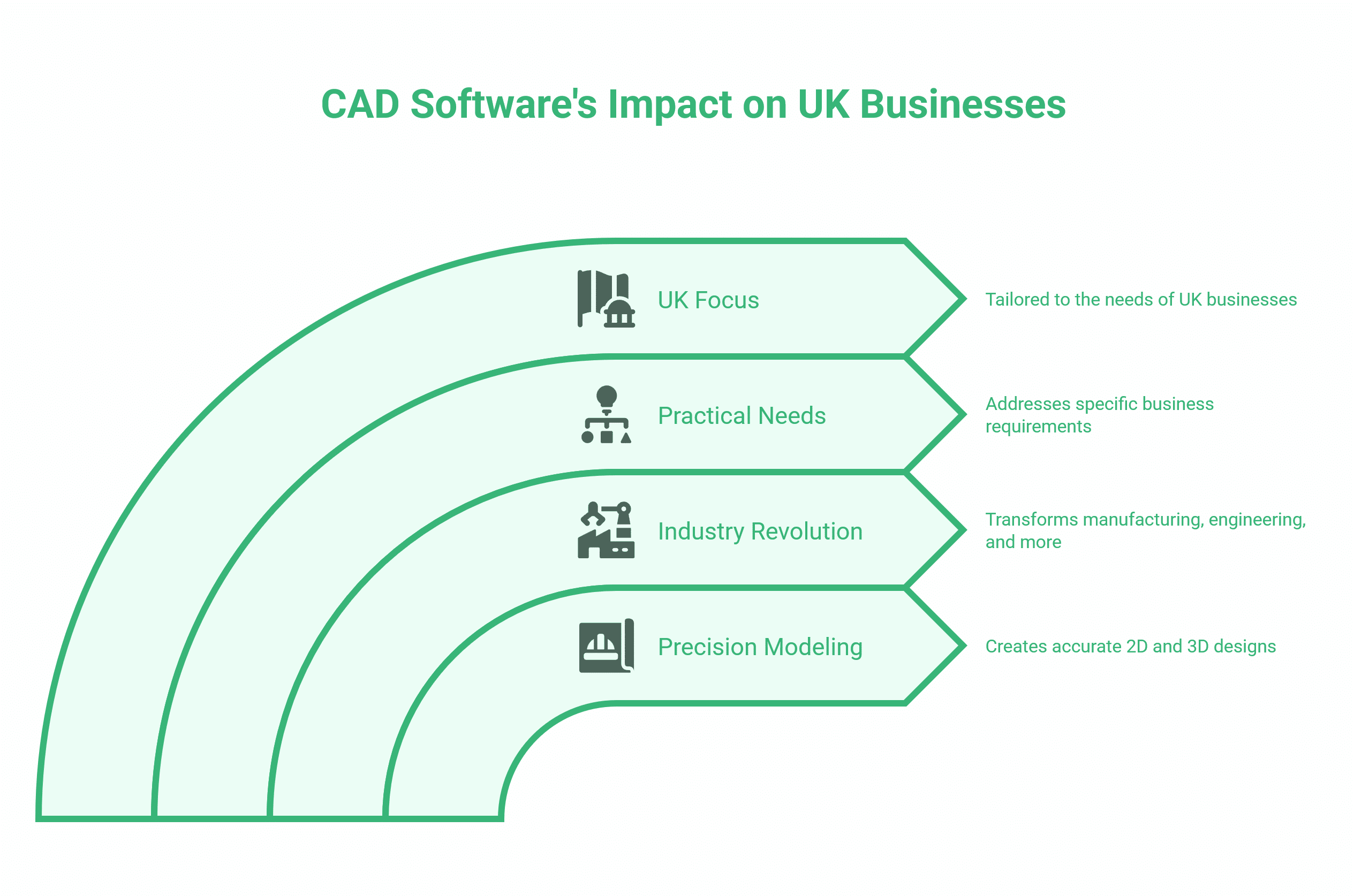
CAD software has revolutionised numerous industries with its ability to create precise 2D and 3D models. Here’s how different types of CAD software serve practical business needs across the UK.
Product Visualisation for E-commerce
3D CAD software transforms online retail by creating photorealistic product renders without the expense of photography. Northern Ireland businesses selling through Shopify or WooCommerce can use CAD to generate multiple product views, demonstrate customisation options, and create lifestyle imagery showing products in context.
ProfileTree’s web development services include integrating 3D product viewers into e-commerce platforms, allowing customers to rotate and examine products from every angle. This interactive experience, built on CAD-created models, reduces purchase hesitation and return rates.
A Belfast furniture retailer might use CAD to show customers how a sofa looks in different fabrics and configurations before manufacturing begins. The same CAD model generates the marketing images, assembly instructions, and technical specifications sent to the factory—maximising value from a single design investment.
Animation and Video Production
CAD software forms the foundation for product animation and explainer videos. Rather than filming physical prototypes, businesses can create professional marketing videos that demonstrate how products work, show assembly procedures, or compare sizes.
ProfileTree’s video production services regularly incorporate CAD-generated content, particularly for clients launching products before physical samples exist. 3D models from CAD software are exported to animation tools, where they’re textured, lit, and animated for YouTube marketing, social media, and website content.
This approach dramatically reduces video production timelines. A UK product developer can begin marketing campaigns weeks before manufacturing completes, using CAD visualisations indistinguishable from finished products in video content.
Website Design and Interactive Elements
Web developers use CAD principles to create scalable vector graphics (SVG) that maintain crisp quality at any screen size. Technical diagrams, icons, and infographics created in 2D CAD export to web-friendly formats that load quickly and look sharp on retina displays.
More advanced web implementations embed 3D CAD models directly into websites using WebGL technology. Product pages with interactive 3D viewers, architectural sites with building walkthroughs, and educational platforms with manipulable diagrams all rely on CAD data converted to web formats.
ProfileTree’s web design team helps Belfast businesses determine when interactive 3D elements improve user experience versus when simpler approaches serve better. Not every product benefits from 3D visualisation—but for complex or customisable items, it can be transformative.
Digital Marketing Assets and Content Creation
Marketing teams use 2D CAD tools (or CAD-adjacent software such as Adobe Illustrator) to create infographics, technical diagrams, and visual content that support SEO and content marketing strategies. These scalable graphics work across all digital channels—from social media posts to printed materials—without quality loss.
ProfileTree’s content marketing service includes creating technical illustrations and diagrams to visually explain complex concepts. This visual content, created using CAD principles of precision and scalability, performs well in search results and generates backlinks when other sites reference our diagrams.
3D Printing and Rapid Prototyping
CAD software is crucial in 3D printing, enabling designers to craft intricate 3D models. This technology enables the creation of prototypes for new inventions and the production of custom-made products.
UK manufacturers use 3D printing for rapid prototyping—testing product designs physically before committing to expensive tooling. A Belfast product developer can iterate through multiple design versions in days rather than weeks, with each iteration starting as a CAD model.
Architecture and Construction
Architects use CAD software extensively to create detailed and accurate designs for buildings and structures. AutoCAD Architecture and Revit are widely used CAD programs tailored to architects’ specific needs. These tools enable visualisation of ideas in both 2D and 3D, facilitating planning and optimisation before the construction phase.
For property developers and estate agents across Northern Ireland, architectural CAD visualisations bring developments to life before groundbreaking. These renders populate marketing websites, brochures, and planning applications, giving stakeholders clear visions of finished projects.
Interior Design and Space Planning
CAD software allows interior designers to create detailed 2D and 3D designs of spaces such as homes, offices, and hotels. It makes the design process smoother, enabling designers to experiment with different materials, colours, and textures. Interior designers often use CAD programs such as AutoCAD, SketchUp, and Revit for their design projects.
Belfast hospitality businesses refurbishing premises use CAD to communicate design intent to contractors and visualise spaces before spending on materials. The same CAD plans that guide construction also generate marketing imagery for updated websites.
Digital Training and Skills Development
As CAD tools become essential across industries, businesses need proper training to maximise their investment. ProfileTree’s digital training programmes help Northern Ireland teams implement design software effectively, whether that’s basic 2D drafting for creating marketing materials or advanced 3D modelling for product development.
Our training approach focuses on practical business outcomes rather than exhaustive software features. A Belfast manufacturing firm might need just enough AutoCAD knowledge to communicate with suppliers and review technical drawings, not full engineering certification. Targeted training accelerates adoption and improves ROI.
How to Choose CAD Software for Your Business
The suitability of a CAD program depends on the specific requirements of your industry or project. Some industries may have specific standards that dictate the use of certain CAD programs, while others offer more flexibility based on individual needs and budget constraints.
For web and digital marketing applications:
- Budget under £500/year: SketchUp Free or Tinkercad for basic 3D modelling, Canva or Figma for 2D graphics
- Professional web projects: Fusion 360 or SketchUp Pro for 3D product visualisation, Adobe Illustrator for scalable 2D graphics
- Full product development: SolidWorks or Inventor for engineering-grade modelling
For Belfast SMEs, consider:
- File compatibility – Can suppliers and partners work with your chosen formats?
- Learning curve – How quickly can your team become productive?
- Cloud vs. desktop – Do you need access from multiple locations?
- Integration – Does it connect with your website platform, video editing tools, or manufacturing equipment?
- Support availability – Is training and technical support available in the UK?
ProfileTree’s digital strategy consultancy includes technology selection guidance, helping businesses match design tools to genuine requirements without overspending on enterprise features they’ll never use.
Final Thoughts
The right CAD software enhances your business capabilities, whether you’re creating technical diagrams, 3D product models, or interactive website elements. Cloud-based CAD tools mean capabilities once restricted to engineering firms are now accessible to Belfast SMEs and UK businesses across industries.
For businesses focused on digital presence, CAD principles apply to creating scalable graphics, interactive web elements, and professional video content. ProfileTree helps Northern Ireland businesses identify where CAD tools improve their digital marketing and e-commerce effectiveness without requiring engineering expertise.
The intersection of CAD software and web development offers UK businesses opportunities to present products more effectively online—from 3D product viewers on Shopify sites to animated explainer videos and technical diagrams that support content marketing.
If you’re considering how CAD capabilities could enhance your digital presence, ProfileTree’s web design, video production, and digital strategy services include guidance on appropriate tools and implementation approaches.
FAQs
What are the 4 types of CAD software?
The four main types are 2D CAD (flat technical drawings), 2.5D CAD (simple extrusions for CNC work), 3D CAD (complete three-dimensional modelling), and BIM (Building Information Modelling) software for construction. Classifications also include parametric versus direct modelling and surface versus solid modelling.
How does 2D drafting software differ from 3D modelling software?
2D drafting creates technical drawings with measurements in two dimensions (height and width), while 3D modelling creates objects that can be rotated and viewed from any angle. 2D is faster for simple diagrams; 3D is essential for photorealistic renders and visualising products from multiple perspectives.
Which type of CAD software is best for architectural design?
AutoCAD Architecture and Revit are the standard choices. Revit is particularly strong for BIM workflows on UK construction projects, offering features such as automated floor plan updates and coordination across building disciplines.
Is AutoCAD free?
AutoCAD’s full desktop version requires a subscription (typically £200-300 monthly for businesses). Autodesk offers a free web-based version with limited features, and students can access the complete version free through the education programme.