
Secure WordPress Hosting UK: Complete Security Guide
Table of Contents
Your worst business nightmare unfolds at 3 AM: “Your site may be hacked,” reads the Google alert. By morning, your WordPress site displays random pharmaceutical ads, your customer data is compromised, and years of reputation-building crumble in hours. Your hosting provider’s helpful response? “Security isn’t our problem. Our cleanup service costs £500.”
This devastating scenario strikes UK businesses every single day. Not because WordPress is inherently vulnerable, but because most hosting providers treat security as an afterthought—a profitable add-on to sell after disasters occur rather than preventing them upfront. They’ll gladly accept £3 monthly for basic hosting, then demand hundreds to fix security breaches their negligence enabled.
This Secure WordPress Hosting UK guide cuts through the marketing spin to reveal what genuine WordPress security requires. We’ll expose the difference between real security measures and empty promises, showing you how to protect your business from becoming another hacking statistic.
Having cleaned up hundreds of compromised WordPress sites since 2010, we know precisely how businesses get breached—and more crucially, how proper secure hosting prevents these attacks entirely. Your website’s security is too important to leave to chance.
The UK WordPress Security Landscape: Threats Nobody Discusses
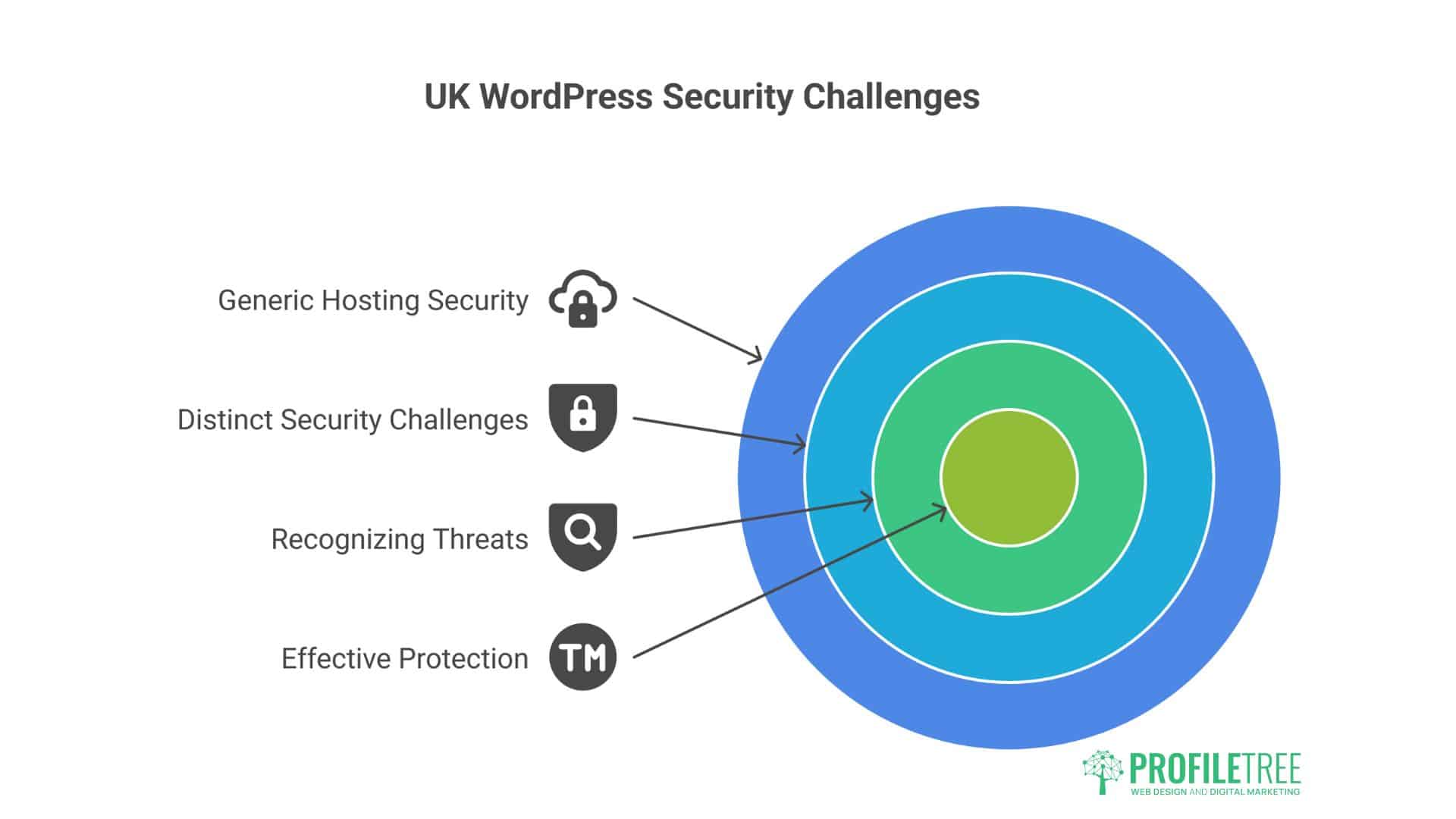
UK businesses face unique security challenges that generic hosting security doesn’t address. Understanding these threats is the first step to proper protection.
The Small Business Target Phenomenon
“We’re too small to be targeted.” Famous last words before disaster. Criminals don’t care about your size—they care about vulnerability. UK SMEs are particularly attractive because:
Weaker Defences: Small businesses rarely have dedicated IT security. Your competitor has a firewall; you have hope. Criminals know this. A Wolverhampton accountant thought nobody would target their five-page website. Hackers used it to send 2 million spam emails before detection.
Slower Detection: Large companies detect breaches within hours. Small businesses often take weeks or months. A Leicester florist’s site served malware for three months before a customer complained. Hundreds infected, reputation destroyed.
Less Likely to Report: SMEs rarely report breaches, fearing reputation damage. Criminals exploit this, knowing you’ll pay ransoms quietly rather than admit vulnerability. One Birmingham retailer paid £5,000 Bitcoin ransom rather than report the breach.
Supply Chain Access: Small businesses often connect to larger companies. Hack the small supplier, access the big client. A Nottingham printing company’s breach exposed the data of its FTSE 100 client, and the printer went bankrupt due to legal consequences.
The Brexit Security Complexity
Brexit created security complications nobody predicted:
Data Location Confusion: UK data in EU servers? EU data in UK servers? The legal complexity creates security gaps that criminals exploit. A Manchester company’s data bounced between London and Amsterdam servers, falling through regulatory cracks when breached.
Compliance Overlap: Following UK GDPR and EU GDPR simultaneously creates confusion that criminals can leverage. They know you’re focused on compliance paperwork, not actual security. The Newcastle exporter spent so much time on compliance that they forgot basic security and got hacked immediately.
Reduced Cooperation: UK-EU security cooperation decreased. Cybercriminals operate internationally, while enforcement has become more fragmented. Cross-border investigations now take longer, giving criminals more time to manage.
The British Politeness Problem
British businesses are embarrassingly polite about security. We don’t want to seem paranoid, offend, or make a fuss. This cultural trait becomes a security vulnerability.
Password Policies: “We trust our staff.” Translation: Everyone uses “Password123” because enforcing strong passwords seems rude. The Oxford charity’s database leaked because a volunteer used “oxford2023” as the admin password.
Access Control: “Everyone needs access to everything.” Former employees retain access for years because asking for passwords back seems awkward. Leeds agency discovered their fired developer still had admin access two years later—he’d been updating his portfolio using their server.
Security Questions: British businesses don’t challenge suspicious requests. A Surrey company transferred £45,000 to fraudsters who simply phoned claiming to be their hosting company. No verification is requested, which would be impolite.
What “Secure” WordPress Hosting Means
Hosting companies throw “secure” around like confetti. Let’s define what secure hosting includes versus marketing fluff.
Real Security Features vs Marketing Nonsense
Absolute Security: Web Application Firewall (WAF): A proper WAF analyses traffic patterns, blocks malicious requests, and adapts to new threats. It’s like having a bouncer who knows every troublemaker in town and spots new ones immediately.
Marketing Nonsense: “Military-Grade Encryption”: Meaningless term. All modern encryption is “military-grade.” It’s like advertising “wheels included” on a car. Basic SSL is not a security feature—it’s a minimum requirement.
Absolute Security: Automated Malware Scanning: Daily automated scans using WordPress-specific signatures, checking file integrity, monitoring changes, and quarantining threats. Real scanning finds problems before they spread.
Marketing Nonsense: “99.9% Secure”: Security isn’t a percentage. You’re either compromised or not. This meaningless metric tells you nothing about actual protection. It’s like being “99.9% pregnant”—doesn’t exist.
Absolute Security: Isolated Account Architecture: Each account is completely separated—different users, directories, and processes. One hacked site can’t access others, like apartments with separate entrances versus rooms in a shared house.
Marketing Nonsense: “Secure Data Centres”: The Physical security of buildings is irrelevant to WordPress security. Your site isn’t hacked by someone breaking into a data centre; it’s hacked through software vulnerabilities. Focus on digital security, not padlocks.
The Security Layers That Matter
Layer 1: Infrastructure Security
- Hardened operating systems
- Secure PHP configurations
- Database isolation
- Network segmentation
- DDoS protection
Bristol hosting company claimed “secure infrastructure” but ran PHP 5.6 (obsolete since 2014). Every site got hacked within weeks.
Layer 2: Application Security
- WordPress-specific rules
- Plugin vulnerability scanning
- Theme security checking
- Core file monitoring
- Brute force protection
Layer 3: Access Security
- Two-factor authentication
- IP restrictions available
- Granular permissions
- Session management
- Login attempt limiting
Layer 4: Monitoring Security
- Real-time threat detection
- Behavioural analysis
- Anomaly detection
- Alert systems
- Audit logging
Layer 5: Response Security
- Automatic threat containment
- Incident response procedures
- Backup integrity
- Recovery processes
- Communication protocols
Each layer must be present. Missing one is like locking your front door but leaving windows open.
Common WordPress Security Vulnerabilities in UK Hosting
Understanding how sites get hacked helps you prevent them. Here are the vulnerabilities we see repeatedly in UK WordPress hosting.
The Shared Hosting Contamination
Cheap shared hosting is like living in a building where everyone has keys to your flat. When one site gets hacked, malware spreads like norovirus through a cruise ship.
How It Happens:
- The neighbouring site gets compromised
- Malware exploits shared resources
- Spreads through shared temp directories
- Infects all sites on the server
- Your site serves malware despite doing nothing wrong
Cardiff bakery’s site got infected because another site on their shared server (an abandoned blog about cats) had vulnerabilities. The bakery lost Christmas orders while cleaning up someone else’s mess.
Prevention:
- Choose isolated hosting environments
- Avoid bottom-tier shared hosting
- Demand account isolation
- Check neighbouring sites if possible
The Outdated Software Timebomb
Running outdated WordPress themes or plugins is like leaving your door unlocked in a bad neighbourhood. You’re not asking for trouble, but you’re making it easy.
The Update Chain:
- WordPress releases security update
- Criminals reverse-engineer the fix
- They identify the vulnerability
- Automated attacks target unfixed sites
- Your outdated site gets compromised
Liverpool restaurant ignored updates for eight months. When WordPress patched a critical vulnerability, criminals had their site within 48 hours. Customer credit cards compromised, business destroyed.
Secure Hosting Solution:
- Automated updates for minor releases
- Staged testing for major updates
- Automatic rollback if issues
- Update monitoring and alerts
The Weak Password Pandemic
“Password123” might as well be “PleaseHackMe.” Yet UK businesses still use passwords like:
- CompanyName2024
- Liverpool123
- Admin_password
- Welcome123
- [Postcode][Year]
Brute Force Reality:
- Automated attacks try millions of combinations
- Common passwords are checked first
- UK-specific terms included (football teams, cities, etc.)
- Success is usually within hours
Manchester law firm used “Manchester2023!” thinking the exclamation mark made it secure. Hackers had client data within three hours.
Strong Password Requirements:
- Minimum 16 characters
- Random generation preferred
- Unique per account
- Password manager mandatory
- Regular rotation
The Plugin Vulnerability Explosion
Every plugin is a potential door into your site. Most are secure, but it only takes one vulnerability.
High-Risk Plugins:
- Abandoned plugins (no updates in years)
- Nulled/pirated premium plugins
- Low-usage plugins (less testing)
- Complex plugins (more attack surface)
- Poorly coded freebies
A Sheffield company installed a “free” premium plugin from a dodgy site. The plugin included backdoor access, and hackers immediately had complete control.
Secure Plugin Management:
- Audit all plugins regularly
- Remove unused plugins
- Only install from WordPress.org or reputable developers
- Check update frequency
- Monitor security advisories
The True Cost of WordPress Security Breaches
Let’s calculate what security breaches cost UK businesses beyond the immediate cleanup.
Direct Costs
Immediate Cleanup:
- Malware removal: £500-2,000
- Developer emergency rates: £150-300/hour
- Security audit: £500-1,500
- Reinstallation if necessary: £1,000-5,000
Recovery Services:
- Data recovery: £500-5,000
- SEO recovery: £1,000-10,000
- Reputation management: £2,000-20,000
- Legal consultation: £500-5,000/day
Birmingham e-commerce site’s breach cost:
- Cleanup: £2,500
- Lost sales (offline 3 days): £15,000
- SEO recovery: £5,000
- Customer compensation: £8,000
- Total: £30,500
Indirect Costs
Customer Trust:
- 88% won’t return after a security breach
- Word-of-mouth damage
- Review bombing
- Social media criticism
- Competitor advantage
SEO Devastation:
- Google blacklisting
- “This site may be hacked” warnings
- Ranking drops
- Recovery takes 3-6 months minimum
- Lost organic traffic
Leeds recruitment agency lost 70% of its organic traffic after a hack. It took eight months to recover rankings, and the lost revenue was £200,000.
Legal Consequences:
- GDPR fines up to £17.5 million or 4% turnover
- Customer lawsuits
- Contract breaches
- Insurance claims
- Regulatory investigations
Opportunity Costs
Time Lost:
- Managing breach: 40-200 hours
- Rebuilding site: 20-100 hours
- Customer communication: 20-50 hours
- Legal/compliance: 20-100 hours
Business Focus Lost: Every hour spent managing security disasters is an hour not spent.
- Serving customers
- Developing products
- Building relationships
- Growing business
Coventry startup spent three months recovering from a hack instead of launching a new product. Competitors captured their market. The company failed within a year.
Building Secure WordPress Infrastructure
Security isn’t a product—it’s an architecture. Here’s how to build it properly.
Hosting Environment Security
Choose Isolated Environments:
- VPS minimum for business sites
- Cloud hosting for scalability
- Dedicated servers for high-value
- Never shared hosting for business
Server Hardening:
- Latest OS versions
- Unnecessary services disabled
- Strict firewall rules
- Regular security updates
- Intrusion detection systems
PHP Security:
- Latest stable version (8.2+ currently)
- Dangerous functions disabled
- Open_basedir restrictions
- Disable allow_url_fopen
- Proper error handling
Database Security:
- Unique database users per site
- Minimal privileges
- Remote access disabled
- Regular password rotation
- Encrypted connections
WordPress-Specific Hardening
Core Security:
- Auto-updates for minor releases
- Hide WordPress version
- Disable file editing
- Protect wp-config.php
- Secure wp-includes
Authentication Hardening:
- Two-factor authentication mandatory
- Login attempt limiting
- Login page relocation
- CAPTCHA implementation
- Session timeout configuration
File System Security:
- Correct file permissions (folders: 755, files: 644)
- Disable directory browsing
- Protect sensitive files
- Regular integrity monitoring
- Automated change detection
User Management:
- Minimal administrator accounts
- Regular permission audits
- Strong password enforcement
- Inactive account suspension
- Activity logging
Security Monitoring Systems
Real-Time Monitoring:
- File change detection
- Login attempt tracking
- 404 error monitoring
- Traffic anomaly detection
- Resource usage alerts
Automated Responses:
- IP blocking after failures
- Suspicious file quarantine
- Automated backups before changes
- Alert escalation
- Incident logging
Regular Audits:
- Weekly vulnerability scans
- Monthly permission reviews
- Quarterly penetration testing
- Annual security assessment
- Compliance verification
Security Plugins vs Hosting Security
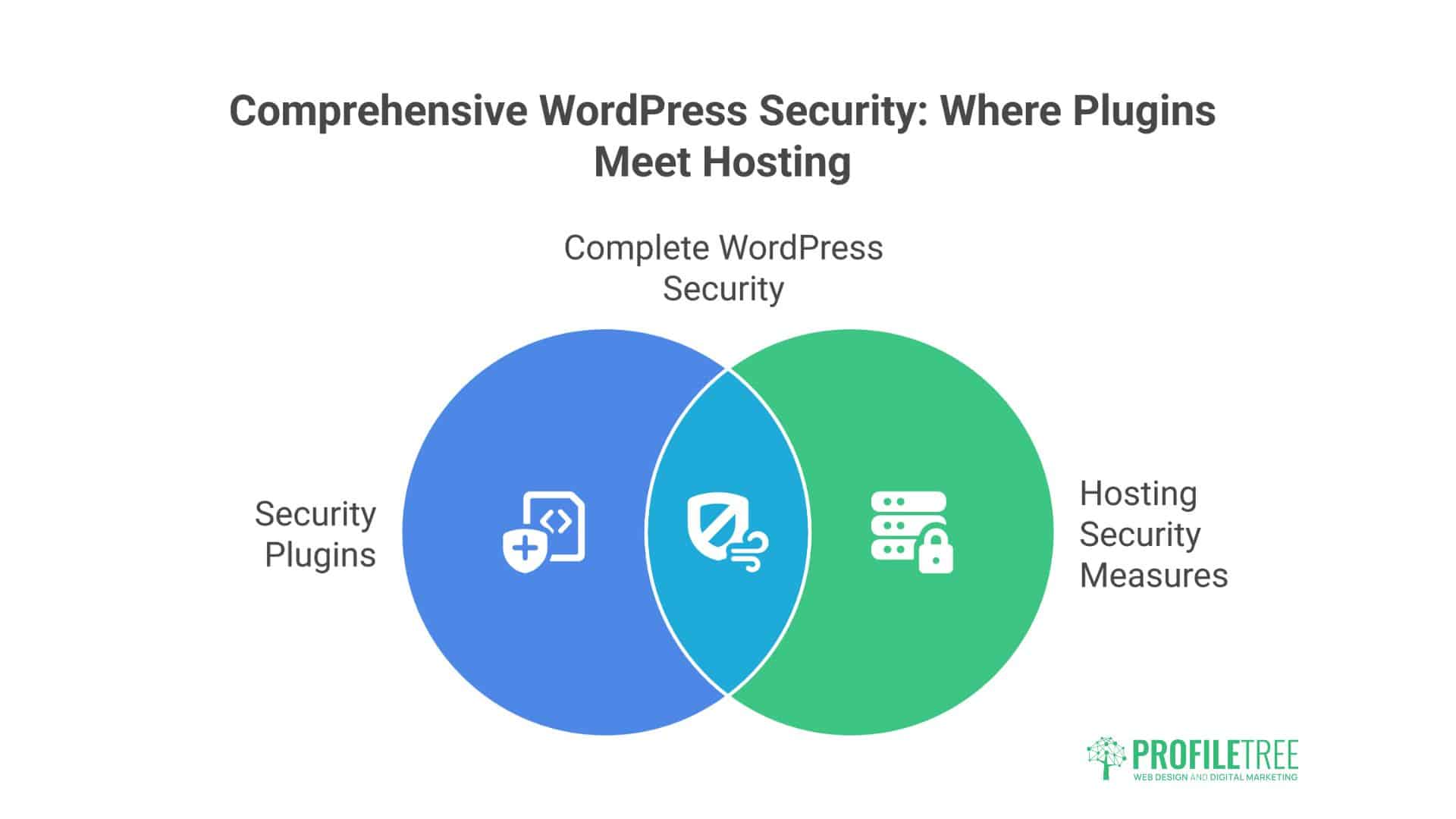
Many believe security plugins provide complete protection. They don’t. Understanding the difference is crucial.
What Security Plugins Can Do
Application-Level Protection:
- WordPress-specific firewall rules
- Login protection
- File scanning
- Basic malware detection
- Activity logging
Popular Security Plugins:
- Wordfence: Comprehensive but resource-heavy
- Sucuri: Good scanner, expensive
- iThemes Security: User-friendly, basic
- All-In-One Security: Feature-rich, complex
- Shield Security: Balanced approach
What Security Plugins Cannot Do
Server-Level Protection:
- Can’t patch server vulnerabilities
- Can’t prevent DDoS attacks
- Can’t stop server-level breaches
- Can’t protect other sites on the server
- Can’t avoid exhaustion resource
Infrastructure Security:
- Can’t update PHP versions
- Can’t configure server firewall
- Can’t isolate accounts
- Can’t prevent network attacks
- Can’t secure email servers
Newcastle business relied entirely on Wordfence. Their server got compromised through outdated PHP. Wordfence couldn’t help—it was like having excellent locks on a house with no walls.
The Optimal Combination
Hosting Providers:
- Infrastructure security
- Server hardening
- Network protection
- Account isolation
- System monitoring
Plugins Provide:
- WordPress-specific rules
- Application firewall
- User activity tracking
- Content scanning
- Additional layers
Think of it as castle defence: Hosting is the walls, moat, and gates. Plugins are the guards, watchtowers, and patrols. You need both.
Incident Response: When Security Fails
Even excellent security can be breached. Response quality determines whether it’s an inconvenience or a catastrophe.
The First 24 Hours
Hour 1-2: Containment
- Take the site offline if necessary
- Change all passwords
- Revoke all access tokens
- Enable maintenance mode
- Document everything
Hour 3-6: Assessment
- Identify breach method
- Determine the data affected
- Check backup integrity
- Assess spread potential
- Notify the hosting provider
Hour 7-12: Communication
- Inform affected users
- Prepare a public statement
- Contact legal counsel
- Notify authorities if required
- Update stakeholders
Hour 13-24: Recovery Planning
- Develop a restoration plan
- Test backups
- Prepare a clean environment
- Schedule recovery
- Plan monitoring
Recovery Process
Stage 1: Clean Environment
- Fresh server/hosting
- New WordPress installation
- Updated everything
- Security hardening
- Monitoring enabled
Stage 2: Data Restoration
- Import clean backups
- Verify integrity
- Check functionality
- Test thoroughly
- Monitor closely
Stage 3: Investigation
- Forensic analysis
- Vulnerability identification
- Security audit
- Process review
- Documentation
Stage 4: Improvement
- Patch vulnerabilities
- Improve processes
- Update documentation
- Train staff
- Implement monitoring
Oxford retailer’s perfect response to breach:
- Detected within 2 hours
- Contained within 4 hours
- Recovered within 24 hours
- Customers informed immediately
- Trust maintained, sales increased
Choosing Secure WordPress Hosting in the UK
Not all “secure” hosting is secure. Here’s how to evaluate providers.
Essential Security Features
Must-Have Security:
- Web Application Firewall
- DDoS protection
- Automated malware scanning
- Isolated accounts
- Automated backups
- SSL included
- Two-factor authentication
- Security monitoring
Red Flags:
- “Security” costs extra
- No security details provided
- Shared hosting only
- Outdated PHP versions
- No backup policy
- No incident response plan
- No security credentials
Questions to Ask Providers
Technical Questions:
- “What PHP version do you run?”
- “How are accounts isolated?”
- “What security monitoring is included?”
- “How often are servers patched?”
- What’s your incident response process?
Good Answers:
- Specific technical details
- Regular update schedules
- Clear procedures
- Proactive approaches
- Transparency
Bad Answers:
- “Military-grade security”
- “100% secure”
- “Never been hacked”
- Vague generalisations
- Deflection to sales
Security Certifications and Standards
Meaningful Certifications:
- ISO 27001 (Information Security)
- Cyber Essentials Plus
- PCI DSS (if processing payments)
- SOC 2 Type II
Meaningless Claims:
- “Bank-level security”
- “Hacker-proof”
- “Unbreakable encryption”
- “100% uptime and security”
The ProfileTree Security Approach
Our managed WordPress hosting includes comprehensive security because we’ve seen too many businesses destroyed by preventable breaches.
Our Security Stack:
- Enterprise WAF protection
- 24/7 security monitoring
- Automated malware scanning
- Isolated account architecture
- Daily encrypted backups
- Incident response team
- Security update management
- Two-factor authentication
Combined with our development expertise and SEO recovery services, we help businesses prevent breaches and recover quickly if the worst happens.
Your WordPress Security Action Plan
Stop hoping security problems won’t find you. Take action:
This Week:
- Audit current security measures
- Check all software versions
- Review user accounts
- Test your backups
- Document vulnerabilities
This Month:
- Implement missing security layers
- Update all software
- Remove unnecessary plugins
- Strengthen authentication
- Create an incident response plan
Ongoing:
- Daily backup verification
- Weekly security scans
- Monthly audits
- Quarterly testing
- Annual assessment
The Bottom Line on Secure WordPress Hosting UK
Security isn’t optional—it’s essential. The cost of proper secure hosting is a fraction of breach recovery. UK businesses lose millions annually to preventable WordPress security failures.
Real secure hosting isn’t marketing buzzwords—it’s comprehensive infrastructure, monitoring, and response capabilities. It’s the difference between a site that serves customers and one that serves malware.
Don’t wait for disaster to value security. Every UK business is a target. The question isn’t if you’ll be attacked, but whether you’ll be protected when it happens.
Your WordPress site holds customer data, business reputation, and revenue potential. It deserves proper security, not hope and prayers. Choose hosting that provides real protection, not marketing promises.
Contact ProfileTree for security assessment. We’ll audit your current setup, identify vulnerabilities, and show you what actual secure WordPress hosting looks like because UK businesses deserve better than becoming security statistics.
Your customers trust you with their data, your business depends on your website, and your future requires security. Make it happen today.