
Secure WordPress Hosting UK: SME Guide to Managed Security
Table of Contents
Most UK small businesses choose their WordPress hosting the same way they choose a broadband package: find the cheapest option, sign up, and forget about it. That approach made sense when a website was a digital brochure. It creates serious business risk when your site handles customer data, processes enquiries, or supports revenue in any way.
Secure WordPress hosting UK businesses genuinely need is not a premium add-on. It is the baseline your site needs to stay online, remain compliant, and avoid Google’s penalty list. This guide explains what genuine WordPress security involves at the hosting level, what the differences between managed and unmanaged environments mean in practice, and how to evaluate providers against criteria that actually matter for UK businesses.
Why Unmanaged Hosting Creates Business Risk for UK SMEs
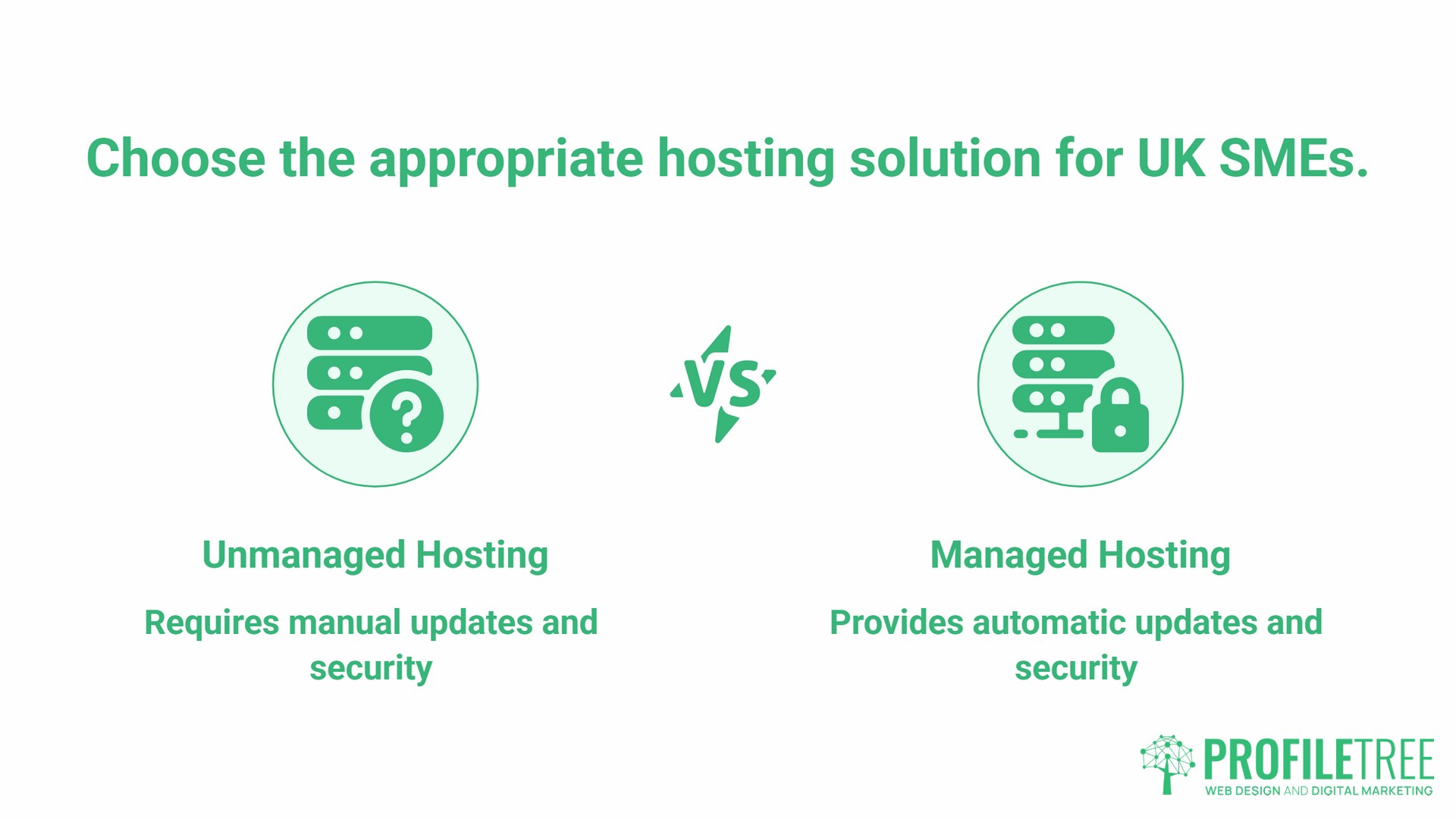
The gap between “hosting” and “managed hosting” is not a marketing distinction. It is the difference between renting a commercial property with no facilities management and renting one where maintenance, security checks, and emergency response are part of the contract.
With unmanaged WordPress hosting, the server infrastructure is provided but keeping WordPress, its themes, and plugins updated falls entirely to you. The National Cyber Security Centre advises all UK organisations to adopt an “update by default” policy, applying software updates as soon as possible, because weaknesses in unsupported or unpatched software remain exploitable by relatively low-skilled attackers. Patchstack’s State of WordPress Security in 2026 report recorded 11,334 new vulnerabilities across WordPress plugins, themes, and core in 2025, with 91% found in plugins rather than WordPress core; 46% of those vulnerabilities had no developer-issued patch available at the time of public disclosure.
For UK SMEs, the consequences of a breach go beyond the cleanup cost. A compromised site that serves malware will be flagged by Google within hours, removing it from search results entirely. Under UK GDPR, if customer data is involved, the Information Commissioner’s Office requires notification within 72 hours. Once malware has been removed and a Google review has been requested, Sucuri notes that blacklist removal typically takes three to five business days; however, organic ranking recovery can take considerably longer, depending on how long the site was compromised and how much SEO damage accumulated during that period.
The choice between cheap unmanaged hosting and proper, secure WordPress hosting that UK providers offer is not a cost question. It is a risk management question.
What “Secure” WordPress Hosting Actually Means
Hosting providers use “secure” freely in their marketing. The word means nothing without specifics. These are the security features that matter in practice.
Web Application Firewall (WAF)
A WAF sits between the internet and your WordPress installation, filtering malicious traffic before it reaches your site. A properly configured WAF analyses traffic patterns, blocks known attack signatures, and adapts to emerging threats. It differs from a plugin-level firewall because it operates at the server level, meaning it can block attacks before they consume your server resources or interact with your WordPress files at all.
Isolated Account Architecture
Shared hosting places multiple websites on the same server, sharing resources. When one account on that server is compromised, malware can spread through shared temporary directories to neighbouring sites. Isolated hosting environments, where each account runs in a separate container with its own user, processes, and file system, prevent this cross-contamination entirely. This is one of the most important distinctions between budget shared hosting and proper, secure WordPress hosting.
Automated Malware Scanning
Daily automated scans using WordPress-specific signatures verify file integrity, monitor core files for changes, and quarantine threats before they cause damage. This is distinct from what security plugins provide. A server-level scanner can detect compromises that a plugin-level scan cannot, particularly when malware targets the hosting infrastructure rather than the WordPress application itself.
DDoS Protection
Distributed Denial of Service attacks overwhelm a server with traffic, making a site unavailable. Server-level DDoS mitigation filters this traffic at the network edge before it reaches your site. Plugin-based solutions cannot replicate this.
Automated Backups with Offsite Storage
Backups stored on the same server as your site are not a recovery solution. A breach that corrupts your site will corrupt backups held in the same environment. Proper WordPress security hosting includes daily encrypted backups stored offsite, with tested restoration procedures.
The Five Security Layers That Managed Hosting Covers
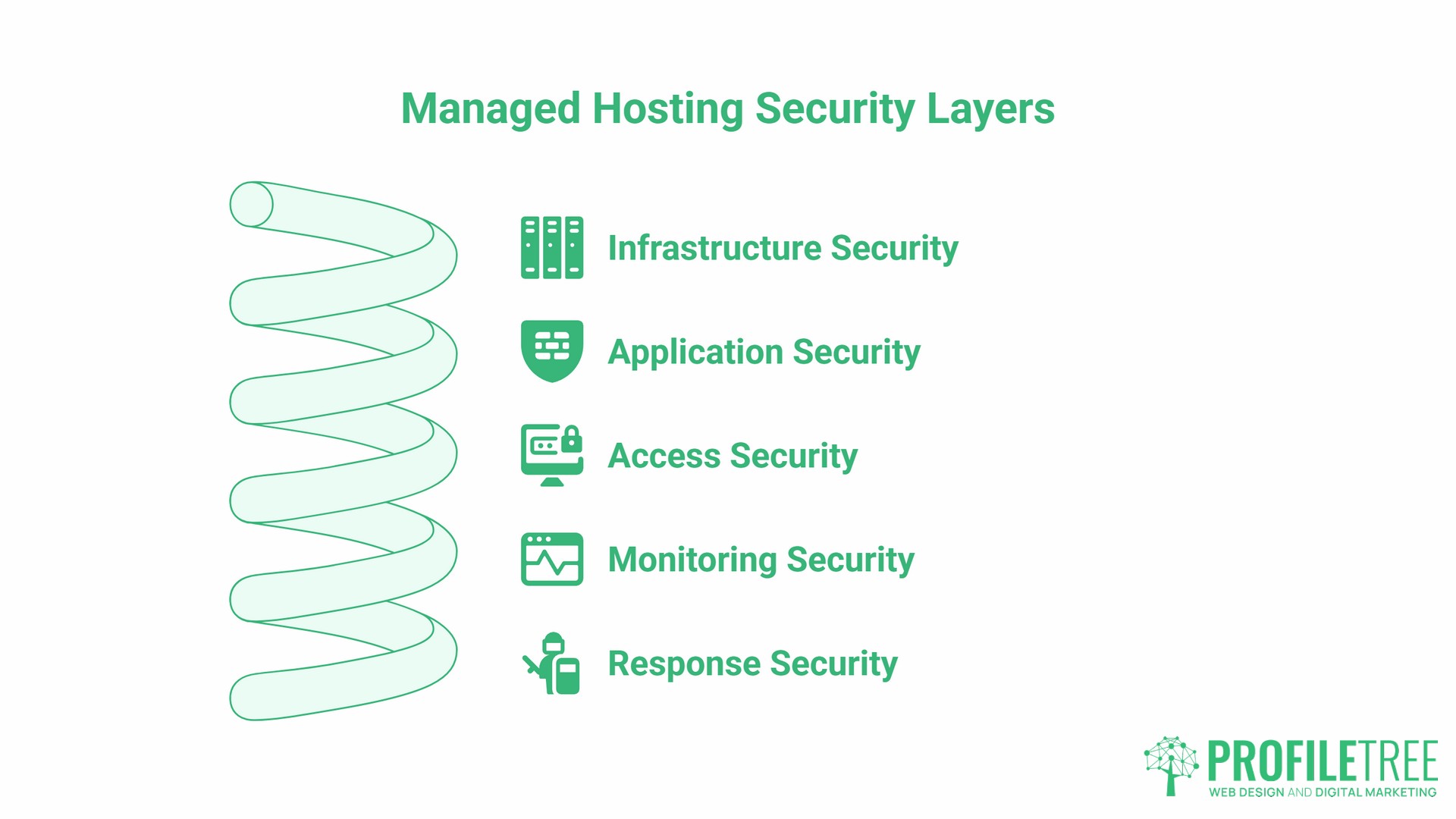
Security is not a single feature. It is a set of overlapping controls, each covering vulnerabilities the others do not. A managed secure WordPress host should provide all five.
- Layer 1: Infrastructure Security. This covers the server operating system, PHP version management, database isolation, and network segmentation. Running an outdated PHP version, for instance, exposes every site on that server to vulnerabilities that have long since been patched in current releases. PHP 8.1 reached end of life on 31 December 2025 and no longer receives security patches; PHP 8.2 remains in security-only support until the end of 2026. PHP 8.4 is the recommended production version for 2026, per php.net’s supported versions schedule. Any provider running PHP 7.x is exposing your site to vulnerabilities with no available patches.
- Layer 2: Application Security. WordPress-specific firewall rules, plugin vulnerability scanning, theme security checking, and core file monitoring. This layer operates at the WordPress application level, catching threats that infrastructure-level controls miss.
- Layer 3: Access Security. Two-factor authentication, login attempt limiting, IP restriction options, session management, and granular user permissions. Most WordPress compromises involve either stolen credentials or brute force attacks against the login page. Access controls at the hosting level add protection that complements plugin-based login security.
- Layer 4: Monitoring Security. Real-time file change detection, login attempt tracking, traffic anomaly detection, and audit logging. WordPress monitoring in the UK context means being able to detect and alert on suspicious activity quickly, before a breach becomes a data loss incident.
- Layer 5: Response Security. Automatic threat containment, incident response procedures, backup integrity verification, and clear recovery processes. When something goes wrong, the response speed determines whether an incident is an inconvenience or a catastrophe.
UK Data Residency and GDPR: Why Server Location Matters
For UK businesses, where your data physically sits has legal implications that go beyond site speed.
Under UK GDPR and the Data Protection Act 2018, transferring personal data outside the UK requires either an adequacy decision from the UK government or appropriate safeguards such as Standard Contractual Clauses. Many global hosting providers store data on US-based or EU-based infrastructure. When a UK business uses those providers, every customer enquiry form submission, order, and account registration potentially involves an international data transfer that requires legal cover.
Hosting on UK-based infrastructure simplifies this substantially. Data that never leaves the UK does not require international transfer mechanisms. For businesses in regulated sectors, those dealing with healthcare, financial services, legal services, or children’s data, UK data residency is not merely convenient. It is increasingly a compliance requirement that directors consider at the point of choosing a host, not after. Northern Ireland businesses face additional complexity here, given the dual UK GDPR and EU GDPR obligations that come with serving customers across both jurisdictions; our WordPress hosting in NI guide covers the full cross-border picture.
UK-based servers also deliver measurably lower latency for British users. Google’s Core Web Vitals assessments weigh Time to First Byte (TTFB) as part of the overall page experience signal. A server located in London or Manchester will consistently outperform a US or even European-based server for UK visitors, which means server location has both a compliance dimension and a direct SEO implication.
ISO 27001 WordPress Hosting: What the Certification Means
ISO 27001 is the international standard for information security management systems. When a hosting provider holds ISO 27001 certification, it means an independent auditor has verified that the organisation has documented security controls, risk assessment processes, and incident response procedures in place, and that these are reviewed regularly.
For UK businesses evaluating secure WordPress hosting, ISO 27001 is one of the more meaningful certifications a provider can hold. It is not a guarantee that a breach will never occur, but it is evidence that the provider treats security as an organisational discipline rather than a marketing claim.
Other meaningful certifications to look for when comparing secure WordPress hosting options are Cyber Essentials Plus (a UK government-backed scheme), PCI DSS compliance if you process card payments, and SOC 2 Type II for providers serving businesses with higher assurance requirements.
Claims such as “military-grade encryption,” “bank-level security,” and “100% uptime and security” are marketing language. They carry no third-party verification and tell you nothing about the actual security posture of the infrastructure.
Security Plugins vs Hosting Security: Understanding the Boundary
A common misunderstanding among SME owners is that a security plugin covers their WordPress security requirements. It does not, and understanding why matters when you are choosing between secure WordPress hosting options and a DIY plugin setup.
Security plugins such as Wordfence, Sucuri, and Shield Security operate at the application layer. They provide WordPress-specific firewall rules, login protection, file scanning, basic malware detection, and activity logging. These are genuinely useful controls.
What security plugins cannot do is protect against server-level vulnerabilities. They cannot patch outdated PHP versions. They cannot prevent DDoS attacks. They cannot stop a breach that enters through the hosting infrastructure rather than through WordPress itself. They cannot isolate your site from other compromised accounts on a shared server.
| Security Function | Plugin-Level | Hosting-Level |
|---|---|---|
| WordPress login protection | Yes | Partial |
| Malware scanning (application) | Yes | No |
| Malware scanning (server) | No | Yes |
| PHP version management | No | Yes |
| DDoS protection | No | Yes |
| Account isolation | No | Yes |
| Server firewall | No | Yes |
| Core file monitoring | Partial | Yes |
| Incident response | No | Yes |
The right approach is to treat hosting-level security as the foundation and plugin-level security as an additional layer on top. One without the other leaves gaps. Relying on a plugin alone to secure a site on an insecure hosting infrastructure is the equivalent of fitting a good lock to a door with no frame.
“A business website is no longer just a digital brochure; it is a critical asset,” says Ciaran Connolly, founder of ProfileTree. “You wouldn’t leave your physical office unlocked overnight, yet many businesses leave their digital storefront on unmonitored, insecure servers. The hosting decision is a risk management decision, and it needs to be treated as one.”
WordPress Security Hardening: What Happens at the Build Stage
For businesses commissioning new WordPress sites or migrating existing ones, security configuration at the build stage is significantly more effective than retrofitting controls after launch.
A properly developed WordPress site should include several hardening measures applied during development: file permissions set correctly (755 for directories, 644 for files), directory browsing disabled, WordPress version information hidden from public view, the wp-config.php file protected, the built-in file editor disabled, and database connections using unique credentials with minimal privileges.
These are not optional extras. They are standard practice in professional WordPress web development and the difference between a site that is hardened at launch and one that relies entirely on post-launch security measures to compensate for build-stage oversights.
User management is also part of this foundation. Every WordPress installation should begin with a minimal number of administrator accounts. The number of users with editor or administrator roles should be kept to the minimum needed for day-to-day operations, with access reviewed regularly. Former staff should have access removed promptly. Activity logging should be in place from the start.
These practices sit within a broader approach to GDPR-compliant web development that treats data protection as an architectural concern rather than an afterthought.
Incident Response: What to Do When Security Fails
Even well-configured, secure WordPress hosting environments can be breached. The quality of the incident response determines whether a breach becomes a business continuity event.
- Hours 1 to 2: Containment. Take the site offline if necessary. Change all passwords immediately, including hosting control panel access, WordPress admin accounts, and database credentials. Revoke all active access tokens. Enable maintenance mode if the site remains accessible. Document everything from this point forward.
- Hours 3 to 6: Assessment. Identify how the breach occurred. Determine what data was accessed or exfiltrated. Check backup integrity before attempting any restoration. Assess whether the compromise has spread beyond the immediate WordPress installation. Notify your hosting provider.
- Hours 7 to 12: Communication. If personal data has been affected, UK GDPR requires notification to the ICO within 72 hours of becoming aware of the breach. Prepare a factual statement for affected users. Contact legal counsel if customer data is involved.
- Hours 13 to 24: Recovery planning. Test your backups in an isolated environment before restoring. Build the clean environment first, restore into it, verify functionality, then switch. Monitor closely for 30 days after recovery.
A managed WordPress hosting provider should have a documented incident response procedure and a support team available to assist through this process. If your current provider’s response to a security question is a link to a knowledge base article, that is worth noting when you next evaluate your options.
Evaluating Secure WordPress Hosting Providers: A Checklist
Before committing to a secure WordPress hosting provider, ask these specific questions. Vague or evasive answers are informative in themselves.
- Technical questions to ask:
- What PHP version do you currently run, and what is your upgrade schedule?
- How are accounts isolated? Container-based or traditional shared hosting?
- What WAF solution do you use, and how frequently are rules updated?
- Where are backups stored, and how do you test restoration?
- What is your incident response process if a site is compromised?
- Do you hold ISO 27001 certification or Cyber Essentials Plus?
- Where are your data centres located?
- Red flags in answers:
- Security is described as “state-of-the-art” without specifics
- No clear answer on the PHP version or the upgrade schedule
- Backups stored on the same server as the site
- No documented incident response procedure
- Data centres are described vaguely as “UK and Ireland” without clarification of where backups are held
The managed hosting difference. ProfileTree’s WordPress hosting management service covers security update management, uptime monitoring, automated backups, and a defined escalation process, and is delivered within an ongoing relationship rather than a one-time server rental. For a full breakdown of what different UK hosting tiers cost and where hidden charges appear, our WordPress hosting cost UK guide covers that in detail.
WordPress Monitoring UK: Keeping Visibility After Launch
Secure WordPress hosting is not a one-time configuration. Threats change, plugins introduce new vulnerabilities, and traffic patterns shift. Ongoing WordPress monitoring in the UK context means having active visibility into what is happening on your site after it goes live.
Minimum monitoring standards for secure WordPress hosting UK sites include daily malware scans, login attempt logging, file change detection, uptime monitoring with rapid alerting, and regular vulnerability checks against the WordPress plugin database. For sites that handle customer data or process transactions, add traffic anomaly detection and database query monitoring.
If your current hosting provider does not offer monitoring as a standard inclusion, it is worth factoring the cost of a third-party monitoring service into your total hosting cost comparison. The apparent savings from a cheaper package often disappear when monitoring, backups, and security tools are added separately.
How Web Development and Hosting Security Connect
Hosting and development decisions affect each other in ways that are not always obvious when a business chooses them separately.
A site built without security hardening during development creates problems that no secure WordPress hosting environment can fully compensate for. Equally, a well-built site on an insecure hosting environment is vulnerable in ways that no amount of development care addresses.
The most effective approach is to treat hosting and development as a connected decision. When ProfileTree manages both web development and ongoing hosting for a site, the security configuration applied during the build is matched by the server environment where the site runs. Update management, backup procedures, and incident response are part of a single workflow rather than two separate conversations with two separate providers.
For businesses that manage their own WordPress sites or use in-house development resources, digital training covering WordPress security governance, including access management, update protocols, and backup verification, is a practical way to close the gap between what a hosting provider covers and what the site owner is responsible for.
ProfileTree is a Belfast-based web design and digital marketing agency serving SMEs across Northern Ireland, Ireland, and the UK. For questions about WordPress hosting management, development security, or digital training for your team, contact us here.
FAQ
What is the difference between an SSL certificate and secure WordPress hosting?
SSL encrypts data in transit between your visitor’s browser and your server. It protects against interception but does nothing to protect your site from attacks targeting WordPress itself, the server infrastructure, or your database. Secure WordPress hosting covers the broader environment: server hardening, malware scanning, access controls, and incident response. SSL is a necessary baseline. It is not a security solution on its own.
Do I need a UK-based server for a .co.uk domain?
There is no technical requirement, but there are practical reasons to choose UK-based infrastructure. UK servers deliver lower latency for British users, which affects Core Web Vitals scores and, in turn, search performance. UK data residency also simplifies GDPR compliance, as personal data collected through your site does not trigger international transfer requirements. For most UK businesses, a UK-based server is the sensible default.
Which UK hosting certifications actually matter?
ISO 27001 is the most meaningful independent certification for information security management. Cyber Essentials Plus is a UK government-backed scheme worth looking for. PCI DSS is relevant if you process card payments. SOC 2 Type II provides additional assurance for businesses with higher compliance requirements. Claims without third-party certification carry no verifiable weight.
Is managed WordPress hosting worth the extra cost for a small business?
The comparison should not be between the monthly fees but between the total cost of secure WordPress hosting and the total cost of a security incident on unmanaged hosting. Malware removal, emergency developer rates, SEO recovery, and potential ICO notification costs following a data breach routinely exceed the annual cost difference between managed and unmanaged hosting. For most UK SMEs, the question is not whether managed hosting is worth it. It is whether the business can absorb the downside risk of not having it.
What does ISO 27001 certification mean for a WordPress hosting provider?
ISO 27001 means an independent auditor has verified that the provider has a documented information security management system in place, covering risk assessment, security controls, and incident response. It requires annual recertification. It does not mean the provider has never been breached, but it is evidence that security is managed as an organisational discipline with external accountability.
Can I migrate my existing site to more secure UK hosting?
Yes, and for most sites, it is a straightforward process when handled by an experienced team. A proper migration includes a full pre-migration backup, staging environment testing before the live cutover, DNS transition with minimal downtime, and post-migration security configuration. The migration itself is not the complexity; choosing the right destination environment and configuring it correctly before switching over is where care is needed.