
Public Speaking for Business: 8 Professional Communication Tips
Table of Contents
Public speaking remains one of the most requested skills in professional environments. Yet, many business owners and marketing professionals find themselves underprepared when presenting to clients, pitching strategies, or leading team meetings. Whether you’re explaining SEO results to stakeholders, presenting web design concepts, or delivering digital training sessions, your ability to communicate clearly has a direct impact on your business outcomes.
This guide offers practical strategies for mastering public speaking in various professional contexts. From boardroom presentations to virtual client calls, you’ll learn how to structure your message, manage nerves, and deliver content that resonates with your audience.
Why Speaking Skills Matter in Business
Practical communication skills have a direct impact on your professional success. For digital marketing professionals, agency owners, and business leaders, the capacity to articulate complex strategies in accessible language separates those who win clients from those who lose them.
Consider how often you present information, such as monthly client reports, strategy pitches, internal team briefings, conference presentations, or webinar delivery. Each situation requires a clear articulation of technical concepts to non-technical audiences. Your SEO strategy might be brilliant, your web design flawless, your AI implementation cutting-edge, but without effective communication, these strengths remain invisible to clients and stakeholders.
The Business Impact of Clear Communication
Professional speaking skills affect several critical business areas. Client retention often hinges not only on the quality of delivery but also on how effectively you communicate that value. When presenting website analytics, explaining content marketing ROI, or justifying digital transformation investments, your presentation determines whether budgets get approved.
“The agencies that thrive aren’t necessarily those with the best technical skills—they’re the ones who can translate complex digital strategies into clear business outcomes that clients understand,” notes Ciaran Connolly, Director of ProfileTree. “Whether you’re presenting SEO results or proposing AI implementation, your ability to tell that story determines your success.”
For in-house professionals, speaking skills unlock resources. Convincing the development team to prioritise your technical SEO recommendations or persuading executives to invest in digital training requires presentation abilities that many marketers never formally develop.
Personal authority builds through public visibility. Speaking at industry events, hosting webinars, or presenting case studies publicly establishes your expertise and credibility. This visibility attracts better opportunities, higher-value clients, and positions you as a thought leader rather than simply a service provider.
Eight Essential Strategies for Professional Speaking
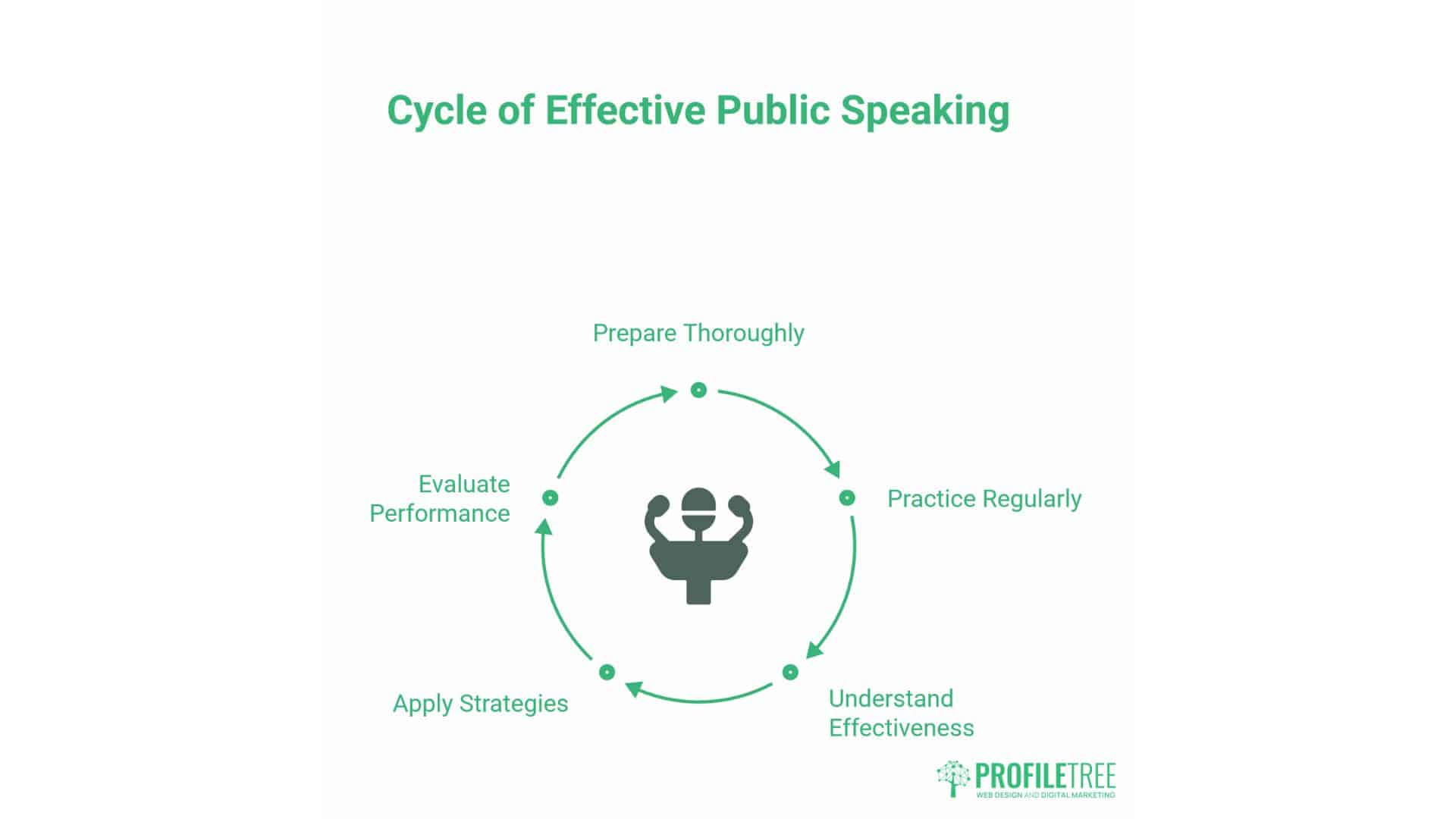
Mastering public speaking requires preparation, practice, and understanding of what makes presentations effective. These eight strategies apply across various contexts, whether you’re pitching to three people in a meeting room or presenting to 300 at a conference.
Plan with Your Endpoint in Mind
Effective presentations start with clarity about intended outcomes. Before writing slides or rehearsing content, define precisely what you want your audience to think, feel, or do after hearing you speak.
When presenting web design proposals, your ultimate goal might be client approval and a payment deposit. For digital training sessions, you want participants to leave with specific skills they can implement immediately. Conference presentations might aim to position your agency as industry experts, generating post-event enquiries.
Work backwards from this endpoint. What information does your audience need to reach your desired conclusion? What objections might prevent them from taking action? What evidence will convince them you’re credible?
Structure your content accordingly. Begin with context that establishes why your topic matters to this specific audience. Build your argument logically, addressing potential concerns before they arise. Conclude with clear next steps that make action straightforward.
For client presentations, this might mean starting with their business objectives, demonstrating how your proposed strategy addresses those goals, preemptively addressing budget concerns, and then concluding with a specific implementation timeline and decision point.
Practice Until Delivery Feels Natural
Rehearsal transforms nervous uncertainty into confident fluency. Yet many professionals skip this step, believing they can “wing it” based solely on their expertise. This approach fails because speaking and knowing are different skills.
Practice achieves several objectives. First, it commits your content to muscle memory, reducing cognitive load during actual delivery. When you’ve rehearsed sufficiently, you can focus on engaging with the audience rather than worrying about remembering what comes next.
Second, practice reveals structural weaknesses. Awkward transitions, unclear explanations, and pacing issues become apparent when you speak content aloud. Reading silently masks these problems.
Third, rehearsal builds stamina. A 30-minute presentation requires sustained energy and vocal clarity. Without practice, your voice may become fatigued, or your energy may wane, which can negatively impact audience engagement.
Practice methods vary based on presentation type. For high-stakes client pitches, full dress rehearsals with colleagues playing client roles help anticipate questions and refine responses. For webinars, recording yourself reveals verbal tics, filler words, and visual distractions your laptop camera captures.
For conference presentations, practice in the actual space when possible. Room acoustics, lighting, and audience distance all affect delivery. If advance access isn’t possible, practice in a similar-sized room to adjust your projection and movement accordingly.
The goal isn’t memorisation. You want familiarity that allows flexibility. When unexpected questions arise or technology fails, practised speakers adapt smoothly because they understand their content deeply enough to navigate differently.
Avoid Over-Reliance on Slides
Visual aids should support your message, not replace it. Too many presentations consist of slide decks packed with bullet points while speakers simply read aloud what’s already visible. This approach insults audience intelligence and wastes everyone’s time.
Slides serve specific purposes: displaying complex data that verbal description can’t convey, showing visual examples of design work or website interfaces, or highlighting key statistics that reinforce your argument. They should never contain your entire script.
For digital marketing presentations, this means charts showing traffic growth or conversion improvements rather than slides listing “SEO benefits.” For web design pitches, show actual mockups and user interface examples rather than text descriptions of what responsive design entails.
When slides are necessary, follow these principles. Presenting one clear idea per slide helps prevent cognitive overload. If you’re showing website analytics, display one key metric with an explicit annotation rather than a screenshot of an entire dashboard with twelve competing data points.
Use imagery that reinforces concepts rather than decorates. Generic stock photos of handshakes or office workers add nothing of value. Screenshots of actual client work, before-and-after comparisons, or simple diagrams that clarify technical processes add value.
Text should be minimal. If your audience is reading, they’re not listening. Aim for headline-style phrases that orient attention rather than complete sentences that compete with your spoken words.
Alternative presentation tools exist beyond traditional slide software. For website demonstrations, live browser walkthroughs often prove more engaging than screenshots. For data presentations, interactive dashboards let audiences explore information rather than passively receiving it. For training sessions, hands-on exercises where participants implement concepts create more value than watching you explain theory.
The presentation should work without slides. If a technical failure were to render your visuals unusable, could you still convey your core message effectively? If not, you’re too dependent on them.
Connect Through Direct Engagement
Audience connection separates memorable presentations from forgettable ones. This connection requires you to communicate with people, not at them. Several techniques facilitate this engagement.
Eye contact establishes individual connections within group settings. Rather than scanning the room vaguely or staring at your notes, look at specific people for 3-5 seconds before moving to others. This creates the feeling of a one-on-one conversation despite the group context. For larger audiences where individual faces aren’t distinguishable, focus on different sections sequentially.
Personal examples humanise your expertise. When explaining content marketing strategy, mentioning a specific client challenge you solved makes abstract concepts concrete. When discussing AI implementation, sharing your agency’s own adoption journey builds credibility because you’ve experienced what you’re recommending.
Direct address involves the audience. Instead of saying “businesses should consider video production,” ask “how many of you currently use video in your content strategy?” This transforms passive listening into active participation.
Storytelling creates emotional engagement that data alone can’t achieve. When presenting SEO results, the numbers matter, but the story of how improved rankings generated specific customer enquiries makes those numbers meaningful. Structure these stories with a clear beginning (the problem), middle (the solution), and end (the results).
Simplified language respects audience expertise without condescension. When presenting to non-technical clients about WordPress development, explain the key concepts they need to understand without overwhelming them with jargon. When training teams on AI tools, adjust the complexity to their current knowledge level.
Authentic delivery builds trust. Attempting to mimic someone else’s presentation style creates awkwardness. Speak naturally, acknowledging when questions stump you, admitting uncertainty where appropriate, and expressing genuine enthusiasm for your subject rather than forced excitement.
Balance Data with Human Context
Numbers provide credibility, but context provides meaning. Business presentations often fail because they present data without explaining its relevance to the audience’s concerns.
When showing website analytics during client reviews, the 40% traffic increase matters less than what that traffic represents: more potential customers discovering the client’s services, increased brand visibility in their market, or validation that the SEO strategy is working.
Frame data in terms of business impact. Don’t just report that organic search traffic increased; explain that this traffic growth occurred for high-intent keywords that typically convert, based on conversion tracking you’ve implemented. Connect the metric to the outcome the client cares about.
Use comparative context to make numbers meaningful. Saying your client’s website loads in 1.8 seconds means little to non-technical audiences. Saying it loads faster than 87% of competitor sites and that faster loading correlates with lower bounce rates provides valuable context.
Personal stories balance analytical content. When discussing digital training programmes, data about completion rates and skill development matters, but so does the story of a specific participant who implemented what they learned and achieved measurable results.
Visual representation helps audiences grasp complex data. Rather than reading statistics aloud, show clear charts or diagrams that make patterns obvious. For video production metrics, showing engagement curves across video length makes content performance understandable at a glance.
Avoid data overload. Select the 2-3 most important metrics that support your core message rather than presenting every available data point. More information doesn’t always lead to greater clarity; often, it creates confusion.
Master Non-Verbal Communication
Your physical presence communicates as powerfully as your words. Research suggests that body language and vocal tone contribute more to audience perception than verbal content alone.
Posture affects how audiences perceive your authority. Standing straight with shoulders back projects confidence. Slouching, excessive fidgeting, or closed body positions (arms crossed, hands in pockets) suggest discomfort or defensiveness. For seated presentations, such as client meetings, sit upright and lean slightly forward to demonstrate engagement.
Hand gestures emphasise key points when used purposefully. Natural, open gestures that complement your words enhance communication. Pointing at visual aids directs attention. Descriptive gestures help audiences visualise concepts. Avoid repetitive, meaningless gestures that distract rather than enhance.
Facial expressions should match your content. Discussing positive results warrants genuine enthusiasm. Addressing challenges calls for appropriate seriousness. Inconsistency between emotional content and facial expression creates distrust.
Movement keeps energy alive, particularly for longer presentations. For conference talks, strategic movement across the stage maintains audience attention. For smaller settings, standing rather than remaining seated increases presence. Avoid pacing or swaying, which distracts rather than engages.
Vocal variety prevents monotony. Varying pace, volume, and pitch keep audiences attentive. Slow down for complex concepts requiring processing time. Increase volume for emphasis. Pause before or after critical points to let them resonate. Monotone delivery, regardless of content quality, tends to lose audience attention.
Professional appearance matters. While expectations vary by context, appearing polished and appropriate for your setting demonstrates respect for your audience. For client presentations, this typically means business professional attire. For digital training sessions, business casual might suffice. Match formality to your audience’s expectations.
Develop a Pre-Presentation Routine
Consistent preparation helps reduce anxiety and improve performance. Developing a reliable routine ensures you arrive mentally and physically ready to present.
Physical preparation matters. Being well-rested has a positive impact on cognitive sharpness and energy levels. Eating appropriately prevents blood sugar crashes mid-presentation. Avoiding excessive caffeine prevents anxiety amplification. Light exercise can reduce nervous tension.
Vocal warmup prevents strain during extended speaking. Simple exercises, such as humming, lip trills, or reading aloud for several minutes, help prepare your voice. Staying hydrated helps keep vocal cords functioning smoothly; keep water accessible during presentations.
Technical checks prevent avoidable failures. For virtual presentations, test your camera, microphone, lighting, and internet connection well before the start time. For in-person events, arrive early to test presentation equipment, check audio levels, and familiarise yourself with the space.
Mental preparation frames your mindset positively. Review your key messages to refresh your memory—Visualise successful delivery to build confidence. Focus on your purpose—helping your audience understand something valuable—rather than on your performance anxiety.
Breathing exercises reduce physical stress symptoms. Deep, controlled breathing slows heart rate and reduces trembling or voice shakiness. Several minutes of focused breathing before presenting helps tremendously.
Having contingency plans reduces worry. What if technology fails? Can you present without slides? What if timing changes? Having adaptable content reduces stress when circumstances shift unexpectedly.
Learn from Every Presentation
Continuous improvement requires honest self-assessment. Every presentation offers lessons that strengthen future performances.
Recording presentations provides objective feedback. Watching yourself reveals habits you may not notice during delivery, such as verbal fillers (“um,” “like,” “so”), distracting mannerisms, unclear explanations, or pacing issues. While initially uncomfortable, the recorded review accelerates improvement.
Soliciting audience feedback offers an outside perspective. For client presentations, asking what resonated and what needed more clarity helps refine future pitches. For training sessions, participant evaluations identify both strong content and areas that need development. For conference presentations, attendee questions reveal what interested them most or where confusion existed.
Noting what worked well is as crucial as identifying weaknesses. Which examples landed effectively? Which explanations clarified complex concepts? Which stories engaged audiences? Replicate successful elements in future presentations.
Experimenting with different approaches prevents stagnation. Try new opening techniques, different structural frameworks, or alternative visual aids. Some experiments fail, but others become valuable additions to your presentation toolkit.
Observing skilled presenters accelerates learning. Notice what makes their presentations effective. How do they structure arguments? How do they handle questions? What makes their delivery compelling? Adapt practical techniques to your style.
Virtual Presentation Mastery
Remote communication has become the primary means of presentation for many professionals. Client calls, team meetings, webinars, and virtual training sessions all require different skills than in-person speaking.
Technical Setup for Professional Virtual Presence
Your technical setup has a significant impact on how your audience perceives you virtually. Poor audio or video quality undermines even excellent content.
Audio quality matters most. Laptop built-in microphones pick up ambient noise, resulting in a hollow sound and reduced clarity. Investing in a USB microphone dramatically improves audio quality. Position it close enough for clear capture but away from keyboard noise if you’ll be typing—test levels to avoid distortion from speaking too close or inaudibility from positioning too far.
Lighting affects visual professionalism. Natural light from windows works well when positioned in front of you, not behind. For consistent lighting regardless of time or weather, ring lights or LED panels designed for video calls create even, flattering illumination. Avoid using overhead lighting alone, as it creates unflattering shadows.
Camera positioning influences audience perception. Position your camera at eye level rather than looking up from below (which appears unprofessional) or down from above (which seems condescending). Looking directly into the camera when speaking creates the impression of eye contact.
Background considerations matter. Cluttered or distracting backgrounds pull attention from your message. Simple, tidy backgrounds work best. Virtual backgrounds can appear professional, but often create distracting visual glitches. Bookshelf backgrounds, plain walls, or simple office setups typically work well.
Internet connection stability is crucial. Hardwired Ethernet connections provide more reliability than WiFi. If WiFi is necessary, position yourself close to your router and limit other devices using bandwidth during essential calls. Have mobile hotspot capability as backup.
Test your complete setup before essential presentations. Check the audio and video quality, test screen sharing if you’ll be presenting slides or demonstrations, and verify that any software tools work correctly. Technical difficulties during presentations create unprofessional impressions that undermine your credibility.
Maintaining Engagement in Virtual Environments
Virtual presentations face unique engagement challenges. Audiences at home face more distractions than those in meeting rooms. They can check email, browse other websites, or simply stop paying attention without you noticing.
Shorter segments maintain attention better than long lectures. Break content into 10-15 minute chunks punctuated by interaction opportunities. For hour-long webinars, plan 3-4 distinct segments rather than a continuous monologue.
Interactive elements create active participation. Polls gather quick input and show audience perspectives. Chat functions let participants ask questions without interrupting the flow. Breakout rooms for longer sessions allow small group discussions. Screen sharing, where you demonstrate rather than just describe, creates visual engagement.
The energy level must be higher than in-person presentations. Without physical presence, you must project enthusiasm solely through your voice. Vocal variety, deliberate pacing, and strategic pauses keep remote audiences attentive.
Looking at the camera rather than the screen creates a connection. This feels unnatural initially, as you can’t simultaneously watch the audience’s reactions, but it makes the impression of eye contact that helps build a connection.
Addressing participants by name when they contribute via chat or ask questions personalises the experience and encourages further participation.
Managing Virtual Client Presentations
Client presentations via video call require specific approaches to maintain professionalism and effectiveness.
Agenda clarity helps remote clients stay oriented. Begin by outlining what you’ll cover and how long it will take. This helps manage expectations and enables clients to plan their attention effectively.
Screen sharing for website reviews or design presentations lets clients see exactly what you’re discussing. Walk through elements systematically rather than jumping around, which creates confusion.
Pausing for questions more frequently than in-person meetings accounts for the awkwardness of interrupting remotely. Build in natural breaks: “Before I move to the technical SEO recommendations, what questions do you have about the content strategy?”
Sharing materials in advance lets clients review at their own pace before discussing. For complex proposals, sending the deck beforehand allows the meeting to focus on discussion rather than information delivery.
Follow-up emails summarising key points and action items reinforce what was covered and provide a written reference clients can return to later.
Professional Speaking Frameworks
Several established frameworks help structure presentations effectively. Understanding these concepts improves your ability to organise content logically and persuasively.
The Rhetorical Triangle
The rhetorical triangle, derived from classical rhetoric, represents the relationship between speaker, audience, and message. Effective presentations balance all three elements.
Ethos (credibility): Your audience must trust your expertise. Establish credentials early—relevant experience, client successes, industry recognition. For digital marketing presentations, mentioning specific campaigns you’ve managed or certifications you hold helps establish your ethos.
Pathos (emotional appeal): While business presentations rely heavily on logic, emotional elements also play a significant role. Client success stories, the frustration of wasted marketing budgets, or the satisfaction of achieving business goals create an emotional connection that pure data cannot.
Logos (logical argument): Your reasoning must be sound and evidence-based. When proposing SEO strategies, clearly explain the causal relationship between technical improvements and increased rankings. When recommending AI implementation, connect specific tools to measurable business outcomes.
Balancing these three elements creates persuasive presentations. Over-reliance on one element weakens the others. Pure emotional appeal without supporting data lacks credibility. Pure logic, without an emotional connection, fails to motivate action. Claimed expertise without evidence undermines trust.
The 7 Cs of Communication
This framework provides a checklist for evaluating your presentation content. Your message should be:
Clear: Audience understands precisely what you mean. Avoid ambiguity. When discussing website development timelines, specify “six weeks from contract signing” rather than “approximately six weeks.
Concise: Include necessary information without unnecessary padding. Respect audience time by getting to the point without rambling.
Concrete: Use specific examples and details rather than vague generalities. Instead of “our content marketing services drive results,” specify “our blog strategy for [Client Name] generated 87 qualified leads in Q3.”
Correct: Information must be accurate. Verify statistics, double-check examples, and confirm technical details to ensure accuracy. Incorrect information destroys credibility.
Coherent: Ideas flow logically. Each point connects to the next. Transitions guide audiences smoothly through your argument.
Complete: Cover all necessary information. Don’t leave obvious questions unanswered. If presenting web design proposals, include pricing, timeline, revision process, and support arrangements.
Courteous: Respect audience intelligence and time. Avoid condescension. Acknowledge different perspectives professionally even when disagreeing.
Monroe’s Motivated Sequence
This five-step framework effectively structures persuasive presentations, particularly for proposals and recommendations.
Attention: Open with something that immediately captures interest. A surprising statistic about how many websites lose visitors due to slow loading speeds. A client success story with dramatic results. A provocative question about their current digital presence.
Need: Identify the problem that requires a solution. Define the gap between the current state and the desired outcome. For SEO presentations, this might be poor rankings for valuable keywords, low organic traffic, or competitors dominating search results.
Satisfaction: Present your solution to the identified need. Explain your proposed approach, why it works, and how it addresses their specific situation. Detail your SEO audit process, technical fixes, content strategy, and link-building approach.
Visualisation: Help the audience imagine success. Paint a picture of what improved rankings mean: more qualified traffic, increased enquiries, and higher revenue. Make abstract benefits concrete and relatable to their specific business.
Action: Specify next steps clearly. What exactly should the audience do? Sign the proposal? Schedule a follow-up meeting? Approve the budget? Make the action simple, specific, and immediate.
This structure works particularly well for agency pitches, proposal presentations, and any situation where you’re seeking audience commitment to a course of action.
Common Speaking Challenges and Solutions
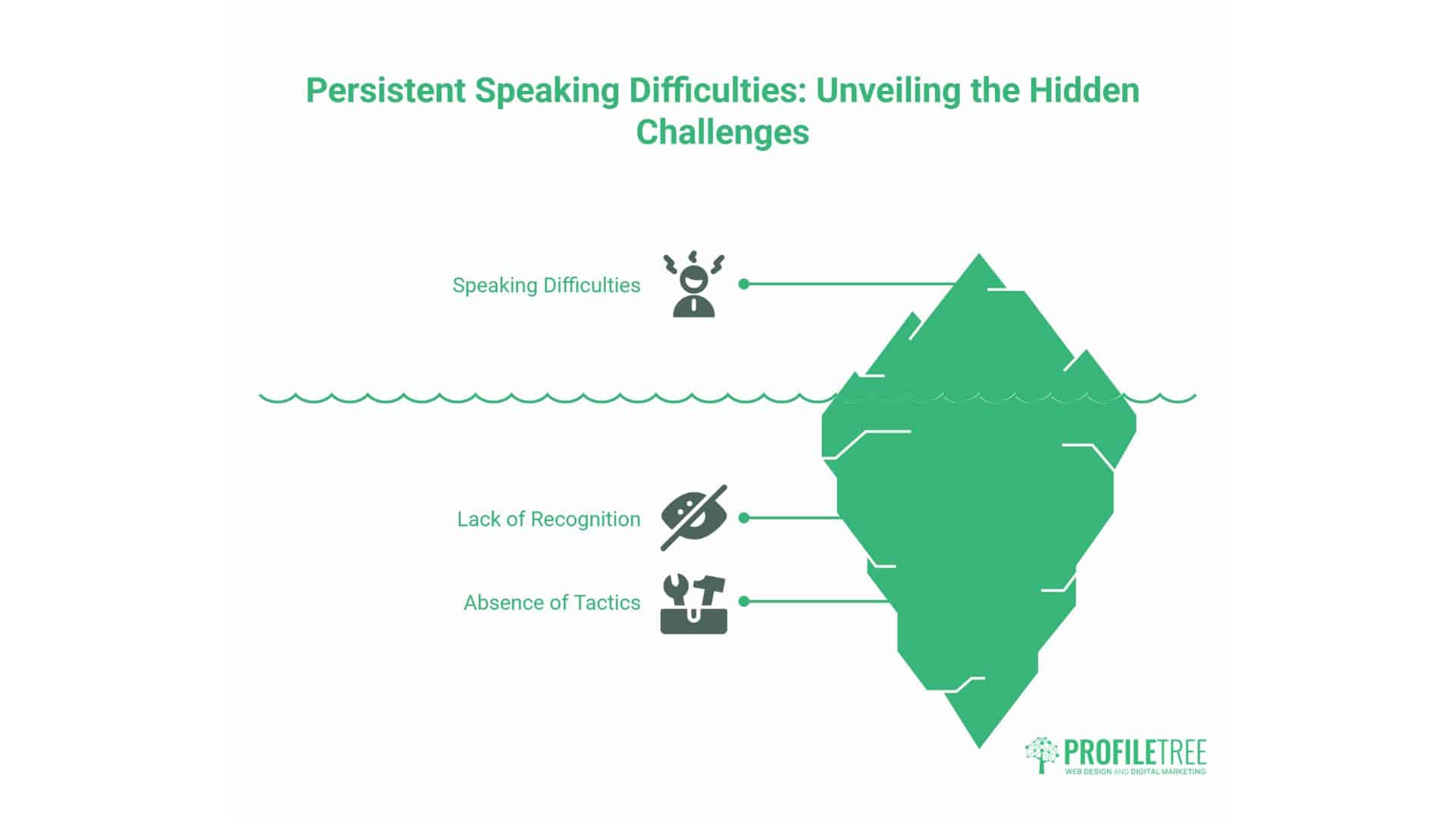
Even experienced presenters face recurring challenges. Understanding these obstacles and having strategies to address them strengthens your presentation skills.
Managing Performance Anxiety
Stage fright affects most people regardless of experience level. The physical symptoms—rapid heartbeat, trembling, dry mouth, sweaty palms—stem from your body’s stress response. While uncomfortable, these reactions don’t prevent effective presentations if you manage them properly.
Reframe anxiety as energy. The physical arousal that feels like fear is chemically identical to excitement. Your body is preparing to perform. Channel that energy into animated delivery rather than fighting it.
Preparation reduces uncertainty, which reduces anxiety. The more thoroughly you know your material, the less mental energy you spend worrying about forgetting content. This frees cognitive resources for audience engagement and adaptation.
Focus on your purpose rather than your performance. Instead of thinking “I hope I don’t mess up,” think “I’m helping these people understand something valuable.” This mental shift redirects attention from self-consciousness to a focus on service.
Breathe deliberately. Deep, controlled breathing activates your parasympathetic nervous system, helping to counteract stress responses. Several minutes of focused breathing before presenting helps significantly.
Accept that nervousness may be visible. Trying to hide it often makes it worse. Acknowledging “I’m a bit nervous because this matters” humanises you and usually reduces the anxiety.
Start with material you know cold. Opening confidence sets the tone for everything that follows. Begin with a story you’ve told often or a statistic you’ve memorised so your first minutes flow smoothly.
Handling Difficult Questions
Questions reveal engagement, but some questions challenge your expertise, disagree with your recommendations, or address topics outside your knowledge.
Listen completely before responding. Don’t interrupt or formulate your answer while the questioner is still speaking. This shows respect and reduces misunderstanding.
Clarify if needed. If a question is unclear, ask for specifics rather than guessing: “Are you asking about implementation timeline or ongoing maintenance requirements?”
Acknowledge good questions. “That’s an excellent point”, or “I’m glad you raised that”, validates the questioner and creates positive dynamics even if you disagree.
Be honest about knowledge limits. “I don’t have those specific figures with me, but I’ll research that and follow up”, demonstrates integrity. Making up answers destroys credibility when discovered.
Reframe hostile questions neutrally. If someone asks, “Why should we trust your SEO recommendations when you’re just trying to sell us services?” respond to the underlying concern: “That’s a fair question about ROI. Let me show you our track record and explain how we measure results.”
Bridge to your key messages. Use questions as opportunities to reinforce important points even if the question takes you off track: “That touches on the broader issue of website performance, which connects back to the technical SEO improvements I mentioned earlier.
Managing Time Effectively
Running over time irritates audiences and suggests poor planning. Running significantly under-allocated time may leave audiences feeling shortchanged.
Plan content for 80-85% of available time. This allows for a buffer to address questions, technical issues, or sections that take longer than expected.
Have optional content prepared. If you are running ahead of schedule, you can include additional examples or delve deeper into specific topics. If running behind, skip these optional sections without losing the core message.
Use timing landmarks. For a 30-minute presentation, know where you should be at 10 and 20 minutes. If you hit your 10-minute checkpoint but you’re only 5 minutes in, you’re pacing too slowly.
Don’t rush if you’re running behind. Speaking faster reduces clarity and increases the likelihood of mistakes. Instead, cut less essential content to stay on schedule.
Respect ending times strictly. Audiences who have other meetings or commitments resent presenters who ignore time limits.
Developing Expertise Through Practice
Speaking skills improve through consistent practice and deliberate focus on specific areas of development.
Speaking Opportunities for Skill Building
Seek varied speaking experiences to develop different aspects of your presentation abilities. Team meetings provide low-stakes practice for clearly structuring updates. Client presentations develop persuasive skills and help clients handle objections. Training sessions enhance teaching abilities and audience management skills. Industry webinars provide an engaging experience through virtual presentations and larger audiences. Conference presentations test your ability to engage unfamiliar audiences with diverse levels of expertise.
Professional organisations like Toastmasters provide structured environments for developing public speaking skills through regular practice, constructive feedback, and progressive challenges that build confidence systematically.
Internal lunch-and-learn sessions within your organisation let you present on topics you’re passionate about while helping colleagues develop skills. These relaxed settings allow experimentation with new techniques.
Learning from Presentation Masters
Study speakers whose work you admire. Watch TED Talks not just for the content, but also for the delivery technique. Notice how speakers structure arguments, use pauses, employ vocal variety, and connect with audiences.
Brené Brown’s vulnerability and authenticity demonstrate how personal sharing creates a powerful connection. Simon Sinek’s clear frameworks show how to make complex ideas accessible. Amy Cuddy’s work on body language reveals how nonverbal communication impacts presence.
Notice what makes presentations memorable. Often it’s not the volume of information but the clarity of key insights, the quality of examples, or the emotional resonance of stories.
Adapt effective techniques to your context and style. Don’t mimic others’ delivery, but learn from their strategic choices about structure, pacing, and audience engagement.
Recording and Reviewing Your Presentations
Self-assessment accelerates improvement. Recording presentations allows for an objective analysis of your actual performance, rather than relying on your perception of it.
Watch recordings with specific focus areas. One viewing might analyse vocal delivery—pace, volume, filler words, clarity. Another might examine body language and movement. Another might assess content structure and logical flow.
Note patterns rather than isolated incidents. Everyone has occasional verbal stumbles. Repeated patterns represent habits worth addressing.
Identify strengths to maintain. What worked well? Which explanations landed clearly? Which stories engaged audiences? Recognising practical elements ensures you don’t accidentally eliminate them while trying to improve.
FAQs
What are the most common public speaking fears?
Performance anxiety typically centres on several specific concerns. The fear of forgetting content worries many speakers, although this rarely happens with proper preparation. Fear of audience judgment—worrying people will think you’re incompetent—affects confidence. Physical symptoms, such as trembling or shaking of the voice, create concern about visible nervousness. Fear of questions you can’t answer worries technical presenters, particularly. Understanding that these fears are normal and manageable, rather than disabling, helps most speakers develop effective coping strategies.
How can digital marketers improve presentation skills for client meetings?
Focus on translating technical concepts into business outcomes—practice explaining SEO, website development, or content marketing strategies without jargon. Develop frameworks for presenting data that show business impact rather than just metrics. Record yourself presenting typical client updates to identify unclear explanations. Role-play difficult client questions with colleagues to prepare responses. Build a library of case studies demonstrating how your strategies generated results for similar businesses.
What equipment improves virtual presentation quality?
Audio quality matters most. A USB microphone (£50-150) dramatically improves clarity compared to laptop built-in microphones. Lighting comes next—ring lights or LED panels (£30-100) create a professional appearance. Camera upgrades are optional; most laptop cameras suffice with good lighting. Ensure a strong internet connection, preferably a hardwired Ethernet rather than WiFi. Invest in a simple backdrop or position yourself against a tidy, professional background.
How do you handle unexpected technical failures during presentations?
Prepare backup plans for common failures. If slides fail, can you present without them? Have key data memorised. If the internet connection drops during virtual presentations, have phone numbers ready to continue the meeting via audio. If microphones fail at conferences, project your voice or move closer to the audience. Stay calm—audiences understand technical difficulties happen. Your ability to handle problems with grace demonstrates professionalism. Acknowledge the issue briefly without dwelling on it, then continue delivering value.
Moving Forward with Confidence
Public speaking skills develop through consistent practice and deliberate attention to improvement. Each presentation offers opportunities to strengthen specific aspects of your delivery.
Start by focusing on thorough preparation. Know your content deeply enough to explain it flexibly. Structure your message logically with a clear beginning, development, and conclusion. Anticipate audience questions and prepare thoughtful responses.
Build experience systematically. Seek speaking opportunities that stretch your abilities without overwhelming you. Team meetings develop foundational skills. Client presentations add persuasive elements. Industry events build confidence with larger, unfamiliar audiences. Each experience contributes to your development.
Embrace feedback as a growth opportunity rather than criticism—record presentations to review objectively. Solicit specific input from trusted colleagues about areas to strengthen. Notice patterns in audience reactions: which explanations resonate, which create confusion, and which generate questions.
Accept that nervousness is a regular and manageable part of life. Even experienced speakers feel some anxiety before essential presentations. The difference is they’ve developed strategies for channelling that energy productively rather than letting it interfere with delivery.
Focus on serving your audience rather than on your performance. This mental shift reduces self-consciousness and directs attention toward providing value. When you focus on helping people understand something important, presentation anxiety tends to diminish.
Your ability to communicate complex digital marketing strategies, explain technical implementations clearly, or persuade stakeholders to invest in digital transformation directly affects your professional success. Whether presenting SEO results, proposing web design changes, delivering AI training, or pitching video production strategies, your speaking skills determine how effectively you transfer knowledge and influence decisions.
Investing in developing these skills yields compound returns throughout your career. Start with the strategies outlined here, practise consistently, and watch your professional communication transform from anxiety-producing obligation to competitive advantage.
ProfileTree supports businesses across Northern Ireland, Ireland, and the UK through digital training workshops on SEO and AI implementation, alongside professional video production and animation services that enhance business communications. Our content marketing expertise helps you develop compelling materials for various professional contexts, while our web design services create WordPress websites that effectively showcase your expertise.