
Interactive content marketing: a practical guide for SMEs
Table of Contents
Interactive content marketing means publishing tools that ask the visitor to do something, such as answer a quiz, run a calculator, or vote in a poll, and that give a personal result in return. ProfileTree, a Belfast content marketing agency, builds these tools for SMEs because the answers visitors give show what they need before anyone picks up the phone.
What is interactive content marketing?
Interactive content marketing is content that changes depending on what the visitor does. A static article gives every reader the same words, whereas an interactive version takes an input, for example, a budget, a sector, or a set of answers, and returns something that applies to that one person. The exchange is where the commercial value lies, because the visitor describes their situation in the course of getting their result.
That information is often called zero-party data, which means data a customer chooses to share with you directly, as opposed to data inferred from their browsing. A visitor who tells a cost calculator that they need a ten-page site with online booking has given your sales team a far better starting point than a record of which pages they viewed.
Interactive pieces sit within a wider content plan and do not replace articles, guides or video. For most SMEs, one well-built tool on a page that already attracts the right visitors does more than a scattering of small ones across the site. If you want help planning that wider programme, our content marketing Belfast team works with businesses across Ireland and Great Britain.
Interactive content formats and the job each one does
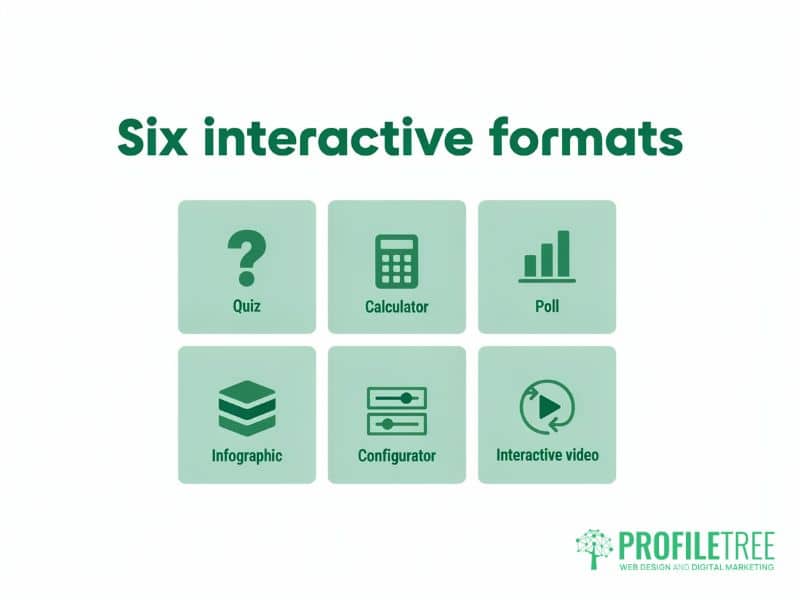
Each format suits a different point in the buying process, and the right choice depends on what you want the visitor to do next. The table sets out the common formats, the stage at which each one usually fits, what you get from the visitor, and the kind of build it needs.
| Format | Buying stage it usually suits | What the visitor gives you | Typical build |
|---|---|---|---|
| Quiz or assessment | Research and early consideration | Answers about their situation, and an email address if the result is gated | No-code form builder or WordPress plugin |
| Cost or ROI calculator | Consideration and comparison | Figures such as budget, volume, or current costs | Custom build for anything beyond simple sums |
| Poll or survey | Awareness | One or two opinions | Built into most website and social platforms |
| Interactive infographic or data tool | Awareness and research | Filter choices and time spent exploring | Designer and developer working together |
| Configurator or recommendation tool | Decision | A specification of what they want | Custom development linked to product or service data |
| Interactive video | Awareness and consideration | Choices made inside the player | Specialist video platform |
Quizzes and assessments
A quiz asks a short series of questions and returns a result that matches the answers. Assessments for business buyers usually score readiness or maturity, for example, how prepared a firm is to sell online, and then point to the next step for that score. Keep it to the questions you would ask on a first sales call, because every extra question costs completions. Our guide to how lead magnets work covers when to put a result behind an email form and when to show it openly.
Calculators and cost estimators
A calculator turns the visitor’s own numbers into an answer they care about, like a monthly cost or the time a change would save. An ROI (return on investment) calculator is the most common business version. It works best where your price or outcome depends on variables the buyer already knows. The figures it returns must come from your real pricing and methods, and the page should state what each figure assumes, because a calculator that overpromises damages trust at the moment you most need it.
Polls and surveys
A poll asks one quick question and shows the running result. It suits social channels and long articles, where it breaks up the reading and gives you a light read on opinion. Surveys go further and can feed original research, which is one of the more dependable ways to give other websites a reason to cite you.
Interactive infographics and data tools
An interactive infographic lets the reader filter or click into data, for example, comparing figures by region or by sector. These pieces take more design and development time than a quiz, so they pay back only when the data is your own or is presented in a way nobody else offers. Our page on interactive web design elements shows the on-page components these tools are built from.
Configurators and recommendation tools
A configurator lets a buyer specify what they want and see the result, for instance, a product build or a scoped service package. A recommendation tool asks a few questions and points people to the most suitable product, service, or article. Both sit close to the sale, and both depend on accurate product or service data behind them.
Interactive video
Interactive video adds choices, questions or clickable points inside the player, so the viewer decides what they see next. It needs a specialist video platform and more planning than a standard video. It is worth trying where your audience already watches longer videos, and you have more than one story to tell them.
Planning an interactive piece before anything is built
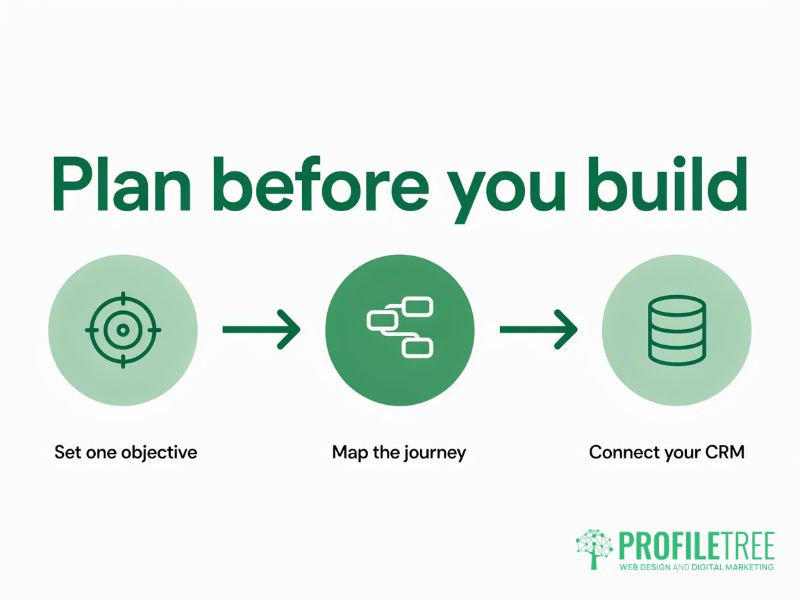
Most interactive projects that disappoint were built before anyone agreed what they were for. Settle the objective, the journey, and the data route before design starts, and the build becomes a straightforward job. Our step-by-step guide to creating interactive content covers the production work once the plan is in place.
Set one objective
Choose one measurable outcome for the piece, such as qualified enquiries from a particular service page or more visitors reaching your pricing page. A tool asked to raise awareness and capture leads at the same time usually does neither well. Write the objective down with the figure you expect to move, so that the measurement later has something to test against.
Map the user journey
Write out each screen before it is designed, from the opening promise through the questions to the result and the next step. Each screen should give the visitor something, whether that is a useful prompt or part of their result, so that the request for contact details feels like a fair trade. Decide at this stage whether the result is shown openly or sent by email, because that choice shapes the form, the consent wording and the follow-up.
Connect the answers to your CRM
A CRM (customer relationship management system) is the software that holds your contacts and sales history, such as HubSpot or Salesforce. Plan how each answer will be stored against the contact record and what happens next, for example, which email a visitor receives after a particular result and when a salesperson is alerted. Without that connection, the answers sit in a form plugin, and nobody acts on them.
“One interactive tool that answers a question nobody else on page one answers is worth more to a business than ten pages that round up what is already there. That is the standard ProfileTree’s content marketing team in Belfast works to for every client, and it applies to a quiz or a calculator as much as it does to an article.”
Ciaran Connolly, founder of ProfileTree
Data protection and accessibility rules for interactive tools
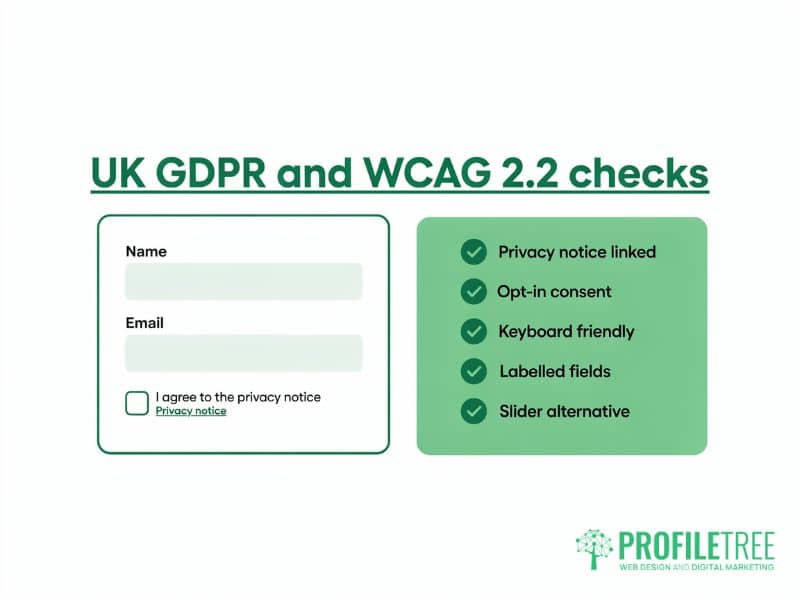
Interactive tools collect personal data and depend on people being able to operate them, so data protection law and accessibility standards both apply from the first draft. Treat this section as a checklist to raise with whoever builds it and, for the legal points, with your own legal adviser.
Consent and privacy notices under UK GDPR
UK GDPR (the UK version of the General Data Protection Regulation) requires a lawful basis for collecting personal data and a clear explanation of how it will be used. Every tool that asks for a name or an email address therefore needs a link to your privacy notice beside the form, and it should ask only for what the result and the follow-up need.
Marketing emails are also covered by PECR (the Privacy and Electronic Communications Regulations). The guidance on electronic mail marketing from the Information Commissioner’s Office (ICO), the UK data protection regulator, says you need specific consent before sending marketing emails to individuals, such as an opt-in box the visitor ticks. The soft opt-in exception covers people who have bought or negotiated to buy from you, and the ICO states that it does not cover prospective customers, so a quiz completion on its own does not qualify. The ICO notes that this guidance is under review following the Data (Use and Access) Act 2025, so check the current position before launch.
Meeting WCAG 2.2 for quizzes, sliders and forms
WCAG 2.2 (the Web Content Accessibility Guidelines, version 2.2) is the W3C standard for accessible web content, published as a recommendation in October 2023. For quizzes, forms and sliders, the practical requirements are that every control works with a keyboard alone, every field and answer option has a label a screen reader can announce, the keyboard focus stays visible as the visitor moves through the tool, and colour is never the only sign that something has been selected.
Version 2.2 also added a requirement covering dragging movements. Anything operated by dragging, such as a price slider, needs a simple alternative such as plus and minus buttons or a box where the visitor can type the value. Our website development team can build and test interactive tools against these requirements before they go live.
How interactive pages perform in search and AI answers
Search engines and AI assistants read text, so an interactive tool helps a page’s visibility only when the page around it explains the topic in words. Google’s guidance on AI features and your website, last updated in December 2025, says there are no extra requirements for appearing in AI Overviews (the AI-written summaries at the top of some Google results) or AI Mode (Google’s conversational search). It asks site owners to make important content available as text and to keep structured data (code that labels page details for search engines) consistent with what visitors can see.
In practice, the tool should sit on a page that answers the main question in its first paragraph and explains how the tool works and what its results mean. A calculator whose answers exist only inside the browser script gives a search engine little to read, while a short written explanation of the method beside it gives people and AI systems alike something they can quote. Keep the page quick to load as well, because a heavy embed that delays the page works against the page experience Google asks for.
Measuring whether interactive content is working
Measure each tool against the single objective you set for it, using figures from your own analytics. For a lead tool, the useful measures are the share of visitors who start it, the share who finish it, and the number of finished results that turn into enquiries or sales conversations. For an awareness piece, track completions and the number of visitors who move on to a service page afterwards.
GA4 (Google Analytics 4, Google’s current analytics platform) records these as events, meaning named actions like a quiz start or a form submission, once they have been set up. Set them up before launch, because the first few weeks of figures become the baseline you compare every later change against. Review drop-off question by question as well. A single question that loses a large share of visitors is usually the cheapest thing on the page to fix, and rewording or removing it often lifts completions more than a redesign would.
Getting an interactive tool planned and built
The quickest route for most SMEs is to start with one quiz or calculator on the page that already gets the most relevant traffic, measure it for a few months, and then decide whether to build more. A simple quiz can be set up with a no-code form builder such as Typeform or a WordPress form plugin. A calculator, a configurator or anything linked to a CRM needs development work.
ProfileTree is a Belfast web design and digital marketing agency, founded in 2011 and based at the McSweeney Centre. We plan interactive pieces as part of a content programme and build them on WordPress, so the tool and the written content around it are designed together. Custom interactive tools are quoted on request, and development work on an existing site is charged by the hour. A new website starts from £4,000 plus VAT.
To talk through which format suits your site and which page to start with, see our content marketing service for businesses across the UK and Ireland.
FAQs
1. What is the difference between interactive and static content?
Static content gives every visitor the same words and images, while interactive content changes its output based on the visitor’s entries or choices. That difference lets an interactive page return a personal result and collect the information shared along the way, which a static page cannot do.
2. Which interactive format should a small business try first?
A short quiz or a simple calculator is the usual starting point for a small business. Either can be built quickly and placed on a service page with steady traffic, and a few months of data will show whether your visitors use it. Leave configurators and interactive video until you know the format works for your audience.
3. How much does it cost to build interactive content?
The cost depends on the format and on whether the tool connects to other systems. A simple quiz can be set up on a no-code platform for the cost of its subscription, while a custom calculator or configurator needs development time. At ProfileTree, custom interactive tools are quoted on request and development work is charged by the hour.
4. Does interactive content help SEO?
Interactive content helps SEO (search engine optimisation) when the page around it carries a clear written explanation that search engines and AI assistants can read. Google’s guidance on AI features asks for important content in text form, so a tool on its own adds little. A tool supported by a useful written answer gives the page something that other results do not have.
5. Can I build interactive content in WordPress without a developer?
You can build simple formats such as polls and quizzes in WordPress without a developer, using form plugins or embeddable no-code tools. You will usually need a developer once the tool has to connect to your CRM, use your own pricing logic, or meet WCAG 2.2 in full.