
Interactive Scrolling and SEO: Parallax, Animation, and Performance
Table of Contents
Parallax scrolling and animated scroll effects make websites feel alive, but a poor build can quietly cost you rankings, mobile users, and accessibility compliance. The conflict is real: the visual techniques that win attention on desktop often slow pages down, confuse search crawlers, and trigger motion sickness in some visitors.
This guide explains how interactive scrolling actually works, where it helps and where it hurts search performance, and how to build parallax and scroll-triggered animations that stay fast, crawlable, and accessible. The short version: interactive scrolling is safe when applied with modern CSS on a multi-page structure, and risky when bolted onto a single bloated page.
What is Interactive Scrolling?
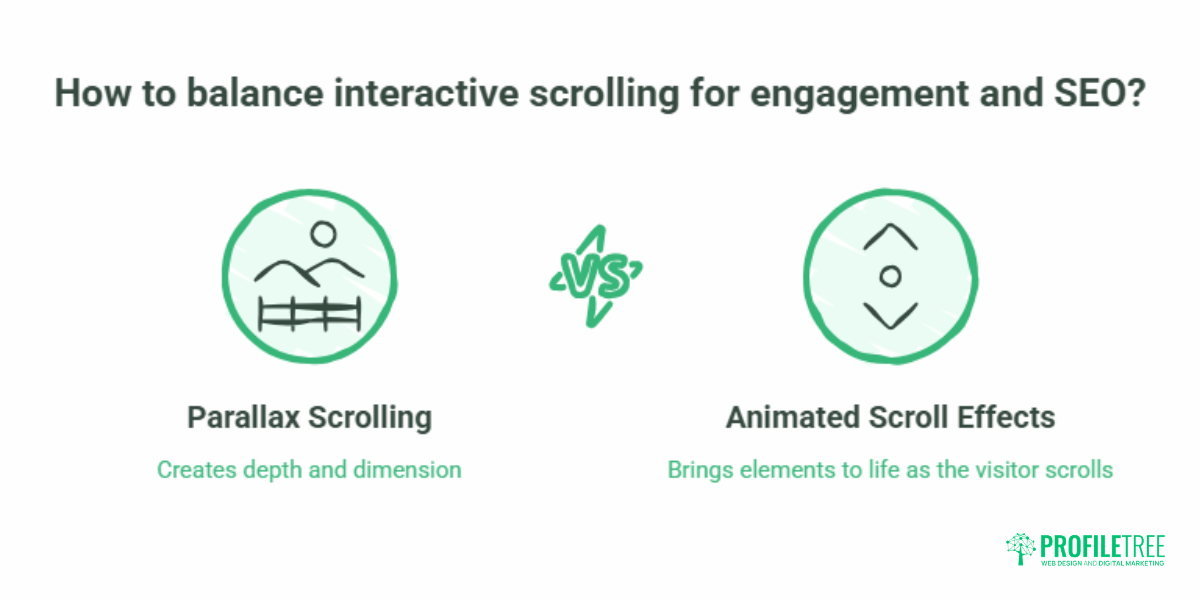
Interactive scrolling is a design technique that responds to the user’s scroll action by changing visual or functional elements on a webpage. Scrolling is the primary way people move through content, so it becomes a useful trigger for movement, transitions, and reveals.
Two techniques dominate. Parallax scrolling creates depth by moving background and foreground layers at different speeds. Animated scroll effects bring elements to life as the visitor reaches set points on the page. Both use the scroll position as a trigger, and both can guide attention toward key content or a call to action when handled with restraint.
The benefit for a business website is engagement. The risk is that the same effects, applied without technical care, drag down load speed and search visibility. Getting the balance right is part of considered web design rather than decoration for its own sake.
Parallax Scrolling: Creating Depth and Dimension
Parallax scrolling is one of the most widely used interactive scrolling techniques. Different visual elements move at varying speeds as the user scrolls, producing an illusion of depth. Background elements move more slowly than foreground elements, giving the impression that the background sits farther away. It is the same effect you notice in a moving car, where nearby objects rush past while distant scenery drifts slowly.
You will see parallax most often on one-page websites, landing pages, and portfolios. It adds intrigue and helps draw the eye toward specific content as the visitor moves down the page.
How Parallax Scrolling Works
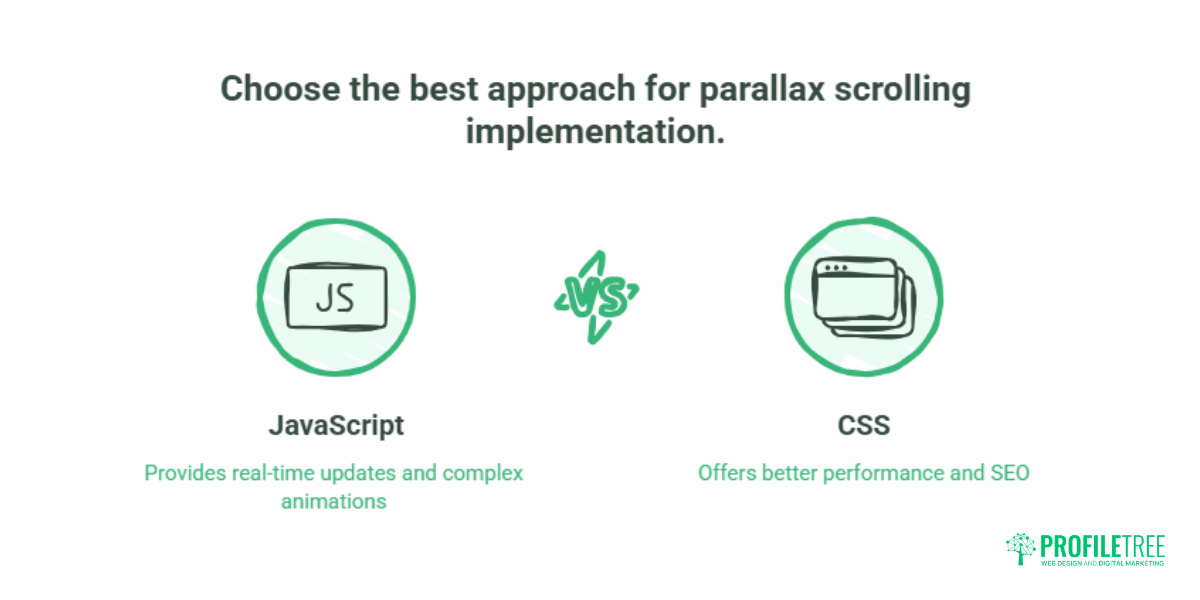
The technical implementation positions elements with different z-index values and adjusts their movement relative to the user’s scroll position. As the page scrolls, JavaScript or CSS detects the action and shifts elements along the X, Y, or Z axes. Background layers are set to a slower scroll rate while foreground content moves at a normal or faster pace.
Layered Design and Implementation
Parallax often layers text, images, and video so each moves independently, building the sense of space. Developers commonly combine JavaScript and CSS: JavaScript detects scroll events and updates positions in real time, while CSS handles positioning and layering. As we will cover below, the modern preference is to lean far harder on CSS and far less on JavaScript, because that single choice protects your page speed.
Advantages of Parallax Scrolling
Parallax can lift engagement by adding visual depth that makes content feel immersive. It helps a site stand out and leave a memorable impression. It also supports narrative structure, guiding visitors through a sequence where elements are revealed in order, which suits storytelling and product reveals.
Disadvantages of Parallax Scrolling
The drawbacks are practical. Parallax effects can be resource-intensive, and on lower-end devices or slow connections, they cause sluggish load times and jerky animation. Some visitors, particularly those with motion sensitivity or cognitive impairments, find the movement distracting or disorienting, so a way to disable it matters. There are SEO considerations too: content hidden behind layers or loaded dynamically may not be indexed properly, which weakens search visibility.
Animated Scroll Effects: Bringing Websites to Life
Animated scroll effects trigger animations or transitions when the visitor scrolls to a certain point. These range from fading in images and sliding text to colour changes and interactive elements that respond to input. Where parallax focuses on depth and layering, animated scroll effects animate individual elements based on scroll position.
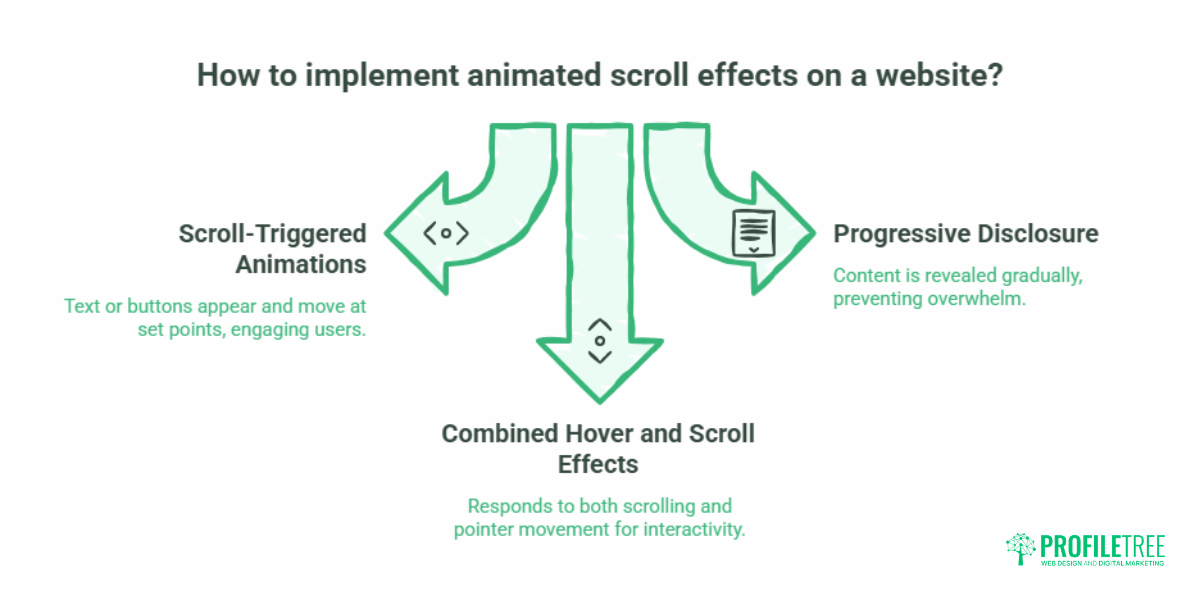
The most common forms are scroll-triggered animations, where text or buttons appear and move at set points; progressive disclosure, which reveals content gradually so a long page feels less overwhelming; and combined hover and scroll effects, which respond to both scrolling and pointer movement for a more interactive feel.
How Animated Scroll Effects Work
The mechanics combine CSS, JavaScript, and scroll events. JavaScript listens for the scroll event, reads the user’s scroll position, and triggers animations when the visitor reaches defined points. CSS transitions and keyframes then animate the elements.
Developers set trigger points, for example, starting an animation when the user scrolls 200 pixels or when a specific element enters the viewport. Libraries such as AOS (Animate on Scroll), ScrollMagic, and GSAP (GreenSock Animation Platform) reduce the code needed to build these effects, though heavier libraries carry a performance cost worth weighing carefully.
Advantages of Animated Scroll Effects
Animated scroll effects can hold attention and keep visitors exploring, and they can emphasise key messages or calls to action. Like parallax, they add visual richness and movement. They also support storytelling, helping illustrate complex ideas as the visitor scrolls.
Disadvantages of Animated Scroll Effects
Complex animations can strain performance, especially on mobile, so developers must optimise them to run smoothly across devices. Used excessively, the effects overwhelm visitors and make a site feel busy. And as with parallax, heavy animation or JavaScript-driven content can resist indexing and create accessibility barriers, so SEO and accessibility have to be planned in, not patched on later.
Does Interactive Scrolling Hurt SEO?
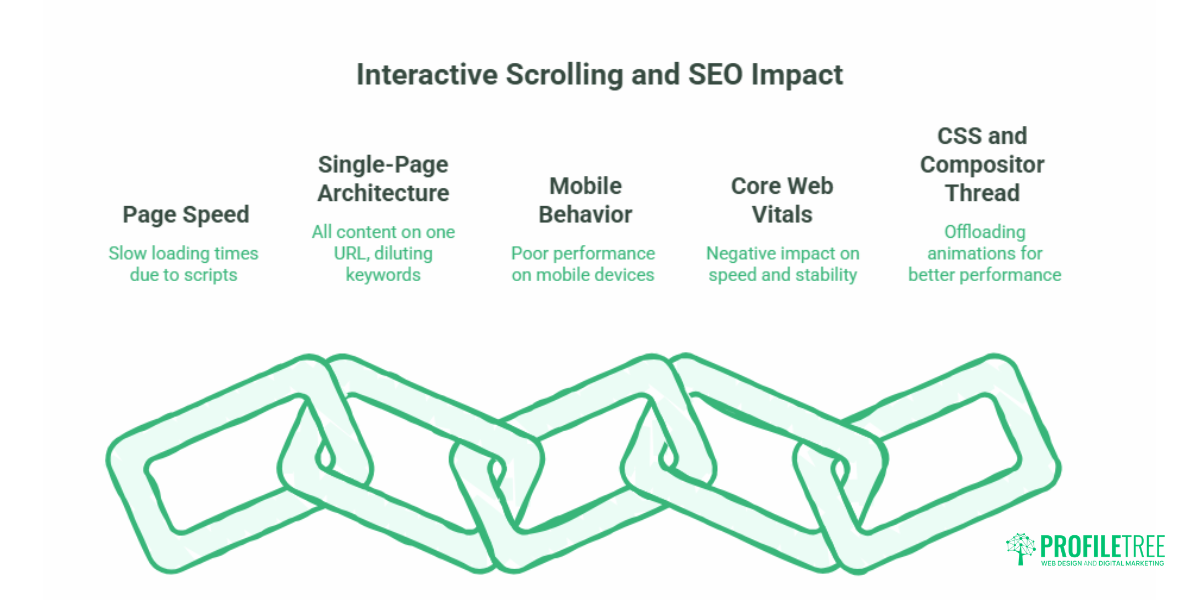
Not directly. Parallax scrolling and scroll animations do not damage rankings on their own. The damage comes from how they are implemented. Three issues account for almost all the lost visibility: page speed, single-page architecture, and mobile behaviour.
Google’s own guidance is consistent on the underlying points. Important content needs to exist in textual form that crawlers can read, page experience signals feed into ranking, and structured data should match what visitors actually see. Interactive scrolling fails search engines when it buries text inside scripts, collapses an entire site into one URL, or tanks load performance. The fixes below address each cause in turn, and they sit at the heart of sound technical SEO.
Core Web Vitals: Speed, Layout Shift, and Responsiveness
Core Web Vitals measure loading, visual stability, and responsiveness, and interactive scrolling can drag down all three. Scroll-event listeners written in JavaScript fire continuously as the visitor scrolls. Each fire can force the browser to recalculate the layout on the main thread, which blocks the page from responding quickly to taps and clicks. That delay shows up as a poor Interaction to Next Paint (INP) score.
Parallax also threatens Cumulative Layout Shift (CLS) when foreground assets move or load late and push content around. The browser aims to paint each frame inside roughly a 16.7 millisecond window to hit 60 frames per second; heavy scroll scripts blow past that budget and produce the jank visitors notice. Offloading animation to CSS and the compositor thread keeps the main thread free and the page fluid. If general loading and stability are the wider concern, our guide to website speed optimisation covers the broader fixes.
Single-Page Architecture and Keyword Dilution
Parallax is popular on single-page sites, and that creates a search problem. One page can realistically target one tight cluster of keywords. Fold your services, locations, and blog into a single scrolling page, and you dilute every keyword signal, with no dedicated URL to rank for specific transactional searches. You also lose the internal linking structure that helps search engines understand and prioritise content. Sensible site architecture and internal linking solve this, which the hybrid approach below puts into practice.
Mobile Usability and Viewport Rendering
Parallax frequently misbehaves on mobile. The CSS property background-attachment: fixed, long used to anchor parallax backgrounds, is effectively ignored by iOS Safari and behaves erratically on mobile Chrome, because mobile GPUs handle scroll-linked positioning and rasterisation differently from desktops. The result is broken layouts or laggy scrolling on exactly the devices most of your visitors use. The reliable fix is to disable parallax below a set viewport width, usually 768 pixels, and serve a clean static layout, which keeps you aligned with Google’s mobile-first indexing.
The Modern Hybrid Architecture Solution
The hybrid approach is the compromise that ranking guides agree on. Keep the immersive parallax design on the homepage, where branding and visual storytelling do real work, and build your services, products, and blog as standard, fast-loading, fully crawlable subpages. You capture attention on the front page while keeping targeted internal pages that rank for specific terms.
For modern stacks, the same principle holds with server-side rendering. Frameworks such as Next.js and Nuxt render the full HTML on the server before any scroll animation runs in the browser, so crawlers read complete, indexable content without waiting for JavaScript execution. The animation then layers on after hydration. This avoids the hydration mismatches and layout shifts that catch out single-page apps, and it is a common discussion point in any serious website development project.
Best Practices for High-Performance Interactive Scrolling
Build interactive scrolling, so it serves the visitor rather than the designer’s portfolio. A handful of decisions separate a fast, compliant site from a sluggish one.
Replace Heavy JavaScript with Modern CSS
Traditional parallax leaned on jQuery, ScrollMagic, or GSAP, all of which run on the main thread and add weight. Modern CSS does much of this work natively. Pure CSS parallax using transform and perspective, and the newer CSS Scroll-Driven Animations API, run on the compositor thread and hit smooth 60fps rendering without bulky scripts. The practical rule: reach for JavaScript only when CSS genuinely cannot achieve the effect.
Build in Accessibility with prefers-reduced-motion
Heavy motion can cause nausea, vertigo, and, in rare cases, seizures for people with vestibular conditions. The prefers-reduced-motion media query lets you respect the visitor’s own system settings and switch intense animation off automatically:
@media (prefers-reduced-motion: reduce) {
  .parallax-bg {
    background-attachment: scroll !important;
    transform: none !important;
  }
}
This is a small block of code with a large effect on usability, and it is the single most important accessibility step for any animated site.
Use Animation Sparingly and Test on Mobile
Too many effects overwhelm visitors and bury the message. Use scroll-triggered animation only where it serves a purpose, such as guiding attention or revealing content in a deliberate order. Reduce the number of animated elements, favour lightweight methods, and test load times across desktop, tablet, and mobile. Mobile responsiveness is not optional, given how visitors browse today.
Keep Content Crawlable
Make sure text and key elements exist in the HTML rather than being hidden behind layers or injected only after a scroll event. Effects should not interfere with indexability. If a crawler cannot read it, it cannot rank it.
Legal Compliance: Accessibility Law in the UK, Ireland, and Europe
Accessibility is no longer just good practice; it is a legal duty, and it overlaps directly with Google’s user experience signals. In the UK, the Equality Act 2010 requires that services, including digital ones, do not discriminate against disabled users, and the Public Sector Bodies (Websites and Mobile Applications) Accessibility Regulations 2018 set explicit standards for public sector sites. Across the EU and Ireland, the European Accessibility Act (Directive 2019/882) extends accessibility requirements to a wide range of consumer products and services.
For interactive scrolling, the relevant point is motion. Animations that cannot be disabled may exclude users with vestibular disorders and expose an organisation to compliance risk. Offering a motion toggle and honouring prefers-reduced-motion is a straightforward way to reduce that risk while improving the experience for everyone. Teams that want to build this thinking into their wider digital approach often fold it into digital strategy and staff digital training so it becomes standard practice rather than an afterthought.
As Ciaran Connolly, founder of ProfileTree, puts it: “Balancing creative design with accessibility is no longer optional. The sites that perform best in search are the ones that load fast, work on a phone, and respect how each visitor wants to experience them.”
Comparing Rendering Methods and Site Structures
The two tables below summarise the technical trade-offs covered above.
Rendering Methods Compared
| Method | Main-Thread Impact | Ease of Build | Browser Support | SEO Risk |
|---|---|---|---|---|
| JavaScript (GSAP, ScrollMagic) | High | Moderate | Broad | Higher |
| Pure CSS (transform, perspective) | Low | Moderate | Broad | Low |
| CSS Scroll-Driven Animations API | Very low | Easier | Modern evergreen browsers | Low |
Site Structures Compared
| Factor | Single-Page Parallax | Multi-Page Hybrid |
|---|---|---|
| Crawl efficiency | Limited | Strong |
| Keyword targeting | Diluted | Precise |
| Core Web Vitals | At risk | Manageable |
| Engagement | High on the desktop | High across devices |
Indicative figures and platform behaviours described here reflect general industry guidance and can change as browsers and Google’s systems update. Confirm current support before building.
Interactive Scrolling SEO Checklist
Before launch, run through the essentials: compress images to WebP or AVIF; confirm text content sits in the HTML, not behind scripts; set a viewport meta tag and test on real devices; disable parallax below 768 pixels; honour prefers-reduced-motion; verify server-side rendering returns full content for crawlers; and check Core Web Vitals after the effects are live, not just before.
Conclusion
Interactive scrolling, through parallax and animated scroll effects, can make a website genuinely engaging, but only when performance, accessibility, and SEO are built in from the start. Favour modern CSS over heavy JavaScript, keep a multi-page structure so your content stays crawlable, respect motion preferences, and test relentlessly on mobile. Handled this way, scroll effects support your search visibility rather than undermine it. If you want a build that balances all three, talk to the ProfileTree team.
Frequently Asked Questions
Is parallax scrolling bad for SEO?
Not inherently. Poor implementations hurt rankings: a single bloated page with heavy JavaScript loads slowly and targets keywords weakly. A multi-page hybrid structure with clean CSS keeps your site fully optimised for search.
Does parallax scrolling work on mobile devices?
It often behaves poorly. Properties like background-attachment: fixed are disabled or laggy on iOS Safari and mobile Chrome because mobile GPUs process scroll updates differently. The fix is to disable parallax below 768 pixels and serve static layouts that support mobile-first indexing.
What is the hybrid approach in parallax web design?
It keeps immersive parallax on the homepage, where branding matters most, while using fast, structured subpages for services, products, and blog content. You capture interest on the main page and keep targeted, crawlable internal pages that rank for specific terms.
How does parallax scrolling affect Interaction to Next Paint (INP)?
JavaScript scroll listeners track scroll position and trigger continuous layout recalculations on the main thread. That blocks the page from responding to taps and clicks, raising INP. Moving animation to the compositor thread with CSS keeps the main thread free and responsive.
Are there legal accessibility risks to heavy parallax in the UK?
Yes. Heavy motion can cause physical discomfort for users with vestibular conditions. Under the Equality Act 2010 and the European Accessibility Act, sites should offer an accessible experience, so use the prefers-reduced-motion media query to let users disable intense animation.