
Social Media Video Editor: How UK Businesses Should Choose Tools, Talent or an Agency
Table of Contents
Short-form video is one of the highest-returning content formats a small or medium-sized business can produce, and the choice of social media video editor, whether that means an app, a freelancer or an agency, shapes how well that content actually performs. Most guides to this topic are written for solo creators experimenting with a personal account. A business owner briefing a social media video editor for a brand has different priorities: consistency, compliance, and a return on the time or money spent.
This guide covers what a social media video editor does for a business, compares DIY software, a freelance social media video editor and an agency, reviews the tools worth knowing in 2026, and covers the parts of the workflow most advice skips, including UK audio licensing and safe zones.
What a Social Media Video Editor Actually Needs to Deliver for a Business
A social media video editor is not simply trimming clips into a shorter file. For a business, the job involves keeping brand identity consistent across every post, adapting footage to the format each platform expects, managing audio rights, and making sure every video earns its place in the wider marketing plan.
That distinction matters more than it first appears. A creator editing personal content can experiment freely and move on if a post underperforms. A business publishing product demonstrations, service explainers or client testimonials cannot afford the same trial and error, because each video carries the brand’s reputation with it, which is why editing decisions increasingly sit inside a wider video marketing strategy rather than being treated as a one-off task.
Getting this right also feeds back into a wider social media marketing plan, since a well-edited video only performs if it reaches the right audience once it is published.
The Three Questions to Answer Before Briefing a Social Media Video Editor
Before choosing a social media video editor, three questions need answering.
What is this video for? A product walkthrough behaves differently to a fifteen-second Reel designed to reach new audiences, and the purpose sets the format, length and quality bar.
Where will it be published? Each platform has its own aspect ratio, safe-zone rules and audio requirements. A video cut for TikTok will not automatically work on YouTube Shorts or LinkedIn.
Who is doing the editing? A team member with limited experience needs an accessible tool. A business wanting higher production values either needs in-house skill with professional software, or needs to hand the work to a social media video editor who already has it.
Choosing a Social Media Video Editor: DIY, Freelancer or Agency
Most UK businesses settle on one of three routes: editing in-house, hiring a freelance social media video editor, or working with an agency. Each has a legitimate place, and the right choice depends on volume, budget and how central video is to sales.
DIY Tools and in-house Editing
Editing in-house with a free or low-cost app suits businesses posting frequently on a tight budget, particularly for trend-led content that needs to go out the same day. The trade-off is time: someone on the team learns the software, adapts each video to different platforms and keeps the output on-brand, all of which takes hours that could otherwise go towards strategy or client work.
Hiring a Freelance Social Media Video Editor
A freelance social media video editor is a reasonable middle ground for a growing brand that needs consistent output without the overhead of a full team. Freelancers typically work faster than an in-house beginner and bring an outside eye to pacing, though strategic input tends to be lighter than an agency provides, and quality varies between individuals.
Working With a Social Media Video Editor Agency
An agency-based social media video editor service suits businesses where video is central to how they sell, or where the team’s time is better spent elsewhere. The value is not just the edit but the surrounding process: scripting, filming, formatting, and a strategy that ties video back to commercial goals.
“Most SMEs don’t need a different video for every platform produced from scratch. They need one strong piece of footage edited properly for each audience,” says Ciaran Connolly, founder of ProfileTree.
ProfileTree’s video production process covers this full workflow for SMEs across Northern Ireland, Ireland and the UK, from scripting and filming through to platform-ready delivery, so businesses that want the output of a professional social media video editor without building that skill set internally have a direct route to it. That route usually works best alongside some digital strategy planning, so the videos produced actually connect to a wider marketing plan rather than sitting as standalone content.
The Social Media Video Editing Tools Worth Knowing in 2026
Software choice matters most for businesses handling editing in-house, and the market splits into mobile-first apps, browser-based design tools and full desktop suites. None of these replace a social media video editor with genuine production experience, but they are a sound starting point for many SMEs.
Capcut for Speed and Templates
CapCut remains one of the most widely used tools for short-form editing, free across mobile, desktop and browser, with a large template library that lowers the technical barrier for a business owner with no editing background. Its auto-captioning works across several languages, useful for any business reaching audiences in both Northern Ireland and the Republic of Ireland, and background removal, AI-generated b-roll and script-to-video features are included in the free tier.
The limitation shows up once brand quality becomes the priority. Templates are widely used, so content can end up looking similar to thousands of other businesses that started from the same template. Colour accuracy, layered audio work and complex multi-track edits are harder to achieve cleanly, and a business relying on CapCut alone will eventually hit a ceiling on production value. Its built-in AI-powered marketing tools, such as auto-captioning and background removal, are genuinely useful, but they work best as a starting point rather than a finished production process.
Canva Video for Graphic-led Content
For a business already using Canva for social graphics, Canva Video extends that into short animated clips, branded slides and simple promotional videos. It is not a full editing suite in the way CapCut or Premiere Pro are, but it produces professional-looking results quickly for businesses without much raw footage to work with.
Adobe Premiere Pro and Davinci Resolve for Higher Production Value
Businesses producing content that represents them at a higher level, such as product films or long-form YouTube content, generally need desktop software. Adobe Premiere Pro remains the industry standard, integrating with After Effects and Audition. DaVinci Resolve is a credible free alternative, particularly strong on colour grading.
Both tools carry a genuine learning curve. Without someone in-house who already knows the software, or without proper training, the results tend to fall short of what the tools are capable of, which is where working with a social media video editor who already knows the platform, or investing in structured training, tends to pay off faster than self-teaching. Video published to a slow or poorly built site also undermines the effort put into editing it, so it is worth checking that the website development services behind the page can actually handle video content properly before investing heavily in production.
The Workflow a Social Media Video Editor Should Follow, From Edit to Publish
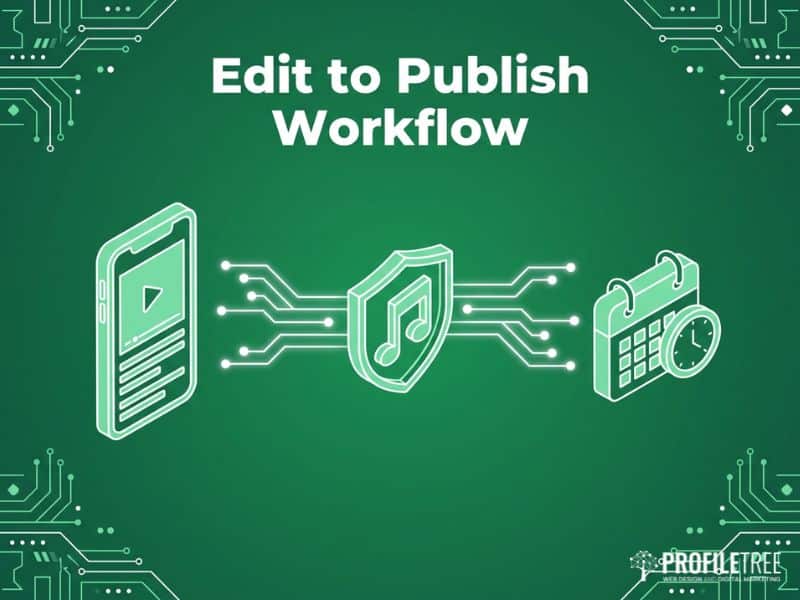
Most advice stops at export, but a competent social media video editor’s workflow extends well beyond that, into how the video is formatted, captioned, licensed and scheduled.
Aspect Ratios and Safe Zones
TikTok, Instagram Reels and YouTube Shorts all use a 9:16 vertical format, but the interface sits in different places on each. On TikTok, the caption bar, like counter and profile link cover the lower part of the screen; on YouTube Shorts, the layout differs again. A single export posted identically across all three will get partially obscured on at least one, a detail a good social media video editor checks before publishing rather than after.
Captions That Hold Up Under Review
Captions are no longer optional. A large proportion of social video is watched without sound, particularly on LinkedIn and in workplace settings, and Facebook’s own internal figures, widely cited since 2016, put silent viewing on that platform as high as 85%. Whatever the exact figure on any given platform today, the direction is consistent: content that only works with sound on will lose most of its audience.
AI-generated captions from tools such as CapCut are a reasonable starting point, but they need a human review pass, particularly for brand names, technical terms and Northern Irish place names. Accurate captions also feed into a wider search engine optimisation strategy, since transcribed text can support how video content is indexed and found.
Audio Licensing for Business Accounts
This is the part most guides skip. A trending audio track on a personal TikTok or Instagram account is not the same as using it on a business account. Many tracks are cleared for personal use only, and content using them commercially risks removal. Royalty-free libraries such as Epidemic Sound or Artlist are worth the subscription for any business producing content at meaningful volume, and it is worth checking a platform’s current commercial-use terms before building a content series around a specific sound.
UK businesses should also be aware that PRS for Music’s guidance on using music online confirms that social platforms such as YouTube and Facebook generally hold their own licensing agreements separate from a business’s own website, so the two are not automatically covered by the same rules.
Scheduling and Consistency
Editing and posting are separate jobs. Tools such as Metricool, Buffer or Hootsuite allow a business to batch-edit content, schedule it across platforms and keep a consistent publishing rhythm without needing someone active on every channel in real time. Building this into the process from the outset is far more sustainable than posting whenever time allows, and it fits naturally alongside broader social media marketing campaigns rather than sitting apart from them.
Where video is embedded directly on the business’s own website, reliable website hosting and maintenance also matters, since slow-loading pages undo a lot of the benefit of a well-edited video.
When to Stop Editing in-house and Bring in a Social Media Video Editor
There is a point in most businesses’ growth where in-house editing stops being the best use of anyone’s time.
If video is central to the sales process, such as product demonstrations or client testimonials, production quality is part of the trust signal a prospective customer reads. Rough or inconsistent editing works against the sale rather than for it.
If the team spends more time on the edit than on the marketing strategy behind it, the priorities have inverted, and the fix is a broader video production plan rather than a better tool.
If the business wants to move from short-form social content into longer-form YouTube content, which can keep generating traffic long after publication, the quality bar changes. YouTube rewards watch time, and watch time is closely tied to pacing and production quality, which is exactly the point where a professional social media video editor handling video content creation tends to outperform a template-driven app.
For businesses that want to build editing capability internally rather than outsourcing it entirely, ProfileTree’s digital training programmes cover video editing and content strategy for marketing teams who want to learn the process properly.
AI Tools Changing What a Social Media Video Editor Does
AI features inside editing software have moved quickly, and several are genuinely useful for a business today rather than a future consideration.
Auto-captioning is the most immediately practical: CapCut, Adobe Premiere Pro and Descript all offer transcription-based captions accurate enough for light editing, though a human pass is still needed for names and technical terms.
AI-assisted background removal helps with talking-head content filmed in an uncontrolled environment, though it works best as a workaround rather than a substitute for a properly set up shoot.
Script-to-video tools, where a written script becomes a video with AI-generated visuals, remain limited for business use. The output is usually identifiable as AI-generated, so these tools are worth watching rather than relying on right now.
AI tools that scan longer footage and pull out the strongest short clips are more immediately useful. A tool such as Opus Clip can take a webinar or product demonstration and identify the segments most likely to perform as short-form content, adding captions and formatting automatically, which extends a business’s reach without a social media video editor manually cutting every clip by hand.
ProfileTree works with SMEs on AI marketing automation, covering content production, automation and training for teams who want to use these tools properly rather than experimenting without a plan. Some of that automation now overlaps with AI chatbot development, particularly where a business wants video content and on-site conversation to work together as part of the same customer experience.
Fitting Social Media Video Editing Into a Wider Content and YouTube Strategy
Video should not be planned in isolation from everything else a business publishes. The most effective use of a social media video editor’s time is turning existing content into short-form video, or supporting a content plan that already has clear goals.
A service page explaining how a business approaches a common problem can become a sixty-second Reel. A blog post answering a frequent question can become a short series of clips. A client testimonial filmed once can be edited separately for YouTube, LinkedIn and Instagram, each version suited to that platform’s audience.
This is where video editing connects to a wider digital marketing strategy, one that treats video as a planned channel from the start, with production, editing and distribution mapped to commercial outcomes rather than added on afterwards.
Short-form social video and YouTube content are related but not the same task. YouTube functions as a search engine: videos rank for specific queries and can keep sending traffic long after publication, unlike Instagram or TikTok, where content has a short shelf life driven mainly by the algorithm at the point of posting.
YouTube: A Different Job for a Social Media Video Editor
For that reason, the standard a social media video editor works to on a YouTube upload needs to reflect the fact that the video might still be earning views in two years, which is why channel strategy and production for YouTube tend to sit best as part of a long-term plan rather than a secondary output of short-form social content.
Getting the Brief Right Before You Hire a Social Media Video Editor
The quality of the finished video depends heavily on the brief given at the start, whether the work goes to an app, a freelancer or an agency. A useful brief for a social media video editor covers the video’s purpose, the platform and format it needs to fit, the brand assets available (logo, colours, fonts), any compliance requirements, and the outcome the business wants, whether that is awareness, leads or sales. Those brand assets usually come from the same source as the website design services a business already uses, so keeping the two consistent is worth checking before filming starts.
Businesses that skip this step tend to end up with content that looks fine in isolation but does not fit the wider plan, one of the most common and avoidable reasons a video underperforms.
FAQs
What is the best free social media video editor for a small business?
CapCut is the most capable free option, with AI captioning, templates and mobile, desktop and browser versions. Canva Video is a strong alternative for graphic-led content.
Do I need different edits for TikTok, Instagram Reels and YouTube Shorts?
Yes. All three use a 9:16 vertical format, but the interface sits differently on each, so text and key visuals need adjusting per platform.
Is CapCut suitable for business use under GDPR?
CapCut is owned by ByteDance. If footage includes identifiable people, check its data processing terms before uploading to the cloud. Editing locally on desktop software is the safer option for sensitive content.
Can I use trending audio on a business social media account?
Not reliably. Many tracks are cleared for personal use only, and commercial use risks removal. A royalty-free library such as Epidemic Sound or Artlist covers business use.
When does it make sense to hire a professional social media video editor?
When video is central to the sales process, when in-house editing takes time away from strategy, or when testimonials or product films need to perform consistently over time.
How long should social media videos be for a business account?
Under thirty seconds for reach-focused Reels and TikToks, under sixty seconds for YouTube Shorts. Long-form YouTube content tends to perform best between seven and fifteen minutes when the topic justifies it.
Should a social media video editor work from a script or shoot freely?
A short script or shot list speeds up editing and keeps the video on message. Freeform filming suits spontaneous, trend-led content, but planned campaigns benefit from a script agreed in advance.