5 Technical Reasons Your Content Isn’t Ranking (And How to Fix Them)
Table of Contents
Your content isn’t ranking—and it’s costing you customers.
You’ve published comprehensive guides, created compelling product descriptions, and invested in quality content that genuinely helps your audience. Yet when potential customers search for precisely what you offer, your WordPress site remains buried on page two, three, or worse.
The frustrating reality: your content quality isn’t the problem. Your site’s technical performance is sabotaging your search visibility.
Since 2021, Google has treated website speed as a direct ranking factor through Core Web Vitals. Sites that load slowly, respond sluggishly to clicks, or shift content around whilst loading get demoted—no matter how well-written your articles are or how thorough your product information is. You may have the best content in your industry, but if your WordPress site fails to meet Google’s performance standards, that content will remain invisible to searchers.
For UK businesses, this challenge compounds. GDPR-mandated cookie consent banners block page rendering. Budget hosting plans use servers thousands of miles away in the United States. Mobile customers browse on inconsistent 4G connections across rural areas and commuter routes. These UK-specific factors create performance penalties that generic optimisation advice fails to address.
The business impact is measurable: sites ranking on page two lose 75% of their potential organic traffic compared to those on page one. If organic search could generate £50,000 annually for your business, poor technical performance is costing you £37,500 in lost revenue. And the visitors who do find you? Research shows that 53% of users abandon sites that take longer than three seconds to load.
At ProfileTree, we’ve optimised hundreds of WordPress websites for UK businesses, consistently improving both search rankings and conversion rates through systematic performance improvements. Our expertise spans web design, development, and technical SEO—giving us unique insight into how infrastructure decisions impact organic visibility.
This guide provides the complete technical methodology for transforming your WordPress site from a slow, underperforming liability into a fast, high-ranking asset. You’ll learn why your hosting infrastructure affects search visibility, how to implement GDPR compliance without compromising Core Web Vitals, which optimisation techniques deliver the most substantial results, and when to handle improvements yourself versus when professional expertise yields better returns.
Your content deserves to rank. Let’s fix the technical issues holding it back.
Why Speed Defines Your Competitive Position in the UK Market
Website performance directly influences business outcomes. When your WordPress site loads quickly, customers browse for longer, make more purchases, and return more frequently. When it lags, they leave—often to your competitors.
The connection between technical performance and search rankings isn’t abstract. Google’s algorithm considers speed a ranking signal because slow sites often result in poor user experiences. If your competitors’ sites load faster, they’ll rank higher—regardless of content quality. This creates a compounding problem: lower rankings mean less traffic, which in turn means fewer conversions, resulting in a smaller budget for improvements.
Core Web Vitals: The Metrics That Actually Matter
Google’s Core Web Vitals represent the technical measurements that determine both search rankings and user experience. Understanding these metrics helps you focus optimisation efforts where they generate the most impact.
Largest Contentful Paint (LCP) measures how quickly the main content becomes visible on the screen. Your target: under 2.5 seconds. This metric reflects the moment when visitors see something meaningful on their screens—whether that’s your hero image, primary headline, or featured product. Poor LCP scores directly correlate with lower rankings in Google’s algorithm.
Interaction to Next Paint (INP) replaced First Input Delay in 2024 and measures overall page responsiveness. Your target: under 200 milliseconds. This captures how quickly your site responds when customers click buttons, open menus, or interact with forms. Sluggish response times frustrate visitors and signal to Google that your site provides a poor user experience.
Cumulative Layout Shift (CLS) quantifies visual stability. Your target: under 0.1. This prevents frustrating experiences where content jumps around while loading, causing customers to click the wrong element accidentally. High CLS scores commonly result from cookie banners, ads, or images loading without defined dimensions.
Sites that pass all three metrics rank higher in Google search results and convert visitors more effectively. The connection isn’t coincidental—these metrics measure factors that genuinely affect customer experience. When developing websites at ProfileTree, we prioritise Core Web Vitals from the design phase, building performance into the foundation rather than attempting to optimise it later.
The Mobile Reality: UK Network Infrastructure
Mobile traffic accounts for approximately 60% of website visits in the UK. However, “mobile” encompasses everything from 5G connections in central London to patchy 4G signals in rural areas.
A WordPress site that loads acceptably on office broadband may struggle on mobile networks. Testing your site’s performance using throttled connections reveals issues that your customers actually experience. Chrome DevTools offers built-in mobile network simulation that shows how your site performs on 3G, 4G, and slower connections.
Rural areas and commuter routes present particular challenges. When customers browse while travelling—on trains, in vehicles, or in areas with inconsistent coverage—site performance becomes even more critical. Your optimisation strategy must account for these real-world conditions rather than just perfect testing environments.
“We frequently see businesses focus exclusively on achieving high PageSpeed scores whilst their actual customers experience completely different performance,” notes Ciaran Connolly, Director at ProfileTree. “Real user monitoring reveals the gap between laboratory tests and genuine customer experience. That gap represents lost revenue.”
This disparity between testing and reality explains why some sites with perfect scores still struggle with rankings and conversions. Google’s algorithm increasingly relies on real user metrics from Chrome browser data rather than synthetic tests. Your optimisation strategy needs to address actual customer experience, not just tool scores.
The Revenue Impact of Loading Speed
The financial consequences of poor performance are measurable and substantial. Google’s research demonstrates that as page load time increases from one to three seconds, bounce probability rises by 32%. From one to five seconds, it increases by 90%. From one to ten seconds, bounce probability climbs to 123%.
For e-commerce specifically, the impact is even more significant. A one-second delay results in a 7% reduction in conversions. For a business generating £50,000 in monthly revenue, that single second costs roughly £3,500 per month—equivalent to £42,000 annually.
These aren’t abstract statistics. They represent actual customers who visited your site with purchasing intent but left due to poor performance. Your competitors with faster sites capture that business instead. When ProfileTree conducts technical audits, we quantify this lost revenue to help business owners understand the ROI of performance improvements.
The correlation extends beyond immediate conversions. Slow sites damage brand perception, reduce repeat visits, and lower customer lifetime value. Visitors who experience poor performance form negative associations with your brand that persist even if you fix the technical issues later.
The UK Speed Stack: Infrastructure Essentials
Most business owners treat hosting as a commodity expense—selecting the cheapest option that keeps their site accessible. This approach fundamentally misunderstands the impact of infrastructure on performance. Hosting forms the foundation of site speed. Without solid foundations, no amount of plugin optimisation can compensate.
Your hosting infrastructure determines how quickly your server processes requests, how efficiently it handles traffic spikes, and how reliably it serves content to visitors across different locations. These factors directly impact Core Web Vitals scores, which, in turn, affect search engine rankings. Choosing the right hosting represents one of the highest ROI decisions in your entire digital strategy.
Data Centre Geography: The Physics of Latency
Website speed is about distance. When someone in Manchester visits your site, their request travels from their device to your server and back. The physical distance matters significantly.
Budget hosting plans often use servers located in the United States, such as Arizona or Texas, or in other distant locations. When your WordPress site sits on a server in Texas, data must travel approximately 10,000 miles via transatlantic cables each time a UK customer visits. This introduces network latency—a physical delay before your website even begins loading.
Server location comparison:
- US server to UK visitor: 150-200ms latency
- UK server to UK visitor: 10-30ms latency
That 170ms difference occurs before any content loads. For customers on slower mobile connections, this latency compounds with other loading factors to create noticeably poor experiences. This latency directly impacts your LCP score, making it nearly impossible to achieve the sub-2.5-second target.
Select hosting providers with UK data centres. London, Slough, and the M4 corridor host the majority of British data facilities. If your business primarily serves UK customers, your server should be located in the UK. ProfileTree exclusively recommends UK-based hosting for clients targeting British markets.
For businesses with international audiences, UK hosting remains optimal if Britain represents your primary market. Implement a Content Delivery Network (CDN) like Cloudflare to cache site copies on servers worldwide, serving international visitors from locations closer to them whilst maintaining UK infrastructure as your origin server.
Moving Beyond Shared Hosting Limitations
A typical scenario: successful UK SMEs generating £500,000+ annually while running their sites on £5 monthly shared hosting plans. This creates an absurd mismatch between the scale of business and the technical infrastructure.
Shared hosting is similar to living in student accommodation. When one “noisy neighbour”—another website on the same server—experiences traffic spikes or security compromises, your resources drain away, and your site slows accordingly. You possess no control over who shares your server or how they use resources.
Modern WordPress sites require better hosting environments:
Managed WordPress hosting providers, such as Kinsta and WP Engine, or UK-focused companies like Nimbus Hosting, offer dedicated resources. Your RAM and CPU resources are dedicated exclusively to your site. These platforms include server-side caching, meaning your server stores static page versions rather than processing PHP code for every visitor. ProfileTree offers a managed hosting service to provide clients with infrastructure that matches their business scale.
Cloud VPS hosting provides similar benefits with more customisation options. Providers like DigitalOcean, Linode, or AWS Lightsail allow you to configure server specifications precisely to meet your needs, although this requires more technical knowledge. For clients with custom requirements or complex applications, we often recommend VPS solutions with managed support.
PHP version matters substantially. PHP 8.2 handles nearly 50% more requests per second compared to PHP 7.4. Yet many shared hosts run outdated PHP versions. Verify your hosting supports PHP 8.2 or higher—this single factor can dramatically improve performance without any other changes.
Database Optimisation: The Hidden Bottleneck
Whilst plugins handle your site’s front end, the database functions as its brain. This proves particularly critical for WooCommerce stores that process orders, manage inventory, and handle customer data.
Databases accumulate “bloat” over time. Thousands of post revisions, spam comments, expired transients (temporary data created by plugins), and outdated records fill your database. When customers attempt to check out, the server must sort through this accumulated data to retrieve product information, causing delays.
Object caching, like Redis, stores database query results in memory for instant access. Instead of querying the database repeatedly for the same information, your server retrieves it from memory—orders of magnitude faster. This technology transforms database-intensive sites, such as WooCommerce stores or membership platforms.
Regular database cleaning removes unnecessary data before it impacts performance. Tools like WP-Optimise or Advanced Database Cleaner automate this maintenance, scheduling regular optimisation without manual intervention. When developing WordPress sites, ProfileTree implements automated database maintenance from launch to prevent bloat accumulation.
For WooCommerce specifically, transient data is the largest source of bloat. These temporary database entries track cart contents, session data, and other short-term information. When not properly cleaned, thousands of expired transients accumulate, slowing every database operation. Configuring WooCommerce to purge old sessions aggressively prevents this issue.
The Hidden Performance Cost: GDPR Compliance and Third-Party Scripts
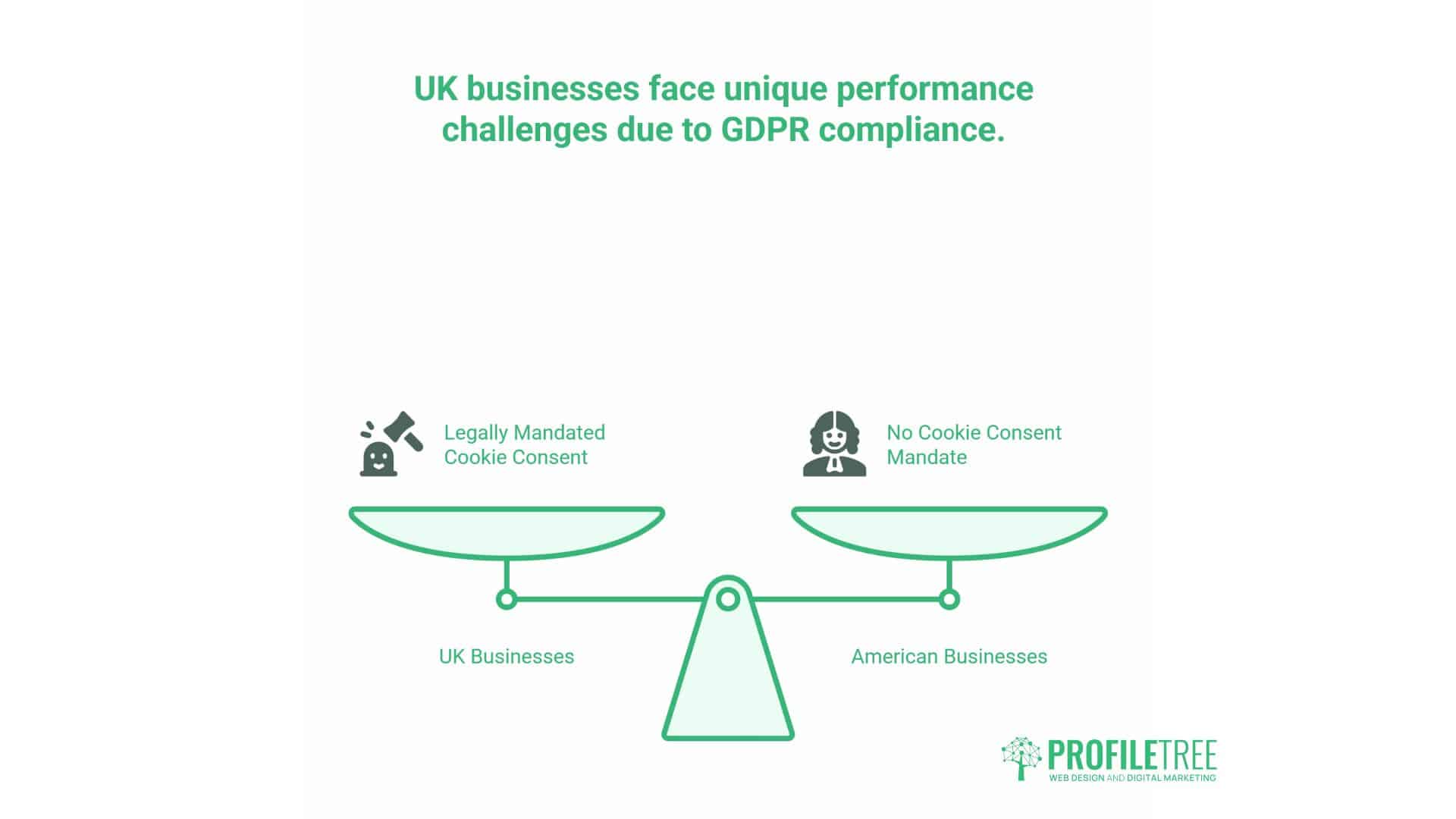
UK businesses face a unique performance challenge that American competitors don’t encounter: legally mandated cookie consent banners. While GDPR compliance isn’t optional, the way you implement cookie consent can dramatically affect site speed.
Understanding this challenge requires recognising that GDPR compliance and site performance aren’t inherently opposed. Poor implementation can create conflicts, but strategic approaches can achieve both compliance and speed. Many agencies treat these as competing priorities, but ProfileTree’s approach integrates compliance into the performance strategy from the beginning.
How Cookie Banners Impact Core Web Vitals
Cookie consent solutions, such as OneTrust, Cookiebot, or Cookie Yes, introduce substantial performance penalties when implemented poorly. These tools typically load third-party JavaScript files that must execute before your page fully renders.
The technical problem: many cookie banners use “render-blocking” JavaScript. Your visitor’s browser must download, parse, and execute the consent banner script before displaying any other content. This directly impacts Largest Contentful Paint—the metric measuring how quickly your main content appears.
A typical implementation sequence:
- The browser requests your homepage
- HTML begins loading
- The browser encounters the cookie banner script tag
- Browser pauses rendering to fetch consent script
- Browser executes consent script
- Consent banner displays
- Browser resumes rendering page content
Those additional steps add 500-1,500ms to your LCP time. For sites trying to achieve sub-2.5-second LCP, this delay alone consumes most of your performance budget. This explains why so many UK sites struggle with Core Web Vitals compared to their American counterparts.
Strategies for Compliant, Fast Cookie Management
You can maintain GDPR compliance whilst minimising performance impact through strategic implementation approaches.
Defer script execution until after the initial page render is complete. Modern JavaScript loading attributes like defer or async allow browsers to download scripts without blocking page rendering. The consent banner displays slightly later, but your main content appears immediately. This approach maintains legal compliance whilst dramatically improving LCP scores.
Self-host consent scripts rather than loading them from third-party servers. Each external domain request incurs additional DNS lookup time, connection establishment, and latency. Hosting the script on your own server eliminates these delays whilst maintaining full functionality. ProfileTree implements this for all client sites requiring cookie consent.
Implement progressive enhancement—load a minimal, lightweight consent interface initially, then enhance it with full functionality after the page renders. This approach satisfies legal requirements immediately, while deferring non-critical features until after the content has loaded. The initial consent display uses basic CSS, with JavaScript enhancements loading asynchronously.
Conditional loading represents the most sophisticated approach: it detects returning visitors who’ve already provided consent and skips the banner entirely for them. This requires cookie storage, but it dramatically improves performance for repeat visitors, who form the majority of your traffic over time.
Third-Party Script Management Beyond Consent
Cookie banners aren’t the only performance liability. Analytics tools, chat widgets, social media integrations, and marketing pixels all introduce additional scripts that slow page loading.
Audit your third-party scripts quarterly. Many businesses accumulate abandoned marketing pixels or outdated tracking codes that continue loading despite no longer serving any purpose. Removing unused scripts immediately improves performance. During website audits, ProfileTree typically identifies 5-10 unnecessary third-party scripts on client sites.
For necessary third-party tools, implement facade techniques. Instead of loading the complete script immediately, display a placeholder that loads the full functionality only when the customer interacts with it. This proves remarkably effective for embedded videos, maps, and social media feeds. A YouTube embed, for example, can load as a static thumbnail until clicked, saving hundreds of kilobytes.
Google Tag Manager offers centralised third-party script management. Rather than hardcoding each tracking pixel and analytics tool into your template, GTM loads a single container that manages all scripts. This consolidation reduces the number of external requests and provides granular control over when and how scripts load. For clients with multiple marketing tools, we implement GTM as standard.
Technical Optimisation Checklist: Actionable Implementation Steps
With infrastructure and compliance addressed, focus shifts to technical optimisation. These modifications directly improve loading speed through code, content, and configuration improvements.
These optimisations represent the practical application of performance principles. Each technique addresses specific bottlenecks that commonly affect WordPress sites. When combined systematically, they produce dramatic improvements in both Core Web Vitals scores and real-world user experience.
Image Optimisation: Format and Delivery
Images typically account for 50-70% of page weight on most WordPress sites. Optimising image delivery provides the most substantial performance gains with the least effort.
WebP format reduces file sizes by 25-35% compared to JPEG, while maintaining visual quality. Modern browsers support WebP universally. WordPress 5.8 and later versions automatically generate WebP versions when your server supports it, although you may need to enable this feature in your hosting control panel. ProfileTree implements WebP conversion as standard across all website builds.
The AVIF format offers even better compression than WebP, resulting in roughly 50% smaller files with identical quality. Browser support reached critical mass in 2024, making AVIF viable for production use. However, not all hosting environments currently support AVIF generation. For high-traffic sites where bandwidth costs are a concern, AVIF offers substantial savings.
Responsive images serve appropriately sized versions based on device screen size. WordPress handles this through srcset attributes, but many themes and plugins override this functionality. Verify that your site actually delivers different image sizes to mobile visitors versus desktop visitors, rather than forcing mobile devices to download desktop-sized images.
Lazy loading defers image loading until they’re about to enter the viewport. WordPress includes native lazy loading since version 5.5, but some themes disable it. Confirm lazy loading works by inspecting your HTML for loading="lazy" attributes on image tags. This technique is particularly beneficial for long-form content that includes multiple images.
CDN delivery serves images from geographically distributed servers, reducing latency regardless of where visitors access your site. Cloudflare, BunnyCDN, or KeyCDN offer affordable image CDN services that integrate seamlessly with WordPress.
For businesses managing extensive product catalogues or media libraries, consider using a dedicated image optimisation service, such as ShortPixel or Imagify. These services automatically optimise images during upload and can retrospectively optimise your existing media library.
Caching Configuration: Server-Side and Plugin Solutions
Caching stores pre-generated versions of your pages, eliminating the need to process PHP code and query databases for every visitor. Proper caching reduces server response time from 800-1,200ms to 50-150ms.
Page caching saves the complete HTML output. When visitors request a page, your server delivers the cached HTML file rather than running WordPress to generate it dynamically. Plugins like WP Rocket, WP Super Cache, or W3 Total Cache handle page caching, though managed WordPress hosts often include superior server-level caching.
Object caching stores database query results in memory. Rather than repeatedly asking your database for the same information, WordPress retrieves it from the object cache. Redis or Memcached provide object caching at the server level—dramatically faster than plugin-based solutions. This technology proves particularly valuable for sites with complex queries or high traffic volumes.
Browser caching instructs visitors’ browsers to store static assets locally, allowing for faster loading times. When they return to your site, their browser loads CSS files, JavaScript, and images from local storage rather than downloading them again. Configure browser caching through your server configuration or via plugins. Proper browser caching enhances performance for returning visitors, who typically account for 40-60% of traffic.
Mobile-specific caching creates separate cached versions for mobile devices. Mobile layouts often differ from desktop versions, requiring distinct cached files. Advanced caching plugins detect device type and serve appropriate cached pages. This prevents mobile visitors from receiving desktop-cached pages that then require JavaScript restructuring.
For WooCommerce stores, cart and checkout pages cannot be fully cached since they contain dynamic, personalised content. Configure your caching plugin to exclude these pages whilst caching everything else. This balance maintains optimal performance without compromising functionality. ProfileTree implements WooCommerce-specific caching rules to maximise speed without breaking e-commerce functionality.
CSS and JavaScript Minification
Minification removes unnecessary characters from code files—such as whitespace, comments, and redundant formatting—reducing file sizes by 30-50% without affecting functionality.
CSS minification consolidates stylesheet files and removes excess code. Most CSS files contain significant whitespace and comments intended for developers, but these are irrelevant to browsers. Minified CSS loads faster and processes more quickly. When developing custom WordPress themes, ProfileTree delivers minified CSS by default.
JavaScript minification provides similar benefits. Modern websites often load dozens of JavaScript files for themes, plugins, and functionality. Minifying these files reduces the total JavaScript payload from several megabytes to hundreds of kilobytes. This is particularly beneficial for mobile visitors with limited data connections.
Critical CSS identifies the minimal CSS required to render above-the-fold content and inlines it directly in the HTML. Your browser can style visible content immediately without waiting for full stylesheet downloads. Defer loading the remaining CSS until after the initial rendering is complete. This technique dramatically improves LCP scores by prioritising visible content.
WP Rocket automates minification with minimal configuration. It detects which files require minification and handles the process automatically, including cache invalidation when you update your site. For most clients, we recommend WP Rocket for its balance of power and simplicity.
Autoptimize offers more granular control, allowing you to specify which files to minify, defer, or exclude. This flexibility proves valuable when specific plugins conflict with minification. Technical users who want precise control over optimisation prefer Autoptimize.
Database Cleanup and Maintenance
WordPress databases accumulate clutter over time. Regular maintenance prevents this collected data from degrading performance.
Post revisions represent previous versions of your content. WordPress saves revisions every time you edit a post or page, allowing you to restore earlier versions if needed. However, popular posts often accumulate dozens of revisions, consuming database space without providing value.
Limit revisions by adding define('WP_POST_REVISIONS', 3); to your wp-config.php file. This restricts WordPress to saving only the three most recent revisions per post, automatically deleting older ones. For clients with extensive content libraries, this single change often reduces database size by 20-30%.
Spam comments and trashed content linger in your database indefinitely unless explicitly deleted. Permanently remove spam comments and empty your trash on a regular basis. These items serve no purpose whilst adding unnecessary database rows that slow queries.
Transients represent temporary data cached by plugins. These entries include expiration dates, but expired transients often remain in the database rather than being automatically removed. Thousands of expired transients accumulate over months, slowing database queries. This proves particularly problematic for sites using numerous plugins.
WP-Optimise provides automated database cleaning on scheduled intervals. Configure it to remove post revisions, delete spam, and clear expired transients on a weekly basis. The plugin includes safety features, such as automatic backups before cleaning operations. ProfileTree implements automated database maintenance as standard practice.
For WooCommerce sites specifically, session data represents the most significant maintenance challenge. Customer sessions store cart contents and browsing history, but accumulate rapidly. Configure WooCommerce to purge sessions older than 48 hours—customers who haven’t visited in two days have abandoned their carts anyway.
Plugin Management: Strategic Selection
Every active plugin adds code that WordPress must load and execute. The cumulative effect of numerous plugins can significantly impact performance, even when individual plugins appear lightweight.
Audit your plugins quarterly. Review each plugin and honestly assess whether you’re actively using its functionality. Deactivate and delete plugins serving no current purpose—you can always reinstall them if needs change. During technical audits, ProfileTree typically recommends removing 30-40% of installed plugins.
Choose quality over quantity. A single well-coded plugin that handles multiple functions outperforms several poorly-coded plugins, each handling one function. Research plugin reviews, update frequency, and support quality before installation. Abandoned plugins represent security risks and performance liabilities.
Test performance impact when adding new plugins. Use query monitoring tools to identify which plugins add the most database queries or slow page generation. Some plugins that seem simple actually execute dozens of database queries on every page load. Before recommending plugins to clients, we test their performance impact in staging environments.
Disable unused features within plugins rather than installing separate plugins for each function. Many comprehensive plugins include features you don’t need. Disabling unnecessary functionality reduces their performance impact whilst retaining the features you actually use.
For form plugins specifically, Gravity Forms and WPForms both offer conditional loading, where scripts only load on pages containing forms, rather than loading across the entire site. Enable this feature to prevent form scripts from slowing down your homepage and product pages where no forms are present.
DIY vs Professional WordPress Optimisation

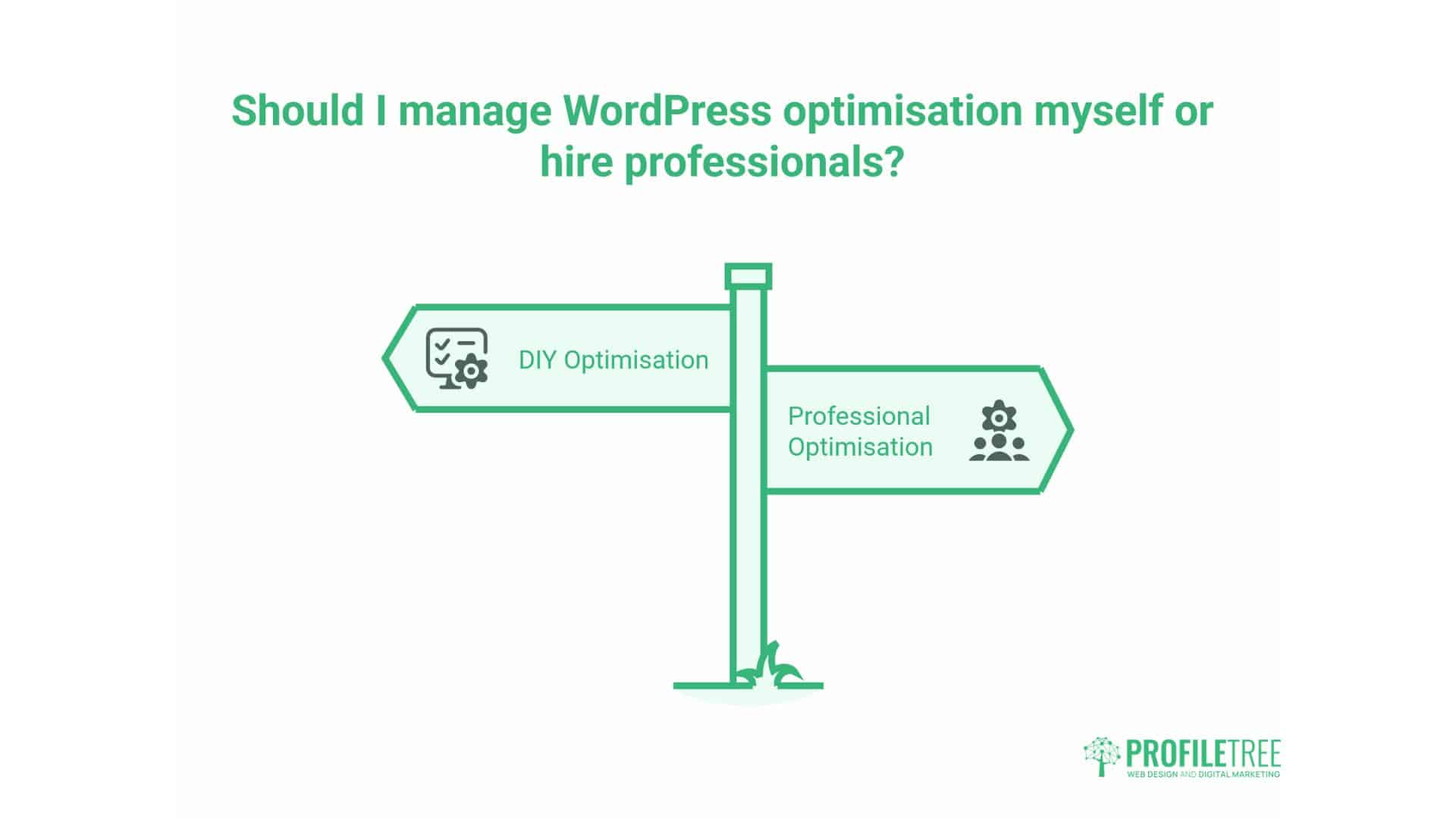
Business owners frequently ask whether they should handle WordPress optimisation themselves or hire professionals. The answer depends on your technical capability, available time, and site complexity.
This decision ultimately comes down to opportunity cost and risk tolerance. Technical work requires both knowledge and time—resources that business owners might deploy more profitably elsewhere. However, simple optimisations offer immediate returns without requiring deep expertise.
When DIY Optimisation Makes Sense
Basic optimisation requires minimal technical knowledge. Installing caching plugins, enabling compression, and optimising images represent straightforward tasks with clear documentation. If your site is relatively simple—a brochure site or basic blog—you can implement these improvements yourself over a weekend.
Time investment required: Expect to spend 4-8 hours researching, testing, and implementing basic optimisations. This includes plugin installation, configuration, testing, and troubleshooting any issues that arise. For business owners comfortable with technology, this represents manageable work.
Cost comparison: DIY optimisation costs nothing beyond plugin licences (£50-150 annually for premium caching and optimisation plugins). Professional optimisation typically costs £800-£2,500, depending on the site’s complexity. For small businesses with limited budgets, DIY approaches are often the most economical solution.
Risk level: Minimal if you maintain proper backups. WordPress makes restoring previous configurations straightforward if optimisations cause problems. Managed hosting providers typically offer one-click restore functionality.
DIY works best when you enjoy technical challenges, have time available, and operate a straightforward site without complex integrations or customisations.
When Professional Optimisation Delivers Better Value
Complex sites require expertise beyond basic plugin installation. E-commerce stores, membership sites, or custom applications require strategic optimisation that takes into account specific functionality and user workflows.
Technical complexity: Sites running WooCommerce, membership plugins, learning management systems, or extensive customisations contain potential conflicts and edge cases. Professional optimisation identifies these issues before they cause problems. ProfileTree’s technical audits commonly reveal 10-15 potential conflicts that automated tools miss.
Opportunity cost: Business owners who spend 20 hours learning WordPress optimisation sacrifice time that could generate revenue through their actual business activities. If your time is worth £75+ per hour, professional optimisation delivers better ROI even at £2,000. The opportunity cost calculation favours professional work for most established businesses.
Comprehensive auditing: Professionals identify issues beyond surface-level problems. They examine server configuration, database structure, theme code quality, and hosting limitations that affect performance but aren’t apparent to non-experts. Our audits typically identify 5-10 infrastructure issues that clients weren’t aware of.
Guarantee and support: Reputable agencies guarantee their work and offer ongoing support in the event of any issues that may arise. DIY optimisation leaves you troubleshooting problems on your own when configurations conflict or break functionality. Professional work includes insurance against implementation errors.
At ProfileTree, our WordPress optimisation service includes hosting evaluation, server configuration, plugin auditing, code review, and three months of performance monitoring. We’ve optimised hundreds of sites across various sectors—experience that enables us to identify and resolve issues quickly, rather than through trial and error. This expertise particularly matters for revenue-critical sites where downtime or broken functionality has an immediate business impact.
Red Flags in Budget Optimisation Services
Not all professional services deliver equivalent value. Some providers offer cheap optimisation that creates more problems than it solves.
“100/100 PageSpeed score guaranteed” promises indicate questionable practices. Services obsessed with scores often sacrifice genuine performance for the sake of metric manipulation. They might defer all JavaScript until after page load, breaking functionality, or remove critical resources that users actually need. Google’s algorithm prioritises real user experience over tool scores.
No hosting review means ignoring the most impactful performance factor. Services that don’t evaluate your hosting infrastructure fundamentally misunderstand website performance. Hosting determines your performance ceiling—optimisation can’t compensate for inadequate infrastructure.
Plugin bloat approaches installing five optimisation plugins when a single, comprehensive solution would work better. This occurs when providers lack in-depth technical knowledge and compensate by employing multiple plugins to address problems. This approach ironically degrades performance by adding plugin overhead.
A lack of WooCommerce expertise for e-commerce sites can lead to broken checkout processes or cart functionality. Optimising WooCommerce requires understanding its specific requirements and limitations—generic WordPress knowledge isn’t sufficient. We’ve inherited several client sites where previous optimisation broke critical e-commerce functionality.
No ongoing monitoring means one-time optimisation without verifying sustained performance. Sites require continuing maintenance as plugins are updated, traffic patterns change, and content evolves. One-time work often degrades within months without monitoring.
Quality optimisation services include comprehensive auditing, strategic recommendations, implementation, testing, and monitoring. They explain their approach, document the changes made, and provide guidance for maintaining performance in the long term. ProfileTree provides detailed documentation that explains every change and its significance.
Performance Monitoring and Continuous Improvement

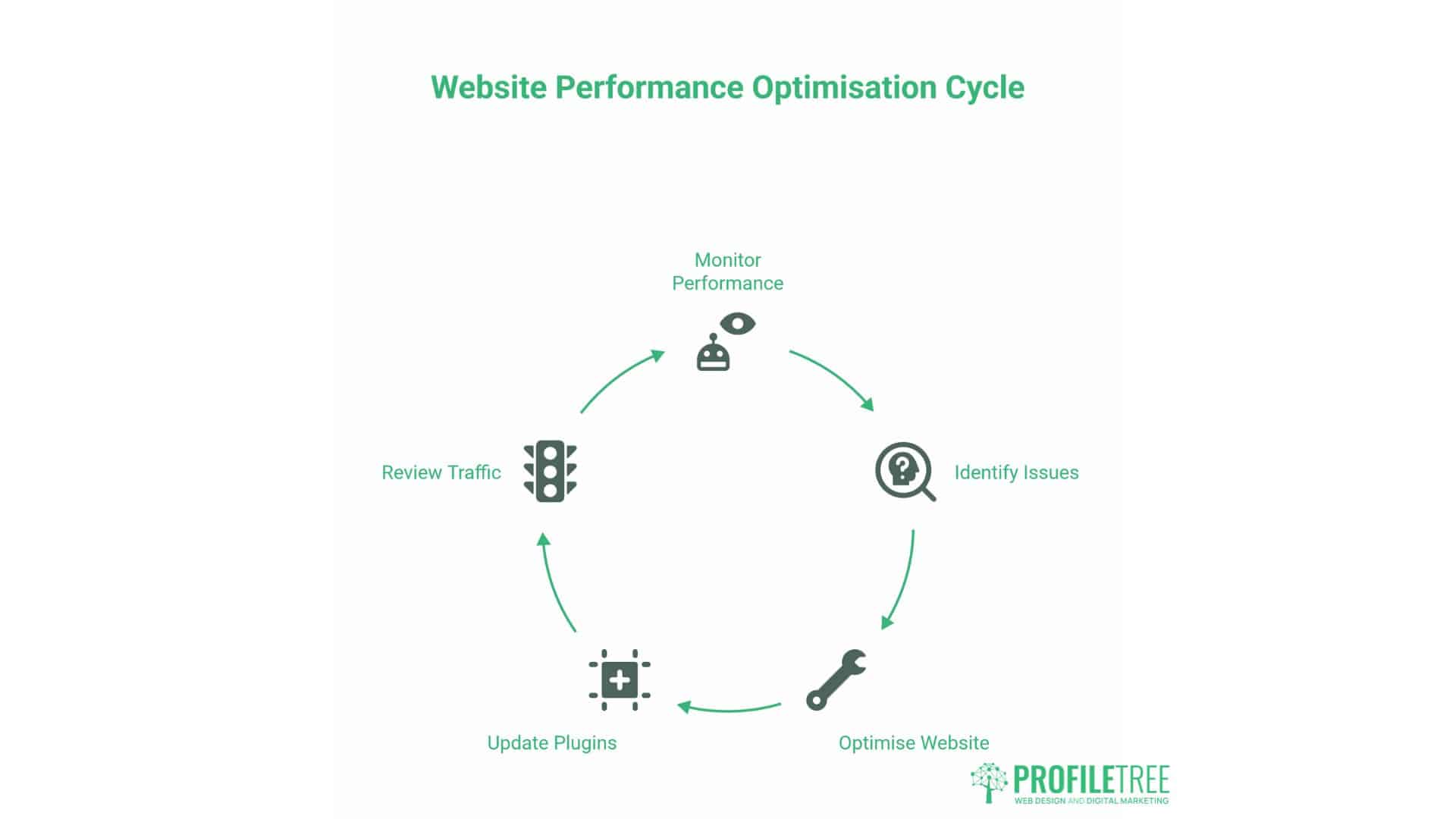
Optimisation isn’t a one-time project but an ongoing practice. Regular monitoring identifies emerging issues before they significantly impact user experience or search rankings.
Performance degrades naturally over time. Plugins update with new features that add overhead. Content libraries continue to grow, thereby increasing database complexity. Traffic patterns shift, stressing different site components. Without monitoring, these gradual changes accumulate until performance problems become obvious—meaning you’ve already lost rankings and revenue.
Real User Monitoring vs Lab Testing
Lab testing tools, such as Google PageSpeed Insights, measure performance under controlled conditions—fast connections, modern browsers, and no background processes. These tests provide valuable technical data but don’t reflect actual customer experiences.
Real User Monitoring (RUM) collects performance data from actual visitors as they browse your site. This data reveals performance variations across different devices, browsers, geographic locations, and network conditions—information that lab tests can’t provide. RUM data shows you what your customers actually experience, not theoretical best-case scenarios.
Google Search Console includes Core Web Vitals reporting based on real user data. This shows how your site performs for actual visitors over the previous 28 days. Monitor these reports monthly to identify declining performance before it affects rankings. Google’s algorithm uses this same data to determine rankings, making it the most relevant performance metric.
For detailed RUM data, implement dedicated monitoring services to ensure accurate and timely data collection. Tools like SpeedCurve, Calibre, or DebugBear track performance metrics continuously, alerting you when scores decline or when specific pages develop issues.
Establishing Performance Baselines
Before optimising, measure current performance across multiple tools to establish baselines. This creates reference points for evaluating the effectiveness of improvement.
Test multiple pages: Don’t just test your homepage. Measure product pages, category archives, blog posts, and checkout flows. Different page types present different optimisation challenges. Homepage optimisation doesn’t guarantee good performance across the entire site.
Test across devices: Check performance on actual mobile devices, not just desktop browsers. iPhone performance often differs from that of Android devices, and budget models tend to perform worse than flagship models. Real device testing reveals issues that desktop simulations usually miss.
Test at different times: Performance varies based on server load and network conditions. Testing during peak traffic hours reveals performance under realistic load rather than ideal conditions. Sites that perform well at 3 a.m. may struggle at 3 p.m. when traffic peaks.
Document baseline scores and keep these records. You’ll reference them when evaluating optimisation effectiveness and demonstrating ROI to stakeholders. ProfileTree’s audits include comprehensive baseline testing across devices, times, and conditions.
Quarterly Performance Reviews
Schedule quarterly site reviews to identify and address emerging performance issues before they become serious problems.
Plugin updates sometimes introduce performance regressions. Quarterly reviews identify these issues and enable you to investigate alternatives if plugins start to degrade performance. We’ve seen major plugins introduce delays of 500ms or more in a single update.
Content growth naturally increases site complexity. As you publish more posts, add more products, or expand your media library, performance may gradually decline. Regular reviews identify when database maintenance or hosting upgrades become necessary.
Changes in traffic patterns affect optimal caching strategies. If your traffic distribution shifts—more mobile visitors, different geographic distribution, different peak hours—your caching configuration may need adjustment. Quarterly reviews catch these shifts before they impact user experience.
The hosting evaluation determines whether your current plan continues to meet your needs. Growing sites eventually outgrow their hosting environments. Regular evaluation prevents performance degradation from resource constraints. We typically recommend hosting upgrades when sites consistently approach 80% of their resource limits.
At ProfileTree, we include quarterly performance reviews in our website management packages. This proactive approach maintains optimal performance consistently rather than allowing gradual degradation until major problems develop. Our managed clients consistently maintain higher performance scores than industry averages, mainly due to this ongoing attention.
FAQs
Why is my WordPress website loading slowly even after installing caching plugins?
Caching plugins address symptoms rather than root causes. If your hosting infrastructure is inadequate, your database is bloated, or your theme contains inefficient code, caching provides limited benefits. Comprehensive optimisation requires addressing hosting quality, database maintenance, image optimisation, and code efficiency alongside caching configuration. ProfileTree’s technical audits examine all these factors systematically to identify the actual bottlenecks limiting your performance.
How can I improve WordPress loading speed without technical knowledge?
Start with high-impact, low-complexity improvements: switch to quality hosting with UK servers, install a comprehensive caching plugin like WP Rocket, optimise images using ShortPixel or Imagify, and remove unused plugins. These steps require minimal technical expertise whilst delivering measurable performance gains. For complex optimisations requiring server configuration or code modification, professional assistance provides better results.
Do I need technical knowledge to effectively increase WordPress loading speed?
Basic optimisations require minimal technical knowledge—installing plugins, adjusting settings, and implementing best practices are accessible to non-technical users. Advanced optimisations involving server configuration, database tuning, code modification, or complex caching strategies benefit from professional expertise. Assess your site’s complexity and your own capabilities honestly to determine an appropriate balance between DIY and professional work.
Can installing a caching plugin significantly improve WordPress loading speed?
Caching plugins offer substantial improvements when properly configured, typically reducing page generation time by 60-80%. However, they can’t compensate for poor hosting, unoptimised images, or excessive plugins. Maximum effectiveness requires combining caching with broader optimisation strategies addressing all performance factors. ProfileTree’s optimisation methodology treats caching as one component of comprehensive performance improvements.
Taking Action: Content Isn’t Ranking
Your content quality isn’t sabotaging your rankings—your technical performance is. The recommendations in this guide provide a systematic approach to transforming your WordPress site from a slow liability into a fast, high-ranking asset.
Start with infrastructure. Evaluate your hosting provider and ensure your server is located in the UK with sufficient resources to support your traffic volume. This single change often delivers more improvement than any amount of plugin optimisation.
Implement GDPR-compliant performance solutions that meet legal requirements while preserving Core Web Vitals. Strategic cookie consent implementation and third-party script management reduce performance penalties by 60-80%.
Apply systematic technical optimisations addressing images, caching, minification, database maintenance, and plugin management. Each improvement compounds with others to produce substantial overall performance gains.
Monitor performance continuously rather than treating optimisation as a one-time project. Quarterly reviews and real user monitoring catch emerging issues before they impact rankings and revenue.
For businesses generating substantial revenue through organic search, professional optimisation delivers clear ROI through improved rankings, increased traffic, and higher conversion rates. ProfileTree’s technical SEO and web development services help UK businesses systematically improve performance whilst maintaining full functionality.
Your competitors are investing in performance. The question isn’t whether technical optimisation matters; it’s whether you’ll implement it before or after losing market share to faster sites.