
Best Budgeting Software UK: Complete Home Finance Guide
Table of Contents
Managing personal finances effectively requires the right tools, and for UK households, choosing appropriate home accounting software can transform financial planning from a stressful chore into a streamlined process. Whether you’re looking for budgeting software to track monthly expenses or comprehensive finance management software to handle investments and savings, understanding your options leads to better financial outcomes.
Home accounting software encompasses a range of digital tools designed to help individuals and families track income, monitor expenses, create budgets, and plan for financial goals. From simple budgeting platforms to sophisticated personal accounting software, these solutions automate calculations, provide insights into spending patterns, and help users make informed financial decisions.
Why UK Households Need Specialised Budgeting Software

British consumers face unique financial considerations, including council tax, NHS contributions, pension schemes, and specific banking regulations. The best home accounting software UK options address these local requirements whilst providing the flexibility needed for modern financial management.
Key Benefits of Budget Management Software
- Automated Expense Tracking: Connects with UK banks to import transactions automatically, reducing manual data entry by up to 80% compared to spreadsheet methods.
- Financial Goal Setting: Helps plan for house deposits, holiday savings, and pension contributions with visual progress tracking.
- Bill Management: This service tracks recurring payments, such as utilities, insurance, and subscription services, preventing missed payments and overdraft fees.
- Tax Planning: This service assists with self-assessment preparation and allowance optimisation, which is particularly valuable for freelancers and small business owners.
- Investment Monitoring: Tracks ISAs, stocks, shares, and property investments with real-time performance data.
This comprehensive approach to financial management directly supports the digital transformation goals that ProfileTree helps clients achieve across their business operations.
How to Set Up a Budget
Setting up a budget is an essential step in managing your finances effectively. Here’s a step-by-step guide that mirrors the structured approach ProfileTree uses when implementing digital solutions for clients:
Step One: Define Your Timeframe
The first step is to establish a time frame for your budget. This helps you understand when money comes in and how long it will last. Most personal budgets work every month, though quarterly reviews provide a better long-term perspective.
Step Two: Establish Clear Objectives
Define what you expect from the budgeting process. Organising expenses under bigger categories makes it easier to focus on priorities. For example:
- Cover all living expenses
- Pay all debts every month
- Create allowance for weekend entertainment
- Build an emergency savings fund
Step Three: Calculate Category Spending
Calculate how much is spent in every category within your chosen timeframe. Break down major categories into sub-categories, like rent and electricity, under living expenses, to make tracking more precise and actionable.
Step Four: Choose Your Documentation Method
Document your budget using the most effective method for your situation. Traditional pen and paper work is only for highly disciplined people, and it can be risky to lose important documents.
Spreadsheets like Excel or Google Sheets require dedicated time slots for data entry and lack real-time updates. However, the most efficient approach involves installing dedicated budgeting software for automated tracking and instant updates.
Understanding Home Accounting Software vs Budgeting Software
Many people use “home accounting software” and “budgeting software” interchangeably, but understanding the differences can help you choose the right tool for your financial needs.
Home Accounting Software Features
- Complete Financial Picture: Tracks all accounts, investments, debts, and assets in one centralised location.
- Double-Entry Bookkeeping: Maintains accurate records using professional accounting principles, similar to business accounting systems.
- Comprehensive Reporting: Generates profit/loss statements, balance sheets, and cash flow reports for detailed financial analysis.
- Tax Preparation Support: Categorises transactions for easier self-assessment completion, reducing preparation time significantly.
- Investment Tracking: Monitors portfolio performance, dividends, and capital gains with real-time market data.
Budgeting Software Focus Areas
- Expense Management: Primarily focused on tracking and controlling spending patterns across different categories.
- Budget Creation: Helps set spending limits for different categories with automated alerts when approaching limits.
- Goal Achievement: Assists with saving for specific objectives through automated transfers and progress tracking.
- Cash Flow Planning: Provides adequate money for monthly expenses through predictive modelling.
- Simple Reporting: Basic charts showing spending patterns and budget performance with intuitive dashboards.
Personal Accounting Software Benefits
Personal accounting software combines elements of both approaches, offering:
- Integration with UK financial institutions through Open Banking protocols
- Automated categorisation of British retailers and service providers
- Support for multiple currencies (valid for international transactions)
- Compliance with UK financial regulations and reporting requirements
This integrated approach mirrors how ProfileTree helps businesses consolidate their digital tools for maximum efficiency and insight.
Budgeting Software: The Solution to Financial Management Challenges
After exploring the complexities and challenges of budgeting, it’s clear that a more efficient solution is needed. This is where budgeting software comes into play.
Budgeting software solved it! These innovative tools automate and streamline the entire budgeting process for small businesses and individual users. Features like customisable templates, workflow management, real-time reporting, and forecasting provide enhanced control and insight. This technology reduces the time spent on budgeting by 50% or more.
Cloud-based budgeting solutions facilitate secure collaboration and integration with accounting systems across departments. The improved accuracy of data-driven budgets and time savings allow users to gain agility and make smarter financial decisions.
The QR code in marketing strategies employed by budgeting software companies has made it easier than ever for users to discover and download these helpful tools. By simply scanning a QR code, potential users can quickly access information about the software or be directed to download pages, streamlining the adoption process.
As we delve deeper into budgeting software and how it works, remember the transformative power these tools have in simplifying financial management for businesses and individuals.
What Is Budgeting Software?
Budgeting software is like a personal assistant responsible for keeping track of all your finances and transactions. Countless budgeting tools are available on the Internet; some are free, some are paid, and some are free with paid features. It all depends on what the programme has to offer you. There are different layouts and buttons, but in the end, they promise the same thing: to keep track of your spending, income, and savings.
Best Home Accounting Software UK: Top Solutions for British Households
UK consumers can access international budgeting platforms and locally developed solutions for British financial needs. Understanding the options helps you choose software that works effectively with UK banks, understands local financial products, and provides relevant features.
UK-Specific Home Accounting Software Options
1. Money Dashboard
- Key Features: FCA-regulated app connecting to UK banks and credit cards
- Strengths: Comprehensive spending analysis, bill tracking, credit score monitoring
- Best For: Users wanting detailed insights into spending patterns
- Pricing: Free basic version, premium features available
- UK Integration: Direct connection to major British banks and building societies
2. Emma
- Key Features: AI-powered spending analysis and subscription management
- Strengths: Overdraft prevention, wasteful subscription detection, and debt tracking
- Best For: Young professionals and students managing irregular income
- Pricing: Free tier with premium subscription options
- UK Benefits: Understands British banking patterns and spending categories
3. Moneyhub
- Key Features: Open Banking integration with comprehensive financial planning
- Strengths: Investment tracking, pension analysis, mortgage management
- Best For: Users with complex financial situations, including investments
- Pricing: Subscription-based with comprehensive features
- Professional Features: Financial advisor integration and detailed reporting
4. Snoop
- Key Features: AI analysis of spending with money-saving recommendations
- Strengths: Bill switching suggestions, spending category analysis
- Best For: Users focused on reducing household expenses
- Pricing: Free app with revenue from partner recommendations
- UK Focus: Specialises in British utility providers and financial services
International Software Suitable for UK Users
YNAB (You Need A Budget)
- UK Considerations: Works with UK banks but pricing in USD
- Features: Zero-based budgeting methodology with excellent educational resources
- Best For: Users committed to transforming their financial habits
- Limitations: Requires manual setup for some UK financial institutions
Quicken (UK Compatible)
- Features: Comprehensive personal finance management with investment tracking
- UK Adaptations: Supports GBP currency and UK financial institutions
- Best For: Users with significant investments and complex financial needs
- Considerations: More complex than basic budgeting tools
PocketSmith
- Features: Cash flow forecasting with calendar-based budgeting
- UK Support: Full support for UK banks and financial institutions
- Best For: Users who want to predict future financial positions
- Unique Feature: Visual calendar showing future cash flow
Selecting Budgeting Software
Selecting the right budgeting software can transform your financial management approach. With numerous options available, considering your needs and preferences helps find the best fit. This selection process mirrors the consultative approach ProfileTree uses when assisting clients in choosing digital solutions.
Identify Your Specific Needs
- Analyse Current Processes: Review existing budgeting methods and identify pain points requiring a solution.
- Review Requirements: Determine integration needs with banks, investment accounts, and other financial systems.
- Assess Complexity: Match software capabilities to your financial situation’s complexity and management requirements.
Key Features to Look For
- Customisable Budget Templates: Flexible category structures adapting to your unique spending patterns.
- Automatic Transaction Import: Direct bank connections reduce manual data entry and improve accuracy.
- Goal Setting Capabilities: Visual progress tracking for savings objectives and debt reduction targets.
- Bill Payment Integration: Automated bill tracking and payment reminders prevent missed payments.
- Spending Categorisation: Smart category assignment with learning capabilities improving over time.
- Real-time Reporting: Live dashboards showing current financial position and spending trends.
- Forecasting Capabilities: Predictive modelling for future cash flow and financial planning.
- Mobile Accessibility: Full-featured mobile apps providing on-the-go financial management.
Evaluating Budgeting Software Solutions
Choosing the right budgeting software is crucial for effectively managing your finances. When evaluating budgeting tools, it’s essential to consider several factors to select the one that best fits your needs and preferences. Here are some key aspects to assess:
Comparison Criteria
- Pricing: Consider one-time fees vs monthly subscriptions based on needs.
- Ease of Use: Intuitive interfaces and workflows are critical for adoption.
- Customisation: Consider flexibility to tailor templates, fields, and reports.
- Mobile Functionality: Remote access improves collaboration.
- Customer Support: Consider responsive technical assistance and training.
Pros and Cons of Leading Solutions
Money Dashboard
- Strengths: Free comprehensive UK bank integration, FCA-regulated security, detailed spending analytics, credit score monitoring, and works with all central British banks
- Limitations: Limited budget customisation options, basic goal-setting features, fewer advanced reporting capabilities compared to paid alternatives
Emma
- Strengths: AI-powered spending insights, automatic subscription detection and cancellation, overdraft prevention alerts, excellent mobile app, and understanding of UK spending patterns.
- Limitations: Premium features require a subscription, limited investment portfolio tracking, fewer business expense categories for freelancers
YNAB (You Need A Budget)
- Strengths: Proven zero-based budgeting methodology, exceptional educational resources and community support, excellent goal tracking, strong habit-building approach
- Limitations: Steeper learning curve requiring commitment, pricing in USD creates currency considerations, requires manual setup for some UK banks
Moneyhub
- Strengths: Professional-grade investment tracking, comprehensive pension analysis, financial advisor integration, detailed mortgage management, suitable for complex finances
- Limitations: Higher subscription cost, more complex interface requiring learning investment, potentially overwhelming for simple budgeting needs
Questions for Vendor Demos
- How long does implementation take?
- Can I customise templates and fields?
- Is collaboration in real-time?
- What training resources are included?
- How are support requests handled?
Household Accounting Software: Managing Family Finances Effectively
Household accounting software addresses the unique challenges of managing family finances, including multiple income sources, varied spending priorities, and long-term planning for family goals such as education, housing, and retirement.
Family-Specific Financial Management Features:
1. Multi-Person Budget Management
- Individual Allowances: Personal spending budgets for family members
- Shared Expenses: Joint management of household bills and groceries
- Children’s Accounts: Tracking pocket money and savings accounts
- Educational Planning: University fee savings and education cost budgeting
2. Household Bill Management
- Council Tax Tracking: Annual payment planning and monthly monitoring
- Utility Management: Gas, electricity, water, and council services
- Insurance Coordination: Home, car, life, and health insurance tracking
- Subscription Oversight: Family entertainment, education, and service subscriptions
3. Family Goal Planning
- Holiday Savings: Joint savings for family vacations and experiences
- Home Improvements: Budgeting for renovations and maintenance
- Vehicle Planning: Car purchases, maintenance, and running costs
- Emergency Preparedness: Family emergency fund management
Finance Tracking Software for Comprehensive Monitoring:
Effective finance tracking software provides real-time visibility into family financial health:
Daily Transaction Monitoring:
- Automatic Categorisation: Smart assignment of expenses to family budget categories
- Spending Alerts: Notifications when approaching budget limits
- Unusual Activity Detection: Identification of unexpected charges or transactions
- Cash Flow Forecasting: Prediction of upcoming financial needs
Long-Term Financial Health Tracking:
- Debt Reduction Progress: Monitoring mortgage payments and other debt reduction
- Savings Growth: Tracking progress towards family financial goals
- Investment Performance: Monitoring family investment accounts and pensions
- Credit Score Monitoring: Family credit health oversight and improvement
Educational Financial Management: Many families use budgeting software as an educational tool:
- Teaching Children: Age-appropriate involvement in family financial decisions
- Budget Awareness: Helping family members understand spending impacts
- Goal Achievement: Celebrating financial milestones as a family
- Financial Literacy: Building money management skills across all family members
Best Practices for Implementing Budgeting Software
Successfully implementing budgeting software requires careful planning, realistic expectations, and consistent usage. UK households should consider local financial practices and regulatory requirements when establishing financial management systems.
Pre-Implementation Planning
Financial Goal Assessment
- Short-Term Objectives: Monthly budget management and expense control with immediate impact measurement.
- Medium-Term Planning: Holiday savings, emergency fund building, and debt reduction with specific timelines.
- Long-Term Goals: Retirement planning, property purchase, and children’s education with compound growth projections.
- UK-Specific Considerations: ISA allowances, pension contributions, tax planning optimised for British regulations.
Account Inventory and Organisation
- Current Accounts: List all personal and joint accounts with UK banks, including sort codes and account numbers.
- Savings Products: ISAs, premium bonds, savings accounts, and term deposits with interest rate tracking.
- Investment Accounts: Stocks and shares ISAs, SIPPs, workplace pensions with performance monitoring.
- Credit Facilities: Credit cards, personal loans, mortgages, and overdrafts with balance and rate tracking.
Historical Data Preparation
- Bank Statement Collection: Gather 3-6 months of statements from all accounts for accurate baseline establishment.
- Transaction Categorisation: Prepare spending categories relevant to UK lifestyle and financial priorities.
- Regular Payment Identification: List direct debits, standing orders, and subscriptions with amounts and dates.
- Seasonal Expense Planning: Account for annual expenses like insurance renewals and holiday spending.
Implementation Strategy
Phased Rollout Approach
- Week 1-2: Set up software and connect the primary current account with the basic category setup.
- Week 3-4: Add savings accounts and primary credit card with refined categorisation.
- Month 2: Include investment accounts and remaining financial products with full integration.
- Month 3: Refine categories and establish regular reporting routines with family involvement.
Data Migration and Validation
- Account Balancing: Verify software balances match bank statements exactly before proceeding.
- Category Review: Adjust automatic categorisation for UK-specific merchants and spending patterns.
- Duplicate Removal: Clean up duplicate transactions from multiple data sources and manual entries.
- Historical Accuracy: Verify imported data reflects the actual financial position and correct any discrepancies.
Family Training and Adoption
- Individual Training: Provide all users with an understanding of software navigation and core features.
- Household Budget Review: Establish regular family meetings for budget review and financial planning.
- Mobile App Setup: Install and configure mobile applications for real-time tracking and accessibility.
- Backup Procedures: Establish data backup and recovery processes to protect financial information.
Ongoing Optimisation
Regular Review Processes
- Weekly Check-ins: Review recent transactions and budget performance with quick adjustments.
- Monthly Analysis: Detailed review of spending patterns and budget adjustments based on actual performance.
- Quarterly Planning: Reassess goals and make seasonal adjustments reflecting changing priorities.
- Annual Review: Comprehensive evaluation of software effectiveness and alternative options.
UK-Specific Maintenance Tasks
- Utility Provider Reviews: Use spending data to evaluate switching opportunities and potential savings.
- Tax Year Preparation: Organise information for self-assessment deadlines with categorised expense reports.
- ISA Allowance Management: Track annual contribution limits and optimise usage across different ISA types.
- Insurance Renewal Planning: Budget for annual insurance premium payments with comparison shopping.
UK-Specific Budgeting Software Options
While many budgeting software options are available globally, some are particularly well-suited for UK users:
- Money Dashboard: This free app connects to UK bank accounts and credit cards, offering a comprehensive view of finances and spending categorisation.
- Emma: Marketed as a financial advocate, Emma helps UK users avoid overdrafts, find wasteful subscriptions, and track debt.
- Moneyhub: This FCA-regulated app offers Open Banking connections to UK banks, providing budgeting tools and financial insights.
- Snoop: Using Open Banking technology, Snoop analyses spending and suggests ways to save money on bills and subscriptions.
- Cleo: An AI-powered chatbot that connects to UK bank accounts, offering a conversational approach to budgeting and saving.
These UK-focused options often provide more accurate categorisation of local businesses and better integration with UK financial institutions, making them excellent choices for British users.
Finance Management Software: Comprehensive Solutions for UK Households
Modern finance management software goes beyond simple budgeting to provide comprehensive oversight of all financial aspects. For UK households managing multiple financial products, these solutions offer integrated approaches to money management.
Core Features of Finance Management Software:
1. Account Aggregation
- Current Accounts: Links to major UK banks including Barclays, HSBC, Lloyds, and Santander
- Savings Accounts: Tracks interest earnings and balance growth across multiple institutions
- Credit Cards: Monitors spending, payments, and available credit limits
- Investment Accounts: ISAs, stocks and shares, premium bonds, and pension funds
- Loan Tracking: Mortgages, personal loans, car finance, and student loans
2. Automated Transaction Management
- Intelligent Categorisation: Recognises UK retailers and automatically categorises expenses
- Duplicate Detection: Prevents double-counting of transfers between accounts
- Recurring Payment Identification: Tracks direct debits and standing orders
- Tax Category Assignment: Prepares information for self-assessment tax returns
3. Financial Planning Tools
- Retirement Planning: Calculates pension requirements and contribution strategies
- Property Planning: Tracks mortgage payments and property value changes
- Education Savings: Plans for university fees and education costs
- Emergency Fund Management: Ensures adequate savings for unexpected expenses
Portfolio Budgeting Tools for Investment Management: For UK investors, portfolio budgeting tools provide specialised features:
- ISA Allowance Tracking: Monitors annual ISA contribution limits
- Capital Gains Management: Tracks gains and losses for tax purposes
- Dividend Monitoring: Records dividend payments and reinvestment options
- Performance Analysis: Compares portfolio performance against UK market indices
Savings Management Software Integration: Effective savings management software integrates with budgeting tools to:
- Automate Transfers: Moves money to savings accounts based on budget surpluses
- Goal Tracking: Monitors progress towards savings objectives
- Interest Optimisation: Identifies higher-rate savings opportunities
- Tax Efficiency: Maximises use of tax-free savings allowances
Budgeting Software Solutions: Choosing the Right Platform for Your Needs
Selecting appropriate budgeting software solutions requires understanding your financial complexity, technical comfort level, and long-term objectives. UK households benefit from platforms that integrate well with British financial institutions and understand local financial products.
Budgeting Platform Comparison Framework
Ease of Use vs Feature Complexity
- Simple Platforms: Basic expense tracking with minimal setup required, suitable for straightforward financial situations.
- Intermediate Solutions: Budgeting with goal setting and basic reporting, ideal for growing financial complexity.
- Advanced Platforms: Comprehensive financial management with investment tracking, suitable for complex portfolios.
- Professional Software: Business-grade features suitable for complex personal finances and multiple income sources.
Integration Capabilities
- Bank Connectivity: Direct integration with UK financial institutions through Open Banking protocols.
- Credit Card Synchronisation: Automatic import of credit card transactions with merchant recognition.
- Investment Platform Links: Connection to trading accounts and pension providers with performance tracking.
- Bill Payment Integration: Links to utility providers and subscription services with automated tracking.
Security and Compliance
- FCA Regulation: Software authorised by Financial Conduct Authority with regulatory oversight.
- Open Banking Compliance: Secure access to account information following UK banking regulations.
- Data Protection: GDPR compliance for personal financial information with encryption standards.
- Encryption Standards: Bank-level security for sensitive financial data with multi-factor authentication.
- Accounting Software for Individuals: Professional Features for Personal Use
Individual accounting software provides professional-grade features adapted for personal financial management:
Advanced Reporting Capabilities:
- Income and Expenditure Reports: Detailed analysis of cash flow patterns
- Net Worth Tracking: Regular monitoring of asset and liability changes
- Tax Preparation Reports: Organised information for self-assessment submission
- Budget Variance Analysis: Comparison of planned vs actual spending
Multi-User Support:
- Family Account Access: Shared access for couples managing joint finances
- Permission Levels: Different access rights for various family members
- Collaborative Budgeting: Joint input on spending decisions and financial goals
- Audit Trails: Complete history of changes and financial decisions
Professional Integration:
- Accountant Sharing: Secure access for professional financial advisors
- Tax Software Export: Direct integration with UK tax preparation software
- Financial Advisor Tools: Portfolio sharing with investment professionals
- Business Integration: Links between personal and business financial management
Home Budgeting Software Examples

There are plenty of available programmes that are simple enough for personal budgeting. However, not all are available for free. It all depends on what you need from the app and how tightly you want to monitor your spending. Here is a list of the best free and paid budgeting software in the market, with their pros and cons:
You Need A Budget (YNAB)
YNAD is a free budgeting app. You can try it for free for 34 days; then, you’ll need to buy the full version for $14.99 a month. This budgeting software has a wide range of features that include:
- Syncing with many banks in the United States.
- Syncing with Android and iPhone, which allows real-time transaction monitoring.
- Supports nearly all operating systems.
- Directly importing transactions.
- Switching between multiple budgets.
- Setting goals and financial planning.
- Easy expense tracking and customising.
On the other hand, YNAB has cons that might include:
- No bill tracking or bill pay features.
- No investment tracking feature.
- Steep learning curve.
Microsoft Money Plus Sunset Deluxe
Money Plus Sunset Deluxe is software developed by Microsoft to replace all older versions of Money Plus. It’s a convenient tool if your PC is running Windows. Although the new software is free, there are some setbacks to it. Its major problem is:
- It no longer supports transaction downloads or any online features.
What it can do, however, includes:
- Transaction scheduling to help keep track of timed expenses like rent or bills.
- Manually but efficiently entering your financial dealings.
- Viewing and printing cash flow reports and statistics. This includes tax reports.
Buddy
If you’re looking for simplicity, Buddy is your buddy. Because of its simple layout and limited features, it’s become popular among home budgeters. It has all the main features you’ll need if you don’t have diverse monthly expenses. Here are some of its pros:
- Simplicity: It is as simple as typing in your transactions and letting it calculate your earnings, spending, and savings.
- Mobile-only budgeting app.
- Availability to add various finance accounts and budget categories.
- Sharing costs with friends and loved ones.
- Offering reports at the end of each month.
However, its cons might include:
- No cloud-based support.
- The software is heavy and may miss some details at times.
NeoBudget
NeoBudget is an envelope-based budgeting software. This basically means partitioning your transactions into individual virtual envelopes from which you can spend. It’s a creative, attractive way of financial management. A free account isn’t limited by time, but it provides for:
- Only one user.
- 10 envelopes.
- Sleek design, allowing drag and drop for ease of use.
- Uploading files to import.
To unlock the full potential of NeoBudget, you’ll have to pay $5.95 per month or $59.95 per year. Its main features are:
- Allows for two users with unlimited accounts. This allows the whole household to share an account.
- Allows for unlimited envelopes.
- Entirely online, so your data won’t get lost.
- Syncs to the phone to allow real-time tracking.
Budgeting Spreadsheet Templates
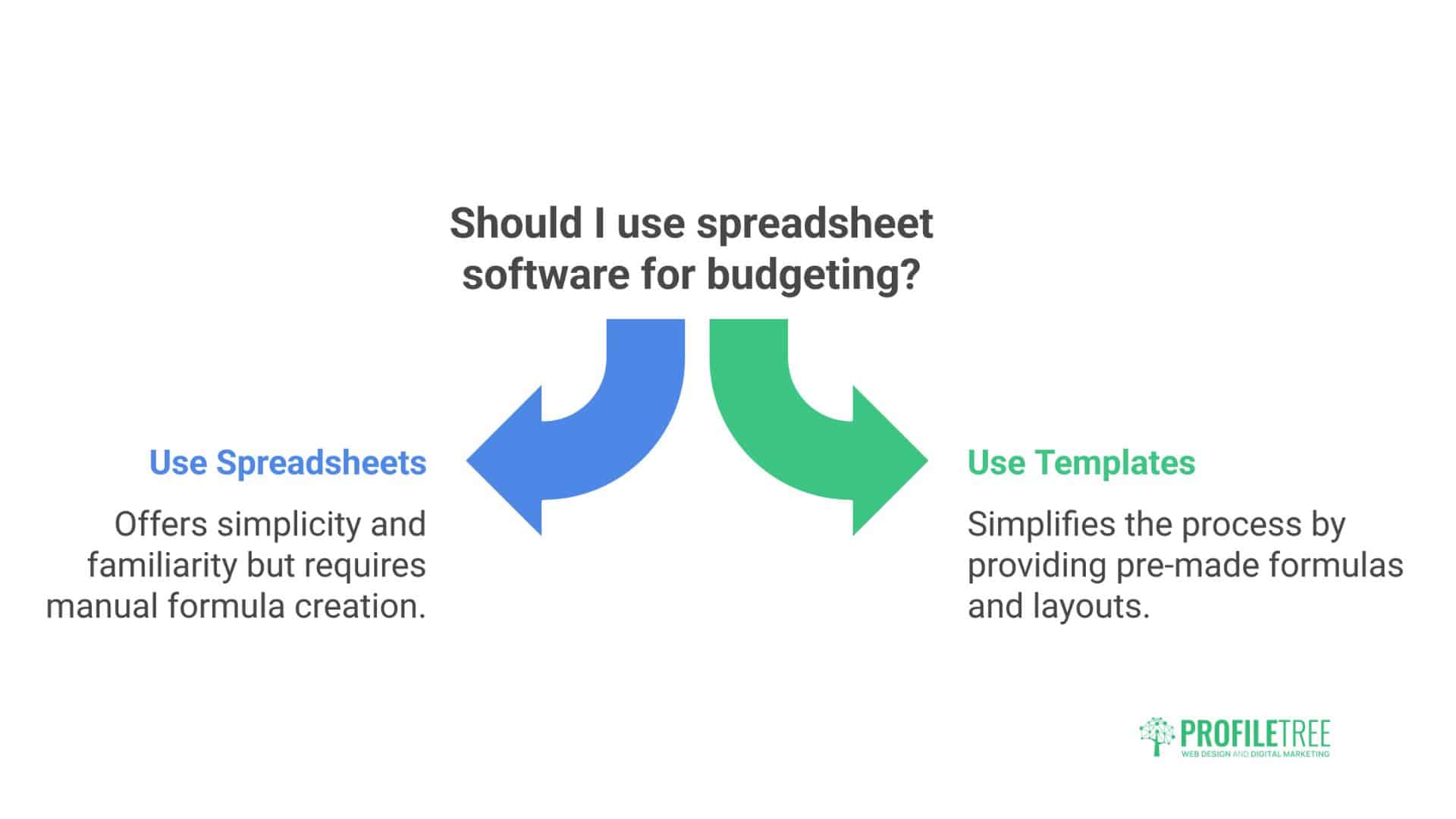
You can always go back to basics with Excel or any spreadsheet software in general. There’s a reason why some small businesses still use spreadsheets: they simply work. The hassle with creating a spreadsheet budget is with all the formulas and calculations. That’s why some templates are available for free on the Internet that can be used to skip this headache.
Top Paid
If you like to manage your finances carefully, consider a paid version. Paid apps have many more features, most importantly, real-time transaction support and online transaction importing.
Home Budgeting Advice
Several programmes provide simple solutions for personal budgeting. The choice between free and paid options depends on your specific needs and how closely you want to monitor spending patterns.
You Need A Budget (YNAB)
YNAB is user-friendly home budgeting software with a zero-based budgeting approach, requiring every pound to have a specific purpose.
Pricing: 34-day free trial, then £11.99 per month or £84 annually for UK users.
Key Features:
- Syncing with many UK banks through Open Banking
- Cross-platform synchronisation allowing real-time transaction monitoring
- Support for multiple operating systems and devices
- Direct transaction importing with automatic categorisation
- Multiple budget management for different financial goals
- Comprehensive goal setting and financial planning tools
- Detailed expense tracking with customisable categories
Advantages:
- Excellent educational resources and methodology
- Strong community support and forums
- Proven zero-based budgeting approach
- Regular webinars and training sessions
Limitations:
- No bill tracking or payment features
- Limited investment tracking capabilities
- Requires learning commitment for full effectiveness
Microsoft Money Plus Sunset Deluxe
Microsoft developed Money Plus Sunset Deluxe to replace older Money Plus versions. While useful for Windows users, it has significant limitations in modern financial management.
Major Limitation: No longer supports transaction downloads or online features, requiring manual data entry.
Available Features:
- Transaction scheduling for timed expenses like rent and bills
- Manual financial transaction entry with categorisation
- Cash flow reports and statistics viewing and printing
- Tax report generation for self-assessment preparation
Best For: Users preferring offline financial management with manual control over all data entry.
Buddy
Buddy appeals to users seeking simplicity in budgeting software. Its limited features make it popular among individuals with straightforward monthly expenses.
Strengths:
- Simple transaction entry with automatic calculations
- Mobile-only budgeting application
- Multiple finance accounts and budget categories
- Cost-sharing capabilities with friends and family
- Monthly spending reports and summaries
Limitations:
- No cloud-based backup support
- Performance issues with larger datasets
- Limited advanced features and customisation options
NeoBudget
NeoBudget uses an envelope-based budgeting approach, partitioning transactions into individual virtual envelopes for different spending categories.
Free Account Features:
- Single user access
- 10 virtual envelopes for spending categories
- Drag-and-drop interface for ease of use
- File uploading for transaction import
Premium Features (£5.95 monthly or £59.95 annually):
- Two user accounts with unlimited access
- Unlimited envelope creation and customisation
- Full online synchronisation and backup
- Mobile synchronisation for real-time tracking
Budgeting Spreadsheet Templates
Spreadsheet software like Excel or Google Sheets remains popular for budgeting because it works reliably. Free templates available online eliminate the need to create formulas and calculations from scratch, providing structured approaches to financial management.
Advantages:
- Complete control over data and calculations
- No subscription fees or ongoing costs
- Offline accessibility and data security
- Customisation flexibility for specific needs
Disadvantages:
- Manual data entry requirements
- No automatic bank synchronisation
- Risk of formula errors and data loss
- Limited collaboration capabilities
“The key to successful budgeting software implementation lies in choosing a solution that matches your financial complexity while providing room for growth. We’ve seen clients transform their financial management by selecting tools that integrate seamlessly with their existing systems and provide the right level of automation.” – Ciaran Connolly, Director, ProfileTreeting software, making financial management more accessible, engaging, and comprehensive.
Recent Trends in Budgeting Software
The budgeting software landscape continues evolving rapidly, with technological advances changing how UK consumers manage their finances.
AI and Machine Learning Integration
Advanced algorithms predict spending patterns and suggest budget optimisations based on historical data and behavioural analysis. These systems learn from user behaviour to provide increasingly accurate recommendations and automated category assignments.
Open Banking APIs
UK-based budgeting software increasingly utilises Open Banking to securely connect with users’ bank accounts, providing real-time transaction data and comprehensive financial oversight across multiple institutions.
Gamification Elements
Some budgeting applications incorporate game-like elements to encourage user engagement and better financial habits. These features include achievement badges, progress tracking, and social comparison elements that make financial management more engaging.
Cryptocurrency Integration
As digital currencies gain popularity, budgeting tools now offer features to track and manage cryptocurrency investments alongside traditional financial accounts, providing comprehensive portfolio oversight.
Environmental Impact Tracking
Certain budgeting software now includes features to track users’ spending carbon footprint, appealing to environmentally conscious consumers and supporting sustainable spending decisions.
Enhanced Security Features
Biometric authentication, advanced encryption, and regulatory compliance continue improving to protect sensitive financial information while maintaining user accessibility and convenience.
“We’ve observed that successful budgeting software adoption follows the same principles as any digital transformation project. The key is selecting a solution that fits your current capabilities while providing scalability for future growth. Too often, people choose overly complex systems and abandon them within months, or stick with inadequate tools that limit their financial potential.” – Ciaran Connolly, Director, ProfileTree
These trends reflect broader digital transformation patterns that ProfileTree helps businesses navigate across their technology implementations and strategic planning processes.
Expert Recommendations and Implementation Support
Based on an extensive analysis of UK budgeting software options and user requirements, several key recommendations emerge for different user categories and financial situations.
For Beginners: Money Dashboard or Emma
New users benefit from free options providing comprehensive features without financial commitment. These platforms offer excellent UK bank integration and automated categorisation, making the transition from manual methods straightforward.
For Dedicated Budgeters: YNAB
Users committed to transforming their financial habits achieve excellent results with YNAB’s structured methodology and educational approach, despite the subscription cost and learning curve.
For Complex Finances: Moneyhub
Households with multiple investment accounts, pensions, and complex financial situations benefit from Moneyhub’s professional features and advisor integration capabilities.
For Cost-Conscious Users: Snoop
Users primarily focused on reducing expenses and optimising bills find excellent value in Snoop’s free recommendations and switching services.
The digital transformation of personal financial management mirrors the broader technology adoption patterns ProfileTree observes across business sectors. Success depends on choosing appropriate tools, implementing them systematically, and maintaining consistent usage for optimal results.
Conclusion
Budgeting is a critical process for small business financial management. However, spreadsheet-based manual approaches often lead to inaccurate, outdated budgets. Modern budgeting software provides automation, collaboration, and integration capabilities to streamline the process and provide real-time visibility.
Choosing the right solution for your needs and properly training end users is key to realising the time and efficiency gains. With an optimised budgeting process, small businesses can more nimbly respond to market changes and make smart data-driven decisions.
FAQs
Q: What is the best home accounting software in the UK?
A: The best home accounting software in the UK depends on your needs. Money Dashboard offers excellent free features for basic budgeting, whilst Moneyhub provides comprehensive financial planning for complex situations. YNAB works well for UK users committed to zero-based budgeting, though it requires some manual setup.
Q: Is budgeting software worth the cost?
A: Quality budgeting software typically pays for itself through better financial management. Users often save 10-20% on expenses through improved awareness and control. Free options like Money Dashboard and Emma provide excellent value, whilst paid solutions offer advanced features for complex financial situations.
Q: How secure is budgeting software with my UK bank details?
A: Reputable budgeting software uses bank-level encryption and is regulated by the FCA. Open Banking regulations ensure secure, read-only access to your accounts. Never share login credentials directly; only use software that connects through official banking APIs.
Q: Can budgeting software help with UK tax preparation?
A: Yes, many budgeting platforms categorise expenses for easier self-assessment preparation. Software can track allowable expenses, capital gains, and dividend income. However, for complex tax situations, always consult with a qualified accountant.
Transform Your Business Like You’ve Transformed Your Finances
As budgeting software revolutionises personal finances, ProfileTree transforms business operations through web design, AI implementation, SEO, video production, and digital training.
Ready to grow your business? Contact our Belfast team today for a free consultation.
Call 028 9568 0364 or email hello@profiletree.com