
6 Tips for Creating Great Social Media Video Content
Table of Contents
Video is the format most social platforms now prioritise in their algorithms — and for good reason. People watch more video than any other content type on their phones, and businesses that use it consistently tend to outperform those that do not. But knowing that video matters and knowing how to produce it effectively are two different things.
This guide covers the practical side: how to plan and create social media video content that serves your audience, fits your brand, and supports your broader digital marketing goals. Whether you are filming on a smartphone or working with a production team, the principles here apply.
What Makes Social Media Video Content Work
Before you film anything, it helps to understand what actually drives performance. The platforms reward videos that get watched, shared, and responded to. That means the quality of the idea matters more than the camera’s quality. A well-framed question, a useful tip, or a genuine behind-the-scenes moment will outperform a polished but empty video almost every time.
Start with a Clear Goal
Every video you produce should serve a specific purpose. Brand awareness, website traffic, lead generation, and direct sales all require different approaches, different calls to action, and different measures of success. A video designed to drive awareness — say, a short behind-the-scenes clip of your team — is structured differently from one designed to drive enquiries.
Decide on the goal before choosing the format. That single decision shapes everything that follows.
Know Where It Will Live
The platform determines the format. Instagram Reels and TikTok favour vertical, short-form content (9:16 aspect ratio, under 60 seconds for best reach). LinkedIn rewards more considered, professional content; one to three minutes works well for thought leadership. YouTube is the home for longer educational content, tutorials, and anything you want to surface in search results over time.
Filming landscape and then cropping for vertical, or vice versa, rarely produces good results. Decide on the platform first, then plan the shoot accordingly.
Keep the Message Focused
One idea per video. This is the rule that most businesses break most often. It is tempting to pack in everything you want to say, but a video that tries to cover three points usually fails to land any of them.
Write down the single thing you want the viewer to take away. Everything else — the intro, the visuals, the script — should serve that one point. If a topic genuinely requires more depth, a YouTube video or a multi-part series is the right vehicle, not a two-minute Reel crammed with information.
Planning and Production: The Practical Steps
Most social media video problems trace back to decisions made before filming starts, not during it. Knowing what you want to say, how you want it to sound, and what it should look like on the finished platform takes the guesswork out of the shoot and makes the editing process considerably faster. The steps below cover the practical groundwork that separates video content that performs from content that gets skipped.
Write a Script (Even a Rough One)
You do not need a word-for-word script for every video. A set of bullet points covering your key talking points is often enough. The goal is to stay on track and avoid long, wandering takes that require heavy editing.
For scripted content — explainer videos, product walkthroughs, or anything with a voiceover — a proper script is worth the time investment. It speeds up the edit, keeps the messaging tight, and produces a noticeably more professional result.
ProfileTree’s video production team in Belfast works with businesses across Northern Ireland, Ireland, and the UK on scripted and semi-scripted video content for social channels, websites, and campaigns. If you are producing video at volume, having professional scripting and production support in place reduces both the time and the cost of getting from idea to published content.
Use Audio Thoughtfully
Background music can set the tone and smooth over pauses, but it should never compete with the voiceover or speech. Keep music low in the mix, choose tracks that match your brand’s register, and avoid anything with lyrics if someone is speaking on-screen.
Trending audio on TikTok and Instagram Reels can increase organic reach when used appropriately. Many platforms surface content that uses popular sounds to reach more users. That said, trending audio for its own sake — attached to content it does not suit — looks awkward and puts people off.
For businesses producing more polished content, royalty-free libraries such as Epidemic Sound or Artlist provide professional-grade options. If you are working with a video production agency, music licensing is typically handled as part of the production process.
Maintain Brand Consistency
Your colour palette, logo placement, typography, and tone of voice should carry through every video you produce. This matters for recognition: a viewer who has seen three of your videos should recognise a fourth before they even see your name on screen.
Brand consistency is not just a creative preference. It is a commercial signal. It tells customers that they are dealing with an organisation that pays attention to detail — and that attention to detail carries over into how they perceive your products and services.
If your videos feel disjointed, or if different people on your team are producing content in different styles, a brand video guidelines document is worth creating. It sets clear parameters for anyone filming on your behalf.
6 Tips for Creating Social Media Video Content
A good social media video does not happen by accident. These six principles apply regardless of what you are filming, which platform you are posting to, or whether you are shooting on a smartphone or working with a production crew.
1. Brainstorm Before You Film
The best video ideas rarely come from sitting down and trying to think of something to make. They come from paying attention to what is already happening around your business. Your most-read blog posts, the questions your team fields from customers every week, and the topics your competitors are covering all point to what your audience wants to see.
If a written piece of content has performed well for you, there is a strong chance a video on the same topic will too. Some customers prefer to read; others prefer to watch. Covering the same ground in both formats extends your reach without requiring an entirely new strategy.
2. Choose the Right Orientation for the Platform
Vertical video (9:16) is the default for Instagram Reels, TikTok, and YouTube Shorts. Horizontal video (16:9) is better suited for YouTube’s main feed, LinkedIn, and other content intended for desktop viewing. Filming in the wrong orientation for your target platform results in letterboxing or cropping, losing key visual information.
Decide on the platform before you decide how to film. If you are producing content for multiple platforms from a single shoot, plan your framing so it works cropped both ways — but accept that this is a compromise, not an ideal.
3. Keep the Message Focused
One video, one idea. This is the rule that is broken most often, and the results are usually visible: a video that covers three points in 90 seconds lands none of them with any impact.
Write down the single thing you want the viewer to take away before you film a single frame. If the topic genuinely requires more depth, it belongs on YouTube or as a multi-part series rather than compressed into a short-form clip.
4. Script Your Talking Points
You do not need a word-for-word script for conversational or behind-the-scenes content. You do need one — or at minimum a structured set of bullet points — for anything informational, educational, or branded.
A loose script keeps your delivery on track, reduces the number of takes you need, and speeds up the editing process. It also helps you spot in advance whether the content is too long, too thin, or missing a clear conclusion. For businesses producing explainer videos or scripted brand content, ProfileTree’s video production services cover scripting as part of the production process.
5. Use Background Music Carefully
Music sets the tone and smooths over natural pauses in voiceover, but it should never compete with speech. Keep it low in the mix, choose tracks that fit your brand’s register, and avoid anything with lyrics when someone is speaking on-screen.
Trending audio on TikTok and Instagram can extend organic reach when it genuinely fits the content. Used poorly — attached to content it does not suit — it reads as a transparent attempt to game the algorithm and usually performs worse than no music at all.
6. Apply Your Brand Consistently
Every video you publish should be recognisably yours before the viewer reads your name. That means consistent colours, consistent tone of voice, consistent use of your logo, and a consistent visual style across everything you produce.
Brand consistency is not a creative preference — it is a commercial one. Customers who encounter your content repeatedly across different platforms build recognition and, over time, trust. Businesses that produce video in an inconsistent style or where different team members film in noticeably different ways undermine the process. If multiple people are creating content on your behalf, a short brand video guidelines document sets the parameters clearly and saves a great deal of back-and-forth later.
Types of Social Media Video Content for Businesses
Different formats serve different purposes. Here is a practical breakdown of the types that work well for SMEs:
Short-form content (Reels, TikToks, Shorts): Quick tips, behind-the-scenes clips, product showcases, or reactions to industry news. Ideal for reach and awareness. Keep these under 60 seconds for best performance.
Explainer videos: Longer-form content (90 seconds to three minutes) that walks through a process, explains a service, or answers a common customer question. Works well on YouTube and LinkedIn, and can be embedded on service pages for SEO benefit.
Animated video: Particularly useful for explaining complex services, processes, or data that would be difficult to convey with live footage. Animation can be produced to a high standard without the logistics of a live shoot. ProfileTree produces animated explainer videos for businesses across a range of sectors, from financial services to manufacturing.
Testimonials and case studies: A customer talking directly to the camera about their experience with your business carries more credibility than almost any other content format. These do not require high production values — authenticity matters more than polish here.
Live video: Instagram Live, LinkedIn Live, and YouTube Live all allow real-time engagement with your audience. Useful for product launches, Q&A sessions, or industry commentary. Plan a loose structure in advance; fully unscripted live video tends to drift.
Platform Specifications: What You Need to Know
Getting the technical details right makes a real difference to how your content performs. Here is a working reference for the main platforms:
| Platform | Aspect Ratio | Recommended Duration | Key Notes |
|---|---|---|---|
| Instagram Reels | 9:16 | 15–60 seconds | Hook in first 1.5 seconds |
| TikTok | 9:16 | 15–60 seconds | Trending audio improves reach |
| YouTube Shorts | 9:16 | Under 60 seconds | Separate the algorithm from the main channel |
| 16:9 or 1:1 | 1–3 minutes | Captions essential (auto-play is muted) | |
| YouTube (main) | 16:9 | 5–15 minutes for educational content | Indexed in Google search |
| 16:9 or 1:1 | 1–3 minutes | Auto-play muted; captions critical |
One note on captions: across all platforms, a significant proportion of viewers watch videos with the sound off. Burnt-in captions (text embedded directly in the video) rather than platform-generated auto-captions produce better results for comprehension and engagement. If you are producing content for UK public sector clients or large enterprise organisations, WCAG 2.2 accessibility standards apply — accurate captions and audio description for visual-only content are requirements, not optional extras.
Using AI in Your Video Workflow
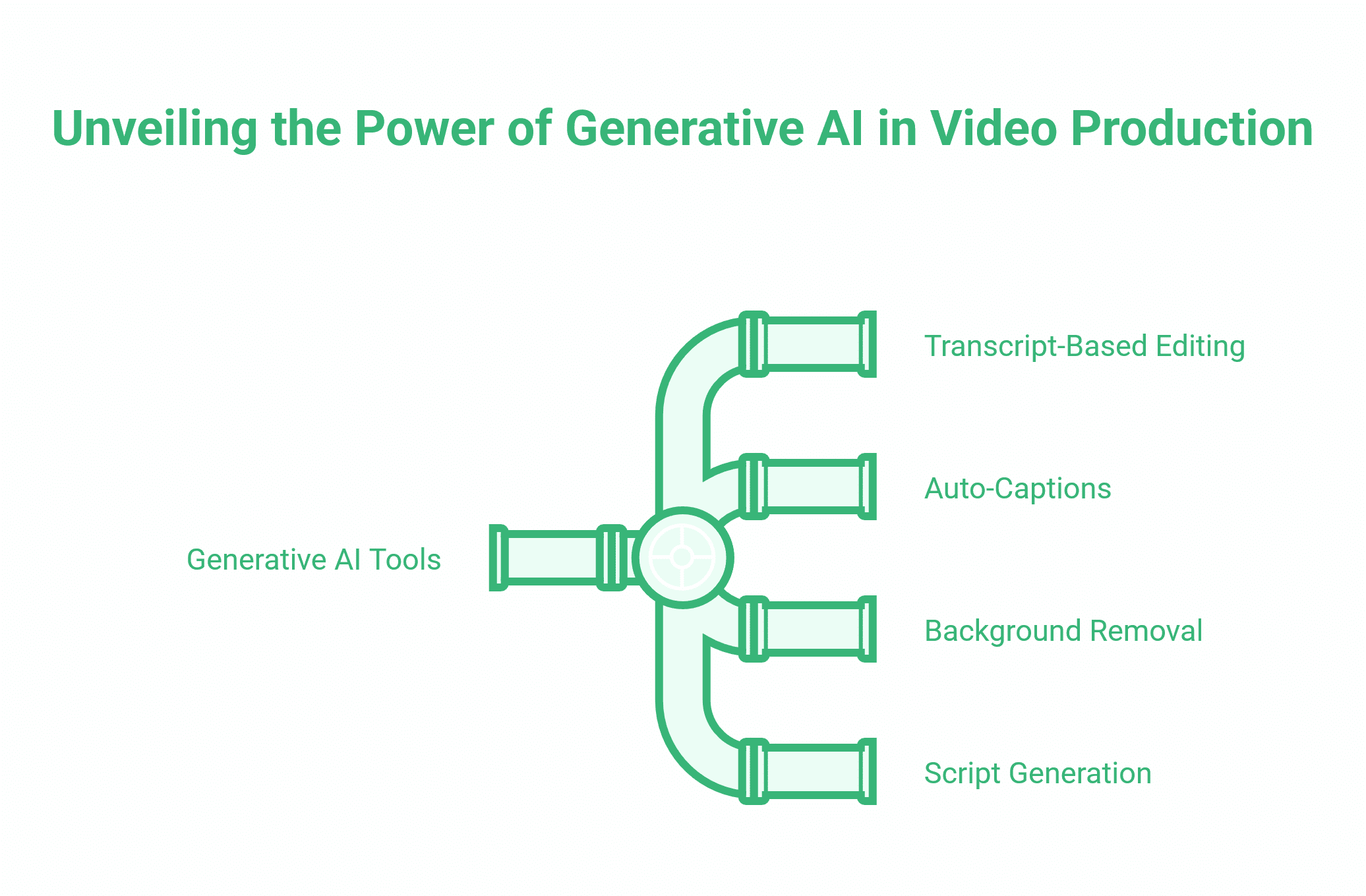
Generative AI tools have changed what is practical for businesses producing video at volume. Tools such as Descript, CapCut, and similar platforms can now handle transcript-based editing, auto-captions, background removal, and even basic script generation.
The practical applications for SMEs are worth knowing:
- Transcript-based editing: Record your video, generate a transcript, then edit the text to edit the video. Removes the need for traditional timeline editing skills.
- Auto-captions: Most AI editing tools generate captions accurately enough to require only minor correction rather than full manual input.
- Script assistance: AI can help draft a first version of a short script or talking points, which you then rewrite in your own voice.
- Repurposing: A single long-form interview or tutorial can be cut into multiple short-form clips using AI-assisted tools in a fraction of the time it would take manual editing.
The caveat is that AI speeds up production, but it does not replace the strategic thinking behind what to make in the first place. A faster workflow producing the wrong content is not an improvement.
ProfileTree’s digital training programmes include practical sessions on AI tools for content creation, covering how SMEs can integrate them into their workflows without compromising quality or brand consistency.
Building a Social Media Video Strategy
Individual videos rarely move the needle on their own. Consistency — producing the right types of content on a regular cadence — is what drives results over time. A basic content strategy for social video covers four things:
1. Audience: Who are you making this for? What problems do they have? What would they find genuinely useful or interesting? Answer these questions before you plan content.
2. Platforms: Which platforms are your customers actually using? A B2B professional services firm in Northern Ireland is better served by LinkedIn and YouTube than TikTok. A food and hospitality business reaching consumers prioritises the opposite. Do not spread thin across every platform.
3. Content mix: Plan a ratio of content types. Roughly 60-70% should be educational or entertaining content that serves the audience. The remaining 30-40% can be more commercially oriented—product showcases, service explainers, testimonials.
4. Cadence: One consistently good video per week beats five rushed ones. Set a production schedule you can actually maintain, then increase output when the process is bedded in.
ProfileTree works with businesses across Northern Ireland, Ireland, and the UK on social media and digital marketing strategy, including video content planning as part of broader campaign work.
Measuring What Matters
Likes and follower counts are vanity metrics. The numbers that matter depend on your goal:
- Brand awareness: Reach (unique viewers), impressions, and share rate
- Website traffic: Click-through rate from video, sessions attributed to social referral
- Lead generation: Form completions, email sign-ups, or enquiries attributed to video campaigns
- Sales: Conversion rate from video-driven traffic
View-through rate — the percentage of viewers who watch past the 50% or 75% mark — is a better indicator of content quality than raw view count. If people consistently drop off in the first five seconds, the hook is the problem. If they leave at the 30-second mark, the content loses momentum.
Review your video analytics monthly, identify the patterns, and adjust. Content strategy is not set-and-forget.
Video Content Ideas for SMEs: Where to Start
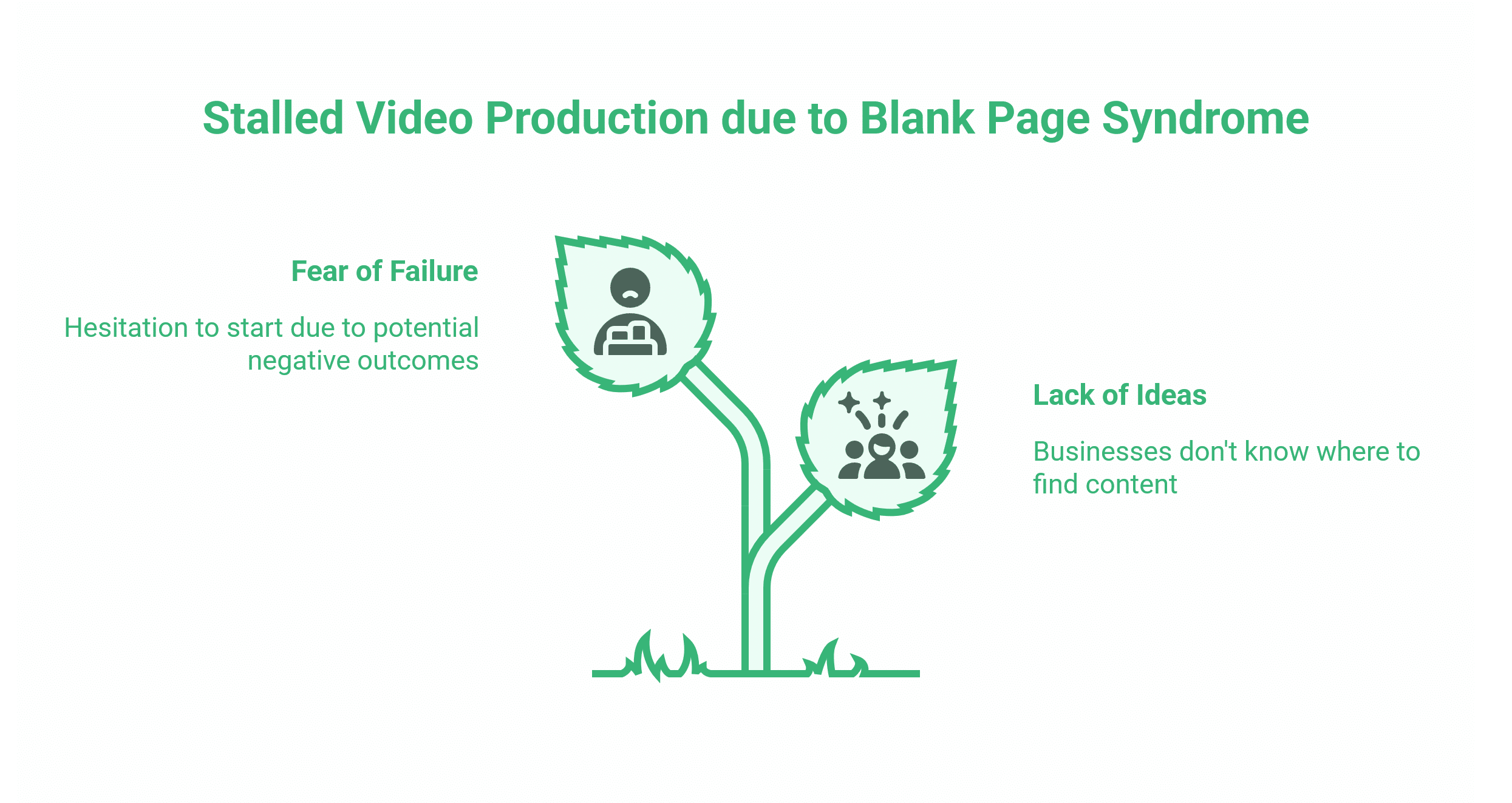
The blank page problem stops more businesses from producing video than any lack of equipment or budget. The good news is that your best content ideas are already sitting in your business — you just need to know where to look.
Your sales conversations are the most reliable source. Every question a customer asks before buying, every objection they raise, and every misconception you regularly have to correct are video topics. These are the exact questions your future customers are typing into search engines and social platforms right now.
Turn Existing Content into Video
If you have blog posts, service pages, or guides that already perform well in search, those topics have proven demand. A post that answers a common question well can become a 60-second Reel, a two-minute LinkedIn explainer, or a longer YouTube tutorial. You are not creating new content from scratch — you are giving existing content a second channel.
React to What Your Industry is Doing
Reactive content — short videos responding to industry news, platform changes, or trends relevant to your audience — tends to perform well because it is timely and specific. A Northern Ireland solicitor commenting on a UK legal change, a Belfast restaurant responding to a new food trend, or a digital agency explaining a Google algorithm update all create content with genuine topical relevance. You do not need to manufacture interest; you need to spot what your audience is already paying attention to and add your perspective.
Use Customer Questions as a Content Bank
Ask your team to log every question they hear from customers over the course of a month. Group similar questions together. Each cluster is a video brief. This approach produces content that matches real search intent rather than content you assume people want — and that distinction makes a significant difference to how your videos perform.
When to Bring in Professional Video Support
In-house video production has a natural ceiling. Smartphone content works well for frequent, low-production-format posts: quick tips, team updates, behind-the-scenes clips, or reactive content. It is fast, low-cost, and often appropriately informal for the platforms it serves.
There are situations, though, where professional production adds value that in-house cannot replicate.
High-Stakes Brand Content
A launch video, a brand film, or a hero piece of content that will run across paid campaigns needs to represent your business at its best. These are the videos that potential customers will form a first impression from, and the quality of execution directly affects how your brand is perceived. A Belfast accountancy practice that invests in a well-produced explainer for its website is signalling something different to one with shaky smartphone footage and poor audio.
Animation for Complex Subjects
Some services and processes are genuinely difficult to explain with live footage. Software workflows, financial products, manufacturing processes, or multi-stage service journeys often communicate more clearly through animation than through any amount of talking-head footage. ProfileTree’s animated video production covers this territory for businesses whose subject matter needs a visual treatment that live filming cannot provide.
Volume and Consistency
Producing a steady stream of quality content across multiple platforms is time-consuming. For businesses that need a high volume of video as part of a wider content marketing programme, working with an agency on scripting, production, and editing — while keeping reactive and informal content in-house — is often the most practical split. It maintains quality on the content that matters most while keeping costs proportionate.
Conclusion
Social media video rewards consistency, clarity, and a genuine understanding of your audience. Getting the fundamentals right — knowing your platform, keeping your message focused, maintaining brand consistency, and reviewing performance regularly — matters more than equipment or production values.
Start with one platform, one format, and a realistic publishing cadence. Build from there as you learn what your audience responds to. If you want support with video production, animation, or a broader content marketing strategy for your business across Northern Ireland, Ireland, or the UK, talk to the ProfileTree team about what would work for you.
FAQs
What is the best social media platform for video content?
It depends on your audience. LinkedIn suits B2B businesses targeting professionals. TikTok and Instagram Reels work better for consumer brands and younger audiences. YouTube is the strongest long-term channel for educational content that you also want to surface in Google search results. Focus on two platforms well rather than spreading yourself too thin across five.
How long should a social media video be?
For Reels and TikTok, 15 to 60 seconds delivers the best organic reach. LinkedIn performs well in one to three minutes. YouTube educational content typically works best at five to fifteen minutes. Be as short as the content allows, but not shorter than it requires.
What are the main types of video content for businesses?
The most useful categories for SMEs are educational content, behind-the-scenes footage, product or service demonstrations, customer testimonials, and animated explainers for complex subjects. Each serves a different stage of the customer journey.
How do I make a professional-looking video without expensive equipment?
A smartphone on a stable surface with good natural light and a lapel microphone produces results that are more than acceptable for most social platforms. Audio quality is the single biggest upgrade most businesses can make — poor sound undermines even well-filmed footage.