
15 Essential Wix Apps to Grow Your UK Online Store in 2026
Table of Contents
Building an online store on Wix is straightforward enough. Getting it to perform — converting visitors, retaining customers, and staying on the right side of UK legal requirements — takes more than the platform’s default setup.
Wix apps extend what your site can do, covering everything from GDPR cookie consent and order tracking to loyalty programmes and live chat. The Wix App Market lists thousands of options, which makes choosing the right ones genuinely difficult, particularly for small business owners who do not have time to test every tool that claims to be essential.
This guide cuts through that. It covers 15 essential Wix apps selected for their practical value to UK and Northern Ireland businesses, grouped by function so you can identify what your store actually needs at its current stage. It also addresses something most Wix app guides ignore entirely: how apps affect your site speed, and which ones to be cautious about stacking.
Quick-reference table
| App | Category | Price | Speed Impact | UK Relevance |
|---|---|---|---|---|
| Wix Stores | eCommerce | Free (transaction fees apply) | Low — native | High |
| Wix Bookings | Scheduling | Free / Premium from £8/mo | Low — native | High |
| Wix Invoices & Quotes | Finance | Free | Low — native | High |
| Wix Chat | Customer engagement | Free / Premium | Low — native | High |
| Wix Email Marketing | Marketing | Free / Premium | Low — native | High |
| Wix SEO Setup Checklist | SEO | Free | None | High |
| Visitor Analytics | Analytics | Free / Premium from £6/mo | Low — native | High |
| CookieYes | GDPR compliance | Free / Premium from £8/mo | Medium — iFrame | Very high |
| UserWay | Accessibility | Free / Premium | Medium — iFrame | Very high |
| Smile: Rewards & Loyalty | Retention | From £29/mo | Medium — iFrame | Medium |
| AfterShip | Order tracking | Free / Premium | Medium — iFrame | High |
| Wix Pro Gallery | Design | Free | Low — native | High |
| Elfsight Instagram Feed | Social proof | From £5/mo | Medium — iFrame | Medium |
| Wix Site Search | UX | Free | Low — native | High |
| Tidio Live Chat | Customer service | Free / Premium from £19/mo | Medium — iFrame | High |
Do Wix Apps Slow Down Your Site? What UK Business Owners Need to Know
This question appears regularly in Wix forums and search results, and it is one that almost every app roundup ignores. The short answer: it depends entirely on how the app is built.
Wix apps fall into two broad categories. Native Wix apps are built directly into the platform’s infrastructure. They load using the same rendering pipeline as your site, so their impact on page load time is minimal. Wix Stores, Wix Bookings, Wix Chat, and Wix Email Marketing all fall into this category.
Third-party apps built on iFrame technology are a different matter. These load an external piece of software inside a container on your page. Every iFrame app adds an additional HTTP request, and some add several. On a page where you have stacked three or four iFrame apps — a cookie consent banner, a social feed, a live chat widget, and a loyalty programme widget — the cumulative effect on your Core Web Vitals score can be significant. Google’s Largest Contentful Paint and Cumulative Layout Shift metrics are both sensitive to this.
A practical approach for UK businesses is to audit their installed apps every quarter. In your Wix dashboard, go to Apps and review what is actually active. Remove any app you installed to test and never properly configured. For iFrame-heavy apps you do want to keep, check whether a native Wix alternative exists — it usually performs better.
If your Wix site’s Google PageSpeed Insights score is below 60 on mobile, app bloat is a common cause. It is also worth knowing that Wix rolled out significant Core Web Vitals improvements to its platform in 2023 and 2024, so sites that were slow on the old infrastructure may perform noticeably better now, particularly if they were built or rebuilt after those updates.
ProfileTree’s web development team regularly audits Wix sites for Northern Ireland and UK businesses and finds that page speed has deteriorated after adding multiple third-party apps. If your store has grown to the point where the app stack is working against you, that is often the moment to consider whether Wix remains the right platform — or whether a custom-built solution would serve your business better long-term.
UK Legal Compliance Apps Every Wix Store Needs
Two categories of legal compliance are non-negotiable for UK businesses: cookie consent under the UK GDPR and accessibility under the Equality Act 2010 and the incoming European Accessibility Act, which affect UK businesses selling into the EU. Neither is adequately addressed by Wix’s core platform alone.
CookieYes — GDPR Cookie Consent
CookieYes is one of the most widely used cookie consent management apps on the Wix App Market and is compliant with UK GDPR and the Privacy and Electronic Communications Regulations (PECR). It scans your site, automatically categorises cookies, and generates a consent banner that lets visitors accept, reject, or manage individual cookie categories.
Key features: automatic cookie scanning and categorisation; customisable banner design; consent logging for audit purposes; Google Consent Mode v2 integration.
Pricing: free tier available; premium plans from approximately £8 per month. For most small businesses, the free tier is sufficient.
The verdict: if you are running any form of analytics, advertising pixels, or third-party marketing tags on your Wix site, you need a compliant cookie consent solution. CookieYes is the most straightforward option available in the Wix App Market for UK businesses.
UserWay — Accessibility Widget
The UK’s Equality Act 2010 imposes a duty on businesses to make reasonable adjustments for disabled users, including on websites. The exact legal requirements for website accessibility are not yet defined by specific statutory standards in the same way as in the US or the EU, but case law and ICO guidance have been moving toward WCAG 2.1 AA as the expected benchmark.
UserWay adds an accessibility widget to your site that allows users to adjust font size, contrast, cursor size, and reading guides. It also includes an automated accessibility checker that flags issues such as missing alt text or poor colour contrast.
Key features: WCAG 2.1 AA compliance tools; screen reader optimisation; automated accessibility scanner; multilingual support.
Pricing: free plan available with basic widget functionality; premium plans with full compliance monitoring from approximately £10 per month.
The verdict: the free tier is a reasonable starting point for small businesses. If you serve a broad public audience or operate in a regulated sector, the premium accessibility audit features are worth the investment.
Core eCommerce and Operations Apps
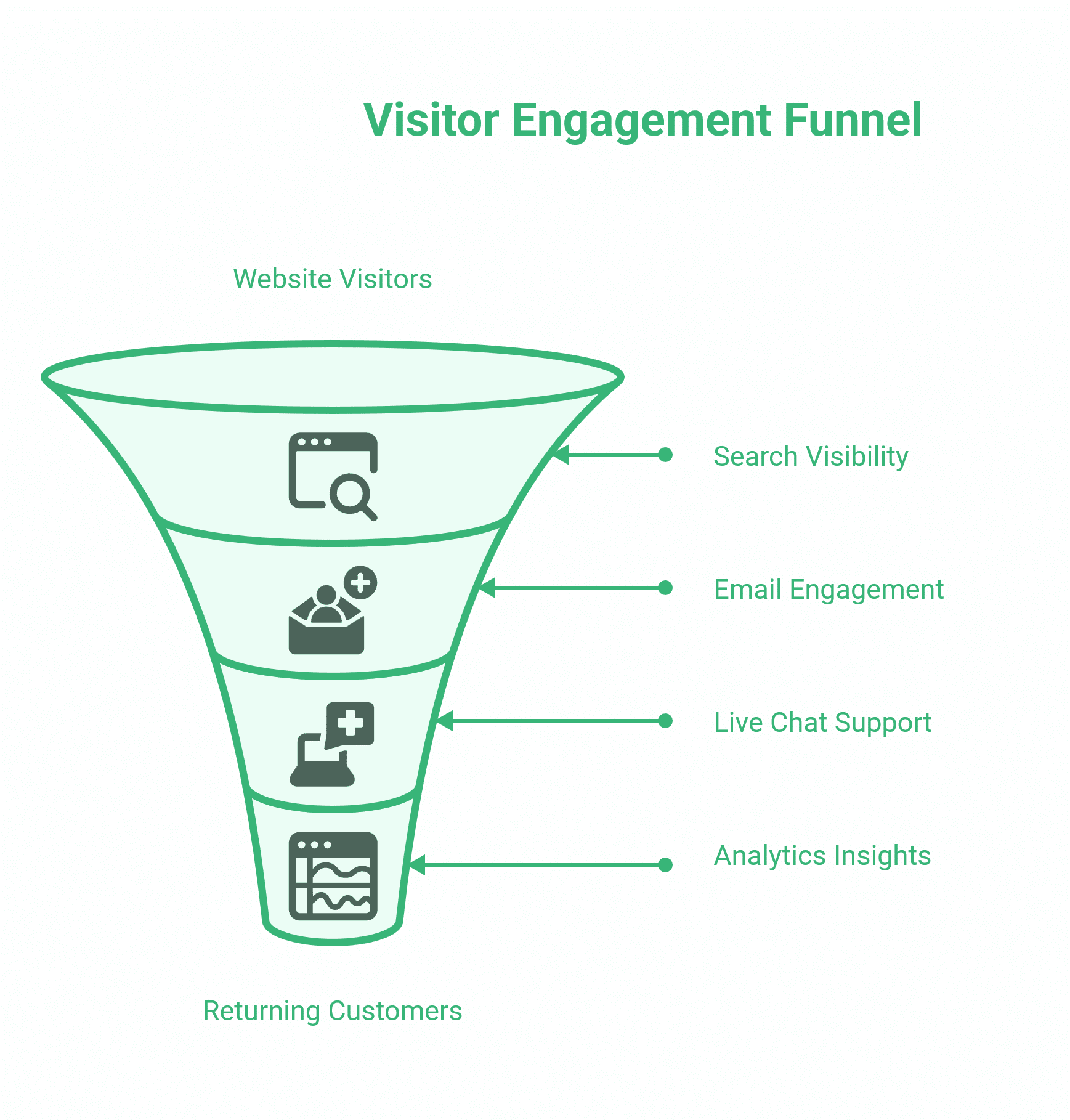
These four native Wix apps form the operational backbone of any online store. Built by Wix rather than third-party developers, they integrate with each other out of the box and have minimal impact on page load speed.
Wix Stores
Wix Stores remains the foundation of any Wix e-commerce setup. It is a native app built into the Wix platform and covers the core commercial functions a small business needs to start selling online: product pages, a shopping cart, payment processing, inventory management, and order tracking.
Key features: product variants and digital downloads; multi-channel selling via Facebook and Instagram; abandoned cart recovery emails; discount codes and gift cards; shipping rules and tax management.
Pricing: free to install; transaction fees apply to some Wix plans. The Business plan (approximately £17/month) removes Wix transaction fees and is the minimum practical plan for a store with regular volume.
The verdict: if you are selling on Wix, Wix Stores is not optional. Its checkout customisation is limited compared to Shopify or a WooCommerce build, but for businesses with straightforward product catalogues and modest transaction volumes, it performs reliably.
One practical note for Northern Ireland businesses: Wix Stores handles VAT rates at checkout, but the Northern Ireland Protocol’s dual-market status for goods means VAT rules for cross-border sales to the Republic of Ireland require careful configuration. If you are selling physical goods across borders, seek tax advice on your tax setup before relying on automated VAT calculations.
Wix Bookings
For service businesses — consultants, therapists, personal trainers, beauty salons, and tradespeople — Wix Bookings is the most important app on this list. It replaces the need for a separate booking platform like Calendly or Acuity by bringing scheduling, payment collection, and calendar management directly into your Wix site.
Key features: service and package configuration; online payment at the point of booking; staff calendars and availability management; automated confirmation and reminder emails; Zoom integration for online sessions.
Pricing: The free plan allows up to five services. The Professional plan (approximately £8/month) removes the service cap and adds payment at the time of booking.
The verdict: the free tier is worth installing immediately for any service business. The paid tier pays for itself quickly if it converts even a handful of additional bookings per month that would otherwise have required a phone call.
Wix Invoices and Quotes
Often overlooked in app guides focused on marketing, Wix Invoices and Quotes is a native finance tool that lets you create, send, and track invoices and quotes directly from your Wix dashboard.
Key features: professional invoice templates; online payment links; quote-to-invoice conversion; payment tracking and reminders.
Pricing: free.
The verdict: for freelancers and small service businesses that do not yet use dedicated accounting software, this removes the need to switch between platforms for billing. It does not replace proper accounting software as your business grows, but as a starting point, it is genuinely useful and costs nothing.
Marketing, SEO, and Customer Engagement Apps
Getting visitors to your site is one challenge. Keeping them engaged, converting them, and bringing them back are other things. These apps cover the core marketing and customer communication functions a Wix store needs, including search visibility, email, live chat, and analytics.
Wix SEO Setup Checklist
This is a native Wix tool rather than a third-party app, but it belongs in any honest discussion of Wix SEO because it is where most Wix site owners should start. The checklist walks you through the fundamental on-page SEO tasks for your site: connecting your domain, submitting your sitemap to Google Search Console, setting page titles and meta descriptions, and adding alt text to images.
What it does not do is anything particularly sophisticated. It will not help you with technical SEO issues like crawl configuration, structured data, canonical tags, or Core Web Vitals optimisation. For those tasks, a platform like WordPress with a properly configured SEO plugin or professional SEO support is a more capable environment.
Key features: step-by-step SEO task list; Google Search Console connection; sitemap submission; page-level SEO field prompts.
Pricing: free, included with all Wix plans.
The verdict: complete the checklist before you do anything else. It takes under an hour and addresses the most common reasons Wix sites fail to index properly. If you have already done this and your site still lacks visibility, the issue is likely content quality, backlinks, or technical factors that the checklist does not address. That is where ProfileTree’s SEO services for UK and Northern Ireland businesses become relevant — the checklist is the floor, not the ceiling.
Wix Email Marketing
Wix’s native email marketing tool covers the basics for a business that wants to send newsletters, promotional campaigns, and automated sequences to a subscriber list, without connecting a third-party platform.
Key features: drag-and-drop email editor; list segmentation; automation for welcome sequences and abandoned cart follow-ups; campaign analytics.
Pricing: free up to 200 emails per month on the free plan; paid plans for higher volumes.
The verdict: sufficient for a small business sending occasional campaigns to a list under 500 subscribers. For more sophisticated segmentation, A/B testing, or high-volume sending, platforms like Mailchimp or Klaviyo offer considerably more capability through their Wix integrations.
Wix Chat
Wix Chat places a live chat window on your site and routes conversations to your phone or desktop. It allows visitors to ask questions in real time, and it works well for businesses where a quick answer is the difference between a lead converting or leaving.
Key features: instant visitor notifications; automated greeting messages; lead capture forms within the chat window; saved reply templates for recurring questions.
Pricing: free.
The verdict: worth installing on any site with a service offering where price, availability, or specific requirements are common pre-purchase questions. The mobile app lets you respond from anywhere, making it practical for small business owners without dedicated customer service staff.
Visitor Analytics
Google Analytics is the standard for web analytics, but its integration with Wix requires some configuration, and its interface is not immediately accessible for business owners without an analytics background. Visitor Analytics offers a simpler dashboard — session data, traffic sources, heatmaps, and conversion funnels — with a native Wix integration.
Key features: visitor session recordings; heatmaps; traffic source breakdown; conversion goal tracking.
Pricing: free plan with limited data history; paid plans from approximately £6/month.
The verdict: useful as a more accessible complement to Google Analytics, particularly for business owners who want to understand which pages visitors spend time on and where they drop off. Understanding that data is the first step; knowing what to do with it — adjusting content, restructuring page layouts, or improving calls to action — is where a content marketing or digital marketing strategy engagement adds value.
Smile: Rewards and Loyalty
Smile is one of the most established loyalty programme apps available across e-commerce platforms. It allows you to create a points-based rewards programme, referral incentives, and VIP tiers for your best customers.
Key features: points for purchases, sign-ups, and social shares; referral programme with unique links; VIP tier configuration; customisable rewards widget.
Pricing: free plan available with limited features; paid plans from approximately £29/month. For most small stores, the free tier is a reasonable starting point.
The verdict: loyalty programmes work most effectively when customers make repeat purchases. For businesses with a product catalogue that naturally drives repeat buying — such as consumables, beauty products, food and drink, and clothing — Smile can improve retention. For businesses that sell large one-off items, the investment is harder to justify.
Design, UX, and Social Proof Apps
First impressions and ease of navigation directly affect whether a visitor stays or leaves. These apps improve how your store looks, how easily customers find what they need, and how confidently they trust what they see.
Wix Pro Gallery
Wix Pro Gallery is a native image gallery app that offers significantly more layout flexibility than Wix’s default image grid. It supports masonry layouts, slideshow formats, and collage arrangements, and it handles image loading performance better than stacking multiple individual image elements on a page.
Key features: multiple layout options; lightbox view; custom ratio and spacing controls; video support within the gallery grid.
Pricing: free.
The verdict: if your business relies on visual presentation — whether that is property, food, fashion, interiors, or creative work — replacing the default Wix gallery with Wix Pro Gallery is a straightforward improvement that takes about 20 minutes. For an in-depth guide to how the gallery categories work, ProfileTree’s Wix Pro Gallery tutorial covers the configuration in detail.
Elfsight Instagram Feed
Elfsight’s Instagram Feed app pulls your Instagram content directly onto your Wix site. For businesses where social proof and visual content are central to the buying decision, displaying recent posts provides evidence of activity and consistency without requiring a visitor to leave your site.
Key features: customisable grid, slider, or masonry layout; post filtering by hashtag; integration with follow buttons.
Pricing: free plan available; paid plans from approximately £5/month. Note that the free plan includes Elfsight branding.
The verdict: useful for businesses with an active, visually strong Instagram presence. If your Instagram feed is inconsistent or sparse, installing this app draws attention to the problem rather than solving it.
Wix Site Search
Wix Site Search adds a search bar to your site that lets visitors find specific products, blog posts, or pages without navigating your menu. In stores with more than 20 products, the absence of search is a real friction point.
Key features: real-time results as the user types; customisable placement; filtering by content type.
Pricing: free.
The verdict: install this immediately if you have a product catalogue of any significant size. A visitor who cannot find what they are looking for leaves; a search bar keeps them on site.
AfterShip Order Tracking
AfterShip integrates with major UK and international carriers — including Royal Mail, DPD, Hermes, and Parcelforce — and provides customers with real-time tracking updates by email and SMS. Post-purchase anxiety (the period between placing an order and receiving a delivery confirmation) is one of the biggest drivers of support queries for UK e-commerce businesses.
Key features: carrier integration including major UK services; branded tracking page; automated SMS and email notifications; returns management portal.
Pricing: free plan for up to 50 shipments per month; paid plans scale with volume.
The verdict: for any Wix store shipping physical products, this is one of the highest-value apps on this list, given its cost. Reducing “where is my order?” queries alone is worth the setup time.
Tidio Live Chat
Where Wix Chat is a simple, native tool, Tidio is a more capable customer service platform that combines live chat with an AI-assisted chatbot. The chatbot can handle common questions autonomously — such as order status, return policies, and product availability — and escalate to a human agent when needed.
Key features: AI chatbot with pre-built response flows; live chat; email and Messenger integration; visitor behaviour triggers (e.g. trigger a message after 30 seconds on the checkout page).
Pricing: free plan for up to 50 live chat conversations per month; paid plans from approximately £19/month.
The verdict: worth considering over Wix Chat if you receive a significant volume of repetitive enquiries that could be handled automatically. For businesses with a small number of daily enquiries, Wix Chat’s free tier is sufficient.
How to Build Your Wix App Stack: A Phased Approach
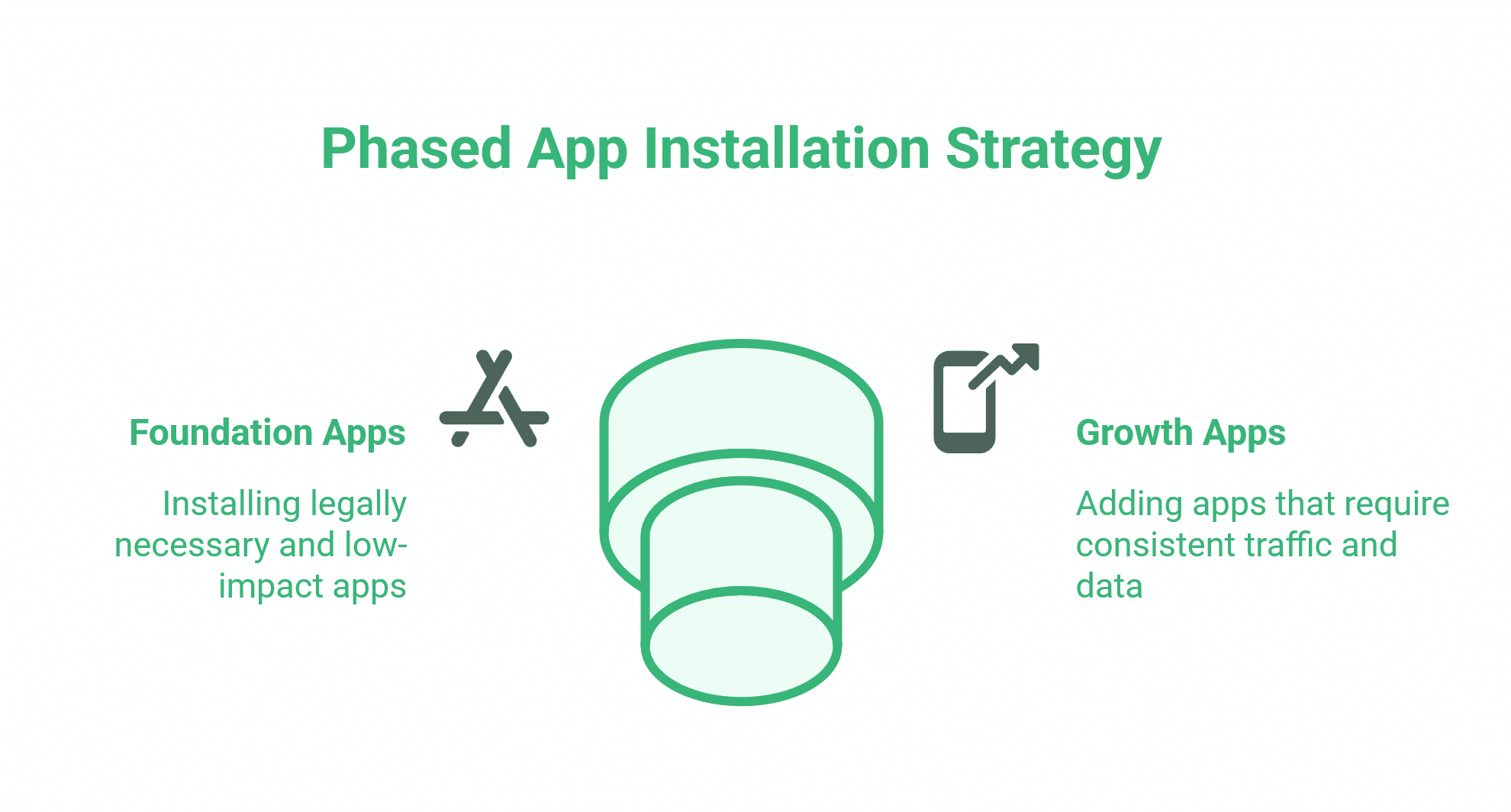
Installing 15 apps simultaneously is not a strategy. It is how you create an app bloat problem. A more practical approach is to build your stack in phases, adding only what your business genuinely needs at each stage.
Phase 1 — Foundation (install immediately): Wix Stores or Wix Bookings (whichever applies), Wix SEO Setup Checklist, CookieYes, Wix Chat or Tidio, Wix Site Search. These are either legally necessary or have a negligible performance impact.
Phase 2 — Growth (add once you have consistent traffic): Wix Email Marketing, Visitor Analytics, AfterShip, Wix Invoices and Quotes. These tools require data to be useful. Installing email marketing before you have a list-building strategy produces no value.
Phase 3 — Retention and brand (add when you have repeat customer behaviour to work with): Smile Rewards, Elfsight Instagram Feed, UserWay. These improve the experience for an audience that already knows you.
As your Wix store grows, you will reach a point where the platform’s structural limitations — its checkout customisation, its SEO ceiling, its restricted development environment — begin to constrain what you can do. That is a natural inflexion point that many Northern Ireland and UK businesses reach between years two and four of trading online. At that stage, the decision is not which apps to add, but whether the platform itself is still the right choice. ProfileTree’s web design team works with businesses at exactly this stage, whether that means getting more from Wix or planning a migration to a platform better suited to their next phase of growth.
Conclusion
The Wix App Market gives small businesses many capabilities without requiring a developer. The challenge is not finding apps — it is knowing which ones are worth installing, in what order, and what to do when the platform’s built-in limits start to show. Start with the foundation stack: Wix Stores or Bookings, the SEO Checklist, CookieYes, and a chat tool. Build from there as your traffic and transaction volume grow. If you reach the point where no combination of apps solves the problem, that is usually a sign that the business has outgrown the platform rather than that it needs another plugin.
For businesses in Northern Ireland, Ireland, and the UK looking for support with Wix configuration, SEO, or digital strategy, ProfileTree’s team has worked with SMEs at every stage of this journey.
FAQs
Are Wix apps free to use?
Some are. Wix’s own native apps — Stores, Bookings, Chat, and Email Marketing — are free to install, with paid tiers for higher usage. Third-party apps typically offer a limited free plan and paid plans for full functionality, ranging from around £5 to £29 per month.
Do too many Wix apps slow down my website?
Yes, if they are iframe-based rather than native. Each iFrame app adds an extra request to your page load, and stacking several on the same page can affect your Core Web Vitals scores, particularly on mobile. Audit your active apps quarterly and remove anything you are not actively using.
How do I add third-party apps to my Wix site?
From your Wix dashboard, go to Add Apps in the left-hand menu to open the App Market. Most apps install in one or two clicks. For guidance on connecting apps after installation, ProfileTree’s tutorial on connecting apps to your Wix website walks you through the process step by step.
What Wix apps do I need for GDPR compliance in the UK?
At a minimum, a cookie consent management app. CookieYes is the most widely used option on the Wix App Market and covers UK GDPR and PECR requirements. Ensure your privacy policy is up to date and that you have a documented lawful basis for any personal data collected through forms or chat.