
WordPress Hosting Cost UK: Total Website Investment Guide
Table of Contents
Most SMEs searching for WordPress hosting costs in the UK are looking at the wrong number. The monthly hosting fee shown on a provider’s pricing page is just the start. When you factor in renewal rates, add-on charges, maintenance time, and the cost of things going wrong, the actual annual spend is often three to four times the headline figure.
This guide breaks down WordPress hosting cost UK businesses at different stages need to plan for, what you should expect to get for your money, and how WordPress hosting fits within the broader picture of running a professional website. If you are planning a new site or reconsidering your current setup, the figures here will give you a realistic baseline for budgeting.
WordPress Hosting Cost UK: Current Market Rates
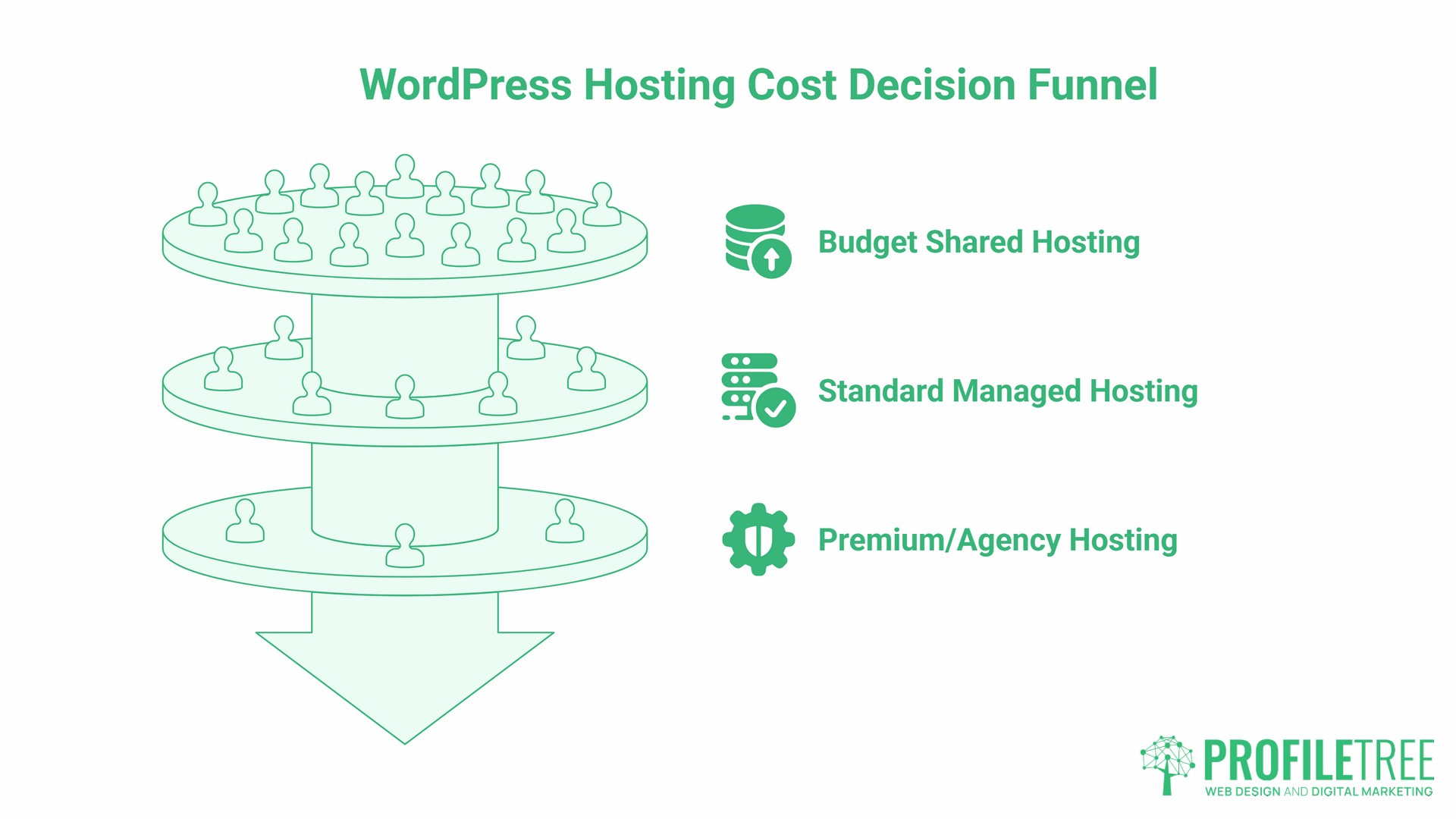
The market divides into three tiers, and understanding which tier suits your business is the first decision to get right.
- Budget shared hosting starts at £1 per month at introductory rates. These plans share server resources across hundreds of accounts, meaning your site’s performance is affected by everyone else on the same machine. Renewal rates are consistently higher: SiteGround’s entry plan moves from £1.99 to £13.99 after 12 months (a 401% increase), while IONOS advertises £1 per month but renews at £8, a 700% jump, according to pricing data published in March 2026. SSL certificates, backups, and email hosting are frequently listed as optional extras, each adding to the real monthly figure.
- Standard managed WordPress hosting cost UK providers typically set at £20 to £80 per month. This tier provides dedicated resources, automatic backups, included SSL, and some level of WordPress-specific support. Performance is significantly more predictable, and the included features mean the advertised price is closer to what you actually pay.
- Premium and agency-managed hosting starts at £80 per month and scales with site complexity. At this level, you are paying for guaranteed uptime SLAs, proactive security monitoring, staging environments, and expert support from people who understand WordPress specifically. For business-critical sites or e-commerce operations, this tier is usually the only practical choice.
| Hosting Tier | Intro Price | Renewal Price | What Is Typically Included |
|---|---|---|---|
| Budget shared | £1 to £8/mo | £8 to £20/mo | Basic storage, limited support, extras sold separately |
| Standard managed | £20 to £50/mo | £25 to £60/mo | SSL, backups, email, WordPress support |
| Premium/agency-managed | £80 to £200/mo | Same rate | Full stack, security, staging, expert support |
The gap between column two and column three in that table is where most businesses get caught out. Hosting providers rely on the renewal rate being buried in terms and conditions, and on the hassle of switching being enough to keep customers in place once the first year expires.
The UK-Specific Costs Most Guides Ignore
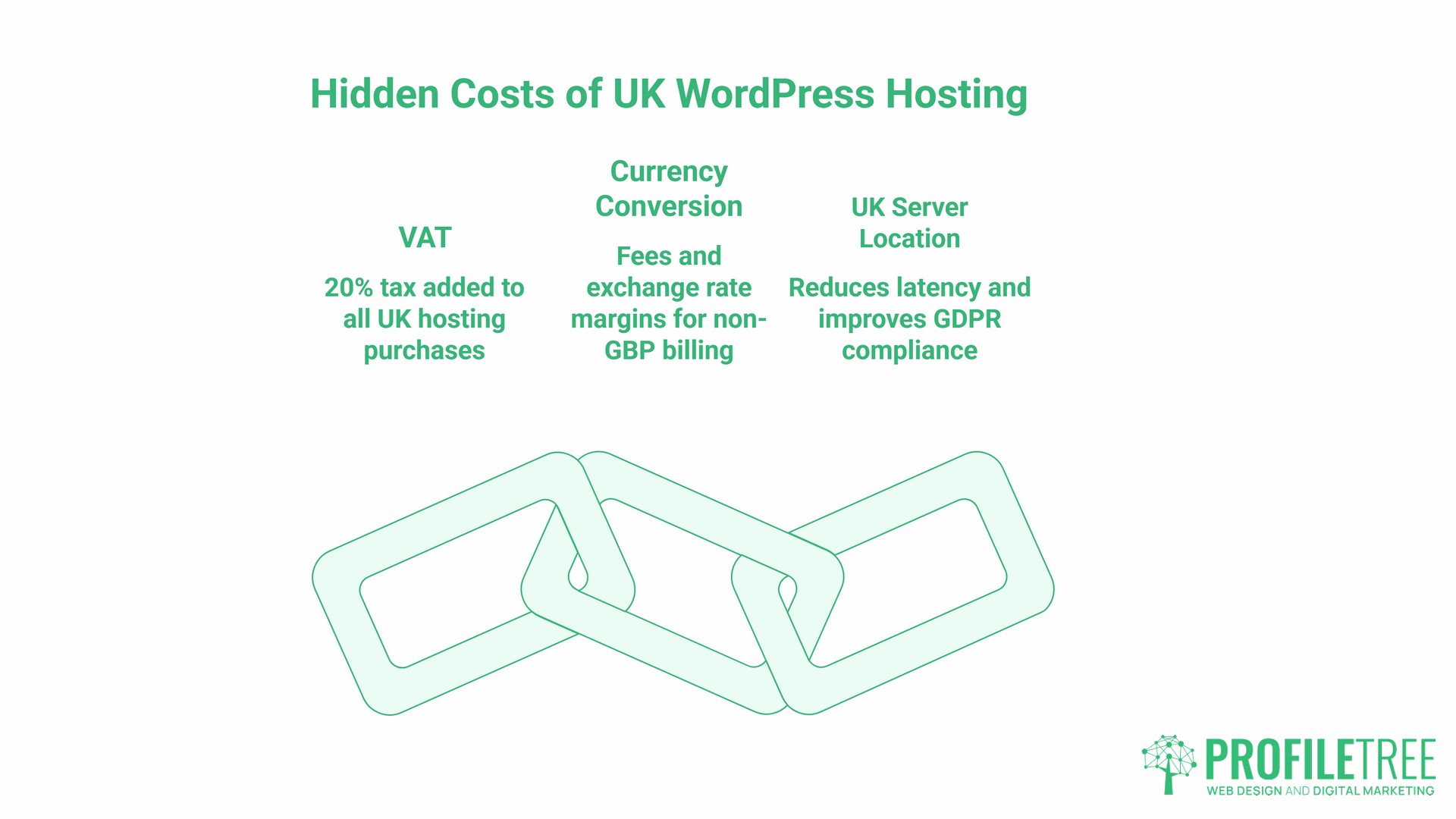
Generic WordPress hosting guides often ignore two factors that materially affect WordPress hosting cost UK figures compared to what providers advertise.
- VAT. All UK hosting purchases are subject to 20% VAT. Many providers, particularly US-based ones, display prices excluding VAT and add it at checkout. A plan advertised at £9.99 per month costs £11.99 once VAT is applied. Over a year, on a plan that renews at a higher rate, this adds meaningfully to the total.
- Currency conversion. Several popular hosting providers bill in US dollars or euros. Adding a 2 to 3% foreign transaction fee from your bank, plus the exchange rate margin the provider applies, means a nominally cheap plan becomes noticeably more expensive for UK businesses paying annually on US-billed plans.
- UK server location. Hosting on a server physically located in the UK reduces page load time for UK visitors. This matters for Core Web Vitals, which are a confirmed Google ranking factor. A site hosted on a US server will typically show higher latency for UK users, which affects both performance scores and user experience. UK data residency also simplifies GDPR compliance obligations around data processing locations.
Hidden WordPress Hosting Costs UK Businesses Frequently Miss
The monthly fee is only one line in the true cost calculation. These are the costs that appear nowhere on a hosting invoice but significantly affect the bottom line.
- SSL certificates. Let’s Encrypt provides free SSL. Most quality providers include it automatically. Budget hosts frequently charge as an add-on. Any site without SSL shows a “Not Secure” warning in browsers and loses ranking signals in Google.
- Daily backups. Without automated daily backups, a hacked or broken site may be unrecoverable without rebuilding from scratch. Budget providers commonly charge for backup services that should be standard.
- Email hosting. Professional email addresses on your own domain are billed per mailbox by many budget providers. A small team quickly adds a meaningful amount to the real hosting cost once per-mailbox fees are applied across the team.
- Security scanning and firewall. Active security monitoring is an add-on to budget plans. Without it, you are relying on reactive fixes rather than prevention.
- Developer time for problems. This is the cost most businesses do not anticipate. When a cheap hosting environment breaks, crashes, or gets compromised, the fix requires either your own time or a developer’s. UK web developer rates run from £40 to £150 per hour, depending on experience and whether you are hiring a freelancer or agency, according to 2025 market data. A single hosting-related emergency can wipe out months of apparent savings on a cheap plan.
- The migration trap. Moving away from a poor hosting provider is not free. There is potential downtime during the switch, email disruption, and a learning curve with a new control panel. Budget hosts know this, and it keeps many customers in place long after the service has stopped working for them. The full process of moving hosts safely is covered in our WordPress hosting migration guide.
WordPress Hosting Cost UK: Breakdown by Business Type
Different businesses have different needs and different risk tolerances. Here is a realistic cost range for each type.
Freelancers and Sole Traders
- Typical needs: Single site, low to moderate traffic, professional appearance, basic email, and uptime during business hours.
- What to budget: £20 to £35 per month, all-in, is realistic for a professional setup that includes SSL, backups, and email. Plans under £10 per month will require add-ons, pushing the actual cost higher while delivering lower performance.
- The risk at the budget end: A site that goes down during a client pitch or loads slowly when a prospect checks it has a direct commercial cost that dwarfs the monthly savings on hosting.
Small Local Businesses
- Typical needs: Reliability, local search visibility, a booking or enquiry function, and a professional email for a small team.
- What to budget: £40 to £75 per month. At this level, you should expect included backups, SSL, email for multiple users, and responsive support with reasonable response times.
- The SEO angle: Server speed directly affects Core Web Vitals scores, which influence local search rankings. An SME investing in SEO services while running the site on slow shared hosting is working against itself. The two decisions are connected. For businesses based in Northern Ireland, our guide to WordPress hosting in NI covers cross-border compliance considerations specific to the NI market.
Growing SMEs
- Typical needs: Higher traffic volumes, marketing campaign peaks, integration with CRM or booking tools, reliable uptime with support escalation options.
- What to budget: £75 to £150 per month. At this stage, managed WordPress hosting from an agency makes financial sense. The cost of developer time to maintain a DIY setup, manage updates, and respond to incidents typically exceeds the cost difference between budget and managed hosting within a few months.
Ciaran Connolly, founder of ProfileTree, notes: “We regularly speak to SMEs who are spending more on emergency fixes and downtime recovery than they would spend on managed hosting. The maths only look good on cheap hosting until something goes wrong, and something always goes wrong eventually.”
E-Commerce Operations
- Typical needs: Consistent performance under traffic peaks, PCI compliance considerations, fast checkout pages, and reliable uptime during trading hours.
- What to budget: £100 to £300 per month. E-commerce sites cannot afford slow load times. Google’s research found that as page load time increases from 1 to 3 seconds, the probability of a visitor bouncing increases by 32% (Google/SOASTA Research, 2017, referenced via Google Think with Google). For a site processing online transactions, hosting is a revenue factor, not just an infrastructure cost.
Security is non-negotiable at this level. SSL, active malware scanning, and regular backups are not optional extras; they are the baseline.
DIY Hosting vs Agency-Managed Hosting: A Direct Comparison
| Factor | DIY Shared Hosting | Agency-Managed Hosting |
|---|---|---|
| Monthly fee | £3 to £25 | £80 to £200 |
| SSL certificate | Add-on in many cases | Included |
| Daily backups | Add-on in many cases | Included |
| Security monitoring | Add-on or manual | Included and proactive |
| WordPress updates | Manual by you | Managed |
| Response to issues | You investigate | Agency investigates |
| Typical hidden monthly cost | £20 to £150+ | Near zero |
| True monthly range | £30 to £175 | £80 to £200 |
When businesses compare WordPress hosting cost options, the headline plan price is usually where the comparison stops. The bottom row of the table above is the one that matters: the headline savings from DIY hosting diminish significantly once you add back the features that make a site reliable and the time cost of managing it yourself.
For businesses where the website is a commercial asset rather than a digital brochure, the agency-managed column typically represents better value. ProfileTree’s website development services include hosting recommendations tailored to each site’s technical requirements and traffic profile.
How Hosting Fits Into Your Total Website Investment
Hosting is one component of the total cost of running a professional WordPress site. Understanding the full picture helps SMEs budget realistically from the start rather than discover costs incrementally.
A typical annual website budget for an SME includes:
- Infrastructure (hosting, domain, SSL): £300 to £1,800 per year, depending on tier and included features.
- Maintenance and updates: WordPress core, theme, and plugin updates need to happen regularly. Skipping them creates security vulnerabilities. DIY maintenance takes time each month for most sites. At UK developer rates of £40 to £150 per hour, outsourcing this is a real and ongoing cost if you are not handling it yourself or using managed hosting.
- Security: On unmanaged hosting, expect to invest in a security plugin licence and budget for incident response. Security plugin licences for WordPress typically run £50 to £150 per year for reputable tools.
- Performance optimisation: A caching plugin, image optimisation, and CDN configuration make a material difference to load times. Some managed plans include these; on budget plans, they are additional costs or manual tasks.
- Content updates: A site that never updates ranks lower over time. Whether you handle content internally or work with an agency on content marketing, this is a real ongoing cost.
When all of these are totalled, the difference in annual spend between budget DIY hosting and quality managed hosting is often smaller than businesses expect, particularly once maintenance time and incident costs are factored in.
Choosing the Right WordPress Hosting Partner: What to Check
Before committing to a hosting provider or managed service, ask these specific questions.
- What is the renewal rate, and how does it compare to the introductory price? Ask for it in writing. If a provider is reluctant to confirm renewal pricing before you sign up, that is a meaningful signal. As noted above, renewal increases of 400% to 700% have been documented across major UK providers.
- Where are the servers physically located? For UK businesses targeting UK customers, a UK or EU data centre is preferable for both performance and GDPR compliance.
- What is included as standard, and what is an add-on? Ask specifically about SSL, daily backups, email hosting, security scanning, and CDN. A clear, itemised answer distinguishes transparent providers from those who hide costs in the small print.
- What does support look like in practice? Response time commitments are worth less than knowing whether support staff understand WordPress specifically. Ask how they handle a hacked site, a broken update, or a traffic spike.
- What is the migration process if you want to leave? A provider confident in their service will make leaving straightforward. Expensive migration processes or data export restrictions are warning signs.
- Do prices include VAT? Confirm whether quoted prices are inclusive or exclusive of 20% UK VAT.
Your WordPress Hosting Cost Checklist
Use this before signing up for any plan or renewing an existing one. Understanding the true WordPress hosting cost UK businesses pay requires checking each of these points.
- Calculate the true monthly cost: hosting fee + SSL (if not included) + backup service (if not included) + email (if not included) + VAT
- Check the renewal rate, not just the introductory price
- Confirm UK or EU server location
- Verify backup frequency and restoration process
- Confirm SSL is included and auto-renewing
- Check the support channel and response time commitment
- Calculate the estimated annual maintenance time cost at your own or a developer’s hourly rate
- Compare the total annual figure against managed hosting alternatives
For businesses undergoing a broader digital review, this checklist connects to a broader set of decisions about web design and site performance that affect how effectively hosting investment translates into commercial outcomes.
What Appropriate Hosting Investment Looks Like
WordPress hosting cost UK businesses most often underestimate is not the monthly fee; it is the accumulated cost of making the wrong initial decision. A site built on budget hosting that needs emergency developer intervention, a mid-contract migration, and several months of degraded SEO performance will typically cost more in its first two years than quality managed hosting from the start.
For most SMEs in Northern Ireland, Ireland, and the UK, the right monthly hosting investment ranges from £35 to £150, depending on site complexity and traffic. Below that range, the probability of encountering a hidden cost event is high. Above it, the question is whether the premium features are genuinely needed or whether a mid-tier managed plan offers comparable reliability at a lower cost.
The most useful thing a business can do before renewing or switching is to calculate the true WordPress hosting cost: the base fee, every add-on, the renewal rate if you are past the introductory period, and a realistic estimate of maintenance time. That figure, compared against a quality-managed alternative, is usually a more interesting number than the one on the original invoice.
Frequently Asked Questions
How much does WordPress hosting cost per month in the UK?
For a professional setup that includes SSL, backups, and email, WordPress hosting cost UK buyers should budget £20 to £35 per month at the entry level and £75 to £150 per month for managed hosting suited to growing businesses. Introductory plans from £1 to £5 per month almost always carry higher renewal rates and exclude features that push the real cost significantly higher.
Why is managed WordPress hosting more expensive?
Managed hosting includes services that DIY plans charge for separately: security monitoring, automatic updates, daily backups, and expert WordPress support. The higher headline price typically reflects a more accurate all-in cost, whereas budget plan prices require adding back multiple extras to reach a comparable feature set.
Does WordPress hosting affect my SEO?
Yes, directly. Page load speed is a confirmed Google ranking factor, and Core Web Vitals are assessed against real-world performance. A UK site on a UK or EU server will generally load faster for UK users than one hosted on a US server. Downtime also affects crawlability; a site that is frequently unavailable is crawled less reliably.
Does WordPress hosting cost UK prices include VAT?
UK businesses pay 20% VAT on hosting services. Many providers, particularly those based in the US, display prices excluding VAT. Always check whether a quoted price is inclusive or exclusive of VAT before comparing options.
Can I get free WordPress hosting?
Free hosting options exist but introduce significant limitations: restricted storage, no custom domain, provider branding on your site, and no support. For any business using its website commercially, free WordPress hosting creates risks around reliability and credibility that outweigh the cost savings.
What happens when my site outgrows a budget plan?
Migrating from one host to another can cause downtime, email disruptions, and potential SEO impact during the transition period. Planning the right hosting tier from the start avoids this cost. If your business is growing, build headroom into the initial hosting decision rather than optimising for the lowest possible entry price.
How does WordPress hosting cost UK pricing compare to other markets?
UK pricing is broadly comparable to the rest of Europe when VAT is applied consistently. US-based providers may appear cheaper in headline terms but become cost-comparable once currency conversion, foreign transaction fees, and VAT are added. UK data residency requirements under UK GDPR add a compliance dimension that is not relevant in other markets.