
Social Media for Non-Profits: Effective Outreach Guide
Table of Contents
Social media for non-profits has changed beyond recognition in the past five years, yet most of the guides written on the subject still assume a marketing team, a US tax code, and a budget that the average UK charity simply does not have. A volunteer-led organisation in Belfast running a food bank, a small mental health charity in Dublin, or a community arts group in Glasgow all face the same problem: the advice they find online was written for someone else.
This guide is written for the charity marketer who is often also the fundraiser, the content creator, and the person who makes the tea. It covers platform strategy, UK regulatory compliance, ethical storytelling, and practical AI tools that can help a small team punch above its weight without burning out.
Why Social Media for Non-ProfitsMatters?
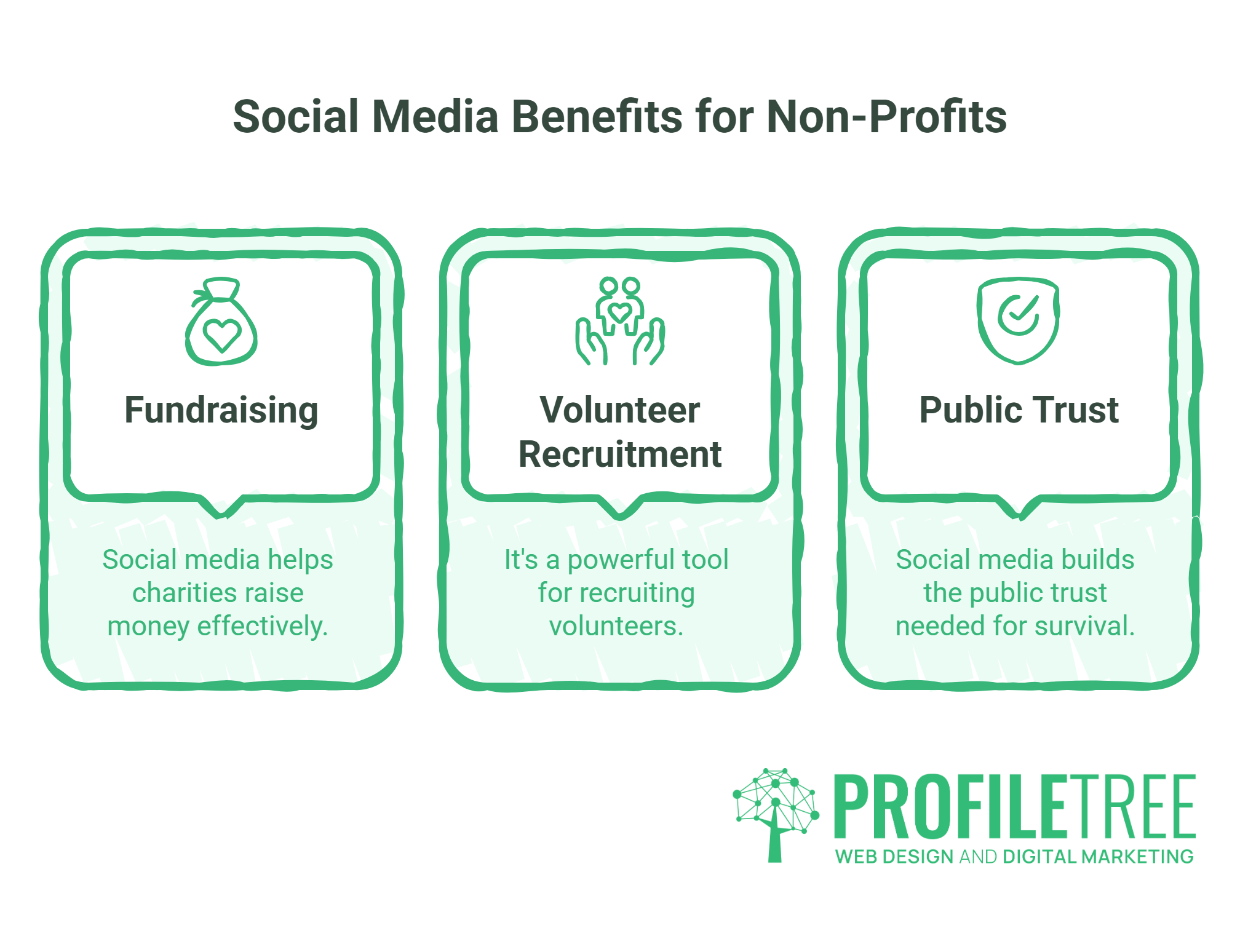
Social media has changed how charities raise money, recruit volunteers, and build the kind of public trust that determines long-term survival. According to the Charity Digital Skills Report, digital skills remain one of the most significant gaps across the UK charity sector, and social media sits at the centre of that gap.
The challenge is that social platforms were not designed for organisations without a commercial product to sell. A non-profit’s currency is stories, causes, and community. Converting that into consistent engagement requires a different approach from the one taught in most digital marketing courses.
There is also the question of platform shifts. The newsfeed-first model that Facebook built charities’ digital strategies around for a decade has given way to social search. People now use TikTok and Instagram to find information the way they once used Google. For a charity running a food poverty campaign, appearing in TikTok search results for “how to help food banks UK” has genuine reach value that a Facebook post from 2018 could never have achieved.
ProfileTree, the Belfast-based digital agency, has worked with organisations across Northern Ireland and Ireland on digital strategy, and the pattern is consistent: charities that win on social are the ones that pick their platforms deliberately, tell stories with consent and dignity, and measure the right things.
UK Legal and Regulatory Context
This is the section most social media guides skip. For UK charities, it is not optional.
Navigating UK Charity Commission Social Media Guidance
The Charity Commission for England and Wales updated its guidance on social media and digital communications in 2024. The guidance places clear responsibility on trustees for how their charity presents itself online, even when day-to-day management is delegated to a member of staff or volunteer. Key obligations include:
- Any public-facing statement must be consistent with the charity’s objects as registered with the Charity Commission.
- Charities must not use social media to campaign in ways that could be perceived as politically partisan, particularly in the run-up to elections.
- Trustees are responsible for ensuring that social media posts comply with advertising standards, even organic posts that could be construed as promotional claims.
The equivalent regulatory body in Scotland is OSCR (Office of the Scottish Charity Regulator), and in Northern Ireland it is the Charity Commission for Northern Ireland. Each has broadly similar expectations around trustee oversight of digital communications.
The practical implication for charity social media managers is straightforward: any content strategy should be signed off by a trustee or board-approved policy document, not just delegated informally. This protects the individual creating content as much as the charity itself.
GDPR and Donor Privacy on Third-Party Platforms
When a supporter clicks a fundraising button on Facebook or Instagram, the data collected by Meta is governed by Meta’s own privacy policy, not yours. If you then capture that donor’s details in your own CRM, GDPR applies to how you store, use, and communicate with that person.
The key compliance points for UK charities using social platforms to drive donations:
- Never use social media pixel data to build retargeting audiences of people who have expressed interest in specific health conditions, religious causes, or political causes, as these are special category data under UK GDPR.
- If you run a Facebook fundraiser, Meta handles the donation processing and donor data. You will typically receive only aggregate information, not individual donor details, unless donors opt in separately.
- Email sign-up forms linked from social posts must carry a clear privacy notice and an affirmative opt-in.
The Information Commissioner’s Office (ICO) has published guidance specifically for charities on direct marketing and consent that is worth bookmarking for anyone managing donor communications.
Gift Aid and Social Commerce: What You Need to Know
Gift Aid is one of the most valuable mechanisms available to UK-registered charities, adding 25p to every pound donated by a UK taxpayer. Social media platforms have made it easier to drive donations, but harder to capture Gift Aid declarations in a compliant way.
Facebook Donations and Instagram’s donation sticker process payments through Meta’s own system. In most cases, the charity receives the donated amount but not the individual donor’s details needed to claim Gift Aid. To capture Gift Aid on social-driven donations, the most reliable approach is to direct donors to your own website donation page, where a compliant Gift Aid declaration form sits alongside the payment process.
Charities using JustGiving, Enthuse, or Donorbox can integrate Gift Aid capture into their landing pages and then share those pages via social media. This approach preserves the ease of social sharing while ensuring the charity can recover the additional 25%.
Platform Strategy: Where to Reach Donors, Volunteers, and Supporters
No charity team has the capacity to do every platform well. The most effective approach is to choose one or two primary platforms based on where your specific audience spends time, and to treat the rest as secondary channels that receive repurposed content at a lower frequency.
| Platform | Primary audience | UK donation tool | Best use | Effort level |
|---|---|---|---|---|
| 35–65+ | Facebook Fundraisers (limited Gift Aid) | Community building, events, older donors | Medium | |
| 18–40 | Donation sticker in Stories | Visual storytelling, volunteer recruitment | Medium–high | |
| TikTok | 16–35 | No native donation tool | Community building, events, and older donors | High |
| 25–55 professionals | None | Corporate partnerships, major donor cultivation | Low–medium | |
| YouTube | All ages | None (link to external) | Long-form education, evergreen content | High |
| X (Twitter) | 25–50 news-engaged | None | Media relations, public campaigns, advocacy | Medium |
TikTok and Reels: Mastering Short-Form Storytelling
The most significant shift in social media over the past two years is the rise of social search. A substantial portion of Gen Z now uses TikTok as their primary search engine for advice and causes, bypassing Google entirely. For charities, this creates a real opportunity that most are not yet exploiting.
The approach is to create short-form videos that answer the questions your target audience is already searching for. A homelessness charity might create a 60-second video answering “how can I help homeless people in my area UK”. An environmental charity might target “how to reduce plastic waste at home”. These are search queries with genuine intent, and a well-optimised TikTok video can appear at the top of search results within days.
Optimising for TikTok search means including your target phrase in the spoken dialogue within the first three seconds, in the on-screen text overlay, and in the caption. Hashtags contribute less than they once did; the algorithm now relies more heavily on the actual content of the video and closed captions.
For Instagram Reels, the same principles apply. Reels are now searchable within Instagram and also appear in Google search results for relevant queries, giving charities a second bite at organic visibility with the same piece of content.
LinkedIn: Engaging Corporate Partners and Major Donors
LinkedIn is underused by most charities despite being the most direct route to corporate partners, pro bono support, and high-value individual donors. Unlike Facebook or Instagram, LinkedIn’s organic reach for organisational pages remains relatively strong, and content that speaks to professional values, CSR commitments, and skills-based volunteering performs well.
The most effective LinkedIn approach for non-profits combines a well-maintained organisation page with active personal profiles from senior staff and trustees. When a CEO or Board Chair shares an organisation’s post from their personal profile with a brief personal comment, it consistently outperforms posts from the organisation page alone.
Content that works on LinkedIn for charities: impact data presented as a simple visual (cost per beneficiary served, number of people supported this quarter), thought leadership pieces from staff on sector issues, and direct asks for pro bono skills during skills-gap campaigns.
Meta (Facebook and Instagram): Using the Latest Fundraising Tools
Facebook and Instagram remain the largest combined audience for charities in the UK, and Facebook Fundraisers in particular have driven significant volumes of charity income, particularly around challenge events like marathons and sponsored activities.
The key limitation is the Gift Aid problem described in the compliance section above. The workaround most effective UK charities use is a hybrid approach: promote the Facebook Fundraiser for convenience and shareability, but also link directly to a JustGiving or Enthuse page in the post and in the fundraiser description, making clear that donations via the direct link also capture Gift Aid.
Instagram Stories remain one of the most effective formats for urgent appeals, live updates during events, and quick testimonials. The 24-hour lifespan creates a natural urgency that static feed posts rarely achieve. Saving high-performing Stories to Highlights extends their life and gives new profile visitors immediate evidence of your impact.
The Dignity-First Content Framework
The charity sector has a complicated history with the imagery it uses to raise money. Photographs of children in poverty, shock statistics about suffering, and what practitioners call “poverty porn” have been used effectively to drive short-term donations. The evidence now is clear that this approach erodes long-term trust, harms the dignity of the people being depicted, and is increasingly rejected by younger donors who will be the sector’s core supporters for the next 30 years.
The Dignity-First framework is a set of practical content principles that charity social media teams can apply before publishing:
- Show agency, not victimhood. Feature the people your charity serves as active participants in their own outcomes, not passive recipients of charity. A quote from a beneficiary explaining what they have been able to achieve is more powerful than a photograph of hardship.
- Consent must be explicit and specific. A general media consent form signed at the point of service does not cover ongoing social media use. If you are sharing someone’s story or image on social media, they should know it, understand the context, and have the ability to withdraw consent without consequences.
- Avoid “before and after” framing when the “before” shows a person at their most vulnerable. This is a common format in charity content that can cause genuine harm to the people featured.
- Ask your community what they want to share. Some people served by charities want to tell their stories publicly. Building a pool of willing storytellers, supported by a proper consent process, produces better content and builds genuine relationships.
- Apply the journalist’s test: would the person depicted be comfortable if they saw this post shared among their own friends and family?
Applying this framework does not make content less compelling. It makes it more credible. Audiences trust charities that treat the people they serve with visible respect. That trust is the foundation of long-term donor relationships.
User-Generated Content as Social Proof
The most authentic content a charity can post is created by the people it supports, its volunteers, and its community. User-generated content (UGC) carries a credibility that polished organisational content cannot replicate, and it scales naturally because the community does the creative work.
Building a UGC pipeline requires consistent prompts: asking volunteers to share their experiences, inviting beneficiaries who want to share their stories to do so in their own words, and running challenges that ask supporters to post on your behalf. Every campaign should have a clear hashtag and a content brief that volunteers and supporters can follow without needing design skills.
AI and Automation for Small Charity Teams
The biggest practical barrier for small charity social media teams is time. A single person managing social media alongside a range of other responsibilities cannot produce high-quality, consistent content across multiple platforms without tools to help. AI content tools have changed that calculation meaningfully.
AI writing tools can be used to draft social media captions, expand bullet points into full posts, suggest hashtag sets, and adapt a single piece of content for different platform formats. The important caveat is that AI-generated content needs human review and editing. The charity’s voice, tone, and values need to come through in every post, and AI output is a starting point, not a finished product.
A practical workflow for a small charity team:
- Write a brief summary of the story or update you want to share (3–4 sentences).
- Ask an AI tool to draft versions for a Facebook caption, an Instagram caption, a LinkedIn post, and an X thread.
- Edit each version for voice, accuracy, and dignity principles.
- Schedule using a free tool like Buffer or Meta’s native scheduling.
This workflow can reduce the time spent on content creation by 40–60% while maintaining quality, provided the human editing step is not skipped.
Ciaran Connolly, founder of ProfileTree, notes: “The charities we see making the most progress on social media are the ones who’ve stopped treating content creation as an entirely manual process. Using AI to handle the first draft frees up the person who actually understands the mission to focus on making the content accurate, compassionate, and worth sharing.”
The 20-Minute Daily Social Routine for Solo Charity Marketers
This is not about producing more content. It is about showing up consistently and responsively with the time available.
- Minutes 1–5: Check notifications and respond to any comments or direct messages from the previous 24 hours.
- Minutes 6–12: Post one piece of scheduled content or adapt a quick update to current news or activity.
- Minutes 13–18: Engage with two or three posts from partner organisations, supporters, or sector voices by commenting thoughtfully.
- Minutes 19–20: Note anything useful for future content (a question someone asked, a comment worth expanding, a story worth following up).
Applying this routine consistently five days a week produces more cumulative impact than sporadic bursts of intensive posting.
Free and Discounted Tools for UK Charities
| Tool | What it does | Charity pricing | Best for |
|---|---|---|---|
| Canva for Teams | Graphic design and social templates | Free for registered charities | Visual content, branded templates |
| Buffer | Scheduling and analytics | Charity discount available | Multi-platform scheduling |
| Hootsuite | Scheduling, monitoring, analytics | Reduced pricing for charities | Larger teams, monitoring |
| Google Ad Grants | Up to $10,000/month in Search ads | Free for eligible charities | Driving website traffic from search |
| TechSoup UK | Software and cloud services at reduced cost | Membership required | Access to wider tech discounts |
| Claude / ChatGPT | Content drafting, ideation | Varies by plan | Caption drafts, content repurposing |
Measuring What Matters: ROI vs Return on Effort
Most social media analytics dashboards offer more data than a small charity team can usefully act on. The metrics that matter for non-profits are different from those that matter for e-commerce businesses.
Follower counts are largely meaningless unless your charity has a reason to be measuring reach specifically. The metrics worth tracking are:
- Engagement rate (likes + comments + shares divided by impressions). A small, highly engaged audience is more valuable for a charity than a large passive one.
- Link clicks to donation pages, volunteer sign-up forms, or key content. This is the metric that connects social media activity to actual organisational outcomes.
- Story views and completion rates for Instagram and Facebook Stories, which indicate how much of your content people are actually consuming.
- New email subscribers or CRM contacts generated from social campaigns. This converts social audiences into an asset that the charity owns and can contact directly.
Return on effort is a more honest measure for small teams than return on investment. If creating a 60-second TikTok video takes two hours and generates 3,000 views and 40 new followers, while writing a three-page donor report takes eight hours and sits in a PDF that 12 people open, the TikTok was a better use of time. Measuring the effort input alongside the outcome helps small teams make better decisions about where to spend their limited hours.
Understanding the full picture of your digital performance requires connecting social data to your wider analytics. ProfileTree’s guide to social media marketing and sales covers how to map content activity to commercial outcomes, and many of those principles translate directly to charity fundraising metrics.
A 12-Month Social Media Roadmap for Non-Profits
This framework assumes a team of one or two people, a modest budget, and no existing social media strategy to build on.
Months 1–3: Foundations
- Audit existing social accounts. Which ones have real followers? Which ones have been inactive for more than six months? Close dormant accounts.
- Define your primary platform. Where does your audience already exist? Pick one platform to treat as your main channel.
- Write a simple social media policy. One page is sufficient. It should cover who can post, what needs approval, and how to handle complaints or difficult comments. Get it signed off by a trustee.
- Set up a content calendar using a free tool like Notion, Trello, or a basic spreadsheet. Block out sector awareness days relevant to your cause.
Months 4–6: Content and Community
- Develop three core content pillars: one showing impact (stories and outcomes), one showing the team and culture (authenticity and trust), and one asking for something specific (fundraising, volunteering, sharing).
- Build your UGC pipeline. Identify five to ten willing storytellers in your community who would share their experience publicly.
- Start with one video format. A 60-second weekly update on the primary platform, filmed on a phone, is sufficient to start.
Months 7–12: Growth and Optimisation
- Review your analytics quarterly. Which content formats generate the most link clicks? Double down on those.
- Add a second platform if the first is working. Repurpose content rather than creating from scratch.
- Run one major social campaign tied to a key fundraising period. Giving Tuesday in November is the most established in the UK calendar.
- Consider a paid social element for your biggest campaign. Even a small budget of £100–200 targeted carefully can significantly extend reach for a specific appeal.
Embedding Video Into Your Social Strategy
Video is the highest-performing content format across almost every social platform, and for charities, it offers something that written content rarely achieves: an emotional connection with the cause. A 90-second video of a beneficiary sharing what support meant to them will consistently outperform a written testimonial of the same story.
You do not need a production budget to produce an effective social video. A modern smartphone, natural light, and a person who is comfortable speaking on camera are sufficient for the content that performs best on TikTok and Instagram. For YouTube and LinkedIn, slightly higher production quality is worth investing in, but the barrier is lower than most small charity teams assume.
The principles of short-form video production apply directly to the kind of content that performs on TikTok and Reels, particularly around pacing, hooks in the first three seconds, and closed caption accessibility.
FAQs
Which social media platform is best for fundraising in the UK?
Facebook remains the largest platform by volume for charity fundraising in the UK, primarily because its user base skews towards the 35–65 age group most likely to make direct donations. Facebook Fundraisers work well for challenge events and peer-to-peer campaigns. The limitation is that Meta handles payment processing, making Gift Aid capture difficult. For charities wanting to maximise Gift Aid, directing donors to a JustGiving or Enthuse page shared via Facebook often produces better financial outcomes than native Facebook Fundraisers alone.
How can a small charity with no budget start on social media?
Pick one platform where your audience already exists and commit to posting three times per week for 90 days before evaluating. Use Canva’s free charity tier for graphics, Buffer’s free plan for scheduling, and your phone for video. Consistency matters more than production quality at the start. A reliable presence on one platform outperforms a sporadic presence on five.
How do we get the charity badge on Instagram and TikTok?
Instagram’s nonprofit programme requires a verified Charity Commission registration number (in England and Wales), OSCR registration (in Scotland), or CCNI registration (in Northern Ireland). Applications are processed through Facebook’s Social Good portal. TikTok’s charity account features are available through TikTok for Good and similarly require proof of registered charity status. Both processes typically take two to four weeks.
Are there social media grants available for non-profits?
The Google Ad Grants programme provides eligible non-profits with up to $10,000 per month in Google Search advertising credits. While this is not a direct social media grant, paid search and organic social strategy work best together: use Google Ads to drive traffic to donation and volunteer pages, and use social media for storytelling and community building. Some trusts and foundations also fund digital capacity building, including social media training and tools. The National Lottery Community Fund has historically included digital skills in its grant criteria.
Is TikTok worth it for non-profits with an older donor base?
Yes, for two reasons. First, TikTok’s search functionality means your content can be found by anyone searching for your cause area, including people who are not your typical donor but who might become one after discovering you through search. Second, younger audiences cultivated through TikTok now are the major donors of 2035. Non-profits that build genuine presence on TikTok now are investing in long-term donor pipelines, not just current engagement.
Building a Social Media Strategy That Serves Your Mission
Social media is not a magic fundraising lever. It is a long-term investment in public trust, community connection, and the kind of donor relationships that sustain organisations through difficult periods. For UK and Irish charities, that investment is most effective when it is grounded in regulatory compliance, ethical content principles, and realistic expectations about what a small team can produce consistently.
The charities that have made the most of social media over the past five years are not the ones with the biggest budgets. They are the ones with clear platform choices, consistent storytelling, and genuine engagement with their communities. That is achievable for almost any organisation, regardless of size.
If your charity is looking for practical support with digital strategy, content creation, or training your team to use digital tools more effectively, ProfileTree’s digital training programmes cover the skills that make this work across Northern Ireland, Ireland, and the UK.