
Accessibility in Video Content: Complete Guide for UK Businesses
Table of Contents
Video is everywhere. It’s how we learn, work, and connect, shaping everything from corporate training and educational materials to the latest viral social media posts. Thanks to platforms like YouTube, Netflix, and Vimeo, video is a universal language. For UK businesses, using video effectively isn’t just a fleeting trend—it’s an essential part of staying competitive and reaching a wider audience in the current digital environment.
But with this explosion of video content, accessibility is often an afterthought. Millions of people, including those with hearing, visual, or cognitive disabilities, can’t fully experience what’s being shared. This isn’t just a moral issue; it’s a legal one. Under the Equality Act 2010, UK businesses have an obligation to make their content accessible. By doing so, you’re not only meeting a requirement but also building a more inclusive community, expanding your reach, and showing that you value all of your viewers.
This guide will walk you through the essential components of accessibility in video content and provide practical steps for UK businesses. By making accessibility a priority, you’ll not only improve the user experience and boost audience engagement but also demonstrate social responsibility and build a stronger, more respected brand in the eyes of an increasingly diverse and aware public.
Understanding Video Accessibility
Video accessibility refers to the practices, tools, and considerations that make video content usable for all audiences, including those with disabilities. People with various disabilities, such as visual, hearing, cognitive, and motor impairments, face challenges in thoroughly enjoying video content. Making video content accessible involves adapting videos to ensure they are inclusive and can be consumed in a way that suits each viewer’s needs.
Accessibility is not just about compliance with legal or regulatory frameworks but also about recognising the social responsibility of content creators. Accessible video content enables more diverse participation in society, allowing people with disabilities to engage in educational, entertainment, and social activities. Furthermore, accessibility can improve the overall user experience for everyone, not just individuals with disabilities.
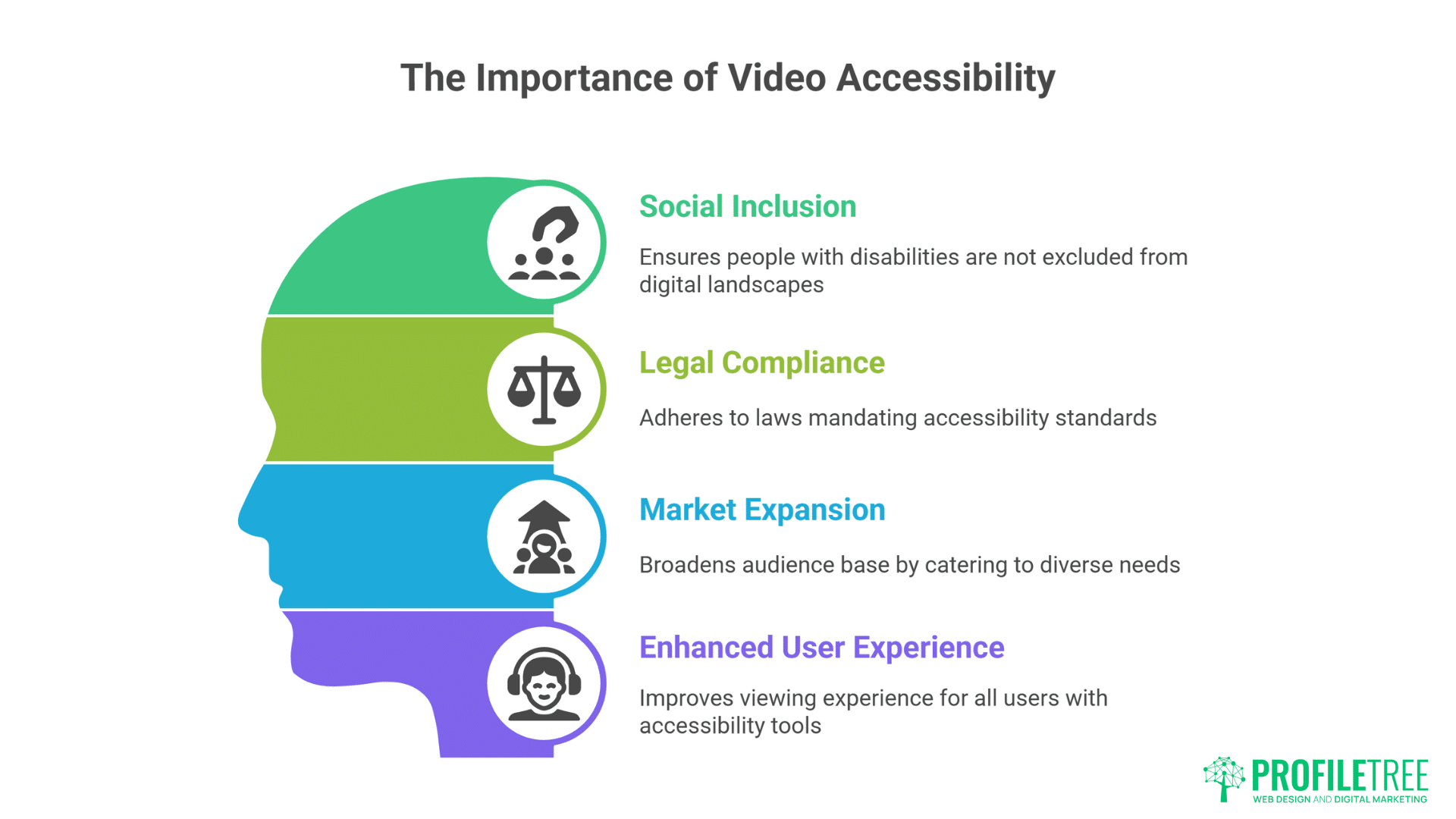
Video accessibility is quite important for various reasons:
- Social Inclusion: Accessibility in video content ensures that people with disabilities are not excluded from society’s digital landscape. This fosters a more inclusive environment where everyone can access information, entertainment, or education regardless of ability.
- Legal Compliance: Many countries have laws that mandate accessibility standards for digital content, including video. For instance, in the UK, the Equality Act 2010 and the Public Sector Bodies (Websites and Mobile Applications) Accessibility Regulations 2018 require public sector websites and mobile apps to meet specific accessibility standards. Failure to comply with these regulations can result in legal consequences, including fines and damage to reputation.
- Market Expansion: Making videos accessible broadens the potential audience base. According to the World Health Organisation, over one billion people globally experience some form of disability. By catering to this demographic, creators and companies can tap into a significant market segment, resulting in a broader reach and increased engagement.
- Improved User Experience: Video accessibility tools, such as subtitles, audio descriptions, and easy navigation, can better the viewing experience for all users, not just those with disabilities. Clear, well-structured, and easy-to-navigate video content benefits a wide variety of viewers, including those with temporary impairments (e.g., viewers in noisy environments) and people who speak different languages.
Local Market Impact: Northern Ireland and Ireland Opportunities
For businesses operating across Northern Ireland, Ireland, and the UK, video accessibility represents a substantial commercial opportunity that many competitors overlook.
Northern Ireland Market Dynamics
Northern Ireland faces unique digital inclusion challenges that create opportunities for accessible content creators. Recent government data reveals that 32% of the working-age population has limited or no basic digital skills, making accessible video content particularly valuable. Additionally:
- An estimated 52,000 people live with complex disabilities
- Over 140,000 working-age individuals are not in employment due to long-term sickness or disability
- The region shows the highest levels of digital exclusion in the UK
Republic of Ireland Accessibility Landscape
Approximately one in five people in Ireland lives with a disability, representing significant market potential. A 2023 accessibility audit found that 73% of Ireland’s top 100 companies had inaccessible websites, highlighting the competitive advantage available to businesses that prioritise accessibility.
The collective spending power of UK families with disabled members reaches £274 billion annually, demonstrating the substantial commercial opportunity that accessible video content can unlock.
We’ve worked with businesses across Northern Ireland and Ireland who’ve seen 15-20% increases in customer engagement simply by making their video content properly accessible. It’s not just compliance—it’s smart business strategy that opens doors to loyal customers.” — Ciaran Connolly, Director, ProfileTree
Types of Disabilities and Their Impact on Video Content
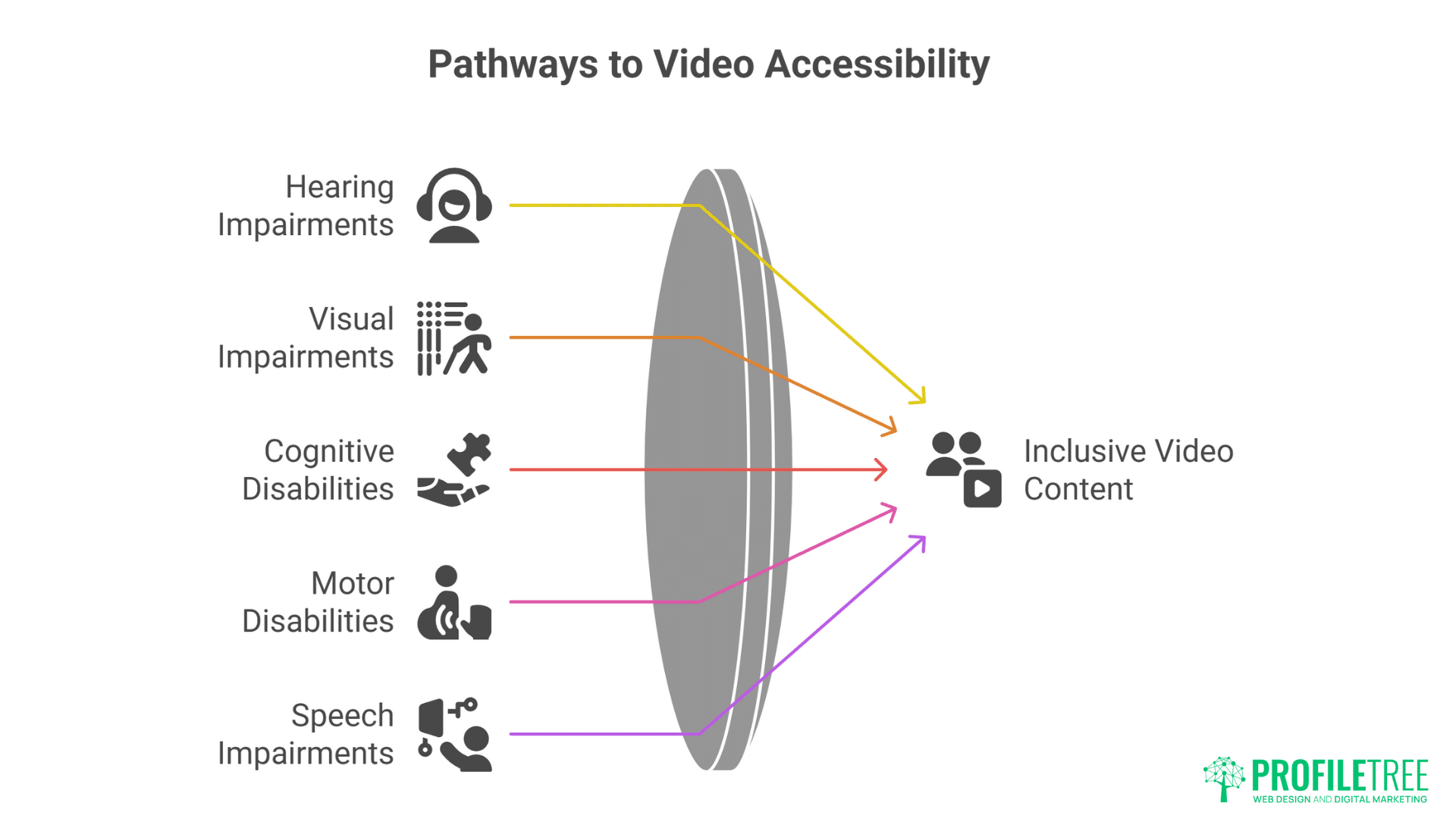
When addressing video accessibility, it’s essential to understand the different types of disabilities that affect how people consume content. These include:
- Hearing Impairments: Individuals with hearing loss or deafness may struggle to follow audio-based content unless appropriate accommodations are made. This includes providing captions or subtitles and ensuring a visual representation accompanies essential audio content.
- Visual Impairments: Those with visual impairments, ranging from partial vision loss to complete blindness, may need additional resources to fully engage with video content. These can include audio descriptions, which provide a spoken account of visual elements and ensure that videos are compatible with screen readers or braille devices.
- Cognitive Disabilities: People with cognitive disabilities, such as learning difficulties, memory impairments, or attention disorders, may need simplified and structured video content. This can include providing transcripts, using clear and straightforward language, and adding features that allow for flexible playback, such as adjustable speed.
- Motor Disabilities: Viewers with motor impairments may have difficulty interacting with videos using standard input devices like a mouse or keyboard. To address this, creators should ensure their videos are navigable using alternative input methods, such as voice control or adaptive devices.
- Speech Impairments: Though less directly related to video viewing, individuals with speech impairments may face challenges participating in video interactions, especially live videos or streaming platforms requiring verbal communication. Incorporating text-based communication and alternatives for verbal interaction can make video content more inclusive.
Legal and Ethical Considerations in Video Accessibility
Video accessibility is not only a technical concern but also a legal and ethical one. Several laws and regulations are in place to ensure that digital content is accessible to people with disabilities. In the UK, these regulations include:
UK Accessibility Legislation
- Equality Act 2010: The Equality Act 2010 ensures that people with disabilities are not discriminated against in various areas, including education, employment, and access to services. Digital content, including video, must comply with the act’s provisions to ensure equal access for people with disabilities.
- The Public Sector Bodies (Websites and Mobile Applications) Accessibility Regulations 2018: This regulation requires public sector bodies to ensure that their websites and mobile apps meet accessibility standards. While this applies to public-sector websites, many private-sector companies voluntarily adhere to similar standards.
- The EU Web Accessibility Directive: The UK is no longer part of the European Union, but the EU Web Accessibility Directive still influences global accessibility practices. The directive mandates that public websites and mobile applications of public sector bodies be accessible by 2025.
In addition to these regulations, many organisations and advocacy groups, such as the Royal National Institute of Blind People (RNIB) and Action on Hearing Loss, promote video accessibility to encourage the inclusion of disabled individuals in digital environments.
ProfileTree’s Compliance Approach
As a digital agency serving clients across Northern Ireland, Ireland, and the UK, ProfileTree integrates accessibility compliance into every video production and web development project. Our approach includes:
- Legal requirement analysis for specific industries and regions
- WCAG 2.1 AA compliance as standard across all video content
- Ongoing monitoring to maintain compliance as regulations evolve
- Documentation and reporting to demonstrate adherence to audits
Accessibility Standards for Video Content
Several standards and guidelines exist to help creators, organisations, and platforms make their video content accessible. These guidelines are often based on the Web Content Accessibility Guidelines (WCAG), which provide a comprehensive set of recommendations for digital accessibility.
WCAG Guidelines for Video Accessibility
- Text Alternatives (WCAG 1.1.1): Every video should have text alternatives, such as captions or subtitles, to ensure that people with hearing impairments can understand the content. Text alternatives also benefit people in noisy environments or who prefer reading over listening.
- Captions and Subtitles: Captions are essential for making video content accessible to those with hearing impairments. They should include dialogue and describe sounds, music, and relevant environmental sounds. Subtitles, similar to captions, are generally intended for non-native language speakers in the video.
- Audio Descriptions (WCAG 1.2.5): For individuals with visual impairments, audio descriptions narrate essential visual elements that would otherwise be missed. These descriptions can be integrated directly into the audio track or provided as a separate audio stream.
- Content Navigation (WCAG 2.4.5): Video content should be easy to navigate using various input methods. This includes ensuring compatibility with keyboard navigation, voice control, or adaptive devices for users with motor impairments. Additionally, users should be able to pause, rewind, or fast-forward at their discretion.
- Accessible Media Players: Media players should be designed with accessibility in mind. This includes providing options to adjust the size and style of captions and ensuring compatibility with screen readers. The player interface should be intuitive and easy to use.
- Transcript Availability (WCAG 1.2.1): Transcripts provide a written record of the audio content in videos. Transcripts are particularly beneficial for people with hearing impairments. Still, they can also support users who prefer reading to listening or want to reference specific video parts quickly.
How to Describe a Video When Video Content is Not Accessible
When creating accessible video content, it’s essential to know how to provide alternative descriptions for videos that are not yet fully accessible. This ensures that all audiences, including those with visual impairments, can understand and engage with the content.
One of the first steps is offering contextual descriptions—clearly outlining the setting, participants, and overall purpose of the video. This sets the scene for users and helps them visualise what’s happening. Equally important is action narration, which details meaningful movements, gestures, or visual changes that affect the content’s message. This is particularly vital in instructional or demonstration videos, where specific actions often carry critical information. Describing these actions allows users to follow along and grasp the intended message without needing to see the visuals directly.
It’s also important to document visual elements such as on-screen text, graphics, or charts that convey important information. These elements often support or supplement the spoken content and must be described for full comprehension.
Finally, describing emotional and atmospheric context—including facial expressions, body language, lighting, and tone—helps convey the mood and intent of the video. These cues are essential for understanding subtle nuances and for delivering a rich, immersive experience to all users, regardless of their ability to see the content.
Example Implementation: “This promotional video for a Belfast-based restaurant opens with a wide shot of the renovated Victorian building’s exterior. The camera pans across the modern signage before transitioning to the warm, candlelit interior. The head chef, wearing traditional whites, demonstrates the preparation of their signature Ulster Fry while explaining the locally-sourced ingredients. Text overlays highlight the restaurant’s awards and opening hours.”
Tools and Technologies for Enhancing Video Accessibility
Various tools and technologies can facilitate the implementation of accessibility features in video content. These tools can automate some aspects of accessibility, while others require manual input from content creators.
YouTube Accessibility Features
YouTube accessibility features provide a solid foundation for accessible video content, though professional enhancement is often required.
For instance, YouTube offers automatic captioning services, which use speech recognition technology to generate video captions. While these tools have improved over the years, they are not always 100% accurate, especially for complex terminology or accents. So, it’s essential to review and edit automatically generated captions to ensure accuracy.
The platform also allows creators to upload professionally created caption files (SRT, VTT formats) for higher accuracy and better formatting. Viewers, on the other hand, can adjust caption size, colour, and font to meet their individual needs.
When it comes to audio, YouTube supports separate audio description tracks that can be enabled by viewers who need them. Full keyboard navigation is also supported to allow users with motor impairments to control playback without a mouse.
Speech Recognition Technology
Advanced speech recognition tools can create accurate video captions or transcripts. These tools can be integrated into video editing software or used as standalone services to improve captioning accuracy.
Audio Description Tools
Various services can generate audio descriptions, either automatically or through manual input. These tools can identify key visual elements and add descriptions essential for the viewer’s understanding.
Accessible Video Players
Many video platforms and players, such as JW Player and Brightcove, offer built-in accessibility features. These include adjustable font sizes for captions, easy navigation with keyboard controls, and support for alternative input devices.
Testing and Evaluation Tools
Tools like the WAVE Web Accessibility Evaluation Tool and Axe Accessibility Checker allow content creators to evaluate their video content and platforms for compliance with accessibility standards. These tools can highlight missing captions, poor contrast, or navigation issues, enabling creators to address them.
Best Practices for Making Video Content Accessible
To ensure that video content is as accessible as possible, creators should follow these best practices:
- Use Clear, Concise Language: Simple, straightforward language can benefit all viewers, especially those with cognitive disabilities. Avoid jargon and complex sentence structures.
- Provide Captions and Subtitles: Always include captions or subtitles, even for videos in English-speaking regions. This will cater to viewers with hearing impairments and those who may not be native speakers of the language.
- Offer Audio Descriptions: To accommodate visually impaired viewers, include audio descriptions for key visual elements in the video. This improves the experience for all users, not just those with disabilities.
- Ensure Media Player Accessibility: Choose a media player that complies with accessibility standards, ensuring viewers can navigate the video and adjust settings such as captions, volume, or playback speed.
- Test for Compatibility with Assistive Technologies: Ensure your video content is compatible with screen readers, braille devices, and other assistive technologies. Testing tools can help identify potential barriers.
- Provide Transcripts: Offering a transcript alongside your video helps users find information quickly and provides a written record of the video content for those who prefer reading over watching.
- Use High-Contrast Visuals: Using high-contrast text and visuals can make the video more accessible for viewers with visual impairments. This helps those with partial vision or colour blindness engage with the content more effectively.
ProfileTree’s AI-Powered Video Accessibility Solutions
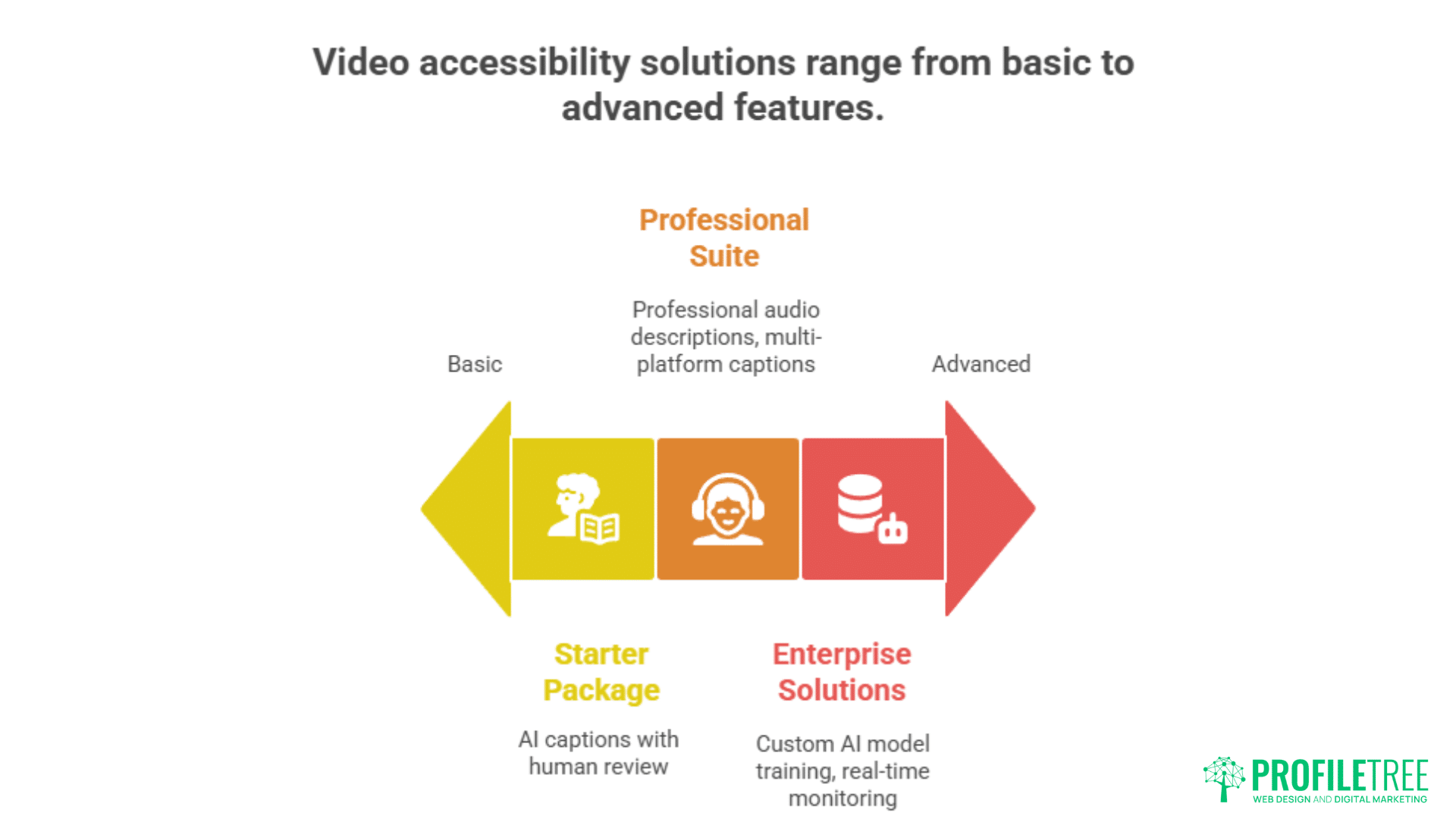
ProfileTree’s approach to video accessibility combines cutting-edge AI technology with human expertise to deliver flexible video solutions that scale with your business requirements.
Starter Accessibility Package
- AI-generated captions with human review
- Basic transcripts for SEO enhancement
- YouTube optimisation for maximum reach
Professional Accessibility Suite
- Professional audio descriptions
- Multi-platform caption formatting
- Advanced SEO transcript optimisation
- Accessible video player integration
Enterprise AI Solutions
- Custom AI model training for industry-specific terminology
- Automated workflow integration
- Real-time accessibility monitoring
- Advanced analytics and reporting
AI-Powered Implementation Process
- Content Analysis: Our AI systems analyse your existing video content to identify accessibility gaps and prioritise improvements based on traffic and conversion potential.
- Automated Transcription: Advanced speech recognition technology generates initial transcripts with 85-90% accuracy, which our team then refines to professional standards.
- Intelligent Audio Description Generation: Computer vision algorithms identify key visual elements, while natural language processing creates contextually appropriate descriptions.
- Multi-Platform Optimisation: Content is automatically formatted for different platforms, ensuring accessibility features work consistently across YouTube, your website, and social media channels.
- Performance Monitoring: AI-powered analytics track engagement improvements and identify opportunities for further optimisation.
Making Videos More Accessible: Advanced Strategies
The question “Can you make videos more accessible?” encompasses both technical implementation and strategic business considerations. The answer involves multiple layers of enhancement:
Progressive Accessibility Enhancement
Level 1 – Essential Accessibility
- Accurate captions for all spoken content
- Basic transcripts for text-based access
- Keyboard-navigable video controls
Level 2 – Professional Accessibility
- Professional audio descriptions
- Multiple language caption options
- Advanced transcript formatting with timestamps
Level 3 – Premium Accessibility
- AI-powered personalisation based on user preferences
- Interactive transcripts with search functionality
- Multi-modal content alternatives
Business Impact Measurement
Engagement Metrics
- Average view duration increases of 30-40% with proper captions
- 25% improvement in video completion rates
- 15-20% expansion of potential audience reach
SEO Performance
- Transcript content improves search engine indexing
- Enhanced local SEO performance for UK and Irish searches
- Better featured snippet opportunities
Conversion Impact
- Accessible content shows 8-15% higher conversion rates
- Improved brand perception and customer loyalty
- Reduced legal risk and compliance costs
Conclusion
Making video content accessible is an ongoing process that requires attention to detail, empathy, and a commitment to inclusivity. By following best practices, adhering to legal standards, and using the appropriate tools and technologies, creators can ensure their videos are accessible to a broader audience. The benefits of video accessibility are far-reaching, not just for individuals with disabilities but for society as a whole.
For businesses operating in Northern Ireland, Ireland, and the UK, video accessibility represents both a legal requirement and a significant commercial opportunity. The combination of substantial disabled customer spending power, evolving legal requirements, and improving AI technology makes now the ideal time to implement comprehensive video accessibility strategies.
ProfileTree’s integrated approach combines video production expertise, AI-powered automation, and deep understanding of UK and Irish market dynamics to deliver accessibility solutions that drive real business results. By addressing accessibility in video content, we are taking a step towards a more inclusive digital future where everyone can participate in the global conversation.
FAQs
What are the most important YouTube accessibility features for businesses?
The most critical YouTube accessibility features for business content include accurate captions (manually reviewed, not auto-generated), descriptive titles and descriptions, keyboard-navigable controls, and properly formatted transcripts. Professional audio descriptions significantly enhance accessibility for visually impaired viewers.
How do I know if my video content meets accessibility standards?
Accessibility standards for video compliance can be verified through automated tools like WAVE or axe, manual testing with keyboard navigation and screen readers, and professional accessibility audits. ProfileTree provides comprehensive accessibility assessments as part of our digital marketing services.
What’s the difference between captions and subtitles in terms of accessibility?
Captions include all audio information (dialogue, sound effects, music) and are designed for deaf and hard-of-hearing viewers. Subtitles typically only include spoken dialogue and are intended for viewers who can hear but may not understand the language.
Can AI really make video accessibility more affordable?
Yes, AI significantly reduces the cost and time required for accessibility implementation. ProfileTree’s AI-powered solutions achieve 85-90% accuracy automatically, with human review bringing accuracy to 96%+. This approach reduces costs by 60-70% compared to fully manual processes.
How does video accessibility impact SEO performance?
Video transcripts provide searchable text content that search engines can index, typically improving video search rankings by 25-40%. This is particularly valuable for local SEO in Northern Ireland and Irish markets, where accessible content often has less competition.
Ready to make your video content accessible and tap into new market opportunities?Contact ProfileTree today for a comprehensive accessibility audit and implementation strategy tailored to your business needs and budget.
About ProfileTree: Based in Belfast, ProfileTree is Northern Ireland’s leading digital agency specialising in web design, video production, AI training, and digital transformation. We help businesses across Northern Ireland, Ireland, and the UK create accessible, engaging content that drives results while meeting compliance requirements.