
Digital Inclusivity: A Practical Framework for Content, Web and AI
Table of Contents
Digital inclusivity is the practice of designing websites, content and digital tools so that everyone can use them, regardless of ability, neurotype, language, location or device. It sits at the intersection of web design, content creation, and accessibility engineering, and it is no longer optional. With the European Accessibility Act now in force across the EU and the UK Equality Act 2010 setting a clear duty for service providers, businesses that treat inclusivity as an afterthought face commercial loss as well as legal risk.
At ProfileTree, the Belfast-based digital agency, we have built and audited hundreds of websites for clients across Northern Ireland, Ireland and Great Britain. Inclusive sites convert better, rank better and earn more citations in AI Overviews and ChatGPT answers, because the structural habits that make content accessible are largely the same habits search engines and language models use to decide what to trust. This guide sets out our five-pillar framework, the legislation now in force across the UK and EU, a look at what changes when generative AI enters digital content creation, and a practical audit any business can run this quarter.
Why Digital Inclusivity Matters Now
Digital inclusivity has moved from a values question to a commercial one. Three forces are pushing it up the agenda: legal duty, user expectation and the rise of AI-assisted search. Each compounds the others, and inclusivity in digital content creation now sits close to the centre of how businesses plan their web design, content and marketing work.
The Commercial Case
In the UK, more than 16 million people live with a disability. The combined annual spending power of disabled households, often called the Purple Pound, is estimated at around £274 billion. When a checkout process is unusable on a screen reader or a contact form rejects a user who cannot operate a mouse, that revenue goes elsewhere. The same applies to older audiences, who are the fastest-growing user base for many UK service businesses and the group most likely to encounter accessibility barriers.
Inclusive design also benefits people who are not the primary target. Captions added for deaf users are watched by a large share of younger viewers scrolling with the sound off in public places. High-contrast text helps anyone reading on a phone screen outdoors. This is the curb cut effect, named after pavement ramps designed for wheelchair users that ended up helping parents with prams, cyclists and delivery riders too. The floor lifts for everyone, which is a useful way to brief a team that is new to a content marketing strategy built around accessibility.
The Search and AI Case
Search engines and large language models reach the same conclusion through different routes. Google’s helpful content system rewards clearly structured pages with proper heading hierarchy, descriptive alt text and machine-readable content. AI Overviews now appear for a meaningful share of queries, and the pages they cite tend to load quickly, structure their answers cleanly, and use semantic HTML. These are accessibility signals first and SEO signals second. A page an AI assistant can extract a clean answer from is, in most cases, a page a screen reader can read aloud without difficulty.
The Human Case
Beyond commerce and rankings, exclusion online is rarely deliberate but always costly to the person on the receiving end. A parent who cannot read the school portal because the contrast is too low. A small business owner who abandons a grant application because the form assumes a level of digital confidence they do not have. A blind jobseeker was locked out of an applicant tracking system. These are everyday failures that a genuinely inclusive approach to digital content creation prevents.
The Five Pillars of Digital Inclusivity
Inclusive design is easier to deliver when it is split into discrete disciplines. Treating accessibility, language, representation, neurodiversity and AI bias as separate workstreams stops one from being neglected in favour of another. This differs slightly from the traditional public-sector model of digital inclusion, which is usually framed around four pillars: access, skills, confidence, and motivation. Our five-pillar framework sits underneath that model and translates it into decisions a marketing or web team can actually make.
1. Technical Accessibility (WCAG 2.2)
Technical accessibility is the floor on which everything else stands. The Web Content Accessibility Guidelines, currently at version 2.2, set out four principles content must meet: it should be perceivable, operable, understandable and robust across assistive technologies. Most UK and EU regulatory regimes expect AA conformance as a minimum. WCAG 2.2 added several new success criteria on top of 2.1, including clearer focus indicators, minimum target sizes for interactive elements, and rules against forcing users to re-enter information they have already provided.
In practical terms, this means colour contrast ratios of at least 4.5:1 for body text, alt text for every meaningful image, full keyboard navigation, descriptive link text, properly labelled form fields, ARIA labels for assistive technology, captions for video, and a logical heading hierarchy. The most common gaps we see when auditing client sites are missing alt text, decorative div elements used in place of semantic HTML, and modal pop-ups that trap keyboard focus. Each is a small fix on its own. Together, they decide whether a screen reader user can complete a task, which is why our web design work across Belfast and wider web design projects across Ireland treats WCAG conformance as a build requirement rather than a final review step.
2. Inclusive Language and Tone
Words decide whether readers feel addressed or excluded. The starting point is plain English: aim for a reading age of around eleven to fourteen, drop jargon unless the audience demands it, and prefer the active voice. Inclusive language also means watching for ableist idioms that have lost their literal meaning but still carry the original assumption, such as describing something confusing as “crazy” or dismissing feedback as “falling on deaf ears.”
On gender, default to they/them for a hypothetical reader, and swap gendered job titles, such as salesman, for sales representative. On disability, follow the preference of the community; many autistic adults prefer identity-first language, while many people with other conditions prefer person-first phrasing. These editorial habits belong inside a wider content marketing strategy rather than as a one-off style note, and they show up clearly in SME content marketing benchmarks that track engagement across different tones of voice.
3. Visual Representation That Holds Up
Authentic visual representation is the pillar most often reduced to a stock photo refresh. The risk is tokenism: a single image of someone in a wheelchair on a homepage, with no follow-through elsewhere on the site. Genuine inclusivity in imagery means showing intersectional identities, since race, gender, disability, age, and class do not exist in isolation, and audiences notice when a brand shows only one axis at a time.
For SME clients across Belfast, Derry and the rest of Northern Ireland, this often means commissioning custom photography rather than relying on stock libraries, and briefing any animation or illustration work with the same representation checklist used for photography.
4. Designing for Neurodiversity and Cognitive Load
Neurodiversity is the pillar that most existing accessibility guidance fails to address. Around one in seven people in the UK is neurodivergent, including those with ADHD, autism, dyslexia and dyscalculia. The accommodations they need are largely about cognitive load, not assistive technology, which is why this is the area with the biggest gap between common practice and actual user need.
Practical changes that help neurodivergent users help everyone: short paragraphs of two to four sentences with white space between blocks of text, sans serif fonts at 16 to 18 pixels with generous line height, no full justification, autoplay disabled on video and carousels, predictable navigation, and error messages that say what went wrong and how to fix it. This is exactly where motion design earns or loses trust. Our own guide on accessible motion graphics for neurodiverse audiences goes into more depth on pacing, contrast, and reduced-motion settings for animated explainers, and it is one of the most-cited pages we have published on this subject.
5. Mitigating AI and Algorithmic Bias
Generative AI has changed the inclusivity calculation in two directions at once. It has made content production faster, but it has also industrialised stereotypes. Image generators trained on internet-scale datasets default to producing white, able-bodied, conventionally attractive subjects unless prompted otherwise, and language models reproduce the gaps and assumptions in their training data.
Teams using AI for marketing, web design or video production need a workflow that corrects for this: specify demographics in prompts, review outputs against a representation checklist before publishing, and treat the first AI draft as a starting point rather than a finished asset. Our own guide to spotting and correcting the tells of AI-generated text covers the writing side of this in detail. On the strategic side, how SMEs can invest in AI training and implementation, and a cost-benefit analysis of AI implementation for SMEs are useful starting points before a business commits budget, and the role of data in AI implementation explains why the underlying data set matters as much as the prompt.
As ProfileTree founder Ciaran Connolly puts it, “AI is a force multiplier for whatever is already in your process. If your team has thought about inclusion, the AI helps you produce more of it. If they haven’t, the AI produces more of the same exclusion, faster and at scale. The technology is not the variable. The brief is.”
UK and EU Compliance: What the Law Actually Requires
Digital inclusivity has a regulatory floor in both the UK and the EU. The exact wording differs, but the practical bar is similar: provide accessible digital services or face complaints, fines and reputational damage.
In Great Britain and Northern Ireland, the Equality Act 2010 (and the related Disability Discrimination Act in Northern Ireland) requires service providers to make reasonable adjustments for disabled users. The duty is anticipatory, meaning a business is expected to think about access before a disabled user shows up, not after. Websites count as services, and a site that fails basic WCAG criteria can form the basis of a discrimination claim. UK public sector bodies are also bound by the Public Sector Bodies Accessibility Regulations 2018, which require WCAG 2.1 AA conformance and a published statement.
The European Accessibility Act applies from June 2025 and covers products and services sold to consumers in the EU, including ecommerce websites, banking services, ebooks and ticketing. UK businesses that sell into the EU are caught by the act regardless of where they are based. The headline requirement is conformance with WCAG 2.1 AA, supported by an accessibility statement and a complaints process. For UK and Irish businesses trading across both markets, the practical answer is to design once at AA level and treat it as the floor for every project.
Regional Reality: Northern Ireland and the Republic of Ireland
Most digital inclusion guidance is written for a UK-wide or EU-wide audience, and it rarely addresses the practical differences a business trading across the Irish border faces day-to-day. In Northern Ireland, the relevant guidance falls under the UK’s Equality Act and Cabinet Office accessibility standards, while businesses trading into the Republic follow the National Disability Authority’s guidance alongside the EU framework. For most SMEs, the difference is procedural rather than technical, since both regimes converge on WCAG 2.1 or 2.2 AA as the practical standard. Where it does matter is local search visibility: a checkout or contact form that fails basic accessibility testing loses custom from both sides of the border, and it is worth pairing any accessibility fix with a check of how AI-enhanced local SEO for geographically targeted searches is performing for the same pages, since local SEO support and accessibility work overlap more than most businesses expect.
AI, Video and the Next Wave of Digital Inclusivity Risk
Three areas are evolving fast enough that current best practices will not cover them in eighteen months: AI-assisted content, video, and voice interfaces.
Search behaviour is shifting towards conversational answers in ChatGPT, Perplexity, Gemini and Google’s AI Overviews. The pages these systems cite tend to share a few characteristics: a clear named author with verifiable credentials, an answer to the user’s question within the first 150 words, proper heading hierarchy, and claims backed by sources. Every one of these is also an accessibility win.
Video is the format most likely to reach UK audiences and the format most likely to exclude them if it is treated as an afterthought. The minimum bar is human-reviewed captions, a thumbnail with readable text, and a description that clearly summarises the content. Auto-generated YouTube captions still often get technical terms, names, and Northern Irish place names wrong enough to require correction before publishing. The complete video production process and our notes on video production essentials for strong YouTube performance both treat captioning as a first-class deliverable rather than a step to add later. It is worth understanding how YouTube videos affect wider search visibility before deciding how much to invest in a channel.
Speech recognition systems still perform worse for women, non-native English speakers and people with non-standard accents. UK regional accents, including the Belfast and Derry accents that many of our clients’ audiences use, are underrepresented in training data. The content-level fix is to write in natural, spoken English so that voice synthesis reads it back clearly, a point covered in more depth in our guide to designing for conversational, voice-led search.
A Practical Digital Inclusivity Audit You Can Run This Week
Most teams know they need to improve. They do not know where to start. The audit below is the first pass we run on new client sites before any redesign, and it takes about half a day on a typical SME website. It also pairs well with a broader accessibility strategy if the findings turn up more than a quick fix.
Run an automated tool such as WAVE, axe DevTools, or Lighthouse against your highest-traffic pages first. Automated tools catch about 30 to 40 per cent of accessibility issues, so treat this as a start rather than an end. Next, unplug the mouse and try to complete the three most important tasks on the site using only the keyboard, noting every point where focus disappears or tab order jumps unexpectedly. Follow this with a screen reader pass using NVDA on Windows or VoiceOver on Mac across the same three tasks, listening for missing alt text, unhelpful link text, and headings in the wrong order.
Then read the homepage and one core service page aloud, noting jargon, ableist idioms, and sentences over 30 words, and run a Flesch reading ease score against a target of 60 to 70. Look at every photograph, illustration and video on the site and build a simple matrix of imagery against the demographics of your actual customer base; the gap is often the most useful single artefact in the whole audit. Finally, group findings by impact and effort, fix the high-impact, low-effort items first, and schedule the rest for the next development cycle. If staff need a grounding in the basics before any of this lands, digital training methods built around real client workflows tend to stick better than a generic course.
Measuring the return on this work does not need to be complicated. Where analytics allow it, track completion rates on your most important forms before and after a fix, watch for changes in bounce rate on pages that were reworked, and note any drop in support queries tied to a specific barrier once it is removed. None of this requires new tooling, only a willingness to check the same numbers before and after.
Inaccessible vs Inclusive: Side by Side
The contrast between an exclusionary approach and an inclusive one is rarely about budget. It is about brief and habit.
| Touchpoint | Exclusionary default | Inclusive practice |
|---|---|---|
| Images | Generic stock, no alt text | Custom photography with alt text and intersectional representation |
| Forms | Labels removed for design reasons, no error help text | Persistent labels, clear error messages, autocomplete attributes set |
| Video | Auto captions only, no transcript, autoplay on | Reviewed captions, transcript link, autoplay disabled, chapters added |
| Language | Industry jargon, idioms, long sentences | Plain English, defined terms, sentence variety |
| Colour | Brand palette applied without a contrast check | Tested at 4.5:1 minimum, colour never the only signal |
| AI content | First draft published with no review | First draft treated as a starting point, checked before publishing |
How ProfileTree Integrates Digital Inclusivity into Client Work
Digital inclusivity is not a separate service line here. It is part of how web design, content creation, video production and AI training get delivered. Retrofitting accessibility typically costs several times more than building it in from the start. On web development projects, the build process includes WCAG 2.2 AA testing before launch, semantic HTML and keyboard navigation testing as standard, not as an optional extra. The same structural habits feed directly into SEO performance, because clean structure and readable content are now the same currency for both human readers and AI Overviews.
For businesses building an AI training plan around this, our AI training programmes fold bias mitigation into the same sessions that cover prompt writing and workflow design, on the basis that a team that has practised catching one kind of AI error will catch others too. This is also why businesses choose ProfileTree as a relevant reading, since it sets out how the agency’s SEO, content and web work are structured under one plan rather than several disconnected suppliers.
Where Digital Inclusivity Is Heading
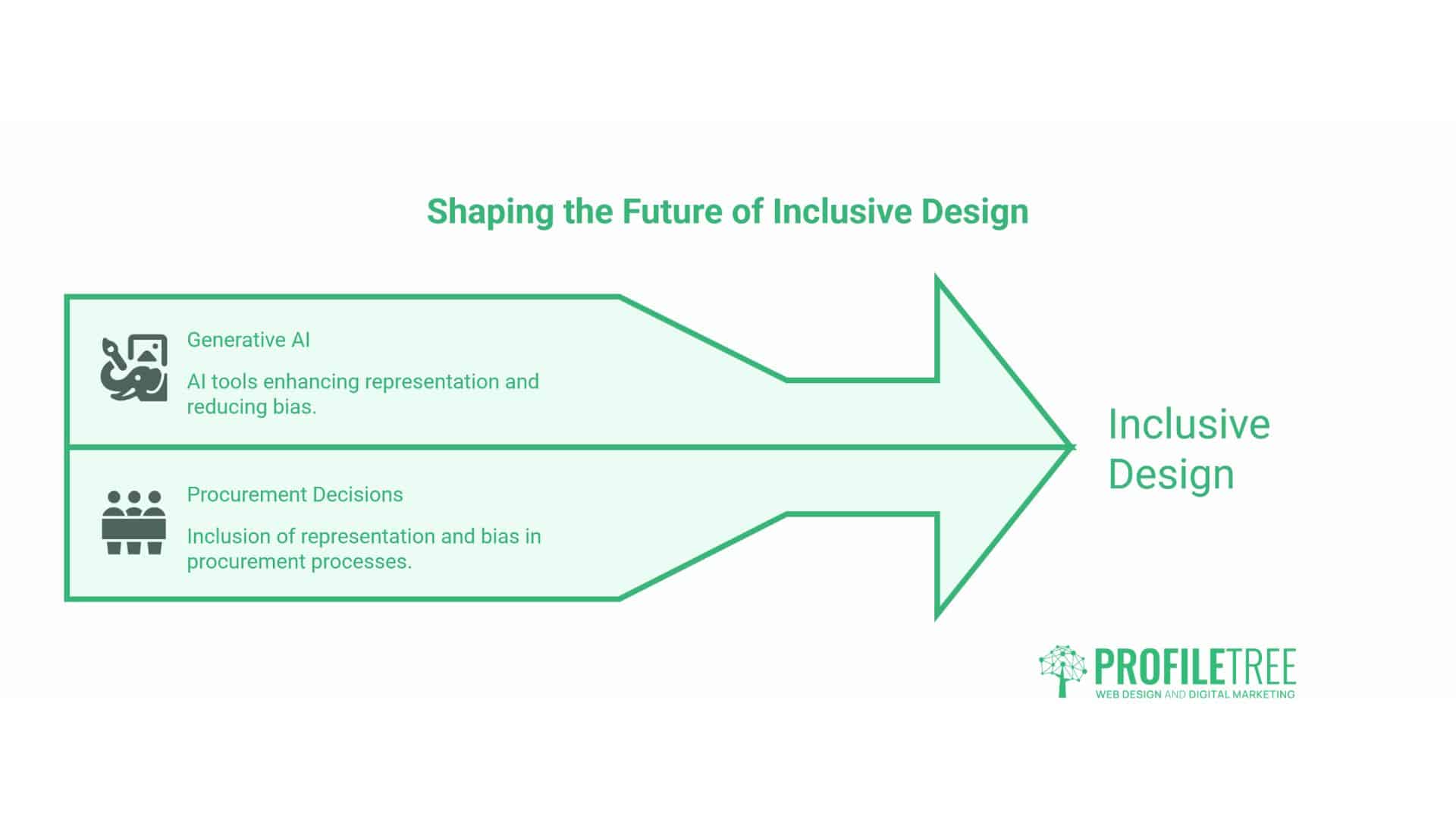
Three trends look set to shape inclusive design over the next two to three years. Generative AI tools will get better at representation, but mostly where procurement decisions include a representation and bias question as standard rather than an afterthought. Voice search and conversational commerce will widen accessibility gaps further, and the fix is mostly editorial rather than technical. Regulation will tighten, and the European Accessibility Act sets a floor that other jurisdictions are likely to match over time. Businesses working at WCAG AA today will have comparatively little left to do when that happens.
Bringing Digital Inclusivity Into Your Next Project
Inclusive design rewards businesses that treat it as a craft rather than a compliance task. The teams that write more carefully, design with attention and test their assumptions end up with sites that are easier to use, easier to find and easier to recommend. If a new website, a content programme, or an AI deployment is on the cards for the next quarter, the best time to build digital inclusivity into the brief is now, before the first line of copy or code is written.
FAQs
Is digital inclusivity the same as accessibility?
No. Accessibility is technical conformance with WCAG. Digital inclusivity also covers language, representation, neurodiversity and AI bias, and it treats accessibility as one pillar among several rather than the whole picture.
Is digital inclusivity a legal requirement for private businesses in the UK?
The Equality Act 2010 requires reasonable adjustments for disabled users, and this duty applies to private sector websites as well as services, not only to public bodies. There is no single named “digital inclusivity law,” but failing basic WCAG criteria can form the basis of a discrimination claim.
How much does it cost to make a website inclusive?
Built in from the start, very little. Retrofitting can cost several times more, depending on how deeply the issues are embedded in the site’s structure and how much content needs to be reworked alongside the code.
Do I need an accessibility statement?
UK public sector bodies must publish one. EU consumer-facing services must also comply with the European Accessibility Act. Private UK businesses are not required to, but publishing one is strongly advisable, given the anticipatory duty under the Equality Act.