
8 Best Free Presentation Software: A One-Stop Guide
Table of Contents
They say a picture is worth a thousand words. Imagine how valuable a great multimedia presentation can be. Presentation software is a modern business essential, as it allows you to communicate in an engaging and interesting way. The result is a message which is communicated much more vividly and with greater accuracy.
Visual communication has a lot of advantages compared to oral or textual representation. However, it also has its drawbacks. As such, the best approach is multimedia communication. Presentation software allows you to use multimedia elements in an informative manner especially in a professional business atmosphere. This helps to strengthen the content of your presentation.
Visual representation is also a great aid in assessing an association’s portfolio and features. There are some aspects and facts that will be very hard to relay through oral communication, giving room for diagrams and pictures to be used instead of simple text. With that in mind, here are some of the best free presentation tools you can use to improve the quality of your verbal communication.
Top 8 Presentation Software Tools

Visual representation/communication has an aesthetic appeal to it which makes it more attractive than oral communication to most people allowing them to concentrate more on what is represented and draw a clear picture of it. Visual representation also makes it easier and more efficient to pass on information through different departments.
Presentation software is the tool used to make this all happen, a few recommendations shall be made in regards to their different types, , from free presentation software to professional presentation software options.
1. Microsoft PowerPoint
When someone thinks about doing a presentation, chances are that the first presentation software that popped in their heads was Microsoft’s PowerPoint. One of the reasons for PowerPoint’s popularity is that it has been around for more than 31 years, making it one of the oldest presentation software around.
But do not let the age of PowerPoint trick you into thinking that it is getting out of touch. Microsoft works hard to ensure that it is constantly kept up to date with a wide range of new features, making it one of the most reliable free presentation software choices available.
Benefits
PowerPoint’s popularity is considered a great advantage because that gives it an edge over other presentation software when it comes to usability and tutorials. This also makes PowerPoint ideal for collaborating with colleagues and clients, especially when working on professional business presentations.
Similarly, PowerPoint offers compatibility with both macOS and Windows, as well as most mobile operating systems. This means that you can be sure that pretty much anyone will be able to edit or use your presentation files.
PowerPoint also offers smooth integration of graphics, animations, graphs and pictures, it can also export presentations to YouTube, which makes it an excellent tool for video marketing strategies. A number of text formats and fonts are also offered, helping PowerPoint to work smoothly with files created in other presentation tools.
Problems
On the other hand, licenses for PowerPoint can be expensive. This is because, until recently, PowerPoint was really the only name in town as far as presentation platforms go. Still, there are ways to get around this, including purchasing a license through a software reseller.
Additionally, PowerPoint’s popularity has become a bit of a double-edged sword. It may not be as innovative as other presentation software, and it has become overused over the time. This means that your presentations might look too much like a boring PowerPoint, which is fairly unengaging.
Strengths
- Familiar interface with comprehensive editing tools
- Wide range of animations and transitions
- Integration with OneDrive for collaboration
- Works well offline with OneDrive integration
- Large library of templates for various presentation styles
Weaknesses
- Limited real-time collaboration features compared to desktop version
- File size restrictions of 250MB for free accounts
- Requires Microsoft account to access
2. Keynote
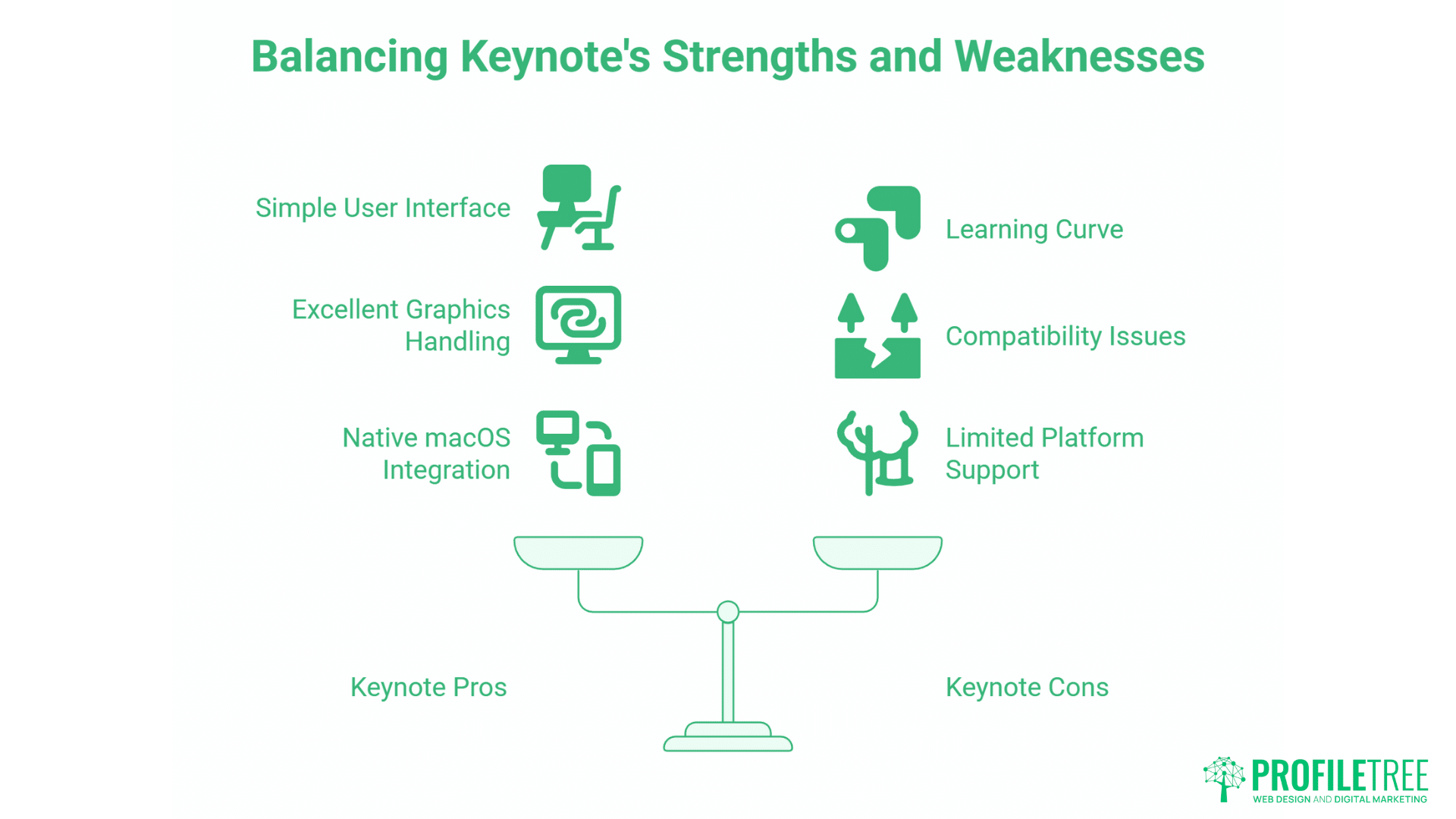
Keynote is Apple’s free PowerPoint alternative. At least, it’s free in that it ships natively with any Mac purchase. Like all of Apple’s suite of business tools, it is considerably less cluttered than Microsoft Office, using a much simpler user interface.
Pros
Keynote is considered one of the best presentation software on the macOS, for those who are used to using Mac applications it is very easy and simple to use. It also has Templates with standard built-in layouts into its themes.
Keynote offers excellent handling of graphics and animations. Media is also accessible, through seamless integrations with other native macOS apps, including Finder, Photos and iMovie. This integration makes Keynote particularly valuable for businesses creating video content or working on multimedia presentation software projects.
Keynote is stylish, smooth and has a lot of design features thanks to its native integrations with Adobe’s Creative Suite. In terms of export options, you also have the ability to save and export Keynote presentations as YouTube videos and Quicktime slideshow. This is great for creating video lectures or webinars.
Cons
Keynote is essentially only available for Mac users. The exception to this is that users of other devices can access Keynote through a webapp, if they have an iCloud login. However, this may be off putting, as web apps are somewhat less dependable.
Additionally, many people have never tried to use an Apple product before. This can lead to a prolonged learning curve if the user isn’t used to Mac applications. Others may find the Keynote interface pretty straightforward and intuitive.
Compatibility issues can also be common, especially when exporting presentation files to be used with older versions of other tools like PowerPoints. Exporting the presentations to PowerPoint can be messy if you don’t know how to do it.
Keynote also does not support Visual Basic.
3. Prezi
Prezi is a popular free cloud-based presentation tool. It’s particularly popular in education, and other contexts where presentations are a little bit less formal. This is because it has a very distinctive visual feel that sets it apart from traditional presentation software and other free presentation software options.
Benefits
Prezi is fantastic for story-based presentations as it has non-linear storytelling capabilities. This allows presenters to click through the various parts of a presentation in whatever order is best suited to their audience.
You can also take advantage of Prezi’s integration of multimedia and vectors designed in third party platforms. Support for vector images is particularly useful, as these allow you to create a very slick looking presentation with high-quality illustrations.
Prezi’s special design and distributions capabilities help team-based presentations, while it’s distinctive style adds motion to the presenter’s message.
Drawbacks
As a web app, Prezi is heavily dependent on being connected to the internet. Any disconnection causes problems for the presentation. The zoom function can be helpful but can lead to some distorted and pixelated images.
Prezi is also a little inflexible, and not the best for designing as the color palette and fonts are limited and shapes cannot be easily controlled. Compared to other free presentation software, Prezi requires a steeper learning curve.
4. ClearSlide
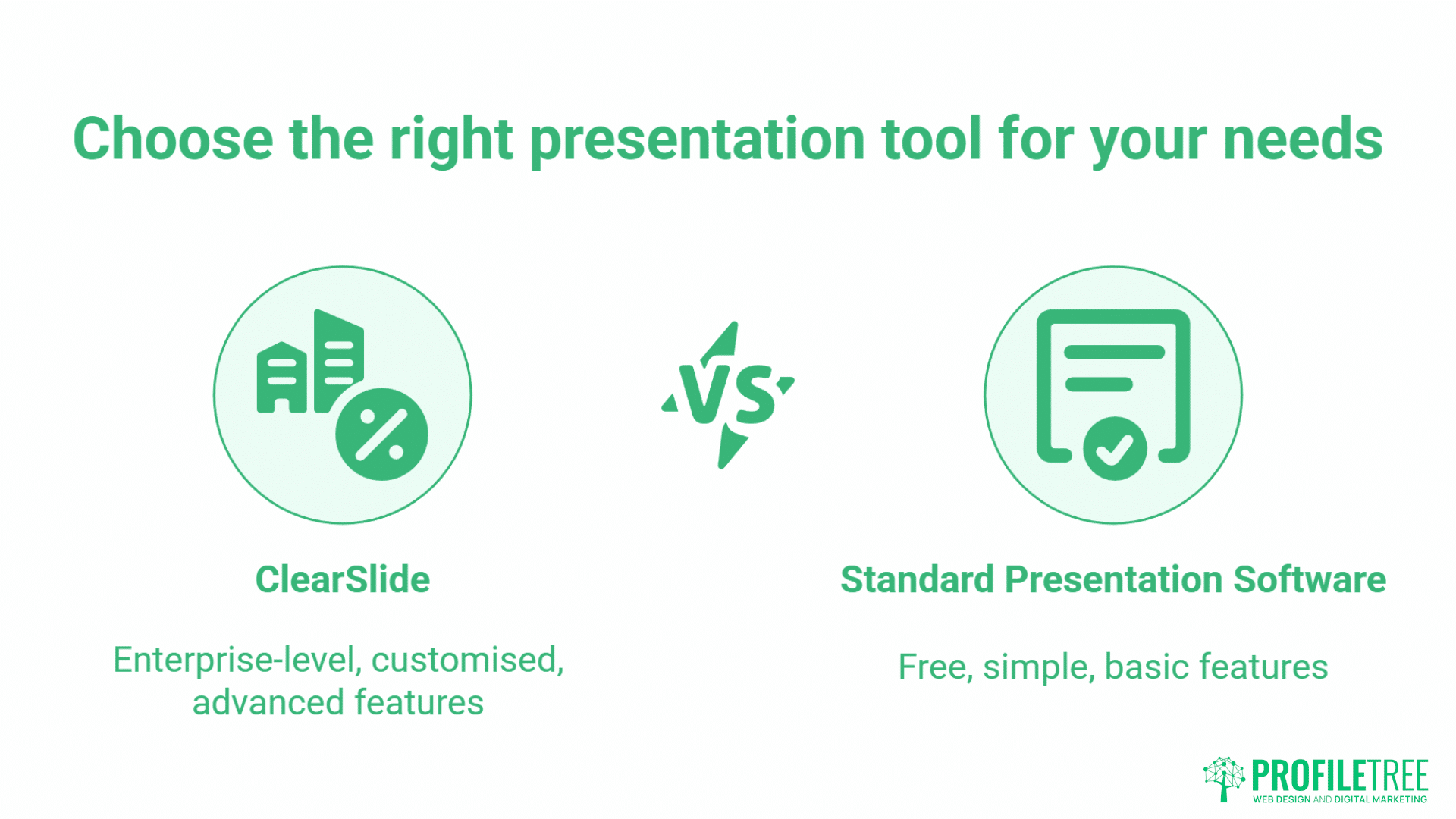
ClearSlide is an enterprise level presentation tool, which is specifically aimed at the high end of the market. As such it is specialized and customised for individual companies, , representing professional presentation software for corporate environments.
Benefits
ClearSlide offers a wide range of features and integrations aimed specifically at improving the success rates of sales and marketing departments in large companies. It can also be fully customised for the needs of specific companies.
It offers the ability to upload different file forms such as PowerPoint, Keynote and PDF. You can also incorporate other platforms such as DropBox and Salesforce which makes it an important tool in any sales team.
Although ClearSlide licenses are expensive, you can avail of a free trial. This positions ClearSlide differently from standard free presentation software, as it targets enterprise users willing to invest in advanced features.
Drawbacks
The software can be pretty difficult to use, especially as a new user. It’s generally not ideal for jumping in and quickly making a quick and simple presentation. It also offers a number of features, which many users are unlikely to need.
5. Google Slides
When you are already using G-Suite, it only makes sense to make the switch from PowerPoint or any other presentation software to Google Slides. However, there will be collateral damage during this switch. Despite this, Google Slides remains one of the most popular free presentation software choices for businesses.
Pros
Google Slides is completely free and accessible anywhere on any Google-supporting platform. It requires zero installation, as the whole presentation software is online and can be used in your browser.
With the advantage of Google’s sharing methods it opens up a wide scope of quick sharing capabilities. Real time collaboration is second to none thanks to its cloud-based operating system. This gives users the ability to simultaneously edit the slides of a presentation without causing any mishaps to the other parties included.
You also have the ability to transform PowerPoint presentations into slides, as well as the ability to integrate slides into websites which is also convenient for live-sharing slides with your viewers.
Strengths
- Seamless integration with Google Workspace tools
- Real-time collaboration for simultaneous editing
- Extensive library of free templates
- Cloud-based with automatic saving
- Offline editing with Chrome extension
Weaknesses
- Limited editing features compared to desktop software Some features unavailable offline File size limitations of 100GB per file
Cons
The ease and minimalism of the design is certainly a good point, but professional presentation software users may find Google Slides lacking a bit of punch.
The price of minimalism was gutting the features substantially.
You need to be constantly connected to the internet, since cloud-based presentation software requires the internet to work. You also need a Google account to be able to use Google Slides. That isn’t much of an issue since you’d be hard-pressed to find someone who doesn’t have a Google account to use one of its applications, but it is still a consideration.
Some features that are provided by other professional presentation software are simply absent from Google Slides. Changing the colours or embedding video is limited, with only YouTube supported.
6. Visme
Visme launched out of a beta version with over 1.3 million users and you can easily see why it’s so popular. What is really great about Visme is its inclusion of many different tools that can help you create nearly anything with it like banner ads, digital presentations, infographics, social media images, and so many more.
Benefits
You can customize nearly everything with its variety of options and wide range of templates. Even the free version contains from 15 to 20 templates for infographics alone. It also has a wide coverage with thousands of free images, background types, shapes, vector icons, graphs and charts.
Visme gives a preview of your slides in the sidebar with options to duplicate, delete or add which makes it a really easy experience. Visme offers five different formats to view your saved work offline, including PDFs or a variety of image formats.
Issues
The free version can be limited as you will not even be able to save your work. you need to upgrade to the premium version if you want to enjoy the full ride, for example to save files as HTML, or to fully enjoy all of the available templates.
Individual plans start from $15 a month, but the business plan will cost you $90 a month. This pricing structure means Visme’s free tier is more restrictive than other free presentation software options.
7. Canva
Canva is a graphic design and presentation tool which has risen to great prominence in recent years. It’s main selling point is allowing users with limited design skills to create impressive visual materials, making it one of the best free presentation software options for non-designers.
Benefits
Canva of the cheapest presentation tools out there, starting from USD 12.95 per month or USD 9.99 when billed yearly. Cloud based presentations can be seen on any device with apps for Android users and iPhone users for editing capabilities.
Canva is extremely easy to use that might make newbies feel like professional designers. However, it also appeals to the artistic crowd with its excellent -looking graphical call-out collection.
Problems
Canva lacks a lot of options like animations or analytics and lead generation for example and even though it’s well protected you can’t add a password to your shared links. Canva presentations cannot be downloaded as HTML even in the premium version.
There is no option for bulk editing on all the slides which can sometimes double your work time. These limitations should be considered when comparing Canva to other free presentation software.
Canva offers a huge library of free images, some photos are available for $1, but many users complained there is no efficient way to search for required images without having to scroll down through all of them until you find what you are looking for.
Strengths
- User-friendly drag-and-drop interface
- Visually-appealing templates
- Extensive stock library of images, videos, and audio
- Real-time collaboration features
- Multiple platform accessibility
Weaknesses
- Limited editing options compared to professional software
- Many advanced features require Canva Pro subscription
- Requires internet connection for most features
8. Zoho Show
Zoho Show represents a comprehensive business solution that balances features with accessibility, making it a strong contender among free presentation software options available today.
Strengths
- Comprehensive features for professional presentations
- Real-time collaboration capabilities
- Zoho ecosystem integration with Writer and Sheet
- Variety of free templates Offline editing with Zoho Docs app
Weaknesses
- Less user-friendly interface for new users
- Limited design assets compared to Canva
- Some features unavailable offline
Presentation Software for Digital Marketing
Visual communication has become central to digital marketing success. From client pitches to social media content, the right free presentation software can transform how businesses communicate their value propositions online.
At ProfileTree, we integrate presentation software into comprehensive digital marketing strategies. Our clients use these tools not just for traditional slide decks, but for creating engaging content across multiple channels.
Creating Marketing Presentations That Convert
Marketing presentations serve different purposes than internal business presentations. They need to capture attention quickly, communicate value clearly, and drive specific actions. The best free presentation software for marketing allows you to create visually compelling content that supports your overall digital strategy.
“We’ve seen businesses transform their digital presence by taking a strategic approach to visual content,” notes Ciaran Connolly, Director of ProfileTree. “The right presentation tools, combined with clear messaging and strong design, create marketing materials that actually generate leads and sales.”
Integrating Presentations with Web Design
Modern websites benefit from embedded presentations that explain complex services or showcase portfolios. Web-based free presentation software like Google Slides or Canva integrates directly into websites, creating interactive experiences for visitors.
For businesses focused on web design and development, free presentation software serves multiple purposes. It helps communicate design concepts to clients, creates interactive website prototypes, and produces content for landing pages and service explanations.
Presentation Software for Video Production
Video marketing has become critical for business growth. Many free presentation software platforms now export directly to video formats, creating opportunities to repurpose presentation content for YouTube, social media, and other video channels.
PowerPoint and Keynote both offer video export options, allowing you to create narrated presentations that work as standalone video content. This capability transforms free presentation software into video production tools, particularly valuable for creating educational content, product demonstrations, and service explanations.
AI-Powered Presentation Tools
Artificial intelligence is transforming how businesses create presentations. AI presentation software can generate slide content, suggest designs, and optimise layouts automatically.
At ProfileTree, our AI training and implementation services help businesses integrate AI-powered free presentation software into their workflows. We focus on practical applications that save time without sacrificing quality or brand consistency.
Comparison of Top Free Presentation Software
| Feature | Google Slides | Microsoft PowerPoint Online | Canva | Zoho Show | LibreOffice Impress |
|---|---|---|---|---|---|
| Platform Compatibility | Web, Android, iOS | Web, Windows, macOS, Android, iOS | Web, Android, iOS | Web, Windows, macOS, Linux, Android, iOS | Windows, macOS, Linux |
| Max File Size | 100GB per file | 250MB per file | 2GB per file | 50MB per file | Varies depending on OS |
| Collaboration Features | Real-time collaboration, comments and suggestions | Real-time collaboration, comments and suggestions | Real-time collaboration, comments and feedback | Real-time collaboration, comments and feedback | Real-time collaboration |
| Templates | Extensive library of free and paid templates | Large library of free and paid templates | Huge library of free and paid templates | Limited selection of free templates | Extensive library of free and paid templates |
| Animations & Transitions | Good selection of basic animations and transitions | Large selection of animations and transitions | Large selection of animations and transitions | Good selection of basic animations and transitions | Extensive library of animations and transitions |
| Charts & Graphs | Basic chart and graph creation tools | Extensive library of chart and graph templates | Basic chart and graph creation tools | Limited selection of chart and graph templates | Extensive library of charts and graphs |
| Media Integration | Supports images, videos, and audio | Supports images, videos, and audio | Supports images, videos, audio, and GIFs | Supports images, videos, and audio | Supports images, videos, and audio |
| Offline Editing | Yes, with Google Chrome extension | Yes, with OneDrive integration | Yes, with Canva Pro subscription | Yes, with Zoho Docs app | Yes, with native app |
| Export Options | PDF, PPTX, JPG, PNG, SVG | PDF, PPTX, JPG, PNG | PDF, PNG, JPG, PPTX | PDF, XLSX, PPTX, DOCX | PDF, PPTX, JPG, PNG |
| Price | Free | Free | Free | Free | Free |
Additional Notes
- Google Slides strongly integrates with other Google Workspace tools like Docs and Sheets, making it ideal free presentation software for businesses using Google’s ecosystem.
- Microsoft PowerPoint Online offers a familiar interface and features for PowerPoint users, with seamless compatibility with desktop versions. This makes it reliable free presentation software for Microsoft-oriented businesses.
- Canva excels in design aesthetics and ease of use, particularly for marketing and social media content. It’s one of the most visually-focused free presentation software options available.
- Zoho Show provides a comprehensive set of features for online presentations with strong business integration capabilities, offering robust free presentation software for Zoho users.
- LibreOffice Impress is a powerful open-source alternative with a vast library of templates and features, offering complete offline functionality as free presentation software.
Choosing the right free presentation software depends on your specific needs and preferences. Consider factors like platform compatibility, collaboration features, available templates, animation and transition options, ease of use, and integrations with other tools.
Though, pay attention. While there’s no denying that all the above mentioned software options are excellent for creating presentations, it’s crucial to note that PPT files lack the option to maintain a fixed slide layout. If you happen to share the file across various platforms, there’s a high probability that the layout may get distorted.
To address this issue, it’s better to convert your PPT file into PDF format, which offers more universal compatibility and ensures a fixed layout, even when shared across different platforms. You can easily use an online PPT to PDF converter for converting your presentation files into more compatible pdf format.
Conclusion
Free presentation software empowers individuals and teams to create impactful presentations without breaking the bank. By choosing the right software and leveraging its features effectively, you can communicate your message clearly, engage your audience, and achieve your desired outcomes.
The best free presentation software for your business depends entirely on your specific requirements, technical environment, and team capabilities. Google Slides and PowerPoint Online serve most business needs effectively. Canva excels for marketing and design-focused content. Zoho Show provides strong business integration.
FAQs
What factors should I consider when choosing a free presentation software?
Consider factors like platform compatibility, collaboration features, available templates, animation and transition options, ease of use, and integrations with other tools. Additionally, think about your presentation’s purpose, audience, and desired style.
Can I create professional-looking presentations with free software?
Absolutely! All the software listed in this article offers features and resources to design professional presentations. With careful planning and effort, you can create impactful presentations using free tools.
How can I collaborate on a presentation with others using free software?
Most free presentation software listed in this article offers real-time collaboration features. This allows multiple users to edit and view the presentation simultaneously, making it ideal for team projects.
What are some tips for creating successful presentations with free software?
Plan your content clearly and define your message. Choose templates that complement your content and brand identity. Use visuals effectively by incorporating images, videos, and graphics. Keep it concise and focused, avoiding information overload. Practice your delivery beforehand to boost confidence. These tips apply to all free presentation software.
Where can I find additional resources for using free presentation software?
Each software’s website offers tutorials, help guides, and templates to help you get started. Additionally, online resources and communities provide valuable tips and insights for using free presentation software effectively.
At ProfileTree, we help businesses across Northern Ireland, Ireland, and the UK select and implement the right free presentation tools as part of wider digital transformation strategies. Our services include web design, video production, content marketing, SEO, and AI implementation, with strong visual communication at the core. We also provide training, strategy development, and hands-on implementation support to ensure visual content drives real digital marketing results.
Contact ProfileTree today to discuss your goals and request a tailored service that strengthens your visual communication and overall digital strategy.