
Web Design Consultation: A Strategic Guide for SME Business Growth
Table of Contents
A website is one of the most significant commercial investments a small or medium-sized business will make. Get the brief wrong at the start, and the consequences follow you for years: a platform that can’t scale, a design that doesn’t convert, and an SEO architecture that never gains traction. A structured web design consultation exists precisely to prevent those outcomes.
This guide explains what a professional web design consultation covers, how to prepare for one, what questions to ask, and how the decisions made during that session shape everything from your platform choice to your long-term search visibility. It draws on the approach taken by ProfileTree, a Belfast-based web design and digital marketing agency that has delivered over 1,000 web projects for businesses across Northern Ireland, Ireland, and the UK.
Beyond Aesthetics: Why a Web Design Strategy Session Matters
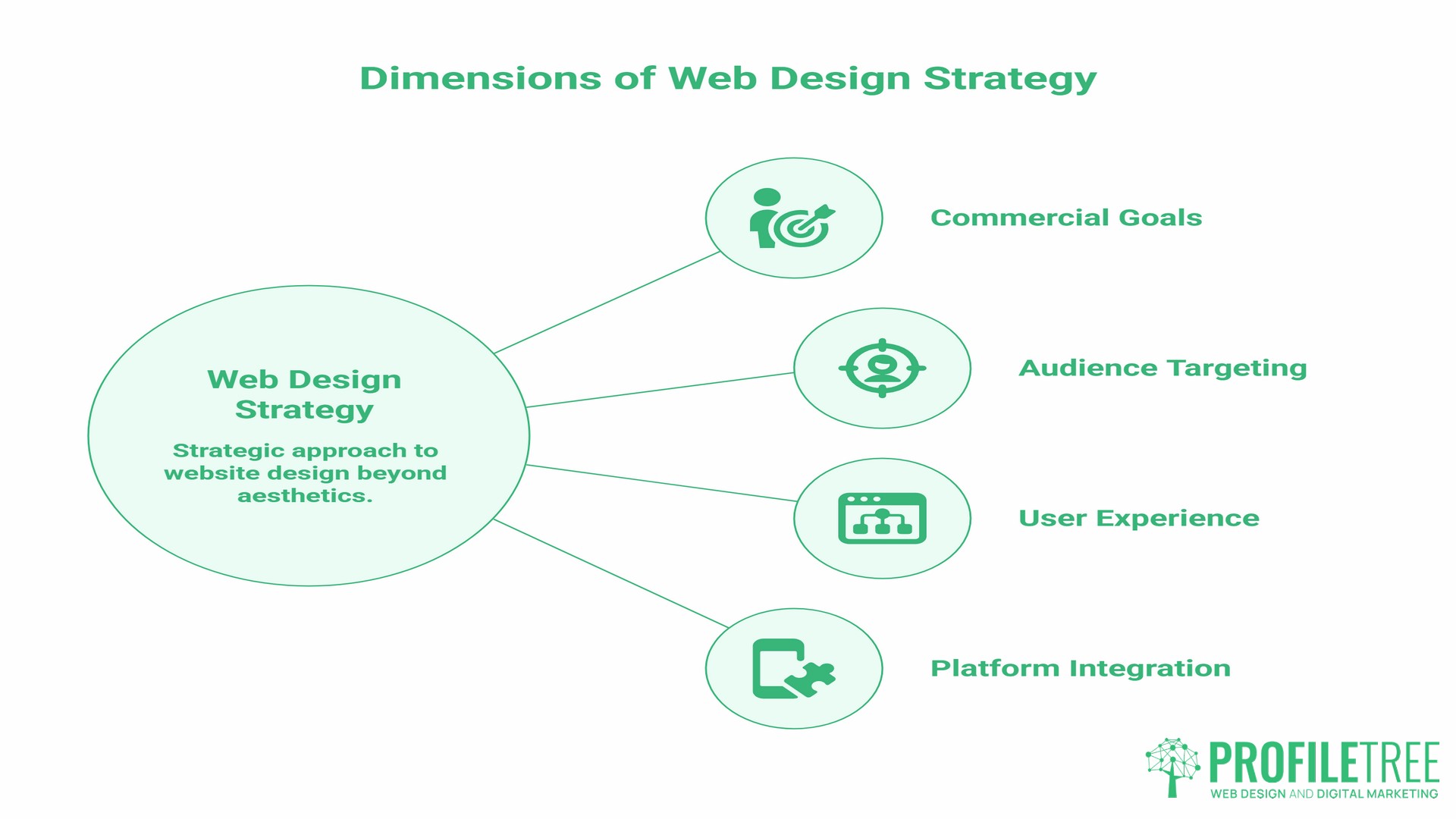
Most business owners approaching a new website think in terms of appearance. They want something that looks professional, loads quickly, and represents the brand well. Those are reasonable starting points, but they account for perhaps 20% of what a web design consultation actually covers.
The deeper questions are commercial ones. What action do you need visitors to take? Which audiences are you trying to reach, and what does search data tell us about how they look for what you offer? Where is your current site losing people, and why? How does your platform choice affect your ability to run email campaigns, integrate CRM tools, or publish content independently?
A web design consultation that doesn’t engage with those questions isn’t a strategy session. It’s a scoping call dressed up as one.
Research into e-commerce usability consistently shows that structural and navigational failures drive abandonment far more than visual design. Baymard Institute, which conducts over 20,000 hours of UX research annually, has found that poor UX costs businesses billions in lost revenue every year, with UX issues identified as a direct cause of site abandonment. While Baymard’s research focuses on e-commerce environments, the underlying principle holds across sectors: a site that makes it difficult for visitors to find what they need loses those visitors to a competitor, regardless of how the site looks.
This is the commercial case for investing in a proper web design consultation before a single wireframe is drawn.
What to Expect During a Professional Web Design Consultation
A well-run web design consultation follows a structured process. The exact sequence varies between agencies, but the stages below reflect how a thorough discovery session typically unfolds.
Step 1: Defining Business Goals and Success Metrics
The first conversation is about outcomes, not outputs. A web designer needs to understand what the site is meant to achieve: enquiry volume, online sales, event registrations, recruitment applications, or something else entirely. Without a clear answer to this question, every subsequent decision lacks a reference point.
At this stage, a good consultant will also ask about your current site’s performance. If you have Google Analytics or Search Console access, bringing that data to the consultation saves time and anchors the conversation in facts rather than impressions.
Step 2: Technical Audit of the Existing Site
If you already have a website, the consultation should include at least a high-level technical review. This covers page speed, mobile performance, crawlability, any indexing issues, and whether the current platform is serving or limiting the business.
“A thorough technical review during the discovery phase prevents costly surprises mid-project,” notes Ciaran Connolly, founder of ProfileTree. “We regularly find sites where the hosting environment or legacy CMS is the single biggest obstacle to ranking, and identifying that early changes the entire project brief.”
This audit informs both the platform recommendation and the SEO strategy. A site with substantial existing content and ranking history needs a different approach from a new build starting from scratch.
Step 3: User Experience and Information Architecture
UX planning during the consultation stage focuses on the journey a visitor takes from landing page to conversion point. Information architecture, which is the logic and hierarchy behind how pages are structured and linked, determines whether that journey is intuitive or frustrating.
For SMEs, the most common failure points are: too many navigation options with no clear hierarchy, service pages that describe what the business does rather than answering the questions buyers actually ask, and landing pages with multiple competing calls to action.
A web design consultation should produce at least a rough proposed site structure before any visual work begins.
Step 4: Platform Selection and Technology Stack
Choosing the right platform is one of the most consequential decisions in the consultation. It affects development cost, ongoing maintenance, your ability to manage content independently, SEO performance, and how easily the site can scale as the business grows. The platform section below covers the main options in detail.
Step 5: From Consultation to Project Proposal
The output of a thorough consultation should be a structured project proposal: a recommended platform, proposed site architecture, a timeline, a phased delivery plan (if the project is large), and a clear scope. This document becomes the reference point between you and the agency. Vague proposals lead to scope creep and budget overruns; a detailed proposal protects both sides.
Platform Selection: Matching Technology to Business Objectives
Platform choice during a web design consultation is not a preference question. It follows directly from the business goals and technical requirements established in the discovery phase.
WordPress for Scalable Content Management
WordPress powers approximately 43% of all websites according to W3Techs, making it the most widely used CMS and the most practical choice for SMEs with content-heavy requirements. Its architecture supports complex information hierarchies, extensive internal linking structures, and a mature ecosystem of SEO plugins. For businesses that need to publish regularly, manage large service or resource catalogues, or run integrated blog and marketing operations, WordPress is typically the most practical choice.
ProfileTree’s web design and development work is built primarily on WordPress, which means clients benefit from an agency that understands the platform in depth, from core performance optimisation to custom theme development.
Shopify for E-commerce Operations
For businesses whose primary function is selling products online, Shopify offers a purpose-built platform that handles payment processing, inventory management, and storefront design in a single, managed environment. The trade-off is less flexibility in content architecture compared to WordPress, which matters if SEO is a priority alongside sales.
Magento suits larger operations with complex product catalogues, multiple currencies, or wholesale requirements, but it comes with a steeper development cost and ongoing maintenance overhead.
Custom Development for Complex Requirements
Some businesses have requirements that no off-the-shelf platform serves well: complex booking logic, multi-site architectures, bespoke API integrations, or specialist data management needs. Custom development is the right answer in those cases, but a consultation should establish whether the complexity genuinely justifies the cost before that route is recommended.
The table below summarises how the main options compare across the criteria most relevant to SMEs:
| Criterion | WordPress | Shopify | Custom Build |
|---|---|---|---|
| Ease of self-management | High | High | Low |
| SEO potential | Very high | Moderate | High |
| E-commerce capability | Good (with WooCommerce) | Excellent | Variable |
| Scalability | High | Moderate | Very high |
| Typical ongoing cost | Low–moderate | Monthly subscription | High |
| Best fit | Content, service, mixed sites | Product-led e-commerce | Complex/bespoke requirements |
The UK and Ireland Context: Compliance and Regional Performance
Most of the authoritative content on web design consultations is produced by US-based agencies. It rarely addresses the legal, technical, and commercial considerations specific to businesses in the UK and Ireland.
- GDPR and ICO compliance. Any website collecting personal data from UK or EU users is subject to GDPR requirements. This affects how contact forms are structured, what cookie consent mechanisms are in place, how data is stored and processed, and what your privacy policy must cover. These are not cosmetic details: the UK Information Commissioner’s Office has enforcement powers, and compliance failures carry reputational as well as financial risk. A web design consultation for a UK or Irish business should address GDPR requirements as part of the technical brief, not as an afterthought.
- Hosting location and server latency. For businesses targeting customers in the UK or Ireland, server location affects page load speed, which in turn affects both user experience and search rankings. A site hosted on US-based infrastructure with no UK-based CDN will typically load more slowly for a user in Belfast or Dublin than a comparable site on European or UK-based hosting. This is a technical detail worth raising explicitly during a web design consultation.
- Local search and Google Business Profile integration. For businesses with physical premises or service areas in Northern Ireland, Ireland, or elsewhere in the UK, local SEO is a distinct discipline from organic search. A web design consultation should address how the site will support local search visibility, including structured data markup for business information, consistent NAP (name, address, phone) data across the site and directory listings, and integration with Google Business Profile.
ProfileTree’s work across Northern Ireland and Ireland gives specific context to these considerations. The agency’s SEO services address both technical on-site performance and the local signals that drive visibility in regional search results.
Preparation Checklist: 5 Things to Do Before Your Consultation
Arriving at a web design consultation prepared shortens the discovery process and produces a more accurate project proposal. These are the five most useful things to have ready before the call.
- Gather your brand assets. Collect your logo files (ideally in vector format), brand colour codes, any existing brand guidelines, and examples of visual style you want to maintain or move away from. If you don’t have formal brand guidelines, a folder of reference sites whose design you admire is a practical substitute.
- List your three primary conversion goals. What are the three actions you most want visitors to take on the new site? Common answers include submitting an enquiry form, calling a phone number, making a purchase, booking an appointment, or downloading a resource. Ranking these by priority helps the designer make decisions about page hierarchy and call-to-action placement.
- Identify three competitors or reference sites. Choose two or three sites that you consider direct competitors or that you regard as benchmarks for quality in your sector. Note specifically what you like and dislike about each. This gives the design team concrete reference points rather than abstract preferences.
- Audit your current site’s analytics. If you have Google Analytics or Search Console access, spend 20 minutes reviewing which pages get the most traffic, where users drop off, and which search queries currently bring people to your site. This data is genuinely valuable in a consultation and takes very little time to gather.
- Define your budget range and timeline. You don’t need to arrive with a precise figure, but having a realistic range in mind prevents the consultation from producing a proposal the business can’t proceed with. Be honest about timeline constraints too: a site needed for a product launch in eight weeks has different implications than one planned for a six-month development cycle.
Web Design Consultation and Your Broader Digital Strategy
A web design consultation that focuses only on the site itself misses a significant part of the picture. The website is one node in a broader digital system, and decisions made during the consultation affect every other channel.
- SEO architecture. The way a site is structured, how pages are categorised, what URL patterns are used, and how internal links are distributed all have direct SEO consequences. These decisions are far harder to reverse after launch than before. A web design consultation should involve at least a preliminary discussion of keyword targets and content architecture before the site structure is finalised. ProfileTree’s SEO services work alongside the web design process rather than being bolted on afterwards.
- Content strategy and publishing capability. If content marketing is part of the business’s growth plan, the site needs to be built to support it. That means a CMS the team can use without developer support, a blog or resource structure that scales cleanly, and a category architecture that supports topical authority over time.
- Digital marketing integration. Most modern websites need to integrate with email marketing platforms, CRM systems, analytics tools, and sometimes paid advertising tracking pixels. These integrations should be scoped during the consultation, not discovered as requirements mid-build.
- AI-ready structure. Search is changing. AI-powered results in Google and Bing now draw on structured, self-contained page content to answer user queries directly. Sites built with clear entity signals, well-structured headings, and schema markup are better positioned to appear in AI-generated answers. ProfileTree’s AI implementation work addresses this as part of the overall digital strategy for clients.
From Consultation to Kick-off: How Strategy Becomes Reality
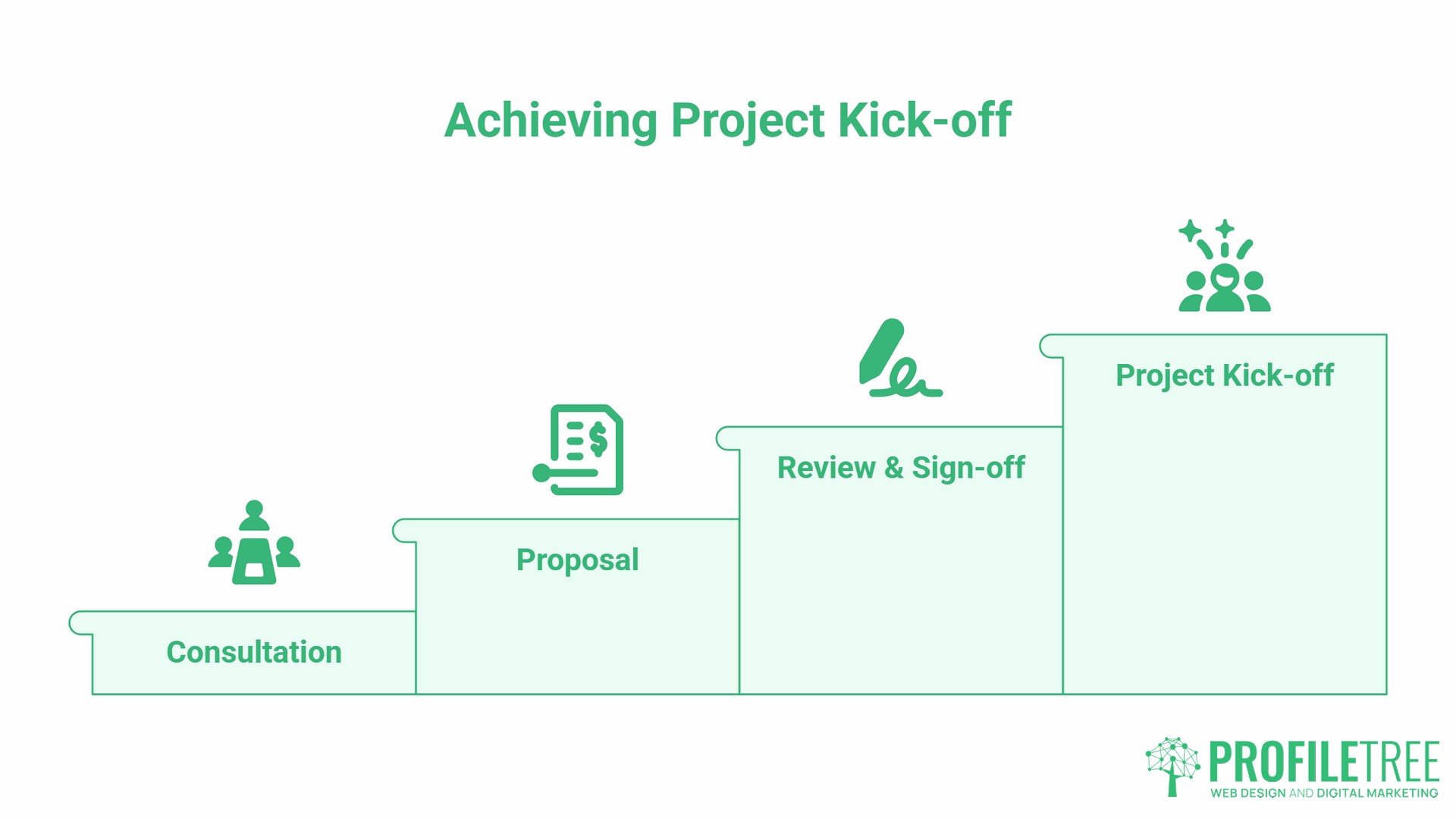
The consultation is the beginning of a project, not a standalone event. Understanding what comes next helps business owners evaluate whether a proposed process is thorough or cursory.
After a thorough consultation, the agency should produce a written project proposal covering: the recommended platform and technology stack, proposed site architecture (a sitemap or page list), scope of design and development work, content responsibilities (who is writing what), SEO and technical requirements, timeline with key milestones, and cost breakdown.
This document is the foundation of the project. Before signing anything, check that it addresses all the goals established in the consultation, that content responsibilities are clearly assigned, and that the payment structure is tied to defined deliverables rather than vague stages.
A well-structured proposal protects the client as much as the agency. If the brief changes after sign-off, both parties have a clear reference point for assessing the impact on scope, timeline, and cost.
FAQs
How much does a web design consultation cost?
This depends on the type of session. An initial discovery call to assess fit and scope is typically offered free by established agencies. A deep-dive strategy session that includes a technical audit of your existing site, competitor analysis, and a documented content and SEO brief is a more substantial piece of work and may be charged at a day rate or fixed project fee. The value of a paid strategy session is that it produces a detailed brief you can take to any agency, not just the one that conducted it.
What questions should I ask a web designer during a consultation?
The four most useful questions are: Who will own the site files and the CMS login credentials on completion? What platform do you recommend, and why specifically for my business? How will the site be structured to support search visibility from launch? What does ongoing support and maintenance cover, and what falls outside it?
How long does a typical web design consultation take?
An initial discovery call usually runs 30 to 45 minutes. A full strategy session covering technical audit, platform recommendation, site architecture, and digital marketing integration typically takes 60 to 90 minutes, with a written output delivered afterwards.
Do I need a full brief ready before the consultation?
No. The consultation itself helps define the brief. Having your basic goals, brand assets, and current site analytics to hand makes the session more productive, but the consultant’s role is partly to draw out requirements you may not have articulated yet.
Will the consultation cover SEO and digital marketing?
It should. A web design consultation that focuses only on visual design is incomplete. The site’s URL structure, content architecture, page speed targets, and schema implementation all have SEO implications, and those decisions need to be made before the build begins, not retrofitted afterwards.
Is the consultation confidential?
Professional agencies treat all information shared in a consultation as confidential. If you are discussing commercially sensitive plans, a product in development, or proprietary business data, ask the agency to sign a non-disclosure agreement before the session. Most established agencies will do so without hesitation.