
APIs in Web Design: A Practical Guide for Business Owners
Table of Contents
Most business owners have heard the term API, usually from a developer or a software salesperson. Few could explain what one actually does, let alone decide whether their website needs one. That gap between technical jargon and practical business decisions is exactly what this guide addresses.
Understanding APIs in web design is not just for developers. They are the reason your website can accept payments, pull in Google reviews, send contact form data straight to your CRM, and show live stock availability without a developer manually updating anything. Understanding how they work gives you better conversations with your web agency, sharper questions to ask before a project starts, and a clearer picture of where your website could be working harder for your business.
ProfileTree, a Belfast-based web design and digital marketing agency, has worked on over 1,000 web projects across Northern Ireland, Ireland, and the UK. APIs in web design come up on almost every project involving e-commerce, lead capture, or marketing automation. Here is what those projects have taught us about making these decisions well.
What is an API in Plain Terms?
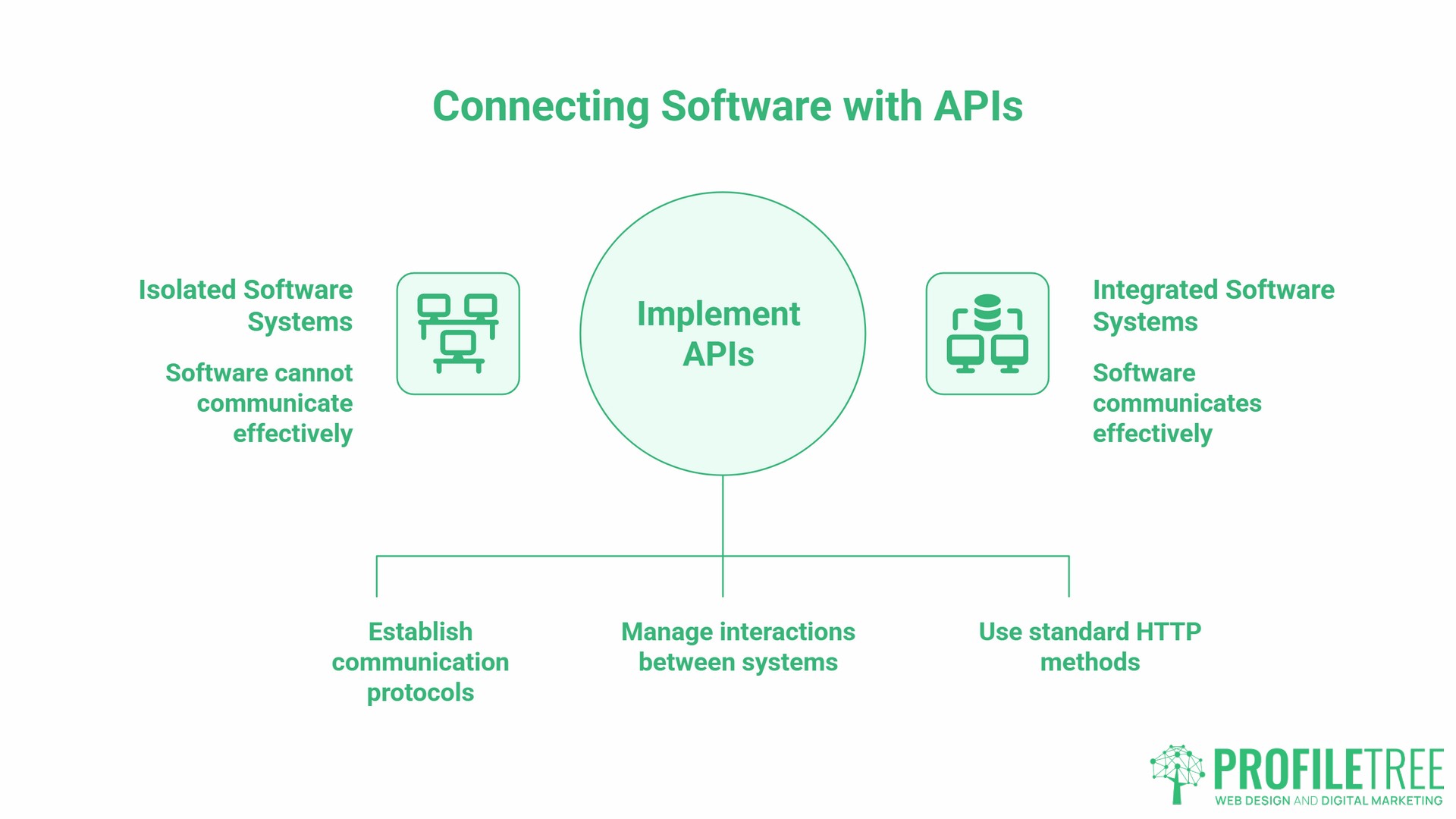
An API, or Application Programming Interface, is a set of rules that lets one piece of software talk to another. You do not need to understand the code behind it, any more than you need to understand how a till works to use one.
The most common analogy holds up well: think of an API as a waiter in a restaurant. You want food from the kitchen. You do not walk into the kitchen yourself. The waiter takes your order, passes it to the kitchen in the right format, and brings the result back to your table. The kitchen has its own systems and rules. The waiter manages the interaction between them and you.
In web design, your website is the customer, the external service (a payment processor, a mapping tool, a CRM) is the kitchen, and the API is the waiter. That is how APIs in web design function at their most basic level: passing requests between your site and the outside world in a defined, predictable way.
When you check out on an e-commerce site and pay by card, an API sends your payment details to Stripe or PayPal, receives confirmation that the payment has cleared, and then tells the website to display an order confirmation. By routing card data directly to Stripe’s secure servers rather than through the merchant’s own systems, this approach means sensitive payment information never sits on your website’s server. APIs in web design enable you to connect to powerful external systems without building them yourself.
A REST API (Representational State Transfer) is a specific type of API that follows a set of design principles and uses standard HTTP methods to enable different software systems to interact. It is the most common type you will encounter in web projects. Most modern web services, from Google Maps to Xero to Mailchimp, offer a REST API that developers can connect to.
5 Ways APIs Drive Real Value for SME Websites
This is where the business case becomes concrete. APIs in web design serve a practical commercial function on almost every modern SME website. Below are five integration types that come up repeatedly across projects ProfileTree handles for clients across Northern Ireland and the wider UK and Ireland market.
Payment processing. Stripe, PayPal, and GoCardless all expose APIs that handle card transactions, direct debits, and digital wallet payments. Payment APIs offer security features that help businesses maintain compliance standards, and by handling transactions through the provider’s infrastructure, they reduce the risk of data breaches and remove the burden of storing sensitive financial data on your own servers. This is how APIs in web design reduce both risk and development complexity.
CRM and lead capture automation. If your contact form sends leads into a spreadsheet that someone manually reviews, you are wasting time and potentially losing leads. An API connection between your website and a CRM such as HubSpot or Salesforce means every submission routes directly into the right pipeline, triggers a follow-up sequence, and gets assigned to the right salesperson. For many of the SMEs ProfileTree works with in Belfast and across Northern Ireland, this single integration replaces a manual process that was taking hours each week.
Booking and appointment systems. Hospitality businesses, healthcare providers, and professional service firms all benefit from integrating a booking API into their websites. Tools like Calendly and dedicated booking platforms expose APIs that let a website display real-time availability and confirm appointments without a member of staff handling each one. This is one of the most requested uses of APIs in web design for service-based businesses across the UK and Ireland, and one of the areas where the time saving is most immediately visible to the client.
Logistics and fulfilment. For e-commerce businesses in the UK and Ireland, Royal Mail, DPD, and An Post all offer APIs that pull live shipping rates, generate labels, and provide tracking information. Rather than quoting flat shipping rates and absorbing losses on heavier orders, your website can calculate real-time postage costs at checkout. This has a direct impact on margins and reduces customer service queries about delivery timelines.
Reviews and social proof. Google’s API allows websites to display live review scores and testimonials pulled directly from a Google Business Profile. Rather than manually copying reviews onto a testimonials page and letting them go stale, the API keeps the content up to date automatically. This matters for both user trust and for local SEO signals, because the displayed content mirrors what Google itself sees.
APIs and Site Performance: the Trade-Off Most Guides Skip
Most articles covering APIs in web design focus on what they can add. Fewer cover the cost. Every API call your website makes is an additional HTTP request. Each one adds latency. If your page makes several API calls on load, all of them have to complete before certain elements can render.
The impact on Core Web Vitals, the set of performance metrics Google uses as a ranking signal, can be significant. Third-party scripts, including API-driven widgets, affect all three Core Web Vitals: they compete for bandwidth and CPU during the critical loading phase, can block the main thread and delay response to user interactions, and dynamically injected content can cause layout shifts when it loads.
Cumulative Layout Shift (where page elements jump around as content loads) is frequently caused by API-driven widgets loading while the rest of the page is already visible. Largest Contentful Paint (the time before the main visible content is fully loaded) can be delayed if a key element is waiting on an API response.
As Ciaran Connolly, founder of ProfileTree, puts it: “An API should only go on a website if it provides a measurable benefit to the user. We audit third-party integrations before recommending them because some tools add more weight than value. A review widget that adds 400ms to your load time on mobile might be doing more harm than the social proof it provides.”
The performance trade-off is one of the most under-discussed aspects of using APIs in web design, particularly for SMEs that rely on multiple third-party tools. A website that connects to a CRM, a chat platform, a booking system, and a social feed simultaneously may make four or five external calls on every page load, each competing for the same network and processing resources.
Each third-party integration should be evaluated for its performance impact. Loading scripts asynchronously or with the defer attribute, and using resource hints such as preconnect, reduces the drag on page load without removing functionality. For SMEs working with ProfileTree on web development projects, we include a performance check as part of the build process to confirm that every integration is handled in a way that protects site speed.
| Integration Type | Typical Performance Impact | Notes |
|---|---|---|
| Payment gateway (Stripe, PayPal) | Low | Loads only at checkout |
| Google Maps embed | Medium | Consider lazy loading |
| Social media feed widgets | Medium to High | Third-party scripts; often blocking |
| CRM lead capture | Low | Fires on form submission only |
| Live review widgets | Low to Medium | Depends on implementation |
| Shipping rate calculators | Low | Fires on cart page only |
APIs and the Law: Ensuring UK GDPR Compliance
This is the section most guides written for a US audience skip entirely, and it is the one that matters most for businesses in Northern Ireland, Ireland, and the wider UK.
When your website sends data to a third-party API, you are transferring data. If that data includes names, email addresses, IP addresses, or any other information that could identify a person, it falls under the UK GDPR and the Data Protection Act 2018. The fact that the transfer happens automatically via an API rather than through a manual upload does not change your obligations as the data controller. Using APIs in web design without reviewing your compliance position is one of the more common oversights we see in businesses coming to ProfileTree for a site audit.
There are three questions every business owner should ask their web agency before a third-party API goes live.
First: Where does this data go, and in which country is it stored? Many popular APIs, including those from US software companies, store data on servers outside the UK. The UK GDPR applies to any restricted transfer of personal data outside the UK, and organisations must have an adequate legal basis for that transfer, with the International Data Transfer Agreement (IDTA) being the mechanism the ICO requires for transfers to countries without an adequacy decision.
Second: Is this API covered in your privacy policy? Your website’s privacy policy must list the third parties you share data with and explain what data is shared and why. If you add a new CRM integration or marketing automation API without updating your policy, you are in breach of your transparency obligations under UK GDPR.
Third: Does your cookie consent mechanism cover the tracking that comes with this API? The ICO’s updated guidance on storage and access technologies sets out when and how organisations must obtain consent and what information users must be given about the use of tracking technologies, including those deployed via third-party scripts and widgets. Many third-party APIs, particularly those involving advertising, analytics, or social media, set cookies or collect behavioural data that require explicit consent before firing.
For e-commerce businesses in Ireland, the same principles apply under the EU GDPR, which has been retained in Irish law. The practical requirements for data transfers and consent are nearly identical to the UK position.
ProfileTree’s digital strategy services include a data audit as part of any web redesign project, ensuring that API integrations are properly documented in your privacy documentation and that your consent setup reflects your actual data flows.
Choosing Between Off-the-Shelf and Custom API Integrations
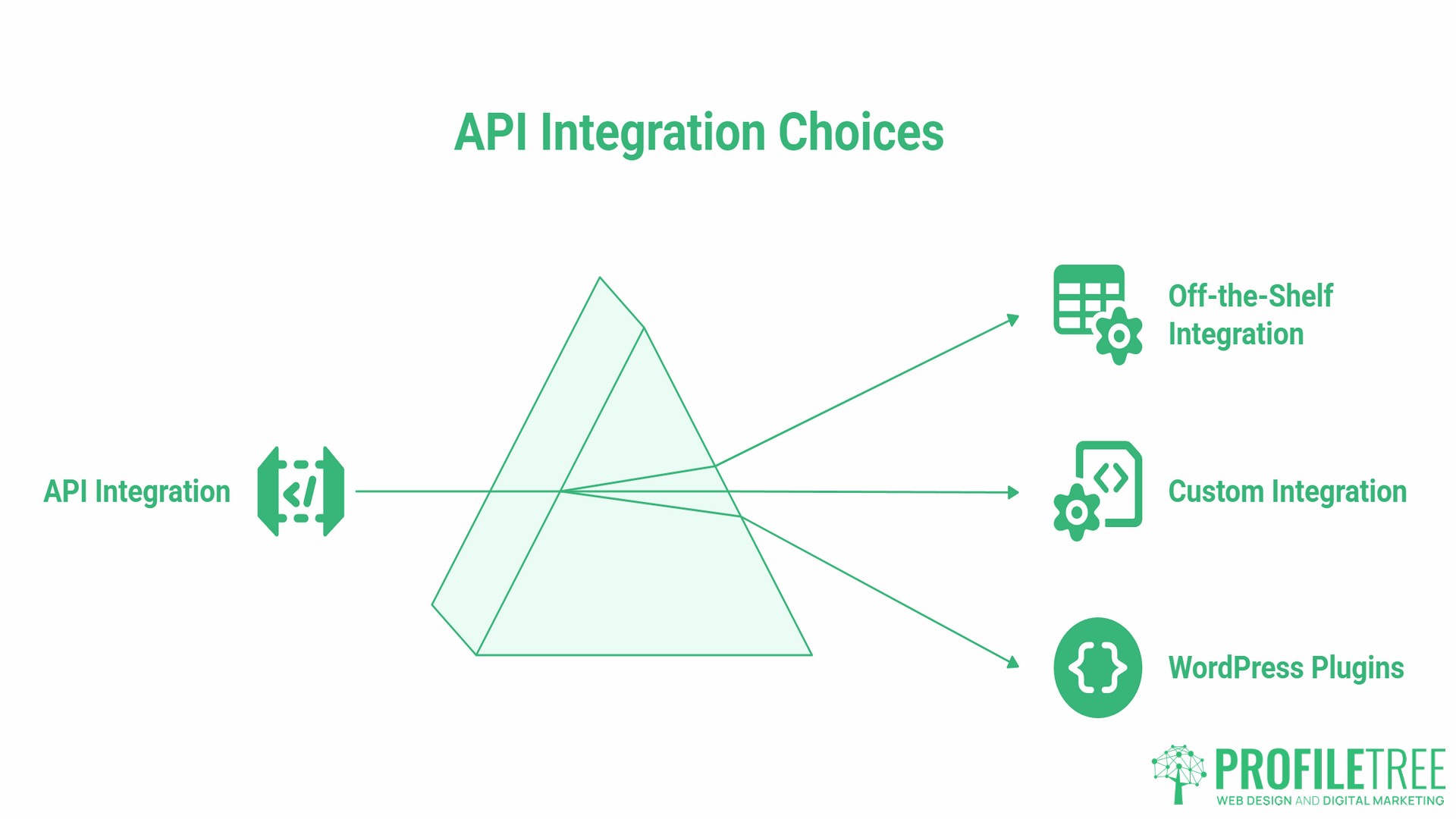
One of the most practical decisions businesses face when exploring APIs in web design is whether to build from scratch or use an existing tool. Most SME websites do not need custom API development. The distinction is worth understanding before a web agency quotes you for one.
An off-the-shelf integration uses a plugin, a no-code connector tool, or a pre-built module to connect your website to a third-party service. Tools like Zapier and Make allow non-developers to connect hundreds of applications without writing any code. If your website needs to send a contact form submission to a Google Sheet and trigger a Slack notification, Zapier handles this without a developer. No custom code required.
A custom API integration involves a developer writing code that communicates directly with a service’s API. This is appropriate when the third-party service does not have a pre-built integration with your platform, when you need to pass data in a specific format that no off-the-shelf tool supports, or when you are building a feature that requires real-time two-way communication between your website and an external system.
For most SMEs, the decision is straightforward. Start with off-the-shelf options. If they do not cover the use case, or if the data flow is too complex, bring in a developer. Custom integrations cost more to build and maintain. They are justified when the business process they support is genuinely unique or when the volume of transactions makes a manual or semi-automated approach unworkable.
One important consideration for WordPress sites: many plugins are, at their core, API wrappers. A WooCommerce payment gateway plugin connects to Stripe’s API. A form plugin connects to your email marketing platform’s API. You may already be using APIs in web design without realising it. Understanding this makes it easier to ask the right questions about whether a plugin is actively maintained, whether it handles errors properly, and whether its data-handling practices are compliant.
How ProfileTree Approaches API Integration
ProfileTree is a Belfast-based web design and digital marketing agency that has been building websites for SMEs across Northern Ireland, Ireland, and the UK since 2011. APIs in web design feature in almost every development project we take on, from simple CRM connections on brochure sites to multi-system integrations on e-commerce platforms.
Our process starts with an audit before any integration is recommended. We map the data flows the client actually needs, confirm that the third-party provider’s data storage location is compliant with UK or EU GDPR, and assess the likely performance impact before any code is written. If an off-the-shelf solution handles the use case well, we recommend it. Custom development is scoped when it is genuinely necessary.
Where APIs in web design connect to marketing tools, our SEO and digital marketing team works alongside the development team to ensure the integration supports both performance and technical goals. A CRM integration that captures lead-source data, for example, feeds directly into attribution reporting, helping clients understand which marketing channels are generating pipeline.
For businesses exploring AI tools and automation, our AI implementation services explain how API-driven AI features, including chatbots, content personalisation, and automated reporting, can be integrated with existing websites and business systems without requiring a full redevelopment.
If you are working through a web project and are unsure which integrations you actually need, our team offers a free initial consultation. The right starting point is a clear picture of the manual processes your website should be handling automatically.
Frequently Asked Questions
Do I need a developer to use an API?
For simple connections between popular tools, no. Platforms like Zapier and Make let marketing managers connect a website form to a CRM, trigger Slack notifications, or add contacts to Mailchimp without writing any code. For anything more complex, including custom data formatting, real-time communication, or connections to services without pre-built connectors, a developer is necessary. The no-code route covers the majority of straightforward uses of APIs in web design for small and medium businesses.
Are APIs free to use?
Most popular APIs operate on a freemium model. A basic level of usage is free and costs scale with volume. Stripe charges a percentage per transaction rather than a subscription fee. Google Maps charges per map load above a monthly free tier. Before building a feature that depends on a third-party API, confirm the pricing model and estimate costs at your expected usage level. An API that is free for a ten-page brochure site may carry real costs on a high-traffic e-commerce site.
Will adding an API slow down my website?
It can, depending on how the integration is implemented. The performance impact is lowest when API calls are triggered by user actions (e.g., clicking checkout or submitting a form) rather than on every page load. Loading API-driven scripts asynchronously or with the defer attribute, and lazy-loading heavy components like chat widgets and maps, are the standard approaches for reducing performance drag without removing functionality. Your developer should be able to confirm whether each integration is handled this way.
What is the difference between an API and a plugin?
A plugin is the packaged software that sits on your website, such as a WooCommerce extension. The API is the underlying connection the plugin uses to communicate with the external service. The plugin is the interface your site administrator uses; the API is the wire connecting it to the outside world. A poorly maintained plugin can expose you to security risks because it may be using an outdated version of the underlying API or handling errors in ways that create vulnerabilities.
Is my customer data safe when I use third-party APIs?
That depends on the third-party provider’s security practices, how the API call is implemented on your site, and whether your contracts and privacy documentation accurately reflect the data flows. Payment APIs encrypt and often tokenise payment information for security and compliance with regulations such as PCI DSS, meaning card data is handled within the provider’s secure infrastructure rather than on your own server. The most common risks come from the documentation and consent layer: data being sent to undisclosed third parties, or cookie-setting scripts firing before consent is obtained, are the most frequent compliance failures on API-driven websites.
What are common examples of APIs used in web design?
The most common on SME websites are: Stripe or PayPal for payment processing; Google Maps for location and store finder features; Mailchimp or HubSpot for email capture and CRM; Google Analytics and Search Console for performance data; booking platforms for appointment scheduling; and social media embeds for reviews and feeds. Each of these is a practical example of APIs in web design doing work that would otherwise require either custom-built functionality or constant manual effort from your team.