
TikTok Video Editing Tricks: Create Viral Content That Performs
Table of Contents
TikTok has transformed from a platform for casual clips into a sophisticated marketing channel where editing quality directly impacts business results. For marketing managers and business owners in the UK, Northern Ireland, and Ireland, understanding professional TikTok video editing is no longer optional—it’s a competitive requirement. The difference between a video that reaches 200 people and one that reaches 200,000 often comes down to editing choices made in the first three seconds.
This guide examines the technical and strategic aspects of TikTok video editing, from native app features to desktop workflows. We’ll explore how ProfileTree’s approach to video production and content marketing applies to short-form content, providing actionable techniques you can implement immediately to improve engagement, retention, and conversion rates.
Audio Strategy for Maximum Impact
Sound selection influences every aspect of TikTok performance, from initial engagement to completion rates. The platform’s algorithm prioritises videos that keep people watching, and audio plays a direct role in that metric. Understanding how to select, layer, and optimise audio gives your content an immediate advantage in crowded feeds.
Using Trending Audio Effectively
Trending audio provides algorithmic visibility, but implementation matters more than selection. TikTok’s music library is constantly updated, with new tracks gaining momentum across various content categories. Rather than simply selecting whatever appears at the top of trending charts, analyse which sounds align with your brand message and audience demographics.
When working with trending audio, reduce the track volume to approximately 10-15% of maximum. Layer your primary voiceover or message audio at 85-90% to maintain clarity. This approach satisfies the algorithm’s preference for trending tracks whilst keeping your message comprehensible. UK businesses, in particular, benefit from this technique when creating promotional content that requires clear calls to action.
Monitor TikTok’s Creative Centre weekly to identify emerging audio trends before they peak. Early adoption of trending sounds positions your content in front of users actively searching for that audio, thereby increasing its discovery potential. ProfileTree’s content marketing approach emphasises this timing strategy across all social platforms, recognising that early trend adoption generates better ROI than late participation.
Voice Modulation and Audio Effects
For business owners hesitant about appearing on camera, TikTok’s voice effects offer practical alternatives. These tools modify recorded audio by adjusting its pitch, speed, and tonal quality. However, overuse creates an amateur appearance that damages brand credibility.
Apply voice effects sparingly and purposefully. The “Chipmunk” effect works for humour-based content but undermines professional services marketing. The “Deep Voice” effect can add gravitas to educational content, but may seem gimmicky in client testimonials. Test different effects with small audience segments before committing to a particular style across your content calendar.
Consider original audio creation for a branded content series. Recording custom intro music or sound signatures builds recognition across your TikTok presence. This approach supports a broader brand strategy by creating audio assets that can be extended to other platforms, including website videos and YouTube content.
Aligning Audio with Visual Elements
Professional TikTok editing synchronises audio peaks with visual transitions. When background music hits a beat drop, that’s your moment for a cut, text appearance, or scene change. This synchronisation creates a subconscious sense of polish that keeps people engaged.
Use your editing software’s waveform display to identify audio peaks. Place cuts, transitions, or text animations at these points. This technique, common in professional video production, translates directly to TikTok’s format. Even when editing within the native app, you can manually align changes to obvious beat patterns.
Volume consistency matters significantly for retention. If your voiceover suddenly becomes quiet or your background music overwhelms dialogue, people leave. Check your audio levels before posting. Mobile phone speakers have limited dynamic range—what sounds balanced through headphones may be unbalanced through a phone’s single speaker.
Building Retention Through Structure
The architecture of your video determines whether people watch through to completion. TikTok’s algorithm heavily weights watch time and completion rate, making structure your most crucial editing consideration. A well-structured 30-second video outperforms a poorly structured 60-second video in every metric that matters for business results.
The Critical First Three Seconds
Your opening frame must immediately signal value. Users scroll past content that doesn’t justify their attention within three seconds. This isn’t hyperbole—it’s measurable behaviour confirmed by countless analytics studies.
Begin with a movement or action that is already underway. A static shot of someone preparing to speak fails. A jump cut into the middle of a gesture succeeds. The human brain is wired to pay attention to motion and to seek completion of interrupted patterns. Use this biological fact to your advantage.
Text overlays in the opening frame should state outcomes, not topics. “How I reduced client acquisition costs by 40%” performs better than “Client Acquisition Tips.” The first promises specific value; the second is vague. Decision-makers in your target audience are trained to scan for particular data points and outcomes. Give them what they’re looking for immediately.
Avoid the common mistake of starting with “In this video, I’m going to…” or similar preambles. These consume valuable seconds whilst providing no value. Your first sentence should contain actionable information or a provocative statement that demands explanation.
Structuring for Sustained Attention
After capturing initial attention, your structure must justify continued investment. Professional video producers refer to this as the “narrative arc,” but on TikTok, it’s condensed into seconds rather than minutes.
Follow this pattern: Hook (3 seconds) → Promise (5 seconds) → Delivery (20-40 seconds) → Call to Action (3-5 seconds). The promise phase explicitly states what the video will teach or demonstrate. The delivery phase provides that information clearly and efficiently. The call to action directs the next steps.
Within the delivery phase, make a change every 2-3 seconds. This doesn’t mean jarring cuts—it means subtle variations that reset attention. Zoom in slightly. Cut to a different angle. Display a text overlay with a key statistic. Overlay b-roll footage. Each of these micro-changes tells the brain “something new is happening,” which maintains engagement.
“The most common mistake we see with business clients new to TikTok is front-loading too much context,” notes Ciaran Connolly, Director at ProfileTree. “They want to explain their credentials or establish authority before delivering value. On TikTok, you establish authority by immediately demonstrating competence. The credentials come later—if at all.”
Quick Cuts and Dynamic Transitions
Pacing directly impacts retention rates. Fast cuts create energy and urgency. Longer shots create space for complex information—most business content benefits from faster pacing than feels natural when you’re editing.
Review your rough cut and identify any segment longer than 5 seconds. Ask yourself whether that duration serves a specific purpose. If you’re explaining a complex concept, 5-8 seconds might be appropriate. If you’re making a simple point, 2-3 seconds is sufficient.
Dynamic transitions maintain energy between cuts. TikTok’s native transitions are simple but effective. The “Zoom” transition works well for moving between talking head shots and product displays. The “Spin” transition adds energy to the before/after reveals. The “Slide” transition is effective for delivering sequential information.
Avoid excessive transition effects that distract from your message. Every transition should have a purpose—emphasising a point, indicating a time passage, or separating distinct ideas. Random transitions, used solely for visual interest, typically reduce professional credibility rather than enhancing it.
Professional Editing Techniques
Moving beyond basic cuts and transitions, professional techniques differentiate competent content from exceptional content. These methods require a greater time investment but yield measurably better results across engagement metrics.
Advanced Transition Methods
Seamless transitions create the illusion of continuous action across separate clips, giving the appearance of a single, uninterrupted sequence. The “match cut” transition maintains visual elements between shots—matching hand position, object placement, or background features. This technique requires planning during filming but produces polished results that signal professional production quality.
The “whip pan” transition involves rapid camera movement that blurs the frame, allowing you to cut to a completely different shot during the blur. This works particularly well for location changes or dramatic reveals. Record a quick left-to-right pan at the end of one clip and a right-to-left pan at the start of the next, then overlap them in editing.
Green screen functionality in TikTok’s app or desktop editing software significantly expands creative possibilities. Remove backgrounds to place yourself in different environments, layer multiple video sources, or create split-screen effects without complex masking. For business content, green screen works well for product demonstrations where you want to overlay specifications or features alongside the physical product.
Jump cuts—the most common transition on TikTok—deserve specific attention. A good jump cut feels intentional and energetic. A bad jump cut feels like an error. The difference lies in timing and scale. Change your position or zoom level slightly between cuts. Cut on movement rather than during static moments. These minor refinements make jump cuts feel professional rather than amateurish.
Text Overlays and Typography
Text overlays serve multiple purposes: enhancing accessibility, emphasising key points, and facilitating retention. Captions make your content accessible to deaf and hard-of-hearing audiences, to people watching without sound, and to users whose first language isn’t English. This accessibility element isn’t just ethical—it’s strategic, expanding your potential audience.
Choose readable fonts consistently. TikTok offers various font options, but not all perform equally. Sans-serif fonts (such as Arial or Helvetica equivalents) offer better readability on small mobile screens compared to serif fonts. Avoid script or decorative fonts unless they’re large and used sparingly for specific emphasis.
Text colour requires careful consideration. High contrast ensures readability—white text on dark backgrounds or dark text on light backgrounds. TikTok allows text stroke or shadow effects that improve readability even over complex backgrounds. Test your text on both bright and dark phone screens before posting, as what looks clear on your computer monitor may be illegible on a phone in bright sunlight.
Position text in the safe zone—the middle 60% of the screen. TikTok’s interface elements (profile icons, captions, engagement buttons) occupy the edges and bottom of the screen. Text placed in these areas gets obscured or creates visual clutter. Professional video production accounts for platform-specific interface requirements, and TikTok is no exception.
Timing matters as much as positioning. Display text for 1.5-2x the time it takes you to read it. This accounts for users who read more slowly or who need to glance away from their screen momentarily. Removing text too quickly can frustrate audiences; leaving it visible for too long wastes valuable screen time.
Effects, Filters and Visual Enhancement
TikTok’s built-in effects library contains hundreds of options, from subtle colour grading to dramatic augmented reality overlays. Most business content benefits from restraint, using one or two subtle effects rather than multiple competing visual treatments.
Colour grading effects adjust the overall tone and mood of your footage. Warmer tones evoke friendly and approachable feelings. Cooler tones suggest professionalism and efficiency. Test different colour grades to find what aligns with your brand identity. ProfileTree’s web design philosophy emphasises consistent visual identity across all digital touchpoints, and your TikTok colour grading should reflect your website and other marketing materials.
Beauty filters should be used carefully in business content. Heavy filtering damages credibility and authenticity. Subtle filtering that simply improves lighting or reduces harshness is acceptable. The line between enhancement and deception is judgment-based, but err on the side of authenticity, particularly when representing professional services.
AR effects (augmented reality filters) are particularly effective for specific content types. Product launches might use AR to display virtual versions of physical products. Educational content might use AR to illustrate abstract concepts. However, many AR effects are purely decorative. Ask whether an effect serves your message before applying it.
Accessibility Features
Proper captioning does more than add text to your video—it makes your content discoverable and accessible to a significantly larger audience. TikTok’s automatic caption feature provides a starting point, but requires editing. Automatic captions frequently miss industry terminology, brand names, and regional accents.
Review and edit auto-generated captions before posting. Correct errors, add punctuation, and break captions into readable segments. Long, unbroken caption blocks are challenging to follow. Break captions at natural speech pauses to improve readability.
For UK businesses, regional terminology and spellings matter. Automatic captions may default to American spellings or word choices. Edit these to maintain brand consistency and effectively address your local audience.
Audio descriptions for visually complex content benefit some audiences. When your video features detailed processes, complicated diagrams, or rapid visual changes, voiceover narration that describes what’s happening makes the content accessible to users who are blind or have low vision. This practice, standard in professional video production for broadcast, is increasingly expected on social platforms.
Software and App Selection for TikTok Editing
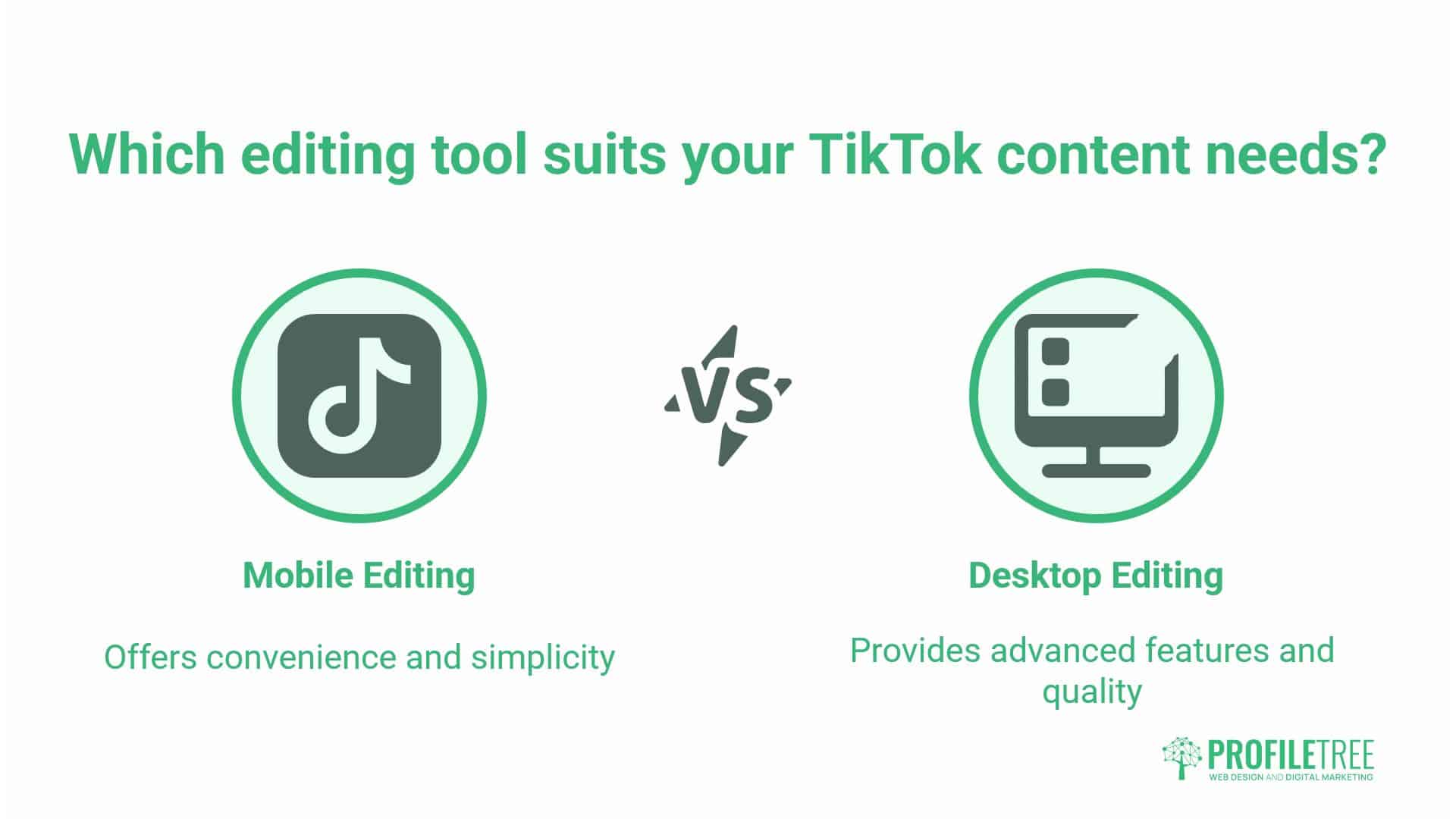
The editing tools you choose significantly influence your creative options, efficiency, and the overall quality of your final output. The decision between mobile editing within TikTok’s native app and desktop editing software depends on the complexity, volume, and quality standards of your content.
TikTok’s Native Editing Features
TikTok’s built-in editor provides sufficient functionality for straightforward content. The app includes timeline-based editing, multiple clip sequencing, text overlays, music integration, effects application, and fundamental transitions. For business owners creating regular updates, behind-the-scenes content, or simple educational videos, the native app offers speed and convenience.
Native editing benefits include immediate uploading without export/import processes, direct access to trending audio, and automatic optimisation for TikTok’s video specifications. When you edit within the app, you eliminate potential format or quality issues that sometimes arise when importing externally edited content.
However, native editing has limitations. Precision timing is tricky. Colour correction options are minimal. Audio mixing is basic. Layer management is restrictive. For content that requires professional polish—such as product launches, brand campaigns, or high-stakes announcements—these limitations become problematic.
The native editor works best for volume-based content strategies where posting frequency matters more than individual video perfection. If your TikTok strategy involves daily posts responding to trends or customer questions, editing within the app maintains sustainable workflows.
CapCut: The Desktop Bridge
CapCut, owned by TikTok’s parent company, offers desktop editing while maintaining tight integration with TikTok’s platform. The software provides more precise timeline control, better audio mixing, advanced effects, and project saving for iterative editing.
CapCut includes templates designed explicitly for TikTok formats. These templates provide a professional structure for common video types—tutorials, reviews, and compilations—that you can customise with your own content. For businesses without dedicated video production teams, templates reduce editing time whilst maintaining quality.
The software’s auto-caption feature outperforms TikTok’s native captioning, with better accuracy and easier editing. You can customise caption styles, colours, and animations more extensively than within the app. For businesses prioritising accessibility, this alone justifies the adoption of CapCut.
Export settings in CapCut offer control over resolution, bitrate, and format. While TikTok automatically compresses uploaded videos, starting with higher-quality source files produces better final results. Export at 1080×1920 resolution (full HD in vertical format) with a bitrate of 10-12 Mbps for optimal quality after TikTok’s compression.
Professional Desktop Software
Adobe Premiere Pro, Final Cut Pro, and DaVinci Resolve offer capabilities far beyond what most TikTok content requires, but for businesses already invested in professional video production, using these tools maintains consistency across all video output.
Premiere Pro excels at multi-track editing and integration with other Adobe products. If your business uses Adobe Creative Cloud for web design, graphic design, or other marketing production, adding Premiere to your TikTok workflow creates no additional software costs or learning curves.
Final Cut Pro offers performance advantages on Mac systems, with faster rendering times and better handling of high-resolution source footage, for businesses producing high-volume video content across multiple platforms—TikTok, YouTube, Instagram Reels, and website embedding. Final Cut’s efficiency gains become significant.
DaVinci Resolve provides professional colour grading tools without subscription costs (the free version includes extensive features). For brand-conscious businesses where visual consistency across all content is crucial, Resolve’s colour grading capabilities ensure that TikTok content maintains the same look and feel as other marketing materials.
The workflow for professional software involves editing to TikTok’s specifications: 9:16 aspect ratio, 1080×1920 resolution, and 30fps frame rate. Set up custom presets in your software to streamline the process. ProfileTree’s video production service uses these specifications across client projects to maintain platform-appropriate quality.
Mobile Editing Apps Beyond TikTok
InShot and VN Video Editor offer mobile editing with more features than TikTok’s native app, but with less complexity than desktop software. These apps are well-suited for business owners who primarily work on mobile devices but require more control over editing.
InShot includes picture-in-picture functionality, detailed speed controls, and extensive transition libraries. The app’s music integration allows for the mixing of multiple audio tracks, making it useful for adding sound effects or background music to existing voiceover recordings.
VN Video Editor offers curve-based speed ramping, which creates smooth slow-motion or time-lapse effects within single clips. This feature, typically found only in professional software, adds cinematic polish to product reveals or process demonstrations.
Both apps export directly to TikTok with optimised settings, eliminating the compression concerns that sometimes arise with desktop-to-mobile workflows.
UK Compliance and Best Practices
Operating a business TikTok account in the UK requires awareness of Advertising Standards Authority (ASA) regulations, intellectual property law, and platform-specific best practices that protect your brand whilst maximising performance.
ASA Guidelines for Branded Content
The ASA requires clear disclosure when content constitutes advertising. This includes sponsored posts, gifted product reviews, and any content where you’ve received payment or value in exchange for posting. The disclosure must be immediate and clear—not buried in captions or hashtags that users might miss.
Place disclosure text directly in your video using text overlays, not just in the written caption. Text should appear within the first three seconds and remain visible long enough to read. Common disclosure language includes “Ad,” “Paid Partnership,” “Gifted,” or “Sponsored by [Brand].”
For businesses creating TikTok content as part of broader marketing campaigns, ensure staff members posting from brand accounts understand these requirements. A single non-compliant post can trigger an ASA investigation and damage brand reputation. ProfileTree’s digital marketing training includes social media compliance modules specifically addressing these regulations.
User-generated content campaigns require particular care. If you encourage customers to create content about your products and provide incentives (such as discounts, prizes, or recognition), that content may require disclosure under ASA rules—brief participants on disclosure requirements before the campaign launches.
Music Licensing Considerations
TikTok’s commercial music library includes tracks licensed for use on the platform. Content created using these tracks is compliant with copyright law whilst on TikTok. However, if you download TikTok videos for repurposing on websites, YouTube, or other platforms, those original licenses may not apply.
For businesses planning to repurpose TikTok content across multiple channels, consider using royalty-free music from platforms like Epidemic Sound, Artlist, or AudioJungle. These services provide music licensed for multi-platform use, eliminating legal concerns when embedding TikTok videos on your website or sharing them in presentations.
Original music created specifically for your brand offers maximum flexibility and reinforces your brand identity. Commission custom audio from musicians or use internal talent to create signature sounds. This approach, common in comprehensive content marketing strategies, differentiates your brand whilst ensuring complete legal compliance across all platforms.
Data Protection and Privacy
GDPR applies to TikTok content that collects, displays, or processes personal information. Filming in public spaces in the UK requires consideration of bystanders’ rights to privacy. Whilst you can generally film in public areas, featuring identifiable individuals requires their consent if you’re using the footage commercially.
For business content featuring employees, obtain written consent before posting. This protects both the business and individuals if employment relationships later become contentious. Standard release forms should clearly specify how the content will be used, where it will be displayed, and for how long it will remain publicly accessible.
Customer testimonial videos require particular attention. Ensure customers consent to both filming and public posting. Specify whether you can repurpose the content on other platforms or in other marketing materials. Clear documentation prevents disputes and demonstrates professional operations.
Platform-Specific Best Practices for UK Businesses
TikTok’s algorithm treats all content equally during initial distribution—business accounts receive no inherent disadvantage compared to personal accounts. However, the algorithm does favour content that generates engagement quickly. This means your first hour of performance often determines your video’s overall reach.
Post timing matters for UK audiences. Analysis of UK TikTok usage patterns reveals peak engagement during lunch hours (12:00-14:00), early evening (17:00-19:00), and late evening (21:00-23:00). Experiment with different posting times to determine when your specific audience is most active and receptive.
Hashtag strategy for UK businesses should include location-specific tags (#UKBusiness, #BelfastMarketing, #LondonStartups) alongside content-specific tags. Location tags help local customers discover your content and build regional community connections.
Reply to comments promptly. TikTok’s algorithm rewards creator-audience interaction. Responding to comments within the first hour of posting signals active engagement and can boost distribution. For businesses managing multiple social platforms, prioritise TikTok comments during that critical first hour.
Monitor your analytics weekly. TikTok provides detailed data on audience demographics, peak activity times, traffic sources, and content performance. Use this data to refine your content strategy, posting schedule, and creative approach. ProfileTree’s SEO services include social media analytics integration to understand how TikTok traffic influences overall digital marketing performance.
Implementing TikTok Video Editing in Your Marketing Strategy
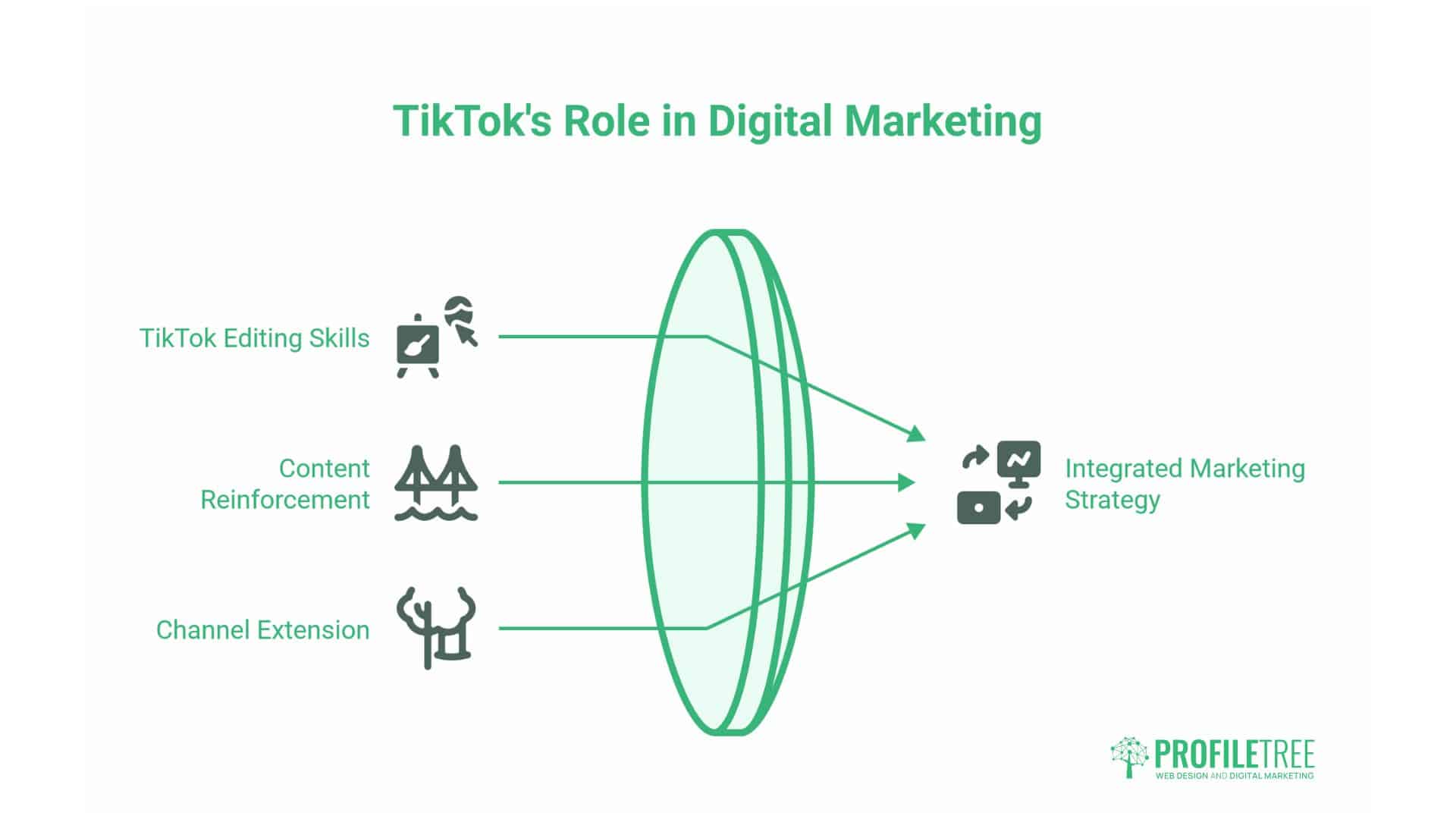
TikTok editing skills serve your broader digital marketing objectives. The platform shouldn’t exist in isolation, but rather function as one component of an integrated marketing strategy where content reinforces and extends your presence across all channels.
Connecting TikTok to Your Website
Every TikTok video should drive specific action. For businesses, this action typically involves moving audiences from TikTok to their own properties—such as their website, email list, or booking system. Link-in-bio functionality provides the primary mechanism for this transfer.
Create dedicated landing pages for TikTok traffic. These pages should acknowledge where visitors came from and immediately deliver on whatever promise your video made. If your TikTok video offered “5 mistakes damaging your website’s performance,” your landing page should elaborate on those mistakes and position your web design services as the solution.
ProfileTree’s web development approach prioritises mobile optimisation, which directly serves TikTok-driven traffic. Users arriving from TikTok are mobile-first by definition. Landing pages that load slowly on mobile or provide poor mobile experiences waste your TikTok editing investment.
Repurposing Content Across Platforms
Professional editing creates assets usable beyond TikTok. Export your edited videos in multiple formats for Instagram Reels, YouTube Shorts, LinkedIn video posts, and website embedding. This multi-platform approach maximises return on editing investment.
Adjust content slightly for each platform’s audience and culture. LinkedIn audiences expect a more professional tone and explicit business application. Instagram audiences tend to engage more with content that has an aesthetic appeal. YouTube Shorts audiences tolerate slightly longer content. Make these adjustments after your core edit is complete.
Embedding TikTok videos on websites creates dynamic content that enhances site engagement metrics. Videos embedded on relevant service pages or blog posts can reduce bounce rates and increase time on site—both factors that contribute to improved SEO performance. This approach connects ProfileTree’s video production, web design, and SEO services into a cohesive strategy.
Building Systems for Consistent Output
Sustainable TikTok presence requires systems, not sporadic efforts. Develop content calendars that strike a balance between trending responses (timely reactions to platform trends) and evergreen education (foundational information about your services and expertise).
Batch filming and editing improve efficiency. Dedicate specific time to recording multiple videos, then separate editing sessions to process that content. This approach prevents the daily pressure of creating content while maintaining consistent posting schedules.
Template development accelerates production. Create saved editing presets for common content types—product features, client testimonials, process explanations, industry news commentary. Templates ensure brand consistency whilst reducing per-video editing time.
For businesses without internal video expertise, ProfileTree’s video production and digital training services provide both done-for-you content creation and skill transfer to internal teams. This hybrid approach delivers immediate results whilst building long-term capability.
Measuring Success Beyond Vanity Metrics
View counts matter less than business results. Effective TikTok video editing should ultimately drive measurable commercial outcomes—such as leads generated, website traffic, consultation bookings, or direct sales.
Analytics That Matter for Business
Track completion rate (the percentage of people who watch your entire video). High completion rates signal that your editing choices effectively maintain attention. Low completion rates indicate where your structure or pacing falls short.
Monitor click-through rate to your profile and link-in-bio. This metric reveals whether your content motivates the desired action. Compare CTR across different content types and editing styles to identify what drives behaviour, not just attention.
Track traffic sources in Google Analytics. Configure UTM parameters for your TikTok links to identify which specific videos drive website traffic. This data connects TikTok editing decisions to concrete business outcomes.
Iterative Improvement Through Testing
Systematic testing improves results over time. Test one variable at a time—hook style, video length, posting time, or caption strategy—whilst keeping other elements consistent. This approach identifies what specifically drives performance changes.
A/B test thumbnail images (your opening frame). Create multiple versions of the same video with different opening shots. Post these versions hours apart and compare their performance during equivalent time windows.
Document your findings. Create a simple spreadsheet tracking content type, editing techniques used, and performance metrics. Patterns emerge over time that inform your editing decisions and content strategy.
Conclusion
TikTok video editing combines technical skill with strategic thinking. The platform rewards content that respects viewers’ time, delivers value immediately, and maintains engagement through intentional structure and pacing.
Start by improving your first three seconds. Audit your recent videos and honestly assess whether each opening frame earns continued attention. Implement pattern interrupts, outcome-focused text overlays, and movement-based hooks. This single change typically generates measurable improvement across all performance metrics.
Develop consistent editing templates that maintain your brand identity whilst allowing creative variation. Professional appearance comes from consistency—using the same fonts, colours, transition styles, and pacing patterns across your content.
Integrate TikTok into your broader digital strategy rather than treating it as an isolated activity. Connect your editing efforts to website traffic, lead generation, and business development goals. Measure what matters commercially, not just what’s easy to track.
FAQs
How long should TikTok videos be for business content?
The optimal length depends on the content type and audience preferences. Educational content typically performs well between 30-60 seconds, whilst product showcases work at 15-30 seconds. Check your analytics—your completion rate data reveals when people stop watching, indicating your ideal length for specific content types.
Do I need expensive equipment to create professional TikTok content?
Modern smartphones provide sufficient video quality for TikTok. Audio quality matters more than video resolution—invest in a basic lapel microphone (£20-40) before upgrading cameras. Good lighting (natural window light or a simple ring light) improves visual quality more than expensive cameras.
How often should businesses post on TikTok?
Consistency matters more than frequency. Three high-quality posts weekly outperform daily low-quality posts. Establish a sustainable schedule you can maintain long-term, rather than posting intensively for short periods, then stopping.
Can I edit TikTok videos on my computer, then upload?
Yes, though the process requires correct export settings. Edit at 1080×1920 resolution, 30fps frame rate, and export as MP4. Transfer the file to your phone, then upload through TikTok’s app. Some creators email files to themselves; others use cloud storage services.
Taking Action on TikTok Video Editing
The editing techniques outlined here provide a foundation for professional TikTok content. Implementation separates businesses that understand these concepts from those that generate actual results. Test these approaches systematically, measure outcomes honestly, and refine your process based on evidence rather than assumptions. That discipline, combined with technical editing skills, positions your business to succeed on TikTok and across all digital channels.
For businesses seeking expert guidance on video production, content strategy, or digital marketing integration, ProfileTree provides comprehensive services from initial strategy through execution and optimisation. Our team understands how platforms like TikTok fit within larger digital marketing ecosystems, creating content that serves immediate engagement goals whilst building long-term brand equity.