
How to Build an E-commerce Website: A UK and Ireland Guide
Table of Contents
Most guides on building an e-commerce website are written for an American audience. They skip VAT, ignore the Consumer Rights Act, and recommend shipping integrations that mean nothing to a business posting parcels from Belfast or Cork. This guide takes a different line. It walks through how to build an e-commerce website from scratch for a small business trading in the UK or Ireland, covering platform choice, payments, design, logistics and the legal groundwork that local sellers actually have to get right.
Whether you are a sole trader testing a first product line or an established shop moving online, the decisions you make in the first few weeks shape what the site costs to run for years. Get the platform and structure right early, and you avoid the expensive rebuild that catches so many first-time online sellers.
The E-commerce Picture in the UK and Ireland
Online retail is a settled part of how people in the UK and Ireland shop, not a novelty. For a small business that means the question is rarely “should we sell online” and almost always “how do we do it without overspending or breaking a rule we did not know existed”. The market is competitive, customer expectations for delivery and returns are high, and platforms that promise a store “in minutes” often omit the running costs.
This is also a market with its own rules. Selling to UK and Irish customers brings obligations around consumer rights, data protection and tax that platform marketing rarely mentions. A useful starting point is understanding the wider context: the opportunities and the practical hurdles are covered in more detail in this look at e-commerce in Ireland, which is worth a read before you commit to a model.
Phase 1: Foundations and UK Compliance
Before you touch a platform, settle two things: what you are selling and to whom, and which legal duties apply. Skipping this phase is the most common reason a new store is reworked within its first year.
Choose Your Model: B2C, B2B, D2C or Hybrid
Your business model decides almost everything that follows. A direct-to-consumer brand selling a tight product range needs a very different build to a wholesaler running trade accounts with tiered pricing. Decide early whether you are retail or wholesale, whether you sell to the public, to other businesses, or both, and whether a subscription element is involved. Many UK SMEs end up hybrid: a public-facing shop plus a trade portal with negotiated pricing for regular buyers. That hybrid setup is harder to bolt on later, so plan for it now if it is likely.
UK and Irish Legal Essentials
Selling online in the UK and Ireland involves duties that US-focused guides often omit. The main ones to map before launch:
- Consumer rights. Under the Consumer Rights Act 2015, goods sold in the UK must be of satisfactory quality, fit for purpose and as described. Distance selling rules give customers the right to cancel and receive a refund, which you must clearly publish. Ireland has parallel consumer protections.
- Data protection. Collecting customer names, addresses and payment details puts you under UK GDPR (and the EU GDPR for Irish and EU customers). You need a lawful basis for processing, a clear privacy notice and proper handling of the data you store. The practical side of this for online shops is set out in this guide to data privacy laws in e-commerce.
- VAT. Once your taxable turnover passes the UK VAT registration threshold, you must register and charge VAT. International sales add more layers, including rules for selling into the EU from the UK. Confirm the current threshold and your own position with an accountant rather than relying on a figure in a blog post.
None of this needs to be daunting, but it does need to be deliberate. A privacy notice written after launch, or a returns policy copied from a US template, creates risk that is cheap to avoid up front.
Phase 2: Choosing the Right Platform
This is where building an e-commerce website becomes real. The platform you choose sets your monthly costs, your transaction fees, how much you can customise and how much technical help you will need. There is no single best option: the one that fits your model, budget, and appetite for hands-on management.
Hosted Platforms vs Self-Hosted
Hosted platforms like Shopify, Wix and Squarespace handle the technical side for you in exchange for a monthly fee and, often, transaction charges. They get you up and running quickly and require little maintenance. Self-hosted options, chiefly WooCommerce on WordPress, give you far more control and lower platform fees, but you take on hosting, updates and security yourself. WooCommerce in particular suits businesses that already use WordPress or expect to need custom functionality. If you want to understand what sits under the bonnet of each approach, this breakdown of the best programming language for an e-commerce website explains the technical trade-offs in plain terms.
| Platform | Type | Best for | Main trade-off |
|---|---|---|---|
| Shopify | Hosted | Fast launch, low maintenance, growing catalogues | Monthly fee plus transaction fees unless you use its own payments |
| WooCommerce | Self-hosted (WordPress) | Flexibility, content-led shops, lower platform fees | You manage hosting, updates and security |
| Wix | Hosted | Very small catalogues, simple setups | Limited scope as the store grows |
| BigCommerce | Hosted | Larger or fast-scaling stores | Can be more than a small shop needs |
| Adobe Commerce (Magento) | Self-hosted | Complex, high-volume operations | Significant technical resource required |
For most SMEs in Northern Ireland, Ireland and the UK, the realistic choice comes down to Shopify or WooCommerce. Shopify wins on speed and a hands-off setup. WooCommerce wins on flexibility and running costs, especially for content-heavy shops that lean on a blog or guides to drive traffic. If you go the WordPress route, getting hosting right matters: shared hosting that buckles under traffic will cost you sales, so it is worth understanding how managed options like WP Engine hosting compare, and why building on solid foundations beats the false economy of a WordPress site without a proper domain.
This is also the point where DIY and professional builds diverge. A template store you build yourself can work for a simple catalogue. Once you need custom checkout logic, trade pricing, integrations with your stock system or a design built around conversion, a professional build pays for itself. ProfileTree, a Belfast-based web design and digital marketing agency, builds e-commerce sites on both WooCommerce and Shopify for businesses across the UK and Ireland, which means the platform recommendation is based on your needs rather than on whichever system the builder happens to prefer.
“The biggest mistake we see is people choosing a platform on price alone, then paying twice when they outgrow it within a year. Pick for where the business is going, not just where it is today.” Ciaran Connolly, founder of ProfileTree.
Payment Gateways and Fees
Your payment gateway needs to be secure, easy for customers and compatible with your platform. Stripe and PayPal are widely used across the UK and Ireland and integrate with most systems; Stripe is flexible and developer-friendly, and PayPal is familiar to shoppers and quick to set up. Whatever you choose, transaction fees eat into margin, so compare them on your expected order values rather than the headline rate.
Security here is not optional. Any gateway you use must meet the Payment Card Industry Data Security Standard (PCI DSS), and how you handle the surrounding customer data matters just as much. This guide covers the practical requirements for keeping online payments compliant and secure.
Phase 3: Designing for Conversion
A working store and a store that sells are not the same thing. Design is where that gap closes. The aim is a site that loads fast, reads clearly on a phone and guides visitors towards buying without friction.
Mobile-First and Responsive
A large share of e-commerce browsing happens on phones, so design for the small screen first and scale up. Responsive design that adapts to any screen size is the baseline, not a feature. Navigation should be simple, categories should be clear, and the search bar should be easy to find. Every extra tap between landing and checkout is a chance to lose the sale.
Visual Hierarchy and Calls to Action
Guide attention deliberately. Key actions such as “Add to Cart” and “Checkout” should stand out in terms of size, colour, and placement. Product pages need high-quality images, ideally with multiple views, and descriptions that answer the questions a buyer actually has: size, materials, delivery, returns. Customer reviews add credibility that your own copy cannot.
This is where a professional design eye earns its keep. A tidy template is not the same as a layout built around how people actually buy. If you are weighing up whether to design the store yourself, use a builder, or bring in help, this honest look at AI versus human web designers sets out where each approach genuinely works.
Speed and Performance
Slow sites lose customers and rank lower in search results. Compress images, use caching, choose efficient hosting and keep your code clean. Once the site is live, measure rather than guess: this guide to analysing your website’s performance shows how to identify what is slowing down pages and what to fix first.
For a sense of how the pieces fit together when a store is built properly from the ground up, this short walkthrough is a useful primer:
Phase 4: Logistics, Delivery and Sustainability
Getting the order to the customer is part of the product, and shipping is one of the most common reasons baskets get abandoned. UK and Irish sellers have a strong set of carriers to work with, including Royal Mail, DPD, Evri and An Post for Irish deliveries. The choice usually balances cost, reliability and how cleanly the carrier integrates with your platform.
Set delivery expectations clearly on the product and checkout pages: costs, timeframes and the returns policy. Offering free delivery over a threshold is a proven way to lift average order value, and a live shipping calculator removes nasty surprises at checkout. If you are running on Wix, the practical mechanics are covered in this guide to setting up delivery methods; the same principles apply to whatever platform you choose.
Sustainability is increasingly part of the buying decision, particularly for younger UK and Irish shoppers. Carbon-conscious shipping, recyclable packaging and honest messaging about it can be a genuine differentiator rather than a token gesture. The wider thinking on how to make this credible rather than greenwashed is set out in this piece on sustainability in digital marketing.
Phase 5: SEO, Content and Driving Traffic
A live store with no visitors sells nothing. Once the site is built, the work shifts to getting found and attracting the right people.
E-commerce SEO
Search optimisation for an online shop centres on product and category pages. Each needs a unique, descriptive title, a written description that uses the words real customers search for, clean URLs and proper alt text on images. Site speed and a logical structure help here too, since search engines favour fast, well-organised sites. This is detailed, ongoing work rather than a one-off task, and it is the area where many SMEs see the best return from bringing in support: ProfileTree’s search engine optimisation services focus on the technical and content side of getting product pages to rank.
Content, Video and Social
Content marketing turns a shop into a destination. A blog answering the questions your customers ask, buying guides, and how-to articles all bring in visitors who later buy. Video does this faster than text for many products: short product clips and demonstrations perform well on social and on the product page itself, and the shift towards short-form video has made this more accessible for small budgets than it used to be.
Email remains one of the most cost-effective channels for repeat sales, and paid search through Google Ads can fill the gap while your organic rankings build. Influencer partnerships can work for the right product categories. The point is to match the channel to where your customers actually spend their time, not to spread a small budget across all of them.
Phase 6: The AI-Accelerated Workflow
Artificial intelligence has changed how quickly a small team can get a store off the ground. Used well, it shortens the slow, repetitive parts of the build without replacing the judgement that makes a site sell.
The clearest wins are in catalogue work and support. Generative tools can draft product descriptions in bulk for you to edit and approve, suggest SEO-friendly titles, and power chatbots that handle routine customer questions outside office hours. Used in conversion, AI can also help identify where shoppers drop off, as it examines the impact of AI on e-commerce conversion rates.
The catch is the same as with any tool: AI-written content still needs a human to check it for accuracy, tone and your brand voice. Bulk-generated descriptions that nobody reads tend to read as if nobody read them. For SMEs working out where AI genuinely helps rather than just adds noise, these examples of SMEs implementing AI solutions show what practical adoption looks like.
Measuring Success After Launch
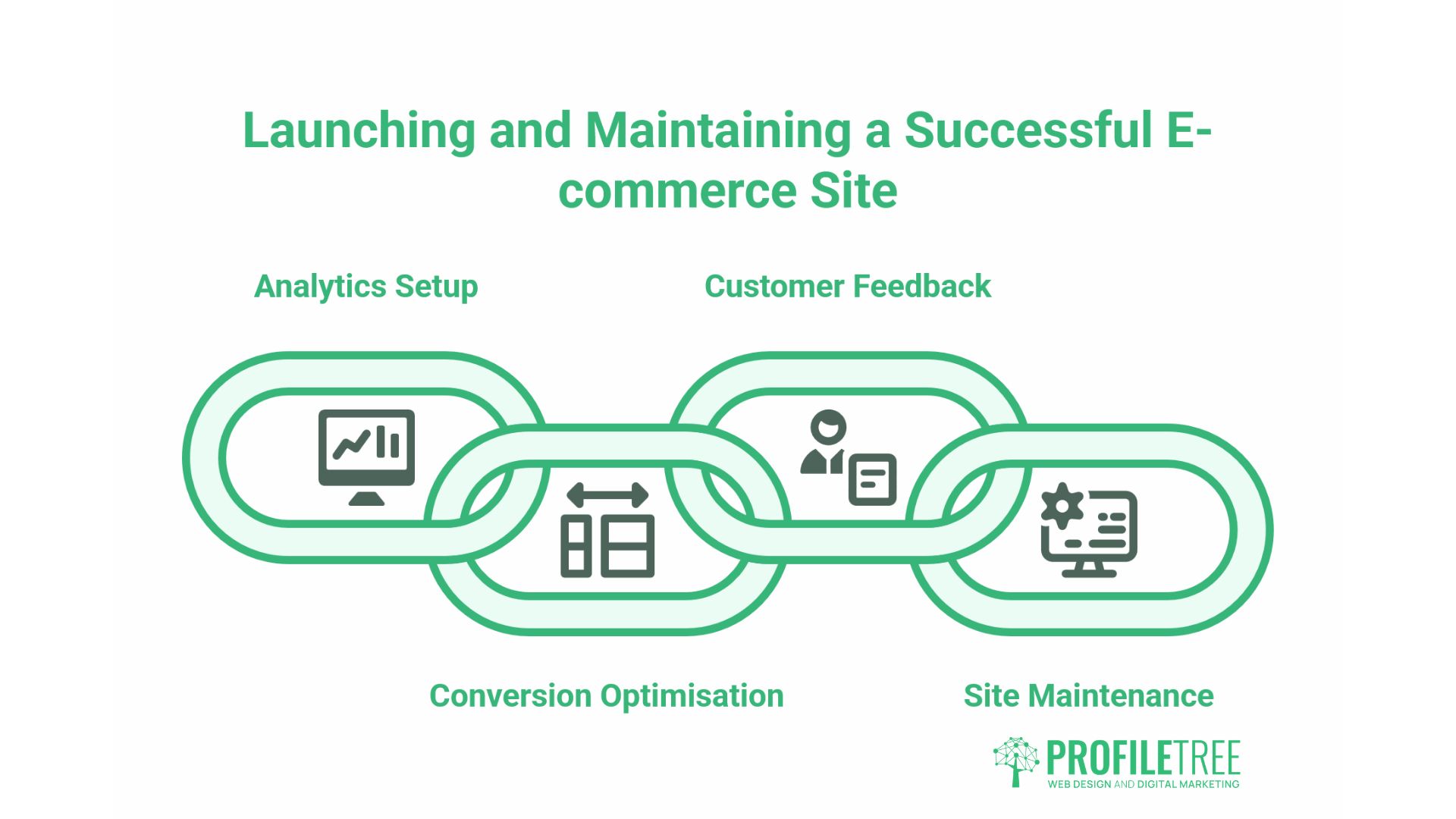
Launch is the start, not the finish. Set up analytics from day one so you can see which pages bring people in, where they leave, and what converts. Track conversion rate, average order value and cart abandonment rather than vanity metrics like raw visits. Run simple A/B tests on calls to action, product layouts and checkout steps to find what genuinely moves the numbers. Ask customers for feedback through short post-purchase surveys. Then keep the site maintained: update your platform and plugins, watch for bugs after every change, and add fresh products and content so returning customers always find something new.
Conclusion
Building an e-commerce website from scratch is a serious operational commitment, not a weekend project. The businesses that do well treat it that way: they choose a model and platform that fit where they are heading, get the legal and payment groundwork right, design around how people actually buy, and keep improving once the site is live. Do the early decisions carefully, and the rest becomes far easier. For UK and Irish SMEs that would rather build on solid foundations than rework a rushed store later, the time spent in Phase 1 and Phase 2 is the best investment you will make.
FAQs
How much does an e-commerce website cost in the UK?
It depends on the build. A hosted store on Shopify or Wix starts from a low monthly fee plus transaction charges; a custom WooCommerce or bespoke build runs into the thousands. Either way, budget for the running costs people forget: apps, payment fees, hosting and marketing.
Do I need a business licence to sell online in the UK?
There is no general “online selling licence”. You do need to register your business correctly, meet any sector-specific rules (food, alcohol, age-restricted goods), comply with data protection and consumer law, and register for VAT if your turnover passes the threshold. Check your own position with an accountant.
Which is better for UK businesses, Shopify or WooCommerce?
Both are strong; it comes down to your needs. Shopify is fast to launch and low-maintenance. WooCommerce offers more flexibility and lower platform fees, but you handle hosting, updates and security yourself or pay someone to.
How do I handle VAT on e-commerce sales?
Once your turnover passes the UK VAT registration threshold, you must register and charge VAT. Selling into the EU adds further rules. Confirm your current position with a qualified accountant before launch.