
YouTube Marketing Strategy for Small Businesses
Table of Contents
YouTube marketing strategy for small businesses is one of those topics where the gap between theory and practice is genuinely wide. Most guides explain what you should do. Far fewer explain how a business owner with limited time, a small budget, and no video background actually gets started and stays consistent.
YouTube is the second-largest search engine in the world. When someone types “how to fix a leaking radiator in Belfast” or “accountant for small business Dublin” into Google, video results appear alongside standard web pages. A well-structured YouTube presence does not just build brand awareness — it generates search traffic from two platforms at once.
This guide is written for small and medium-sized businesses across Northern Ireland, Ireland, and the UK. It covers channel setup, content strategy, YouTube SEO, local visibility, video production on a realistic budget, and how to measure what is actually working.
Why YouTube Matters for Your Business
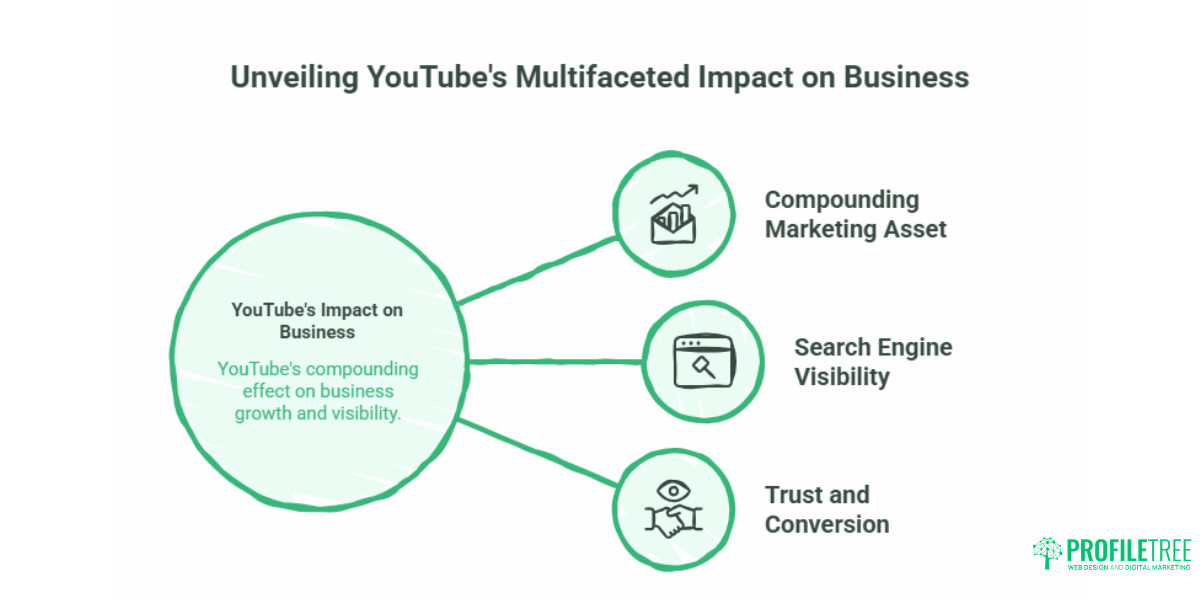
A YouTube channel is one of the few marketing assets that compound over time. A video published today can continue generating views, enquiries, and website traffic for years — something a paid social post cannot do.
The Search Engine Angle
YouTube processes more than 3 billion searches per month. Many of those searches are practical and commercial: people looking for tutorials, product comparisons, service explainers, and local recommendations. For service businesses in particular, appearing in YouTube search results puts you in front of people who are actively looking for what you offer, not passively scrolling past an ad.
Google also indexes YouTube videos and displays them in standard web search results. A well-optimised video covering a topic that your website already targets can appear in both channels, which doubles your visibility for the same piece of content.
Trust and Conversion
Video builds trust faster than text. A two-minute explainer video showing how your team approaches a project, what your process looks like, or how a service works in practice gives potential customers reassurance that a written service page rarely achieves. For businesses selling higher-value services where the customer relationship matters, this is a meaningful commercial advantage.
Setting Up Your YouTube Brand Channel
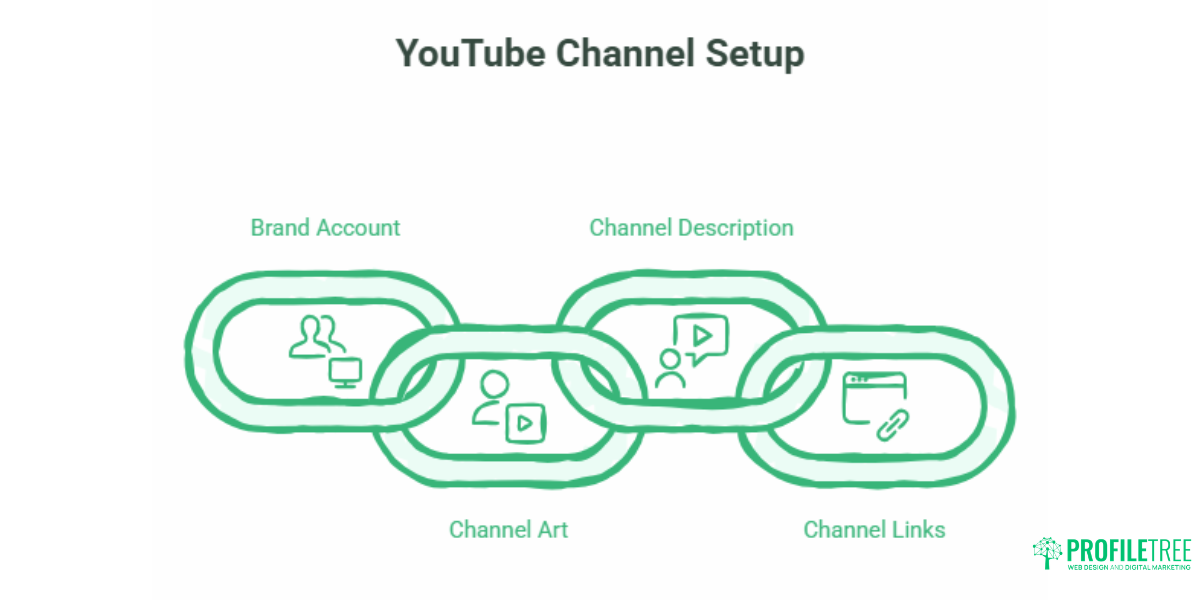
Before any content strategy can work, the channel itself needs to be set up correctly. This is a one-time task that takes around 30 to 60 minutes, and getting it right matters for both SEO and first impressions.
Brand Account vs Personal Account
Use a Google Brand Account, not a personal Google account, to create your YouTube channel. A Brand Account lets multiple team members manage the channel, separates your business presence from personal accounts, and makes ownership transfer easier if your team changes. Set this up at youtube.com/brand_account before creating the channel.
Channel Art and Profile Optimisation
Your channel icon should be your logo, sized at 800 x 800 pixels and recognisable at small sizes. Your channel banner displays differently across devices — YouTube recommends uploading at 2560 x 1440 pixels with key content kept within the central safe zone of 1546 x 423 pixels.
Complete every field in your channel description. Include your business name, location, the services you offer, and a clear statement of what type of content you publish and for whom. This text is indexed by both YouTube and Google, so treat it as you would a meta description: include the terms your target customers are likely to search.
Add your website URL and any relevant social profiles in the channel links section. These appear on your channel banner and give visitors a direct route to your site.
Building Your YouTube Marketing Strategy Framework
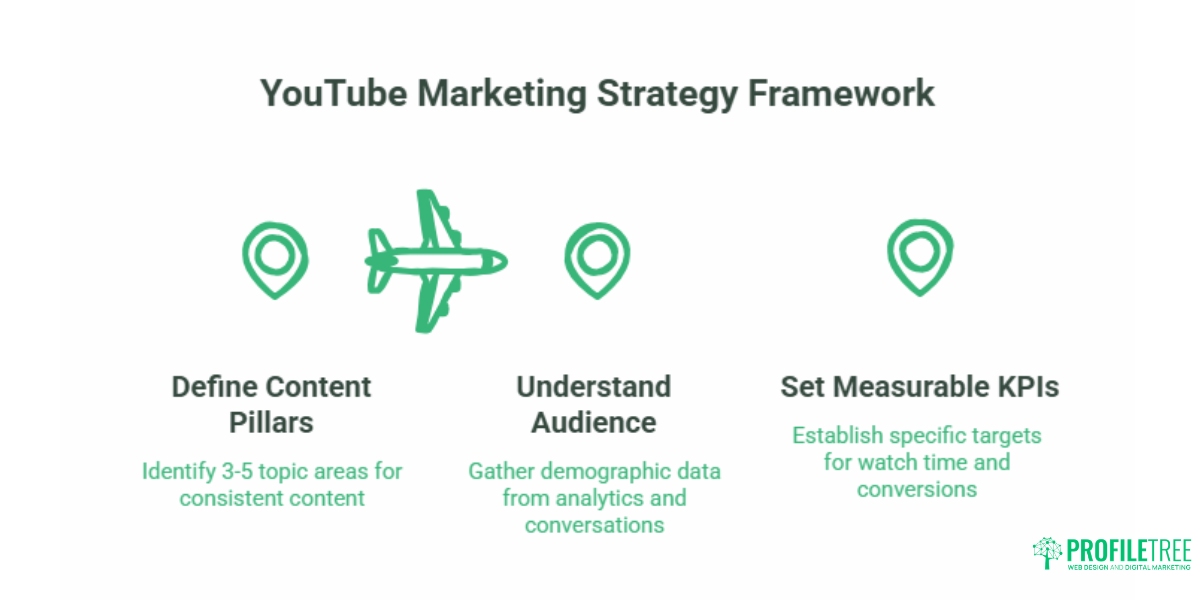
A YouTube strategy without a defined framework tends to produce inconsistent content and inconsistent results. The following steps give you a repeatable process for planning, producing, and optimising content.
Step 1: Define Your Content Pillars
Content pillars are the three to five topic areas your channel will consistently cover. For a web design agency in Belfast, those might be: website tips for small businesses, local business digital marketing, and client case studies. For a solicitor in Dublin, they might be: employment law explained, business contracts basics, and Q&A sessions answering common customer questions.
Pillar topics should map directly to the services you offer and the questions your customers ask most often. Before deciding on your pillars, spend 20 minutes going through your recent enquiry emails or sales conversations. The questions people ask before buying from you are your content brief.
Step 2: Understand Your Audience on YouTube
YouTube Analytics gives you detailed demographic data once your channel has some content published. Before that point, use the information you already have: your website analytics, your customer database, and your sales conversations. Who are your best customers? What problems bring them to you? What do they typically search for before making contact?
This audience definition shapes every content decision — from the topics you cover to the tone you use and the length of your videos. For businesses with an established social media presence, the audience data from social media marketing carries directly across to video planning.
Step 3: Set Measurable KPIs
Vanity metrics like view counts feel satisfying but rarely connect to business outcomes. The metrics that matter for a small business are: watch time (YouTube’s primary ranking signal), click-through rate on your video thumbnails, traffic to your website from YouTube, and — most directly — enquiries or conversions that originate from video views.
Set specific targets before you start publishing. If you produce 12 videos in your first three months, what does success look like? A realistic starting benchmark for a new channel in a niche topic area might be 500 views per video and five website visits from YouTube per month. Adjust based on what you actually see.
YouTube SEO: Getting Your Videos Found
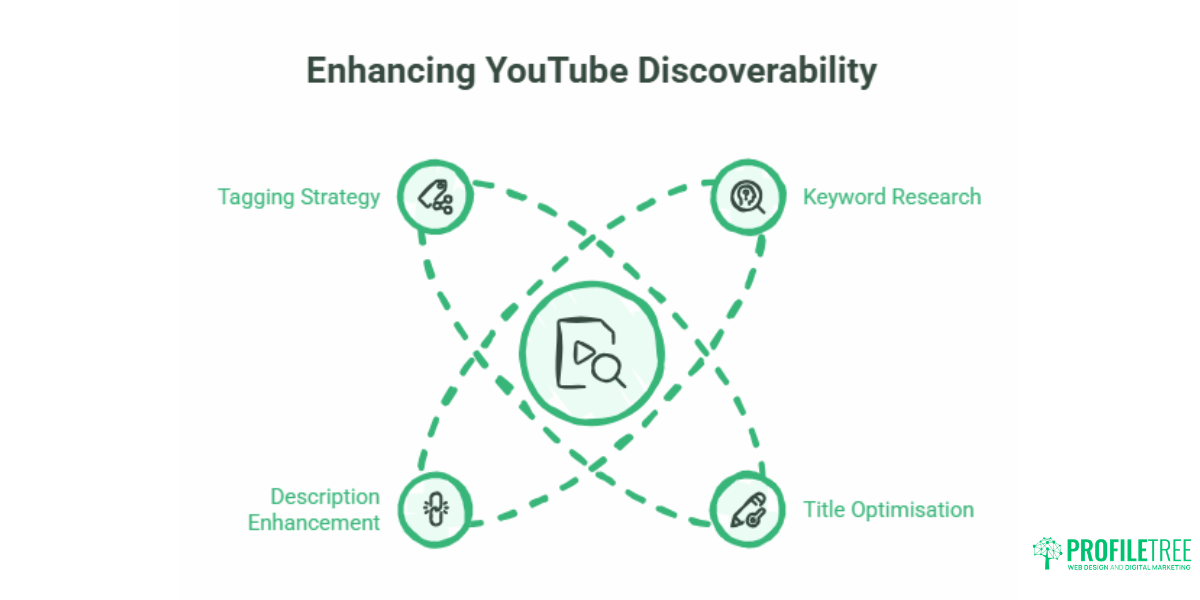
Publishing a video is not enough. Without proper optimisation, most videos receive minimal views from search — they rely instead on subscribers and direct links. YouTube SEO is the process of making your videos discoverable to people who have never heard of you.
Keyword Research for YouTube
Start with the questions your customers ask, then check whether people search for those questions on YouTube. Tools like Google’s free Keyword Planner show search volume for terms that cross over between Google and YouTube. TubeBuddy and VidIQ (both have free tiers) show YouTube-specific search data, including average monthly searches and competition levels.
Target long-tail phrases rather than broad terms. “How to choose a web designer in Belfast” will generate more relevant traffic than “web design” because it matches a specific intent from a specific audience. Long-tail terms also face less competition from large publisher channels.
Optimising Titles, Descriptions, and Tags
Your video title is the single most important SEO element. It should include your primary keyword as naturally as possible and give the viewer a clear reason to click. A title like “YouTube SEO for Small Businesses: 7 Steps That Actually Work” outperforms a vague title like “Our Latest Video” in both search ranking and click-through rate.
Video descriptions give YouTube’s algorithm the context it needs to understand what your video is about. Write a minimum of 200 words in your description. Include your primary keyword in the first two sentences, add a brief summary of what the video covers, and include a link to your website or a relevant service page. Tags are a secondary signal — use five to ten relevant terms, including variations of your main keyword.
Thumbnails That Get Clicks
YouTube displays thumbnails at around 168 x 94 pixels in search results. A thumbnail that works at that size typically has high contrast, minimal text (five words or fewer), and a single clear focal point. Consistent thumbnail design — same colours, same font, same general layout — helps viewers recognise your content quickly as your channel grows.
Captions and Transcripts
Uploading accurate captions to your videos serves two purposes. YouTube’s algorithm reads the caption file, which reinforces the SEO signals in your title and description. A significant portion of viewers also watch videos without sound, particularly on mobile. Auto-generated captions are often inaccurate for business-specific terminology. Uploading a corrected caption file takes around ten minutes and consistently improves both accessibility and SEO. ProfileTree’s YouTube SEO guide covers the technical side of video optimisation in more depth.
Local YouTube SEO for Service Businesses
Most YouTube SEO advice is written for businesses targeting national or global audiences. For a plumber in Derry, a solicitor in Cork, or a gym in East Belfast, the priority is appearing in searches from people within their service area. Local YouTube SEO is a distinct set of practices that global guides rarely address.
Geo-Targeted Titles and Descriptions
Include your location in video titles and descriptions where it fits naturally. “How to Choose a Web Designer in Belfast” performs better for a local audience than its generic equivalent because it matches the search intent of someone looking for local options. Do not force location terms into every video — it reads as spam to both algorithms and viewers — but include them consistently on videos where local intent is relevant.
Connecting YouTube to Your Local Search Presence
YouTube sits within your broader local search presence. Videos that generate traffic to your website contribute to the behavioural signals that influence your local Google rankings. Embedding your YouTube videos on relevant service pages — for example, a video walkthrough of your web design process embedded on your web design service page — increases the time users spend on that page, which is a positive engagement signal.
For businesses with a Google Business Profile, linking your YouTube channel from your website and ensuring NAP (name, address, phone number) consistency across both platforms helps consolidate your local entity signals. ProfileTree’s digital marketing strategy resources cover how YouTube fits into a wider local marketing approach.
Video Production on a Realistic Budget
The most common barrier small businesses cite when asked why they have not started a YouTube channel is production quality. The assumption is that professional-looking video requires expensive equipment and specialist skills. That assumption is largely out of date.
The Smartphone Setup (Under £150)
A modern smartphone — anything from the last three years with a rear camera that shoots at 1080p — produces video quality that is entirely adequate for YouTube. The single investment that makes the biggest difference to perceived production quality is audio, not video. A lapel microphone that connects to your smartphone’s headphone jack or via Bluetooth costs between £20 and £60 and eliminates the echoey, distant sound that characterises most amateur video.
For lighting, shooting near a window with the light source in front of you (not behind you) is free and produces good results in most indoor settings. A basic ring light costs between £25 and £50 if you need a consistent setup regardless of natural light conditions. A £15 to £30 tripod solves the stabilisation issue entirely — shaky footage is more distracting than lower resolution.
| Budget Tier | Camera | Microphone | Lighting | Editing | Approx. Total |
|---|---|---|---|---|---|
| Getting started | Smartphone (existing) | Lapel mic | Window light | CapCut (free) | £20-60 |
| Step up | Smartphone (existing) | USB lapel mic | Ring light | DaVinci Resolve (free) | £60-120 |
| Semi-professional | Mirrorless camera | Rode Wireless GO II | Softbox kit | Adobe Premiere Pro | £900-1,500 |
Free Editing and Audio Resources
DaVinci Resolve is a professional-grade video editing tool available at no cost. It handles colour grading, audio mixing, titles, and multi-track editing — everything a small business channel needs. CapCut is simpler and faster for short-form content and YouTube Shorts.
For background music, YouTube Audio Library (free to use in YouTube videos) and Pixabay Music provide royalty-free tracks. Never use commercial music without a licence — YouTube’s Content ID system will mute your video or divert its revenue to the rights holder.
When to Consider Professional Video Production
For certain content types, the investment in professional video production pays back clearly. A client testimonial video, a company overview, or a product demonstration that will sit on a key service page for years justifies a higher production standard than a weekly how-to video. ProfileTree’s video marketing services are designed for this — high-quality video assets for businesses that want a professional finish without building an in-house production capability.
“The businesses that get real commercial results from YouTube are usually not the ones with the best cameras,” says Ciaran Connolly, founder of ProfileTree. “They’re the ones that show up consistently, answer the questions their customers are actually asking, and make it easy for viewers to take the next step.”
YouTube Shorts for Small Businesses
YouTube Shorts — vertical videos of 60 seconds or less — are distributed through a separate algorithm to standard YouTube content. Shorts appear on a dedicated feed and are shown to users who have not subscribed to your channel, which gives them stronger organic reach potential for audience discovery than long-form videos on a small channel.
For small businesses, Shorts work well as teasers for longer content, quick tips related to your service area, and behind-the-scenes content that humanises the brand without requiring significant production time. A 45-second video answering a common customer question takes roughly 15 minutes to record and edit. ProfileTree’s overview of short-form video content covers how businesses are using these formats across different industries.
Shorts and long-form content serve different purposes. Shorts generate visibility. Long-form videos build trust and drive conversions. A channel that uses both consistently gets more from each than a channel that relies on either alone.
UK Advertising Compliance on YouTube
This is an area almost entirely absent from mainstream YouTube marketing guides, most of which are written for a US audience. UK and Irish businesses have specific legal obligations that carry real consequences if ignored.
ASA Rules on Sponsorship and Paid Promotion
The Advertising Standards Authority requires that any commercial relationship affecting content must be clearly disclosed. If you receive payment, free products, or any other benefit in exchange for creating a video or mentioning a product or service, you must label that content as an advertisement. The disclosure must be prominent and upfront — not buried in the video description.
YouTube provides a built-in paid promotion disclosure toggle in YouTube Studio. In addition, include “#Ad” at the very start of your video description and mention the paid promotion verbally within the first 30 seconds of the video. The ASA does not accept the argument that viewers should know a video is commercial simply because it appears on a brand channel.
GDPR and Customer Testimonials
If you film a customer testimonial for use on YouTube, you need explicit written consent from that individual confirming they agree to be filmed, that they understand the footage will be published publicly, and that they can withdraw consent. A short consent form covering these points is sufficient.
This applies to any identifiable person appearing in your videos — customers, staff, event attendees. For commercial purposes, getting written consent from anyone prominently featured is the safest approach, regardless of filming location.
Measuring What Is Working
Publishing content without reviewing performance data is the single most common mistake small business channels make. Monthly reviews are enough to spot patterns and make adjustments.
Key Metrics to Track
Watch time and average view duration are the metrics YouTube’s algorithm weights most heavily. A video that keeps 60% of viewers watching for its full length will outrank a video with more views but a 20% retention rate. If your retention data shows viewers consistently dropping off at the same point, that section of your video — its pacing, its content, its structure — needs attention.
Click-through rate (CTR) measures how many people who see your thumbnail in search or recommendations actually click on it. YouTube considers 4% to 10% a reasonable CTR for most channels. A CTR below 3% typically signals a thumbnail or title problem.
Traffic sources in YouTube Analytics show whether your views are coming from YouTube search, suggested videos, external websites, or direct links. For a small business channel, YouTube search traffic is the most valuable — it means people found you by searching for something specific.
Website traffic from YouTube is visible in Google Analytics under Acquisition > All Traffic > Referrals. Tracking this metric gives you the clearest picture of how YouTube activity translates into business outcomes.
Adjusting Your Approach
Review your ten most and least watched videos every quarter. Look for patterns: topics that consistently outperform, video lengths that retain viewers better, thumbnail styles that get more clicks. Your next quarter’s content plan should lean toward what is working.
If you want support making sense of your channel’s analytics or building a content strategy based on real performance data, ProfileTree provides digital training for business owners and marketing teams covering exactly this area.
Conclusion
YouTube rewards businesses that are consistent, specific, and genuinely useful to their audience. The businesses that see real results from the platform are not necessarily the ones with the largest budgets or the most polished production — they are the ones that show up regularly, cover the topics their customers care about, and make it easy for viewers to take the next step.
If you are a small business in Northern Ireland, Ireland, or the UK and want help building a YouTube presence that supports your commercial goals, talk to the ProfileTree team about our video marketing services.
Frequently Asked Questions
How do I start a YouTube channel for my small business?
Create a Google Brand Account at myaccount.google.com, then use it to create a YouTube channel. A Brand Account lets multiple people manage the channel and keeps it separate from personal profiles. Once created, complete your channel description, upload your logo as the channel icon, add a banner image, and link your website. The initial setup takes around an hour and does not require any video content to complete.
Is YouTube marketing good for small businesses?
Yes, particularly for service businesses where trust and credibility matter in the buying decision. YouTube videos appear in both YouTube search and Google web search results, which means a single well-optimised video can generate traffic from two platforms. Unlike paid advertising, video content continues to generate views and enquiries long after it is published. For businesses in competitive local markets, a YouTube presence can provide a meaningful advantage because most local competitors have not invested in video at all.
How much does it cost to market a small business on YouTube?
The platform itself is free. Starting with a smartphone, a £20-60 lapel microphone, and free editing software keeps initial production costs close to zero. A more consistent semi-professional setup — a mirrorless camera, external microphone, and basic lighting — typically costs between £900 and £1,500 as a one-time investment. Professional video production for high-value assets like company overview videos or client testimonials typically ranges from £500 to £3,000, depending on scope and location.
How do small businesses get views on YouTube?
Consistent YouTube SEO is the most reliable route. Target specific, long-tail search terms rather than broad topics. Optimise your video title to include your primary keyword naturally. Write a detailed video description of at least 200 words. Upload accurate captions. Design thumbnails that are clear and visually consistent. Embed your videos on relevant pages of your website. Promoting new videos to your existing email list and social media followers in the first 48 hours after publishing also helps, as early engagement signals quality to YouTube’s algorithm.
Do I need a professional camera to start a business YouTube channel?
No. A smartphone that shoots at 1080p produces entirely adequate video quality for YouTube. Audio quality matters more than video resolution — a decent lapel microphone makes a bigger difference to perceived production quality than upgrading from a smartphone to a dedicated camera. Prioritise stable footage (use a tripod), good audio, and adequate lighting before spending on camera equipment.
What are the UK rules for disclosing paid promotion on YouTube?
Under ASA guidelines, any video where you have received payment, free products, or any commercial benefit must be clearly labelled as an advertisement. Include “#Ad” at the very start of your video description and disclose the paid promotion verbally within the first 30 seconds of the video. YouTube’s built-in paid promotion toggle in YouTube Studio should also be enabled. Placing a disclosure only partway through a long description, or failing to mention it verbally, does not satisfy the ASA’s requirements.
How does YouTube fit into a wider digital marketing strategy?
YouTube works best as one element within a connected marketing approach. Videos embedded on service pages increase time on page and can improve SEO performance. A channel that consistently covers your topic area builds topical authority that supports your website’s rankings. Connecting your channel to your email marketing — notifying your list when new videos are published — builds a more engaged audience than relying on the algorithm alone. ProfileTree works with SMEs across Northern Ireland, Ireland, and the UK on digital marketing strategies that include video as a core channel.