
How to Integrate WordPress Into Your Business Systems for Growth
Table of Contents
The gap between a static website and a connected business system represents one of the most significant operational inefficiencies facing UK SMEs. When WordPress operates in isolation from accounting software, CRM platforms, and inventory management systems, organisations waste countless hours on manual data entry, face increased error rates, and miss opportunities for automation.
This guide explores how strategic WordPress integration transforms websites from basic marketing tools into operational hubs that enhance business efficiency.
Why WordPress Integration Matters for Modern Businesses
Many business owners view their WordPress site as a standalone marketing asset. Yet when properly integrated with core business systems, WordPress becomes a central data hub that eliminates duplication, reduces errors, and accelerates operations.
The disconnect between web presence and back-office systems creates tangible problems. Sales teams manually transfer lead information from website forms into CRM databases. Finance departments copy order details from WooCommerce into accounting software. Marketing teams struggle to synchronise customer data across multiple platforms. Each manual transfer point introduces delay, increases error risk, and consumes staff time that could drive actual growth.
Modern businesses require seamless data flow. When a customer places an order through WordPress, that transaction should automatically update inventory levels, trigger accounting entries, inform shipping systems, and update CRM records—without human intervention. This operational maturity distinguishes growing companies from those bogged down in administrative overhead.
The Real Cost of Disconnected Systems
UK businesses operating without proper integration face measurable efficiency losses. Administrative staff spend hours each week copying data between systems. A single typo in manually transferred customer details can result in failed invoices, missed follow-ups, or shipping errors. Stock discrepancies arise when inventory updates necessitate manual data entry. Customer service suffers when representatives cannot access complete information across systems.
Beyond time costs, disconnected systems create compliance risks. GDPR requires accurate customer data management, yet maintaining consistency across separate databases without integration proves challenging. Financial reporting becomes complicated when order data exists separately from accounting records. Tax compliance, particularly with Making Tax Digital requirements, demands precise synchronisation between sales and accounting systems.
Strategic Advantages of Integrated Operations
Businesses that successfully integrate WordPress with their operational systems gain competitive advantages. Real-time data synchronisation provides accurate visibility across the organisation. Automated workflows reduce processing time from hours to seconds. Staff focus shifts from administrative tasks to customer service and business development.
Integration supports better decision-making through unified data. When sales, inventory, and customer information flow seamlessly, managers can access complete operational pictures without needing to reconcile multiple sources. Marketing campaigns can be triggered based on actual customer behaviour tracked across systems. Financial forecasting improves when revenue data updates automatically from web transactions.
Understanding Integration Approaches: Custom APIs vs Standard Plugins
When business owners recognise their need to connect WordPress with other systems, they typically encounter two paths: installing marketplace plugins or commissioning custom API integrations. Understanding the fundamental differences between these approaches proves critical for making appropriate technology investments.
The WordPress plugin ecosystem offers thousands of connector tools promising simple integration. For basic requirements and smaller operations, these solutions provide accessible starting points. However, as businesses scale and requirements grow more sophisticated, the limitations of generic plugins become apparent.
The Plugin Approach: Benefits and Constraints
Standard plugins provide immediate deployment and a familiar installation process. Most arrive as packaged solutions requiring minimal technical expertise to activate. For straightforward use cases—such as connecting a contact form to a single email marketing platform—plugins often suffice.
However, several factors limit the effectiveness of plugins for substantial business operations. Generic plugins must accommodate diverse user requirements, resulting in bloated codebases that contain features most users never use. This excess code slows site performance and introduces unnecessary complexity. Security represents another concern, as widely-used plugins become attractive targets for malicious actors. Each additional plugin increases potential vulnerability points and conflict risks with other site components.
Functionality limitations prove most problematic. Standard plugins typically handle one-way data transfer—pushing information from WordPress to external systems—but rarely support bidirectional synchronisation. Customisation options remain limited to predetermined settings. When business processes evolve or require non-standard workflows, plugins often cannot adapt.
“We’ve seen businesses struggle with plugin-dependent architectures that seemed cost-effective initially but became operational bottlenecks,” notes Ciaran Connolly, Director at ProfileTree. “The tipping point usually comes when they need systems to communicate both ways or require custom data fields that their existing plugins cannot handle.”
Custom API Integration: Built for Business Requirements
Custom integrations use direct API connections between WordPress and business systems. Rather than relying on intermediary plugin code, these solutions establish point-to-point communication channels tailored to specific operational needs.
Performance advantages emerge immediately. Custom code executes only required functions, eliminating plugin bloat. Sites maintain faster load times and better Core Web Vitals scores. Security improves through reduced attack surface and encrypted direct connections between systems. For UK businesses handling sensitive customer or financial data, this architecture provides better support for the Data Protection Act 2018 and GDPR compliance.
Functional capabilities expand significantly with custom approaches. Bidirectional synchronisation allows data updates in either system to reflect across the entire technology stack. Complex business logic can be encoded into integration workflows, allowing for seamless and efficient operations. Custom field mapping accommodates unique data structures specific to your business processes. Error handling and logging provide visibility when issues occur, unlike plugins that may fail silently.
Scalability considerations favour custom solutions for growing businesses. As transaction volumes increase, bespoke integrations can be optimised for performance. When new systems join your technology stack, existing custom integrations can often be extended more easily than coordinating multiple plugins. Maintenance becomes more predictable when a single integration handles core connectivity rather than managing updates across numerous plugins with different release cycles.
Making the Strategic Choice
Businesses processing more than 50 orders or leads weekly typically benefit from custom integration. Organisations requiring bidirectional data flow find plugins insufficient. Companies handling sensitive information need the security advantages of direct connections. When your business uses specialised data fields or workflows that generic solutions cannot accommodate, custom development becomes necessary rather than optional.
The investment calculation should consider both direct costs and indirect costs, also known as opportunity costs. While custom integration requires a higher initial investment than plugin installation, the efficiency gains, reduced error rates, and staff time savings often provide a return on investment within months for businesses operating at scale.
Core Integration Ecosystems for UK Businesses
British businesses rely on specific software platforms that reflect local market conditions, regulatory requirements, and established business practices. Successful WordPress integration requires understanding which systems matter most to UK operations and how they interconnect.
The following sections examine the most common integration scenarios UK businesses implement, focusing on platforms widely adopted across British SMEs and the specific operational benefits each connection provides.
Accounting and Financial Systems Integration
Financial software integration represents perhaps the most valuable connection for UK businesses, particularly given Making Tax Digital requirements that demand accurate digital record-keeping. WordPress integration with accounting platforms transforms how enterprises manage invoicing, VAT reporting, and financial visibility.
Sage remains the dominant accounting platform for UK SMEs, with Sage 50cloud and Sage 200 widely deployed. Integrating WordPress with Sage allows automatic creation of sales invoices when orders are processed through WooCommerce. Customer records synchronise bidirectionally, preventing duplicate data entry. Payment confirmations trigger appropriate accounting entries. VAT calculations update automatically based on customer location and product classification, supporting MTD compliance.
Xero has gained substantial UK market share through its cloud-first approach and robust API. WordPress-Xero integration enables real-time financial visibility. Order data flows directly into Xero accounting records. Invoice status updates are reflected in WordPress customer accounts. Bank reconciliation becomes simpler when web transactions are automatically matched with accounting entries. For businesses managing multiple revenue streams, integrated systems offer consolidated financial reporting without the need for manual data compilation.
QuickBooks Online, whilst more internationally focused, serves many UK businesses. Integration patterns mirror those of Sage and Xero: automated invoice creation, bidirectional customer data, payment tracking, and VAT reporting. The choice between platforms often depends on existing business relationships and specific feature requirements rather than integration capability, as all three support solid API connectivity.
Financial integration delivers immediate operational benefits. Administrative staff eliminate hours spent manually entering order details into accounting software. Invoice accuracy improves when data transfers automatically without transcription errors. Financial reporting becomes current rather than lagging days behind actual operations. Tax compliance, particularly VAT reporting for MTD, becomes automated rather than manual.
CRM and Marketing Automation Connectivity
Customer relationship management systems centralise prospect and customer information, sales pipeline management, and marketing campaign execution. Connecting WordPress to CRM platforms creates unified customer views and automated marketing workflows that manual processes cannot match.
Salesforce dominates the enterprise CRM market but also serves many growing UK SMEs through its various editions. WordPress-Salesforce integration captures website form submissions directly into lead records. Contact updates made in either system synchronise automatically. Purchase history from WooCommerce enriches customer profiles. Marketing teams can trigger campaigns based on website behaviour tracked through the integrated connection. Sales teams can access a complete customer interaction history without needing to check multiple systems.
HubSpot offers an integrated CRM and marketing automation solution, popular among UK businesses that prioritise inbound marketing. WordPress-HubSpot integration tracks visitor behaviour, captures form submissions, and synchronises contact properties. Lead scoring can incorporate website engagement alongside email and social interactions. Marketing automation workflows can be triggered by WordPress events such as specific page visits or product views. The bidirectional connection ensures marketing teams work with current data, whilst website content can be personalised based on CRM information.
For UK businesses, GDPR compliance considerations prove particularly important when integrating CRM systems. Data processing agreements must cover API data transfers and other relevant data transfers. Consent management on WordPress should connect to CRM preference centres. Customer data subject requests require coordination across all integrated systems. A proper integration architecture supports compliance by maintaining a single source of truth and providing audit trails for data handling.
CRM integration transforms how businesses manage customer relationships. Lead response times decrease when website inquiries are immediately directed into sales workflows. Customer service improves when representatives have access to complete interaction histories. Marketing becomes more targeted when campaigns can segment based on actual purchase and behaviour data. Revenue forecasting becomes more accurate when sales pipelines reflect real-time website activity.
E-commerce and Inventory Management Systems
For product-based businesses, inventory management integration prevents overselling, optimises stock levels, and coordinates fulfilment operations. Connecting WordPress (typically running WooCommerce) to inventory and ERP systems creates operational efficiency impossible through manual stock management.
UK retailers frequently utilise platforms such as Unleashed, Cin7, or TradeGecko (now QuickBooks Commerce) for inventory management. Integration allows real-time stock level synchronisation between warehouse systems and WooCommerce product pages. When inventory systems record stock movements—such as receiving shipments, fulfilling orders, or adjusting for damaged goods—WordPress reflects these changes immediately. Customers see accurate availability information, reducing overselling and customer disappointment.
Product information management improves through integration. When inventory systems store authoritative product details—such as descriptions, specifications, pricing, and images—this data can be synced to WordPress automatically. Multi-channel retailers maintaining presence across the web, marketplaces, and physical locations benefit from centralised product data that updates everywhere simultaneously.
Order fulfilment workflows accelerate when WooCommerce orders transfer automatically to warehouse management systems. Picking lists are generated immediately upon order placement. Shipping information flows back to WordPress, triggering customer notifications with tracking details. Processes returns between systems, updating both inventory records and customer accounts.
UK-specific logistics integration matters for efficient operations. Royal Mail, DPD, Evri (formerly Hermes), and other carriers offer API access for label generation, tracking, and delivery notifications. Integrating these services directly with WordPress automates shipping operations that otherwise require manual data entry across multiple carrier portals.
Payment Gateway and Transaction Processing
Secure payment processing integration ensures a seamless checkout experience while maintaining PCI compliance and protecting against fraud. Modern payment processing involves more than simple transaction approval, encompassing fraud detection, subscription management, and financial reporting.
Stripe and PayPal dominate the UK online payments market, with Worldpay and SagePay also widely deployed. Payment gateway integration should extend beyond basic transaction processing to encompass more comprehensive services. Subscription businesses require recurring billing to be managed automatically. Customer payment methods should be stored securely for repeat purchases. Failed payment retries should occur automatically, accompanied by appropriate customer communication. Refund processing should automatically update accounting records.
Open Banking initiatives in the UK enable direct bank-to-bank payment options that avoid card processing fees. Integrating Open Banking APIs with WordPress enables customers to make direct payments from their bank accounts securely and easily. This approach is particularly suited to higher-value transactions where percentage-based card fees become significant.
Financial reconciliation improves dramatically with proper payment integration. Transaction records automatically match accounting entries. Settlement reports from payment processors can trigger appropriate bookkeeping actions. Revenue recognition becomes accurate when payment data flows directly into financial systems without manual intervention.
Strategic Implementation: From Planning to Production
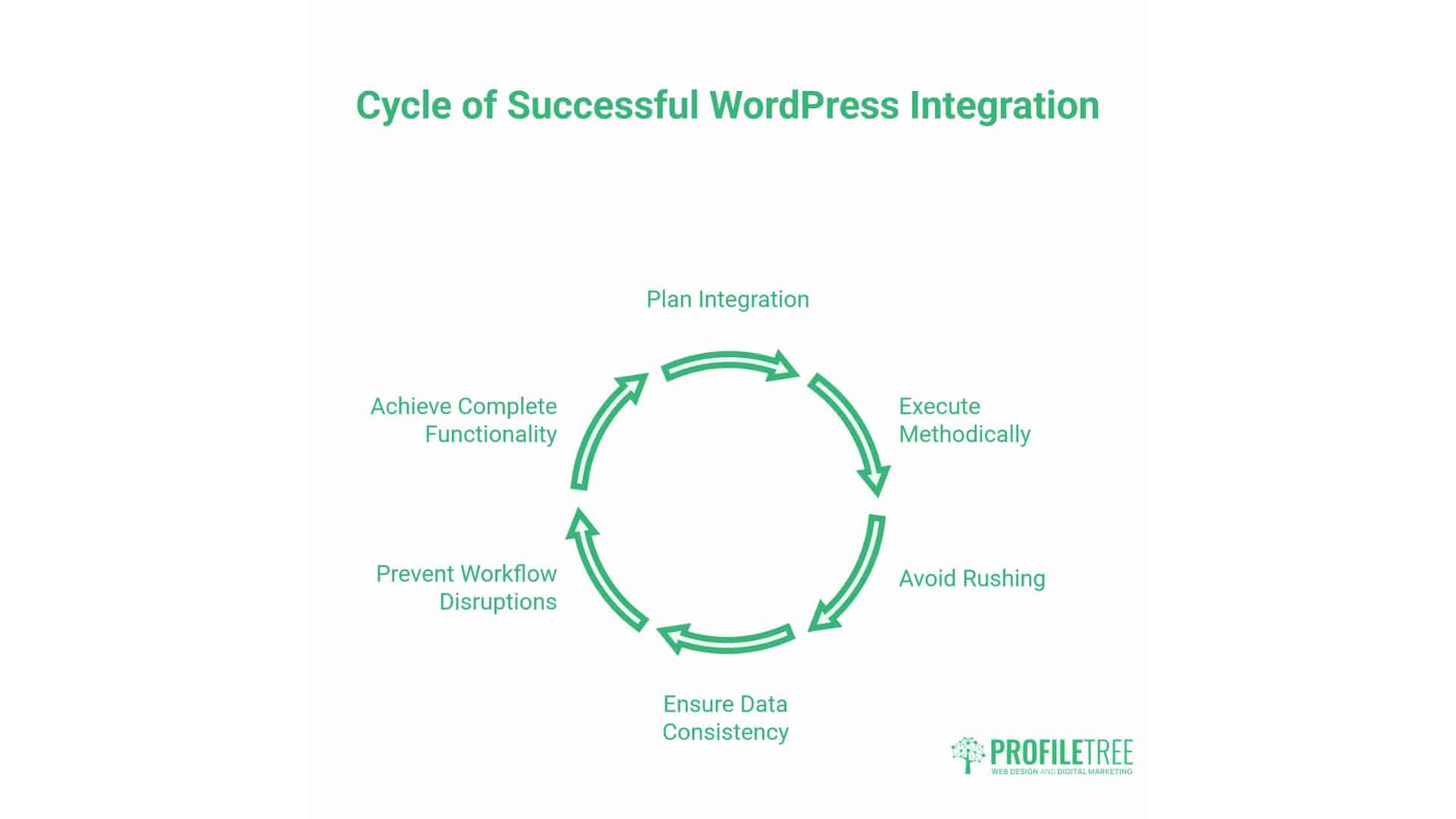
Successful WordPress integration requires methodical planning and execution rather than immediate technical implementation. Businesses that rush the integration process often encounter data inconsistencies, workflow disruptions, or incomplete functionality, which undermines the value of their investment.
The following framework provides a structured approach to integration projects, from initial assessment through production deployment and ongoing optimisation.
Discovery and Requirements Definition
Integration projects begin with a comprehensive discovery of existing systems, data structures, and business processes. Technical teams need a complete understanding of how your business currently operates before designing integrated workflows.
Data mapping exercises identify the information that exists in each system, its structure, and the location of authoritative sources. Customer information may be stored in WordPress user accounts, CRM records, and accounting system contacts—discovery determines which system holds the master record and how to reconcile any differences.
Workflow documentation captures current processes, including how orders progress from web placement through fulfilment and invoicing, how leads move from website inquiries to sales opportunities, and how product information updates across channels. Understanding existing workflows identifies automation opportunities and reveals inefficiencies that integration can address.
Security and compliance requirements shape integration architecture. Businesses handling sensitive data need encrypted connections and secure authentication. GDPR compliance requires data processing agreements covering API transfers. Financial data demands audit trails and access controls. Discovery establishes these requirements before technical design begins.
Stakeholder input from multiple departments proves essential. Sales teams understand CRM workflow needs. Finance departments specify accounting integration requirements. Warehouse staff are familiar with the pain points of inventory management. Customer service teams identify information gaps that integration should bridge. Comprehensive requirements emerge only through cross-functional collaboration.
Architecture Design and Data Modelling
Technical architecture design translates business requirements into integration specifications. Developers determine API endpoints, authentication methods, data transformation rules, and error handling approaches.
Data modelling defines how information maps between systems. WordPress product SKUs must match inventory system identifiers. Customer email addresses serve as unique identifiers across platforms. Custom fields accommodate business-specific data requirements. Transformation logic converts data formats when systems use different structures.
Synchronisation frequency balances operational needs against system load. Real-time synchronisation suits inventory levels and order processing. Scheduled batch synchronisation might suffice for product description updates. The architecture specifies what data syncs when and what triggers synchronisation events.
Error handling and logging receive particular attention. When API calls fail, systems require appropriate responses, including retry logic for temporary failures, alerts for persistent problems, and fallback processes for critical operations. Logging captures integration activity for troubleshooting and compliance auditing.
Security implementation adheres to best practices for API authentication, typically utilising OAuth tokens rather than storing credentials. Connections use encrypted HTTPS protocols. Sensitive data receives additional protection through tokenisation when appropriate. Access controls limit which staff can trigger integration processes or access integration logs.
Development and Sandbox Testing
Integration development occurs in isolated environments that mirror production systems without affecting live operations. Developers build API connections, implement business logic, and create administrative interfaces for managing integration settings and configurations.
Comprehensive testing validates functionality across normal operations and edge cases. Test scenarios include successful data transfers, handling of duplicate records, response to API errors, and behaviour under high transaction volumes. Testing verifies that existing WordPress functionality remains intact whilst new integration features work as designed.
Data validation testing confirms that information transferred between systems maintains integrity. Order totals match across WooCommerce and accounting platforms. Customer details are synchronised accurately. Inventory levels reflect actual stock. Validation catches transformation errors before they affect production data.
Performance testing assesses how integration affects site speed and user experience. API calls should execute efficiently without slowing page loads. Background synchronisation processes shouldn’t interfere with customer-facing operations. Load testing verifies that integration handles peak traffic periods without degradation.
User acceptance testing involves staff who will work with integrated systems on a daily basis. Sales representatives verify that CRM data appears correctly. Finance staff confirm that accounting entries match expectations. Warehouse teams test that order information arrives appropriately. UAT reveals usability issues that technical testing might miss.
Production Migration and Go-Live
Transitioning from development to production requires careful planning to minimise disruption. Data migration often occurs in phases, with historical data transfers being separated from ongoing transactions to prevent conflicts.
Initial synchronisation establishes baseline data consistency across systems. Customer records reconcile between WordPress and CRM. Product information aligns between inventory systems and WooCommerce. Accounting records match historical transaction data. This foundation ensures that ongoing synchronisation builds on accurate data rather than compounding existing inconsistencies.
Go-live timing is determined by considering business cycles and staffing availability. Launching integration during quiet periods reduces the risk of unexpected issues arising. Technical support should be readily available during the initial production operation. Staff training occurs before go-live, so teams understand new workflows and can recognise problems requiring attention.
Monitoring during initial production operation catches issues quickly. Integration logs reveal API errors, failed synchronisation attempts, or unexpected data transformations. Performance metrics track whether integration affects site speed or system responsiveness. User feedback identifies workflow problems or missing functionality that testing may not have revealed.
Gradual expansion often proves safer than enabling all integration features simultaneously. Initial production might begin with one-way data transfer before activating bidirectional synchronisation. Additional features are activated once the initial functionality proves stable. This incremental approach limits impact if problems occur.
Optimisation and Continuous Improvement
Integration implementation doesn’t end at go-live. Ongoing optimisation enhances performance, reliability, and functionality as businesses gain practical experience with integrated systems.
Performance optimisation tunes synchronisation timing, caching strategies, and API call efficiency. As transaction volumes grow, optimisation prevents degradation. Monitoring identifies bottlenecks that refinement can address.
Feature enhancement adds capabilities as business needs evolve. New systems joining your technology stack require integration with existing connections. Business process changes might demand modified synchronisation logic. Regular enhancement keeps integration aligned with operational reality.
Security updates maintain protection against emerging threats. API authentication methods evolve. Encryption standards advance. Regular security reviews ensure integration follows current best practices.
Staff feedback drives improvement priorities. Users identify workflow friction that technical teams might not observe. Feature requests reveal unmet needs. Ongoing dialogue between business users and technical teams guides the development of enhancement roadmaps.
Measuring Integration Value and Planning Your Investment
Integration projects require significant investment in planning, development, and implementation. Businesses need clear frameworks for assessing whether custom integration suits their operational stage and how to measure returns on technology investments.
Calculating the True Cost of Manual Processes
Before assessing integration investment, businesses should quantify the current costs of disconnected systems. These costs extend beyond obvious time expenditure into less visible operational impacts.
Administrative time represents the most apparent cost. Calculate the hours staff spend weekly copying data between systems, manually updating records, or reconciling information across platforms. Multiply these hours by loaded employment costs (salary plus benefits and overhead) to determine annual expenditure on manual integration.
Error correction costs add a substantial hidden expense. Mistakes in manual data entry require investigation, correction, and often customer communication. Calculate the percentage of manual entries requiring correction and the average time needed to fix errors. Include customer service time addressing problems caused by data inconsistencies.
Opportunity costs matter significantly, though they’re harder to quantify precisely. Staff performing administrative tasks often struggle to focus on revenue-generating activities. Delayed information access slows decision-making. Stock discrepancies cause lost sales. Customer service suffers when representatives lack complete information. Estimating these impacts requires judgment, but ignoring them understates actual costs.
Compliance risk carries potential costs that materialise if problems occur. GDPR violations incur substantial fines. Financial reporting errors can trigger regulatory attention. VAT discrepancies result in penalties. Whilst these costs might not happen, their potential impact should be factored into the risk assessment.
Integration Investment Components
Understanding integration costs requires examining all investment components, not just initial development expense.
Discovery and planning typically consume 10-15% of total integration budgets. Requirements definition, data mapping, and architecture design establish foundations for successful implementation. Inadequate discovery leads to rework and scope changes that prove more expensive than thorough initial planning.
Development costs vary based on complexity. Connecting WordPress to a single system with straightforward data mapping might require 40-60 development hours. Multi-system integration with complex business logic, bidirectional synchronisation, and custom workflows can demand several hundred hours. Costs scale with the number of systems involved, data complexity, and customisation requirements.
Testing and quality assurance should receive 20-30% of development time. Comprehensive testing prevents production problems that disrupt operations and require emergency fixes. Skimping on testing to reduce initial costs often backfires when issues emerge after the system goes live.
Training and change management help staff adapt to new workflows—budget time for creating documentation, conducting training sessions, and supporting users during transition periods. Smooth adoption depends on preparing teams for the operational changes integration brings.
Ongoing maintenance includes monitoring, security updates, and troubleshooting. Annual maintenance typically runs 15-20% of initial development costs. Systems evolve—APIs change, business requirements shift, transaction volumes grow—requiring periodic attention to keep integration functioning optimally.
Decision Framework: Is Custom Integration Right for Your Business?
Several factors indicate whether custom integration is suitable for your current business stage and operational requirements.
Transaction volume provides the clearest indicator. Businesses processing fewer than 50 orders or leads weekly might find plugins adequate. Operations exceeding 100 weekly transactions typically gain sufficient efficiency from custom integration to justify the investment. High-volume businesses handling thousands of transactions monthly absolutely require robust integration.
Data complexity matters as much as volume. Businesses that use custom fields, non-standard workflows, or require bidirectional synchronisation need custom solutions, regardless of transaction volumes. Standard plugins cannot accommodate sophisticated requirements.
System count influences integration complexity. Connecting WordPress to a single external system represents a relatively straightforward implementation. Businesses that need WordPress to integrate with CRM, accounting, inventory, and multiple other platforms require architectural planning and custom development.
Growth trajectory affects timing decisions. Businesses experiencing rapid growth should implement integration before manual processes become overwhelming. Waiting until the crisis point forces rushed decisions and implementation under pressure. Planning integration during steady growth allows methodical implementation.
Compliance requirements may necessitate custom integration, even when transaction volumes wouldn’t otherwise justify an investment. Businesses handling sensitive financial data, medical information, or operating in highly regulated industries need security and audit capabilities that generic plugins cannot provide.
Measuring Return on Investment
Integration success requires metrics beyond completion and deployment. Businesses should track tangible outcomes that demonstrate the delivery of value.
Time savings provide the most immediate metric. Measure hours saved weekly through automated processes that previously required manual intervention. Multiply saved time by staff costs to calculate the direct financial return. Most businesses find that this single metric alone justifies the investment in integration.
Error reduction delivers both cost savings and improvements in customer satisfaction—track data accuracy before and after integration. Measure the reduction in time spent correcting mistakes. Calculate customer service time saved by addressing problems caused by data inconsistencies.
Process cycle time improvements demonstrate operational efficiency gains. Measure time from order placement to invoice creation, lead capture to CRM assignment, or inventory receipt to website availability. Integration typically reduces these cycles from hours or days to minutes.
Revenue impact through reduced lost sales, improved customer retention, or faster order processing provides compelling metrics. These prove harder to isolate than direct cost savings but often represent the most significant value.
ProfileTree’s Approach to WordPress Integration
Businesses considering integration often wonder how agencies structure these projects and what factors contribute to successful implementations—our methodology centres on treating integration as a business transformation rather than purely a technical implementation.
We begin every engagement with a comprehensive business process analysis before discussing technology. Understanding how your business operates, where inefficiency exists, and what outcomes matter most shapes integration design more than technical capabilities alone.
Our web development approach favours incremental delivery over big-bang launches. The initial implementation establishes core connectivity and demonstrates the value of integration quickly. Subsequent phases add sophistication and additional systems. This approach manages risk, allows for course correction based on actual usage, and demonstrates a return on investment throughout the project, rather than only after complete implementation.
Security and compliance receive attention from project initiation rather than as afterthoughts. UK businesses need integration architectures that support GDPR compliance, Data Protection Act requirements, and industry-specific regulations. Building these foundations from the start proves far more effective than retrofitting security after deployment.
Ongoing partnership matters as much as initial implementation. Business needs evolve, systems change, and transaction volumes grow. We structure engagements to support long-term success through monitoring, optimisation, and enhancement as your business develops.
FAQs
How long does WordPress integration implementation typically take?
Simple single-system integration often completes within 4-6 weeks from project start to production deployment. Complex multi-system integration, requiring significant business logic and bidirectional synchronisation, might take 3-4 months. The timeline depends primarily on the complexity of requirements, the number of systems involved, data migration needs, and the thoroughness of testing, rather than just development work.
Will integrating WordPress slow down my website?
Properly architected integration should not noticeably affect website performance. Background synchronisation processes execute independently of page loads. API calls occur asynchronously without blocking user interactions. Custom integration typically improves performance compared to multiple plugins because lean, purpose-built code executes more efficiently than generic solutions designed for broad compatibility.
What happens if an API connection fails?
Professional integration includes comprehensive error handling and retry logic. Temporary failures trigger automatic retry attempts. Persistent problems generate alerts, allowing technical teams to investigate. Critical operations can employ fallback processes—storing data locally for later synchronisation or routing to alternative workflows. Logging captures all failures for troubleshooting and audit purposes.
Can we integrate with systems that don’t have documented APIs?
Some integration possibilities exist even without official API support. Screen scraping, database-level integration, or reverse-engineering undocumented APIs can work in specific circumstances. However, these approaches carry a higher risk, require more maintenance, and might violate the terms of service. When possible, choosing systems with robust API support produces more reliable long-term integration.
Taking Action: Your Path to Operational Maturity
WordPress integration represents a strategic investment in operational efficiency rather than mere technical enhancement. Businesses that successfully implement integration shift from administrative overhead toward growth-focused operations.
Begin by auditing current processes to identify manual data handling, error correction time, and information delays that integration could address. Calculate the real cost of disconnected systems, including staff time, errors, and lost opportunities. These calculations establish baseline metrics for measuring return on investment.
Document your technology landscape: which systems hold what data, where authoritative information resides, and how information currently flows between platforms. This mapping proves valuable whether you proceed immediately or plan for future implementation.
Rapidly growing businesses should prioritise integration before manual processes become overwhelming. Stable businesses might integrate to free capacity for new initiatives. Planning integration during normal operations proves more effective than implementing under crisis pressure.
Integration transforms WordPress from a marketing tool to an operational hub. Orders are processed automatically through fulfilment and accounting. Customer data maintains consistency across all touchpoints. Staff focus on serving customers and driving growth rather than copying data between systems.
ProfileTree helps UK businesses across Northern Ireland, Ireland, and Great Britain design and implement WordPress integrations that deliver measurable operational improvements. Our approach combines technical expertise with a deep understanding of business processes to create solutions that drive long-term growth.
If your business struggles with disconnected systems, manual data entry, or information inconsistency, WordPress integration offers a path to operational maturity. The question isn’t whether integration provides value—for businesses operating at scale, that value is clear—but how to approach integration strategically to maximise return whilst minimising disruption.