
How Intercom Supports Customer Communication and Marketing
Table of Contents
Choosing the right communication platform is one of the more consequential decisions a growing business makes. Get it wrong, and you end up with disconnected tools, slow response times, and customers who feel like they’re talking to a wall. Intercom sits at the intersection of customer support, marketing automation, and sales enablement, which makes it an unusual product to evaluate, it does more than most businesses initially expect.
“The businesses that get the most from customer communication tools are the ones that connect messaging directly to their service workflows, not just their inbox,” says Ciaran Connolly, founder of ProfileTree.
That connection matters whether you’re running a SaaS product, a professional services firm, or an e-commerce operation. This guide breaks down how Intercom works, where it adds genuine value, and what SMEs need to consider before committing to it.
What Is the Intercom Platform?
It started as a startup-focused messaging tool and has since expanded into a full customer communications platform. It handles conversations across live chat, email, in-app messages, and automated sequences, with a shared inbox that routes everything to the right team member.
Core Architecture
The platform is built around three connected areas: a messenger for real-time conversations, an automation engine for triggered campaigns, and a customer data layer that makes both more relevant. Those three elements work together rather than operating as separate modules, which is what separates Intercom from point solutions that only do one thing well.
For businesses already running a digital marketing strategy, Intercom adds a behavioural layer that most campaign tools lack. You can trigger messages based on what a user actually did in your product or on your website, not just what segment they belong to.
Integration Capabilities
It connects with over 350 external tools, including Salesforce, HubSpot, Slack, ClickUp, and the major e-commerce platforms. This matters for SMEs that have already built a tech stack and need new tools to slot in rather than replace what exists. The CRM integration is particularly relevant: when a new lead enters Salesforce, Intercom can fire an automated welcome message within seconds without any manual intervention.
How Intercom Supports Marketing Strategy
Behavioural Segmentation and Targeting
The most practical marketing application is its segmentation capability. You can group users by purchase history, time since last visit, pages viewed, actions taken (or not taken), and dozens of other attributes. That granularity means your messages go to people who actually match a relevant context, rather than everyone on a list.
For example, a SaaS business might segment users who signed up in the last seven days but have not completed the key onboarding step. Intercom can identify that group automatically and send a targeted in-app message or email at the right moment. This is the kind of behavioural marketing that previously required a dedicated marketing automation platform.
Automated Campaign Sequences
Automation engine lets you build sequences that run without manual input: welcome messages when someone first signs up, follow-up emails after a product action, and re-engagement messages when activity drops below a threshold. Each message in a sequence can be personalised using data from the user’s profile, so they receive content that reflects where they are in their journey.
For SMEs thinking about content marketing services and how to distribute content across the customer lifecycle, Intercom provides a direct channel to deliver that content at the moment it’s most relevant.
Proactive Messaging to Reduce Drop-Off
One of the more valuable applications for marketing teams is proactive messaging: reaching out to users before they hit a problem or drop off, rather than waiting for them to raise a support ticket. Intercom makes this straightforward by letting you set conditions (for example, a user who has been on a pricing page for 90 seconds) and trigger a chat prompt automatically.
The business case is simple. A support ticket costs more to resolve than a proactive message costs to send, and customers who feel guided through a product are more likely to convert or renew.
Enhancing Customer Support
Unified Inbox for Omnichannel Conversations
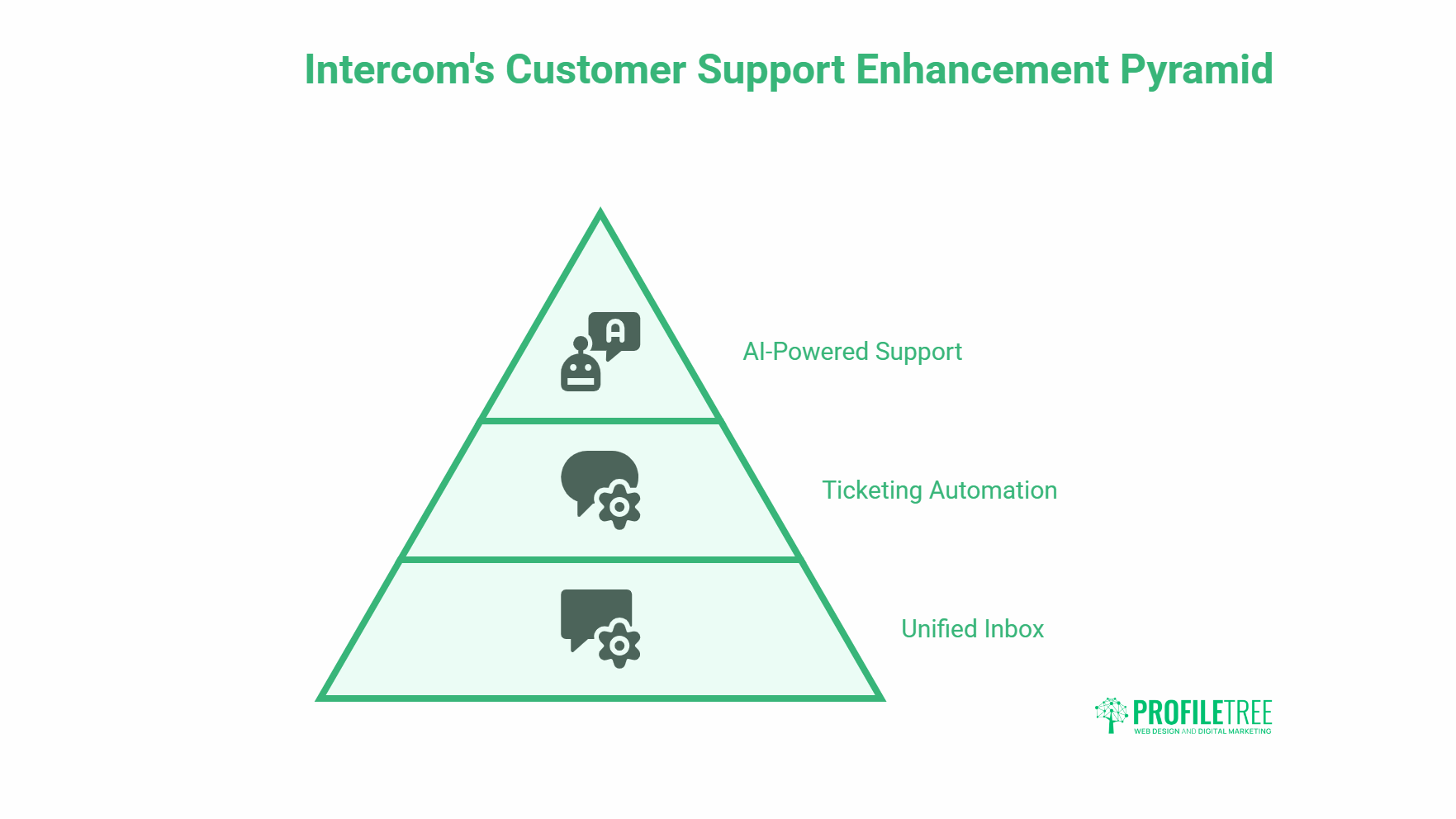
Intercom routes conversations from live chat, email, and social channels into a single shared inbox. Support teams see the full history of a customer’s interactions, not just the current thread, which means they can respond with context rather than starting from scratch every time.
For growing businesses, this matters because it removes the need to switch between tools for every channel. A customer who first contacted you by email and then opened a live chat gets a consistent experience, with no repetition required on their end.
Ticketing and Workflow Automation
Intercom’s ticketing system handles assignment, escalation, and resolution tracking. You can set up rules that automatically route conversations based on topic, customer segment, or time of day. This kind of automation reduces the manual triage work that slows down support teams and creates bottlenecks at volume.
AI-Powered Support Features
Intercom has invested significantly in AI-assisted support tools, including an AI agent (Fin) that handles common queries using your existing knowledge base content. For businesses receiving a high volume of repetitive questions, this can substantially reduce the load on human agents while maintaining response quality. The AI transformation services that support teams and operators are exploring now often start with exactly this kind of applied use case.
Sales Enablement
Lead Qualification and Routing
Intercom can qualify inbound leads through automated conversation flows before routing them to the right salesperson. A visitor who asks about enterprise pricing gets a different experience from one exploring a free trial. This qualification layer means sales teams spend time on conversations that are already contextually relevant, rather than discovering intent mid-call.
CRM Integration for Pipeline Management
The integration between Intercom and Salesforce (or HubSpot) creates a two-way data flow that keeps both systems current. Actions in Intercom — a message sent, a demo requested, a form completed — can update the CRM record automatically. This removes the manual logging that costs sales teams time and creates data gaps.
| Salesforce Event | Intercom Response |
|---|---|
| New lead created | Automated welcome message sent |
| Lead status updated to qualified | Personalised follow-up triggered |
| Meeting booked in CRM | Reminder sequence activated |
| Deal marked closed-won | Onboarding sequence begins |
Personalisation Across the Customer Lifecycle
Data-Driven Communication
Intercom’s customer data platform captures behavioural data, purchase history, conversation history, and custom attributes you define. That data informs every message, so communication reflects where each individual customer actually is rather than where a generic segment is assumed to be.
This level of personalisation used to require dedicated data engineering work. Intercom makes it accessible to smaller teams without significant technical overhead, which is one reason it’s popular with SaaS companies and digital-first businesses.
Custom Attributes and Dynamic Content
You can define custom attributes in Intercom and use them to personalise message content dynamically. A message to a customer on a business plan looks different to one going to someone on a starter plan. This flexibility extends across email, in-app messages, and chat prompts, so personalisation isn’t limited to one channel.
For businesses working on web design and development, the ability to trigger Intercom messages based on specific page visits or website actions makes it possible to connect on-site experience with off-site follow-up in a way that feels coherent to the user.
Customer Retention and Reducing Churn
Identifying At-Risk Users
Intercom gives you the tools to spot disengagement early. You can set conditions based on reduced activity, incomplete key actions, or negative feedback signals, and trigger outreach before a user decides to leave. This is considerably more effective than reacting to a cancellation request after the fact.
Retention Campaign Structures
A typical retention workflow might include: an automated check-in email after a period of inactivity, a targeted in-app message offering help if a key feature has not been used, and a manual outreach task assigned to a customer success team member if engagement doesn’t recover after the automated steps. Intercom supports all three layers within the same system.
The result is a more consistent retention process that doesn’t rely on team members remembering to follow up manually.
Data, Reporting, and Customer Insights
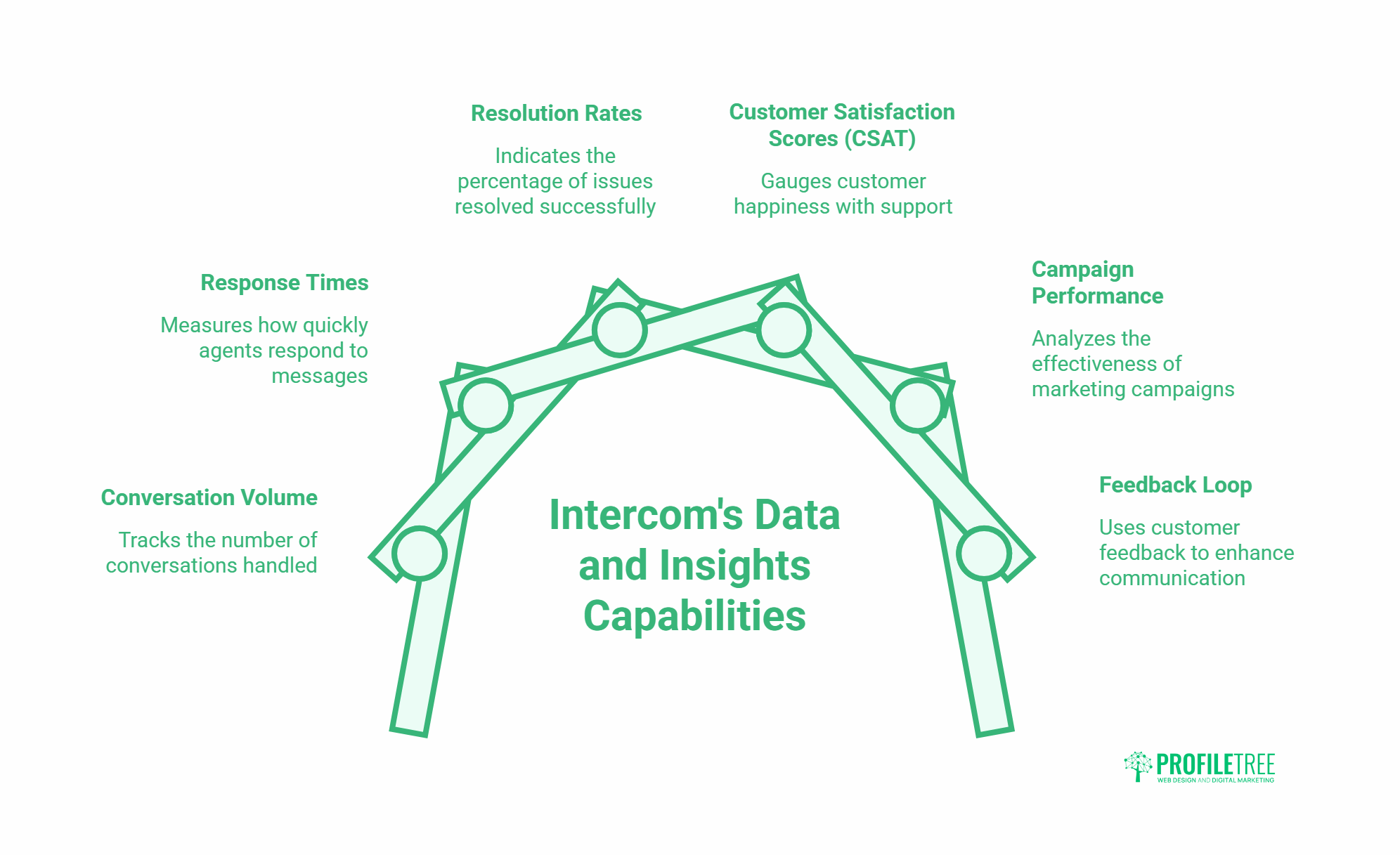
Intercom tracks conversation volume, response times, resolution rates, customer satisfaction scores (CSAT), and campaign performance. You can view these metrics at the team level, individual agent level, or broken down by customer segment. For marketing teams, campaign-level reporting shows open rates, click-through rates, and goal completions for each automated sequence.
Using Feedback to Improve
Intercom captures customer feedback through satisfaction surveys at the end of conversations. That feedback feeds into reporting that shows where support interactions fall short and which customer segments are least satisfied. Acting on this data is how businesses improve the quality of their communication over time rather than just increasing volume.
Compliance and Data Security
GDPR and Regional Data Hosting
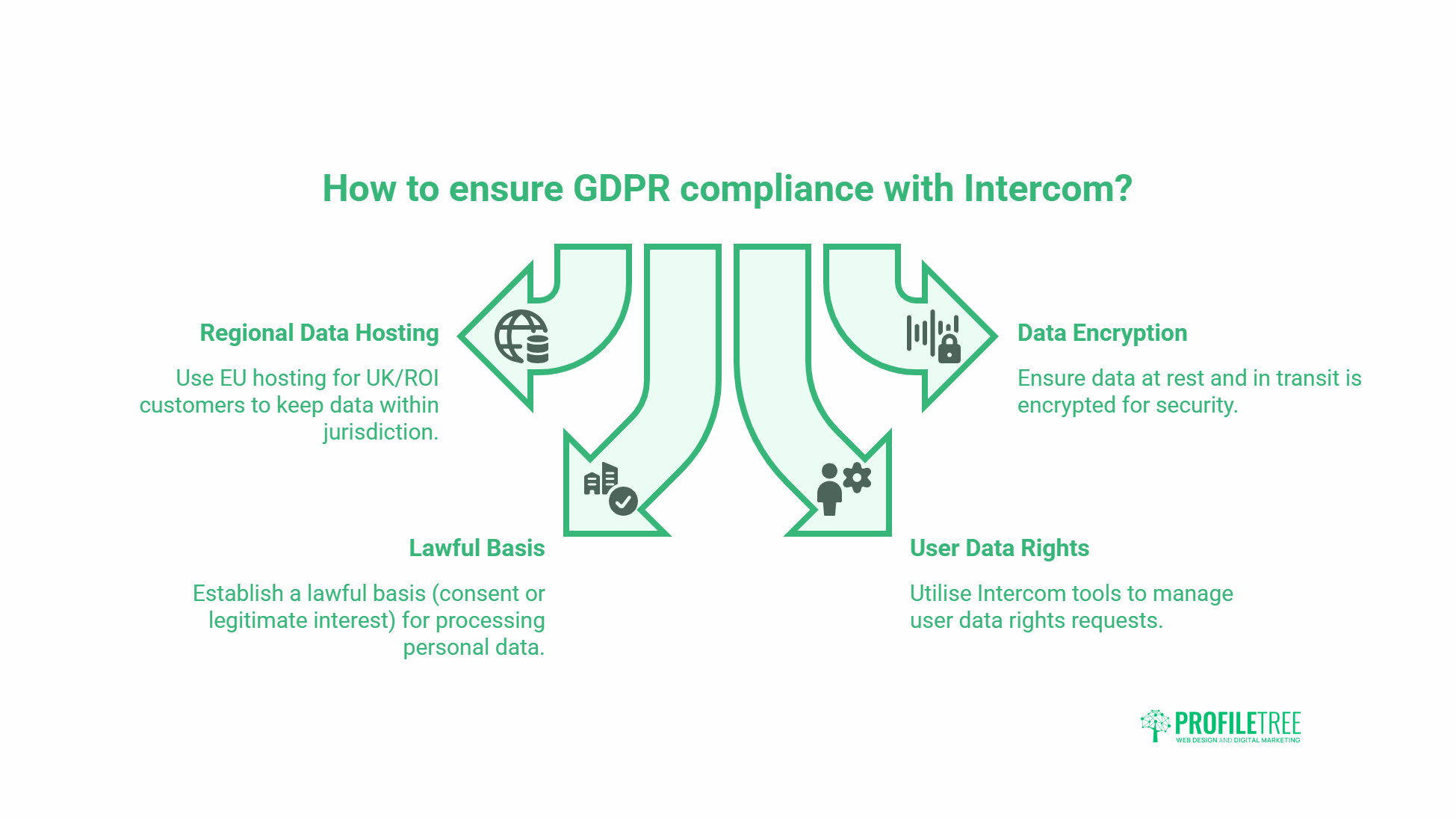
Intercom offers regional data hosting in the EU, the US, and Australia, which allows businesses to keep customer data within their required jurisdiction. For businesses serving customers in the UK or the Republic of Ireland, EU hosting is the relevant option.
Data at rest and in transit is encrypted, and Intercom maintains a published subprocessor list for businesses that need to assess third-party data sharing for compliance purposes.
Key GDPR Considerations
Intercom processes personal data on your behalf, which means you need a lawful basis for that processing under UK GDPR. For most marketing communication use cases, this is either consent or legitimate interest. Your Intercom configuration should reflect that basis: consent-based email campaigns need opt-in mechanisms, while service-oriented messages may fall under legitimate interest if they’re directly related to the service the customer has subscribed to.
Intercom provides tools to manage user data rights requests, including access, correction, and deletion. These tools are in the privacy settings of your Intercom workspace and can be used to respond to data subject requests without needing to contact Intercom support.
Onboarding New Customers With Intercom
First Impressions and Product Tours
Intercom’s Product Tours feature lets you build guided walkthroughs that appear inside your product. A new user gets a step-by-step prompt sequence that highlights key features in order of importance, rather than being left to explore an unfamiliar interface. This reduces time-to-value for the customer and reduces the volume of basic support queries for your team.
Automated Onboarding Sequences
A structured onboarding sequence in Intercom typically includes: an immediate welcome message on sign-up, a follow-up 24 hours later pointing to a key first action, a check-in at day seven to assess progress, and a resource email at day 14 addressing the most common early-stage questions. This sequence runs automatically for every new customer, without manual input from the team.
The combination of in-app guidance and email sequencing creates a more consistent onboarding experience than most businesses can deliver manually at any meaningful scale.
Evaluating Intercom for Your Business
Who Benefits Most
Intercom works well for: SaaS businesses managing a subscription customer base, professional services firms with a defined client lifecycle, and e-commerce operations with a returning customer audience. It’s less suited to businesses with purely transactional, one-off sales where the ongoing relationship element doesn’t exist.
Pricing Considerations
Intercom’s pricing is usage-based and scales with the number of customers in your system and the features you activate. The entry-level plan covers core messaging and live chat. AI features, advanced automation, and analytics sit at higher tiers. For small SMEs, the cost can be meaningful; it’s worth mapping the specific features you need against the plan that includes them before committing.
Integration With Your Existing Stack
Before implementing Intercom, audit the tools you’re already using for customer communication. If you have an active CRM, an email platform, and a support ticketing system, you need to understand which of those Intercom replaces, which it complements, and how the data flows between them. The integration library is extensive, but the configuration work required varies significantly by tech stack.
FAQs
What does Intercom do?
Intercom is a customer communications platform that combines live chat, email automation, in-app messaging, and a shared inbox for support teams. It lets businesses have real-time conversations with customers, run automated marketing sequences based on user behaviour, and manage support conversations across multiple channels from a single workspace.
Is Intercom a CRM?
Intercom is not a traditional CRM, though it stores customer data and conversation history in a way that functions similarly for communication purposes. Most businesses use Intercom alongside a dedicated CRM such as Salesforce or HubSpot rather than as a replacement. The integration between the two systems means data flows automatically between them.
How does Intercom support marketing automation?
Intercom’s automation engine lets you build triggered message sequences based on user behaviour, time-based conditions, or segment membership. You can send in-app messages, emails, or push notifications automatically when a customer takes a specific action or meets a defined condition. This removes the need for manual outreach at each stage of the customer lifecycle.
Does Intercom comply with GDPR?
Yes. Intercom offers EU data hosting for businesses that need to keep customer data within the European Economic Area, encrypts data at rest and in transit, and provides tools to manage data subject rights requests. Businesses using Intercom for marketing communication are still responsible for establishing a lawful basis for processing, such as consent or legitimate interest.
What is the difference between Intercom’s chat and email features?
Intercom’s chat function handles real-time conversations initiated by website visitors or app users. The email feature manages automated sequences and one-off campaigns that go to segmented lists based on customer data. Both are managed within the same platform and use the same customer data layer, so personalisation applies equally to both channels.
How much does Intercom cost?
Intercom’s pricing is based on the number of people (customers) in your workspace and the features active on your plan. Starter plans typically begin in the hundreds of pounds per month for small teams; costs increase with seat count and feature tier. Pricing is available directly from Intercom’s website, and the company offers a 14-day trial on most plans.