
Is SQL a Programming Language? What It Means for Your Website and Team
Table of Contents
Yes, SQL is a programming language, though a specialised one. Structured Query Language, usually pronounced “sequel” and sometimes searched as “sequel programming languages,” is built specifically for managing and working with data inside relational databases. It differs from general-purpose languages such as Python or Java in one fundamental respect: SQL is declarative.
You describe the result you want, and the database engine works out how to get it. A Python developer writes step-by-step instructions; a SQL user writes SELECT customer_name, purchase_date, amount FROM orders WHERE purchase_date >= ‘2025-01-01’ and lets the database handle the retrieval logic.
People land on this page searching all sorts of phrasings of the same question: is SQL a programming language, is SQL programming, is SQL a language at all, or simply whether SQL counts as a computer language. Some search for it as a coding language, others as a code language, and some ask the question the other way round, wondering if SQL is a programming language or a database.
Whichever version brought you here, the answer underneath all of them is the same: SQL is a programming language, just a narrowly focused one built for a specific job rather than general-purpose computing. Search for it any way you like: the SQL programming language keeps showing up in the same places, from login screens to checkout baskets to reporting dashboards.
For business owners and marketing managers weighing up a new website build, a CRM, or a data-driven marketing plan, this distinction matters more than it might first appear. SQL sits behind almost every website that does more than display static pages: it manages customer accounts, product catalogues, bookings, and transaction records. Whether you’re commissioning custom website development, training a team on data, or trying to work out what a development quote actually includes, understanding what SQL is and isn’t helps you ask better questions.
Is SQL Programming Language? The Short Answer and the Technical Debate
The short version: yes, by most technical definitions, SQL qualifies as a programming language. The debate that keeps this question near the top of search results comes down to what people mean by “programming language” in the first place.
Declarative vs Procedural: Why the Confusion Exists
A programming language gives a computer a structured set of instructions it can carry out. Third-generation languages like Java, Python and C++ are procedural: you spell out each step, in order, for the computer to follow. The SQL programming language takes a different approach. It’s declarative, meaning you state the outcome you need rather than the method for reaching it.
Take a simple example. To find every customer based in Northern Ireland, you’d write:
SELECT * FROM customers WHERE region = ‘Northern Ireland’;
Getting the same result in Python takes more code: opening a database connection, creating a cursor object, and looping through rows one at a time. SQL’s brevity is precisely why it remains accessible to people without a formal programming background, and why marketing managers and operations staff can often write useful queries with a few hours of practice rather than months of study.
SQL as a Fourth-Generation Language
Computer science groups program languages by generation. First-generation languages were raw machine code. Second-generation introduced assembly language. Third-generation gave us C, Java, and their relatives: languages humans could read and reason about. SQL belongs to the fourth generation (4GL), a category built for productivity within a specific domain rather than general-purpose computing. That places the SQL programming language in a different bracket to procedural languages like Java or Python, rather than beneath or above them.
This is also the answer to a related search people run, sometimes phrased as “SQL is a 4GL,” which generation language it belongs to: SQL is a 4GL, optimised for database operations rather than building interfaces or handling broader business logic. Whether the question is framed as “Is SQL considered a programming language” or “What is the SQL language,” the 4GL classification is the clearest way to place it. That specialisation is a strength for what it does and a limitation outside that scope, which is why almost no production website relies on SQL alone.
Is SQL Turing Complete?
A more technical strand of this debate asks whether SQL is Turing-complete, meaning it can theoretically compute anything that is computable, given enough time and memory. Standard SQL wasn’t originally built with this in mind. It lacked the loops and conditional branching that Turing completeness generally requires.
That changed with recursive common table expressions (CTEs), introduced in the SQL:1999 standard and supported by PostgreSQL, SQL Server, and other major systems. Recursive CTEs let a query reference itself, which is enough to satisfy the formal definition of Turing completeness in most analyses. In practice, this technical footnote rarely affects how a business should think about SQL. Whether or not it meets a strict computer science definition changes nothing about its day-to-day role: retrieving, filtering, and shaping relational data efficiently.
SQL vs General-Purpose Languages: A Comparison
The table below sets out how SQL compares with two of the general-purpose languages it’s most often confused with or paired alongside.
| Feature | SQL | Python | Java |
|---|---|---|---|
| Type | Declarative, domain-specific (4GL) | Procedural, general-purpose | Procedural, object-oriented |
| Primary use | Querying and managing relational data | General-purpose scripting, data science, automation | Enterprise applications, backend systems |
| Learning curve | Gentle for basic queries; steeper for optimisation and schema design | Moderate; readable syntax | Steeper; more verbose syntax |
| Typical role in a web build | Data storage and retrieval | Business logic, automation, APIs | Backend application logic |
| Turing complete | Yes, with recursive CTEs | Yes | Yes |
None of this makes SQL a framework, despite how often the two get conflated in search results for “is SQL a framework.” A framework provides a structure for building an entire application; SQL is a language for querying a database, and it’s usually a single component within a much larger, framework-driven build.
It’s also worth separating SQL from MySQL: MySQL is a database management system that implements SQL, not a language in its own right. That answers another common variant of this question: “Is MySQL a programming language?” Some people search for this as the SQL coding language or SQL code language rather than “programming language,” but it’s the same question with the same answer either way.
How Developers Actually Use SQL
The debate about definitions aside, the numbers show the SQL programming language isn’t going anywhere. Stack Overflow’s 2025 Developer Survey, which drew responses from more than 49,000 developers worldwide, found that 59% still use SQL day to day, putting it just behind JavaScript (66%) and HTML/CSS (62%) among the most widely used languages. PostgreSQL topped the survey’s database rankings for the third year running, pointing to a language that keeps growing even as new tools emerge around it. For a UK or Irish business weighing up a development hire or an agency partner, that staying power is a reasonable proxy for how safe an investment in SQL skills remains. (Source: Stack Overflow 2025 Developer Survey.)
How SQL Powers Web Development
Static websites show the same content to everyone who visits. Interactive, database-driven sites adapt based on who’s logged in, what they’ve bought before, and what they’ve searched for. That personalisation depends on a database, and every database, whether or not you’d class SQL itself as a programming language in the traditional sense, depends on SQL to read from and write to it. Under the bonnet, it’s the SQL programming language doing the heavy lifting every time a page loads, building content specifically for that visitor.
When a customer logs in to an online shop, a SELECT query retrieves their account details and order history. Adding an item to a basket triggers an INSERT statement. Completing a purchase runs an UPDATE that adjusts stock levels while a new row records the transaction. ProfileTree’s web design and build projects regularly involve moving clients from a static brochure site to a model closer to this one, and that shift depends on a properly structured database behind the scenes, not just a fresh coat of paint on the front end.
“When clients approach us about web development projects, we often find they underestimate SQL’s importance in creating interactive, data-driven websites,” says Ciaran Connolly, Founder of ProfileTree. “SQL isn’t just technical infrastructure. It’s what turns a static website into a platform that can personalise content, process transactions, and deliver genuine business value.”
For a fuller walkthrough of how this fits into a complete build, see ProfileTree’s web design and development services page.
The Request-Response Cycle
Understanding how a click on a website turns into a database query helps demystify what you’re paying for in a development project:
A user clicks “View My Orders” in their browser. The browser sends an HTTP GET request to the web server. A server-side application, built in Node.js, Python, or PHP, receives the request. That application builds a query: SELECT * FROM orders WHERE user_id = 42. The database runs the query and returns matching rows. The application formats the results as JSON or HTML. The browser displays the order history. The whole cycle usually completes in milliseconds, but a poorly written query at step four is one of the most common causes of a slow website, something worth raising directly with any team quoting on a web development project.
HTTP Methods and SQL Commands
Developers often map HTTP methods onto SQL commands. GET requests use SELECT, as when a profile page runs SELECT name, email, phone FROM users WHERE id = X. POST requests, such as a new account signup, use INSERT. PUT and PATCH requests, like a settings change, use UPDATE. DELETE requests, such as removing a basket item, use DELETE. Business owners commissioning custom development are entitled to ask their technical team to explain this mapping in plain terms for their own project, rather than taking it on trust.
SQL vs ORMs
Most modern development doesn’t involve writing raw SQL by hand for every operation. Object-Relational Mapping (ORM) tools such as Prisma, SQLAlchemy, and Entity Framework let developers work through their programming language of choice while the ORM generates the underlying SQL. ORMs reduce boilerplate and help guard against SQL injection, but automatically generated queries aren’t always the most efficient ones.
For routine create, read, update, and delete operations, an ORM usually produces clean, maintainable code. For complex reporting or performance-sensitive operations, hand-written SQL often still wins. A team that insists on ORMs for absolutely everything may run into performance limits as data volumes grow; a team writing every query by hand may be trading productivity and security for marginal gains. Either extreme is worth questioning during a website development proposal review.
Database Design and the Questions Worth Asking
A poorly designed database schema creates problems that surface later: slow queries, inconsistent data, and features that become harder to add. A well-designed e-commerce schema separates customers, products, orders, and order items into distinct tables connected by foreign keys, so an order can never reference a product that doesn’t exist. Indexes on frequently searched columns keep lookups fast even as the dataset grows.
Before commissioning a website development build, it’s reasonable to ask to see the proposed schema and check for warning signs: missing foreign key relationships, several values crammed into a single column, no indexes on the columns people will actually search by, and no clear explanation of the normalisation approach. This is exactly the kind of detail a proper website audit can surface on an existing site, particularly one that’s grown organically over several years without anyone revisiting the underlying structure.
Choosing a Database System
PostgreSQL, MySQL, Microsoft SQL Server, and SQLite all implement SQL with small syntactic differences and different feature sets. PostgreSQL has become the standard choice for new production web applications, thanks to its strong compliance with standards and an active open-source community; platforms like Heroku and Render default to it. MySQL and its fork, MariaDB, still power a large share of WordPress installations, including many of the sites ProfileTree’s WordPress hosting clients run day-to-day. Microsoft SQL Server fits naturally into .NET and Windows-based enterprise environments, while SQLite works well for local, embedded use cases without a separate server. ProfileTree typically recommends PostgreSQL for new web projects unless a client’s existing stack points to something else.
SQL Security
SQL injection remains one of the most common web security vulnerabilities. It happens when user input is inserted directly into a query without proper handling, allowing an attacker to manipulate the query itself. A login form that builds a query like SELECT * FROM users WHERE username = ‘USER_INPUT’ AND password = ‘PASSWORD_INPUT’ can be bypassed by an attacker entering something like admin’– as the username, since the double dash comments out the password check that follows.
Parameterised queries and prepared statements, which treat user input as data rather than executable code, close this gap. Modern ORMs handle this by default, but hand-written queries still need care. Beyond injection risks, database security also covers restricted permissions (applications shouldn’t run on admin-level database accounts), encrypted connections, regular patching, and proper handling of sensitive data such as hashed passwords. Any business storing customer data has GDPR obligations tied directly to how well its database is secured, which is a conversation worth having with a WordPress development partner before launch, not after an incident.
Performance and Indexing
A query against 100 rows returns almost instantly. The same query on 10 million rows can take several seconds without the right indexing. An index works much like a book’s index: it lets the database jump straight to relevant rows instead of scanning the whole table. Indexes aren’t free, though; they use storage and slow down writes slightly, because the database has to maintain the index alongside the data itself. Getting this balance right matters more than most SME owners realise until their website, which felt fine with 50 test records, becomes sluggish with 50,000 real customer records.
SQL Skills for UK and Irish Businesses and Careers
Most content covering the SQL programming language question treats it as purely academic. For UK and Irish businesses and job seekers, there’s a practical layer worth adding.
How UK Recruiters Categorise SQL
SQL sits in an odd spot on UK job platforms such as Reed and Indeed. It frequently appears in listings for Data Analyst, Business Intelligence, and Database Developer roles, but recruiters don’t always treat it the same way as a general-purpose programming language when screening CVs.
For most Data Analyst and reporting-focused roles, SQL is commonly listed under “Technical Skills” or “Data Tools” rather than “Programming Languages,” while Database Developer and backend engineering roles are more likely to expect it alongside a general-purpose language such as Python, Java, or C#. Anyone building a CV for the UK or Irish market is generally safer following that convention: list SQL clearly, but avoid implying it’s a substitute for a general-purpose language unless the role is specifically database-focused.
SQL on a CV: A Practical Approach
A CV aimed at a UK or Irish employer should present SQL proficiency with specifics rather than merely mentioning it. Naming the systems used (PostgreSQL, MySQL, SQL Server), the kind of work done (reporting queries, schema design, data migration, performance tuning), and a concrete example of a problem solved carries more weight than simply listing “SQL” alongside a string of other tools. For roles outside data and development, such as marketing or operations, mentioning SQL at all is often a genuine differentiator, since a smaller proportion of candidates for those roles can query a database independently.
SQL for Business Users, Not Just Developers
SQL’s declarative syntax makes it one of the more approachable technical skills for non-developers to pick up. A marketing manager who wants to identify high-value customers for a targeted campaign can write something close to:
SELECT customer_name, email, total_spent FROM customers WHERE total_spent > 1000 AND last_purchase_date > ‘2024-01-01’ ORDER BY total_spent DESC;
Without that skill, the same request means submitting a ticket to IT and waiting, then iterating again once the first result raises a follow-up question. ProfileTree’s digital training workshops include SQL modules aimed specifically at non-technical business users, focused on writing analytical queries rather than administering databases. Sales teams segmenting customers, operations staff monitoring stock, and marketing managers analysing campaign performance all benefit from the same basic skill set.
SQL for Analysis and Reporting
Business intelligence tools such as Tableau, Power BI, and Looker connect to SQL databases and handle visualisation well, but the more involved data transformations, calculating customer lifetime value, running a cohort analysis, or measuring attribution across channels, often need custom SQL underneath the dashboard. Teams that build SQL literacy alongside their BI tooling tend to move faster than those entirely dependent on a central data team to answer every new question. Content teams applying the same logic to their own content marketing reporting, or checking which pages are actually earning organic visibility through SEO, can identify what’s generating enquiries rather than relying on page views alone.
Common SQL Mistakes Worth Knowing About
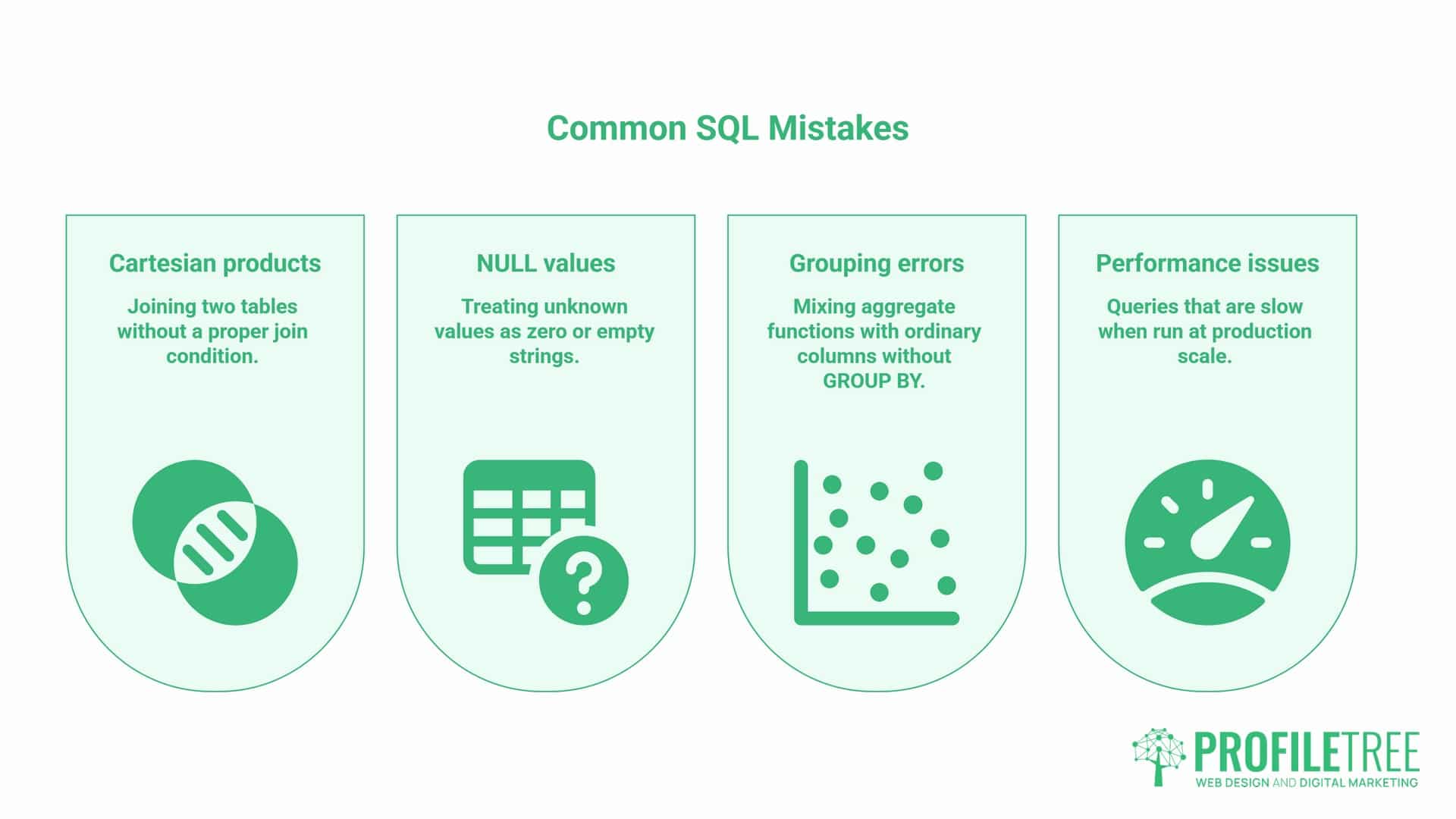
A handful of mistakes recur for anyone learning SQL or reviewing a developer’s work. Joining two tables without a proper join condition produces a Cartesian product: a 1,000-row customer table joined incorrectly with a 1,000-row order table returns 1,000,000 rows instead of the correct matches. NULL values trip up newcomers, too, since NULL means “unknown,” not zero or an empty string, and needs the IS NULL syntax rather than a standard equals sign.
Mixing aggregate functions like COUNT, SUM, or AVG with ordinary columns without a matching GROUP BY clause is another frequent source of confusing results. And queries that run fine against fifty test rows can become unusably slow at production scale, which is why performance testing against realistic data volumes matters before launch, not after.
SQL, AI and What This Means for Your Business
The debate around whether SQL “counts” as programming looks different now that generative AI tools can write SQL from a plain-English request.
Does Text-to-SQL Change the Definition?
Large language models can now translate a question like “show me customers who spent over £1,000 last year” directly into a working SQL query, without the person asking needing to know the syntax at all. This doesn’t remove the value of understanding SQL; it shifts where that value sits. Someone who understands what a query is actually doing can check an AI-generated query for correctness, spot an inefficient join before it slows down a live database, and know when the AI has misunderstood the underlying schema.
Someone with no SQL knowledge at all has no way to catch any of that. As AI-assisted querying becomes more common in business intelligence tools and internal dashboards, a working understanding of the SQL programming language becomes less about writing every line from scratch and more about reviewing, trusting, and directing the output of an AI tool. This is a genuine area of overlap with AI training and implementation work: teams adopting AI-assisted data tools generally get more reliable results once at least one person on the team can read and sense-check the SQL those tools generate.
Model Context Protocol: AI Assistants Querying Databases Directly
Since early 2026, this shift has moved from theory to shipped product. Microsoft, Oracle, and Google Cloud have each released official Model Context Protocol (MCP) servers for their database platforms, providing AI assistants with a standard way to read a schema and run a query without a bespoke integration for each tool (source: AI2SQL, 2026).
Modern models handle straightforward, schema-aware queries with high accuracy, good enough for daily use with a review step, but researchers such as Nick Koudas at the University of Toronto have cautioned that handing these tools to business users without technical oversight is riskier than it looks: a generated query can carry the correct syntax while still answering the wrong question (source: The Register, April 2026). For a UK SME, the practical takeaway is the same as this guide has already made: let AI draft the query, but keep someone who understands SQL to check it before it reaches a report or a decision.
SQL Dialects: How Much This Matters in Practice
Most SQL implementations share a common ANSI SQL core, but each database system adds its own extensions. Oracle’s PL/SQL and Microsoft’s T-SQL both add procedural constructs, loops, conditionals, and stored logic directly inside the database, which can improve performance for data-heavy operations but tie the code to that specific vendor. PostgreSQL takes a different approach, keeping close to the ANSI standard while adding optional extensions for JSON handling, full-text search, and geospatial data through PostGIS.
MySQL and MariaDB implement most of the standard features too, with their own quirks around storage engines. For most SME web projects, this level of detail matters less than getting the fundamentals right: a properly normalised schema, sensible indexing, and a database choice that matches the platform. ProfileTree’s development work typically favours PostgreSQL for new builds, specifically because it balances standards compliance with room to grow.
Backups, Recovery, and Ongoing Responsibility
A database holds a business’s most valuable digital asset: its customer and transaction history. Regular automated backups, ideally stored somewhere separate from the live system, combined with a recovery process that’s actually been tested rather than assumed to work, protect against the hardware failures, bugs, and human errors that eventually affect every system.
Cloud platforms and managed database services handle much of the backup infrastructure, but choosing sensible retention periods and testing recovery remain the client’s responsibility, not something to assume is covered by default. ProfileTree’s WordPress hosting service includes automated backups as standard, though testing a recovery before an emergency, rather than during one, is still worth doing deliberately.
Building Practical SQL Confidence
For a business owner who isn’t going to write SQL personally, the useful skill is knowing enough to ask the right questions of a development team or a data analyst: what’s the schema, why this database system rather than another, how are backups handled, and what happens to performance as the customer base grows. For someone building a CV or shifting into a more data-focused role, a structured course followed by applying SQL to a real dataset, ideally one connected to their own industry, beats memorising syntax in isolation.
Anyone comparing quotes for a website development project may find ProfileTree’s website development package guide a useful reference point, and businesses looking further ahead at how AI tools fit into their technology stack can find related ground in ProfileTree’s AI transformation work. For anyone whose next question is what to actually do with the data once it’s queryable, ProfileTree’s guide to choosing a customer data platform covers the step that usually comes after getting the database itself right.
Independent developer surveys, including Stack Overflow’s annual Developer Survey, have consistently placed SQL among the most widely used technologies for working with data, and PostgreSQL specifically has topped the same survey’s database rankings for the third year running. That staying power is a reasonable proxy for how safe a long-term investment SQL skills remain, whether that investment sits with an internal hire, an agency partner, or a training programme for existing staff.
Whether SQL technically satisfies every academic definition of a programming language matters less than what it does for a business day to day: it’s the mechanism that turns a static website into something that remembers a customer, processes an order, and reports back on what’s working. E-commerce platforms built on Wix or similar builders quietly depend on it too, even when the store owner never sees a line of it.
The Verdict on SQL Programming Language
The SQL programming language label holds up, however, the question gets phrased. It’s declarative rather than procedural, and built for one domain rather than general-purpose computing, but that doesn’t make it any less essential. It sits behind the login screen, the shopping basket, and every report a marketing manager pulls together.
For a UK or Irish SME, what matters is knowing enough to ask the right questions: about the schema behind a new site, about who’s checking the SQL an AI tool generates, about how SQL actually belongs on a CV. Getting real value from the answer depends on what happens next.
FAQs
Is SQL a coding language?
Yes. The SQL programming language is domain-specific, designed to communicate with relational databases. It isn’t general-purpose like Python or Java, but it meets the standard definition of a programming language: a structured, well-defined syntax that a computer can interpret and execute.
Should I list SQL under “Programming Languages” on my CV?
In the UK and Ireland, it’s generally safer to list SQL under “Technical Skills” or “Data Tools” unless you’re applying specifically for a Database Developer or similarly technical role, where listing it alongside other languages is standard practice.
Is SQL a Turing-complete language?
Technically, yes, since the SQL:1999 standard introduced recursive common table expressions. In everyday business use, this makes little practical difference; SQL is used for querying and managing data, not for general-purpose computation.
What type of language is SQL?
SQL is a declarative, fourth-generation language (4GL) designed specifically for managing and querying relational databases, rather than a general-purpose procedural language like Java or Python.
Do I still need to learn SQL if AI can write it for me?
Yes, at least the fundamentals. AI tools can draft a working query in seconds, but someone still needs to check that the logic matches the actual business question, since a generated query can look correct while quietly answering the wrong one.