
Pop-Ups and SEO: How They Affect UX, Rankings and Conversions
Table of Contents
Pop-ups impact your website in two directions at once: they can lift conversion rates significantly when deployed with care, or they can suppress search rankings and drive users away when built without one. Understanding which outcome you get comes down to implementation details that most guides skip past. How a pop-up loads, when it fires, how much of the mobile screen it occupies, and whether it meets accessibility requirements are the decisions that determine whether Google treats it as an enhancement or a liability.
This guide covers how pop-ups interact with Google’s ranking signals, what the intrusive interstitial penalty actually targets, how UK data privacy rules shape your options, and the practical steps for building pop-ups that improve conversion rates without triggering penalties or accessibility failures.
What Google Actually Penalises (And What It Does Not)
There is a persistent myth that pop-ups are banned or penalised outright. They are not. Google’s guidance targets a specific behaviour: pop-ups that obstruct the main content and force users to interact with them before they can access what they came for. Google calls these “intrusive interstitials” and they became a ranking signal on mobile in January 2017, with subsequent updates expanding the scope.
The types of pop-ups that fall inside the penalty criteria include full-screen overlays that appear immediately on page load, pop-ups that cover the main content without an easy way to dismiss them, and page layouts where the above-the-fold content is effectively a standalone interstitial that pushes the actual content below the fold.
Google explicitly exempts certain pop-ups from this penalty. Cookie consent banners required by UK and EU law are not penalised, provided they are sized reasonably. Age verification gates on legally restricted content are also exempt. Login dialogues on pages where content is not publicly indexable do not trigger the penalty either.
The practical implication for SMEs in Northern Ireland and the UK is this: your GDPR cookie banner is not your problem. The entry pop-up that fires the moment someone arrives from a Google search result is very often.
The 30 Percent Rule in Practice
Google’s documentation does not specify an exact size threshold, but the broadly accepted practitioner standard is that a pop-up should occupy no more than 30% of the mobile screen. A modal that takes over the full viewport on a phone, even with a visible close button, sits in penalty territory. A sticky banner at the bottom of the screen that users can scroll past does not.
The distinction matters most on mobile, where Google indexes sites using mobile-first crawling. A pop-up that looks proportionate on a desktop monitor can easily become an interstitial-scale overlay on a 375px-wide phone screen. Any agency building or auditing a website should test pop-up behaviour in Chrome DevTools at common mobile viewport sizes before launch.
How Pop-Ups Affect Core Web Vitals
Google’s Core Web Vitals are performance signals that directly feed into search rankings. Pop-ups can affect three of them, but the one that deserves the most attention in 2026 is Interaction to Next Paint.
Cumulative Layout Shift
Cumulative Layout Shift (CLS) measures how much the page layout moves unexpectedly during loading. A pop-up that loads after the page has rendered and pushes content down the page is a classic CLS source. The fix is straightforward: reserve space for the pop-up in the initial layout, or load it as an overlay that does not affect document flow. A pop-up coded as a fixed-position overlay with a high z-index will not affect CLS at all.
Largest Contentful Paint
Largest Contentful Paint (LCP) measures how long the largest visible content element takes to render. A pop-up script that loads synchronously in the document head will block rendering and delay LCP. The correct approach is asynchronous or deferred loading, so the pop-up script does not compete with the main page content for parsing priority.
Interaction with Next Paint
Interaction to Next Paint (INP) replaced First Input Delay as a Core Web Vital in March 2024. It measures the time between a user interaction and the next visual response. This is where heavy pop-up JavaScript causes the most damage, unnoticed. A pop-up script from a third-party provider that adds 200 kilobytes of JavaScript to the page will slow down every subsequent interaction, not just the pop-up itself. When a user clicks a button, and nothing happens for 300 milliseconds, that is an INP failure. It signals to Google that the page is unresponsive.
The practical audit step here is to open PageSpeed Insights on any page carrying a pop-up script, check the INP score in the field data, then temporarily disable the pop-up and retest. If the score improves materially, the script weight is the problem, not the pop-up concept. Switching to a lighter plugin or self-hosting the script often resolves it without removing the pop-up entirely.
The UK and Ireland Regulatory Context
UK businesses operate under a specific compliance framework that shapes which pop-ups are legally required and how they must behave. Understanding the distinction between what the ICO requires and what Google penalises is essential before making any decisions about pop-up removal.
ICO Requirements vs Google’s Guidance
The UK Information Commissioner’s Office requires that websites using non-essential cookies obtain explicit, informed consent before setting those cookies. A cookie banner or consent pop-up is not optional for most business websites. Google’s intrusive interstitial guidance, however, explicitly exempts “legally required” interstitials from the penalty. You will not be penalised for a properly implemented cookie consent banner.
The complexity arises from “cookie walls,” where a website blocks access to its content unless a user accepts all cookies. The ICO has stated that cookie walls are unlikely to constitute freely given consent under UK GDPR. This creates a scenario in which a cookie wall approach is both legally problematic and potentially an SEO liability, as it obstructs both crawler and user access to content.
GDPR and Lead Generation Pop-Ups
For pop-ups collecting email addresses or other personal data, UK GDPR requirements apply regardless of the pop-up type. Consent must be freely given, specific, informed, and unambiguous. Pre-ticked boxes do not meet this standard. The consent mechanism must be as easy to withdraw as to give. These are web development requirements that need to be built into the pop-up logic when the site is designed, not added as an afterthought. For more on this, the guide to GDPR-compliant web forms covers the technical implementation requirements in detail.
ProfileTree works with SMEs across Northern Ireland, Ireland, and the UK who need to meet both ICO compliance requirements and Google’s performance expectations within a single web build. These goals are not in conflict, but they do require deliberate decisions during design and development rather than installing an off-the-shelf plugin.
Accessibility: The Most Overlooked Pop-Up Problem
Most pop-up guidance focuses on SEO and conversion rates. Accessibility failures are less visible but increasingly significant, both as a legal risk and as a ranking factor.
WCAG 2.2 and Modal Dialogues
Web Content Accessibility Guidelines 2.2, which became the W3C standard in October 2023, includes specific requirements for modal dialogues. When a modal opens, keyboard focus must move into the modal. Users must be able to dismiss the modal using the keyboard, typically via the Escape key. Focus must not leave the modal while it is open (a focus trap requirement). When the modal closes, focus must return to the element that triggered it.
Most WordPress pop-up plugins do not implement all of these behaviours by default. A pop-up that traps keyboard focus or fails to expose its close button to a screen reader excludes a portion of every audience. In the UK, the Equality Act 2010 creates potential legal exposure for websites that are inaccessible to disabled users, including those using assistive technology.
Screen Reader Compatibility
Screen readers interpret the page through its HTML structure and ARIA attributes. A pop-up that overlays the page visually but does not use the role="dialog" attribute, and aria-modal="true" will often be entirely ignored by screen readers, or allow the user to continue interacting with the background content while the visual overlay blocks it. The article on using ARIA to enhance accessibility covers the technical implementation in more detail.
Ciaran Connolly, founder of ProfileTree, notes: “When we audit websites for SME clients, accessibility failures in pop-ups and modals are among the most consistent findings. They are also among the easiest to fix at the build stage and the hardest to retrofit into a live site that was not designed with them in mind.”
Pop-Up Types: Penalty Risk and Conversion Value
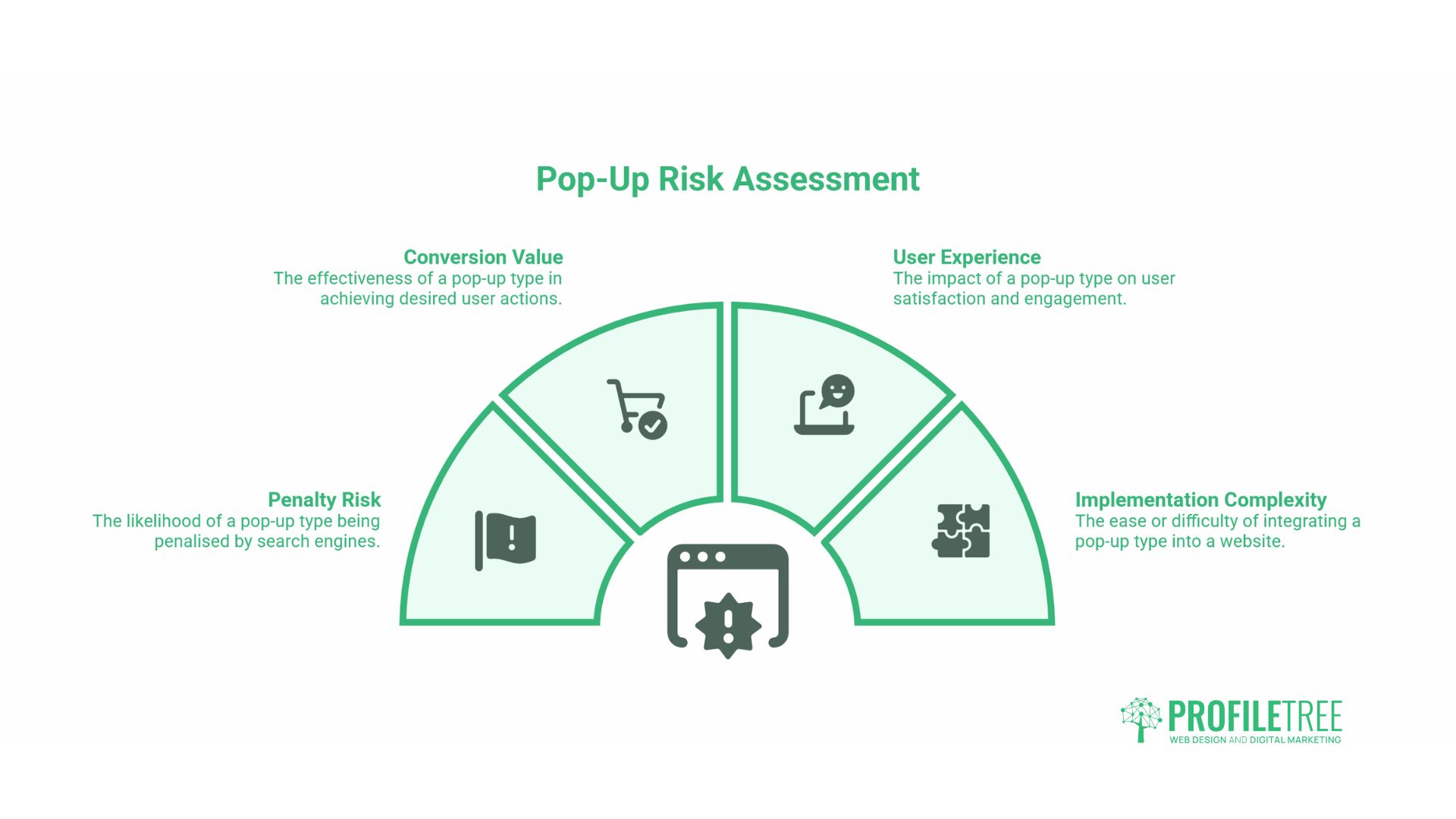
Not all pop-ups carry the same risk profile. The table below summarises the practical characteristics of each type.
| Pop-up Type | SEO Penalty Risk | UX Impact | Conversion Potential | Recommended Use |
|---|---|---|---|---|
| Entry pop-up (immediate) | High on mobile | Disruptive | Low (interrupts intent) | Avoid on landing pages receiving paid or organic traffic |
| Entry pop-up (delayed: 5+ seconds) | Medium | Moderate | Medium | Acceptable if content is visible first |
| Exit-intent pop-up | Low | Low | High (targets leaving users) | Recommended for lead capture |
| Scroll-triggered pop-up | Low | Low | Medium to High | Good for engaged users mid-article |
| Sticky bottom banner | Very low | Minimal | Medium | Safe for most contexts |
| Full-screen interstitial | Very high | Very disruptive | Variable | Only for legally required content |
| Cookie consent banner | None (exempt) | Accepted | N/A | Required for most UK websites |
Exit-Intent Pop-Ups
Exit-intent pop-ups fire when the user’s cursor moves toward the browser chrome, suggesting they are about to leave the page. On a desktop, this is a reliable signal. On mobile, behaviour-based triggers are used instead, typically a scroll-back gesture or an idle time threshold. Google does not penalise exit-intent pop-ups because they fire after the user has already accessed the main content, which means they do not obstruct it.
The conversion potential of exit-intent pop-ups depends almost entirely on the offer. A generic “subscribe to our newsletter” message on a page the user is already abandoning will perform poorly. An offer that directly addresses why the user might be leaving, such as a free resource related to what they were reading or a consultation offer for a service page, can be effective. This is where content strategy intersects with pop-up design. For SME websites using pop-ups as part of a wider digital marketing strategy, the offer inside the pop-up matters more than the triggering mechanism.
Timing, Frequency and the User Journey
The timing of a pop-up relative to a user’s engagement with the page is the single biggest variable in both its conversion performance and its UX impact.
An entry pop-up that fires before a user has read a single word of the page they came to read offers them no context for why they should act. There is no established trust, no demonstrated value, and no alignment with their intent. It is the digital equivalent of a salesperson blocking the shop entrance.
A pop-up that fires after a user has scrolled to 60% of an article or spent more than 45 seconds on a page is reaching someone who has already demonstrated interest. The conversion rate differential between these two approaches is significant. A user who has read 60% of a guide before being shown a relevant offer is in a very different frame of mind from one who has not yet seen the page content.
For frequency, the standard guidance is one pop-up per session, with a suppression cookie that prevents it from showing again to returning visitors for at least 30 days. Showing the same pop-up to a user who already dismissed it on their last visit is a UX failure that can be addressed with a single line of cookie logic.
WordPress Pop-Up Implementation
The majority of SME websites in the UK run on WordPress, and the choice of pop-up plugin directly affects page performance. Third-party pop-up services that load their own JavaScript from an external CDN add DNS lookups, TCP connections, and script execution overhead to every page load, even if a pop-up doesn’t fire on that page.
The lightest approach for a WordPress site is to use a plugin that stores pop-up logic and templates locally rather than loading from an external service. Plugins that offer conditional logic (show only to new users, show only on specific post types, suppress after first dismissal) allow precise targeting without code changes. Any pop-up plugin should be tested with PageSpeed Insights and Google’s INP measurement tools before deployment, particularly on mobile, where script overhead has a more pronounced effect on Core Web Vitals scores.
If your current WordPress site has a pop-up that is reducing CLS scores or slowing INP, the issue is rarely the pop-up itself. It is usually due to the plugin’s weight, the loading method, or the absence of a reserved layout space. These are solvable development problems. The WordPress website guide covers foundational site setup, while performance-specific issues typically fall within a technical SEO or web development engagement.
A/B Testing Pop-Up Performance
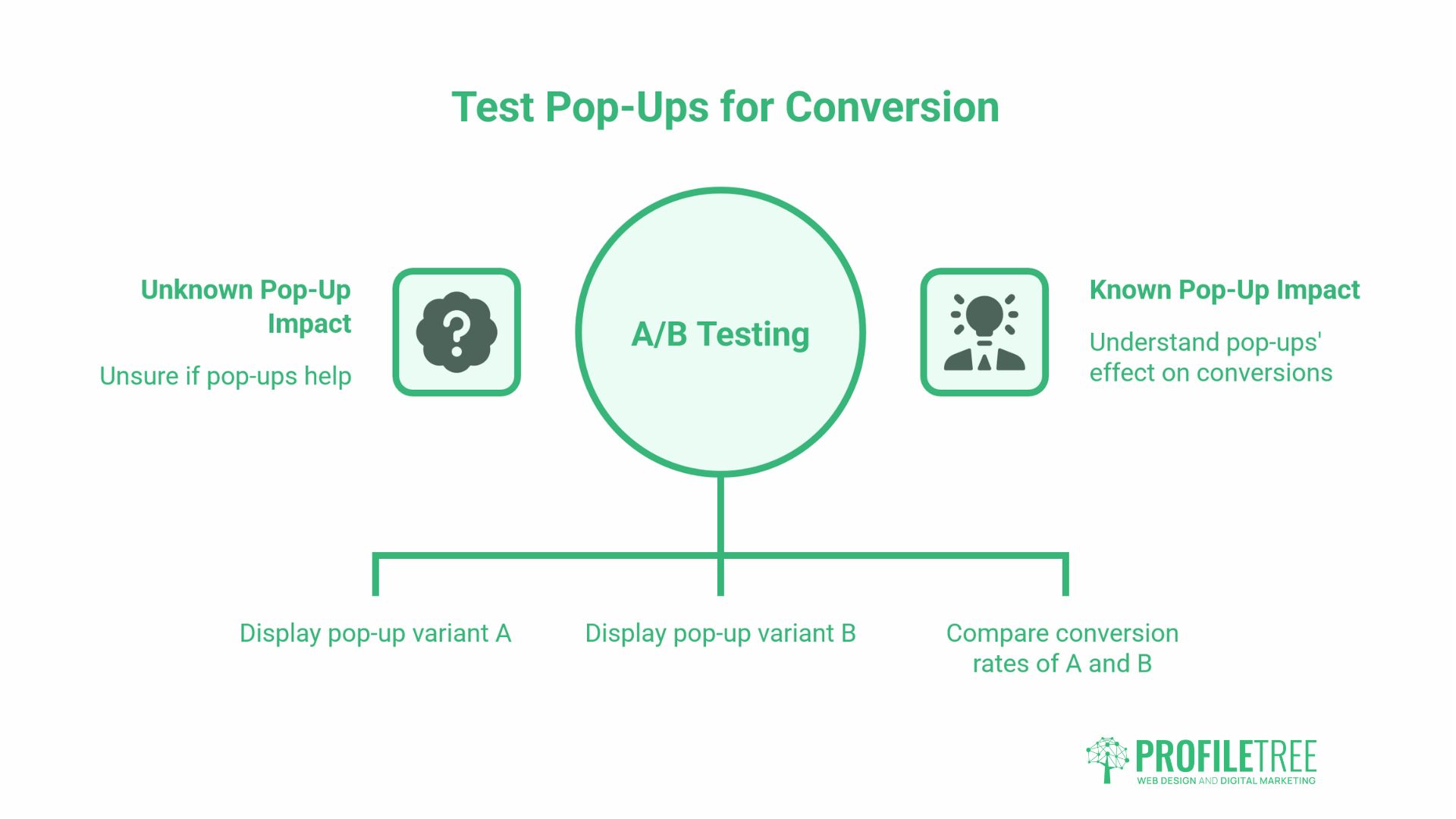
The only reliable way to know whether a specific pop-up is helping or hurting your conversion rate is to test it. A/B testing a pop-up requires showing variant A to one segment of users and variant B to another, then measuring the difference in the outcome you care about.
The variables worth testing are not always the ones that seem most important. The offer inside the pop-up typically outperforms visual changes in A/B tests. Timing (when the pop-up fires) also tends to have a larger effect than design changes. The placement of the close button affects both accessibility and conversion: a clearly visible close button reduces frustration and, counterintuitively, often increases submission rates because users feel less trapped.
Before running an A/B test on a pop-up, define a single metric as your primary outcome, conversion rate, form submission rate, or session duration, and set a sample size large enough to reach statistical significance. Testing pop-up variants on a page with 200 monthly visitors will not produce reliable results.
The Commercial Case: Lead Quality, Not Just Lead Volume
Pop-ups are almost universally discussed in terms of how many leads they generate. The more useful question for most SMEs is what kind of leads they generate and what happens to those leads afterwards.
A high-friction entry pop-up offering a discount code will collect email addresses from users who are primarily interested in the discount. An exit-intent pop-up on a service page offering a free consultation will collect contacts from users who have already read about the service and are considering it. The second list, even if it is a tenth of the size, will convert to clients at a meaningfully higher rate.
This distinction matters when evaluating pop-up performance. Raw form submission numbers are a misleading metric if they are being driven by a pop-up that collects low-intent contacts. The better measurement is the conversion rate of contacts collected through pop-ups to qualified enquiries, sales, or repeat visits. For e-commerce businesses, the article on AI and e-commerce conversion rates covers how to think about conversion attribution across different interaction types.
The 2026 Pop-Up Audit Checklist
Use this to evaluate any existing pop-up before deciding whether to keep, modify, or remove it.
SEO and performance:
- Does the pop-up fire before the main content is visible on mobile? If yes, reclassify as an intrusive interstitial and remove or delay it
- Does adding the pop-up script increase INP above 200ms? Test with PageSpeed Insights before and after
- Does the pop-up cause CLS? Check whether layout space is reserved before the pop-up loads
- Is the pop-up script loaded asynchronously? Synchronous loading in the document head is a performance failure
Accessibility:
- Does the pop-up use
role="dialog"andaria-modal="true"? - Does focus move into the modal when it opens?
- Can the pop-up be dismissed using the Escape key?
- Does focus return to the triggering element when the pop-up closes?
- Is the close button visible and reachable via keyboard?
Legal compliance:
- If the pop-up collects personal data, is consent obtained in a way that meets UK GDPR requirements?
- If it is a cookie banner, does it provide a genuine Reject option at the same level of prominence as Accept?
- Is the consent mechanism free from pre-ticked boxes?
Conversion logic:
- Does the pop-up fire after the user has engaged with the page (e.g., 60%+ scroll or 30+ seconds on the page)?
- Is a suppression cookie set to prevent the same user from seeing the pop-up on every visit?
- Is the offer inside the pop-up relevant to the page content?
Conclusion: Pop-ups Impact
Pop-ups are not a problem to be eliminated. They are a feature to be engineered. The difference between a pop-up that damages your rankings and one that supports your lead generation sits almost entirely in the implementation details: when it fires, how it loads, whether it obstructs content on mobile, how it handles keyboard navigation, and whether the offer inside it is relevant to the user’s intent. ProfileTree works with SMEs across Northern Ireland, Ireland, and the UK to build and audit websites, ensuring decisions are made deliberately rather than by default. If your site has pop-ups you are unsure about, a technical web design audit is the right starting point.
FAQs
Do pop-ups hurt SEO?
Pop-ups do not automatically affect SEO. Google’s interstitial penalty targets pop-ups that obstruct the main content on mobile, not pop-ups in general. The more common technical risk is script weight that increases INP and slows page responsiveness.
What is an intrusive interstitial?
An intrusive interstitial is a pop-up that covers the main content before the user has had a chance to read it, typically a full-screen overlay on mobile that fires immediately on page load. Cookie consent banners required by UK law are explicitly exempt from this penalty.
Are exit-intent pop-ups safe for SEO?
Yes. Exit-intent pop-ups fire after the main content has already been accessible, so they do not obstruct it. The only SEO consideration is script weight: a heavy third-party script can increase INP regardless of when the pop-up triggers.
Can I be penalised for a GDPR cookie banner?
No. Google exempts legally required pop-ups, including cookie consent banners, provided they are sized reasonably. A cookie wall that blocks all content unless all cookies are accepted is a different matter and raises both ICO compliance concerns and potential crawlability issues.