
Enhancing User Feedback on Your Website: A Practical Guide
Table of Contents
Enhancing user feedback is one of the most direct ways to improve what your website does for the people who visit it. When you understand what users actually experience, as opposed to what you assume they experience, you can make changes that genuinely move the needle on satisfaction and conversions.
This guide covers the full cycle: designing surveys that people will actually complete, staying on the right side of UK data protection law, using AI to make sense of large volumes of qualitative responses, and handling the difficult moments when feedback points in a direction that conflicts with your existing plans. Each section includes practical steps you can apply regardless of whether you run a small service business or a growing e-commerce operation.
You will also find guidance on closing the loop with users, which remains the most overlooked part of any feedback programme, and a set of FAQs drawn from the questions UK business owners most commonly ask when setting up their first structured feedback system.
Why Feedback Quality Beats Feedback Volume
Most businesses that struggle with user feedback have the same problem: too many responses, not enough insight. A survey that goes out to every visitor, at every point in the journey, with ten generic questions, produces data that is almost impossible to act on. The goal is not to collect as much feedback as possible. It is to collect feedback that tells you something specific, at a moment when the user’s experience is still fresh and relevant.
A well-considered digital marketing services approach treats user feedback as a core input to campaign and website decisions, not a secondary reporting exercise. Understanding what users actually need from your site shapes every downstream marketing choice.
Defining the Feedback Loop
A feedback loop has four stages: collect, categorise, act, and follow up. The failure point for most organisations is not collection. It is everything that comes after. Responses arrive, get exported to a spreadsheet, and sit there while the team moves on to the next priority. The loop never closes, and users who took the time to respond hear nothing back.
Treating feedback as a loop rather than a one-off data collection exercise changes how you resource it. Someone needs to own the categorisation and action steps, not just the survey platform login.
High-Intent Moments versus Blanket Surveys
Contextual triggers produce far better data than broad email blasts. A survey that fires when a user has just abandoned a checkout carries far more signal than a monthly satisfaction questionnaire sent to your entire mailing list. Exit intent surveys, post-purchase follow-ups, and in-app prompts tied to specific actions all catch users at a moment when their experience is immediate, and their response is more likely to reflect a real friction point.
The practical implication is that you should send fewer surveys, not more, and be much more deliberate about when and where each one appears. Respondent fatigue is a genuine risk for any site that over-surveys its audience.
B2B versus B2C Feedback Needs
High-volume B2C operations need statistical significance. If you are collecting hundreds of responses a month, you can identify patterns with confidence and segment by device, geography, or purchase history. The risk is that individual qualitative comments get lost in the noise.
High-touch B2B feedback works differently. With ten or twenty key accounts, a structured conversation or a short relationship review call delivers more actionable insight than a five-point scale ever will. The relationship context matters, and the feedback itself carries more weight because each client represents a large share of revenue.
Treat B2B feedback as a managed dialogue, not a scaled data collection exercise. A clearly defined digital strategy should specify which feedback method applies at each stage of your customer relationship, rather than leaving the choice to individual team members.
Survey Design Principles That Improve Response Rates
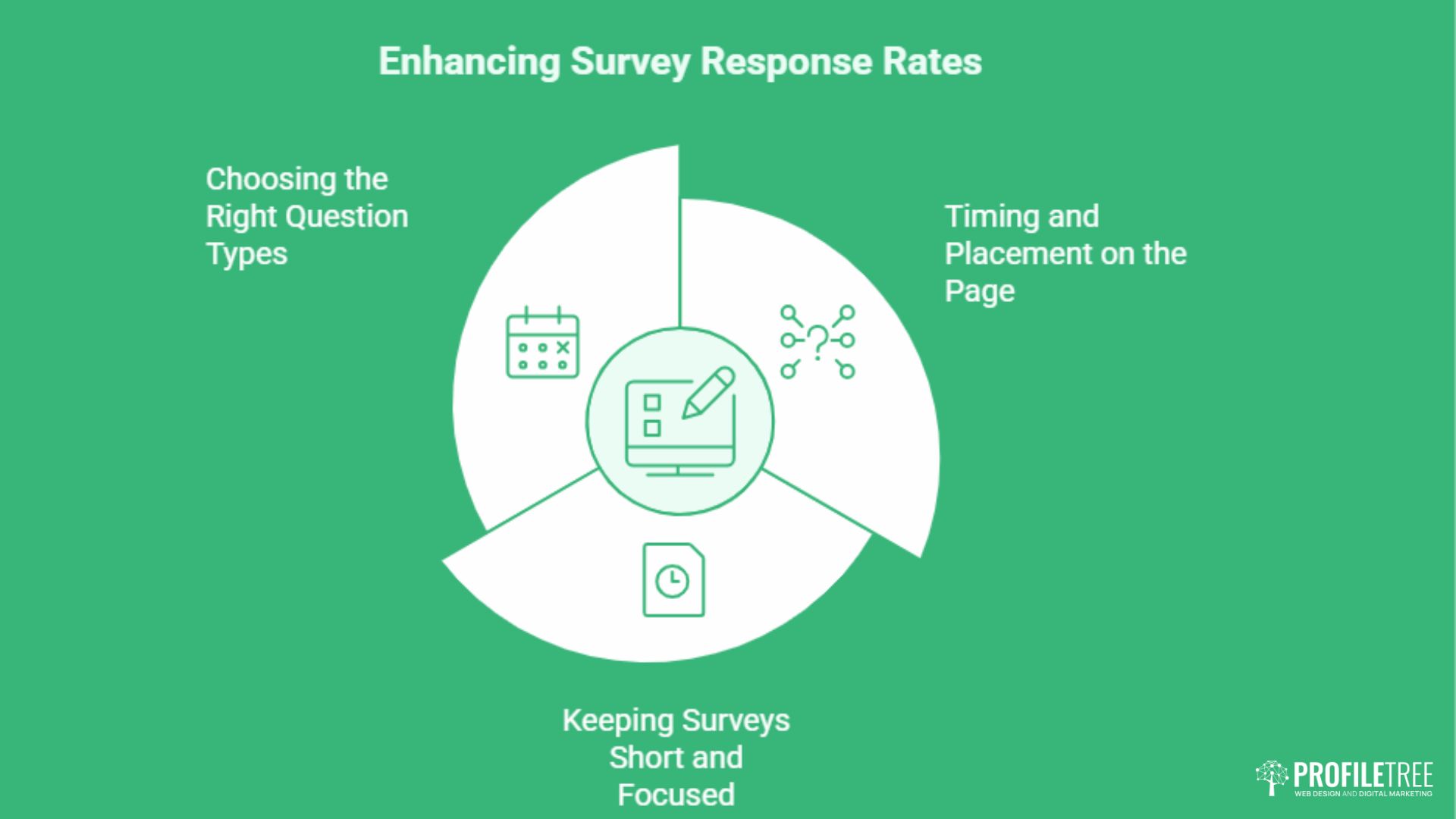
A well-designed survey is, at its core, a respectful request for someone’s time. Every decision about question type, length, and placement should be made with that in mind. Surveys that feel like a chore get abandoned. Surveys that feel like a quick, relevant conversation get completed.
How your feedback forms sit within the broader structure of your site also matters. Good website design integrates survey prompts in a way that feels native to the page rather than bolted on, which reduces friction and improves the quality of responses you receive.
Choosing the Right Question Types
Closed questions (multiple choice, Likert scales, yes/no) produce data that is easy to quantify and compare over time. They work well for tracking satisfaction scores or measuring the prevalence of a specific issue. Open-ended questions produce richer qualitative insight but require more effort from both the respondent and whoever analyses the results.
A practical approach is to lead with a closed question that takes five seconds to answer, then follow with a single open-ended question for respondents who want to say more. This structure keeps completion rates high while still capturing the nuance that closed questions miss.
Keeping Surveys Short and Focused
The completion data is stark. Survicate’s analysis found surveys of one to three questions average 83.3% completion, four to eight questions drop to 65.2%, nine to fourteen fall to 56.3%, and anything with fifteen or more lands at 41.9%. SurveyMonkey’s own platform data shows abandonment rising sharply once a survey passes seven to eight minutes, with completion falling by 5 to 20 percentage points.
Question type matters as much as count. SurveyMonkey found surveys with ten open-ended questions complete at 78% against 88% for surveys with one. Even question wording counts: each additional word in the question text measurably reduces completion.
Five to seven questions is the practical ceiling for most business surveys. If you have more than that, you are trying to learn too many things at once.
A more effective approach is to run several short, targeted surveys across different points in the user journey rather than a single comprehensive questionnaire. Each survey addresses one specific question, and the aggregate picture builds over time. How the feedback connects to your customer feedback strategy and content decisions is worth considering at the planning stage, so that what you ask maps to actions you are actually in a position to take.
One finding worth acting on: TheySaid’s analysis across more than 50,000 surveys found that including a short privacy statement raised completion rates by up to 23% among enterprise respondents. For a UK audience already sensitised to data handling, telling people what happens to their answers is not a compliance chore. It is a completion tactic.
Timing and Placement on the Page
Exit intent surveys work well for capturing users who are about to leave without converting. Post-purchase surveys, sent within a few hours of a transaction, capture satisfaction while the experience is still fresh. Surveys embedded on a specific page, triggered after a user has spent a meaningful amount of time on it, tend to produce more relevant responses than pop-ups that fire immediately on arrival.
Avoid placing survey triggers in the middle of a checkout flow or during any multi-step process. The user has a task to complete, and interrupting that task increases the chance they will abandon the survey and, potentially, the site.
UK Data Privacy and GDPR in Feedback Collection
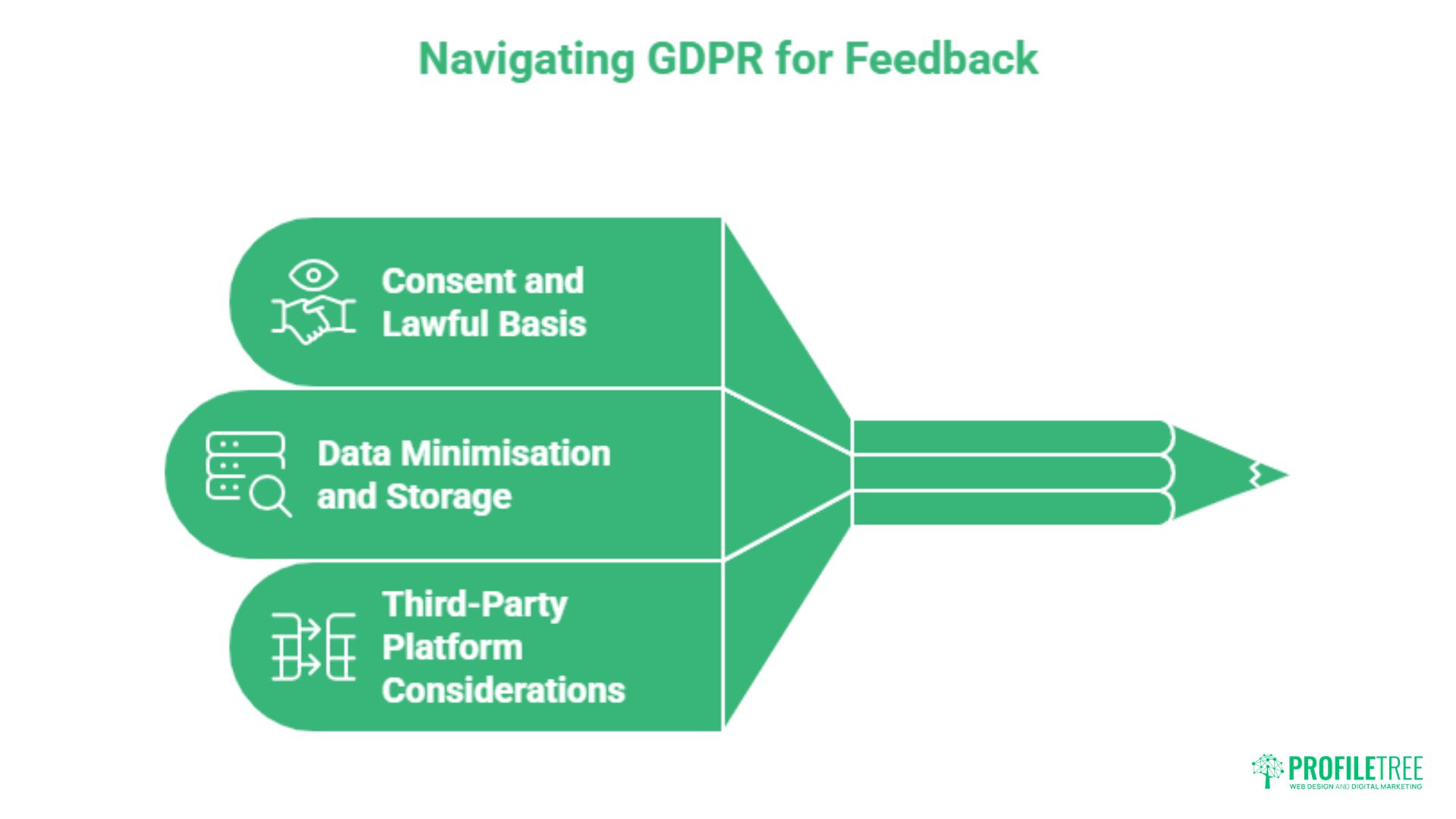
Collecting user feedback in the UK and Ireland means operating within the UK GDPR and the Data Protection Act 2018. This is not an optional consideration. Any feedback form that collects personally identifiable information, which includes names, email addresses, and in some cases IP addresses, is subject to data protection obligations.
Understanding the broader landscape of data privacy laws is essential before launching any feedback programme. Many UK SMEs underestimate how widely these rules apply, particularly when using third-party survey platforms that store data on servers outside the UK. ProfileTree works with businesses across Northern Ireland, Ireland and the UK, and compliance questions around feedback data come up in almost every project.
Consent and Lawful Basis
You need a lawful basis to collect feedback data under UK GDPR. Legitimate interest is the most commonly used basis for survey data, but it requires a balancing test: your interest in gathering the data must not override the individual’s rights. In practice, this means keeping surveys brief, making clear how data will be used, and not collecting more information than you actually need.
If you plan to use responses for marketing purposes, explicit consent is required. A checkbox at the end of a survey asking permission to contact the respondent about relevant services satisfies this requirement, provided the language is clear, and the tick is not pre-filled. Building GDPR-compliant forms from the outset saves considerable rework later.
Data Minimisation and Storage
UK GDPR’s data minimisation principle requires you to collect only what is necessary for the stated purpose. A survey asking for satisfaction with a product page does not need the respondent’s full name, job title, and company size unless those fields directly inform how you will act on the results. Anonymous surveys eliminate most data protection complexity and often produce more candid responses because users feel less exposed.
Where you do collect identifiable data, be clear about retention periods. Survey responses that are no longer needed for the purpose for which they were collected should be deleted. Many platforms allow you to configure automatic data deletion after a defined period, which is worth setting up at the point of survey creation rather than as an afterthought.
Third-Party Platform Considerations
If you use a survey platform based outside the UK, check where your data is stored and whether the provider offers a data processing agreement. Transfers of personal data to countries outside the UK require either an adequacy decision or appropriate safeguards such as standard contractual clauses. A reputable platform will have this documentation readily available.
For guidance on user data protection more broadly, the principles of secure storage apply directly to survey data as much as to any other user information you hold. If your team is unsure where its current data handling practices stand, ProfileTree’s web development team can audit how your forms collect and store data before gaps become compliance risks.
Using AI to Analyse Qualitative Feedback at Scale
Open-ended survey responses are the most valuable data a feedback programme produces and, historically, the most difficult to process. Reading and categorising hundreds of free-text answers manually is time-consuming and inconsistent. Two analysts looking at the same set of responses will often produce different category structures. AI changes this.
The broader picture of AI adoption insights across UK SMEs shows a growing appetite for practical applications that reduce operational effort without requiring specialist technical knowledge. Qualitative feedback analysis is one of the clearest use cases, and one that delivers a visible return relatively quickly.
Sentiment Analysis and Categorisation
Large language models can categorise open-ended responses by theme, sentiment, and urgency in a fraction of the time manual review requires. A prompt structured around your specific service categories produces more useful output than a generic sentiment score. For example, a prompt asking a model to classify each response by theme (navigation, pricing, delivery, customer service), sentiment (positive, neutral, negative), and whether it implies an actionable change gives you a structured dataset rather than a pile of text.
The output still requires human review. AI categorisation is not infallible, and edge cases, highly contextual comments, or responses that blend multiple themes often need a second look. The value is in reducing the volume of responses that require full human attention, not in replacing human judgement entirely.
A Practical Prompt Engineering Example
A simple prompt structure for sentiment analysis might read: “You are a UX researcher. Read the following customer feedback responses and for each one, return: (1) the primary theme from this list: [navigation, checkout, product information, pricing, delivery], (2) sentiment: positive, neutral, or negative, (3) whether the response suggests a specific change the team should consider: yes or no. Return results as a table.” Pasting fifty responses into a large-context model with this prompt produces a usable dataset in seconds.
This approach works well with tools such as ChatGPT, Claude, or Gemini, all of which support large context windows capable of handling substantial volumes of free-text responses in a single pass. For teams that want to build this capability in-house, ProfileTree’s AI training programme covers practical prompt engineering for marketing and customer insight teams, including workflows for feedback analysis.
AI Analysis Within Your Broader Data Picture
Qualitative feedback analysis sits alongside the quantitative data your site already generates. Page-level metrics, heatmaps, and session recordings tell you what users do. Open-ended feedback tells you why. Combining both sources gives you a much fuller picture of the user experience than either provides on its own.
For a deeper understanding of how to approach qualitative data analysis, the same principles of categorisation and thematic coding apply whether you are working with survey responses or any other form of user-generated text. The goal is not to build a sophisticated data infrastructure from day one. A spreadsheet with AI-categorised responses reviewed monthly is a significant improvement over a folder of raw survey exports that no one has time to read.
Closing the Loop and Handling Roadmap Conflicts
Collecting feedback and acting on it are two separate disciplines, and most organisations are far better at the former than the latter. Closing the loop means two things: making internal changes in response to what you have learned, and communicating those changes back to the users who provided the feedback. Both matter, and both are frequently skipped.
“The art of effective follow-up is in demonstrating that every piece of feedback has been heard and valued,” says Ciaran Connolly, founder of ProfileTree. “Not just as a one-off, but as part of an ongoing cycle of improvement.”
Communicating Changes Back to Users
A follow-up email sent within a week of a survey’s close, summarising the main themes you identified and outlining what you plan to do about them, builds trust and increases the likelihood that users will respond to future surveys. It does not need to be long. Three short paragraphs covering what you heard, what you are changing, and what you are monitoring is enough.
Public product changelogs, in-app notifications, or a simple website update section serve the same function for ongoing programmes. The key is that users can see a connection between their input and something that actually changed. Without that visible link, future participation rates will decline. Building communication into your content marketing services mix, rather than treating it as an ad hoc task, makes it far more likely to happen consistently.
When Feedback Contradicts Your Strategy
This is the situation most guides skip over entirely. Users consistently ask for something that conflicts with your product direction, your budget constraints, or your technical roadmap. The instinct is to set those responses aside and focus on the feedback that aligns with what you were already planning to do. That approach erodes trust and, over time, produces a feedback programme that tells you only what you want to hear.
A more productive approach uses a prioritisation framework to make the trade-off explicit. The RICE framework (Reach, Impact, Confidence, Effort) and MoSCoW (Must have, Should have, Could have, Won’t have) both give you a structured way to assess conflicting requests against each other and against your existing commitments. When you decide not to act on a particular piece of feedback, document why and communicate that decision to stakeholders. Saying no clearly and with reasoning does more for user trust than silence.
Building a Continuous Improvement Culture
The most effective feedback programmes run on a regular cadence rather than as one-off projects. A monthly review of survey responses, a quarterly summary shared with relevant teams, and an annual audit of the questions being asked all contribute to a programme that improves over time rather than stagnating.
Assign clear ownership. Someone needs to be responsible for the categorisation step, someone for the action planning, and someone for the follow-up communications. When feedback review is everyone’s responsibility, it tends to be no one’s. If your team needs support building these internal processes, ProfileTree’s digital training programme covers practical frameworks for embedding data-led decision-making across marketing and content teams.
Where to Start
Enhancing user feedback is not a technology problem. It is a process problem. The platforms exist. The challenge is collecting feedback at the right moments, staying compliant with UK data protection rules, turning qualitative responses into categories that teams can act on, and closing the loop with users in a way that keeps them willing to participate in the future. Done consistently, a structured feedback programme becomes one of the most reliable inputs your website strategy has.
Get in touch with the ProfileTree team to discuss building a feedback and digital strategy that works for your business.
Frequently Asked Questions
How do you improve user feedback response rates?
Timing, brevity, and relevance do most of the work. A survey triggered immediately after a specific user action, containing five to seven questions and taking under three minutes to complete, will consistently outperform a long questionnaire sent to your entire mailing list.
What are the four stages of the feedback loop?
Collect, categorise, act, and follow up. Most organisations manage the collection stage reasonably well. The categorisation and action stages are where the process most often breaks down, usually because no one has been assigned clear ownership of those steps.
How can I make feedback more effective for my team?
Move your questions from “I like this” to “I need this because” framing. Open-ended questions that ask users to describe a specific situation, rather than rate a general experience, produce responses that contain enough context for a team to understand the root cause.
What is the best way to collect feedback for a new product or website?
Moderated usability testing and one-to-one interviews outperform broad surveys at the early stage. By having a small number of users walk through a new product while talking aloud about their experience, you will identify the same core friction points that a survey of 500 people would surface, in a fraction of the time. Broad surveys become more valuable once you have a hypothesis to test at scale.
Is user feedback subject to GDPR in the UK?
Yes, where the feedback contains personally identifiable information. This includes names, email addresses, and, in some contexts, IP addresses. You need a lawful basis for collection, typically legitimate interest or consent, and must provide clear information about how the data will be used and retained.