
Email Marketing Integration: A Complete Guide for UK Businesses
Table of Contents
Most UK businesses already have an email marketing platform, a CRM, an e-commerce store, or an accounting system. The problem is that these tools rarely communicate by default, so data stays siloed, campaigns stay generic, and the marketing team spends too much time copying and pasting between systems.
Email marketing integration changes that. When your email platform connects directly with your other business tools, customer data flows automatically, campaigns respond to real behaviour, and your team focuses on strategy rather than admin. This guide covers everything from choosing the right integration method to building a compliant, step-by-step setup that meets UK GDPR requirements.
If you need hands-on support, ProfileTree’s digital marketing services for businesses across Northern Ireland cover email strategy, platform connection, and ongoing campaign management.
What Is Email Marketing Integration?
Email marketing integration is the process of connecting your email service provider (ESP) with other software platforms so that data moves between them automatically. Instead of manually exporting contacts from your CRM and importing them into Mailchimp, an integration does this in real time, pulling in purchase history, browsing behaviour, or account status to personalise each message. A basic sign-up form is not an integration; a connection that passes CRM stage, lifetime value, and last purchase date into your ESP and triggers specific sequences based on that data is.
UK businesses most commonly connect their email platform with:
- Customer relationship management (CRM) systems such as Salesforce, HubSpot, or Pipedrive
- E-commerce platforms such as Shopify or WooCommerce
- Accounting and operations tools such as Xero or Sage
- Social media platforms for audience syncing and retargeting
- Analytics tools for cross-channel performance data
Core Benefits of Email Marketing Integrations
The case for connecting your email platform to the rest of your tech stack goes well beyond saving time on manual exports. The real gains come from what you can do with the data once it flows freely between systems.
Personalisation at Scale
One of the clearest gains from email marketing integration is the ability to personalise at scale. When your ESP receives live data from your CRM or e-commerce platform, you can segment by purchase history, account status, location, or behaviour, and send messages relevant to each group. A contact who just made a purchase sees an onboarding sequence. One dormant for 90 days receives a re-engagement campaign. None of this requires manual intervention once the integration is set up correctly.
Campaign Monitor’s industry benchmarks show segmented campaigns consistently outperform unsegmented sends across open rates, click-through rates, and conversions. Clean, connected data between your platforms is the prerequisite for that segmentation.
Data Democratisation and ROI Tracking
Effective email marketing integration breaks down data silos between your marketing and sales teams. When email data stays locked in your ESP and sales data stays locked in your CRM, neither team has the full picture. Integration gives both shared visibility: sales can see which emails a lead opened before a call; marketing can see which campaigns contributed to closed deals. For UK SMEs with limited budgets, that visibility is how you calculate the actual return on email spend and decide which integrations justify their cost.
Native vs Third-Party Integration: Which Is Right for You?
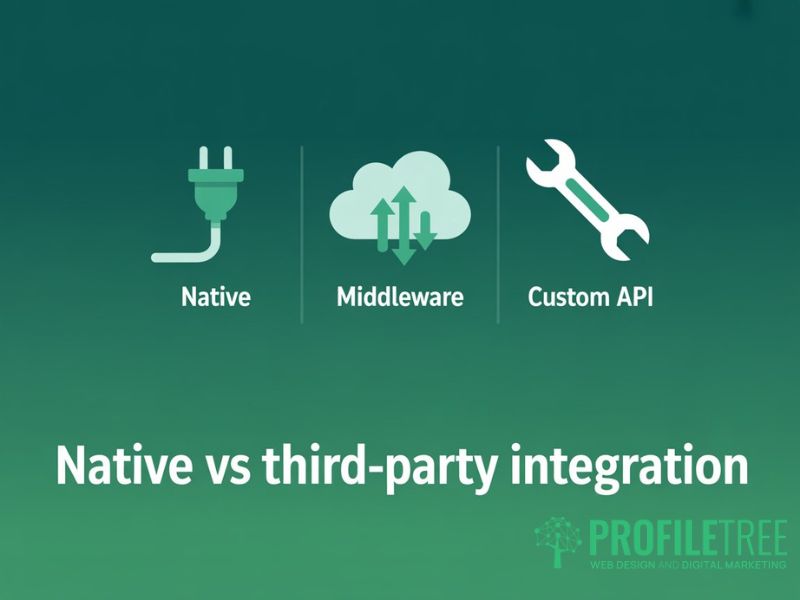
There are three main ways to approach email marketing integration: native connectors built directly into the software, third-party middleware tools (iPaaS, integration platform as a service), and custom API builds. Each has different cost implications, maintenance requirements, and GDPR risk profiles. The table below summarises the key trade-offs.
| Criterion | Native Integration | Third-Party (iPaaS) | Custom API |
|---|---|---|---|
| Ease of setup | High: built-in connectors | Medium: drag-and-drop flows | Low: requires a developer |
| Cost | Usually included | Subscription per task/month | One-off build + maintenance |
| Customisation | Limited to vendor features | Moderate with logic rules | Unlimited |
| Reliability | High: supported by vendor | Medium: depends on middleware | High if well-maintained |
| GDPR risk | Low: data stays in-platform | Medium: third-party transfer | Variable: depends on build |
For most UK SMEs, native integrations are the safest starting point: maintained by the vendor, no additional data processor in the chain, and no added subscription cost. Where a native connection does not exist, Zapier or Make offer a practical middle ground, but each additional platform your data passes through creates another compliance consideration. Custom API builds are worth the investment when you need control that off-the-shelf tools cannot provide, but the ongoing maintenance cost is real. What starts as a clean integration can become a liability if the APIs it depends on change without notice.
Essential Email Marketing Integrations for UK Businesses
The right email marketing integrations depend on your business model. Three categories apply to most UK businesses: CRM and lead management, e-commerce, and accounting. Below is a practical overview of each, followed by a connectivity matrix showing which major ESPs connect natively with the most common UK platforms.
CRM and Lead Management
CRM email marketing integration is often the most valuable connection a service-based business can make. When the two systems share data, you can trigger email sequences based on CRM deal stage, suppress contacts already in active sales conversations, and feed email engagement data back into CRM records so your sales team knows which prospects are warm.
Salesforce and HubSpot both offer native connections with major ESPs. Pipedrive users typically need Zapier unless they are on ActiveCampaign, which has a direct Pipedrive integration. Whichever platforms you use, establish which system holds the master contact record before connecting anything, or you will end up with sync conflicts and duplicate records quickly.
E-commerce Platforms
E-commerce email marketing integration opens up some of the most effective automated sequences available: abandoned cart reminders, post-purchase onboarding, win-back campaigns for lapsed buyers, and product recommendation emails based on purchase history.
Shopify and WooCommerce both have strong native integrations with major ESPs. Klaviyo is built specifically for e-commerce and pulls a detailed event feed from Shopify for precise behavioural targeting. Make sure your product, order, and customer data all map correctly between systems. A common failure point is product variant data not passing through correctly, which results in recommendation emails showing the wrong item.
Accounting and Operations (Xero and Sage)
This is where many UK business guides fall short on email marketing integration advice. Many SMEs in Northern Ireland and across the UK use Xero or Sage for their accounts, and neither connects natively with most ESPs. The connection almost always requires a Zapier or Make workflow.
The use case is more specific than CRM or e-commerce integration, but it can be highly valuable. Common workflows include sending a follow-up email when an invoice is overdue, a renewal campaign when a subscription approaches its end date, or automatically removing contacts from marketing lists when an account is closed.
If you set up Xero or Sage integrations via Zapier, pay close attention to the data mapping. Financial data is sensitive under UK GDPR, and you need to be confident about what personal data is passing through the middleware and where it is stored.
UK Tech Stack Connectivity Matrix
Use the email marketing integration connectivity matrix below to check which major ESPs connect natively with the most common UK platforms. ‘Native’ means a direct built-in connection. ‘Via Zapier’ means middleware is required. ‘Plugin’ means a WordPress plugin handles the connection.
| Platform | Mailchimp | Klaviyo | ActiveCampaign | Brevo |
|---|---|---|---|---|
| Shopify | Native | Native | Native | Native |
| WooCommerce | Plugin | Plugin | Plugin | Plugin |
| Salesforce CRM | Native | Via Zapier | Native | Via Zapier |
| Pipedrive CRM | Via Zapier | Via Zapier | Native | Via Zapier |
| Xero (Accounting) | Via Zapier | Via Zapier | Via Zapier | Via Zapier |
| Sage (Accounting) | Via Zapier | Via Zapier | Via Zapier | Via Zapier |
GDPR and Data Compliance for UK Email Integrations
Most guides to email marketing integration skip this section. Every time you connect two platforms, you create a new data flow that must be accounted for under UK GDPR, enforced by the Information Commissioner’s Office (ICO).
The key compliance questions to answer before connecting platforms are:
- What personal data will flow between systems, and is this recorded in your Records of Processing Activities (ROPA)?
- Is each platform in the chain covered by a Data Processing Agreement (DPA)?
- If you are using a US-based middleware tool, is the data transfer covered by adequate safeguards such as Standard Contractual Clauses?
- Can you honour a Subject Access Request or right-to-erasure request across all connected systems?
For most SMEs, these questions can be answered straightforwardly when using well-established platforms with clear DPAs. The difficulty comes with older integrations or custom API connections where data handling is less transparent.
The ICO’s guidance on data sharing is clear: moving personal data between controllers requires a lawful basis and documentation. If unsure whether your integration moves data between controllers or between a controller and a processor, take legal advice. A data breach from a poorly configured integration is a real risk.
How to Build Your Email Integration Step by Step
Before you start any email marketing integration, spend time on the planning phase. The integrations that fail are almost always the ones where the business jumped straight to the technical setup without mapping out what they needed the data to do. Follow this three-step process.
Step 1: Audit Your Current Tech Stack
Start your email marketing integration audit by listing every tool your business uses that holds customer or prospect data: your CRM, e-commerce platform, accounting software, customer support system, and any other platform where contact records live. For each one, note what data it holds and whether it currently shares that data with your email platform. Note gaps where valuable data never reaches your campaigns, and duplications where the same contact exists in multiple systems with inconsistent information.
Step 2: Map Your Data Flows
For each email marketing integration you want to build, define exactly what data should flow, in which direction, and under what trigger. ‘When a deal moves to Closed Won in Pipedrive, add the contact to the post-purchase sequence in Mailchimp with the deal value as a custom field’ is actionable. ‘Sync contacts between Pipedrive and Mailchimp’ is not. This mapping is also your GDPR documentation. Do it in writing before you build anything.
Step 3: Test Before You Launch
This step is where most email marketing integration projects cut corners. Test with a small sample of real contacts before rolling out to your full list. Check that custom field data maps correctly, that triggered sequences fire at the right time, and that your unsubscribe and suppression logic works across all connected systems. An integration that emails an unsubscribed contact is not just an annoyance; it is a potential ICO complaint.
Integrating Email Marketing with Social Media
Social media and email marketing integration works differently from CRM or e-commerce connections. The data exchange takes the form of audience lists rather than individual contact records, and the primary use cases are advertising, audience building, and cross-channel consistency.
At a content level, social media and email marketing integration is about consistency of message. If your email campaign promotes a specific offer, your social posts should reinforce the same message during the same period. ProfileTree’s social media marketing team in Northern Ireland works alongside email campaigns to keep messaging aligned across platforms.
Conclusion
Email marketing integration is not a one-time setup. It is an ongoing discipline that requires clear data mapping, regular testing, and a solid understanding of your compliance obligations under UK GDPR. Get the foundations right, and the results follow: more relevant campaigns, better ROI visibility, and marketing that responds to real customer behaviour.
Whether you are connecting a CRM for the first time or untangling a legacy setup that has grown without a plan, the three-step process in this guide gives you a practical starting point. Audit what data you hold, map your flows before you build, and test thoroughly before you launch.
Get in touch with the ProfileTree team if you would like support building or auditing your setup. We work with businesses across Northern Ireland, Ireland, and the UK to build marketing technology stacks that deliver measurable results.
FAQs
1. What is the difference between an email plugin and an integration?
A plugin adds a basic function, such as a sign-up form that collects email addresses and adds them to a list. An email marketing integration creates a two-way or multi-directional data connection between platforms, passing detailed information such as purchase history, CRM stage, or account status. Plugins are simpler to set up but offer limited personalisation capability. True integrations require more planning but open the door to far more sophisticated campaigns.
2. Do I need a developer to set up email marketing integrations?
Not always. Many of the most common email marketing integrations can be set up without any coding, either through native connectors built into the software or through no-code middleware tools such as Zapier or Make. If you need a custom data flow, are connecting with a bespoke internal system, or the data volume makes per-task pricing unworkable, a developer will be necessary. For UK businesses using standard platforms such as Shopify, HubSpot, or Xero, no-code options will cover most requirements.
3. Is it safe to sync customer data between my CRM and email platform?
Safe email marketing integration between your CRM and ESP is achievable with the right steps in place. Under UK GDPR, any transfer of personal data between platforms must have a lawful basis, be documented in your Records of Processing Activities, and be covered by a Data Processing Agreement with each vendor. Most established ESPs and CRMs have DPAs in place. Be more careful with third-party middleware tools, where data may pass through servers in the US or other countries, requiring additional safeguards. Check the data processing documentation for every platform in your chain before you go live.
4. Why is my integration not syncing data correctly?
When an email marketing integration stops syncing correctly, the most common cause is a data mapping mismatch. This occurs when a field in one platform does not map cleanly to its counterpart in the other, either because the field names differ or the data formats are incompatible. Other causes include API rate limits being hit during large syncs, duplicate contact records creating conflicts, and webhook failures where a trigger fires but the receiving platform does not process it. Check your integration logs for error messages first, then review the field mappings in detail.
5. Which email platform integrates best with UK accounting tools like Xero and Sage?
For Xero and Sage email marketing integration, neither platform connects natively with any major ESP at the time of writing, so all connections require a middleware tool such as Zapier or Make. The choice of ESP matters less than the quality of your workflow and the clarity of your data mapping. ActiveCampaign and Mailchimp are both well-supported within Zapier with good documentation for accounting-to-email use cases. If financial data, such as invoice amounts or payment status, will be included, engage a developer or agency to map and test the flows before launching.