
Elementor vs Gutenberg vs Divi: Performance Testing Results
Table of Contents
The page builder performance debate generates more heat than light. Developers condemn Elementor and Divi for bloat while praising Gutenberg’s native integration. Agencies defend their preferred tools based on client needs and workflow efficiency. Meanwhile, actual performance testing reveals a more nuanced reality: each builder serves different purposes, with performance impacts varying dramatically based on implementation quality. Our testing of identical sites built with each platform shows that builder choice matters less than how you use it.
Testing Methodology and Environment
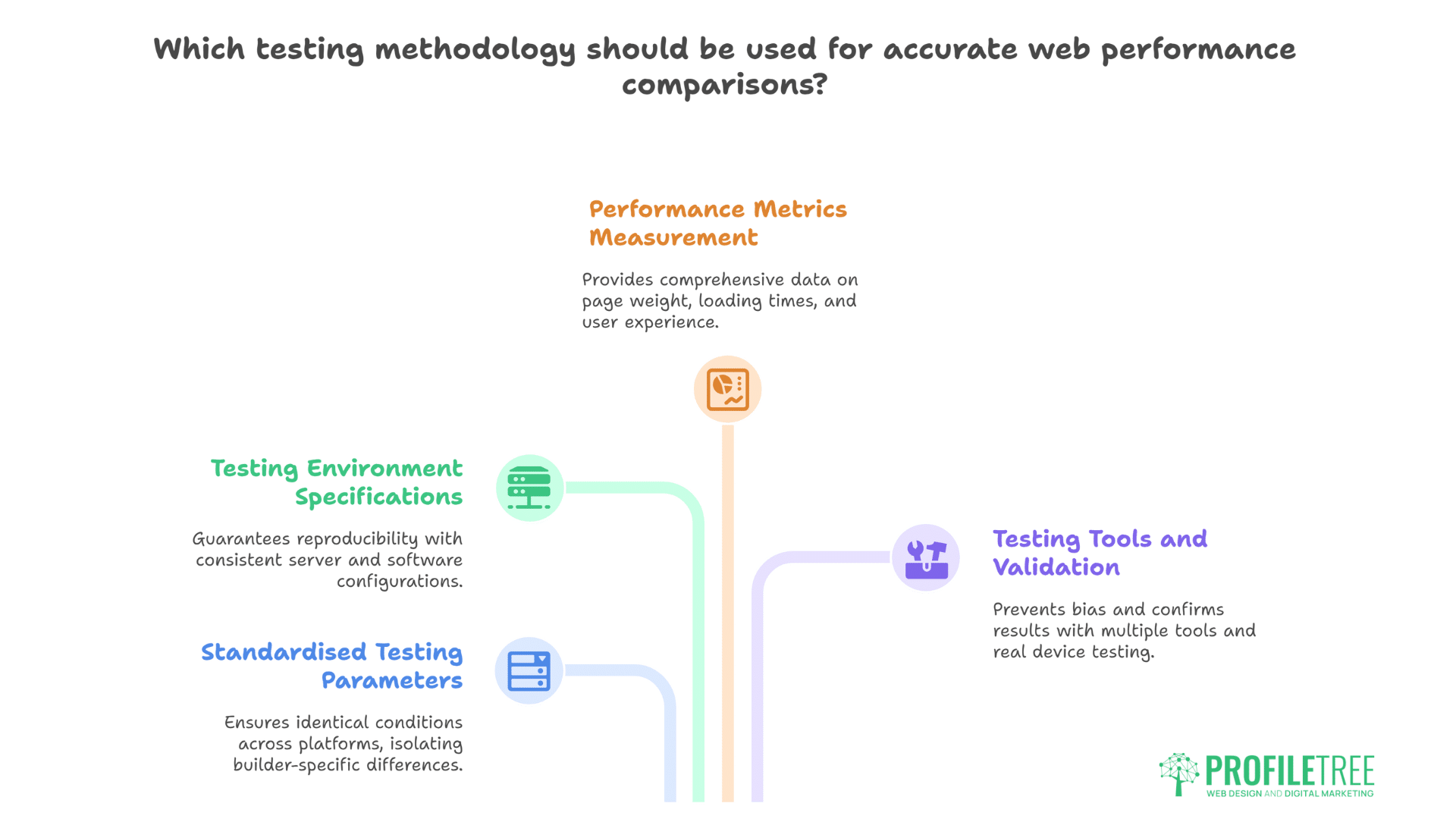
Meaningful performance comparisons require controlled testing conditions that eliminate variables beyond builder choice. Our comprehensive testing methodology ensures accurate, reproducible results.
Standardised Testing Parameters
Meaningful performance comparison requires identical conditions across all platforms. We built the same five-page website using each builder: homepage with hero section, services grid, testimonials, and contact form; about page with team profiles; services page with pricing tables; blog archive; and contact page with forms and maps. Each implementation used identical content, images, and functionality to isolate builder-specific performance differences.
Testing environment specifications ensure reproducibility:
- Server: VPS with 4 CPU cores, 8GB RAM, NVMe storage
- PHP 8.1 with OPcache enabled
- MySQL 8.0 with query caching
- Ubuntu 22.04 LTS
- Nginx with FastCGI caching disabled for testing
- WordPress 6.4.2 fresh installation
- No additional plugins except builders
- Identical theme (Hello Elementor, Divi, Twenty Twenty-Four)
- Belfast-based server for local testing relevance
Performance metrics measured include:
- Page weight (HTML, CSS, JavaScript, total)
- HTTP requests count
- Time to First Byte (TTFB)
- Largest Contentful Paint (LCP)
- First Input Delay (FID)
- Cumulative Layout Shift (CLS)
- DOM elements count
- PageSpeed Insights scores (mobile/desktop)
- GTmetrix performance grades
- Real-world loading times on various connections
Testing Tools and Validation
Multiple testing tools prevent single-tool bias. Google PageSpeed Insights provides Core Web Vitals and scores. GTmetrix offers detailed waterfall analysis. WebPageTest enables location-specific testing. Chrome DevTools reveals rendering behaviour. Real device testing confirms synthetic results.
Each test ran multiple times to ensure consistency:
// Automated testing script for consistency
const iterations = 10;
const builders = ['elementor', 'gutenberg', 'divi'];
const pages = ['home', 'about', 'services', 'blog', 'contact'];

async function runPerformanceTests() {
    const results = {};

    for (let builder of builders) {
        results[builder] = {};

        for (let page of pages) {
            const pageResults = [];

            for (let i = 0; i < iterations; i++) {
                const metrics = await measurePagePerformance(
                    `https://test-${builder}.local/${page}`
                );
                pageResults.push(metrics);

                // Clear cache between tests
                await clearCache();
                await wait(5000); // Prevent throttling
            }

            // Calculate averages
            results[builder][page] = calculateAverages(pageResults);
        }
    }

    return results;
}
Elementor Performance Analysis
Elementor’s visual editing capabilities come with measurable performance overhead. Understanding these impacts helps developers make informed optimisation decisions.
Resource Loading and Page Weight
Elementor generates substantial overhead compared to native WordPress. Our testing shows homepage weights of 1.8MB for Elementor versus 890KB for identical Gutenberg pages. Its CSS files alone reach 350KB, including inline styles for responsive breakpoints. JavaScript payload totals 420KB, including editor libraries loaded unnecessarily on the frontend.
Resource breakdown for typical Elementor page:
- HTML: 45KB (extensive DOM structure)
- CSS: 350KB (150KB external, 200KB inline)
- JavaScript: 420KB (Elementor core, animations, handlers)
- Fonts: 180KB (Font Awesome, custom fonts)
- Total requests: 47 (CSS, JS, fonts, AJAX)
Elementor’s modular loading system attempts mitigation. Improved Asset Loading reduces initial payload by 20-30%. Lazy loading deferrals help with below-fold content. Container elements generate cleaner HTML than sections/columns. Yet fundamental architecture ensures higher baseline weight than competitors.
Professional website development with Elementor requires aggressive optimisation. We combine Elementor’s visual power with performance techniques: critical CSS extraction, JavaScript deferral, unused CSS removal, and CDN distribution. These optimisations recover much lost performance while maintaining design flexibility.
DOM Complexity and Rendering Performance
Elementor creates deep DOM structures, impacting rendering performance. A simple three-column layout generates 45+ wrapper divs, where Gutenberg uses 8. This DOM complexity affects paint times, style calculations, and JavaScript execution. Mobile devices particularly struggle with complex DOM manipulation.
DOM element comparison for identical hero section:
<!-- Elementor structure (simplified) -->
<section class="elementor-section">
  <div class="elementor-container">
    <div class="elementor-row">
      <div class="elementor-column" data-id="abc123">
        <div class="elementor-column-wrap">
          <div class="elementor-widget-wrap">
            <div class="elementor-element">
              <div class="elementor-widget-container">
                <div class="elementor-heading-title">
                  <h1>Welcome</h1>
                </div>
              </div>
            </div>
          </div>
        </div>
      </div>
    </div>
  </div>
</section>

<!-- Gutenberg structure -->
<div class="wp-block-group">
  <div class="wp-block-columns">
    <div class="wp-block-column">
      <h1 class="wp-block-heading">Welcome</h1>
    </div>
  </div>
</div>
Despite complexity, Elementor delivers acceptable real-world performance when optimised properly. LCP times average 2.8 seconds on 4G connections. FID remains under 100ms for most interactions. CLS scores suffer from dynamic loading but stay under 0.1 with proper implementation. Professional optimisation brings metrics within acceptable ranges.
Real-World Performance Optimisation
Elementor optimisation techniques we’ve tested extensively:
Critical CSS Implementation: Inline above-fold styles eliminate render-blocking CSS. Tools like Critical extract necessary styles automatically. Manual refinement improves accuracy. This technique alone improves PageSpeed scores by 15-20 points.
Selective Widget Loading: Custom code loads only used widgets:
// Disable unused Elementor widgets
add_action('elementor/widgets/widgets_registered', function($widgets_manager) {
    $widgets_to_remove = [
        'accordion',
        'alert',
        'audio',
        'countdown',
        'progress',
        'testimonial',
        'tabs',
        'toggle',
        'social-icons',
        'carousel',
        'slides'
    ];

    foreach ($widgets_to_remove as $widget) {
        $widgets_manager->unregister_widget_type($widget);
    }
}, 15);
Container Migration: Converting sections/columns to containers reduces DOM depth by 30%. New container elements generate cleaner HTML. Migration requires rebuilding but delivers measurable improvements. We recommend containers for all new builds.
Gutenberg Performance Analysis
WordPress’s native block editor delivers inherent performance benefits through tight core integration. These advantages compound when implementing performance-focused development practices.
Native Integration Advantages
Gutenberg’s native WordPress integration provides inherent performance advantages. Block editor code ships with WordPress core, eliminating additional plugin overhead. Block patterns use semantic HTML. Global styles consolidate CSS efficiently. Full Site Editing further improves performance through template consolidation.
Resource metrics for Gutenberg pages show significant advantages:
- HTML: 25KB (semantic, minimal structure)
- CSS: 95KB (theme styles, block styles)
- JavaScript: 180KB (interactive blocks only)
- Total requests: 22 (consolidated resources)
- PageSpeed Score: 92-96 (mobile), 96-99 (desktop)
Core Web Vitals excel with Gutenberg:
- LCP: 1.8 seconds average
- FID: 45ms average
- CLS: 0.05 average
- TTFB: 280ms average
Native blocks generate clean, accessible HTML:
<!-- Gutenberg block HTML output -->
<figure class="wp-block-image size-large">
  <img loading="lazy"
       width="1024"
       height="576"
       src="/image.jpg"
       alt="Description"
       srcset="/image-1024.jpg 1024w, /image-768.jpg 768w"
       sizes="(max-width: 1024px) 100vw, 1024px">
  <figcaption>Image caption</figcaption>
</figure>
Block Pattern Performance Impact
Block patterns provide reusable layouts without page builder overhead. Pattern registration happens server-side. HTML generation occurs during page render. No additional JavaScript runs for static patterns. Synced patterns update globally without database bloat.
Professional WordPress development increasingly favours Gutenberg for performance-critical projects. We build custom blocks for client-specific functionality. Block patterns accelerate development while maintaining performance. Full Site Editing enables complete design control. The learning curve pays dividends through superior performance.
Custom block development maintains efficiency:
// Efficient custom block with minimal overhead
import { registerBlockType } from '@wordpress/blocks';
import { useBlockProps, RichText } from '@wordpress/block-editor';

registerBlockType('profiletree/hero', {
    title: 'Hero Section',
    attributes: {
        title: { type: 'string' },
        content: { type: 'string' }
    },

    edit: ({ attributes, setAttributes }) => {
        const blockProps = useBlockProps({
            className: 'hero-section'
        });

        return (
            <div {...blockProps}>
                <RichText
                    tagName="h1"
                    value={attributes.title}
                    onChange={(title) => setAttributes({ title })}
                />
                <RichText
                    tagName="p"
                    value={attributes.content}
                    onChange={(content) => setAttributes({ content })}
                />
            </div>
        );
    },

    save: ({ attributes }) => {
        const blockProps = useBlockProps.save({
            className: 'hero-section'
        });

        return (
            <div {...blockProps}>
                <h1>{attributes.title}</h1>
                <p>{attributes.content}</p>
            </div>
        );
    }
});
Limitations and Workarounds
Gutenberg’s performance advantages come with design limitations. Complex layouts require nested groups and columns. Advanced animations need additional plugins. Design flexibility remains limited compared to page builders. Client editing can be less intuitive for non-technical users.
Common Gutenberg performance pitfalls to avoid:
- Excessive block nesting (deep column structures)
- Heavy reliance on third-party blocks
- Inline styling instead of global styles
- Unoptimised reusable blocks
- Plugin conflicts with block editor
- Legacy widget blocks
Mitigation strategies we employ:
- Custom block development for complex needs
- CSS Grid/Flexbox for advanced layouts
- Minimal third-party block plugins
- Progressive enhancement for animations
- Extensive client training on block editor
- Hybrid approaches for specific pages
Divi Performance Analysis
Divi’s dual role as theme and builder creates unique performance characteristics. Understanding these architectural differences guides appropriate optimisation strategies.
Builder Framework Architecture
Divi operates as both theme and builder, creating unique performance characteristics. The framework loads whether using builder or not. Global modules and styles affect all pages. Dynamic CSS generation happens runtime. Visual Builder adds significant overhead during editing.
Divi resource loading analysis reveals heavyweight architecture:
- HTML: 55KB (builder shortcodes and wrappers)
- CSS: 450KB (framework, modules, dynamic styles)
- JavaScript: 580KB (builder core, animations, modules)
- Total requests: 52 (multiple CSS/JS files)
- DOM elements: 180+ for basic pages
Database impact compounds performance issues:
-- Divi stores extensive data in post_meta
SELECT COUNT(*) FROM wp_postmeta
WHERE meta_key LIKE '_et_builder_%';
-- Result: 50-100+ rows per page

-- Shortcode parsing overhead
SELECT post_content FROM wp_posts
WHERE ID = 123;
-- Returns: [et_pb_section][et_pb_row][et_pb_column]...
-- Requires intensive regex parsing
Performance optimisation requires Divi-specific approaches. Dynamic CSS caching reduces generation overhead. Module optimisation limits loaded features. Critical CSS extraction remains challenging due to dynamic generation. Performance improvements plateau despite optimisation efforts.
Dynamic Asset Generation
Divi generates CSS and JavaScript dynamically based on module usage. Each page visit triggers style compilation. Module-specific assets load regardless of actual usage. This dynamic generation creates inconsistent performance and caching challenges.
Dynamic generation impacts measured across testing:
- First visit: 4.2 seconds load time
- Cached visit: 2.8 seconds load time
- Style generation: 180ms server processing
- Module loading: 320KB JavaScript minimum
- Animation libraries: 85KB additional
Caching strategies partially mitigate dynamic overhead:
// Force Divi static CSS generation
add_filter('et_divi_dynamic_css_output', '__return_false');
add_filter('et_builder_dynamic_assets_loading', '__return_true');

// Implement aggressive caching
add_action('init', function() {
    if (!is_admin() && !is_user_logged_in()) {
        define('ET_BUILDER_CACHE_DIRECTORY', true);
        define('ET_BUILDER_CACHE_STATIC_CSS', true);
    }
});
Optimisation Potential and Limits
Divi optimisation reaches practical limits quickly. Static CSS generation helps but breaks some dynamic features. Module disabling reduces overhead but limits functionality. Aggressive caching improves repeat visits but not initial loads. Fundamental architecture prevents achieving Gutenberg-level performance.
Maximum optimisation results achieved:
- PageSpeed: 78-85 (mobile), 85-92 (desktop)
- LCP: 3.2 seconds best case
- Total page weight: 1.2MB minimum
- JavaScript execution: 680ms main thread
Professional Divi optimisation strategies:
- Enable all performance settings
- Implement server-side caching
- Use CDN for global delivery
- Minimise module usage
- Avoid Divi Blog module
- Replace sliders with static images
- Disable unused global modules
- Regular database cleanup
Head-to-Head Comparison Results
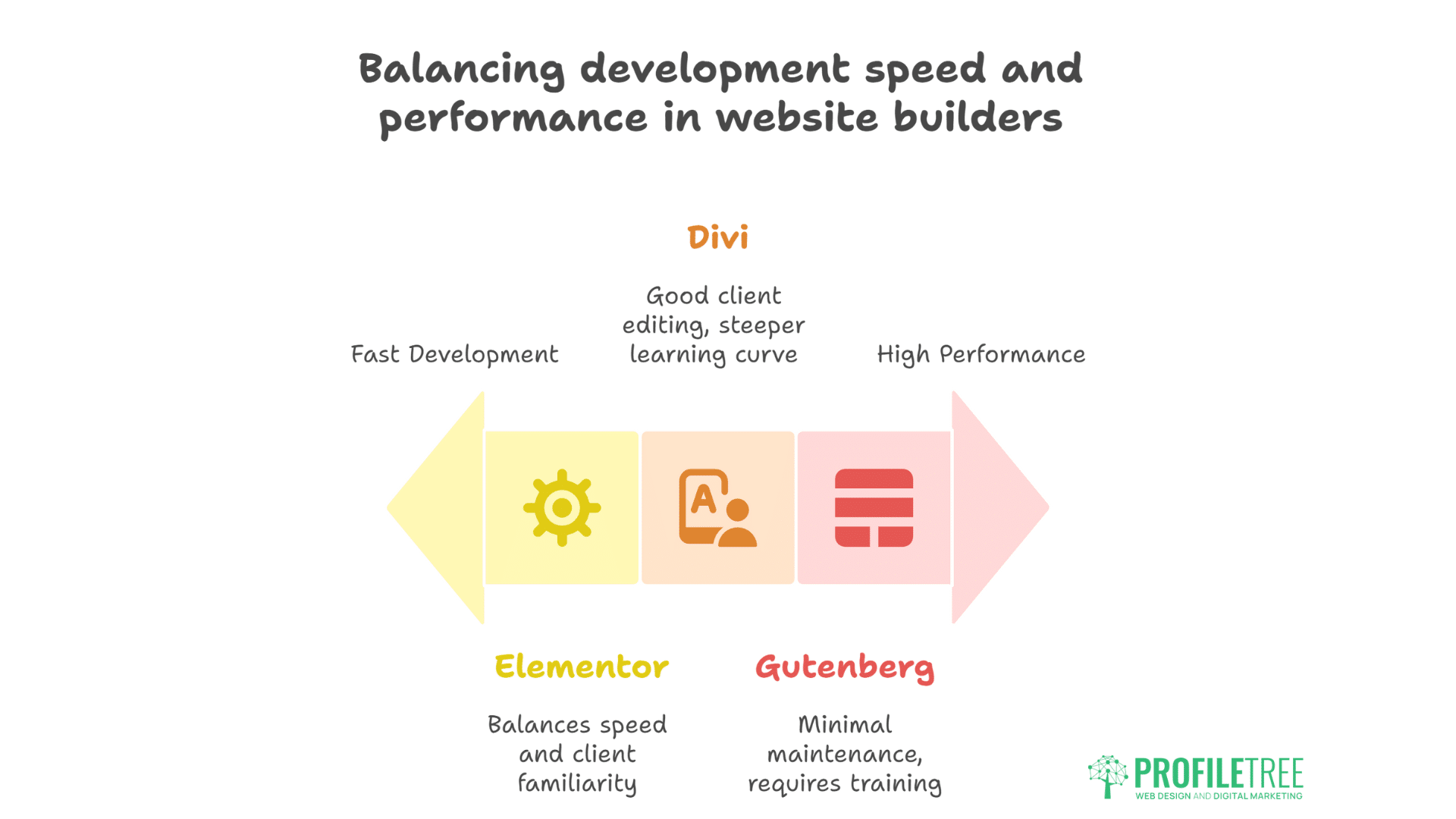
Direct performance comparisons reveal clear differences between builders when tested under identical conditions. These measurements inform strategic platform selection decisions.
Core Web Vitals Comparison
Direct performance comparison across identical implementations:
| Metric | Gutenberg | Elementor | Divi |
| LCP (seconds) | 1.8 | 2.8 | 3.2 |
| FID (ms) | 45 | 95 | 120 |
| CLS | 0.05 | 0.08 | 0.11 |
| TTFB (ms) | 280 | 420 | 480 |
| Page Weight | 890KB | 1.8MB | 2.1MB |
| DOM Elements | 95 | 245 | 310 |
| PageSpeed Mobile | 94 | 82 | 76 |
| PageSpeed Desktop | 98 | 89 | 84 |
Real-world loading times (4G connection):
- Gutenberg: 2.1 seconds
- Elementor: 3.4 seconds
- Divi: 3.9 seconds
Resource Usage Analysis
Server resource consumption varies significantly:
Memory Usage (per page load):
- Gutenberg: 45MB
- Elementor: 78MB
- Divi: 92MB
Database Queries:
- Gutenberg: 28 queries
- Elementor: 47 queries
- Divi: 63 queries
CPU Processing Time:
- Gutenberg: 180ms
- Elementor: 340ms
- Divi: 420ms
Website hosting requirements differ based on builder choice. Gutenberg runs efficiently on basic hosting. Elementor needs moderate resources. Divi demands premium hosting for acceptable performance. Resource planning should factor builder overhead.
Development Speed vs Performance Trade-offs
Builder selection involves balancing development efficiency against performance:
Development Speed (identical 5-page site):
- Elementor: 4 hours
- Divi: 5 hours
- Gutenberg: 8 hours (without patterns)
- Gutenberg: 5 hours (with patterns)
Maintenance Requirements:
- Gutenberg: Minimal (core updates)
- Elementor: Moderate (plugin updates, compatibility)
- Divi: High (theme/builder updates, conflicts)
Client Editing Capability:
- Elementor: Excellent (intuitive interface)
- Divi: Good (steeper learning curve)
- Gutenberg: Moderate (requires training)
Ciaran Connolly, ProfileTree founder, explains: “We still prefer Elementor for many projects despite performance differences. The development speed, client familiarity, and design flexibility often outweigh the performance cost. The key is understanding these trade-offs and optimising aggressively. A well-optimised Elementor site serving business goals beats a fast Gutenberg site that doesn’t convert.”
Specific Use Case Performance
Different website types reveal varying performance impacts across builders. Understanding these use-case-specific patterns guides appropriate tool selection for specific projects.
E-commerce Performance Impact
WooCommerce performance varies dramatically across builders:
Product Page Performance:
- Gutenberg + WooCommerce blocks: 2.3 seconds
- Elementor + WooCommerce widgets: 3.8 seconds
- Divi + WooCommerce modules: 4.4 seconds
Cart and checkout performance critically affects conversion. Gutenberg’s native WooCommerce blocks maintain speed. Elementor’s dynamic loading delays interaction. Divi’s overhead compounds WooCommerce complexity. E-commerce optimisation requires careful builder selection.
Blog and Content Sites
Content-heavy sites reveal builder efficiency differences:
Blog Archive Performance (20 posts):
- Gutenberg Query Loop: 1.9 seconds
- Elementor Posts Widget: 3.2 seconds
- Divi Blog Module: 4.1 seconds
Database query efficiency varies:
-- Gutenberg: Efficient single query
SELECT * FROM wp_posts WHERE post_type = 'post' LIMIT 20;

-- Elementor: Multiple queries for metadata
SELECT * FROM wp_posts WHERE post_type = 'post' LIMIT 20;
SELECT meta_value FROM wp_postmeta WHERE post_id IN (...);
SELECT term_id FROM wp_term_relationships WHERE object_id IN (...);

-- Divi: Extensive additional queries
-- Plus global modules, dynamic styles, builder data
Landing Page Optimisation
Landing pages demand maximum performance for conversion:
Optimised Landing Page Results:
- Gutenberg (custom blocks): 95 PageSpeed
- Elementor (optimised): 85 PageSpeed
- Divi (optimised): 78 PageSpeed
Conversion-focused optimisation strategies:
- Remove navigation for faster loading
- Inline critical CSS completely
- Defer all non-essential JavaScript
- Optimise images aggressively
- Implement lazy loading
- Use system fonts
- Minimise third-party scripts
Advanced Optimisation Techniques
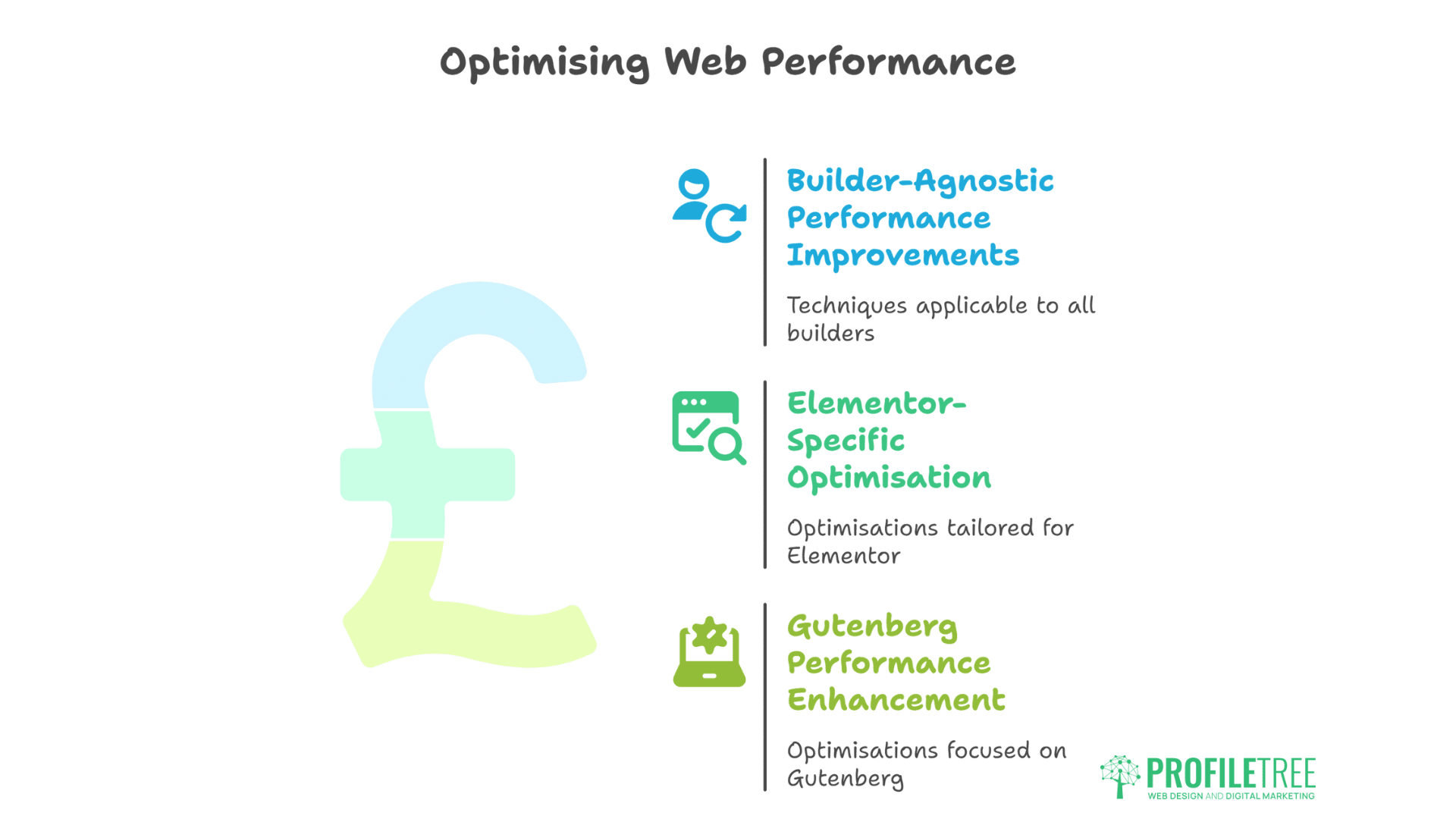
Professional optimisation extends beyond basic settings adjustments. These advanced techniques recover significant performance while maintaining functionality and design quality.
Builder-Agnostic Performance Improvements
Universal optimisation techniques benefit all builders:
Server-Level Optimisation:
# Nginx configuration for page builders
location ~* \.(jpg|jpeg|png|gif|ico|css|js|woff2)$ {
    expires 365d;
    add_header Cache-Control "public, immutable";
}

# Enable Gzip compression
gzip on;
gzip_types text/css application/javascript application/json;
gzip_min_length 1000;

# FastCGI caching for dynamic content
fastcgi_cache_path /var/cache/nginx levels=1:2 keys_zone=WORDPRESS:100m;
fastcgi_cache_key "$scheme$request_method$host$request_uri";
fastcgi_cache_valid 200 60m;
Critical CSS Implementation: Automated critical CSS extraction improves all builders:
// Gulp task for critical CSS
const critical = require('critical');

gulp.task('critical', () => {
    return critical.generate({
        base: 'dist/',
        src: 'index.html',
        target: 'index-critical.html',
        width: 1300,
        height: 900,
        inline: true,
        minify: true
    });
});
Elementor-Specific Optimisation
Advanced Elementor optimisation we implement:
Asset Optimisation:
// Conditional Elementor asset loading
add_action('wp_enqueue_scripts', function() {
    if (!is_page([2, 5, 8])) { // Non-Elementor pages
        wp_dequeue_style('elementor-frontend');
        wp_dequeue_script('elementor-frontend');
    }
});

// Remove Elementor fonts
add_filter('elementor/frontend/print_google_fonts', '__return_false');
Database Cleanup:
-- Remove Elementor revision data
DELETE FROM wp_postmeta
WHERE meta_key = '_elementor_history'
OR meta_key LIKE '_elementor_draft_%';

-- Optimize Elementor tables
OPTIMIZE TABLE wp_postmeta;
Gutenberg Performance Enhancement
Gutenberg optimisation for maximum speed:
Block Asset Management:
// Load block assets conditionally
add_filter('should_load_separate_core_block_assets', '__return_true');

// Remove unused block styles
add_action('wp_enqueue_scripts', function() {
    wp_dequeue_style('wp-block-library');
    wp_dequeue_style('wp-block-library-theme');
    wp_dequeue_style('global-styles');
});
Custom Block Optimisation:
// Lazy load block JavaScript
const { registerBlockType } = wp.blocks;

registerBlockType('custom/block', {
    // ... block configuration
    supports: {
        async: true, // Enable async loading
        defer: true  // Defer execution
    }
});
Migration Strategies Between Builders
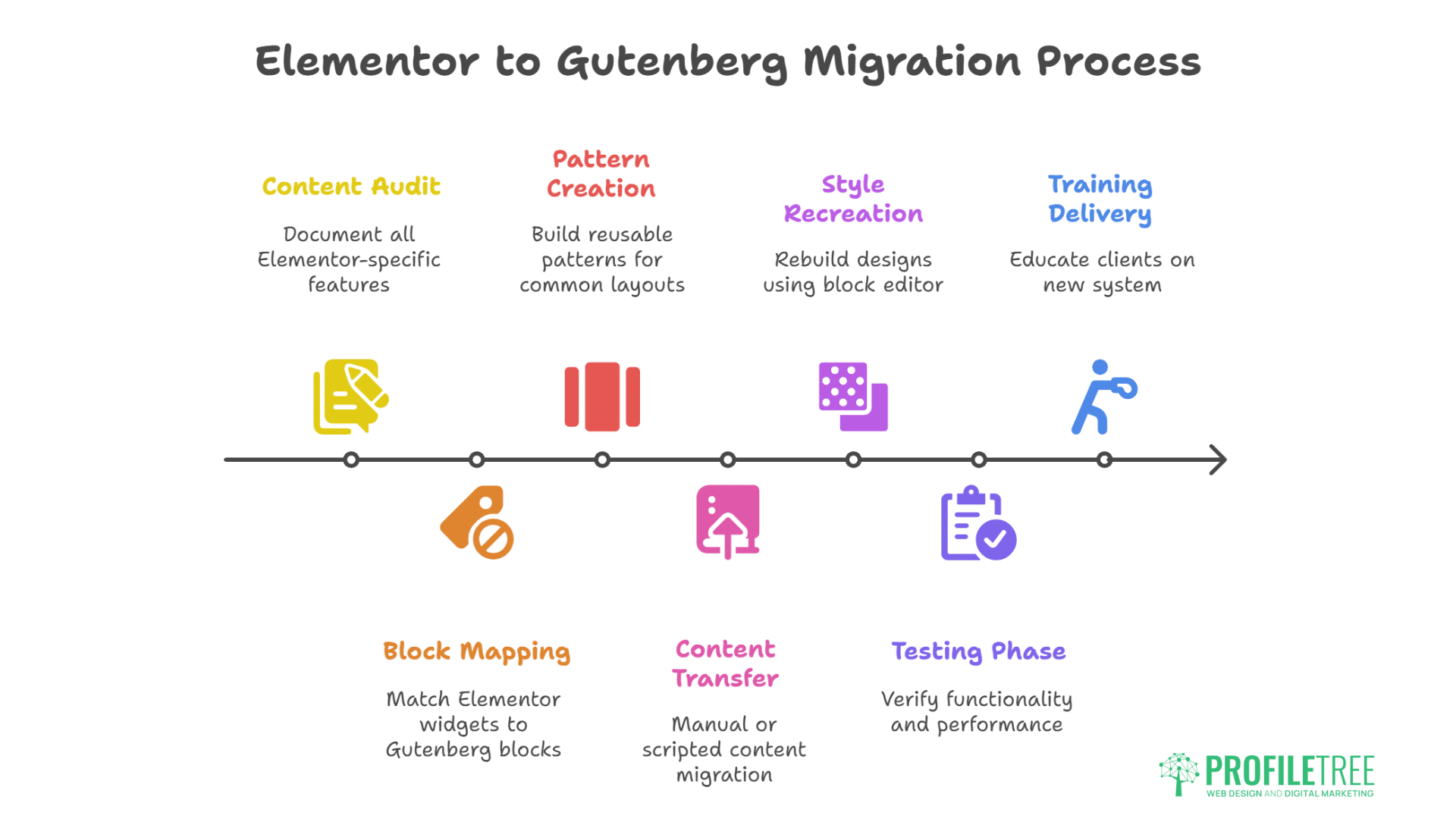
Platform migration decisions require understanding both performance gains and implementation challenges. Systematic approaches minimise disruption while maximising improvements.
Elementor to Gutenberg Migration
Migration from Elementor to Gutenberg requires systematic approach:
- Content Audit: Document all Elementor-specific features
- Block Mapping: Match Elementor widgets to Gutenberg blocks
- Pattern Creation: Build reusable patterns for common layouts
- Content Transfer: Manual or scripted content migration
- Style Recreation: Rebuild designs using block editor
- Testing Phase: Verify functionality and performance
- Training Delivery: Educate clients on new system
Professional migration services minimise disruption. We’ve successfully migrated dozens of sites from Elementor to Gutenberg, achieving 40-50% performance improvements while maintaining design quality.
Performance-Based Builder Selection
Builder selection criteria based on project requirements:
Choose Gutenberg when:
- Performance is critical (Core Web Vitals)
- Long-term maintenance matters
- Technical team manages content
- Simple to moderate layouts suffice
- SEO rankings are priority
Choose Elementor when:
- Design flexibility is paramount
- Clients need visual editing
- Rapid development required
- Complex layouts necessary
- Performance can be optimised
Choose Divi when:
- Existing Divi investment exists
- Client knows Divi already
- Lifetime license available
- Performance less critical
- Design library valuable
Future Performance Outlook
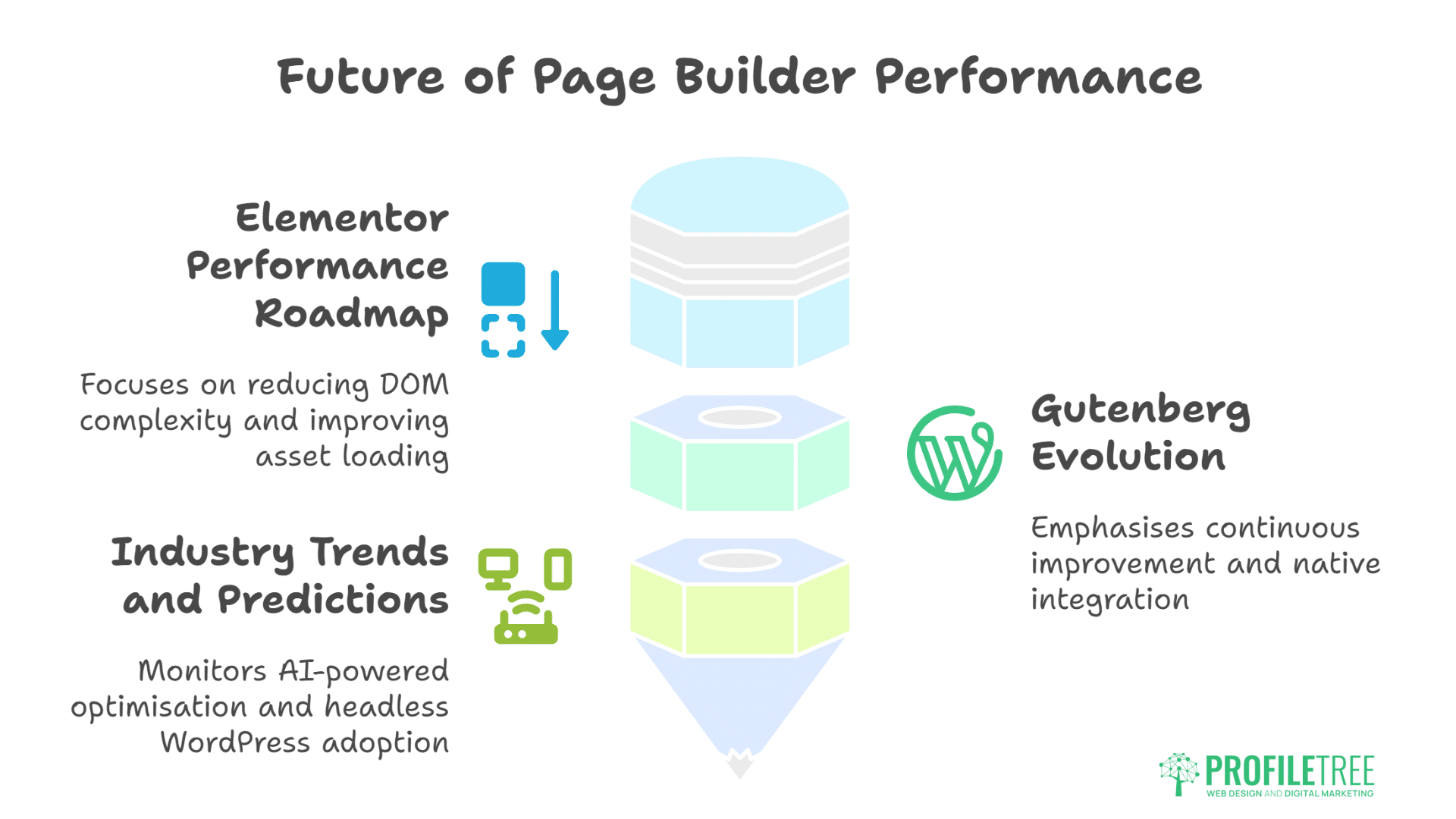
Page builder development continues evolving with performance as an increasing priority. Understanding these trends guides long-term platform selection and investment decisions.
Elementor Performance Roadmap
Elementor actively addresses performance concerns. Container elements reduce DOM complexity. Improved Asset Loading decreases initial payload. Flexbox containers replace floating layouts. Code splitting loads features on-demand. Performance improvements continue but fundamental architecture limits potential.
Gutenberg Evolution
WordPress commitment to Gutenberg ensures continuous improvement. Phase 3 collaboration features won’t impact performance. Pattern directory expands design options. Block theme adoption increases. Performance remains core priority. Native integration advantages persist long-term.
Industry Trends and Predictions
Page builder performance trends we’re monitoring:
- AI-powered optimisation
- Edge computing integration
- WebAssembly acceleration
- Hybrid rendering approaches
- Headless WordPress adoption
- Static site generation
- Progressive enhancement focus
Digital training programmes prepare teams for builder evolution. Understanding performance implications guides tool selection. Staying current with optimisation techniques maintains competitiveness.
FAQs: Elementor vs Gutenberg vs Divi
Which page builder is fastest for WordPress in 2025?
Gutenberg delivers fastest performance with 90+ PageSpeed scores achievable easily. Elementor follows with 80-85 scores possible through optimisation. Divi typically scores 75-80 even with aggressive optimisation. However, “fastest” doesn’t always mean “best” – consider development speed, client needs, and design requirements.
Can Elementor sites achieve 90+ PageSpeed scores?
Yes, but it requires significant optimisation effort. Critical CSS implementation, asset optimisation, quality hosting, CDN usage, and careful widget selection can achieve 90+ scores. We’ve achieved 92 on simple Elementor sites, though complex designs typically plateau around 85.
Is migrating from Elementor to Gutenberg worth the performance gain?
Migration delivers 30-50% performance improvements but requires substantial effort. Consider migration for high-traffic sites where performance directly impacts revenue, SEO-critical projects, or sites planning major redesigns anyway. Existing sites meeting business goals might not justify migration costs.
How much does hosting quality affect builder performance?
Hosting significantly impacts all builders but especially Elementor and Divi. Premium hosting can improve scores by 10-15 points. Gutenberg performs acceptably on basic hosting. Elementor needs moderate resources. Divi demands premium hosting for reasonable performance.
Should agencies standardise on one builder for performance?
Standardising on Gutenberg maximises performance but limits design flexibility and increases development time. We recommend maintaining expertise in multiple builders, selecting based on specific project requirements. Performance matters, but delivered functionality and client satisfaction matter more.
Conclusion: Choosing the Right Builder for Your Needs
Page builder performance testing reveals clear hierarchies: Gutenberg leads, Elementor follows, Divi trails. Yet these metrics tell only part of the story. Real-world success depends on matching tools to requirements, not chasing arbitrary scores. A perfectly optimised Gutenberg site that doesn’t meet business needs fails regardless of performance metrics.
Professional web development acknowledges these realities. We still prefer Elementor for many projects because development speed, design flexibility, and client familiarity deliver better overall outcomes. The 10-15 point PageSpeed difference becomes acceptable when optimisation recovers much of the gap. Clients editing their content confidently matters more than perfect performance scores.
The key lies in understanding trade-offs and optimising accordingly. Choose Gutenberg for performance-critical projects. Select Elementor for design-heavy sites with optimisation potential. Use Divi when existing investment or client preference dictates. Apply aggressive optimisation regardless of platform choice. Monitor Core Web Vitals continuously. Balance performance with functionality always.
For businesses needing professional guidance on builder selection and optimisation, ProfileTree’s web development services deliver optimal solutions. Our Belfast team understands both the technical performance implications and practical business requirements of each platform. Whether building with Gutenberg for speed, Elementor for flexibility, or optimising existing Divi sites, we achieve the best possible performance while meeting your specific needs.