
Content Delivery Networks: A Web Performance Guide for SMEs
Table of Contents
A slow website does not just frustrate visitors. It costs conversions, damages search rankings, and signals to Google that your site is not up to the standard users expect. For businesses across Northern Ireland, Ireland, and the UK, understanding how Content Delivery Networks work is one of the most practical steps an SME can take to close the gap between a technically sound website and one that actually performs under real-world conditions.
This guide explains what Content Delivery Networks are, how they improve site speed, SEO, and security, when your business genuinely needs one, and how to approach implementation without overcomplicating it.
What Is a Content Delivery Network?
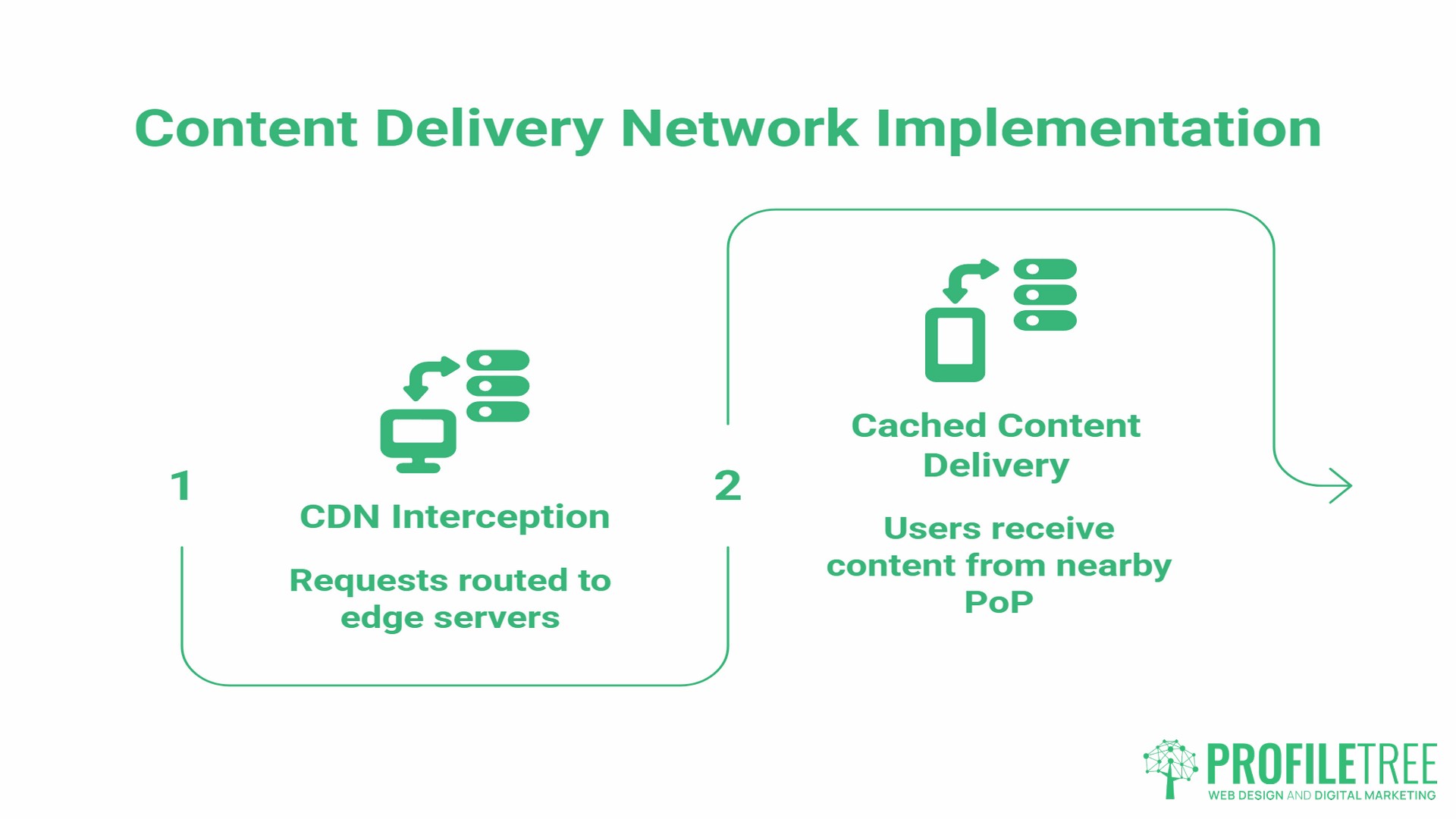
A Content Delivery Network (CDN) is a geographically distributed group of servers that work together to deliver web content to users from the location closest to them. Rather than every visitor request travelling to a single origin server, the CDN intercepts those requests and serves cached content from a nearby edge server, known as a Point of Presence (PoP).
In practical terms: if your website’s hosting server sits in London and a visitor loads your site from Belfast, their request travels to London and back. With a CDN in place, that same visitor receives content from an edge server much closer to them, cutting the round-trip significantly.
CDNs handle all types of web assets: HTML pages, images, stylesheets, JavaScript files, and video content. The origin server holds the master copy of everything. The CDN then distributes cached versions across its network so that users everywhere receive fast, consistent delivery regardless of where the hosting sits.
The core purpose of a content delivery network is to reduce latency. Everything else, including the security features, the traffic surge protection, and the bandwidth savings, flows from that foundational function.
How CDNs Actually Improve Web Performance
Understanding how CDN performance improvement works in practice is more useful than the theory alone.
Static vs Dynamic Content Delivery
Static content includes everything that does not change between users: images, CSS files, fonts, and JavaScript libraries. CDNs are particularly efficient at serving static content because the same cached file can be delivered to many users without consulting the origin server each time.
Dynamic content is more complex. Product pages with live stock levels, personalised recommendations, and checkout flows cannot simply be cached and replayed. Modern CDNs handle this through persistent connections to the origin server and intelligent routing protocols that still reduce latency even for content that must be generated fresh on each request.
For an SME running an e-commerce store, the product images, category pages, and branding assets are almost entirely static. Serving these through a CDN while handling checkout logic separately is standard practice in professional web development and requires configuration to work correctly.
Reducing Latency
Latency is the time it takes for data to travel between a server and a user’s device. It is the most direct measure of how a CDN improves network performance.
CDNs reduce latency through two mechanisms. First, physical proximity: edge servers positioned closer to users mean shorter data journeys. Second, routing optimisation: CDNs use protocols that select the fastest available path across the network rather than simply the most direct geographic route, which is not always the quickest in practice.
For UK and Irish businesses, edge servers in London, Dublin, and Manchester mean your site loads quickly for visitors, whether they are on a broadband connection in Belfast or a mobile network in Cork.
Load Balancing
When traffic spikes, a single server struggles. A CDN distributes requests across multiple servers, preventing any one machine from becoming the bottleneck. This matters for UK businesses during product launches, email campaigns, or seasonal promotions where visitor volumes can multiply quickly without warning. Without load distribution, those traffic peaks become outages.
Caching and Origin Server Relief
Every request served from a CDN edge server does not reach the origin server. For sites that carry significant volumes of image or video content, this substantially reduces the processing load on the origin server. The practical effect is that the origin server spends less time responding to repeat requests for the same assets, and more capacity is available for genuinely dynamic requests.
Content Delivery Networks and SEO: The Core Web Vitals Connection
One of the most commercially significant reasons for an SME to use a CDN is its direct effect on Google’s Core Web Vitals. Google confirmed Core Web Vitals as a ranking factor in June 2021, and they contribute to page experience signals used across its ranking systems. The three metrics most directly relevant to CDN performance are:
- Largest Contentful Paint (LCP) measures how long the main visible content of a page takes to load. Google recommends a threshold of 2.5 seconds or less. A CDN reduces LCP by serving images and large assets from edge servers close to the user rather than routing every request back to a distant origin server.
- Interaction to Next Paint (INP) replaced First Input Delay as the responsiveness metric in March 2024. It measures how quickly a page responds to user interactions throughout the entire visit. Faster asset delivery through a CDN reduces the delays between a user clicking and the page responding.
- Cumulative Layout Shift (CLS) relates to visual stability. It is less directly affected by CDNs than the above two metrics, but faster font and stylesheet delivery from edge servers reduces the chance of visible elements shifting as they load.
CDNs also reduce Time to First Byte (TTFB), which is the time between a browser requesting a page and receiving the first byte of response. While TTFB is not itself a Core Web Vital, it directly affects LCP and First Contentful Paint. A high TTFB slows crawl efficiency too: when servers respond slowly, Google’s crawlers spend more time on each page and index fewer pages overall. Keeping TTFB under 800ms is Google’s recommendation for a good user experience, and CDNs are among the most effective tools for achieving it.
In competitive niches where content quality is comparable across pages, passing Core Web Vitals thresholds provides a measurable ranking advantage. As Ciaran Connolly, founder of ProfileTree, puts it: “Technical SEO starts with infrastructure. You cannot out-optimise a slow server, and you cannot paper over latency problems with content alone.”
A broader SEO strategy built on solid technical foundations is the right context for thinking about CDN investment. ProfileTree’s SEO checker is a useful first step for identifying where site performance is currently holding back search visibility.
4 Business Benefits of CDNs for UK and Irish SMEs
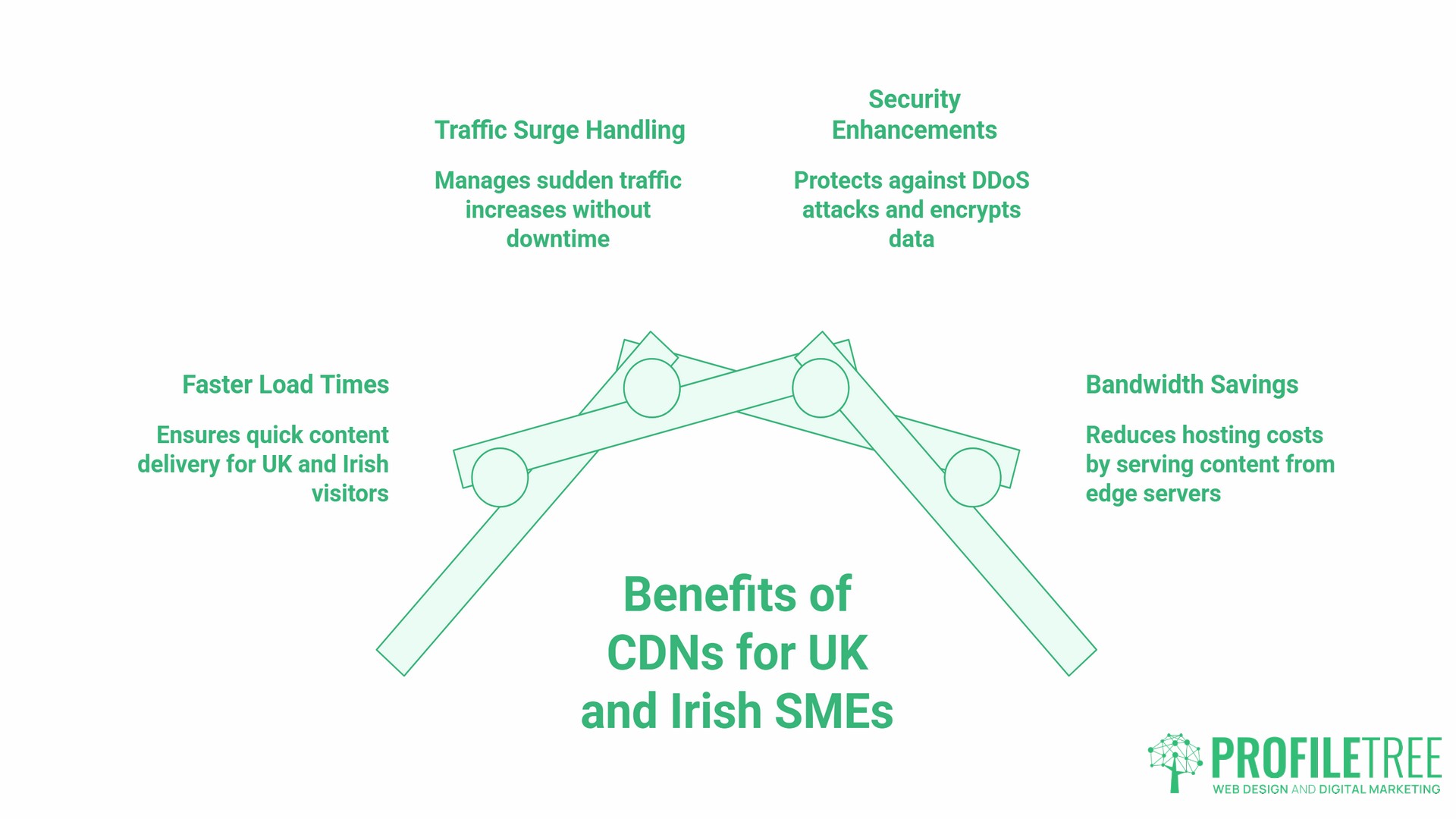
1. Faster Load Times for UK and Irish Visitors
High-performance content delivery is not an enterprise-only concern. A business in Belfast selling to customers across Northern Ireland and Ireland benefits from having edge servers in Dublin and London, ensuring fast delivery regardless of which network a visitor is on. Mobile users on variable connections benefit most from edge caching because CDNs compensate for inconsistent signal quality by serving assets from a nearby server rather than relying on a stable connection to a distant origin.
2. Handling Traffic Surges Without Downtime
Shared hosting plans buckle under sudden traffic increases. A CDN absorbs and distributes those surges across its network, keeping a site accessible during spikes that would otherwise cause slowdowns or outages. This is relevant whether the spike comes from a successful email campaign, a social media post gaining traction, or a seasonal promotion. Without that distribution layer, short windows of high traffic become lost revenue.
3. Security: DDoS Mitigation and Encrypted Delivery
Content Delivery Networks provide a meaningful security layer. Distributed Denial-of-Service (DDoS) attacks flood a server with requests, making it unavailable. A CDN absorbs and disperses that traffic across its network, making it far harder for an attack to overwhelm the origin server.
TLS/SSL certificate management is also simplified through most CDN providers. Encrypted data transmission protects both the business and its customers. Google confirmed HTTPS as a ranking signal in August 2014, and while it is a lightweight signal relative to content quality, an unencrypted site carries a clear negative marker. For businesses handling customer data or processing transactions, CDN-provided encryption contributes to both security compliance and search performance.
Most CDN providers also include Web Application Firewall (WAF) functionality, which filters malicious requests before they reach the origin server. This protection layer is particularly valuable for smaller businesses that lack dedicated security infrastructure.
4. Bandwidth Savings and Reduced Hosting Costs
Every request served from a CDN edge server does not consume bandwidth on the origin server. For sites with significant traffic or large media assets, this reduces hosting costs over time. The financial case for CDN adoption is most clear-cut for sites already paying for high-bandwidth hosting or experiencing performance problems under load.
CDN vs Traditional Hosting: Which Does Your Business Need?
The most common question SMEs ask about CDNs is whether they are necessary if the business already uses a fast hosting provider. The answer depends on what problem the business is trying to solve.
| Factor | Traditional Hosting Alone | CDN-Enhanced Hosting |
|---|---|---|
| Speed for local visitors | Good | Good |
| Speed for national/international visitors | Degrades with distance | Consistent regardless of location |
| Traffic spike protection | Limited by server capacity | Distributed across CDN network |
| DDoS protection | Minimal | Built into most CDN providers |
| SEO impact (Core Web Vitals) | Dependent on server location | Improved through edge delivery |
| Setup complexity for WordPress | Low | Low to medium |
A fast hosting provider improves performance for visitors near the server. It does not solve the distance problem for visitors elsewhere, nor does it protect against traffic surges or DDoS attacks. Think of hosting as the engine and the CDN as the road network. A powerful engine is less useful if every journey involves congestion.
The answer to “Is a CDN necessary if I have fast hosting?” is: yes, for most UK businesses where the customer base is spread across the country or region. Local speed and national speed are different problems. Hosting solves the former. A CDN solves both.
CDNs and Digital Sustainability
An aspect of CDN use that rarely appears in technical guides, but is increasingly relevant to UK businesses with environmental commitments, is the sustainability dimension. By routing traffic to the nearest edge server, CDNs reduce the distance data travels, thereby reducing energy consumption during delivery.
Several major CDN providers have made formal commitments to renewable energy. Cloudflare, for example, has committed to operating on 100% renewable energy and has launched Green Compute, a service that routes eligible workloads through data centres powered by renewable energy. Cloudflare also provides a Carbon Impact Report that allows customers to measure and report on their network footprint. Akamai and Fastly have similarly moved toward renewable energy sourcing across their infrastructure.
For businesses under pressure from clients, investors, or internal policies to reduce their digital carbon footprint, choosing a CDN provider with credible sustainability commitments is a practical, measurable step. It is worth checking a provider’s current environmental reporting directly, as commitments vary in scope and progress.
Implementing a CDN: A Practical Roadmap for SMEs
Not every business needs the same level of CDN investment. A useful starting audit covers five questions:
- Do you serve visitors from across the UK and Ireland, or internationally?
- Does your site carry significant image or video assets?
- Have you experienced slowdowns or outages during traffic peaks?
- Are your Core Web Vitals scores below Google’s recommended thresholds?
- Is your site on shared hosting without DDoS protection?
If the answer to two or more of these is yes, the case for CDN implementation is strong.
- For straightforward WordPress sites, free and low-cost options are available without significant development work. Cloudflare’s free tier handles DNS-level CDN routing and provides basic DDoS protection. It requires only a DNS change rather than code modifications, making it accessible to non-technical users and a reasonable starting point for SMEs with limited budgets.
- For custom-built sites, e-commerce platforms, or sites with complex dynamic content, CDN configuration requires professional input. Incorrect caching rules on a WooCommerce or Shopify site can result in stale product information or broken checkout flows. A development team that builds CDN configuration into the initial architecture avoids these problems. ProfileTree’s web development services treat performance configuration as part of the build rather than an afterthought.
- For businesses where SEO is a commercial priority, CDN implementation sits most effectively within a broader technical audit rather than being treated in isolation. The connection between site speed, Core Web Vitals, and search visibility means that performance decisions are SEO decisions, and they deserve the same level of strategic attention.
Frequently Asked Questions
Do I need a CDN if all my customers are in the UK?
Yes, for reasons that go beyond speed alone. Even within the UK, mobile users on variable networks benefit from edge caching, which compensates for inconsistent signal quality. CDNs also provide DDoS protection and traffic surge handling that are not geography-dependent. Additionally, Core Web Vitals are measured under real-world UK network conditions, and CDN delivery consistently improves those scores regardless of a visitor’s location relative to the hosting server.
Will a CDN make my WordPress site faster?
In most cases, yes. WordPress sites typically serve a high proportion of static assets: images, CSS files, fonts, and JavaScript. These are the content types CDNs handle most efficiently. Plugins such as Cloudflare’s WordPress plugin make CDN integration straightforward for non-technical users, though e-commerce sites and membership sites with dynamic content require more careful configuration to avoid serving stale data.
Does a CDN help with SEO?
Directly, yes. CDNs improve Largest Contentful Paint and Interaction to Next Paint scores, both of which feed into Google’s Core Web Vitals assessment, a confirmed ranking signal. CDNs also reduce Time to First Byte, which affects both user-perceived speed and Googlebot’s crawl and index efficiency. Slow server response times cause Google’s crawlers to reduce crawl frequency, which delays the indexing of new and updated content.
Is a CDN the same as a VPN?
No. They serve entirely different purposes. A CDN delivers content faster by distributing it across geographically spread servers to reduce the distance between the content and the user. A VPN routes a user’s own traffic through a different server to mask their identity or location. They operate at different layers of the network and solve different problems.
What is the best CDN for a small business?
Cloudflare is the most common starting point for SMEs. It offers a functional free tier, a straightforward DNS-based setup, basic DDoS protection, and a WAF, all without requiring code changes. The right outcome depends more on how the CDN is configured than on which provider you select. A correctly configured entry-level CDN will outperform a poorly configured premium one.
Can a CDN improve website security?
Yes. Most CDN providers include WAF functionality and DDoS mitigation as standard. By sitting between the origin server and incoming requests, the CDN filters malicious traffic before it reaches the server. TLS/SSL certificate management is handled automatically by most providers, ensuring encrypted data transmission without manual certificate setup.
How do Content Delivery Networks handle dynamic vs static content?
Static content, including images, CSS, and JavaScript files, is cached at edge servers and served directly without consulting the origin server. Dynamic content, such as personalised pages or live product data, requires a fresh request to the origin on each load. Modern CDNs use persistent connections and intelligent routing to reduce latency for dynamic content even where caching is not possible, though the performance gain is smaller than with static assets.