
Content Workflow: A Practical Guide for SMEs
Table of Contents
A content workflow is a defined sequence of steps that takes a piece of content from idea to publication. For SMEs, a clear workflow reduces missed deadlines, inconsistent quality, and approval bottlenecks. The right combination of planning tools, writing tools, and review processes can cut production time significantly without sacrificing standards.
Most content problems are workflow problems in disguise. A blog post misses its deadline not because the writer was slow, but because no one agreed on the brief upfront. A video goes out with the wrong logo because the review stage was informal. A campaign underperforms because nobody checked whether the content matched the search intent before it went live. Getting the process right fixes all of this before it starts.
This guide walks through each stage of a practical content workflow, the tools that work at each point, and where AI genuinely helps rather than adding noise. It’s aimed at SME marketing teams and business owners managing content production with limited headcount.
If you’re still working out your broader digital direction, digital strategy services can help you map content to commercial goals before you build the workflow around it.
What Is a Content Workflow?
A content workflow is the documented process your team follows to produce, review, approve, and publish content. It covers every content type: blog posts, service pages, social media posts, videos, email campaigns, and case studies.
The value isn’t in having a fancy system. It’s in having a shared agreement about what happens at each stage, who is responsible, and what “done” looks like before the next stage begins. Without that, every piece of content becomes a negotiation.
Why Workflows Break Down in Small Teams
Small teams often skip formal workflow documentation because it feels bureaucratic. The result is that the same conversations happen repeatedly: “Has this been proofread?” “Which version is live?” “Did we get sign-off on that?” A one-page workflow document eliminates most of these entirely.
The other common failure point is treating content creation as a single task rather than a sequence. Writing and editing are different cognitive activities. Publishing without a structured review step is how factual errors and brand inconsistencies reach your audience.
The Stages of an Effective Content Workflow
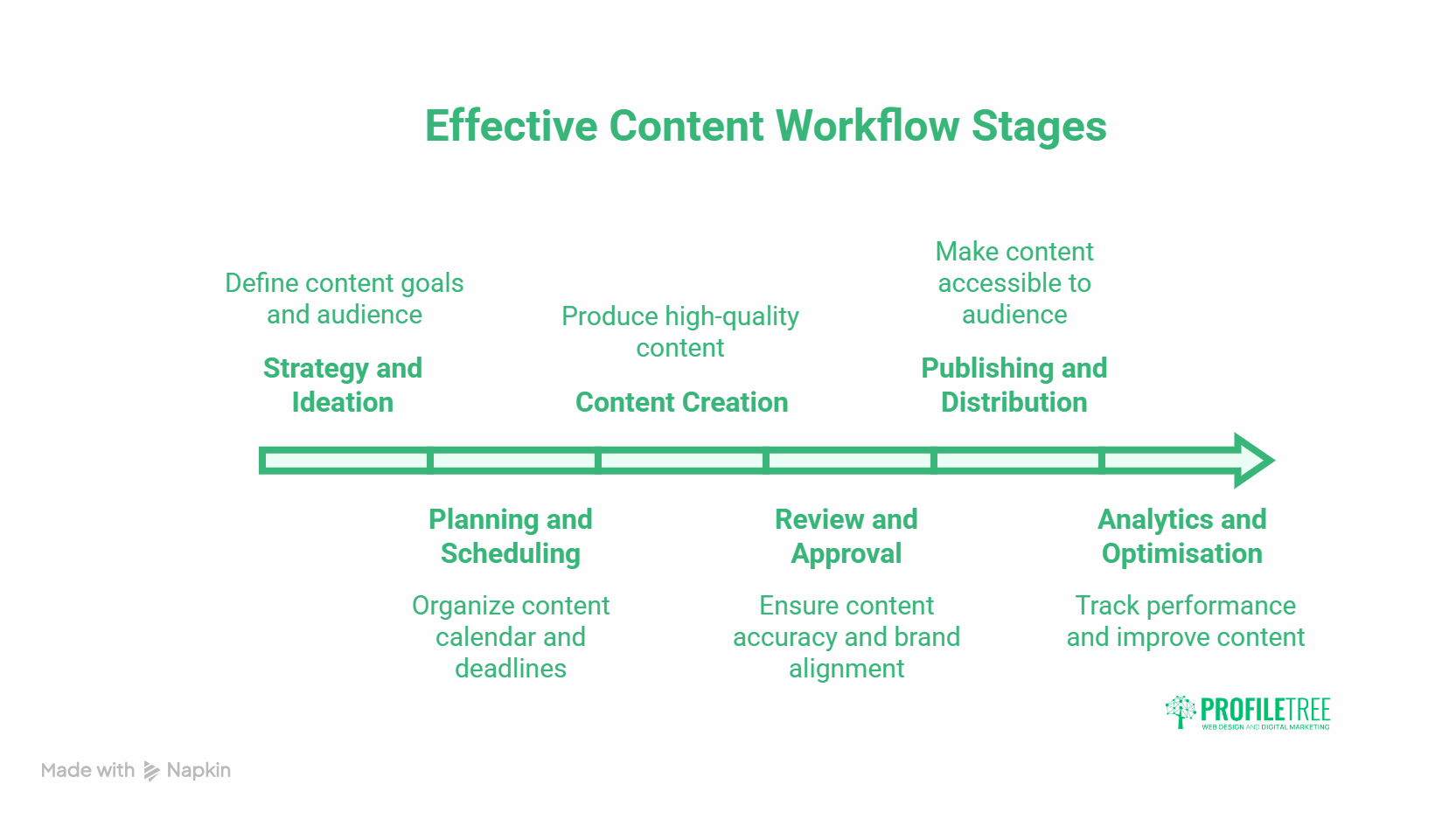
The stages below apply to most SME content programmes. Adjust the detail to match your team size and output volume.
Stage 1: Strategy and Ideation
Every piece of content starts with a brief. The brief should answer: who is this for, what do they need to know or do after reading it, what keyword or search intent does it serve, and which service does it connect to?
Skipping the brief is the single most expensive mistake in content production. It means a writer produces something that doesn’t match what the business needs, and the revision cost is higher than writing a proper brief would have been.
Useful tools at this stage: Miro or Mural for collaborative brainstorming, Google Trends for demand signals, and your own Google Search Console data for identifying high-impression, low-click opportunities that existing content isn’t capturing.
Stage 2: Planning and Scheduling
Once you have a brief, plan the output into a content calendar. Assign a writer, a deadline, a review deadline, and a publish date. These are four separate dates, not one. Conflating them is how “publish by Friday” becomes “publish whenever it’s done.”
Project management tools like Asana, Trello, or Monday.com all handle this adequately. The tool matters less than the discipline of actually using it. A shared Google Sheet maintained consistently outperforms an unused Asana board.
Stage 3: Content Creation
This is where most teams focus their attention, but creation is only effective if stages 1 and 2 are solid. A writer working from a clear brief with agreed search intent and a defined audience produces better first drafts that need fewer revisions.
For written content, the structure should follow a BLUF (Bottom Line Up Front) approach: answer the primary question in the first paragraph, then support it with evidence and detail. This matches how people read online and how AI systems extract citable content from pages. Surfer SEO’s content production guide covers how to structure written content for both readers and search engines.
For video content, the same principle applies. State the value of the video in the first ten seconds. If you’re producing video content for your business, video marketing services cover both production and distribution strategy.
Stage 4: Review and Approval
Review is the stage most SMEs handle badly. Common failure patterns: one person reviews everything and becomes a bottleneck; feedback is vague (“can you make this better?”); or content goes live without any review because the deadline pressure is too high.
A structured review process separates editorial review (accuracy, clarity, structure) from brand review (tone, compliance, internal link checks) and SEO review (keyword alignment, metadata, internal linking). These can be done by the same person in sequence; they don’t need to be three separate people.
ProofHub and Filestage both support inline commenting and version control for document and video review. Google Docs works well for written content review in smaller teams.
Stage 5: Publishing and Distribution
Publishing is not just hitting “Publish” in your CMS. It includes: setting the correct metadata, adding internal links, scheduling social distribution, and confirming the URL structure is correct before the page is indexed.
For WordPress sites, website management services cover the technical side of publishing, including performance checks and hosting stability. For social distribution, social media marketing handles scheduling and audience targeting if your team doesn’t have capacity to manage it internally.
Email remains one of the highest-converting distribution channels for SME content. If you’re not sending content to your subscriber list, you’re leaving a significant audience untouched. Email marketing resources cover how to structure and send content campaigns effectively.
Stage 6: Analytics and Optimisation
Publishing is not the end of the workflow. Every piece of content should be reviewed at 30, 60, and 90 days post-publication. Check organic impressions, click-through rates, time on page, and whether it’s driving traffic to relevant service pages.
Google Search Console is the primary tool here for organic performance. Google Analytics provides behavioural data: how people move through the page, where they leave, and what they do next. BuzzSumo is useful for tracking social engagement and content trends by topic. For a clear reference on what good content looks like from a search perspective, Google’s helpful content guidance is worth reading before you build your review criteria.
If a page has high impressions but low click-through rates, the title and meta description need work. If it has good traffic but no conversions, the content may be attracting the wrong audience or missing a clear call to action toward a relevant service.
Tools That Support Each Stage
The table below maps the most practical tools to workflow stages. None of these is mandatory; the right stack depends on your team size, budget, and existing systems.
| Stage | Recommended tools | Key function |
|---|---|---|
| Ideation | Miro, Google Trends, Search Console | Identify demand, map ideas, align to search intent |
| Planning | Asana, Trello, Google Sheets | Editorial calendar, task assignment, deadline tracking |
| Creation | Google Docs, Grammarly, Surfer SEO | Drafting, style checks, SEO alignment |
| Review | ProofHub, Filestage, Google Docs | Inline feedback, version control, approval tracking |
| Publishing | WordPress, Later, Wordable | CMS publishing, social scheduling, formatting |
| Analytics | Google Analytics, Search Console, BuzzSumo | Traffic data, performance tracking, topic trends |
Avoid tool sprawl. Teams that use six different platforms for a single content piece often spend more time switching tools than producing content. Start with the minimum viable stack and add tools only when a specific bottleneck requires it.
Choosing Tools for Your Team Size
For a one-to-three-person team, Google Workspace (Docs, Sheets, Calendar) handles ideation, drafting, review, and scheduling adequately. Grammarly adds a useful quality layer for editorial checks.
For teams of four or more, a dedicated project management tool becomes worthwhile. The benefit is not tracking tasks more precisely: it’s making responsibilities visible so that nothing sits in someone’s inbox unnoticed for a week.
If you’re unsure which tools fit your current setup, digital training services cover tool selection and workflow design as part of team capability building.
When a DIY Workflow Isn’t Enough
Software solves the visibility problem. It doesn’t solve the strategy problem, the writing quality problem, or the SEO problem. A well-configured Asana board tells you where every piece of content is in the pipeline. It can’t tell you whether the brief was right, whether the keyword targeting is sound, or whether the finished article will rank for anything useful.
Most SMEs that struggle with content production aren’t using the wrong tool. They’re under-resourced at the stages where tools can’t help: deciding what to produce, writing it to a standard that competes in search, and reviewing it against the criteria that actually matter for organic performance.
That’s the practical case for agency-managed workflow. Rather than running a content operation in-house on top of everything else, businesses can hand the entire production pipeline to a team that runs this process daily. Briefing, writing, SEO review, publishing, and performance tracking all happen in one place. The output is consistent, the timelines are predictable, and the content is built to rank from the brief stage rather than optimised retrospectively.
ProfileTree manages content workflows for SMEs across Northern Ireland, Ireland, and the UK. Content marketing services cover the full pipeline from strategy through to publication, with SEO and performance review built into every stage. If broader digital marketing support is needed alongside content, digital marketing services bring SEO, social, and content together under a single managed strategy.
Where AI Fits Into Your Workflow
AI tools are most useful in content workflows at the edges of the process: ideation support, first-draft generation, and performance analysis. They are least useful as a replacement for editorial judgement, brief writing, or strategic decisions.
Practical AI Applications in Content Production
At the ideation stage, AI tools like ChatGPT and Perplexity are effective for identifying related questions, generating outline structures, and checking how competitors are covering a topic. They’re research accelerators, not replacements for knowing your audience.
At the creation stage, AI can generate first drafts from a detailed brief. The output almost always needs significant editing, particularly for accuracy, brand voice, and the removal of AI writing patterns that trained editors will spot immediately. Treat AI output as a starting point, not a finished draft.
At the analysis stage, AI tools are increasingly useful for synthesising large datasets. Rather than reading through 500 rows of Search Console data manually, you can identify patterns faster with AI assistance.
“The businesses that get the most from AI in their content production are the ones that already had a clear workflow before they introduced it. AI speeds up a good process. It amplifies a bad one.”Ciaran Connolly, Founder, ProfileTree
AI and Content Quality Standards
One practical concern for SMEs using AI in content production: AI-generated content requires more thorough editorial review, not less. The errors AI makes are different from human errors. They’re often plausible-sounding but factually incorrect, or structurally correct but tonally generic.
Building AI into your workflow without adjusting your review stage is the most common mistake. If anything, adding AI to the creation stage should mean adding time to the review stage, at least initially.
For businesses wanting to build AI capability more systematically, AI training for business teams covers practical implementation across marketing and content functions. AI transformation services go further for organisations integrating AI across multiple operations.
AI Chatbots and Content Distribution
Beyond content creation, AI is changing content distribution. AI chatbots on business websites can surface relevant content to visitors based on their queries, effectively extending the life and reach of existing articles and guides. AI chatbot services cover implementation for SME websites.
Building a Content Workflow That Scales
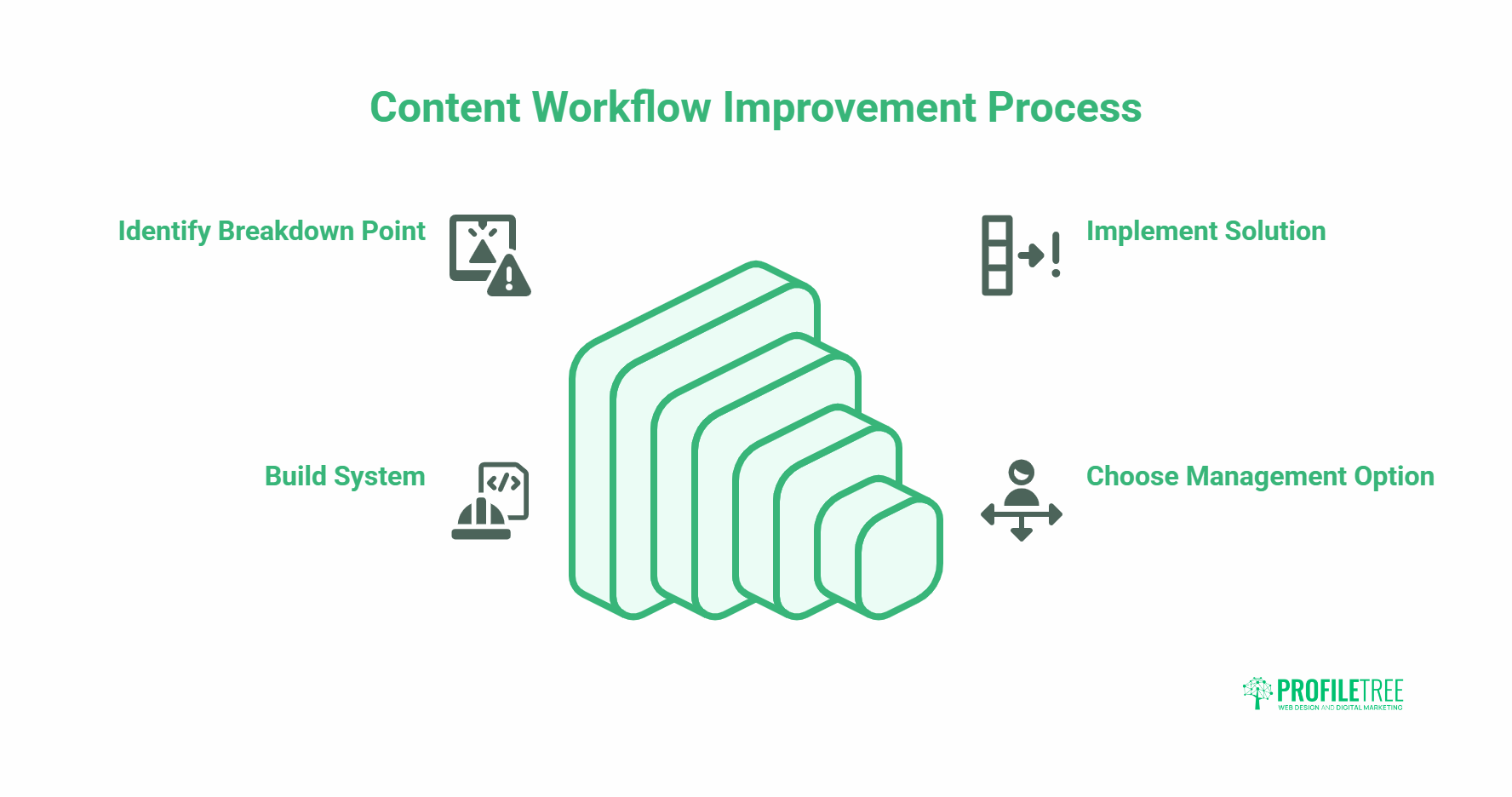
A content workflow doesn’t need to be complex to be effective. A one-page brief template, a shared editorial calendar, a structured review checklist, and a consistent post-publish analytics review are enough for most SME teams to see real improvements in output quality and consistency.
The goal isn’t a perfect system. It’s a shared system that everyone on the team actually follows. Start with the stage where your current process breaks down most often, fix that first, and build from there.
For businesses that have the internal resources to run their own workflow, digital training programmes cover content strategy, SEO, and production process in practical, applicable sessions. For those who’d rather hand the pipeline to an experienced team, content marketing services provide fully managed production: from brief to published page, with SEO and performance tracking included as standard. Either way, the next step is the same: identify the stage where content currently stalls, and address it before the next piece goes into production.
Frequently Asked Questions
What Is a Content Workflow?
A content workflow is the documented sequence of steps a team follows to produce and publish content. It covers ideation, planning, creation, review, approval, publishing, and performance analysis. A clear workflow reduces bottlenecks, improves consistency, and makes it easier to scale production without losing quality.
How Many Stages Should a Content Workflow Have?
Most effective content workflows have six stages: ideation, planning, creation, review, publishing, and analytics. Smaller teams may combine some stages; larger teams may split them further. The number of stages matters less than having a clear owner and a defined output for each one.
What Tools Do Small Teams Need for a Content Workflow?
A small team of one to three people can manage most content workflows with Google Workspace for drafting and review, Grammarly for editorial checks, a simple shared calendar for scheduling, and Google Search Console for performance tracking. Adding a dedicated project management tool becomes worthwhile as the team or output volume grows.
How Does AI Change a Content Workflow?
AI accelerates ideation and first-draft generation but does not replace editorial judgement, brief writing, or strategic decisions. Adding AI to the creation stage should come with a more thorough review stage, not a shorter one. The biggest benefit of AI in content workflows is pattern recognition at the analysis stage: identifying performance trends faster than manual review allows.
How Do You Measure Whether a Content Workflow Is Working?
Measure time from brief to publication, the number of revision rounds per piece, and the percentage of content that reaches its performance targets at 30 and 90 days. A workflow is working when deadlines are consistently met, quality is consistent, and the team is not repeatedly solving the same production problems.
What Is the Most Common Content Workflow Problem for SMEs?
The most common problem is skipping the brief stage. When there is no agreed-upon brief before writing begins, the writer and the reviewer have different expectations of what the finished piece should be. This produces more revision rounds, longer production times, and content that doesn’t serve the original strategic goal. Fixing the brief stage fixes most downstream problems automatically.
Can a Content Workflow Improve SEO Performance?
Yes, significantly. A workflow that includes keyword alignment at the brief stage, a structured review that checks metadata and internal links before publishing, and a post-publish analytics review at 30 and 90 days will consistently outperform ad-hoc content production for organic search. The SEO work happens throughout the process, not just at the creation stage.
When Does It Make More Sense to Use an Agency Than Manage Content In-House?
When the internal team is too stretched to maintain a consistent brief-to-publish process, output quality suffers before volume does. The warning signs are: content going live without a proper brief, review rounds taking longer than the writing itself, and published pages that don’t connect to any commercial goal. At that point, an agency workflow manager adds more value than another software tool. A managed content service provides consistent briefing, writing, SEO review, and performance tracking without requiring the business to build and maintain the process internally. It suits SMEs that know content matters for growth but don’t have a dedicated content team to run the operation.